No products in the cart.

-27%
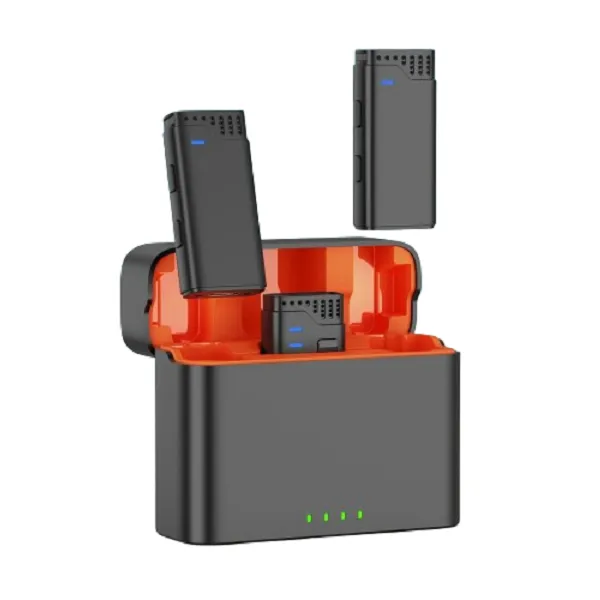




The Jmary MW-16 is a 2.4G wireless microphone for mobile and camera use, listed in our Microphones category. It suits creators, students and small-business owners in Bangladesh who want to record voice without a cable between the microphone and the device. This page draws only on our product listing and our store policy, so you can check each figure before you buy.
- Jmary MW-16 overview
- Key features
- Specifications
- How to use / set up
- Compatibility and what is in the box
- Who should buy it in Bangladesh
- Alternatives in our store
- Warranty and support
- Delivery, returns and ordering
- Frequently asked questions
Jmary MW-16 overview
The Jmary MW-16 sits in our Microphones category and is listed as a 2.4G wireless microphone for mobile and camera. The listing names the brand as Jmary and the model as MW-16, so search for the full name, Jmary MW-16, when you compare this product with others. If you record voice notes on your phone, shoot short videos or add narration to a camera, a wireless option is worth comparing with the wired microphones you already know.
Buyers in Bangladesh often compare microphones on a phone screen, sometimes in a rush between classes or shoots. Read the listing figures slowly, then decide which of them matter for your own recording. A figure that looks impressive may matter little for a short voice note, while a battery figure can matter a great deal on a full-day shoot. Write down the two or three things you need most before you compare anything else.
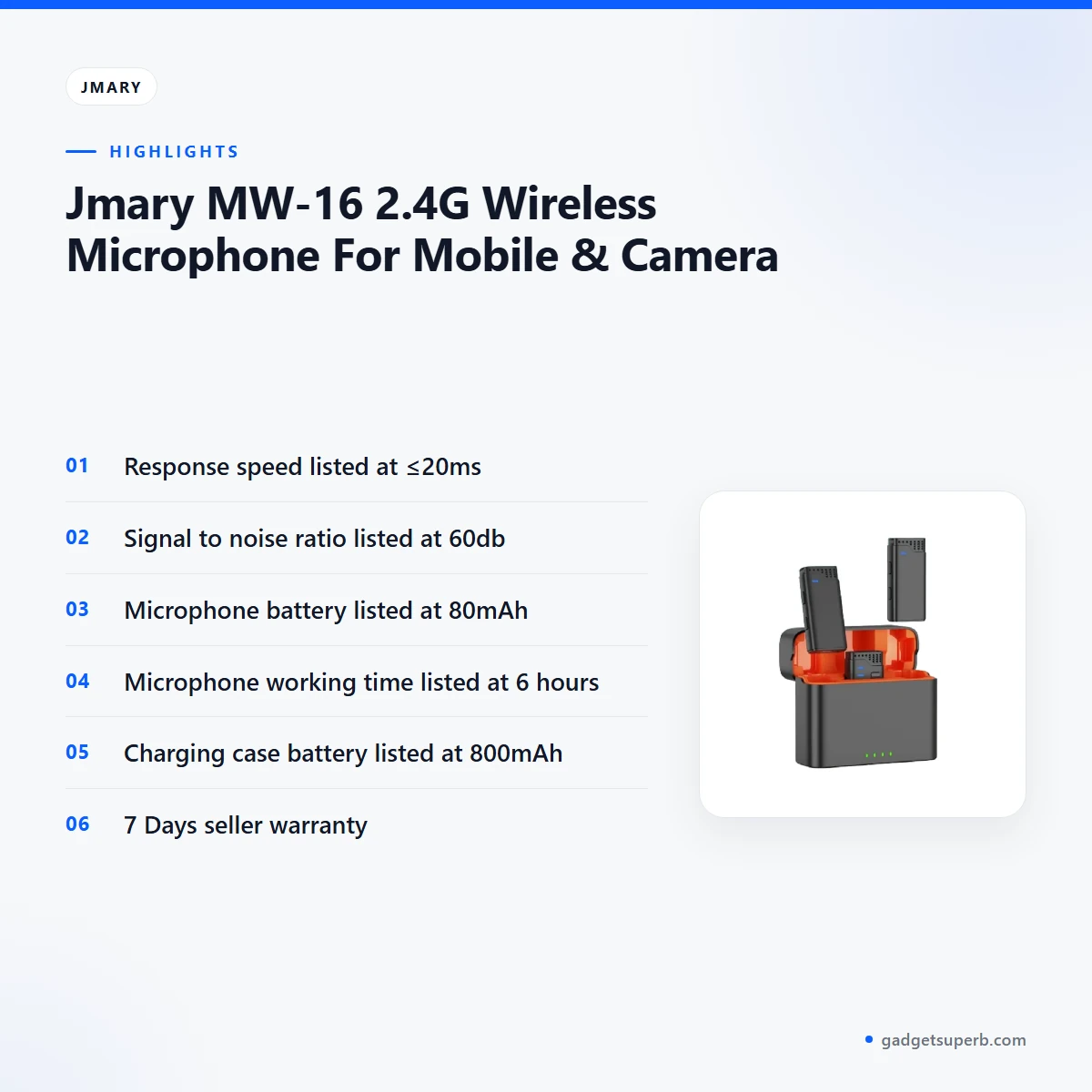
The maker lists the Jmary MW-16 with a response speed of ≤20ms, a signal to noise ratio of 60db, an 80mAh microphone battery and an 800mAh charging case battery. These are the headline figures in the listing, and they are the first things to check against how you plan to record. Read them as the maker’s stated figures, and do not treat them as promises about every room or every device.
Anyone considering this microphone should read those figures alongside this guide, which draws only on our product listing and our store policy. Where the listing is silent, we say so rather than fill the gap. This page is arranged in the order most buyers ask about: overview and features first, then the listed specifications, setup and care, compatibility, buyer scenarios, alternatives, warranty, delivery and questions. For the maker’s own range and background, visit the maker’s website.
Key features
Response speed of the Jmary MW-16
The listing gives a response speed of ≤20ms for the Jmary MW-16. That is the figure the maker publishes, and it is the first number to compare when you put this listing beside other wireless microphones in your search. This guide repeats the figure as the listing gives it. For a mobile vlog, a quick voice note or a live call, check that the stated figure suits how you plan to use this microphone and your phone. Keep the room and the phone case in view too, since both can affect a recording.
Signal to noise ratio on the Jmary MW-16
The listing gives a signal to noise ratio of 60db for the Jmary MW-16. We repeat that figure as printed and add no further explanation of it. In Bangladeshi homes, background noise can come from ceiling fans, traffic on a busy Dhaka road, a neighbour’s television or a generator during load-shedding. The room you choose therefore matters as much as the number. Close the windows, move away from fans and record a short sample before a long session, so you can judge the result in your own space.
Working time of the Jmary MW-16 microphone and case
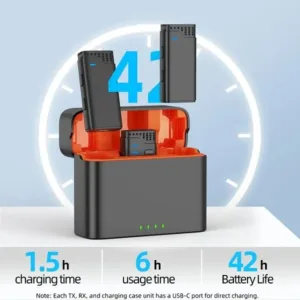
The listing gives a microphone working time of 6 hours and a charging case working time of 42 hours for the Jmary MW-16. These are the maker’s figures for the microphone and the case, so plan around them rather than around a best case. For a day of filming, a long interview or a workshop, charge the microphone fully before first use and top it up during breaks. Where load-shedding is common, charge the case during supply hours, so you are less likely to start a session with low power.
Battery capacities: 80mAh and 800mAh
The Jmary MW-16 is listed with an 80mAh microphone battery and an 800mAh charging case battery. The two figures are separate, so check both when you compare one wireless microphone with another. Store the microphone and its case somewhere dry and cool, away from direct sun and damp, because the wet season in Bangladesh can be hard on electronics left in the open. Follow the maker’s instructions for charging, and keep the charging contacts clean and dry.
2.4G wireless for the Jmary MW-16
The product name describes the Jmary MW-16 as a 2.4G wireless microphone for mobile and camera. For you, that means the microphone is meant for phone and camera recording, as its name says. The listing does not name specific phone brands or camera models, so do not assume it fits every device. If your setup is unusual, message us with your device before you buy, so the fit is confirmed in advance.
Reading the listing figures together
The listing gives response speed, signal to noise ratio, two battery capacities and two working times. Each one answers a different question about your recording, so set your own needs against them before you decide. Note which two or three figures matter most to your work, and compare those first when you look at other listings in our range. A single impressive figure rarely settles the choice on its own.
Specifications
The table below sets out the listed specifications for this microphone exactly as the product listing gives them. Use it as a quick reference when you compare the Jmary MW-16 with other microphones in our store.
| Label | Value |
|---|---|
| Brand | Jmary |
| Model | MW-16 |
| Wireless | 2.4G |
| Response Speed | ≤20ms |
| Signal to Noise Ratio | 60db |
| Microphone Battery | 80mAh |
| Charging Case Battery | 800mAh |
| Microphone Working Time | 6 hours |
| Charging Case Working Time | 42 hours |
| Warranty | 7 Days |
| Category | Microphones |
These are listed specifications from the product listing.
How to use / set up
Start with a full charge for the Jmary MW-16 before the first session. The listing gives a separate battery figure for the microphone and the charging case, so charge both where you can. Follow the maker’s instructions for the first charge and for setup, and top up the case if it is low when you arrive on site.
Once it is charged, connect the microphone to the phone or camera you plan to use, following the maker’s instructions. Do a short trial in the room where you will record, not in a quiet kitchen or office. Listen back, then adjust the position of the microphone before you change anything else. Moving it closer to the speaker, and away from fans or open windows, is a sensible first step before you touch any other setting.
Before each recording, check that your phone or camera has enough battery and enough free storage for the file. Keep the Jmary MW-16 and its case within sight during the session, so nothing is left behind at a site, in a taxi or on a rooftop. If you are recording outdoors, keep the microphone out of the wind as far as you can, and expect some background sound on a busy street.
If you record at a fixed location, such as a home corner or a classroom, set up the microphone in the same spot each time. A fixed position makes it easier to compare one session with the next.
Keep the Jmary MW-16 in a dry place between sessions. Humidity is common in Dhaka during the monsoon, so store it with its case in a spot with some airflow rather than in a closed bag that traps moisture. Avoid leaving them in direct sun, especially inside a parked car. After outdoor use, wipe the outside with a dry, soft cloth and let it dry fully before you put it away.
After each session, store the microphone and its case together in the same place, so nothing goes missing before the next shoot. Do not put a damp microphone away in its case, and let it dry first.
For power planning, charge the case during supply hours if load-shedding affects your area. Before a long shoot or a full day of interviews, check the charge on both the Jmary MW-16 and the case, following the maker’s instructions. Plan one top-up break in the middle of the day, and note the times you charged so you know where you stand.
Finally, keep a short checklist before each session: charged microphone, charged case, phone or camera ready, and a quiet room with the windows closed. This routine saves time and reduces wasted recordings. If you are unsure about setup for your device, ask us before you order; contact details are in the delivery section below.
Compatibility and what is in the box
The product name confirms that the Jmary MW-16 is a 2.4G wireless microphone for mobile and camera. The listing also confirms the brand Jmary, the model MW-16, the 7 Days warranty and the category Microphones. These are the items you can rely on when you read this page.
The listing does not confirm which phone models or camera models the microphone works with, so we do not claim support for any specific device. The listing also does not confirm what comes with the product, so this page does not list accessories. If you need that detail, ask us with your device model first.
Features that the product listing does not mention are not covered here. If your plan depends on a particular feature, ask us first rather than assuming it is included.
Before buying the Jmary MW-16 for an unusual phone or camera setup, check the connection with us first. A short message with your device name avoids guesswork. Describing your phone and camera in general terms also helps us answer the fit question honestly.
When you read any listing, look for the exact words the maker uses. If a listing states a figure but does not say what it applies to, do not fill the gap with a guess. Ask us, and we will tell you what our listing states and what it leaves out.
Who should buy it in Bangladesh
Phone-based creators who film on Dhaka streets, in markets or on rooftops may find the Jmary MW-16 a practical choice. Its wireless design means you are not tied to a cable while you walk and film, which is the main reason to choose wireless over wired. Check that your phone suits the microphone, and plan the shoot around the listed 6-hour microphone working time.
Students recording lectures, presentations or online classes at home can use the Jmary MW-16 to record their own voice. Choose a quiet corner, close the window during traffic, and treat the listed 60db signal to noise ratio as a printed figure rather than a guarantee.
Small-business owners who record product walk-throughs, shop announcements or short video adverts may find this microphone useful for a simple setup. Keep the charging case topped up, so a busy day does not stop the recording. Our Microphones category also lists other options if you need a different setup.
Camera users who want a wireless voice option for interviews, street vox pops or family events should check how the Jmary MW-16 suits their camera first. The listing does not name specific cameras, so message us with your camera model.
Buyers who expect long sessions, such as workshops, events or full-day shoots, should note the listed 42-hour charging case working time and the 6-hour microphone working time. Plan charging breaks, and do not rely on one charge for a long event unless you have checked the figures against your own schedule. For a long event, treat the listed figures as a starting point, not a promise.
Schools, community groups and small event hosts may want a simple wireless option for a speaker at a talk or workshop. Check that the setup suits the room, and confirm the listed working times against the length of the event.
Content creators who record tutorials at a desk can place a phone or camera on a stand and use the Jmary MW-16 with the setup they already have. Follow the maker’s instructions for connection, and check the sound in a short sample before a full session.
Buyers who already know their phone’s connection should check it against the listing, which does not name a connection type, and against the alternatives in the next section. Match the connection to your phone and the way you plan to record.
Alternatives in our store
If you want to compare the Jmary MW-16 with other options before you decide, look at Hoco L15 Lightning Lavalier Wireless Microphone (For iPhone), another wireless microphone in our range. For another option, see SX9 Mini Wireless Microphone For Type C & 3.5 Interface 1:1, which is also a wireless microphone in our range. For an interview setup, consider Boya Dual Clip Interview Microphone (BOYA M1DM), a microphone in our Microphones category. For a dual-mic option, see K35 Pro Dual Mic Wireless Lavalier Microphone, another wireless microphone in our Microphones category. You can browse the full range in our Microphones category.
Put the Jmary MW-16 next to each option and compare the listings in full, since each page gives its own figures. Choose on the connection you need and the way you plan to record, not on the name alone.
Warranty and support
Warranty: 7 Days seller warranty.
Delivery, returns and ordering
Before you buy the Jmary MW-16, read the delivery and returns details below, so you know what to expect from the first message to the handover.
We deliver all over Bangladesh and you pay cash on delivery. Delivery usually takes 1–3 days inside Dhaka city and 2–5 days outside Dhaka.
You can return it within 7 days of delivery (see our Delivery & Returns policy). Questions before ordering: call 09638054751, message us on Facebook Messenger or email care@gadgetsuperb.com.
If you are outside Dhaka, allow for the longer range of 2–5 days and plan any recording date with that in mind. Inside Dhaka city, the usual range is 1–3 days. Both ranges are usual times, so build a little spare time into any date that matters.
Keep your phone number handy when you place an order, so any question about the address or timing can be settled quickly. If you are not sure which area your address falls in, ask us first, because the usual delivery time depends on whether you are inside or outside Dhaka.
The policy page is the place to check the full terms for the Jmary MW-16 and any other item in our range, so read it before you place an order.
Frequently asked questions
What is the Jmary MW-16 wireless microphone?
The Jmary MW-16 is listed as a 2.4G wireless microphone for mobile and camera use, and it sits in our Microphones category.
What response speed does the Jmary MW-16 list?
The listing gives a response speed of ≤20ms for the Jmary MW-16, and we repeat that figure as the maker lists it.
How long does the Jmary MW-16 microphone work?
The listing gives a microphone working time of 6 hours and a charging case working time of 42 hours.
What battery capacities are listed?
The listing gives an 80mAh microphone battery and an 800mAh charging case battery.
Does it work with my phone or camera?
The listing says it is for mobile and camera use but does not name specific models, so message us with your device first.
Is there a warranty on the Jmary MW-16?
Yes. The listing shows a 7 Days warranty for the Jmary MW-16 from the seller.
Can I return it if it does not suit me?
Yes, you can return it within 7 days of delivery, as set out in our Delivery and Returns policy.
Do you deliver outside Dhaka?
Yes, we deliver all over Bangladesh. Delivery usually takes 2–5 days outside Dhaka.
How does payment work?
We deliver all over Bangladesh and you pay cash on delivery.
How can I ask a question before ordering?
Call 09638054751, message us on Facebook Messenger or email care@gadgetsuperb.com.
Do I pay when the order arrives?
Yes. Our store policy says you pay cash on delivery.
Where can I read the full returns terms?
Our Delivery and Returns policy page sets out the terms, including the 7-day return window.
Related products
-26%
76 in stock
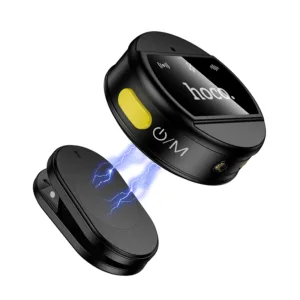

Hoco L22 Bright 2-in-1 wireless Microphone with Case
Original price was: ৳ 2,870.৳ 2,120Current price is: ৳ 2,120.-27%
100 in stock
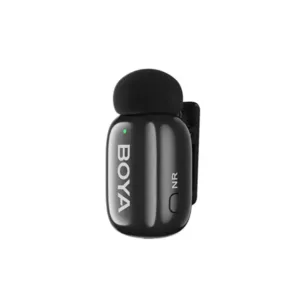

BOYA Mini-16 Ultra-Compact Wireless Microphone for IOS Devices
Original price was: ৳ 4,690.৳ 3,420Current price is: ৳ 3,420.-28%
29 in stock

FIFINE AMPLIGAME A6T Gaming PC USB Microphone & Podcast Condenser Mic with Boom Arm Microphone
Original price was: ৳ 8,340.৳ 6,000Current price is: ৳ 6,000.-23%
50 in stock


Hoco L21 ENC Wireless Microphone For Android
Original price was: ৳ 1,300.৳ 1,000Current price is: ৳ 1,000.-28%
30 in stock
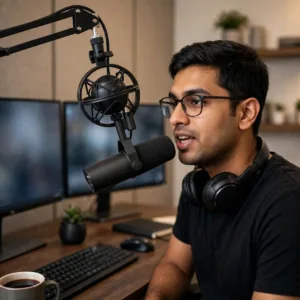
MAONO PD300X USB/XLR Dynamic Microphone
Original price was: ৳ 13,200.৳ 9,490Current price is: ৳ 9,490.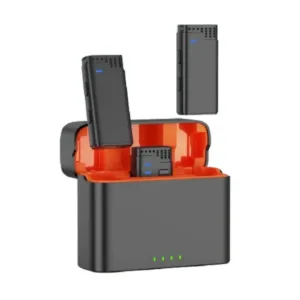 Jmary MW-16 2.4G Wireless Micr...
 Original price was: ৳ 4,420.৳ 3,220Current price is: ৳ 3,220.
8 in stock
Reviews
There are no reviews yet.