No products in the cart.

-28%
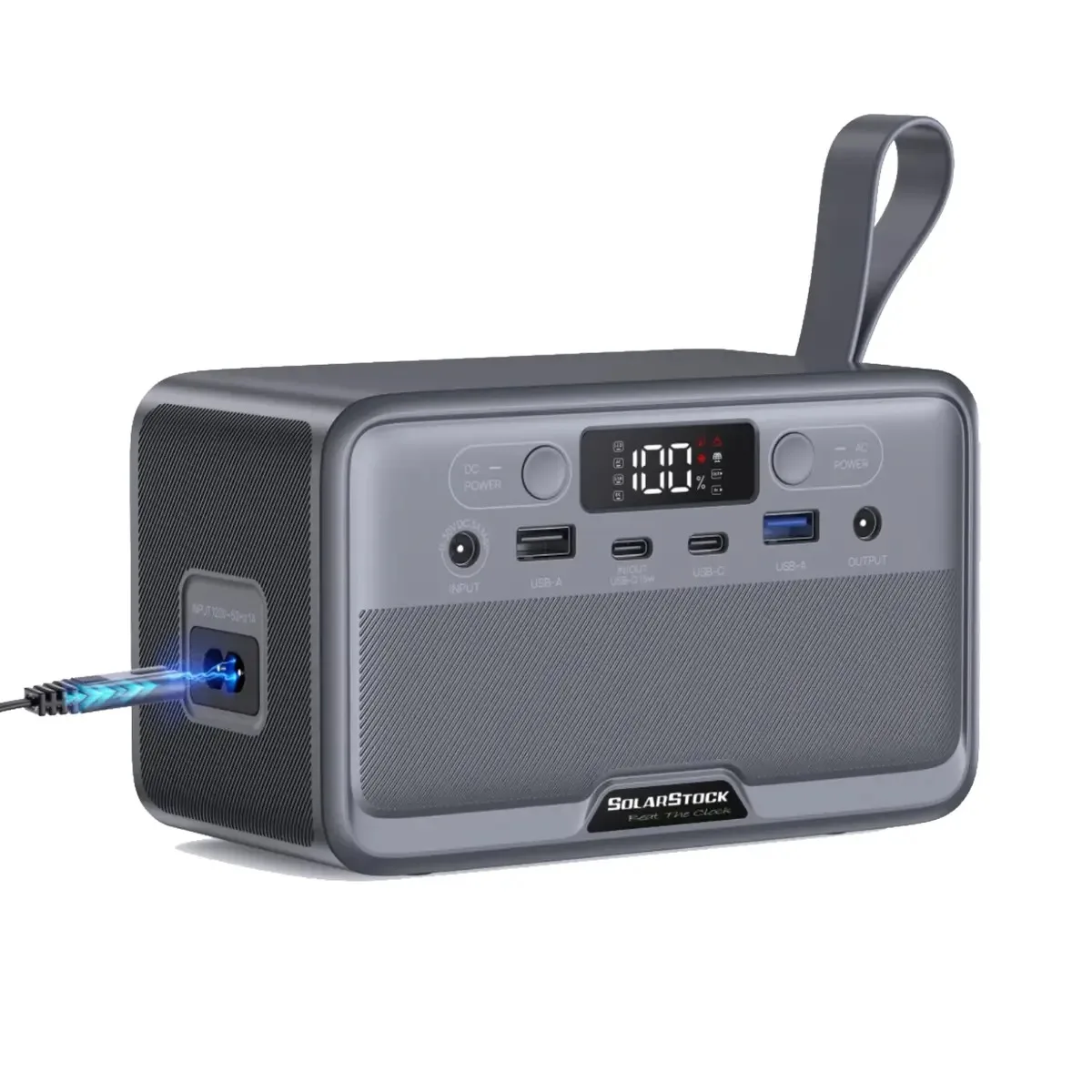

The SolarStock R100 power station is a compact mini portable power station that the listing names the SolarStock YOUYO R100 100W 89.6Wh Mini Portable Power Station. It is aimed at people who need convenient backup power for business trips, travel, camping, outdoor activities and emergencies at home in Bangladesh.
- Overview
- Key features
- Specifications
- How to use and set up
- Compatibility and what is in the box
- Who should buy it in Bangladesh
- Alternatives in our store
- Warranty and support
- Delivery, returns and ordering
- Frequently asked questions
Overview of the SolarStock R100 power station
The listing describes the SolarStock R100 power station as a compact and lightweight portable power station designed to provide convenient backup power wherever you need it. The full product name in the listing is SolarStock YOUYO R100 100W 89.6Wh Mini Portable Power Station, and the model is given as YOUYO R100. This page covers that unit in the Power Stations category of our store.
According to the listing, the SolarStock R100 power station combines an 89.6Wh LiFePO₄ battery with a 100W AC output. The maker lists it as an ideal companion for business trips, travel, camping, outdoor activities, emergency backup and everyday portable power needs. Those uses point to a unit that keeps small devices running, such as a phone, lights or a laptop, rather than one that powers a whole household. Think about your daily routine before you decide, and be honest about the devices you want to keep working when the lights go out.
Load-shedding is a common concern in many parts of Bangladesh, and humid weather and long commutes across Dhaka make portable kit more useful than many people expect. The SolarStock R100 power station can serve as a sensible backup for mobile devices, lights or a laptop during an outage, but it is a small battery and not a whole-home solution. Before you rely on it, check the wattage of each device you plan to connect and compare it with the outputs listed in the specifications section below.
For general background on the category, the consumer electronics overview on Wikipedia covers the wider field of everyday electronic devices. Our interest here is narrower: what this particular unit is listed to do, and how it fits the way people in Bangladesh use power at home, at work and on the road.
Our advice is to plan around the load first and the battery second. The listing says the 100W AC output suits compatible low-power appliances, but it does not publish a full list of compatible appliances. Check the label or manual of any appliance you plan to run, and confirm that its power needs sit well within the listed outputs before you connect it.
A good way to decide is to write down three things: the devices you want to keep running, how long you expect to be away from mains power, and where you will charge the unit. The listing gives recharge times for AC, solar and USB-C1, so you can match the charging method to your plans. Keep your list somewhere easy to find, and revisit it each season, since needs change with travel, study and work.
Key features
Reliable LiFePO₄ battery
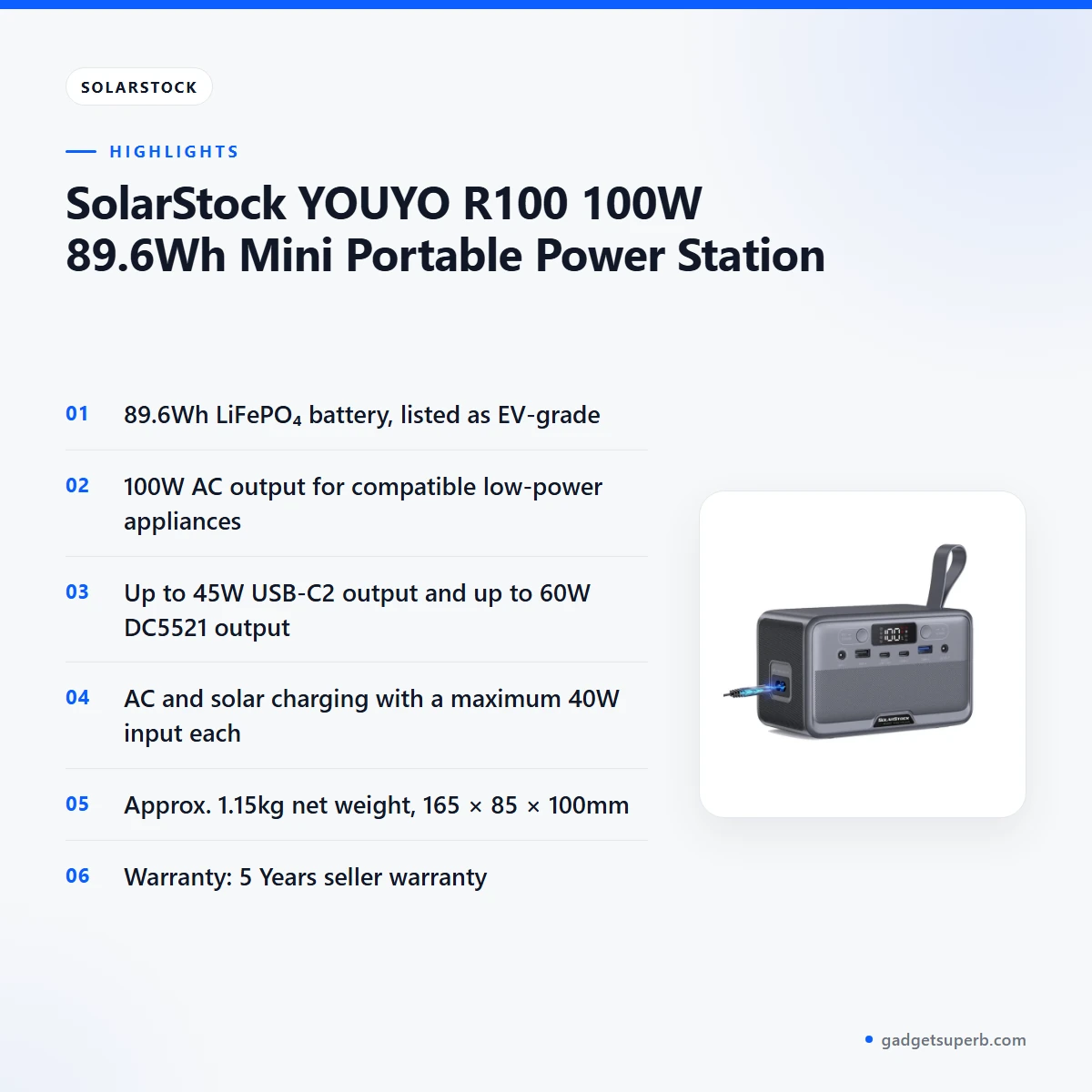
According to the listing, the SolarStock R100 power station uses an 89.6Wh Lithium Iron Phosphate (LiFePO₄) battery. The maker lists this chemistry as offering better safety and durability compared to conventional battery technologies, and describes the battery as EV-grade. The listing says the battery is suitable for powering small electronics, mobile devices, laptops, lights and other compatible equipment. For buyers in Bangladesh, the practical point is that battery capacity sets the limit on how much you can run, so keep the connected load modest and plan around the listed 89.6Wh figure. The listing does not give a cycle life figure, so the maker’s durability statement is the only one published here.
Multiple charging and output options
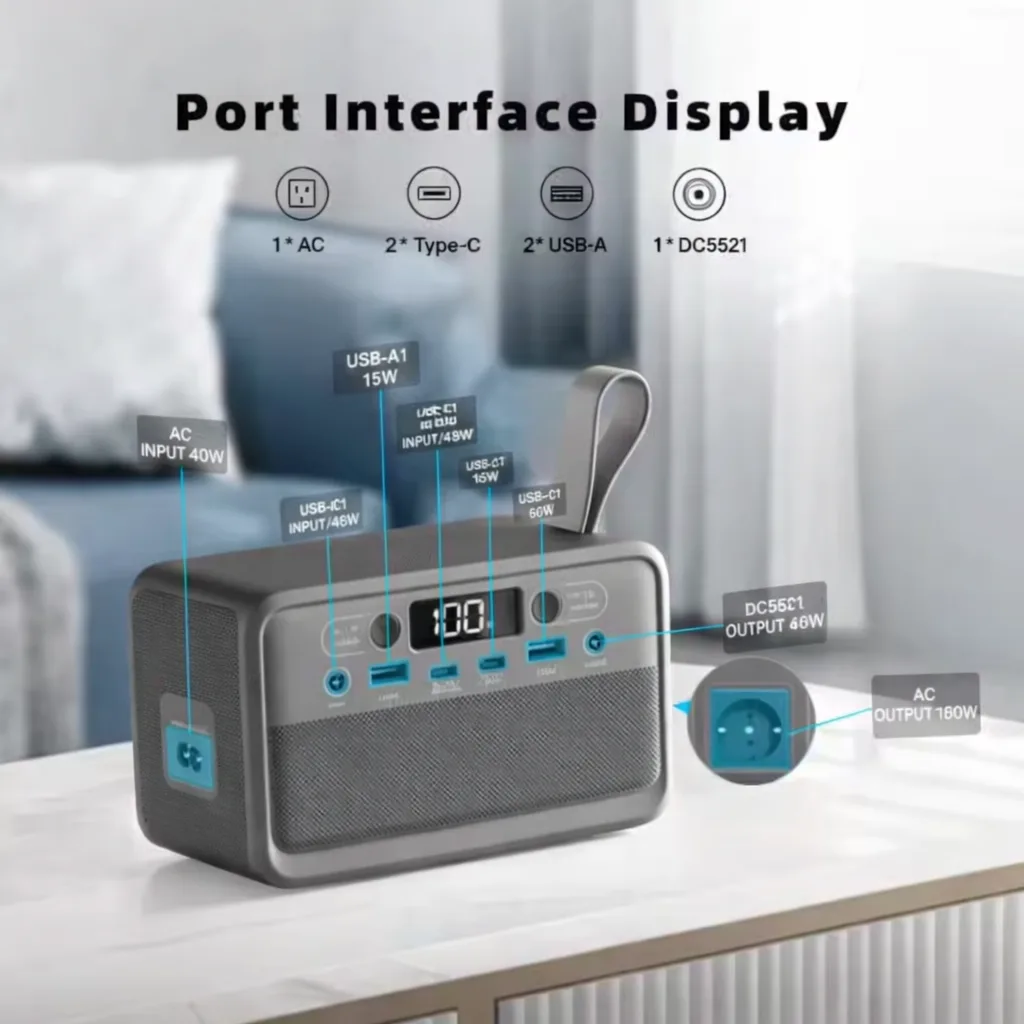
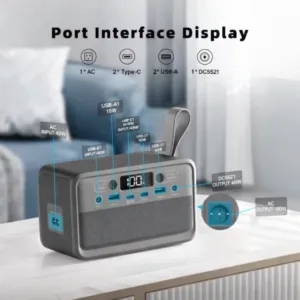
With multiple USB, DC and AC outputs, the listing says the SolarStock R100 power station can power several types of devices. The 100W AC output is listed as suitable for compatible low-power appliances. The USB-C2 output is listed at up to 45W, which the listing describes as faster charging for supported devices. The DC5521 output is listed at up to 60W (12V/5A), and the USB-A1 and USB-A2 outputs are listed at up to 15W and 18W. Match each device to the output it needs before you connect it, and do not assume that one port can supply the full rating of another. If you power several devices, decide which output each one will use first and keep a note, so the setup is easy to repeat.
Recharging by AC, solar or USB-C
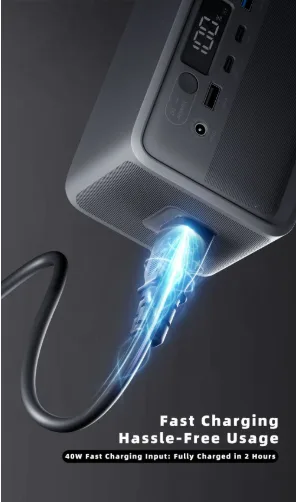
The listing says the SolarStock R100 power station can be recharged through AC power, solar panels or USB-C, which gives flexibility when you travel or spend time outdoors. The AC input and solar input are each listed at a maximum of 40W, and the USB-C1 input is listed at a maximum of 15W. Recharge times are listed as approximately 2.4 hours from AC power, approximately 2.4 hours from solar, and approximately 6.3 hours from USB-C1. The listing does not explain the conditions behind these times, so treat them as the maker’s figures rather than a guarantee for your location. Where mains supply is irregular, it helps to top up the battery whenever power is available.
Compact and lightweight design
The listing gives the net weight as approximately 1.15kg and the dimensions as 165 × 85 × 100mm. The maker describes an ergonomic body that gives convenient access to the power and charging ports. Its small footprint is intended for carrying in a backpack, keeping in a vehicle or storing at home for emergency use. The listing does not give cable lengths or a carry case size, so when you pack for a trip, allow room for your own cables and adapters. The SolarStock R100 power station is a practical choice for people who move between home, office and outdoor spots. Keep the cables in a small pouch so they do not tangle, and store the unit where it will not be knocked.
Built-in LED light and charging support
The listing includes a built-in 0.3W LED light as one of the unit’s features. It also says the SolarStock R100 power station supports AC and solar charging, with a maximum 40W AC and solar input. Together these features make the unit useful during short outages when you need light in a hallway, a kitchen or a bedroom while you charge a phone. The listing gives no further detail on the light’s brightness or settings, so check the product details before you order if the light is a key reason for your purchase.
Travel, camping and emergency use
The maker lists business trips, travel, camping, outdoor activities, emergency backup and everyday portable power needs as the intended uses. For a weekend trip out of town, the unit can keep a phone and a small lamp ready. At home in a Dhaka flat during a load-shedding period, the same unit can keep lights and a laptop going, within the listed outputs. Plan each use around your device list, rather than around the 89.6Wh number alone.
Specifications of the SolarStock R100 power station
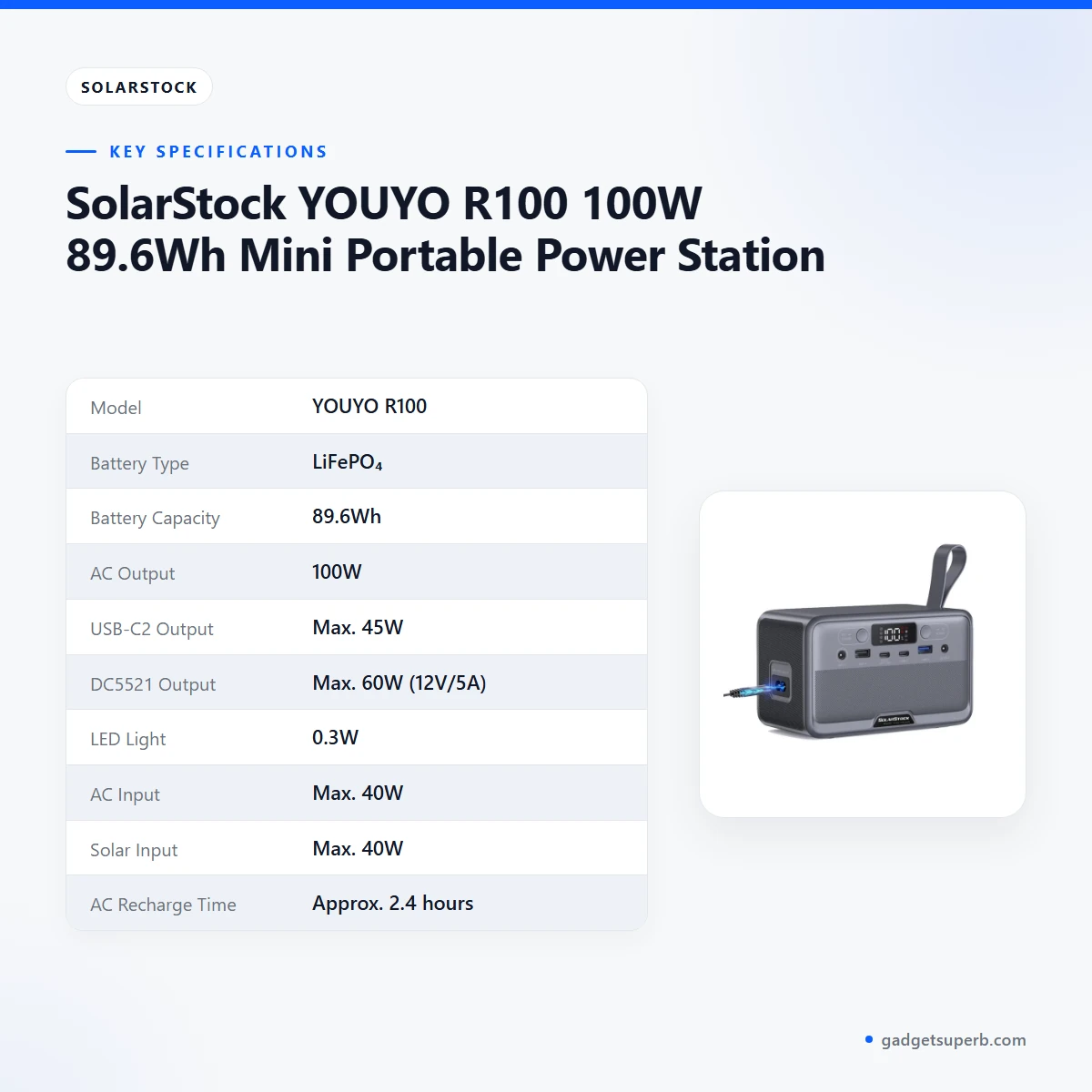
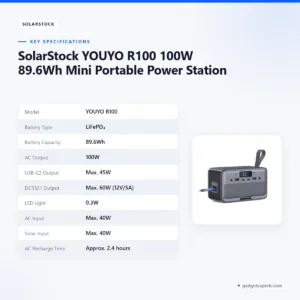
The table below sets out the listed specifications of the SolarStock R100 power station as they appear on the product listing.
| Specification | Details |
|---|---|
| Model | YOUYO R100 |
| Battery Type | LiFePO₄ |
| Battery Capacity | 89.6Wh |
| AC Output | 100W |
| USB-C2 Output | Max. 45W |
| DC5521 Output | Max. 60W (12V/5A) |
| LED Light | 0.3W |
| AC Input | Max. 40W |
| Solar Input | Max. 40W |
| AC Recharge Time | Approx. 2.4 hours |
| Solar Recharge Time | Approx. 2.4 hours |
| Net Weight | Approx. 1.15kg |
| Dimensions (L × W × H) | 165 × 85 × 100mm |
These are listed specifications from the product listing.
How to use and set up the SolarStock R100 power station
Start by following the maker’s instructions for your unit. The listing does not describe button sequences, screen readings or indicator behaviour, so the maker’s instructions are the right guide for those details.
Charge fully before first use. A full first charge gives you a clear starting point, and it lets you check the unit with the input you plan to use most, whether AC, solar or USB-C. Once charged, keep the SolarStock R100 power station in a dry place with some airflow, away from direct sunlight and heat.
- Read the maker’s instructions and note the listed outputs and inputs.
- Charge fully before first use, using the input that suits your location.
- Check each device’s power rating against the output you plan to use.
- Connect the device to a matching port, and use only the output you need.
- Keep the unit in a dry, ventilated place while it is in use.
- Recharge after use, so the battery is ready for the next outage or trip.
When you plan a backup for the SolarStock R100 power station, make a short list of the devices you need, add up their power ratings, and compare the total with the listed 100W AC output and the battery’s 89.6Wh capacity. Keep a margin for safety, and do not rely on the battery to power a device that is not listed as compatible. Keep the cables you need in one place, so you do not have to hunt for them during a power cut.
Care is simple. Keep the unit clean and dry, avoid leaving it in a hot car for long periods, and store it with some charge rather than fully empty. Follow the maker’s instructions for storage and recharge intervals. These are general habits for any battery-powered device, and the listing does not publish storage guidance.
Compatibility and what is in the box
Confirmed by the listing: the unit lists USB-A1, USB-A2, USB-C1, USB-C2, DC5521 and AC outputs, along with AC, solar and USB-C1 inputs. The maker says the SolarStock R100 power station suits small electronics, mobile devices, laptops, lights and other compatible equipment.
Not confirmed by the listing: the full list of compatible appliances, the contents of the package, the length of the cables, and any accessories for car or solar use. Ask us before you order if you need a specific accessory, and do not assume an accessory is included.
Confirm your model before you order, because the listing names the model as YOUYO R100 and this page is written to that listing. Compare the outputs in the specifications table with the devices you own, and check the connections you need before you buy. If you plan to use the unit with a specific device, check its charger and connector first. Our team can help you match the listed outputs with the devices you have at home.
Who should buy it in Bangladesh
Commuters in Dhaka who want a small reserve for their mobile devices and a laptop will find the listed outputs suited to that kind of use. Many people in the city face long journeys and irregular power at home, so a compact unit that fits in a bag can help keep essential devices charged. The SolarStock R100 power station makes most sense for this scenario.
Students and office workers in flats or hostels may find the unit useful for a phone, a laptop or a small lamp during load-shedding. Check that your laptop charger and devices fall within the listed outputs. The SolarStock R100 power station is designed for small loads, so plan your evening use around that limit.
Families outside Dhaka who lose power in the evening may use the built-in 0.3W LED light and a phone charge. This is a modest use, and the listing does not publish runtime figures, so think of the unit as a bridge rather than a full backup.
Campers, travellers and outdoor workers who want a lightweight unit with multiple outputs will find the listing’s camping and outdoor use suits their needs. If your plans go beyond small devices and lights, compare the listed capacity with your load before ordering, and consider the alternatives in our store below. The SolarStock R100 power station is not the right choice for every household.
Small business owners who run a stall, a kiosk or a home office in a power-cut area may consider the unit for a phone, a laptop and lights during short outages. Check your equipment list against the listed outputs before you decide, because the listing does not describe the unit as suited to heavy equipment.
Alternatives in our store
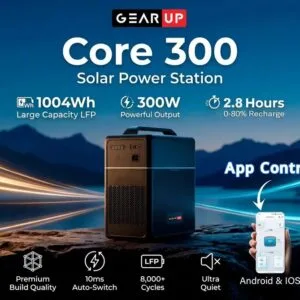
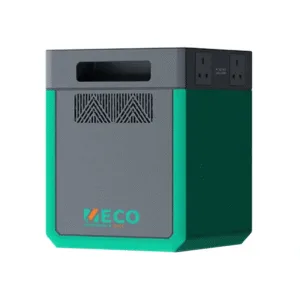
If the SolarStock R100 power station does not match your plans, you can compare another power station in our range. The first option is Meco 2kWh Portable Power Station – 1200W, which is another power station in our range. The second is GearUP Core 300 – Portable Solar Power Station (Inverter 300W, 1004Wh Battery), which is also in the Power Stations category. Both pages list their own specifications, so compare those alongside this one.
To browse the full range, visit our Power Stations category.
Warranty and support
Warranty: 5 Years seller warranty.
Delivery, returns and ordering
Ordering the SolarStock R100 power station from Gadget Superb is simple. We deliver all over Bangladesh and you pay cash on delivery.
Delivery usually takes 1–3 days inside Dhaka city and 2–5 days outside Dhaka. You can return it within 7 days of delivery (see our Delivery & Returns policy), and the full terms are on our Delivery & Returns policy page.
Questions before ordering: call 09638054751, message us on Facebook Messenger or email care@gadgetsuperb.com. Our team can answer questions about the SolarStock R100 power station before you place an order.
Frequently asked questions
Is the SolarStock R100 power station suitable as backup during load-shedding?
The listing presents the SolarStock R100 power station as convenient backup power for small devices. Check each device’s wattage against the listed outputs before you rely on it.
What battery does the SolarStock R100 power station use?
According to the listing, the SolarStock R100 power station uses an 89.6Wh LiFePO₄ battery that the maker describes as EV-grade. The listing says this battery offers better safety and durability compared to conventional battery technologies.
What is the AC output of the SolarStock R100 power station?
The listing gives the AC output as 100W and says it suits compatible low-power appliances. Check the rating of any appliance before you connect it.
How long does the SolarStock R100 power station take to recharge?
The listing gives approximately 2.4 hours for AC or solar recharge and approximately 6.3 hours for USB-C1 recharge. These are the maker’s listed figures, so treat them as a guide.
Can the SolarStock R100 power station be charged with solar panels?
The listing says the SolarStock R100 power station supports solar charging, with a maximum 40W solar input. The listing does not give further solar panel details.
How much does the SolarStock R100 power station weigh?
The listing gives the net weight as approximately 1.15kg, with dimensions of 165 × 85 × 100mm.
Does the SolarStock R100 power station have a warranty?
Warranty: 5 Years seller warranty.
Can I return the SolarStock R100 power station?
You can return it within 7 days of delivery. Read our Delivery and Returns policy for the full terms.
Do you deliver the SolarStock R100 power station outside Dhaka?
Yes. We deliver all over Bangladesh and you pay cash on delivery, and delivery usually takes 2–5 days outside Dhaka.
Who should I contact before ordering the SolarStock R100 power station?
Call 09638054751, message us on Facebook Messenger, or email care@gadgetsuperb.com.
Related products
-28%
50 in stock
GearUP Core 300 – Portable Solar Power Station (Inverter 300W, 1004Wh Battery)
Original price was: ৳ 44,490.৳ 32,000Current price is: ৳ 32,000.-28%
Out of stock
oraimo All-in-One Solar Power Station Inverter 500W, Lithium Battery 1000Wh
Original price was: ৳ 58,890.৳ 42,360Current price is: ৳ 42,360.-28%
20 in stock

Meco 2kWh Portable Power Station – 1200W
Original price was: ৳ 104,250.৳ 75,000Current price is: ৳ 75,000.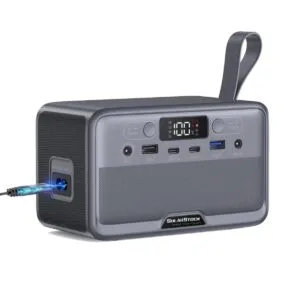 SolarStock YOUYO R100 100W 89....
Original price was: ৳ 19,460.৳ 14,000Current price is: ৳ 14,000.
50 in stock
Reviews
There are no reviews yet.