No products in the cart.

-23%
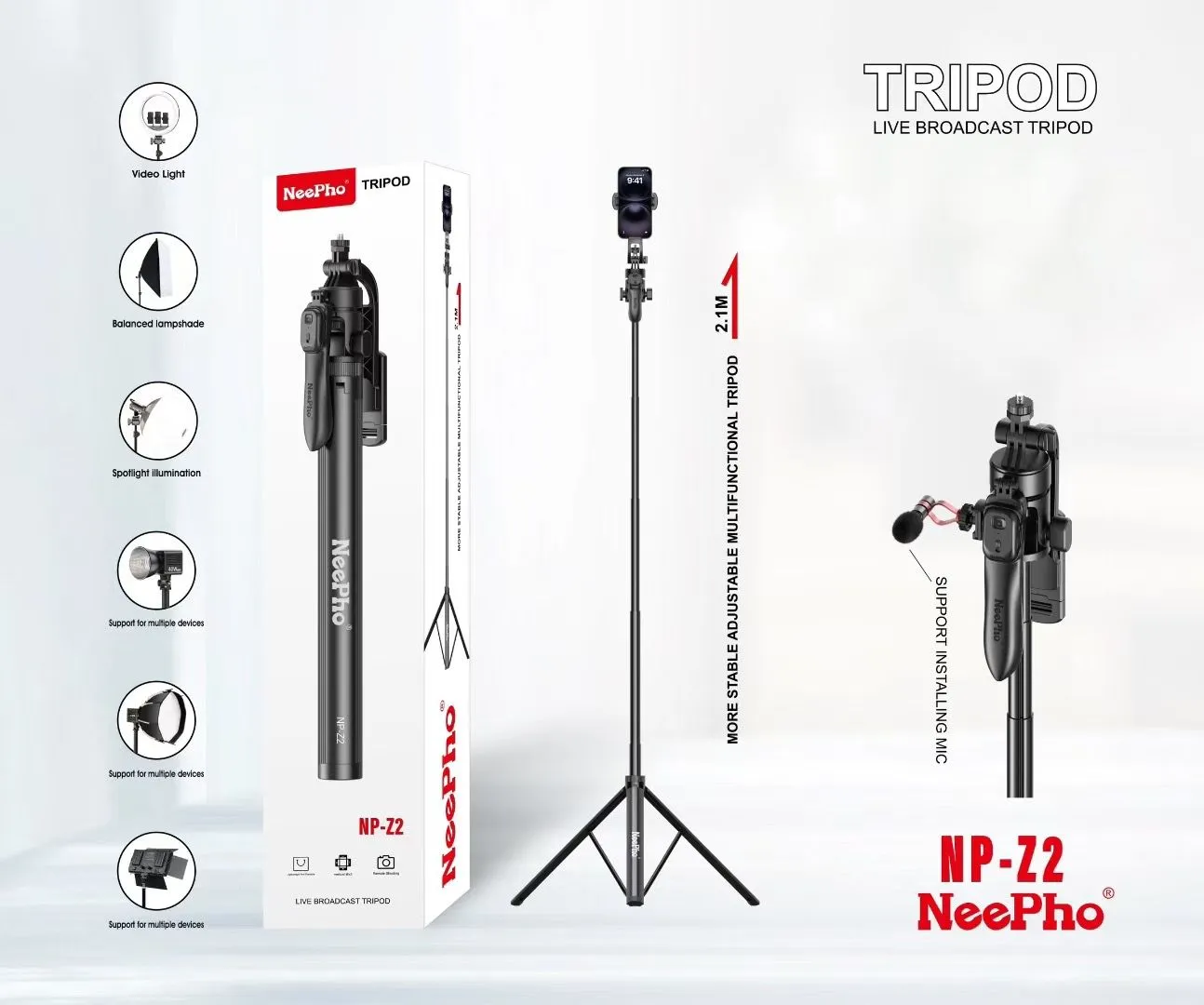
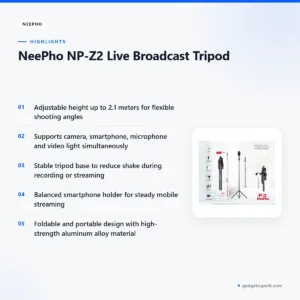
The Neepho NP-Z2 Tripod is a live broadcast stand for people who film, stream or record from a fixed position. The listing gives an adjustable height of up to 2.1 meters and support for a camera, a smartphone, a microphone and a video light used at the same time. It suits Bangladeshi creators, home streamers, teachers and small business owners who want one stand for several devices.
- Overview for Bangladeshi buyers
- Key features
- Specifications
- How to set up and care for it
- Compatibility and what is in the box
- Who should buy it in Bangladesh
- Alternatives in our store
- Warranty and support
- Delivery, returns and ordering
- Frequently asked questions
Neepho NP-Z2 Tripod overview for Bangladeshi buyers
According to the listing, the Neepho NP-Z2 Tripod is a live broadcast and multifunctional stand. Its adjustable height reaches 2.1 meters, which gives you room to frame a shot from seated eye level or from above a desk. The listing also describes a foldable and portable design, so the stand can move between a room at home, a studio corner or a workplace.
Many buyers in Bangladesh look for a tripod for a phone at home, a camera for a small set, or a stand that can also hold a light. The neepho np-z2 tripod is aimed at live and recorded video, and the listing names four supported devices: a camera, a smartphone, a microphone and a video light. If you only need a phone holder for short clips, a basic phone stand may suit you better.
Two checks matter before you buy. First, the listing does not give a load rating or weight limit, so compare the weight of your camera, microphone and light with the holders you plan to use. Second, the listing gives a maximum height but no minimum height, so measure your desk or shelf before you order the neepho np-z2 tripod.
Bangladesh conditions add a few practical points. Humidity can affect metal parts and clamps over time, so dry the stand after use in damp weather. Load-shedding may interrupt power during a session, so plan a backup for your phone and any battery-powered light. The foldable design also helps when you carry the neepho np-z2 tripod on a commute.
If you want general background on how tripods are used in photography, read the general guide to photography tripods on Wikipedia. That overview explains the basic idea of a stable support, while the listing details below cover this specific stand.
Key features of the Neepho NP-Z2 Tripod
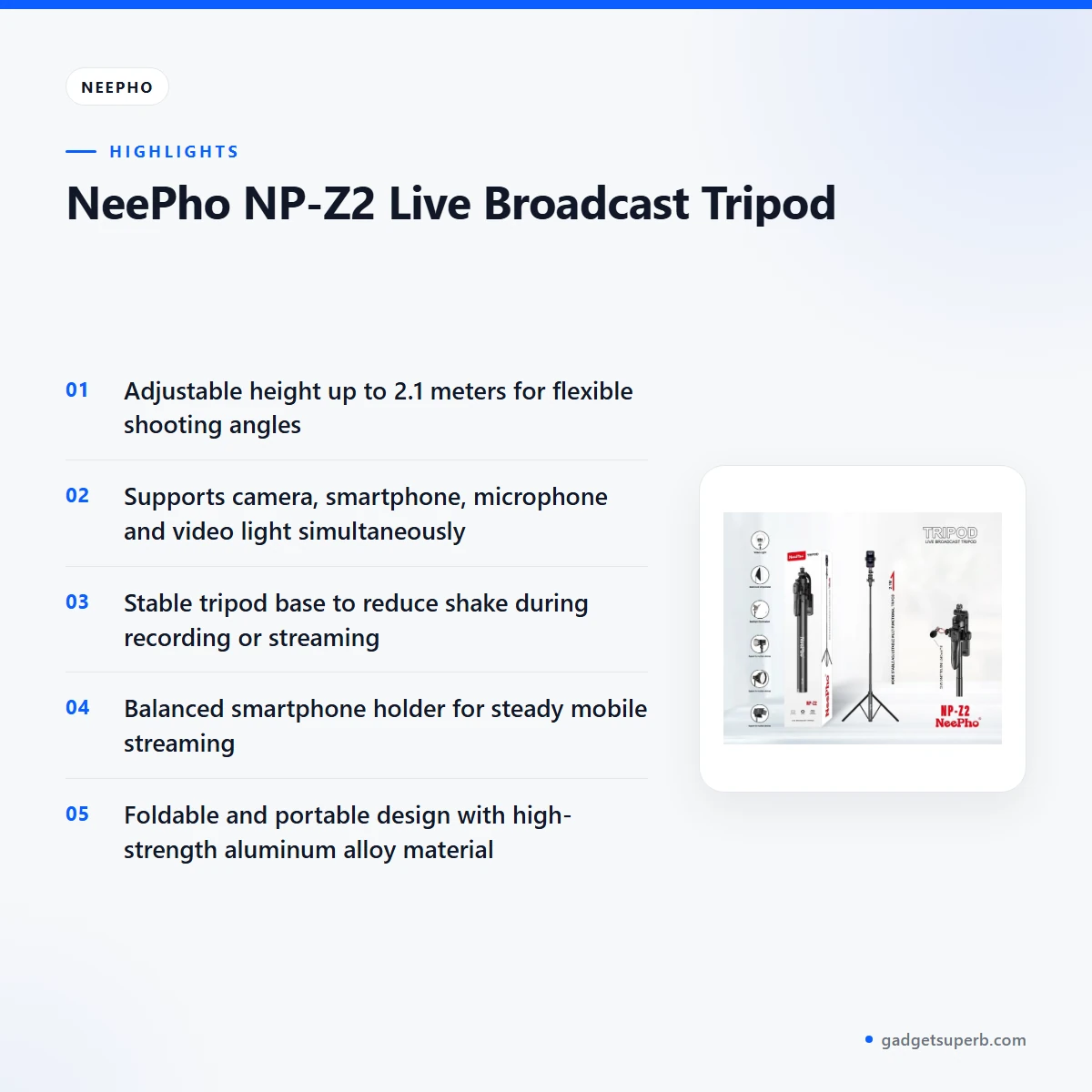
Adjustable height up to 2.1 meters
The listing gives a maximum height of 2.1 meters, and this is the first figure to check when you decide whether a stand will reach the angle you need. On the neepho np-z2 tripod, you extend the legs, then raise the head to the level you want, whether you are filming a seated presenter or a standing demonstration.
Lower the height for a desk or shelf so the frame does not sit too high. The listing says the height range allows flexible shooting angles, which is the main reason to choose a stand with this reach. Lock the joints once the height is set so the frame stays in place during the session.
Supports camera, smartphone, microphone and video light
The listing says the Neepho NP-Z2 Tripod supports a camera, smartphone, microphone and video light simultaneously. That makes it useful for a live set where you want a main camera, a phone for comments or a second angle, a microphone for clear speech and a light, all on one stand.
Check each holder against the device you plan to mount before you buy, because the listing names the holders but does not give their sizes. Plan the cable routing early so the microphone lead and the light cable do not pull on the camera during a broadcast.
Stable base to reduce shake
According to the listing, the stable tripod base is designed to reduce shake during recording or streaming. Spread the legs fully before you mount heavy equipment, and place the stand on a flat and firm surface. The neepho np-z2 tripod works best on a surface that does not move.
Avoid a wobbly table, a thin carpet edge or a balcony floor that moves in the wind. A stable base only helps if the joints and mounts are locked, so check each one by hand after you adjust the angle. The Neepho NP-Z2 Tripod is most useful for a fixed live set that does not move between takes.
Spotlight illumination compatibility
The listing describes spotlight illumination compatibility for enhanced video quality. For the neepho np-z2 tripod, attach the video light or spotlight so it sits close to the subject, and adjust its angle so it does not shine straight into the lens.
Plan power for the light before the session. Load-shedding can interrupt supply, so keep a charged phone and, if your light runs on a battery, a charged battery ready. Charge fully before first use. The maker lists lighting as a way to improve conditions, not as a guarantee of any result.
Balanced smartphone holder for steady streaming
The listing describes a balanced smartphone holder for steady mobile streaming. Mount the phone, then adjust the holder so its weight sits evenly before you lock it in place. A balanced holder works best when the stand is locked and the phone is level, so check both before you start.
The listing does not describe the holder’s grip width or clamp type, so look at the photos and ask us if you need that detail before ordering the Neepho NP-Z2 Tripod. Confirm the phone holder suits your handset before the first live session.
Foldable, portable and durable build
The listing describes a foldable and portable design for easy transport, and a durable build for long-term professional use. The material is listed as high-strength aluminum alloy.
When you pack the Neepho NP-Z2 Tripod after a shoot, remove the phone, camera, microphone and light first, then fold the legs and store the stand in a dry bag or case. In Dhaka, a stand that moves between a flat, a car or a rickshaw can take knocks, so keep it apart from heavy bags. Wipe the metal after damp days to protect the joints.
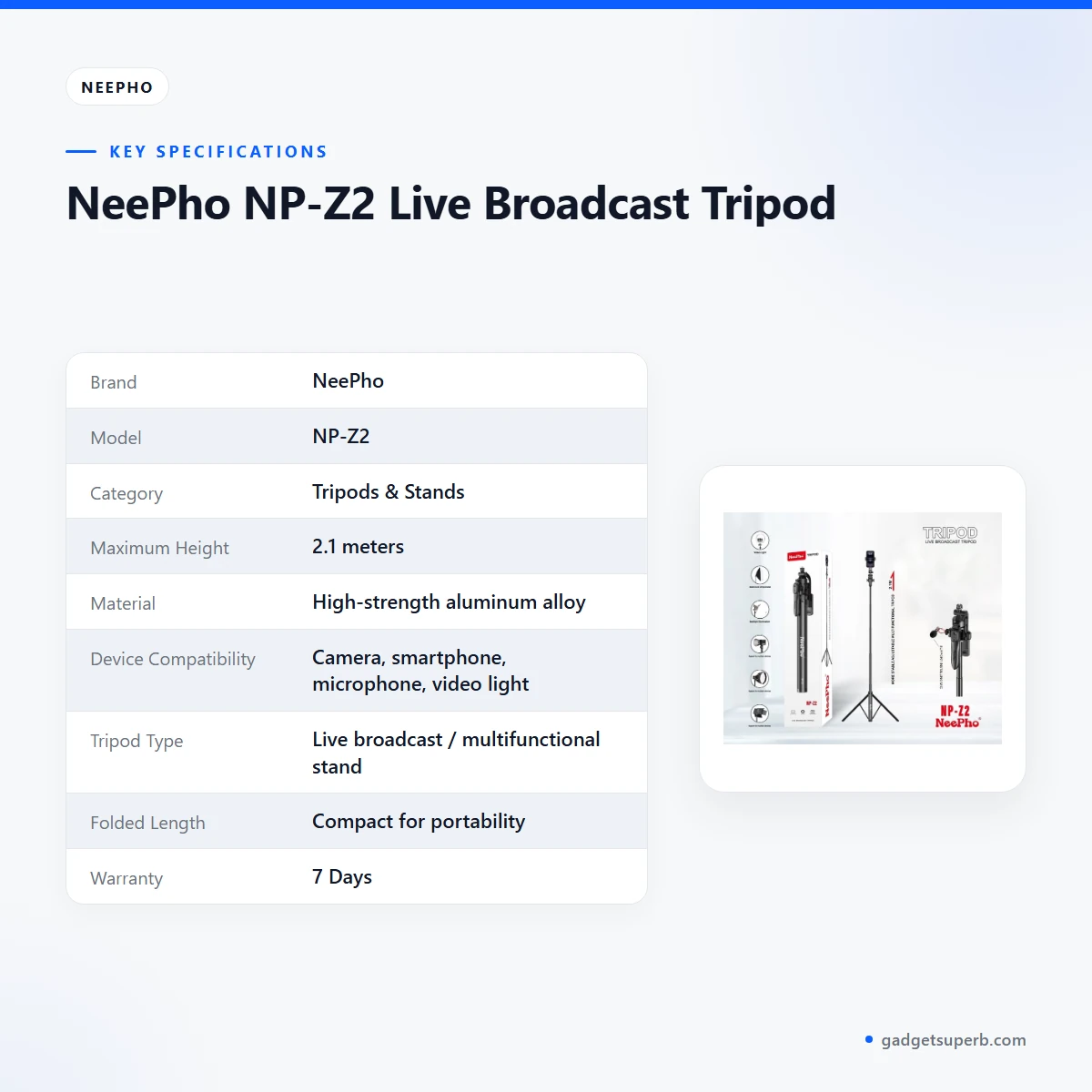
Specifications of the Neepho NP-Z2 Tripod
The Neepho NP-Z2 Tripod details below are taken from the maker’s listing.
| Label | Value |
|---|---|
| Brand | NeePho |
| Model | NP-Z2 |
| Category | Tripods & Stands |
| Maximum Height | 2.1 meters |
| Material | High-strength aluminum alloy |
| Device Compatibility | Camera, smartphone, microphone, video light |
| Tripod Type | Live broadcast / multifunctional stand |
| Folded Length | Compact for portability |
| Warranty | 7 Days |
These are listed specifications from the product listing, and the table shows only the values the listing gives.
How to set up and care for the Neepho NP-Z2 Tripod
Follow the maker’s instructions for the neepho np-z2 tripod, and use the order below as a general guide. The listing describes these steps:
- Extend the tripod legs and adjust the height to your preferred level, up to 2.1 meters.
- Mount your camera, smartphone or microphone using the compatible holders.
- Attach a video light or spotlight to improve lighting conditions.
- Adjust the angle and position for optimal framing.
- Lock all joints and mounts to ensure stability during recording or live streaming.
- When finished, fold the tripod for easy storage or transport.
Before the first session, charge fully before first use any battery-powered device or light you plan to mount. Keep cables clear of walkways so nobody trips on a lead during a live broadcast.
Set up the Neepho NP-Z2 Tripod in the room where you will film before you use it outdoors. Check the framing with a short recording, adjust the light, and lock the mounts again before you go live.
A practical routine for a live set is to test the framing, check the power for the light, run a short check of the sound, and then start. Repeat the lock check after each change of angle, because a joint that felt firm during setup can loosen after repeated adjustments.
After a damp day, dry the metal legs and joints before you pack the stand. In humid weather, store it in a dry corner with the legs closed and out of direct sun. Avoid leaving the stand in a closed car for long periods, because heat and damp can both stress clamps and joints.
Store the stand upright or lying flat in a dry cupboard, not packed tight against damp walls. Keep the light cable and the microphone lead coiled separately so they do not catch in the legs when you open the stand again.
For routine care, wipe dust from the legs and the head with a dry cloth, and check the clamps after each shoot. Avoid harsh solvents on the metal, and keep the holders away from sand and grit, which can wear moving parts over time.
If your setup changes, such as a new microphone or a heavier light, recheck the holder for the neepho np-z2 tripod before you go live. Small changes in weight can shift the balance of the whole set, so a quick check each time saves a lot of trouble.
Compatibility and what is in the box
The listing says the tripod supports a camera, smartphone, microphone and video light at the same time. Those four are the only devices named as compatible in the listing, so treat any other device as not confirmed by the listing until you check with us.
For the Neepho NP-Z2 Tripod, check that your camera has a suitable mounting point and that your light can attach to a stand fitting. The listing names the compatible holders but does not describe their exact fittings, so compare them with your own device before you buy.
The listing does not state what is in the box, so this page does not list accessories. Ask us before ordering which holders, fittings or cases come with your unit, because the listing does not give that detail.
A microphone on the neepho np-z2 tripod should use the mount it already has, as the listing does not name a specific microphone model. Measure your device and the holder before you buy, and bring the device model to the chat when you message us.
A smartphone on the Neepho NP-Z2 Tripod should sit in the balanced holder the listing describes. Do not assume a phone case will fit without checking, because the listing gives no phone size range before you order the Neepho NP-Z2 Tripod.
Who should buy the Neepho NP-Z2 Tripod in Bangladesh
This stand fits buyers who need a single stand for a fixed live or recorded set. Here are several realistic scenarios where it makes sense.
A home streamer in Dhaka who runs a live chat from a bedroom corner may want a phone holder, a camera and a light on one stand. The 2.1 meter height helps with a standing or seated presenter, and the stable base suits a set that stays still.
A teacher or trainer who records short lessons at home may use the microphone and light support together. The listing gives a foldable design, which helps when the stand moves between rooms or goes back into a cupboard after class. A Neepho NP-Z2 Tripod in one corner of the room keeps the lesson set ready for the next session.
A small business owner who shoots product demonstrations from a counter or workbench may find the neepho np-z2 tripod useful for overhead or angled shots. Check that the surface is firm and the stand is locked before you start.
A creator who already owns a camera but wants a steadier live base might consider a stand with a phone holder as well. Compare the listed features with your current setup before you decide, and note whether this stand fits your room.
A family or small team that runs a monthly video call from a spare room may use the stand to hold a phone at eye level. The 2.1 meter height suits a seated group, and the phone holder keeps the screen steady while people move around the table.
A student who shoots a short film in a rented flat may use the stand for interview shots. The listing gives no weight limit, so pack the stand with the camera and light you actually plan to use, and check the setup in the room first.
Who should not rely on the stand alone: if you need a heavy rig, a studio boom or a motorised head, the listing does not describe those, so ask us first. The Neepho NP-Z2 Tripod is not described for loads or accessories beyond the four devices named.
Before you order, confirm your model is NP-Z2 so that the listing and your delivery match.
Alternatives in our store
If the Neepho NP-Z2 Tripod is not the right fit, you can compare these items in our store. Each one is linked by name below, so open the product page for its details.
For a camera and phone option in our camera and vlogging range, see JMARY KP-2206 Camera And Phone Selfie Stick Tripod. For another tripod in our range, see Jmary MT29 Portable Mini Tripod. For a portable tripod in our range, see Jmary KP-2207 Portable Aluminum Tripod. For another tripod in our Tripods & Stands range, see YUFENG-3388 Professional Foldable Heavy-Duty Tripod.
You can browse the full range in our Tripods & Stands category.
Choose by use rather than by a single feature. A phone-only setup and a live set with a camera, microphone and light call for different stands, and the neepho np-z2 tripod suits the second case.
Warranty and support
Warranty: 7 Days seller warranty.
Delivery, returns and ordering
We deliver all over Bangladesh and you pay cash on delivery. Delivery usually takes 1–3 days inside Dhaka city and 2–5 days outside Dhaka.
You can return it within 7 days of delivery (see our Delivery and Returns policy). Read the policy before you order so you know the steps for the Neepho NP-Z2 Tripod.
Questions before ordering: call 09638054751, message us on Facebook Messenger or email care@gadgetsuperb.com. Ask us to confirm the model NP-Z2 and the holder for your device before you order the Neepho NP-Z2 Tripod.
Ordering checklist: confirm your full address with a nearby landmark, keep a phone number that will answer on delivery day, and have the cash ready for the courier. If you need the stand for a live event on a set date, allow for delivery time before that date.
Frequently asked questions
Is the Neepho NP-Z2 Tripod a live broadcast stand?
According to the listing, the Neepho NP-Z2 Tripod is a live broadcast and multifunctional stand. It is listed for recording and live streaming.
How tall does this tripod extend?
The maker lists a maximum height of 2.1 meters. You can lower the head for a desk or shelf setup.
Can I mount a camera and a smartphone on the Neepho NP-Z2 Tripod at the same time?
The listing says the stand supports camera, smartphone, microphone and video light simultaneously. Use the compatible holder for each device.
Does the tripod work with a video light?
The listing describes spotlight illumination compatibility. Attach a video light or spotlight to the stand and adjust its angle.
Is the Neepho NP-Z2 Tripod foldable for carrying?
The listing describes a foldable and portable design, and the folded length is listed as compact for portability.
What material is it made from?
The listing gives the material as high-strength aluminum alloy. No other material details are listed.
What warranty comes with the Neepho NP-Z2 Tripod?
Warranty: 7 Days seller warranty. Ask us before ordering if you need the details.
How long does delivery take?
Delivery usually takes 1–3 days inside Dhaka city and 2–5 days outside Dhaka. We deliver all over Bangladesh and you pay cash on delivery.
Can I return it?
You can return it within 7 days of delivery. See our Delivery and Returns policy for the steps.
Does the listing name a microphone mount type?
The listing names microphone support but does not describe the mount type or model. Ask us which microphone holder suits your device before you order.
Where can I read the delivery and returns terms?
The terms are on our Delivery and Returns policy page, which you can read before you order. It covers the 7 day return window.
How can I ask about the Neepho NP-Z2 Tripod before ordering?
Call 09638054751, message us on Facebook Messenger or email care@gadgetsuperb.com. We can answer questions before you order.
Related products
-20%
285 in stock

-23%
80 in stock
Plokama K9 Pro Double LED Selfie Stick Tripod
Original price was: ৳ 1,380.৳ 1,060Current price is: ৳ 1,060.-26%
50 in stock
Ulanzi MA09 Bluetooth Remote Control Selfie Stick
Original price was: ৳ 3,220.৳ 2,380Current price is: ৳ 2,380.-23%
159 in stock
K28 Long Wireless Selfie Stick
Original price was: ৳ 1,620.৳ 1,240Current price is: ৳ 1,240.-27%
100 in stock
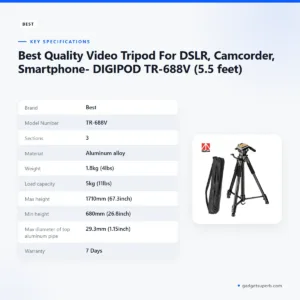

Best Quality Video Tripod For DSLR, Camcorder, Smartphone- DIGIPOD TR-688V (5.5 feet)
Original price was: ৳ 4,690.৳ 3,420Current price is: ৳ 3,420. NeePho NP-Z2 Live Broadcast Tr...
Original price was: ৳ 2,460.৳ 1,890Current price is: ৳ 1,890.
49 in stock
Reviews
There are no reviews yet.