No products in the cart.

-23%
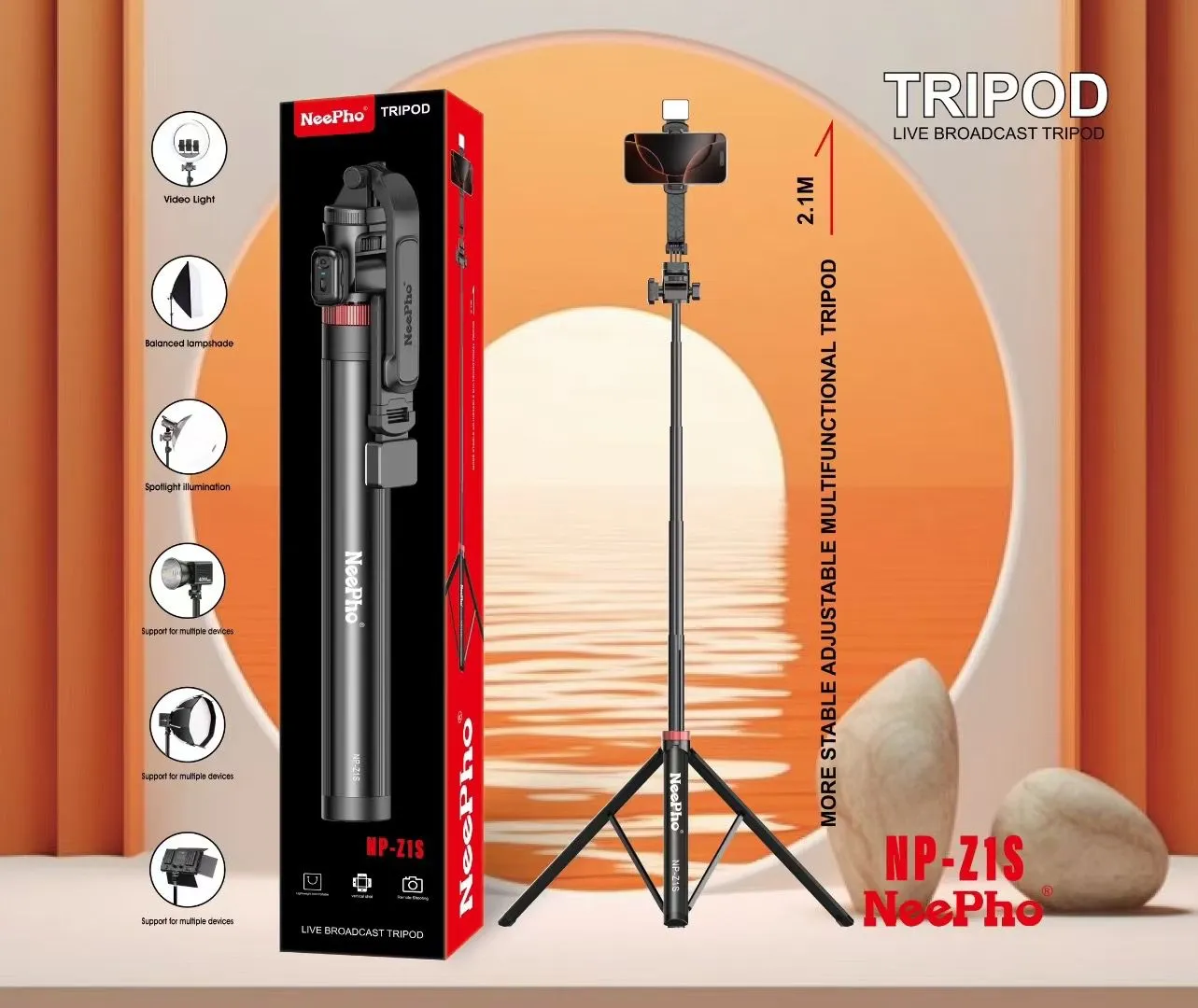

The neepho np-z1s tripod is a multifunctional stand for people who create content on a smartphone. According to the listing, it suits live broadcasting, video recording, online classes and product reviews. It is a practical choice for Bangladeshi creators, students and home sellers who film with a phone and want a fixed, adjustable stand.
- Neepho np-z1s tripod overview
- Key features
- Specifications
- How to use / set up
- Compatibility and what is in the box
- Who should buy it in Bangladesh
- Alternatives in our store
- Warranty and support
- Delivery, returns and ordering
- Frequently asked questions
Neepho np-z1s tripod overview
The neepho np-z1s tripod is listed by the maker as the NeePho NP-Z1S Tripod for Live Broadcast and Video Recording. The listing describes it as designed to elevate mobile content creation. It gives a maximum height of 2.1 meters and an adjustable frame that supports both horizontal and vertical shooting modes. For most phone creators, those two points cover the basics: a height that reaches a comfortable eye line, and an orientation that matches the platform where the video will be watched.
Live broadcasting is the main use the listing names. A neepho np-z1s tripod can hold a phone steady while you talk to viewers, demonstrate a product or run a class. The listing also names video recording, online classes and product reviews as ideal uses, so one stand can serve several roles without changing equipment. The brand is listed as Neepho, the model as NP-Z1S, and the category as Tripods & Stands.
Bangladesh conditions matter when you choose a neepho np-z1s tripod or any other stand. Humidity can leave equipment feeling damp after a long day, and load-shedding can interrupt a live session at the worst moment. Charge your phone fully before a shoot, keep a charged power bank nearby, and check the load-shedding schedule where you live before booking a long session. For general background on tripods in photography, see general background on tripods in photography.
Choosing a stand is mostly about matching the tool to the task. A small desk setup asks for different things from a presenter who stands for an hour. The listing points to live and recorded content, so the features that matter most are height, orientation, mount and locking. Think about your room size, the camera angle you need and how often you will move the stand before you decide. The sections below set out what the listing confirms about the neepho np-z1s tripod, and what it does not.
Key features
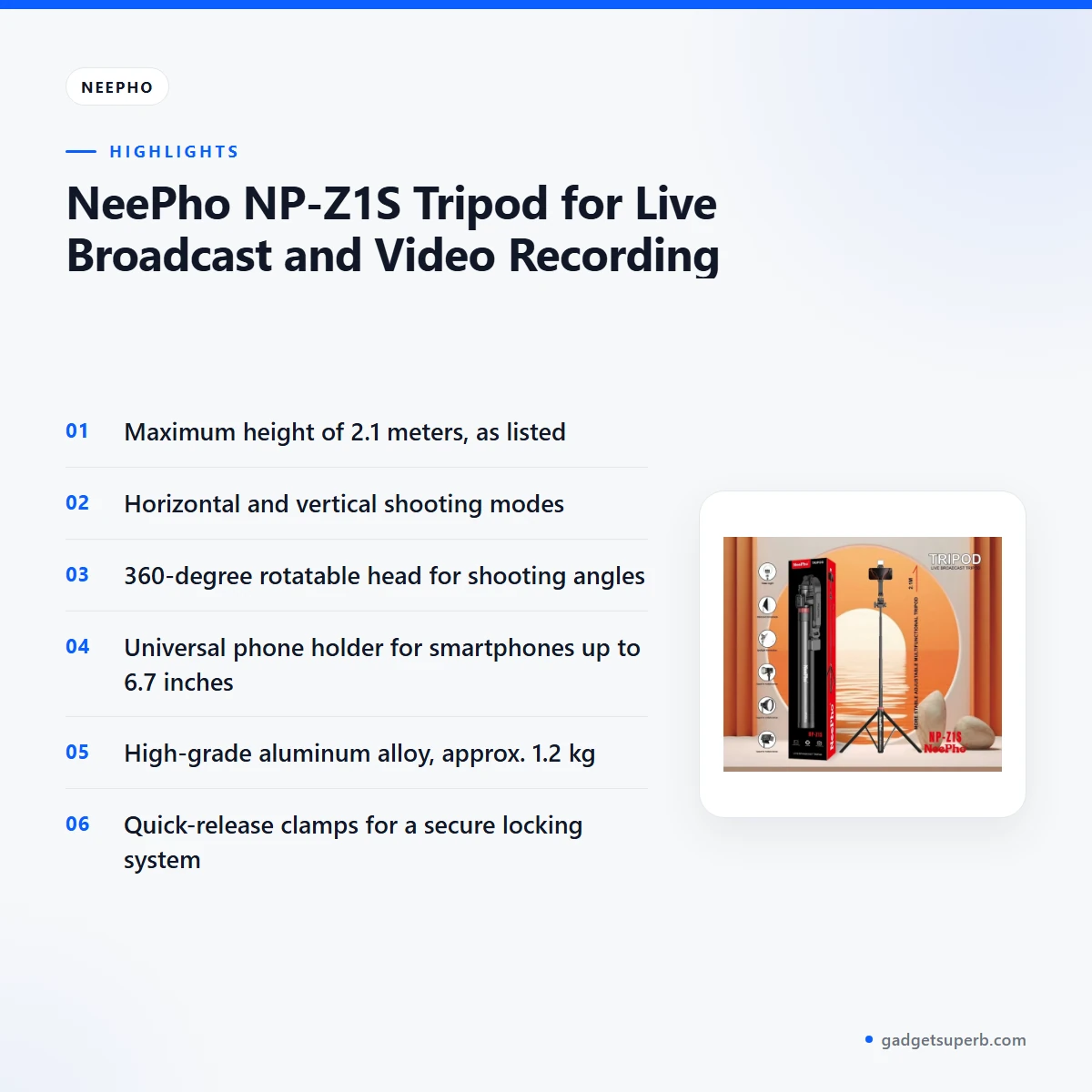
Each feature below is taken from the maker’s listing for the neepho np-z1s tripod, with practical notes on how it may help a Bangladeshi creator. Where the listing says nothing, this page says so.
Live broadcast and video recording
The listing presents the neepho np-z1s tripod as designed for live broadcasting, video shooting and mobile content creation. It names online classes and product reviews as ideal uses too. For a neepho np-z1s tripod owner in Bangladesh, that can mean a tutor recording lessons at home, or a seller showing products to viewers during a live session while the phone stays at a fixed height.
The listing describes the stability as professional-grade, so you can focus on what you say and show. That matters most when a session runs for an hour and you cannot keep adjusting the phone by hand. Before any important broadcast, run a short test recording and watch it back on your own screen, so you can judge framing and steadiness for yourself.
Horizontal and vertical shooting
The listing states that the neepho np-z1s tripod supports both horizontal and vertical shooting orientations. Choosing between them is a content decision. Horizontal framing suits lessons, presentations and product demonstrations shown on a wide screen, while vertical framing suits phone-first video that viewers watch on their own handsets. Think about where your audience will watch before you set the orientation.
Because the maker lists both modes, you can switch orientation for a new project without buying a second stand. Rotate the head to set your angle once the phone is in place, and check the framing on your screen before each recording. If you film for more than one platform, keep a note of the orientation you used for each project so your library stays consistent.
Adjustable height up to 2.1 meters
According to the listing, the neepho np-z1s tripod reaches a maximum height of 2.1 meters, and its telescopic sections let you adjust height for different setups. A taller setting helps when you stand to present to a room or to a camera. A lower setting suits a desk, a seated lesson or a short product close-up. Extend the sections gradually so you can see the framing change as you go.
The listing describes the minimum height as adjustable from base level, so you can set the stand to the height your scene needs before you start recording. Lock the position with the clamps once the height is right. In a small Dhaka flat, a lower setting may suit a room with a low ceiling, while a taller setting may suit a larger living room where you stand to present.
Rotatable head and universal phone holder
According to the listing, the neepho np-z1s tripod has a 360-degree rotatable head, so you can change the shooting angle without moving the whole stand. The mount is a universal mobile phone holder, and the listing says the stand is compatible with most smartphones and with smartphones up to 6.7 inches.
Before you order, compare your phone’s size with that 6.7-inch figure so the holder grips it securely. A rotatable head helps when you want to show a product from above, from the side or at eye level, which is useful for reviews and tutorials. Check that the phone is seated firmly in the holder before you rotate the head, and recheck the grip after each change of angle.
Portable, quick locking and stable base
The listing describes the neepho np-z1s tripod as lightweight and portable for indoor and outdoor use, with an approximate weight of 1.2 kg. It also lists quick-release clamps as the locking system and says the stand offers quick setup with secure locking mechanisms.
The maker describes a stable base for vibration-free recording. For a home studio, a rooftop shoot or a short trip, the weight and quick clamps can help you set up in less time. Keep the clamps clean and dry, and avoid leaving the stand in a damp corner between sessions. Wipe off dust after outdoor use so grit does not build up around the moving parts.
High-grade aluminum alloy construction
The listing gives high-grade aluminum alloy as the material for the neepho np-z1s tripod. Metal construction is a common choice for stands that need to extend and lock repeatedly, and the listing presents the material as part of the stand’s build. For a humid home, dry the frame after use and store it indoors away from rain.
The listing does not describe a finish, coating or any treatment beyond the material name, so those details are not confirmed. If a particular finish matters to you, ask us before you order rather than assuming it.
Specifications
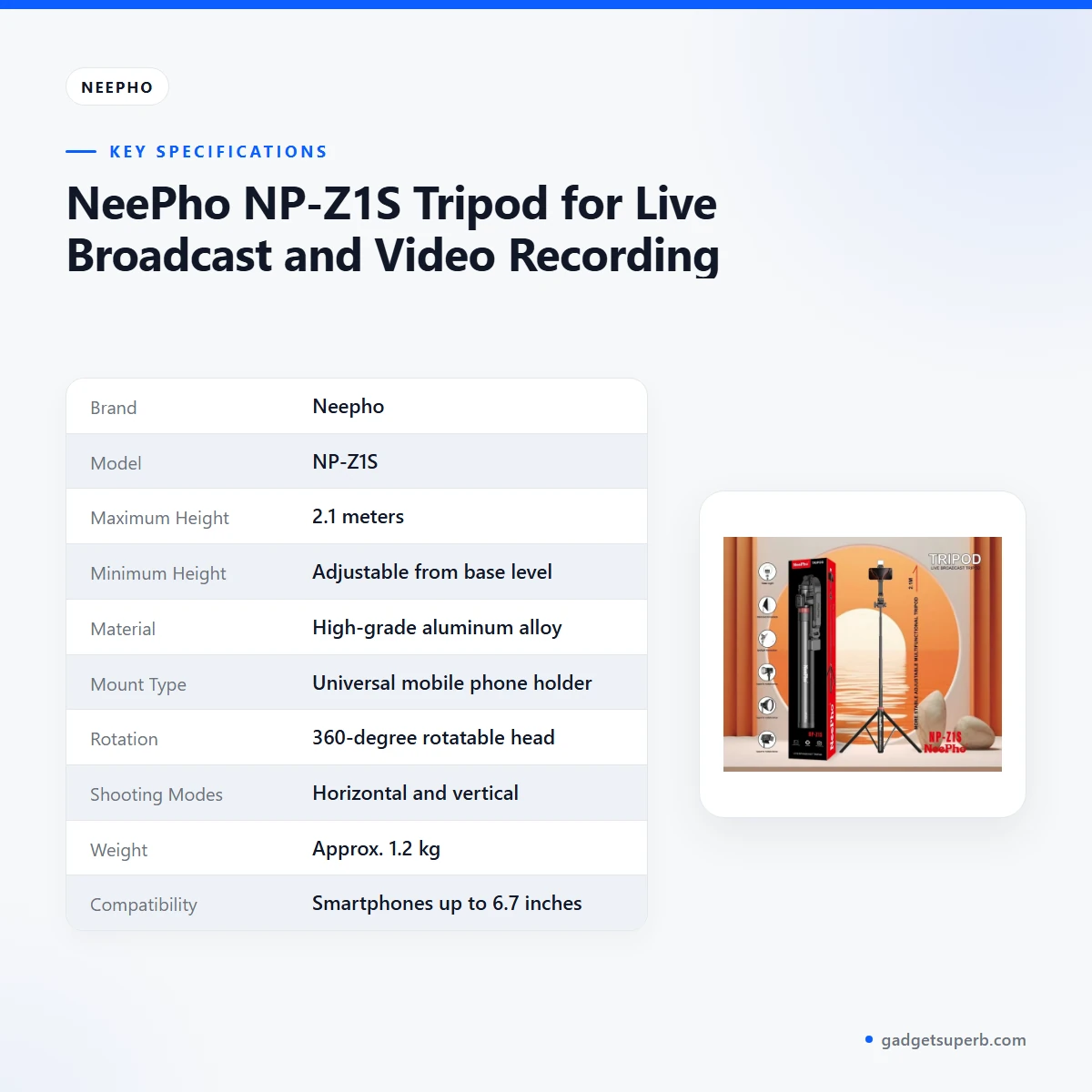
The specifications for the neepho np-z1s tripod are set out below. Each row reflects the product listing, and nothing has been added.
| Brand | Neepho |
| Model | NP-Z1S |
| Maximum Height | 2.1 meters |
| Minimum Height | Adjustable from base level |
| Material | High-grade aluminum alloy |
| Mount Type | Universal mobile phone holder |
| Rotation | 360-degree rotatable head |
| Shooting Modes | Horizontal and vertical |
| Weight | Approx. 1.2 kg |
| Compatibility | Smartphones up to 6.7 inches |
| Color | Black |
| Locking System | Quick-release clamps |
These are listed specifications from the product listing for the neepho np-z1s tripod.
How to use / set up
The steps below follow the order given in the product listing for setting up the neepho np-z1s tripod. Charge your phone fully before first use, and follow the maker’s instructions for the stand itself.
Plan the space first. Choose a firm, level surface or a flat floor, and make sure you have room to stand or sit within the frame. Clear the area of loose items so the legs sit steady when you extend them. Check the ceiling height in the room before you extend the sections fully.
- Extend the tripod legs and adjust the height using the telescopic sections.
- Mount your smartphone using the universal holder.
- Choose between horizontal or vertical orientation based on your content needs.
- Rotate the head to set your preferred shooting angle.
- Lock the position using the clamps for stable recording.
- Begin your live broadcast, video shoot or online session with professional framing.
Before a live session with the neepho np-z1s tripod, check the framing on your screen and make sure each clamp is locked. Run through the steps once before going live, so the setup feels routine when your audience is waiting. A short rehearsal also shows you where the phone sits in the frame when you move around.
Care and storage matter in Bangladesh. In a humid room, wipe the aluminum alloy frame with a dry cloth after use and store the stand in a dry place, not on a damp floor. Keep the neepho np-z1s tripod out of direct rain and away from wet walls. If the stand gets wet, dry it fully before folding or storing it, so moisture does not stay trapped in the joints.
Load-shedding needs a plan too. During load-shedding, charge your phone and any lights before the session, so the recording does not stop halfway. Keep a charged power bank nearby and note the start time of any scheduled broadcast, so you can plan around the electricity supply.
Between sessions, loosen the clamps before you collapse the sections, and fold the legs in a steady order. Avoid forcing a section that resists, and check that the clamps are clean. A quick check before each shoot, covering the clamps, the telescopic sections and the holder grip, takes a minute and can prevent a rushed fix during a live stream.
Make a simple routine for each shoot. Set the height first, then mount the phone, then choose the orientation and angle, and lock the clamps last. Following the same order each time makes it easier to repeat a framing for a weekly class or a regular product review series.
Compatibility and what is in the box
For the neepho np-z1s tripod, the listing confirms smartphones as the intended device. It states compatibility with most smartphones and with smartphones up to 6.7 inches, and the mount is a universal mobile phone holder.
If your phone is in a case, keep the case fitted and make sure the holder grips the device firmly before you start. Check the width of your phone against the 6.7-inch figure in the listing. Thick cases may affect how the holder grips the device, so test the fit at home before a important session.
The listing does not state what is in the box with the neepho np-z1s tripod, so the contents are not confirmed here. Please check with us about the contents before you order if this matters to you.
Compatibility with cameras, action cameras or other devices is not confirmed by the listing, so do not assume it fits your equipment. Ask us if you plan to use the stand with anything other than a smartphone, and describe the device you have in mind so we can answer clearly.
Who should buy it in Bangladesh
Students and tutors are a natural fit for the neepho np-z1s tripod. A tutor in Mirpur or Chattogram who records lessons at home can set the stand at a steady height and keep the same framing across every class. The same setup works for recorded lessons and live online sessions, so one stand can cover both.
Small sellers who run live sales on social platforms are another group. A shop owner who shows fabrics, jewellery or kitchen items to viewers can hold the phone above the product, then rotate the head for a closer angle. Product reviews are among the uses the listing names, so the neepho np-z1s tripod can support review videos too.
Creators who film reviews, vlogs or tutorials at home can use both shooting modes, which means one stand can cover several formats. People who film on the move will value the approximate weight of 1.2 kg and the quick-release clamps, though they should weigh that against the space in their bag.
Families and small offices that run online sessions from home can also consider the neepho np-z1s tripod. A parent who helps a child with online classes may want a stand that holds the phone at a steady height without a long setup. A small office that runs online product demonstrations can use the same stand between sessions.
Dhaka commuters who record short videos on the way may find the portable design useful. The listing describes the stand as portable for indoor and outdoor use, so a rooftop, a park or a community event can be a practical location. Keep the stand dry in a crowded bus or a rainy season commute, and wipe it down when you get home.
Event hosts who need a steady phone for a short presentation can use the neepho np-z1s tripod at a meeting or a school event. Test the height and the holder grip before the event starts, and make sure the stand sits on a level floor away from foot traffic.
Anyone who wants a first tripod for a phone may find this stand a sensible starting point, because the listing covers height, orientation, mount and locking in one product. If you already own a larger camera tripod, compare the mounts first, since the listing describes a phone holder rather than a camera mount.
If you are unsure whether the neepho np-z1s tripod suits your room, your phone or your plans, send us your question first. Then read the warranty and delivery sections below and use one of the contact routes listed there.
Alternatives in our store
If you want to compare before you order, look at the JMARY KP-2206 Camera And Phone Selfie Stick Tripod, the Jmary MT29 Portable Mini Tripod, the Jmary KP-2207 Portable Aluminum Tripod and the YUFENG-3388 Professional Foldable Heavy-Duty Tripod. Each is another tripod in our store, so you can compare them with the neepho np-z1s tripod on the points that matter to you. You can also browse the full Tripods & Stands category.
Compare height, mount type and locking first, then read each product page for the details that matter to you. Choosing by need, rather than by a single feature, usually leads to a better fit for your room and your content. If your priority is a phone-only setup for live sessions, the neepho np-z1s tripod is the page to read closely.
Warranty and support
Warranty: 7 Days seller warranty.
Delivery, returns and ordering
We deliver all over Bangladesh and you pay cash on delivery. Delivery usually takes 1–3 days inside Dhaka city and 2–5 days outside Dhaka, so plan your first live session with a little spare time.
You can return it within 7 days of delivery (see our Delivery & Returns policy). Read the policy page before you order so you know the steps.
Questions before ordering: call 09638054751, message us on Facebook Messenger or email care@gadgetsuperb.com. If you need to speak to us about the neepho np-z1s tripod, use any of these routes. Full policy details are on our Delivery & Returns page.
When you place an order, check your delivery address, a working phone number and the model name. Confirm the model before you order, so the stand you receive matches the one you chose.
Frequently asked questions
Is the neepho np-z1s tripod built for live broadcast?
Yes. The listing describes the neepho np-z1s tripod as designed for live broadcasting, video shooting and mobile content creation.
How tall does the neepho np-z1s tripod go?
According to the listing, the maximum height of the neepho np-z1s tripod is 2.1 meters. The height is adjustable using the telescopic sections.
Can the neepho np-z1s tripod shoot vertical video?
Yes. The listing says the neepho np-z1s tripod supports both horizontal and vertical shooting modes.
Which phones fit the neepho np-z1s tripod?
The listing says the neepho np-z1s tripod is compatible with most smartphones and with smartphones up to 6.7 inches. It uses a universal mobile phone holder.
What is the neepho np-z1s tripod made of and how heavy is it?
The listing gives high-grade aluminum alloy as the material and approximately 1.2 kg as the weight of the neepho np-z1s tripod.
Does the neepho np-z1s tripod come with a warranty?
The warranty for the neepho np-z1s tripod is listed as 7 Days, and it is a seller warranty.
Can I return the neepho np-z1s tripod?
Yes. You can return the neepho np-z1s tripod within 7 days of delivery, as set out in our Delivery and Returns policy.
Do you deliver the neepho np-z1s tripod outside Dhaka?
Yes. We deliver all over Bangladesh with cash on delivery, and delivery usually takes 2–5 days outside Dhaka.
How quickly will the neepho np-z1s tripod arrive in Dhaka?
Delivery of the neepho np-z1s tripod inside Dhaka city usually takes 1–3 days.
Is the neepho np-z1s tripod compatible with cameras?
The listing describes a universal mobile phone holder and does not mention camera mounting. Camera compatibility is not confirmed by the listing, so please ask us before you order.
Can I pay on delivery for the neepho np-z1s tripod?
Yes. We deliver all over Bangladesh and you pay cash on delivery for the neepho np-z1s tripod.
How can I ask a question before I order the neepho np-z1s tripod?
Call 09638054751, message us on Facebook Messenger or email care@gadgetsuperb.com before you order the neepho np-z1s tripod.
Related products
-23%
458 in stock

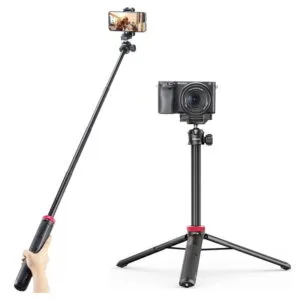
Ulanzi MT44 Extendable Vlog Tripod With 360° Ball Head – Black Color
Original price was: ৳ 1,850.৳ 1,420Current price is: ৳ 1,420.-23%
200 in stock
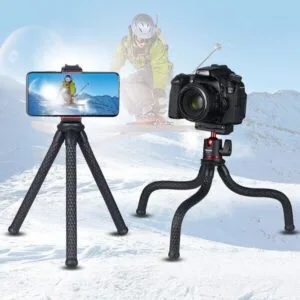
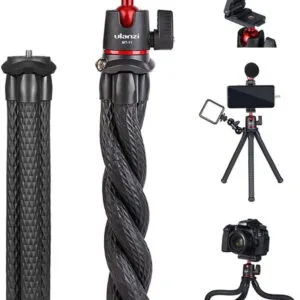
Ulanzi MT11 Octopus Tripod For DSLR Camera & Smartphones
Original price was: ৳ 1,540.৳ 1,180Current price is: ৳ 1,180.-20%
285 in stock

-26%
100 in stock
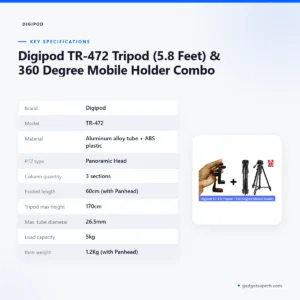
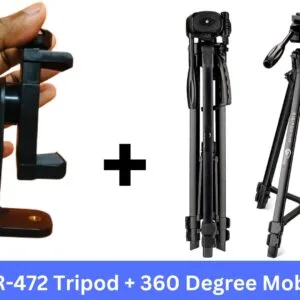
Digipod TR-472 Tripod (5.8 Feet) & 360 Degree Mobile Holder Combo
Original price was: ৳ 3,230.৳ 2,390Current price is: ৳ 2,390.-23%
100 in stock
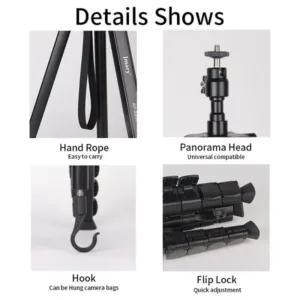

Jmary Tripod KP-2208 Professional Tripod With Mobile Holder
Original price was: ৳ 1,950.৳ 1,500Current price is: ৳ 1,500.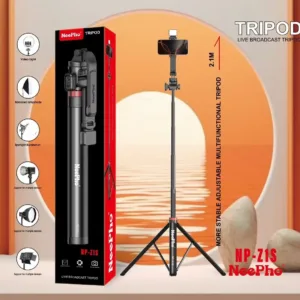 NeePho NP-Z1S Tripod for Live ...
Original price was: ৳ 2,540.৳ 1,950Current price is: ৳ 1,950.
48 in stock
Reviews
There are no reviews yet.