No products in the cart.

-23%
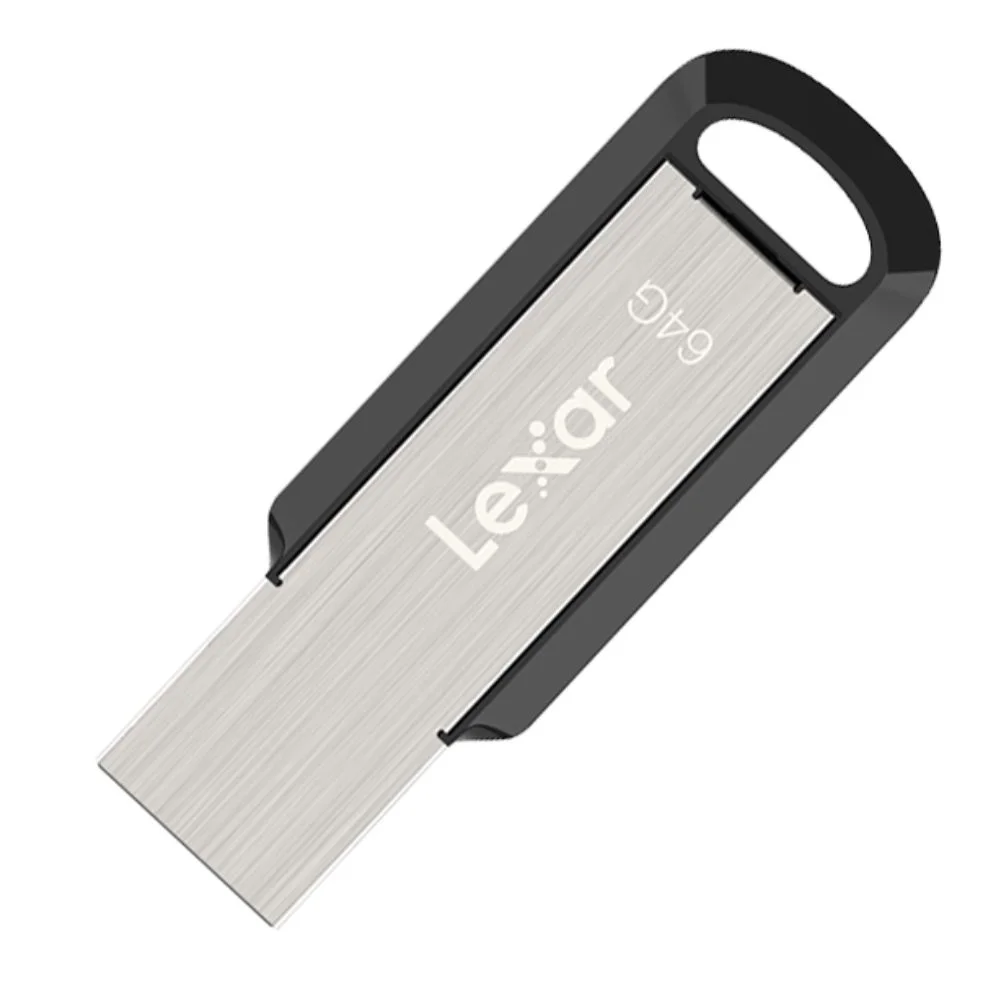
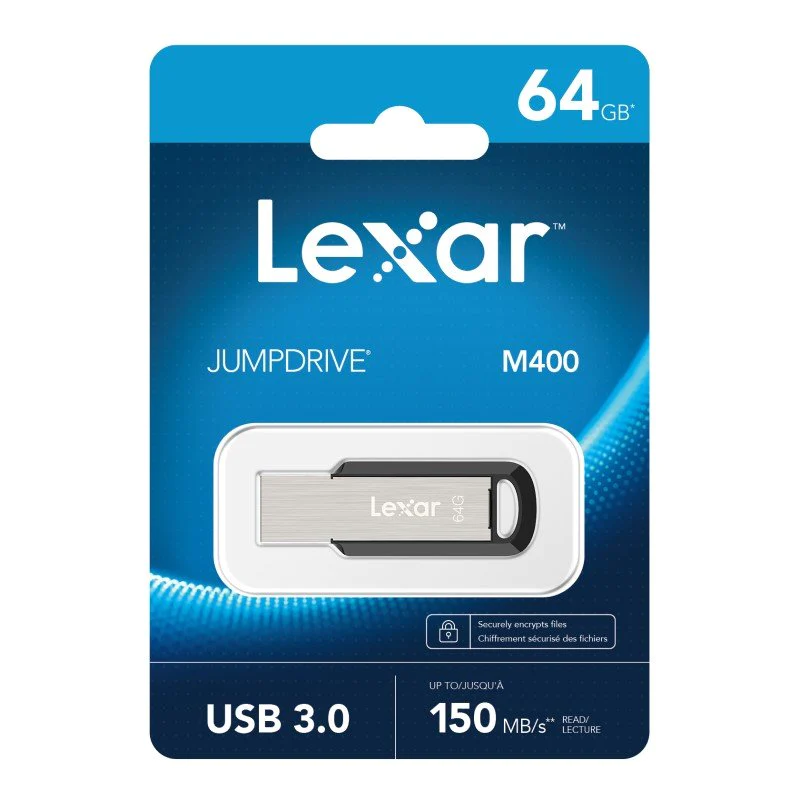

The Lexar M400 is a 64GB USB 3.0 pen drive that its maker describes as a high-performance flash drive for moving large files quickly. It is aimed at students, office workers, photographers and families across Bangladesh who need a simple way to carry photos, videos and music between computers.
- Overview
- Key features
- Specifications
- How to use and set up
- Compatibility and what is in the box
- Who should buy it in Bangladesh
- Alternatives in our store
- Warranty and support
- Delivery, returns and ordering
- Frequently asked questions
Lexar M400 overview: a 64GB USB 3.0 pen drive
According to the listing, the Lexar M400 is a high-performance USB flash drive that offers great speeds. The maker lists it as ideal for transferring large files quickly, such as photos, videos and music. In Bangladesh, that matches a familiar daily problem: a phone runs out of room, a folder of family videos needs to reach a laptop, or a lecture file has to travel with you before a class starts.
The drive is listed as backward compatible with USB 2.0 ports, so the Lexar M400 can still be used on a computer whose ports are older. The listing gives no transfer figures for either port type, so this page does not quote any. Many homes and offices run a mix of older and newer machines, so check the port types on your own computer before you rely on the drive for an urgent job.
Think of the drive as a transfer and carry tool rather than a backup. Keep a second copy of anything important somewhere else, such as another drive or a cloud account you already use. A pen drive is easy to lose or damage, so treat it as one copy among several. For more about the maker’s range and product information, visit the maker’s website.
Key features
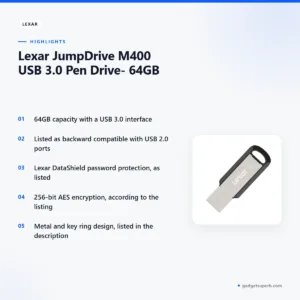
Fast file transfers over USB 3.0
The listing describes the Lexar M400 as a high-performance USB flash drive that offers great speeds. It names USB 3.0 as the interface and states that the speed of USB 3.0 facilitates faster file transfers. The listing does not give read or write figures, so this page quotes none. Your actual transfer time depends on the port you use and the size and type of the files you copy, so try a small folder first to see how a copy behaves on your machine. Plan large copies for a time when you are not in a rush, and keep the drive connected until the copy finishes.
Backward compatibility with USB 2.0 ports
The listing says the Lexar M400 is backward compatible with USB 2.0 ports. That detail matters in Bangladesh, where homes and offices often run a mix of older and newer machines, and a drive that the listing describes as backward compatible can save a trip to find a different stick. The listing does not describe transfer speeds on USB 2.0 ports, so this page makes no claim about them. If you plan to use the drive on a shared or older computer, check its ports first, and do not assume that two ports which look alike offer the same connection.
Lexar DataShield password protection
The listing states that the drive is secured by Lexar DataShield. It describes the security solution as using 256-bit AES encryption, which the listing says helps protect essential files against corruption, loss and deletion. For a student carrying thesis drafts, a shop owner keeping sales records or a family storing identity documents, password protection is the feature to read closely. The listing does not explain the setup steps, so follow the maker’s instructions. It also does not describe what happens if a password is forgotten, so keep a written record stored apart from the drive.
Metal and key ring design
The listing describes the Lexar M400 as having a sleek and stylish design, with a fashionable metal and key ring design. A key ring lets you keep the drive with your keys, which suits anyone who moves between home, office and campus each day. According to the listing, this design lets you transfer data wherever you are and whenever you want. Colour is one point to check. The listing shows Black in its colour line and Silver in its model line, and the packaging colour may differ from the picture. In Dhaka’s humid months, keep the drive somewhere dry and clean.
Everyday uses for photos, videos and music
The maker lists the Lexar M400 as ideal for transferring large files quickly, such as photos, videos and music. In Bangladesh, that could mean moving a wedding album from a phone to a laptop for editing, carrying lecture recordings to a study group, or taking a music collection to a friend’s computer. The listing does not describe a specific use case, so these examples are suggestions rather than listed claims. Whatever the job, the drive moves files, and the copy you keep at home remains your main record. Check the port type first, and keep a second copy of anything you cannot replace.
Capacity for your file mix
The listing gives the capacity of the Lexar M400 as 64GB, and that is the figure this page relies on. Whether the space suits you depends on your own file mix. A student with lecture slides and a photographer with large image files will use space at very different rates, so estimate the total size of the folders you plan to carry before you order. If you need a different capacity, the alternatives section lists other drives in our store.
Specifications
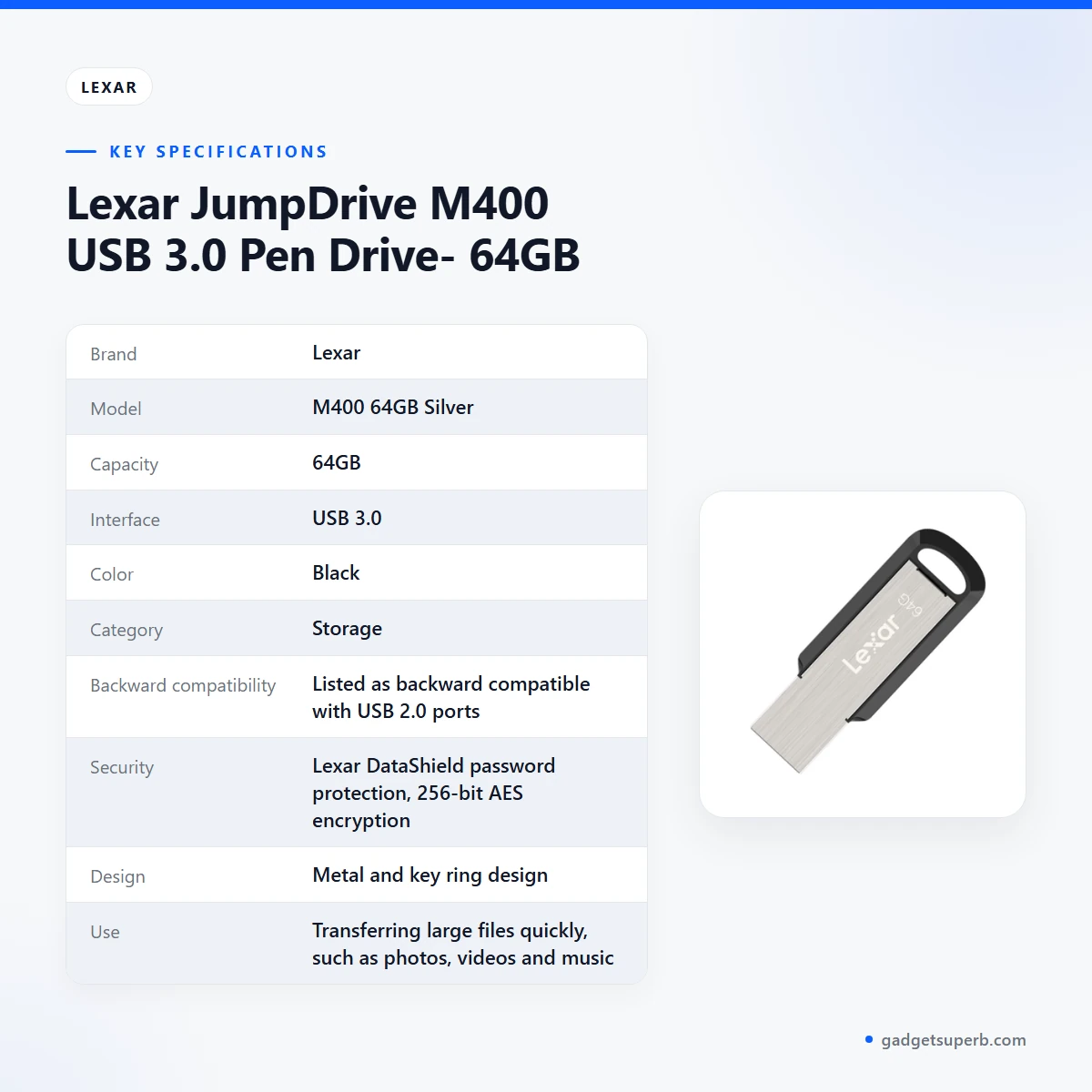
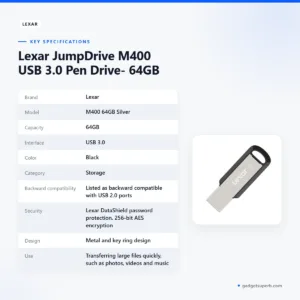
The table below lists the Lexar M400 specifications exactly as the product listing shows them.
| Label | Value |
|---|---|
| Brand | Lexar |
| Model | M400 64GB Silver |
| Capacity | 64GB |
| Interface | USB 3.0 |
| Color | Black |
| Category | Storage |
| Backward compatibility | Listed as backward compatible with USB 2.0 ports |
| Security | Lexar DataShield password protection, 256-bit AES encryption |
| Design | Metal and key ring design |
| Use | Transferring large files quickly, such as photos, videos and music |
These are listed specifications from the product listing. The listing shows both Silver and Black for the Lexar M400, so confirm the colour with us before you order.
How to use and set up the Lexar M400
Follow the maker’s instructions for first use, because the listing does not describe a detailed setup procedure. In general terms, connect the Lexar M400 to a free USB port, wait for your computer to recognise it, then open the drive from your file manager. This page does not give button sequences, menu steps or screen content, since the listing does not describe them.
Try a small file first to confirm the drive opens correctly on your computer. Once that works, copy larger folders in batches, so that if a copy is interrupted you know which files reached the drive. Give folders clear names, such as a year and a subject, so you can find a file quickly on another computer.
Before you unplug the Lexar M400, use your operating system’s safe removal option. Pulling the drive out during a copy can leave files incomplete, so careful handling still matters, whatever protection the listing describes. After a large copy, open a few of the files to check that they play or display correctly.
Care is simple. Keep the drive clean and dry, store it away from direct heat, and keep it apart from loose metal objects in a bag. In the humid season, keep it in a dry pouch or drawer rather than an open bag on a damp shelf.
Load-shedding is a regular part of life in many parts of Bangladesh. If the power goes off during a transfer, wait until it returns and check the files before you rely on them. Keep a copy of the source files until a transfer is complete, so an interruption does not leave you without them.
Storage habits make a difference over time. Keep a simple folder structure, delete temporary files you no longer need, and label the drive so you can tell it apart from others in a bag. Do not leave it in a hot car during a long commute, because heat is a general risk for electronics.
If you set up Lexar DataShield password protection on the Lexar M400, follow the maker’s instructions and write the password down somewhere safe. The listing does not describe a password recovery process, so do not rely on one being available.
Compatibility and what is in the box
Confirmed by the listing: the Lexar M400 has a USB 3.0 interface, is backward compatible with USB 2.0 ports, comes in 64GB capacity, and has a metal and key ring design. These are the facts this page relies on.
The listing does not name specific operating systems or devices, so compatibility beyond the USB ports above is not confirmed. Check the connection type on the device you plan to use, and do not assume a match because two ports look alike.
If you plan to use the Lexar M400 on a computer you do not own, such as a shared office PC, ask the owner before you plug it in and follow that machine’s security rules. The listing does not describe any policy for shared computers, so this is general guidance only.
The listing does not describe what is included in the package, so this page does not state the contents. The listing does note that packaging colour may change from time to time and may look a little different from the packaging picture shown.
Who should buy it in Bangladesh
The Lexar M400 suits buyers who need a simple way to move everyday files between devices. The scenarios below match what the listing describes.
A university student who carries lecture slides, recorded classes and project files between a hostel desk, a library computer and a home laptop will find that the Lexar M400 suits the job. The listing’s focus on quick transfers fits large recordings, and the password option suits anyone who keeps personal study files on a shared machine.
A freelance photographer in Chattogram or Dhaka who shoots an event and needs to move a day’s photos and video clips to a client’s laptop can use the Lexar M400 for the handover. Check that the client’s computer has a compatible port first, since the listing does not name specific devices.
A commuter who saves presentations, spreadsheets and PDFs to a drive, then uses an office PC for a meeting, may value a metal key ring design that keeps the drive with the keys. The listing supports the idea of moving data wherever you are, so the Lexar M400 fits that routine well.
A household that wants to share family photos, school projects and music files with relatives on different computers can use the Lexar M400 as a shared carry drive. Keep a backup of irreplaceable photos in a second place, because one drive is one copy, not a complete archive.
A parent who manages homework files for children across two computers can use a drive to keep the same folder structure on both machines. If you enable DataShield, make sure the family knows where the password is recorded.
A small business owner who moves invoices, scanned forms and product photos between a shop computer and a laptop at home may also find the Lexar M400 useful for short transfers. The listing does not describe business use, so treat this as a practical suggestion and keep your main records backed up elsewhere.
A traveller who needs to carry a set of documents or photos to a relative’s home in another district can use a drive like this for the trip. Copy the files at home first, check them on the drive, and keep the source files on your main device until the trip is over.
If you need a different capacity or a memory card for another type of device, the Lexar M400 may not be the best fit. Read the alternatives section below and compare the product pages carefully.
Alternatives in our store
If you are looking at other storage in our range, you have several options. HOCO UD15 USB3.2 USB & Type -C flash drive(32GB) is another USB flash drive in our range. HOCO UD15 USB3.2 USB & Type -C flash drive(64GB) is another USB flash drive in our range. Hoco UD15 Type-C USB 3.2 Dual-Port Flash Drive 256GB is a further flash drive option. For a memory card rather than a pen drive, see Hoco MicroSD Memory Card 256GB. You can browse the full range in our Storage category.
When you compare this drive with others, start with the device you plan to use and the connection it offers, then read each product page on its own terms. A flash drive and a memory card serve different devices, so match the format to your phone, camera or computer before you decide. Our team can help you choose between the options in the Storage category.
Warranty and support
Warranty: No warranty seller warranty.
Delivery, returns and ordering
We deliver all over Bangladesh, and you pay cash on delivery. Delivery usually takes 1–3 days inside Dhaka city and 2–5 days outside Dhaka.
You can return it within 7 days of delivery. For the full terms, read our Delivery and Returns policy.
To order the Lexar M400, confirm the details with our team by phone or message, and we will arrange delivery to your address across Bangladesh. Cash on delivery means you pay when the parcel reaches you.
Ordering questions often concern the address and timing. Give a full delivery address, including a nearby landmark, so the Lexar M400 reaches you without delay. Plan ahead for a deadline, because delivery usually takes 1–3 days inside Dhaka city and 2–5 days outside Dhaka.
Before you place an order, decide which details matter most to you, such as the interface, the capacity and the colour, and ask us to confirm them. A clear question before you order saves time for both of us.
Questions before ordering: call 09638054751, message us on Facebook Messenger or email care@gadgetsuperb.com.
Frequently asked questions
Is the Lexar M400 a USB 3.0 pen drive?
Yes, the Lexar M400 is listed with a USB 3.0 interface and a 64GB capacity. The listing describes it as a high-performance USB flash drive.
Can the Lexar M400 be used in USB 2.0 ports?
The listing says the Lexar M400 is backward compatible with USB 2.0 ports. It gives no transfer figures for either port type, so check your computer’s ports.
What does Lexar DataShield do on the Lexar M400?
According to the listing, Lexar DataShield password protection uses 256-bit AES encryption to help protect essential files against corruption, loss and deletion. The listing does not describe setup steps beyond following the maker’s instructions.
What colour is the Lexar M400 64GB?
The listing shows Black in its colour line and Silver in its model line. Please ask us about the colour before you order.
Does the Lexar M400 come with a warranty?
Our store lists no warranty for this item.
How do I pay for the Lexar M400 in Bangladesh?
You pay cash on delivery, because we deliver all over Bangladesh. Payment is not made in advance under this arrangement.
How long does delivery take for the Lexar M400 in Dhaka?
Delivery usually takes 1–3 days inside Dhaka city. Outside Dhaka, it usually takes 2–5 days.
Can I return the Lexar M400?
Yes, you can return it within 7 days of delivery. Read our Delivery and Returns policy for the full terms.
Is the Lexar M400 good for photos and videos?
The listing says the Lexar M400 is ideal for transferring large files quickly, such as photos, videos and music. It does not describe other uses, so treat that as the listed purpose.
Does the Lexar M400 need setup before first use?
Follow the maker’s instructions for first use. The listing does not describe a detailed setup procedure, so this page gives no steps.
Is the Lexar M400 suitable for a shared office computer?
The listing does not describe shared-computer use for the Lexar M400. Check the ports on the machine and follow the office’s security rules before you plug it in.
How do I order the Lexar M400 from Gadget Superb?
Call 09638054751, message us on Facebook Messenger or email care@gadgetsuperb.com. We deliver all over Bangladesh, and you pay cash on delivery.
Related products
-23%
47 in stock

-20%
100 in stock


-28%
50 in stock

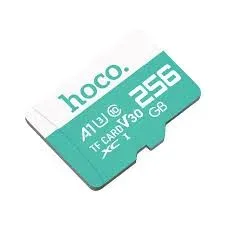
Hoco MicroSD Memory Card 256GB
Original price was: ৳ 7,210.৳ 5,180Current price is: ৳ 5,180.-23%
48 in stock

HOCO UD15 USB3.2 USB & Type -C flash drive(64GB)
Original price was: ৳ 2,100.৳ 1,610Current price is: ৳ 1,610.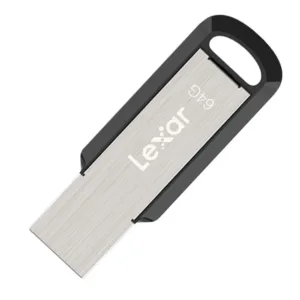 Lexar JumpDrive M400 USB 3.0 P...
 Original price was: ৳ 1,950.৳ 1,500Current price is: ৳ 1,500.
47 in stock
Reviews
There are no reviews yet.