No products in the cart.

-25%
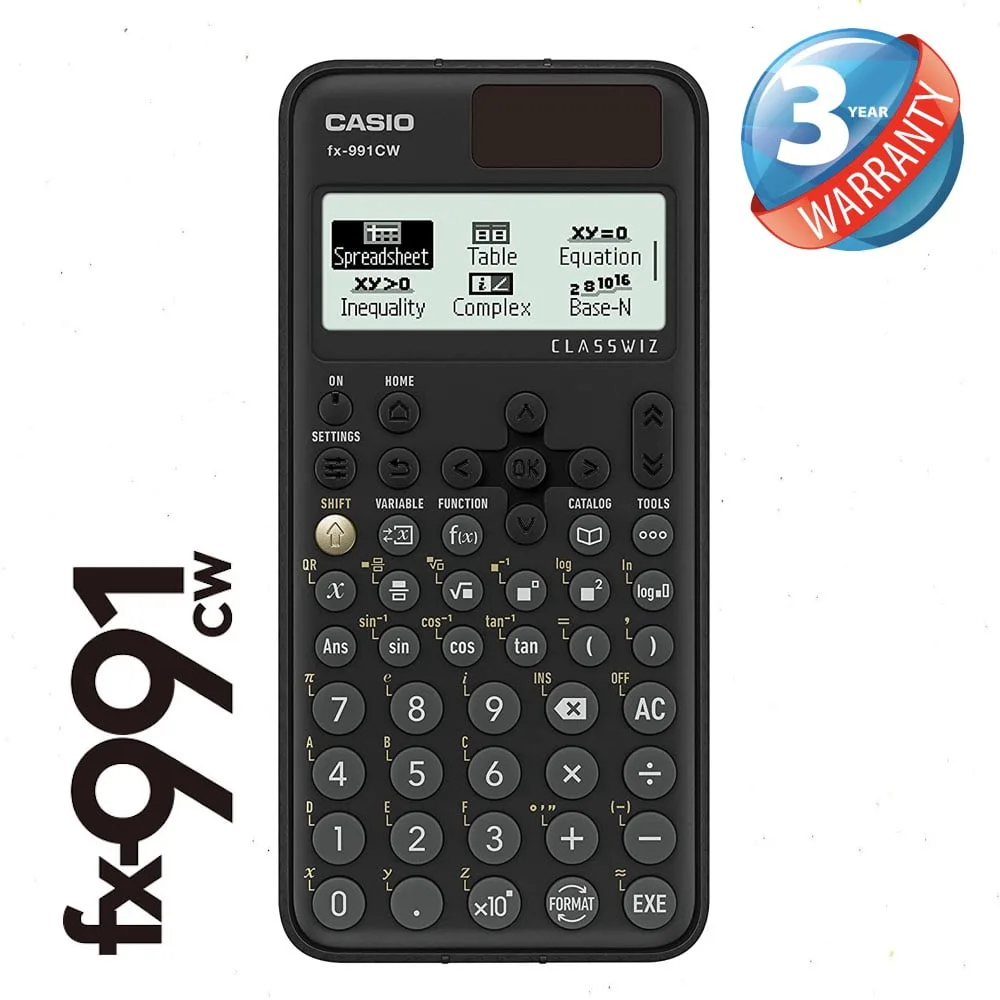
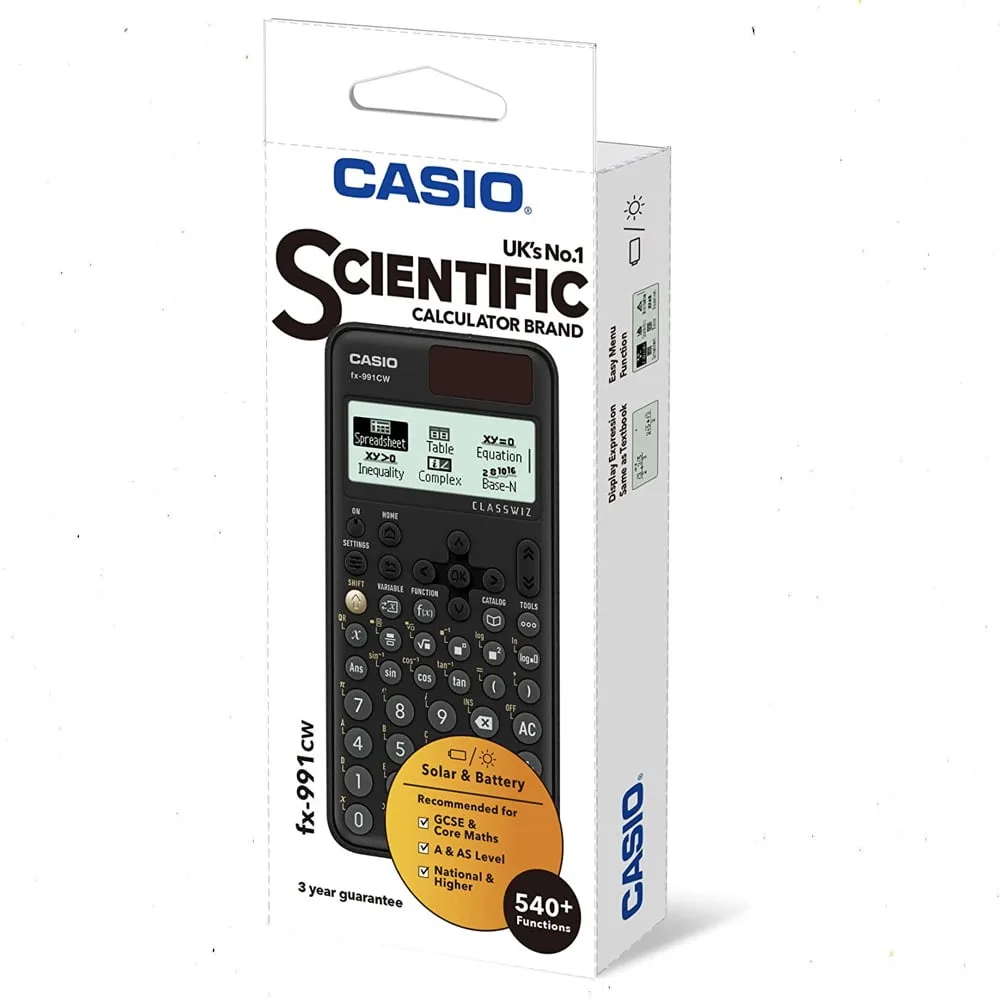

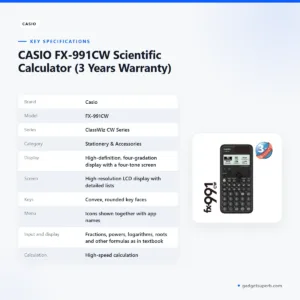

The casio fx-991cw is a scientific calculator from the ClassWiz CW Series, which the maker describes as designed for the teaching and studying of today. It is aimed at students, teachers and anyone who wants a clear scientific calculator for maths and related subjects. This guide covers the listed features, specifications, setup, delivery and ordering in Bangladesh, so you can decide whether it fits your course.
- Overview
- Key features
- Specifications
- How to use and set up
- Compatibility and what is in the box
- Who should buy it in Bangladesh
- Alternatives in our store
- Warranty and support
- Delivery, returns and ordering
- Frequently asked questions
casio fx-991cw overview for students and teachers
The casio fx-991cw belongs to the ClassWiz CW Series. According to the listing, the new design and key placement of this series mean it can be used by anyone, from a student starting scientific maths to a teacher preparing a lesson. The maker presents the casio fx-991cw as a tool for the teaching and studying of today, so it is designed for learning as much as for routine calculation.
In a Dhaka classroom, a hostel room or a home study session, the casio fx-991cw is most useful when you need one device for many maths topics. The listing says it can input and display fractions, powers, logarithms, roots and other formulas as they appear in textbooks. For a learner, that means the expression on the screen can look closer to the printed example you are following. The casio fx-991cw also includes a matchbox maths learning feature, which the listing describes as a fun way to build curiosity about maths. Teachers can use the same layout when they show a method on the board.
The listing also places the casio fx-991cw in an ICT setting. It says the calculator links up with ClassPad.net to support ICT classes, and that these features help boost students’ curiosity toward maths learning. Our page for the casio fx-991cw uses the maker’s wording throughout, so you can check each claim against the listing. You can read more about the range on the maker’s website. If your course names a particular Casio model, confirm your model before you order.
Key features
The listing sets out several features. Each heading below follows the maker’s wording, and nothing is added beyond what the listing says. Read them together, because the layout, the screen and the key design all work as one package.
Approachable design and key layout
The listing says the new display and key layout of the ClassWiz CW Series offer intuitive operability, which it describes as making the casio fx-991cw easier for students to learn and easier for teachers to teach. A streamlined layout places frequently used keys close to each other, and the listing says this allows easy operation with minimal confusion. New OK and Back keys are part of that layout. Students who are new to scientific functions may find a clear layout helpful when they work through problems in class. The casio fx-991cw is therefore a practical choice for a learner who wants to focus on the maths rather than searching for keys.
High-definition four-tone display
According to the listing, the casio fx-991cw has a high-definition, four-gradation display. The new four-tone screen brings grey into the equation, so you can easily tell which part of an expression is being entered. For a student working through a long expression, a visual cue for the part being entered can help keep the working clear. The listing describes this as a feature of the new screen and does not describe other screen contents, so the details on this page stay within the maker’s wording. If you need more screen information before you order, message us and we will point you to the listing wording for the casio fx-991cw.
Simple cursor operation and easy-push keys
The listing describes a streamlined layout with new OK and Back keys, which it says make cursor operation simple. The keys have convex, rounded faces that the listing says are easy to push evenly from any angle. The printed labelling around the keys has been simplified, so your most-used keys are easier to locate. For the casio fx-991cw, these are the details the listing gives about the keys and labels. They matter in long practice sessions, when comfortable keys help you stay focused. Key feel is a personal matter, so ask us about the layout if you are unsure.
Natural textbook display
The natural textbook display is one of the most practical parts of the listing. According to the maker, the casio fx-991cw can input and display fractions, powers, logarithms, roots and other mathematical formulas and symbols just as they appear in textbooks. This matters when you copy a worked example from a printed book or check a formula from your syllabus. The listing also says that visual, interactive and textbook-based displays make operation easier when teaching the use of scientific calculators. Teachers who demonstrate a method can therefore use the same layout that students see, which helps the casio fx-991cw act as a bridge between notes and calculation.
Icons, menus and detailed lists
The listing says icons on the menu screen improve viewability, and that selecting the desired function is quick and easy. The ClassWiz CW Series shows icons and app names together, which the listing says makes selection easier from the menu. On the high-resolution LCD display, variables and statistical calculation results stored in memory can be displayed in lists. That is useful in a statistics exercise where you want to check several stored values side by side. The listing does not describe the order of menu items, so follow the maker’s instructions for moving between functions on your casio fx-991cw.
High-speed calculation and ClassPad.net link
The listing describes high-speed calculation, and says it offers fast calculation for smooth performance in class or during examinations. It compares this with the ClassWiz EX Series, saying the casio fx-991cw offers fast calculation like that series. The listing also says the casio fx-991cw links up with ClassPad.net to support ICT classes. Whether your school or university uses ClassPad.net is something to check with your teacher, because the listing does not explain how the link is set up. Check the rules for your own exam before you bring any calculator to a test.
Specifications
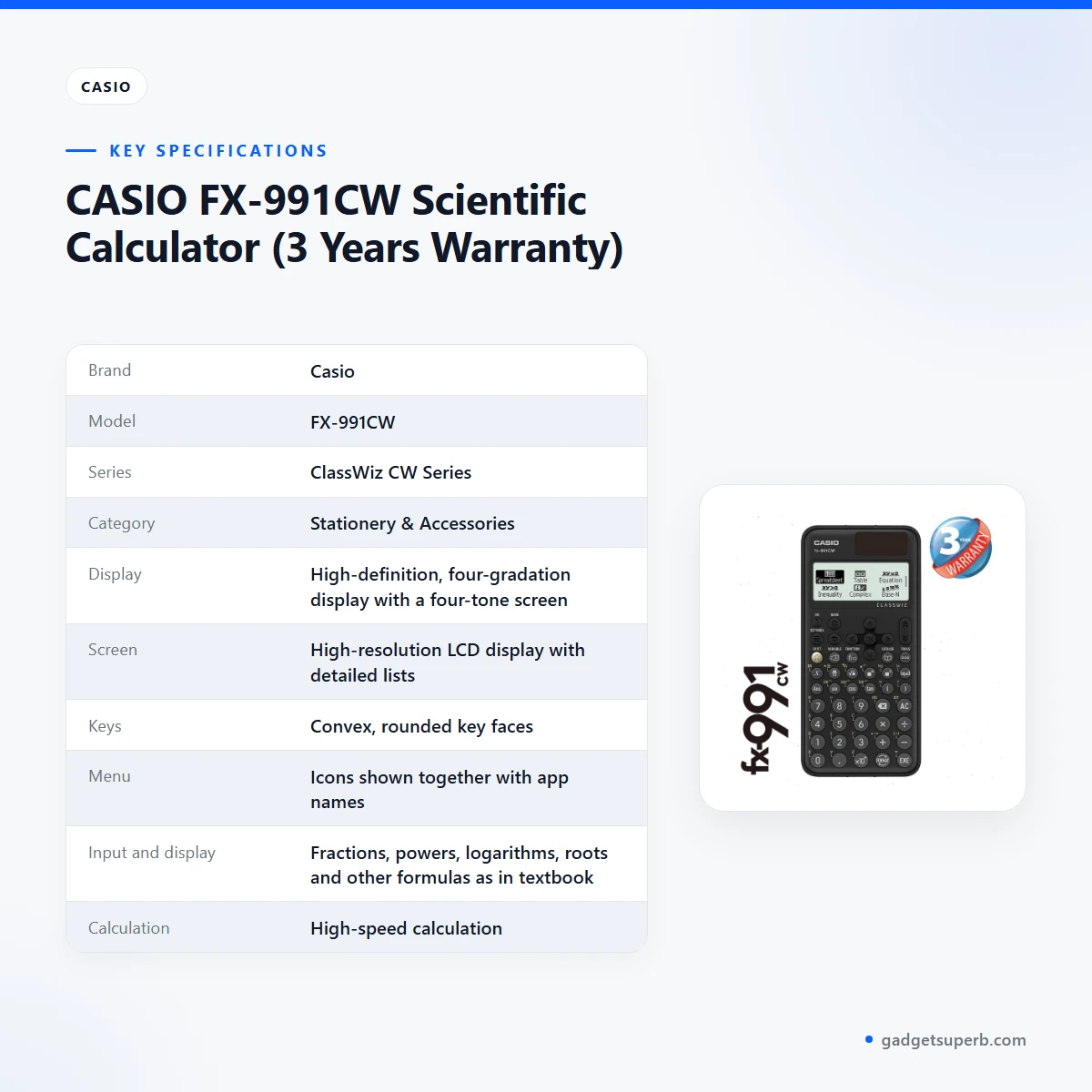
The casio fx-991cw specifications in the table below come from the product listing. Each row keeps the listing’s wording, so you can check it against your course requirements. Use these rows to compare the casio fx-991cw with what your teacher asks for.
| Label | Value |
|---|---|
| Brand | Casio |
| Model | FX-991CW |
| Series | ClassWiz CW Series |
| Category | Stationery & Accessories |
| Display | High-definition, four-gradation display with a four-tone screen |
| Screen | High-resolution LCD display with detailed lists |
| Keys | Convex, rounded key faces |
| Menu | Icons shown together with app names |
| Input and display | Fractions, powers, logarithms, roots and other formulas as in textbooks |
| Calculation | High-speed calculation |
| ClassPad.net | Links up to support ICT classes |
| Learning feature | Matchbox maths learning feature |
| Warranty | 7 Days |
These are listed specifications from the product listing.
How to use and set up
Start by confirming that the casio fx-991cw matches what your course or teacher asks for. Read the features above, then follow the maker’s instructions for first use. Keep those instructions where you can find them during the first week of study, because a short familiarisation session is easier before a test than during one. Charge the device fully before first use if the maker’s instructions say so, and keep the packaging until you are sure the casio fx-991cw works as you expect.
Use the casio fx-991cw for a set of textbook examples that you already know the answers to. Check that the display matches the printed working, then move on to examples from your current chapter. This routine uses the natural textbook display described in the listing, and it shows you which functions you use most often. For a student in Dhaka, practising in the evening with the same calculator you will use in class builds familiarity without relying on a phone for calculations.
A useful first week follows a simple pattern. On the first day, read the listing and the maker’s instructions. On the next few days, work through a handful of problems from your notes and write down any step you could not reproduce. On the following days, return to those steps and repeat them until the working feels routine. Keep a short list of the functions your course uses most, so you do not waste time in a test searching for them.
Care matters too. Keep the casio fx-991cw clean and dry, store it in a pencil case away from direct sun and heat, and avoid pressing keys with sharp objects. Humidity in the monsoon months can make pencil cases damp, so check the case from time to time and keep a soft, dry cloth nearby. During load-shedding, avoid leaving the case in a hot room with the lid closed, and let the calculator return to room temperature before you put it away.
Storage at home or in a hostel room works best when the casio fx-991cw has a fixed place. Keep it in the same compartment of your bag or desk drawer, so you know where it is before a class or exam. Do not store it under heavy books, which can press on the keys over time. If you travel between home and college, carry it in a padded pouch so the screen and keys are protected from knocks.
Setting up a simple study routine helps more than any single feature. Set aside short sessions, note the questions you find difficult, and return to them after a day. Practise under the conditions you expect in the exam hall, and follow the rules your school sets for calculators. A short practice paper timed at the same length as your real exam will show you whether the casio fx-991cw fits your pace.
Compatibility and what is in the box
The one compatibility point the listing confirms for the casio fx-991cw is that it links up with ClassPad.net to support ICT classes. The listing also says that functions for which specific models are not indicated are available in all models. Beyond that, the listing does not confirm other devices, software versions or accessories that work with the calculator.
The listing does not confirm the contents of the box. If you need to know what arrives in your order, ask us before you buy, and do not assume that accessories or printed material are included. Anything not confirmed by the listing should be checked with our team before you rely on it for a course or a test.
If your teacher or ICT class uses ClassPad.net, ask them to confirm how it is set up at your school or university. We can share the listing wording on request, but we cannot say how a particular class will use the link. Keep a note of the answer, so you can bring it to your next class if the setup changes.
For a student who needs a specific model, compare the model name on the listing with the name in your course outline. The listing gives the model as FX-991CW. If you are unsure whether a related model is the one your course names, ask before you order so that the calculator you receive is the one you planned to buy.
Who should buy it in Bangladesh
A secondary school student preparing for a school test in maths or science will find the casio fx-991cw useful if the school permits scientific calculators. The textbook display helps you match the working you see on the page with the working you write. Check your school’s rules before you bring any calculator to a test.
A university student in a science or engineering course may appreciate the high-speed calculation and the detailed lists for stored statistical results, according to the listing. Students who commute across Dhaka often study on buses, in libraries or at home, so a dedicated device can keep your study kit tidy. The casio fx-991cw also suits a student who wants a single tool for many topics rather than several separate devices.
A teacher or home tutor may choose the casio fx-991cw for demonstrations, because the listing says the textbook display and the interactive, visual operation help teach the use of scientific calculators. A tutor who runs weekend sessions can use the same layout for every student, so the method on the board matches what each learner sees at home.
A parent buying for a child can use the listed features as a checklist against the school’s requirements. Ask the class teacher which scientific calculator is accepted before you buy, and bring the listing to the conversation. If the school asks for a different model, the listing can still help you judge the features you need.
An adult learner returning to study, such as someone preparing for a professional certificate course, may find the casio fx-991cw useful for weekly practice. The natural textbook display and the clear layout suit self-study at a kitchen table after work. Set a regular time each week and keep the calculator with your notes so the routine stays easy to follow.
A student studying outside Dhaka can order by cash on delivery, with delivery usually taking 2–5 days outside Dhaka. Plan the order around your term dates, because a calculator that arrives the week before a test leaves little time to get used to the layout. If you are ordering for a relative in another district, share your phone number so the delivery can be arranged smoothly.
If you are not sure whether this model fits, compare the listed features with your syllabus, read the warranty and return details below, and send us a message. A calculator is a personal tool, so the best choice matches the notation your course uses and feels comfortable during a long session. Buyers who are unsure should ask before they order rather than after the calculator arrives.
Alternatives in our store
If the casio fx-991cw is not the right fit, browse these other items in our store. Other items in our range include 12 inch Multicolor LCD Writing Tablet of Environmental Protection, Erasable Acrylic Marker Pens – 5 PCS, Anti Rfid Card Holder NFC Blocking Reader Case Protection Aluminium – 1pc and Xiaomi Mijia Mi Gel Ink Pen – 10 Pcs. Each sits in our range, so you can browse all of them in the Stationery & Accessories category. Check each product page for its own details before you decide.
Warranty and support
Warranty: 7 Days seller warranty.
Delivery, returns and ordering
We deliver all over Bangladesh and you pay cash on delivery. Delivery usually takes 1–3 days inside Dhaka city and 2–5 days outside Dhaka. You can return it within 7 days of delivery (see our Delivery & Returns policy), so check the casio fx-991cw against your course needs within that window.
Questions before ordering: call 09638054751, message us on Facebook Messenger or email care@gadgetsuperb.com. Before you order the casio fx-991cw, have your delivery address and phone number ready so we can confirm the details of your order. Write down any question about the listing, so you can get a clear answer in one conversation.
When you place an order, it helps to check the address line by line, including the area and the nearest landmark. Cash on delivery means you pay when the parcel arrives. If you are not at home on the first attempt, message us so the delivery can be rearranged, rather than leaving the parcel with someone who cannot confirm the order.
Returns are time-limited. You can return the casio fx-991cw within 7 days of delivery, so open the parcel promptly and check it against your course needs during the first few days. For the full wording, read the policy page at gadgetsuperb.com/delivery-returns before you place an order.
Frequently asked questions
What is the casio fx-991cw?
The casio fx-991cw is a scientific calculator in the ClassWiz CW Series, which the listing describes as designed for the teaching and studying of today. It is listed in our Stationery & Accessories category.
Who is the casio fx-991cw for?
According to the listing, it can be used by anyone, so it suits students and teachers who need a scientific calculator for maths. Check your course rules before you buy.
Can the casio fx-991cw show fractions and roots the way a textbook does?
Yes, the listing says it can input and display fractions, powers, logarithms, roots and other formulas as they appear in textbooks.
Does the casio fx-991cw link to ClassPad.net?
The listing says it links up with ClassPad.net to support ICT classes. Ask your teacher whether your class uses it, because the listing does not explain how the link is set up.
Is the casio fx-991cw suitable for examinations?
The listing describes high-speed calculation for smooth performance in class or during examinations. Check the calculator rules for your own exam before you take it in.
What is the matchbox feature on the casio fx-991cw?
The listing says the casio fx-991cw includes a matchbox maths learning feature, which it describes as a fun way to learn maths. It does not explain the feature further.
Is there a warranty on the casio fx-991cw?
The listed warranty is 7 Days seller warranty. Message us if you need to check the warranty before ordering.
Can I return the casio fx-991cw if it does not suit me?
Yes, you can return it within 7 days of delivery, as set out in our Delivery & Returns policy. Read the policy page before you order.
How long does delivery of the casio fx-991cw take in Dhaka?
Delivery usually takes 1–3 days inside Dhaka city. Outside Dhaka, it usually takes 2–5 days.
Can I pay cash on delivery for the casio fx-991cw?
Yes. We deliver all over Bangladesh and you pay cash on delivery.
Where can I read the full returns policy for the casio fx-991cw?
The full wording is on our Delivery & Returns policy page, which sets out the 7-day return window for the casio fx-991cw.
How can I ask a question about the casio fx-991cw before ordering?
Call 09638054751, message us on Facebook Messenger or email care@gadgetsuperb.com.
Related products


-20%
50 in stock


Xiaomi Mijia Mi Gel Ink Pen – 10 Pcs
Original price was: ৳ 970.৳ 770Current price is: ৳ 770.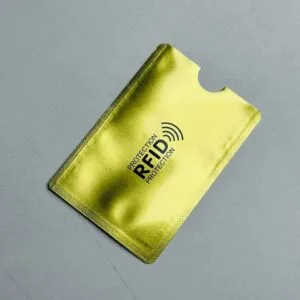
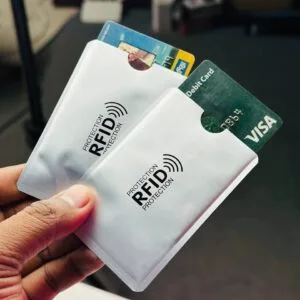
Anti Rfid Card Holder NFC Blocking Reader Case Protection Aluminium – 1pc
Price range: ৳ 20 through ৳ 30-28%
50 in stock


Casio Edifice EFR-526L-7AV Chronograph White Dial Brown Leather Strap Watch for Men
Original price was: ৳ 18,710.৳ 13,460Current price is: ৳ 13,460.-21%
20 in stock


12 inch Multicolor LCD Writing Tablet of Environmental Protection
Original price was: ৳ 520.৳ 410Current price is: ৳ 410. CASIO FX-991CW Scientific Calc...
Original price was: ৳ 3,890.৳ 2,880Current price is: ৳ 2,880.
66 in stock
Reviews
There are no reviews yet.