No products in the cart.

-28%




Start on USB, grow into XLR — without buying a second microphone. The FIFINE K688 is the XLR/USB dynamic microphone that ends the classic creator dilemma in one purchase: plug in over USB-C for instant, plug-and-play recording on Windows or Mac, then switch to XLR when a mixer or audio interface joins the setup. The fifine k688 was built for the podcast-to-studio journey, and it never asks you to outgrow it.
At its core is a dynamic cardioid capsule — the architecture that focuses on your voice and shrugs off the ambient noise of an untreated room. Fan hum, keyboard clatter, the echo of bare walls: this microphone pushes them aside and keeps your voice front and center, with a frequency response of 50Hz to 15kHz that covers deep lows and crisp highs. Sensitivity is rated at -58dB ± 3dB with a 300Ω impedance — the numbers that keep dialogue warm and clean on podcast, stream, and voice-over.
Two honest framings before the details. First, this is the broadcast-style K688 — the XLR/USB dynamic mic with the clean black look, the integrated shock mount, and the foam windscreen; no gaming RGB, no touch surfaces. It is not the FIFINE K658 (a USB-only dynamic) and it is not the FIFINE AM8 (the gaming USB/XLR dynamic with touch-mute and customizable RGB lighting); everything below describes the fifine k688 as catalogued here, with nothing borrowed from its siblings. Second, the box ships ready for USB recording with a USB-C to USB-A cable — the XLR path needs your own XLR cable and a mixer or interface. Everything below comes from the verified research notes; nothing is guessed.
USB Today, XLR Tomorrow

The fifine k688 refuses to make you choose a signal path on day one. Connect the included USB-C to USB-A cable to a Windows or Mac computer and it is plug-and-play — no drivers, no interface, no extra gear — which is exactly how a first podcast, stream, or voice-over session should start. Later, when your setup grows into a mixer, preamp, or audio interface, the same mic speaks through its XLR output into a professional chain. One microphone, two careers: beginner-friendly now, studio-ready later.
Grows With Your Setup
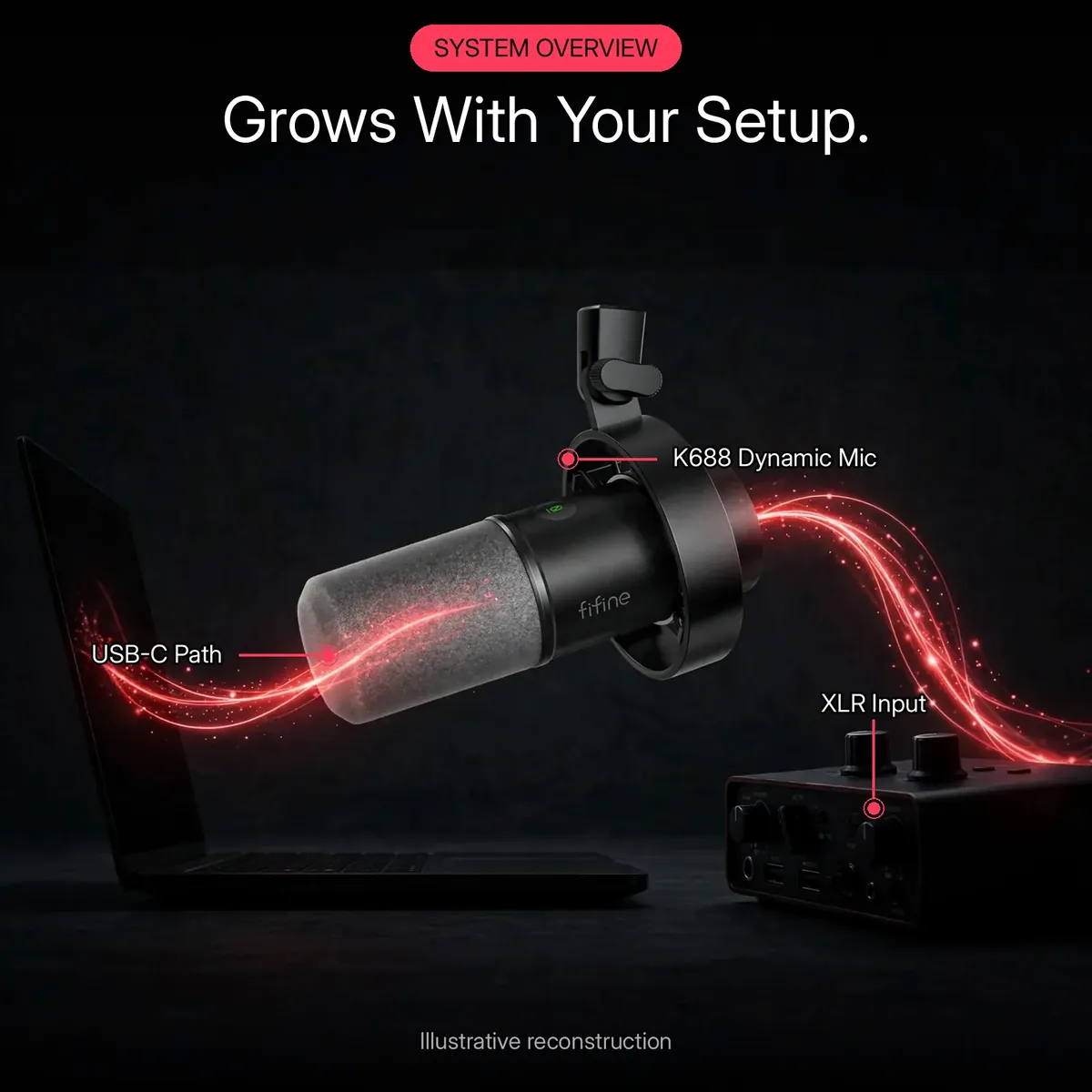
The system overview above maps this mic’s two verified signal paths — USB-C to your computer, XLR through your mixer or audio interface — and that dual path is the whole growth story. Today the fifine k688 is a USB microphone your laptop already understands. Tomorrow it is the XLR microphone in a chain with an interface, outboard gear, and proper monitoring. The microphone itself never changes; only the chain around it grows. That is what it means for a mic to grow with you: no second purchase, no beginner’s remorse, no dead end.
Dynamic Sound for Real Rooms
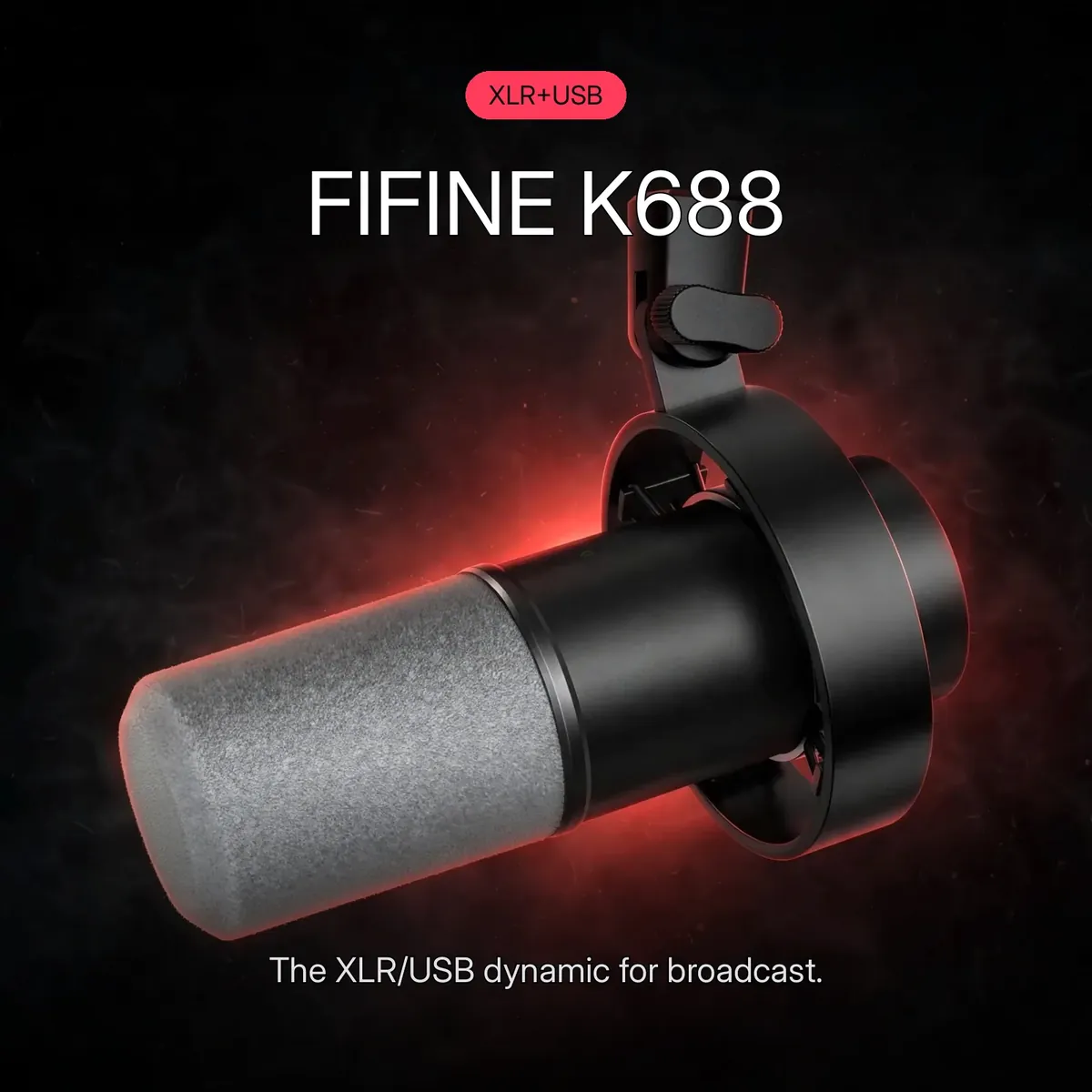
The fifine k688 is a dynamic microphone, and that is the right architecture for an untreated room. Dynamic capsules are built for close-up voice work: warm, focused, forgiving of imperfect technique and imperfect acoustics — and they need no phantom power, ever. The cardioid pattern focuses on the sound in front of the microphone — your voice — and rejects off-axis noise from the sides and rear. With 50Hz–15kHz response, -58dB ± 3dB sensitivity, and 300Ω impedance, podcasts, streams, and voice-overs come through with your voice forward and the room pushed back. The promo hero above carries this mic’s real model identity — never confuse it with the USB-only K658 or the gaming AM8.
Loud? Bring It

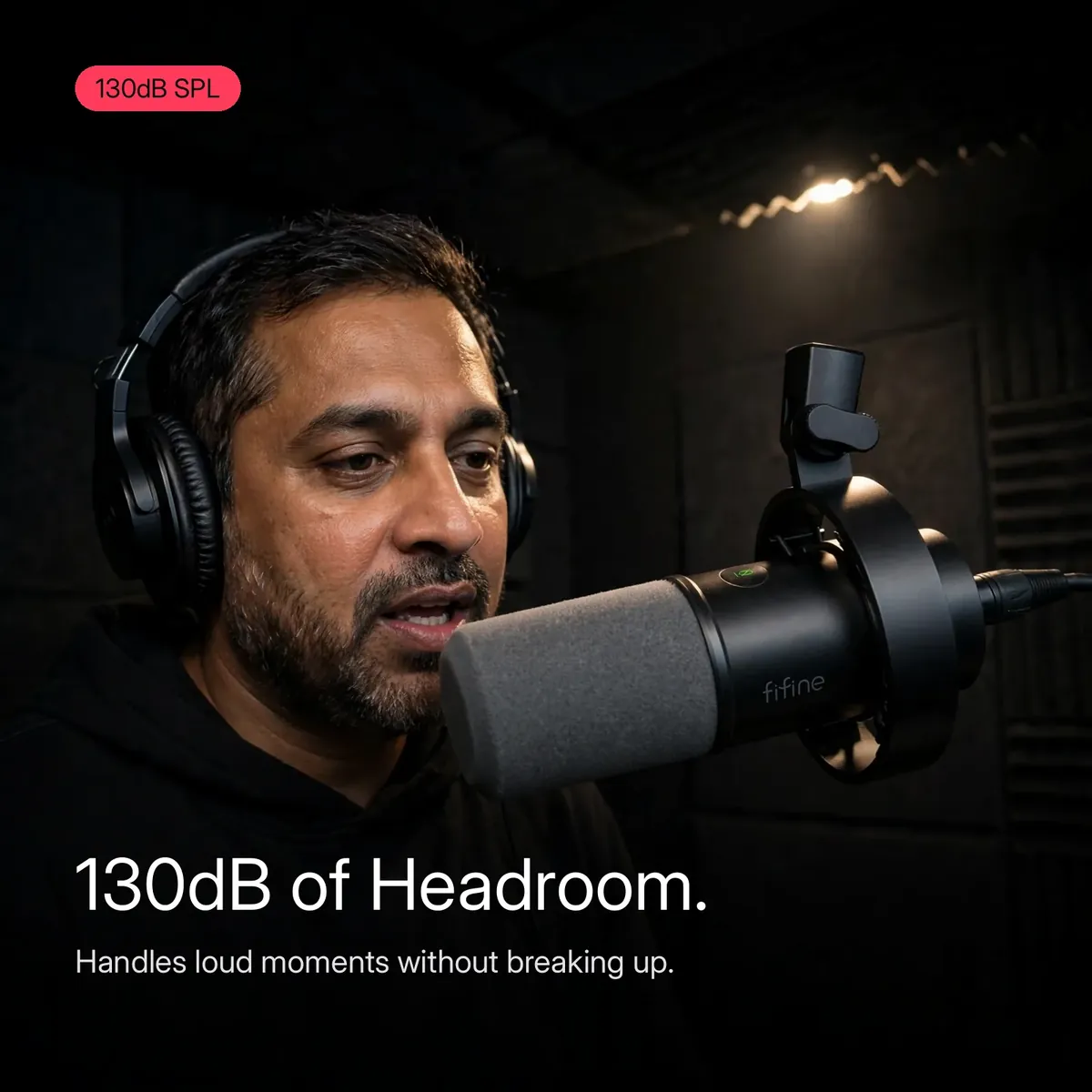
Loud laughs, sudden shouts, a voice-over line that demands everything: this mic is rated to a 130dB maximum SPL, which is the headroom that keeps hot moments clean instead of clipped. Clipping is what happens when a capsule is pushed past its limit — distortion that no edit can remove — and the fifine k688’s 130dB rating means everyday loudness never gets near that ceiling. Combined with the onboard gain knob, you can ride hot and stay safe: loud guests, live reactions, and dramatic reads all come out sounding the way they should.
Hear Yourself, Live
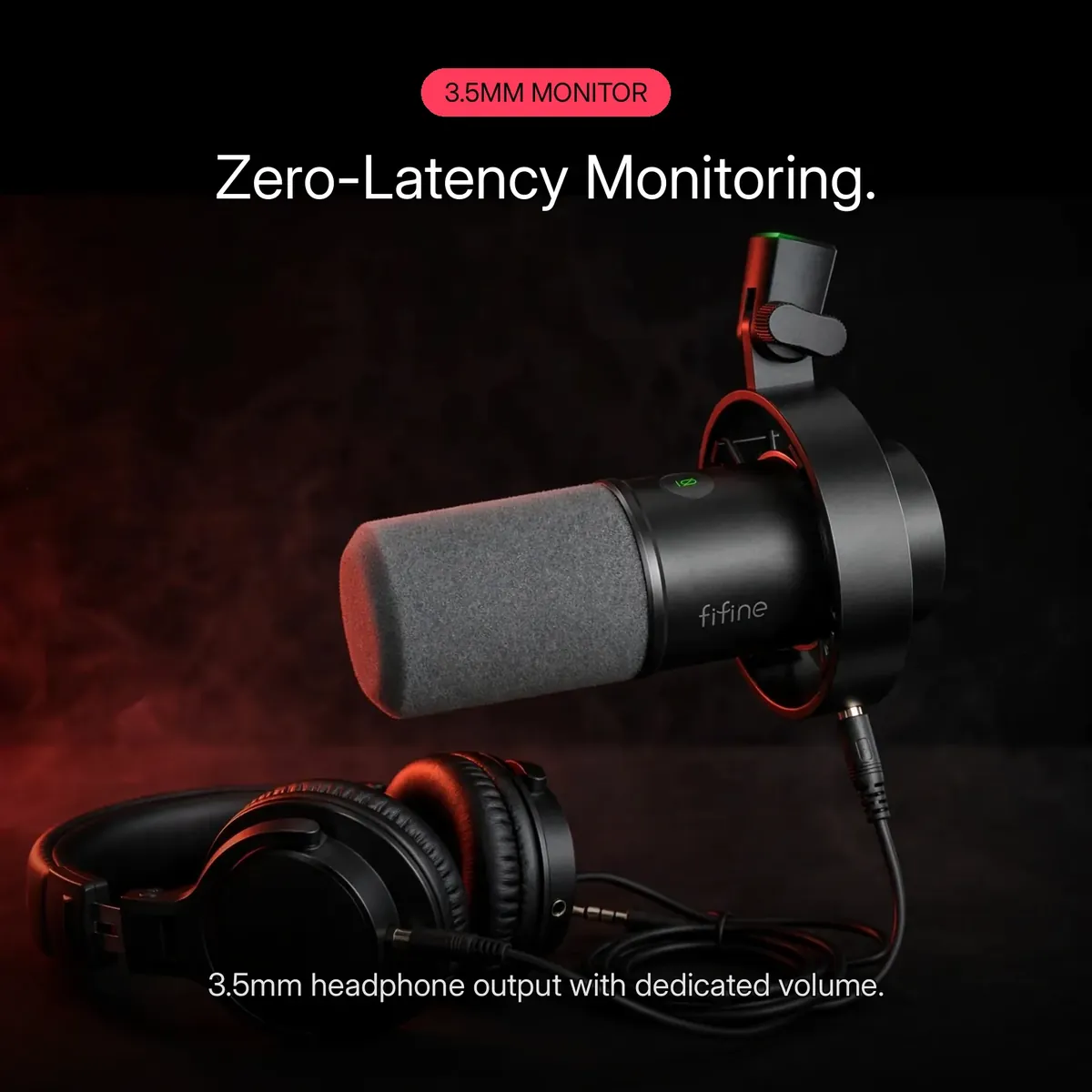
The 3.5mm headphone jack on the fifine k688 gives you real-time, zero-latency monitoring — you hear exactly what your audience hears, with no delay and no echo. Set your levels with confidence instead of guessing, then fine-tune the monitoring loudness with the dedicated volume control. Latency anxiety disappears when the monitoring path is hardware: plug headphones in and your voice comes back live.
Every Control, Onboard
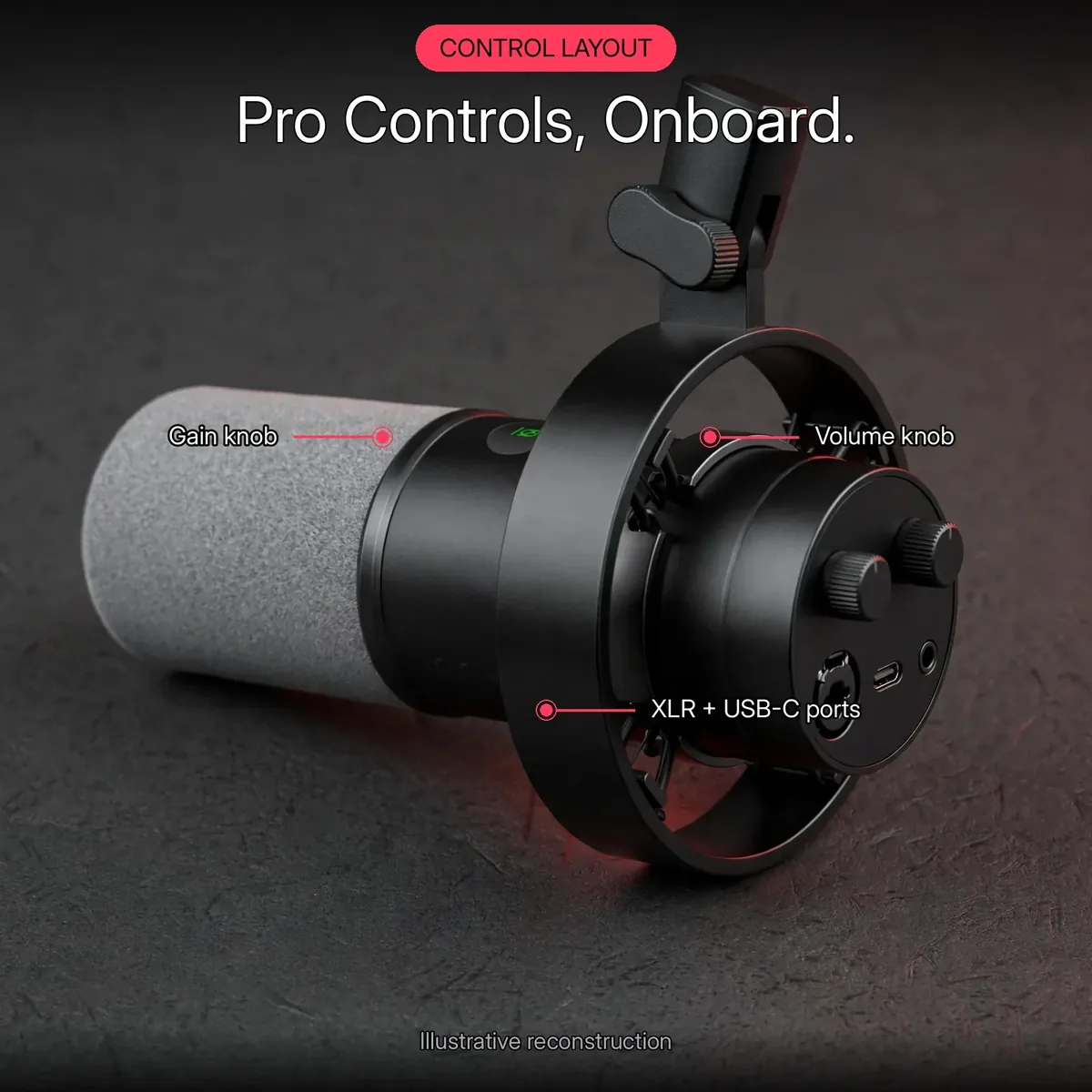
Gain, mute, monitor volume — this microphone keeps the essential controls on the body itself, and the layout diagram above maps them at a glance: the gain knob and volume knob at the base, the mute button within reach, the XLR and USB-C ports underneath, and the 3.5mm monitor jack beside them. On-mic control means never diving into software mid-take: dial gain for a quiet guest, mute when the courier knocks, adjust your headphones without touching a menu. The control diagram is an illustrative reconstruction of the verified fifine k688 layout, not a circuit schematic.
Inside the FIFINE K688
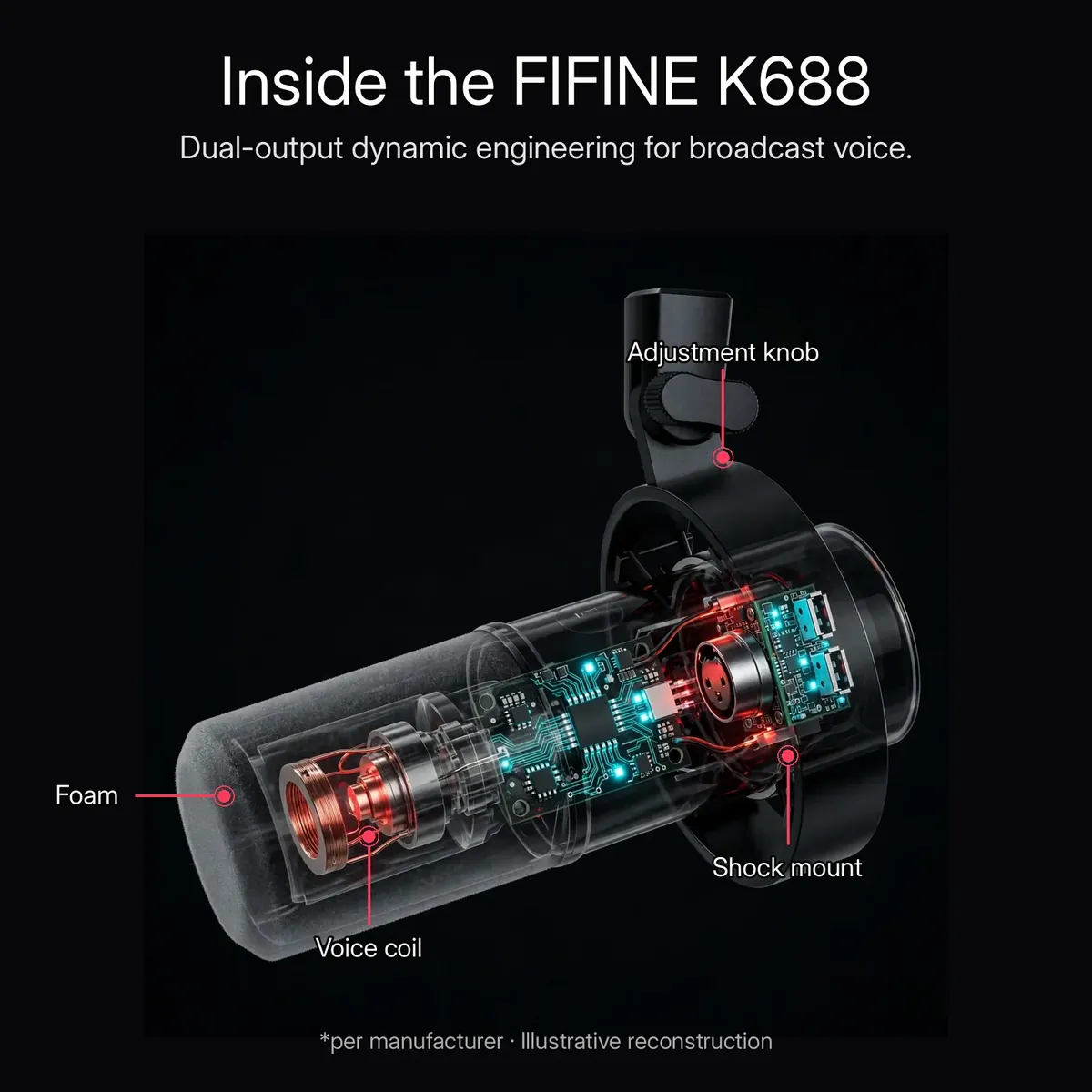
Under the shell, this mic is built around a dynamic capsule feeding a dual XLR/USB architecture — one capsule, two signal paths, no compromise in either. The metal body shields the electronics and survives daily desk life, while the foam windscreen sits up front taming plosives before they reach the capsule. The x-ray render above is an illustrative reconstruction of the manufacturer’s listed internals — the voice coil, foam layer, and shock mount — not a photograph of disassembled hardware.
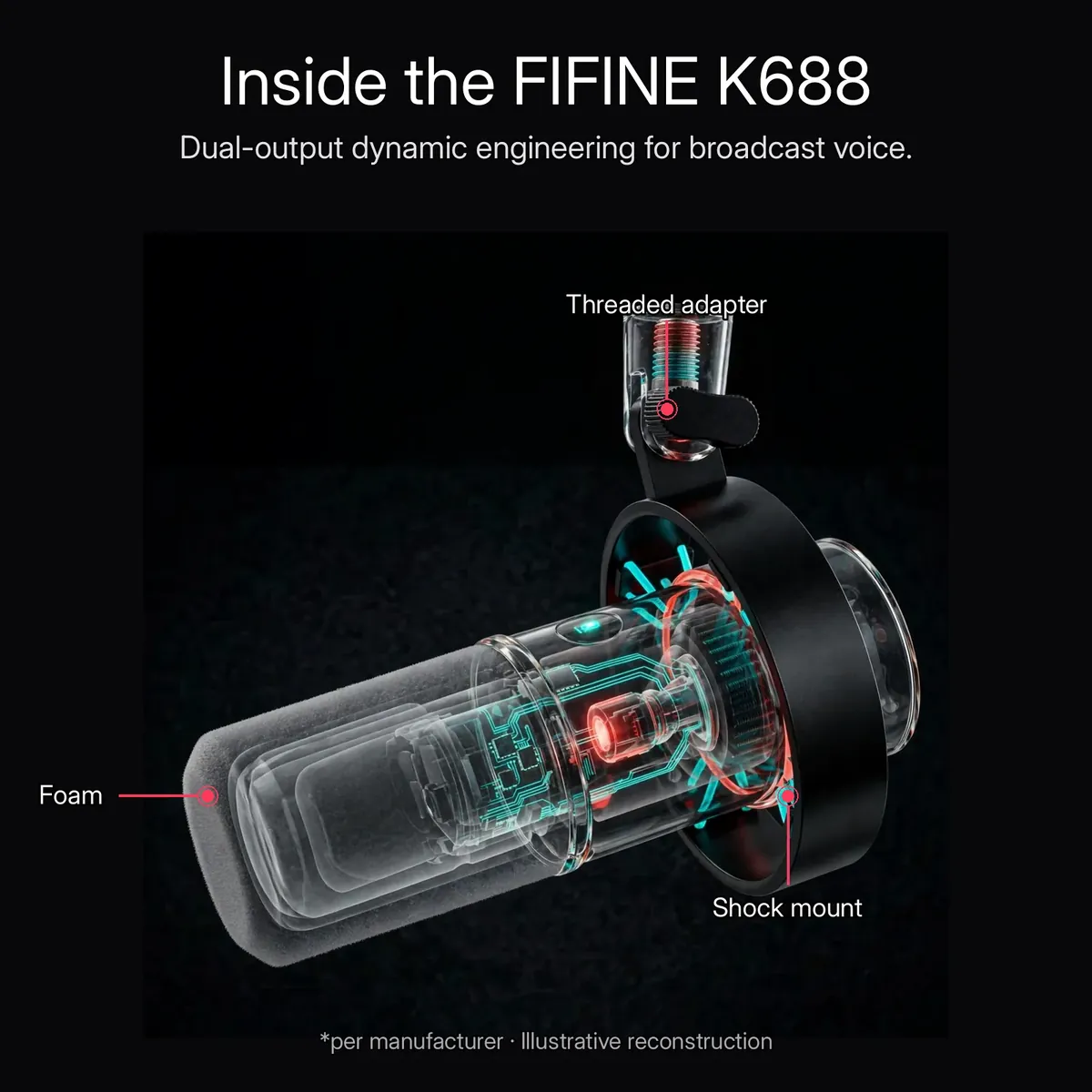
The mount gets its own x-ray treatment: a spider-style shock mount holds the fifine k688 suspended inside its ring, isolating desk rumble and bumps before they reach the capsule, and the threaded adapter accepts a boom arm or microphone stand. Vibration isolation is the unsung hero of broadcast sound — taps, keystrokes, and fan rumble simply never make it into the recording. Shown above in the same illustrative reconstruction style, per the manufacturer’s description of this microphone’s mounting hardware.
What’s in the Box
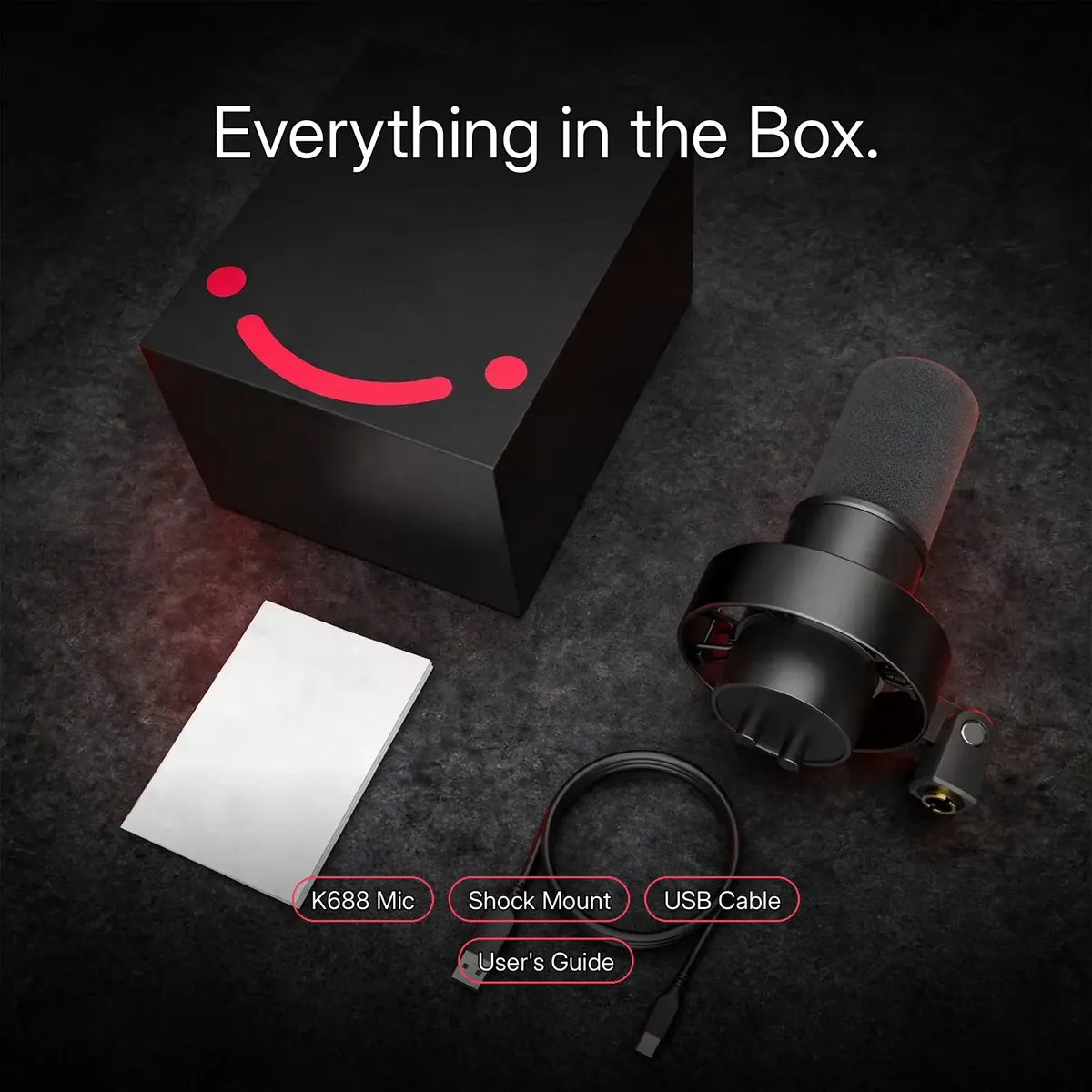
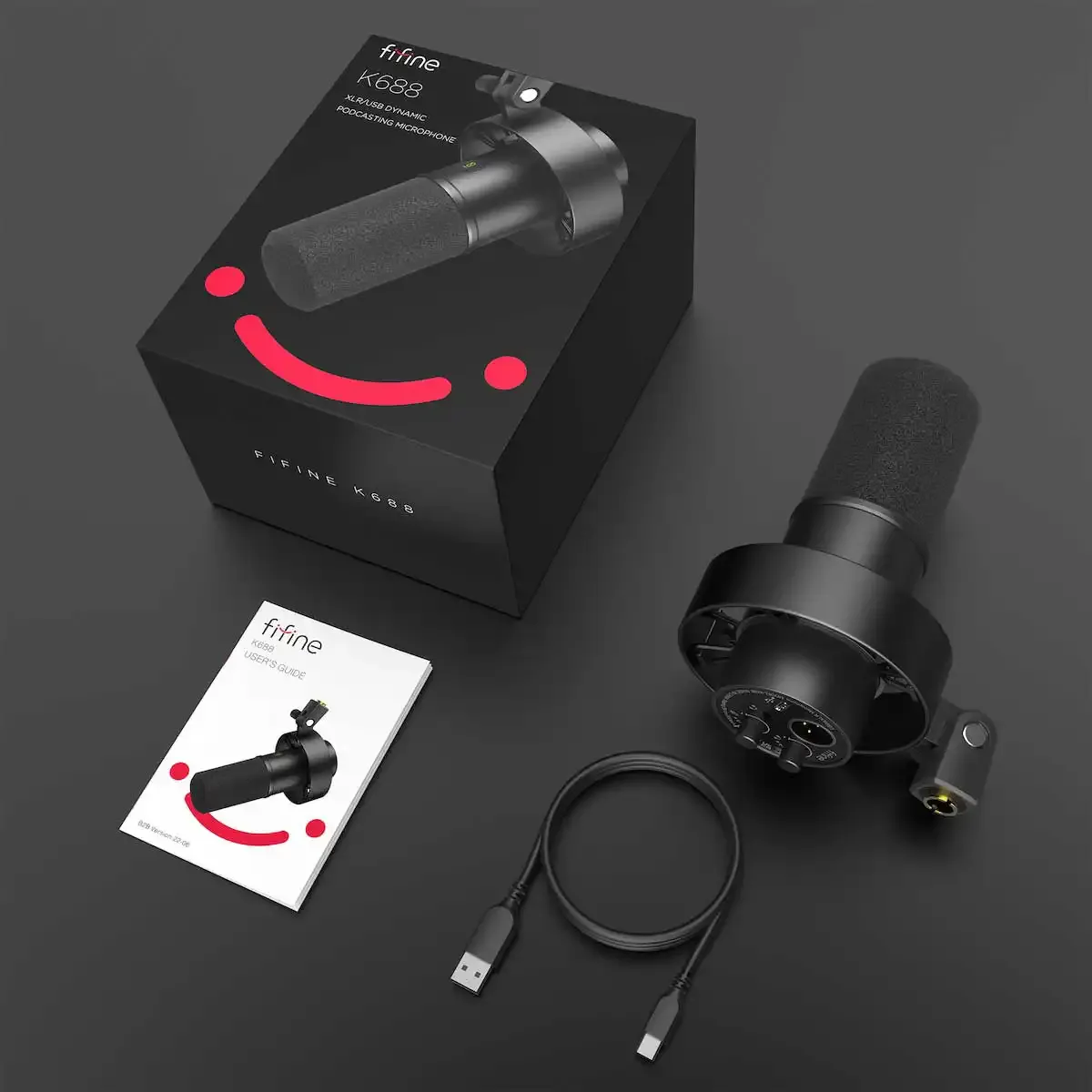
The box contains the fifine k688 microphone, the USB-C to USB-A cable, the boom-arm/stand adapter, and the user’s guide. The flat-lay infographic above is an illustrative reconstruction of the verified box contents — not a packing photograph.
One honest exclusion: an XLR cable is not listed among the included items, and no boom arm or stand is included — the adapter lets you mount the mic on a boom arm or stand you already own or buy separately. The kit is ready for USB recording out of the box; if you plan to use the XLR output, bring your own XLR cable and connect through a mixer or audio interface.
Specifications
| Brand | FIFINE |
|---|---|
| Model | K688 (XLR/USB Dynamic Microphone) |
| Acoustic principle | Dynamic (no phantom power needed) |
| Polar pattern | Cardioid |
| Frequency response | 50Hz – 15kHz |
| Sensitivity | -58dB ± 3dB |
| Impedance | 300Ω |
| Maximum SPL | 130dB |
| Connectivity | XLR + USB-C |
| Cable (included) | USB-C to USB-A |
| Controls | Gain control knob, mute button |
| Monitoring | 3.5mm headphone jack with volume control, real-time zero-latency |
| Build | Metal body |
| Mount | Integrated shock mount + pop filter (included) |
| Stand adapter | Boom-arm / microphone-stand adapter (included) |
| Power | USB: powered via USB; XLR: connect through a mixer or audio interface |
| Compatibility | Windows, macOS — plug-and-play over USB, DAW compatible |
| Box contents | K688 microphone, USB-C to USB-A cable, boom-arm/stand adapter, user’s guide |
| Warranty | a 7-day store warranty |
All figures are taken from the verified research notes and the live store product page. Bit depth, sample rate, weight, and exact dimensions are not published in the research notes and are therefore omitted rather than estimated. Do not confuse this microphone with the K658 USB-only dynamic or the AM8 gaming microphone.
Who Should Buy the FIFINE K688?
Buy the fifine k688 if you record your voice at a desk and your room is not a studio. Its dynamic cardioid capsule focuses on close-up speech and pushes fan hum, keyboard clatter and bare-wall echo aside, and it needs no phantom power to do it. Start today over USB-C: plug-and-play on Windows and Mac, with a gain knob, a mute button and zero-latency headphone monitoring on the mic itself. Keep the fifine k688 when your setup grows, because the XLR output is already there waiting for a mixer or interface.
Skip the fifine k688 if you want to capture a whole room or record instruments from a distance: a close-focused dynamic like this one is built for one voice, near the capsule. Also skip it if your recording happens on a phone or on the move, since this is a desk microphone for computers and interfaces. And plan one honest extra if XLR is your goal from day one: no XLR cable, boom arm or stand is in the box. But if your journey is podcast, stream or voice-over at one desk, the fifine k688 covers both ends of it.
Close-Up Technique: Working the fifine k688 at Talking Distance
Technique starts with distance, because a dynamic capsule is built to hear one voice up close and very little else. Set the fifine k688 near your mouth before you record, then keep that position for the whole session: lean away and your level drops while the room creeps in, lean in and the voice turns fuller and warmer. Consistency is the real skill here. The foam windscreen and integrated pop filter are what make close placement practical, softening the bursts of air from p and b sounds before they reach the capsule.
Angle matters almost as much. The cardioid pattern listens at the front of the microphone and rejects sound arriving from the sides and rear, so aim your voice at the front of the fifine k688 and keep it there when you turn pages or glance at notes. Then set the gain knob to suit your voice and your distance, instead of fixing levels afterwards in software: a soft-spoken reader sits closer with gain raised, a louder voice eases back with gain lowered. Matched once, the pairing of position and gain carries a whole take.
The Thirty-Second Routine: Gain and Monitor Before Every Take
The controls on the body become a routine. Headphones into the 3.5mm jack first, then speak at your working distance and turn the gain knob while you listen: because the monitoring path on the fifine k688 is zero-latency hardware, the voice in your ears is the voice being recorded, with no delay to second-guess. Set the monitor volume knob for your comfort next; it changes only what you hear, never the level going to the computer. Two knobs, thirty seconds, and the take starts at the right level instead of being rescued later.
The same routine survives the session, because physical knobs hold their positions in a way software settings do not. Leave the fifine k688 mounted in its shock mount, gain and monitor volume where the last take left them, and the next session starts from yesterday’s settings: swing the microphone back to your mark, speak one test line into your headphones, and you are ready. When a guest joins, the routine simply repeats per voice: each speaker finds their distance first, then you ride the gain knob to match it, and both voices sit at one level.
Why Buy From Gadget Superb
Order the fifine k688 from Gadget Superb with cash on delivery anywhere in Bangladesh — pay in cash when the parcel arrives, with no advance payment, card details, or OTPs ever asked. Delivery takes 1–3 working days inside Dhaka (৳70) and 2–5 working days outside Dhaka (৳120). Every order carries 7-day easy returns: keep the microphone in original condition with box and accessories, and start a return with your order number via hotline 09638054751, care@gadgetsuperb.com, or Messenger.
FIFINE is a global microphone brand — see fifinemicrophone.com — and Gadget Superb curates its models for Bangladeshi creators. Explore the full Audio Electronics collection or compare Microphones to find the right fit.
Frequently Asked Questions
Is this FIFINE K688 an original FIFINE product?
This listing is for this model as catalogued by Gadget Superb under the FIFINE brand. The store does not claim official-distributor status for any brand it carries. If authenticity documentation matters to you, message the store on Messenger or email care@gadgetsuperb.com before ordering and they will clarify what they can share.
What is the difference between the K688 and the FIFINE AM8?
Same concept, different personality. The fifine k688 is the broadcast-style XLR/USB dynamic — clean black look with no RGB, a 130dB max SPL headroom rating, an integrated shock mount with pop filter, and onboard gain knob and mute button. The AM8 is FIFINE’s gaming-desk XLR/USB dynamic, with touch-mute and customizable RGB lighting. Neither is objectively better: pick the fifine k688 if your desk should look like a studio, or the AM8 if your desk should glow. (And note: this listing is not the FIFINE K658 — that is a USB-only dynamic, while the fifine k688 gives you both XLR and USB.)
Do I need an audio interface to use the fifine k688?
No — not for USB. Over USB the fifine k688 is plug-and-play on Windows and Mac: connect the included USB-C to USB-A cable and record with no drivers and no extra gear. An interface (or mixer, or preamp) is only needed if you choose to use the separate XLR output, which is the professional upgrade path for later.
Is an XLR cable included in the box?
No. The box includes the USB-C to USB-A cable for USB recording, plus the microphone, the boom-arm/stand adapter, and the user’s guide — but no XLR cable and no boom arm or stand. If you plan to use the XLR output, bring your own XLR cable and connect through a mixer or audio interface.
How does the mute button work?
The mute button on the fifine k688 lets you silence the microphone instantly mid-take — the courier knocks, the phone rings, the cough escapes — without touching software or breaking your recording flow. Press it again to go live. It is the simplest privacy switch a podcaster can ask for, and it is always on the mic itself, right where your hand already is.
What are the key specs of the fifine k688?
It is a dynamic microphone with a cardioid polar pattern, 50Hz–15kHz frequency response, -58dB ± 3dB sensitivity, 300Ω impedance, and 130dB maximum SPL. It offers XLR and USB-C outputs, a gain control knob, a mute button, 3.5mm real-time monitoring with volume control, an all-metal body, and ships with an integrated shock mount and pop filter, a boom-arm/stand adapter, a USB-C to USB-A cable, and a user’s guide.
What does 130dB maximum SPL mean for my recordings?
It is a headroom rating: the fifine k688 can handle very loud sound sources without distorting. Loud laughs, sudden shouts, a dramatic voice-over read — all stay clean instead of clipping into harsh digital distortion that no edit can fix. In practice it means you can record hot, emotional performances on the fifine k688 without the fear that one loud moment ruins the take.
Does the fifine k688 work with my Windows or Mac computer?
Yes, over USB. The fifine k688 is plug-and-play on Windows and macOS as well as DAW software — connect the included USB-C cable and it appears as a USB microphone. No drivers are needed in USB mode.
How does zero-latency monitoring work on the fifine k688?
Plug headphones into the 3.5mm headphone jack on the fifine k688 and you hear yourself in real time, with no delay and no echo — exactly what your audience or recording will hear. A dedicated volume control sets the monitoring loudness. Latency-free monitoring is the difference between guessing your levels and knowing them.
Does this microphone come with a warranty?
a 7-day store warranty
How long does delivery take, and what are the charges?
Inside Dhaka, delivery costs ৳70 and takes 1–3 working days; outside Dhaka, it costs ৳120 and takes 2–5 working days. These are estimates, not guarantees. Your order ships once you place a cash-on-delivery order.
How does cash on delivery work? Can I check the microphone before paying?
Cash on delivery means you pay the courier in cash when the parcel arrives. Gadget Superb never asks for advance payment, card details, OTPs, or mobile-banking PINs. Couriers generally do not allow opening a parcel before payment, so check your microphone right after the courier leaves and contact the store within the 7-day return window if anything is wrong.
What is the return policy if my microphone arrives faulty?
Every Gadget Superb product carries 7-day easy returns. If it arrives damaged or faulty, keep it in its original condition with the box and accessories, then start a return with your order number via hotline 09638054751, email care@gadgetsuperb.com, or Messenger.
What is the price of the fifine k688 in Bangladesh?
The current price is shown on the product page and can change during sales, so no figure is quoted here. Check the live FIFINE K688 page on Gadget Superb for today’s price — that is what you pay in cash on delivery, plus the standard delivery fee.
How close should I sit to the fifine k688 while recording?
Close, and consistently close. This is a dynamic cardioid microphone, so the sound it was built for is one voice near the front of the capsule; the fifine k688 rewards a fixed position far more than a perfect one. If your level wanders between takes, the cause is usually distance, not settings: return to your mark, then adjust the gain knob if the take still runs quiet or hot. The windscreen and pop filter handle the plosives that close placement brings.
Can I mount the fifine k688 on a boom arm or stand I already own?
Yes. A boom-arm and stand adapter is included in the box, and the integrated shock mount’s threaded mount is what connects: the fifine k688 sits suspended in its shock mount on your existing arm or stand, isolated from the desk rumble that travels up through furniture. What is not included is the arm or stand itself, so the adapter is the bridge between the microphone and the mounting hardware you already own. Once mounted, position holds from session to session.
Related products
-25%
100 in stock
SX63 Wireless Lavalier Microphone for Type-C & Iphone
Original price was: ৳ 3,580.৳ 2,650Current price is: ৳ 2,650.-28%
30 in stock

Boya Magic-05 AI-Powered Transformable Wireless Microphone
Original price was: ৳ 15,550.৳ 11,180Current price is: ৳ 11,180.-28%
40 in stock
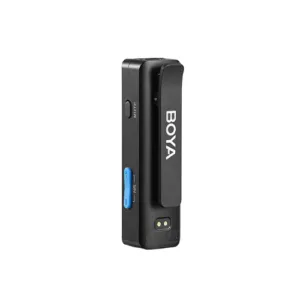

Boya BOYALINK A2 All-In-One Design Wireless Microphone System Without Charging Case
Original price was: ৳ 10,970.৳ 7,890Current price is: ৳ 7,890.-28%
50 in stock


Maono DM30 RGB Programmable USB Condenser Microphone – Black
Original price was: ৳ 7,940.৳ 5,710Current price is: ৳ 5,710.-27%
70 in stock
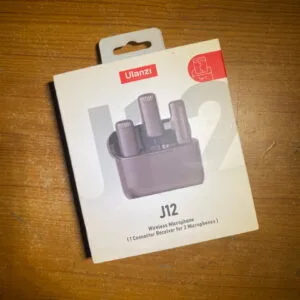
Ulanzi J12 Dual Wireless Microphone for Android With Charging Case For Type-C
Original price was: ৳ 4,110.৳ 3,000Current price is: ৳ 3,000. FIFINE K688 XLR/USB Dynamic Mi...
Original price was: ৳ 10,870.৳ 7,820Current price is: ৳ 7,820.
18 in stock
Reviews
There are no reviews yet.