No products in the cart.

-25%


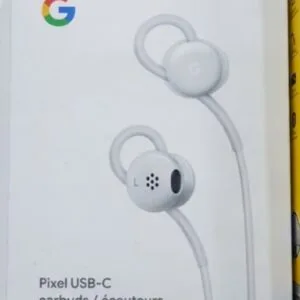
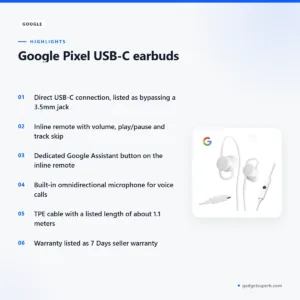
The Google Pixel USB-C earbuds are earbuds that connect directly through a USB Type-C connector, designed by Google for Pixel phones and other USB-C compatible devices. They suit Bangladeshi buyers who want a simple option with inline controls and a Google Assistant button for commuting, workouts and calls.
- Overview
- Key features
- Specifications
- How to use and set up
- Compatibility and what is in the box
- Who should buy it in Bangladesh
- Alternatives in our store
- Warranty and support
- Delivery, returns and ordering
- Frequently asked questions
Overview of the Google Pixel USB-C earbuds
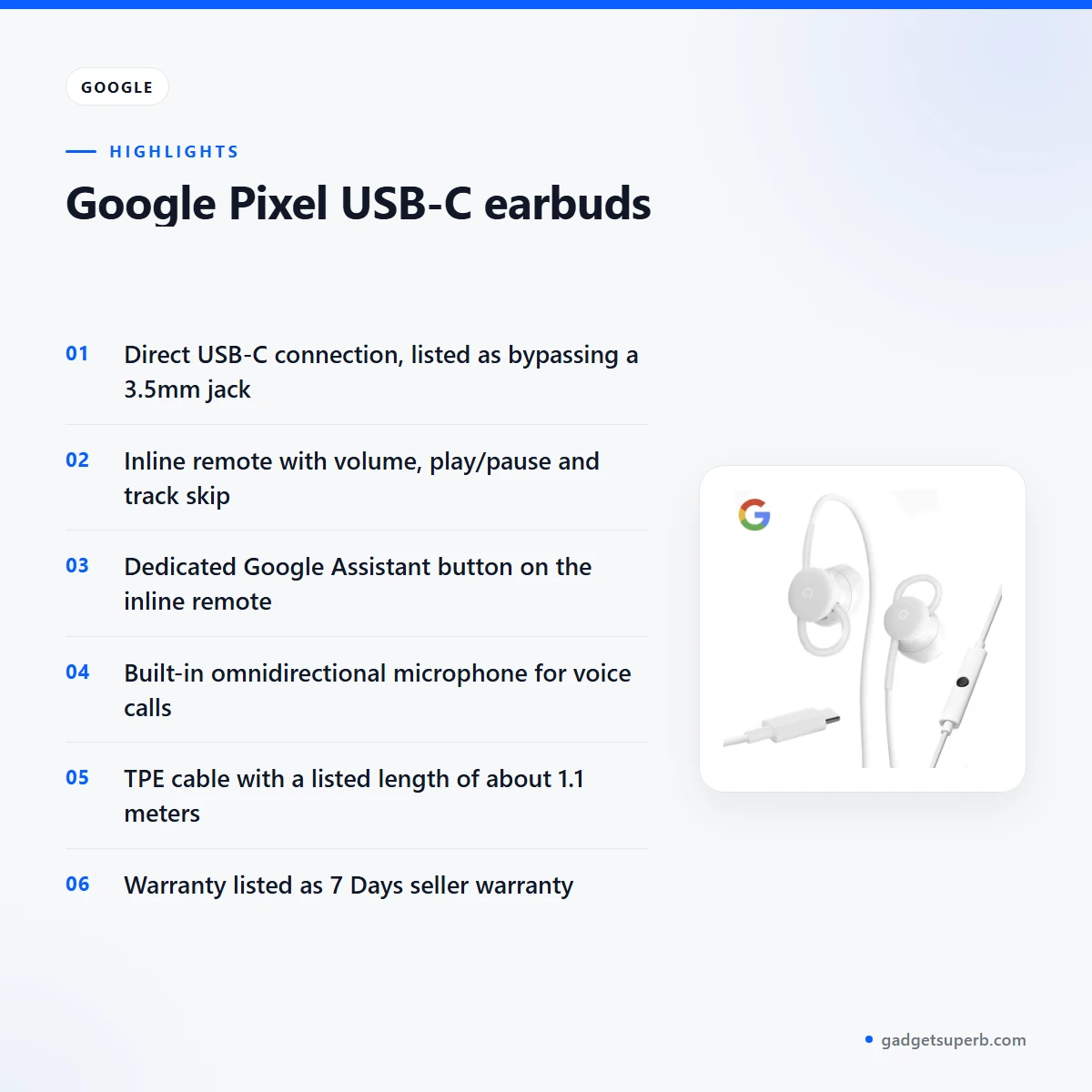
The Google Pixel USB-C earbuds are described in the listing as more than a pair of earbuds, and the listing calls them an extension of your digital life. The listing says a direct USB-C connection bypasses the need for a traditional 3.5mm jack, so audio is sent digitally from your device. According to the listing, this design is meant to keep interference low and clarity high for music, podcasts and calls.
For a Bangladeshi buyer, the practical question is how the Google Pixel USB-C earbuds fit a normal day. The listing describes them as lightweight and ergonomic, which matters on a Dhaka commute where you may be standing, holding a bag and changing transport. Humidity is common in Bangladesh, so store the Google Pixel USB-C earbuds somewhere dry, and let them dry fully after a sweaty workout before you coil the cable.
The listing also highlights inline controls and a dedicated Google Assistant button. The maker lists these as ways to manage audio and reach smart features without taking your phone out of your pocket. Used this way, the Google Pixel USB-C earbuds suit people who want quick control on a crowded bus or in a busy office. For background on what headphones are and how they are generally built, see the general overview of headphones.
Key features
Crystal-Clear Digital Audio
The listing says the earbuds deliver crisp, clear audio through a direct USB-C connection, with rich bass, clear mids and crisp highs. The maker states that this digital path avoids analog conversion loss, and that is the main reason the listing gives for its clarity claims. For the Google Pixel USB-C earbuds, that means the sound path runs from your device without an analog jack in between. For listeners who stream music on a commute or follow podcasts at home, this is the feature the listing puts first. Treat these as the maker’s descriptions, and judge the sound for yourself on your own device and music.
Seamless Google Assistant Integration
A dedicated button on the inline remote gives instant access to Google Assistant, according to the listing. The maker lists uses such as getting directions, playing music, making calls and sending messages hands-free. Pressing and holding the button activates the assistant so you can give voice commands. This helps when your hands are full on a crowded street or a moving rickshaw. Whether the Google Pixel USB-C earbuds work with every assistant action depends on your phone and its settings, and the listing does not detail those settings.
Comfort-Fit Design
The listing describes ergonomically designed earbuds with soft, flexible ear tips for a secure and comfortable fit. The maker lists comfort for extended listening sessions, which is useful on long commutes, study sessions or quiet evenings at home. Comfort matters for the Google Pixel USB-C earbuds because fit is personal, and the same pair can feel different from one listener to the next. Take a few minutes to find the position that feels secure before a long session. The listing does not describe other ear tip sizes, so ask us before you order if you need more detail on fit.
Inline Remote Controls
The listing says the integrated remote adjusts volume, plays or pauses tracks, skips songs and answers or ends calls. According to the listing, the middle button plays and pauses music, double-tapping skips to the next track and triple-tapping goes to the previous one. The volume buttons are listed as Volume Up and Volume Down. The listing says some devices may need specific software updates and may not support every inline control. Check the controls on the Google Pixel USB-C earbuds with your own phone after you plug in.
Built-in Microphone
The listing describes a built-in omnidirectional microphone for clear voice calls and hands-free communication. The maker mentions staying connected with friends and family, which is a useful feature on busy days. Calls on the Google Pixel USB-C earbuds can be answered or ended with the inline remote, as the listing describes. The listing does not give call-quality measurements, so judge the microphone on your own calls before you rely on it for important conversations.
Durable and Tangle-Free Cable
The listing describes a robust TPE cable designed for durability and resistance to tangles, with a cable length listed as about 1.1 meters. The listing presents tangle resistance as a way to reduce hassle when you store the earbuds in a bag. For daily use, wind the cable loosely rather than tightly, and avoid pulling hard on the connector. Keep the Google Pixel USB-C earbuds in a pocket or pouch when you are moving. The listing gives the housing material as ABS plastic, so handle the earbuds gently.
Specifications of the Google Pixel USB-C earbuds
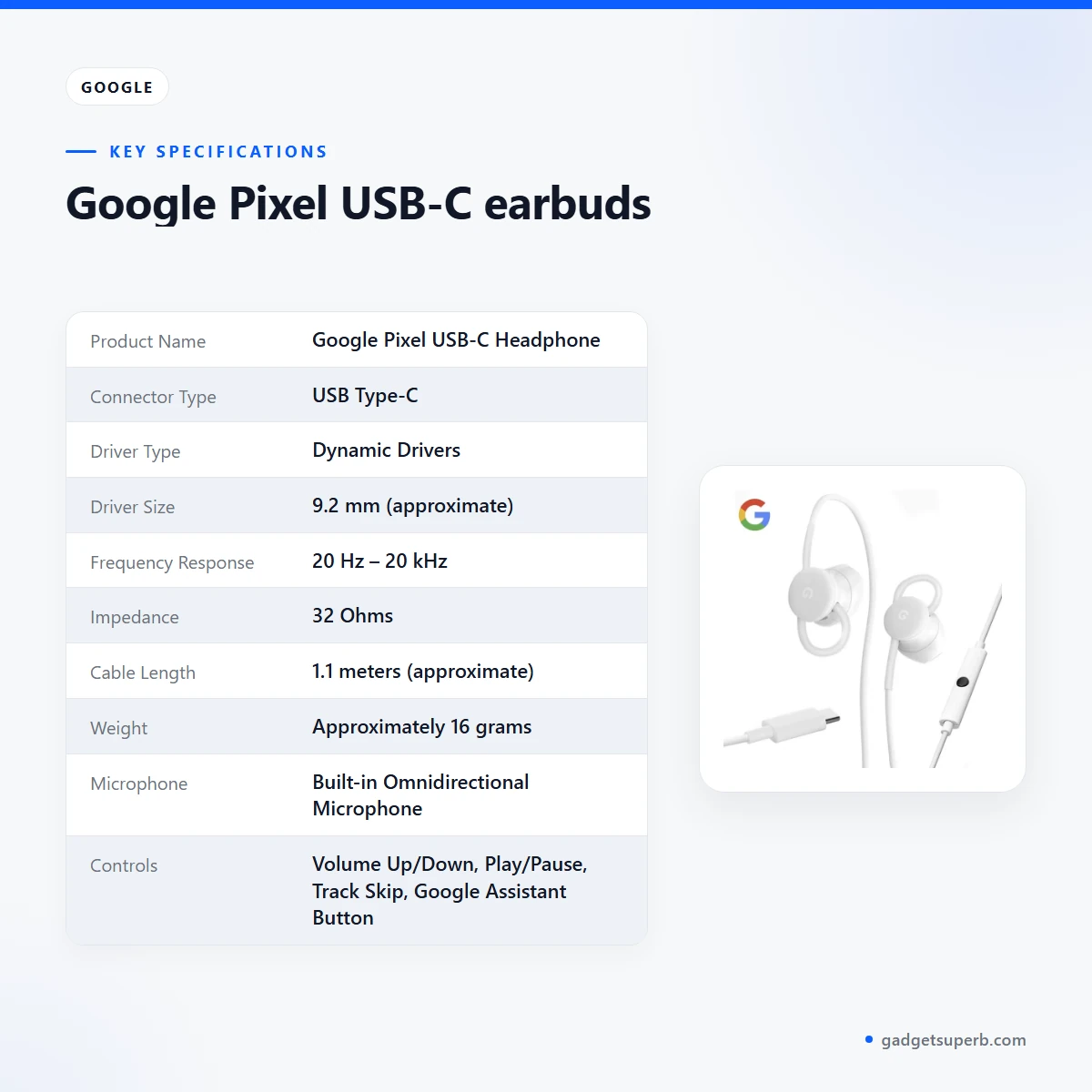
The table below lists the specifications for the Google Pixel USB-C earbuds as they appear in the product listing. Use it to check the connector, cable length, driver details and controls before you order.
| Label | Value |
|---|---|
| Product Name | Google Pixel USB-C Headphone |
| Connector Type | USB Type-C |
| Driver Type | Dynamic Drivers |
| Driver Size | 9.2 mm (approximate) |
| Frequency Response | 20 Hz – 20 kHz |
| Impedance | 32 Ohms |
| Cable Length | 1.1 meters (approximate) |
| Weight | Approximately 16 grams |
| Microphone | Built-in Omnidirectional Microphone |
| Controls | Volume Up/Down, Play/Pause, Track Skip, Google Assistant Button |
| Google Assistant | Yes, dedicated button for instant access |
| Color | White |
| Materials | TPE Cable, ABS Plastic Housing |
These are listed specifications from the product listing for the Google Pixel USB-C earbuds.
How to use and set up the Google Pixel USB-C earbuds
Using the Google Pixel USB-C earbuds is straightforward, according to the listing. Start by plugging the USB-C connector into the USB-C port of your compatible smartphone, tablet or laptop. Push the connector in fully so it sits firmly in the port.
Your device should recognise the Google Pixel USB-C earbuds automatically, the listing says. Open your music app, podcast or video player and start listening. If sound does not come through, check that your device has selected the USB-C connection as its audio output, and try a different app to rule out a problem with a single player.
To control audio, use the inline remote. The Volume Up and Volume Down buttons adjust the level, the middle button plays or pauses, double-tap skips forward and triple-tap goes back. Learn the controls on the Google Pixel USB-C earbuds in a quiet place before you rely on them on a busy road.
To use Google Assistant, press and hold the dedicated button on the inline remote, then give your voice command. To answer or end a call, use the inline remote, and the built-in microphone carries your voice to the other person.
Before first regular use, connect the Google Pixel USB-C earbuds to your device, play a short track and test the volume, play/pause and skip controls once. If your device came with a manual, follow it for any device-specific steps. Keep your phone’s software up to date, because the listing says some devices may need specific software updates for full control support.
Care and storage matter in a Bangladeshi climate. Humidity is common, so keep the Google Pixel USB-C earbuds in a dry pouch rather than a damp bag. After use, wipe the housing and ear tips with a soft, dry cloth, and let them air-dry if they have been in contact with sweat. These are general handling habits rather than instructions from the listing.
When you unplug the earbuds, grip the USB-C connector itself rather than pulling on the cable. Store the Google Pixel USB-C earbuds loosely coiled, which suits the tangle-resistant cable the listing describes. Avoid leaving them in a hot place such as a car dashboard in the afternoon sun, or in a bag that sits in direct heat for long periods.
A short test at home is a good way to learn the layout before you travel. Try the volume, play/pause and skip controls, then make a test call if you can. That way you will know which controls you can reach without looking at your phone on a crowded bus or in a rickshaw.
Compatibility of the Google Pixel USB-C earbuds and what is in the box
The listing describes the Google Pixel USB-C earbuds as designed for devices with a USB-C port that supports audio output. Check the compatibility of the Google Pixel USB-C earbuds with your device before you order. The listed compatibility includes:
- Google Pixel smartphones, listed as Pixel 2, Pixel 3, Pixel 3a, Pixel 4, Pixel 4a, Pixel 5, Pixel 6, Pixel 7 and Pixel 8 series, including the XL variants.
- Other Android smartphones and tablets with a USB-C port that supports digital audio output.
- Laptops and computers with a USB-C port that supports audio.
The listing also says that some devices might require specific software updates or may not fully support all inline control functions. Confirm that your device has a USB-C audio output before you order the Google Pixel USB-C earbuds.
What is in the box is not confirmed by the listing. The listing names the earbuds and their specifications but does not list accessories, so ask us before ordering about any spare ear tips, documents or other items that may come with the Google Pixel USB-C earbuds.
Who should buy the Google Pixel USB-C earbuds in Bangladesh
For a commuter in Dhaka, the Google Pixel USB-C earbuds suit a daily routine of buses, rickshaws and walks where you want quick control without digging for your phone. The inline remote and the Google Assistant button are the main reasons to consider them for this kind of day.
If you own a Pixel phone, the Google Pixel USB-C earbuds are the most directly matched option in the listing, which names Pixel 2 and newer models. Pixel owners who want a simple cable-based set with a dedicated assistant button will find the listing’s feature set easy to follow.
Students and home listeners who use earphones for lectures, music and videos may also find the cable and comfort-fit design useful. The listing describes soft, flexible ear tips for long sessions, which suits study hours and quiet evenings with the Google Pixel USB-C earbuds.
People who take many calls will find the built-in microphone and the inline answer and end controls relevant. The listing describes these as hands-free features, so they suit office workers and freelancers who talk on the phone during the day, whether they use the Google Pixel USB-C earbuds at a desk or on the move.
Someone who wants a simple accessory for a Pixel or Android user could also consider the earbuds, provided the recipient’s device has a USB-C audio output. A USB-C port alone is not a listed guarantee, so check that detail before you buy.
If your phone has only a 3.5mm jack, check your phone’s port first. The listing describes a direct USB-C connection that bypasses the traditional 3.5mm jack, so the Google Pixel USB-C earbuds are not the right choice for a phone that cannot use USB-C audio.
If you want a different connection type, a particular sound profile or a model-specific feature not listed here, the Google Pixel USB-C earbuds may not suit you. The listing does not describe alternatives to the USB-C connection, so compare carefully before you decide.
Alternatives in our store
If the Google Pixel USB-C earbuds are not the right fit, you can compare other earphones in our range. The HOCO EQ10 Plus ANC ENC Noise Reduction Wireless BT 5.4 Earphone LED Display Charging Box HiFi Audio Stereo Headset Dual Connect- Black Color is another earphone in our range, and you can read its listing to compare it with the Google Pixel USB-C earbuds.
For a different in-ear listening style, see the TRN MT1 Pro Professional Hi-Fi Dynamic Driver In-Ear Monitor Earphone, which is another earphone in our range. Those who prefer a true wireless option can look at the QCY MeloBuds Neo T31 Transparent TWS, another earphone in our range. A further option is the HOCO EQ5 ANC+ENC Bluetooth 5.3 Wireless Earphone – Black Color, another earphone in our range.
To browse the full range of earphones and earbuds, visit our Earbuds & Earphones category.
Warranty and support
Warranty: 7 Days seller warranty.
Delivery, returns and ordering
When you order, we deliver all over Bangladesh and you pay cash on delivery. This applies to every order placed with us, including orders for accessories such as the earbuds described on this page.
Delivery usually takes 1–3 days inside Dhaka city and 2–5 days outside Dhaka. Plan your order around that window if you need the earbuds for a particular trip, class or workday.
You can return it within 7 days of delivery (see our Delivery & Returns policy). Read the full terms on the Delivery & Returns policy page before you place your order.
Questions before ordering: call 09638054751, message us on Facebook Messenger or email care@gadgetsuperb.com. If you are unsure whether the Google Pixel USB-C earbuds suit your phone, message us before you order so we can point you to the listing details.
Frequently asked questions
Do the Google Pixel USB-C earbuds work with Pixel phones?
Yes, the listing says the earbuds are designed for Google Pixel phones, from Pixel 2 and newer models. Confirm that your phone has a USB-C port that supports audio output.
Do the Google Pixel USB-C earbuds need a 3.5mm jack?
No, the listing says the direct USB-C connection bypasses the need for a traditional 3.5mm jack.
What is the cable length?
The listing gives the cable length as 1.1 meters (approximate).
Can I use them with a laptop?
Yes, the listing says they are compatible with laptops and computers that have a USB-C port supporting audio. Some devices may not support every inline control.
Do they have Google Assistant?
Yes, the listing says there is a dedicated Google Assistant button on the inline remote for instant access.
Is there a microphone?
Yes, the listing describes a built-in omnidirectional microphone for clear voice calls.
What is the colour?
The listing gives the colour as white.
What is the warranty?
The warranty is listed as 7 Days seller warranty. Ask us before ordering if you have questions about it.
Can I return them?
Yes, you can return them within 7 days of delivery under our Delivery & Returns policy.
How long does delivery take?
Delivery usually takes 1–3 days inside Dhaka city and 2–5 days outside Dhaka, and you pay cash on delivery.
Do you deliver outside Dhaka?
Yes, we deliver all over Bangladesh, and delivery outside Dhaka usually takes 2–5 days.
How can I ask questions before I order?
Call 09638054751, message us on Facebook Messenger or email care@gadgetsuperb.com.
Related products
-20%
70 in stock
Hoco EQ34 Plus True Wireless Earbuds
Original price was: ৳ 1,080.৳ 860Current price is: ৳ 860.

QCY MeloBuds N70 Adaptive ANC LDAC True Wireless Earbuds
Price range: ৳ 6,770 through ৳ 6,830-20%
100 in stock
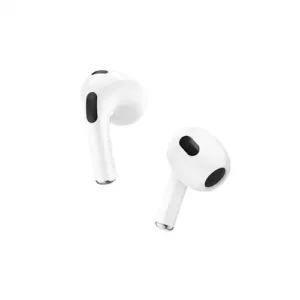

Hoco EW76 True Wireless Earbuds
Original price was: ৳ 1,040.৳ 830Current price is: ৳ 830.-23%
100 in stock
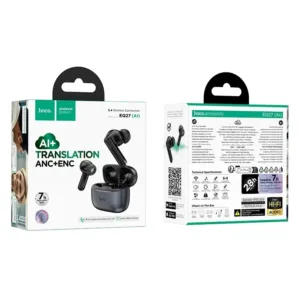
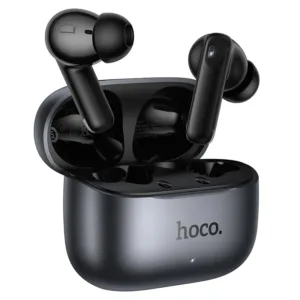
Hoco EQ27 AI Translation ANC+ENC True Wireless Earbuds
Original price was: ৳ 2,070.৳ 1,590Current price is: ৳ 1,590.-25%
100 in stock
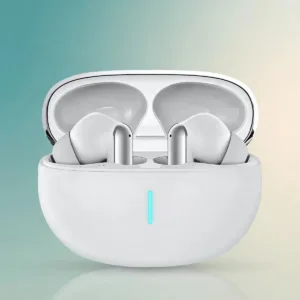
Valdus VNC-350 ANC+ENC True Wireless Earbuds
Original price was: ৳ 2,700.৳ 2,000Current price is: ৳ 2,000.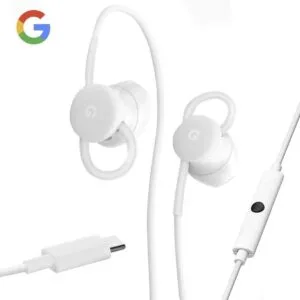 Google Pixel USB-C earbuds
Original price was: ৳ 4,040.৳ 2,990Current price is: ৳ 2,990.
50 in stock
Reviews
There are no reviews yet.