No products in the cart.

-20%
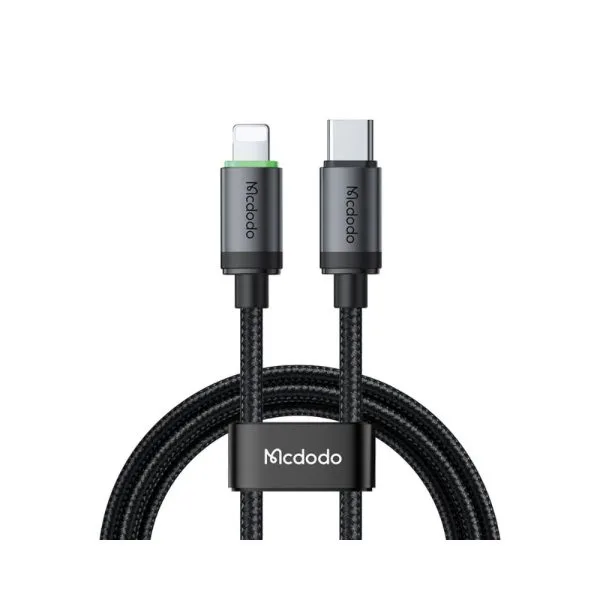


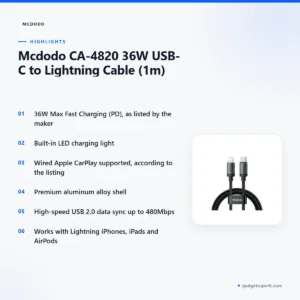
The Mcdodo CA-4820 Lightning cable is a 1m USB-C to Lightning cable that the maker lists for 36W Max Fast Charging (PD). It suits iPhone and iPad owners in Bangladesh who want a quick top-up at home, at the office or in the car, and who also value a listed LED charging light.
- Overview
- Key features
- Specifications
- How to use and set up
- Compatibility and what is in the box
- Who should buy it in Bangladesh
- Alternatives in our store
- Warranty and support
- Delivery, returns and ordering
- Frequently asked questions
Mcdodo CA-4820 Lightning cable overview
The Mcdodo CA-4820 Lightning cable connects a USB-C port to a Lightning connector, and the listing gives its length as 1m. We list it under Cables & Adapters, so it sits alongside other charging and data cables that Bangladeshi buyers compare when they need a replacement lead, a spare for the bedside table or a cable for the car.
The maker lists the Mcdodo CA-4820 Lightning cable with 36W Max Fast Charging (PD) and describes it as ideal for rapidly powering up compatible iPhones and iPads. Fast charging also depends on the power source at the other end, so check that your wall adapter or power bank supports PD before you expect the quickest results. Read the listing as the maker’s description, and judge the Mcdodo CA-4820 Lightning cable against the figures it gives.
Load-shedding can interrupt power in many parts of Bangladesh, so a cable that you can plug into a wall adapter or a power bank quickly can help you top up when the power returns for a short window. Humidity is high for much of the year, so keep the Mcdodo CA-4820 Lightning cable in a dry place when it is not in use. For background on how chargers work in general, read the battery charger overview on Wikipedia. The Mcdodo CA-4820 Lightning cable is one option for that everyday job.
Key features
36W Max Fast Charging (PD)
The listing says the Mcdodo CA-4820 Lightning cable delivers up to 36W fast charging performance through its 36W Max Fast Charging (PD) rating, and the maker describes it as ideal for rapidly powering up compatible iPhones and iPads. That makes the Mcdodo CA-4820 Lightning cable most useful when you want a quick boost before leaving home, during a short lunch break or while you set up a bedside charger. Fast charging depends on the whole chain, so check that your power source supports PD and that your device is among the compatible models the listing describes. The listing does not give further charging figures, so treat the 36W rating as the maker’s stated maximum.
Built-in LED charging light
The Mcdodo CA-4820 Lightning cable has a built-in LED charging light, which the listing says helps you locate the cable in the dark and monitor active charging. That is handy on a bedside table at night, in a dim car or when the power has gone off and you are feeling for the connector. The listing does not describe any other indicator behaviour, so treat the light as a locating and charging-status aid in the maker’s words. Keep the Mcdodo CA-4820 Lightning cable within easy reach of the bed, so you can find the connector without switching on a room light.
Apple CarPlay supported
According to the listing, the cable is fully compatible with wired Apple CarPlay systems for in-car navigation and music streaming. Traffic in Dhaka can mean long stretches of stop-start driving, and a map and playlist on the car screen can make those journeys easier to manage. The listing refers to wired systems and does not name specific vehicles, so check your car’s own manual for its CarPlay requirements. If you plan to use the Mcdodo CA-4820 Lightning cable for CarPlay, keep it routed so that it does not catch the gear lever or the handbrake.
Premium aluminum alloy shell
The listing describes a premium aluminum alloy shell and says the premium metal connector housings enhance heat dissipation and long-lasting durability. These are the maker’s statements, and we pass them on as listed claims. The listing gives no further detail about the finish or the shell construction. Buyers who want a metal-housed connector for daily carry may like the Mcdodo CA-4820 Lightning cable, provided they read the durability wording as the maker’s words.
High-speed data sync
The listing says the Mcdodo CA-4820 Lightning cable supports high-speed USB 2.0 data transfer up to 480Mbps for quick photo and file sharing. Use it to move photos from an iPhone to a laptop or to sync files with a computer before a trip. The listing does not describe any faster data mode, so plan large transfers with that figure in mind and allow enough time for them to finish. A cable is only one part of a transfer, so keep your phone unlocked and follow the prompts on the computer when they appear.
Universal Lightning compatibility
The listing says the Mcdodo CA-4820 Lightning cable works seamlessly with all Lightning-equipped iPhones, iPads, and AirPods. For Bangladeshi buyers who own a mix of devices, that means one connector can serve the phone, the tablet and the earbuds. Confirm your model before you order, because the listing describes compatibility in general terms and does not list individual device models. Ask us if you are unsure which end matches your port.
Specifications
The table below sets out the Mcdodo CA-4820 Lightning cable details as shown in the listing, and it includes no other figures.
| Label | Value |
|---|---|
| Product name | Mcdodo CA-4820 36W USB-C to Lightning Cable (1m) |
| Brand | Mcdodo |
| Model | CA-4820 |
| Category | Cables & Adapters |
| Warranty | 18 Months |
| Maximum charging rating | 36W Max Fast Charging (PD) |
| Cable length | 1m |
| Connector type | USB-C to Lightning |
| Data transfer | High-speed USB 2.0, up to 480Mbps |
| Charging light | Built-in LED |
| Connector housing | Premium aluminum alloy shell |
| Apple CarPlay | Wired Apple CarPlay supported |
| Compatibility | Lightning-equipped iPhones, iPads, and AirPods |
These are listed specifications from the product listing.
How to use and set up
Setting up the Mcdodo CA-4820 Lightning cable takes only a few moments. Start by charging fully before first use, then connect the USB-C end to a compatible power source and the Lightning end to your device. Check the connection on both ends before you walk away.
Follow the included manual if one is supplied with your order, and keep it with your receipt in case you need to contact us later. Pair this step with a quick look at your power source, because a fast charging rating depends on the whole setup, not on the cable alone. Keep the Mcdodo CA-4820 Lightning cable plugged into a power source you trust rather than a loose extension.
Use the built-in LED charging light to confirm that charging is active, as the listing describes. If the light does not behave as you expect, check the power source and the connections before you assume the cable has failed, and then contact us. Keep your order number handy when you get in touch, so we can find your record quickly.
For everyday use, avoid bending the cable sharply at either connector and do not pull on the cable to unplug it. Grip the connector itself when you unplug. In humid weather, store the Mcdodo CA-4820 Lightning cable in a dry drawer rather than a damp bag, and wipe the connectors with a dry cloth if they collect dust.
Wind the cable loosely rather than tightly around your hand, and avoid leaving it in a hot car or in direct sun. Keep it away from spilled drinks while it is charging. A small pouch or box with the other cables you carry helps stop the connectors rubbing against keys and coins.
Simple habits can help a cable last. Plug it into a power source that is switched on and steady, rather than into a socket that is loose or warm to the touch. Unplug the cable once the device reaches the level you need, and avoid leaving the connection running in a bag or under a pillow.
During load-shedding, charge your phone while the power is on, so you are not depending on the outlet at the moment the power goes off. Keep a power bank charged as well, so you have a backup for the evening. When the Mcdodo CA-4820 Lightning cable is in use during an outage, keep the connection steady and avoid moving the phone while it charges.
A short checklist before you connect:
- Check that the Lightning end matches the port on your device.
- Check that your power source supports PD.
- Check that the 1m length suits where the socket sits relative to your bed or desk.
- Keep the cable away from pets and children while it is charging.
Compatibility and what is in the box
According to the listing, the Mcdodo CA-4820 Lightning cable works with all Lightning-equipped iPhones, iPads, and AirPods, and it supports wired Apple CarPlay systems. The listing does not name individual iPhone or iPad models, so match the cable to the port on your device.
The listing describes one cable, the 1m USB-C to Lightning cable itself. Whether a wall adapter or any other accessory is included is not confirmed by the listing, so plan for your own charger. A charger that supports PD is the setup that matches the rating the maker lists for the Mcdodo CA-4820 Lightning cable.
If you are unsure which adapter to use, ask us before ordering and we will help you decide which charger suits your devices. Check the USB-C end against the port on your charger or laptop as well, because that end is a USB-C connector.
Who should buy it in Bangladesh
If you own an iPhone and spend long days in Dhaka, the Mcdodo CA-4820 Lightning cable can be a sensible spare for your bag. Keep one at the office and one in the car, so that a missing cable does not stop a top-up at the end of a long commute.
If you drive and use Apple CarPlay, the listed CarPlay support makes the Mcdodo CA-4820 Lightning cable worth considering for the dashboard connection. Check that your car uses a wired connection, because the listing refers to wired systems only.
If your household shares an iPad, a phone and a set of AirPods, one cable that the listing says works with all of them can reduce clutter. This suits families and small offices where cables are often lost or moved between rooms. The Mcdodo CA-4820 Lightning cable uses the same Lightning connector for each of those devices.
If you transfer photos often, the high-speed data sync listed at USB 2.0 up to 480Mbps may be the feature that matters most to you. The Mcdodo CA-4820 Lightning cable is then a practical choice for moving files between your phone and a computer.
If you only charge overnight, the built-in LED charging light may matter more to you than the fast charging rating. Think about your own routine before you decide which feature to weigh first.
If you study or work from home in a flat with frequent outages, quick top-ups between classes or calls can matter more than a long charge. Keep the Mcdodo CA-4820 Lightning cable at the desk and a second cable in your bag if you can.
If you travel between Dhaka and other districts by bus or train, one cable in your bag can cover the phone and the earbuds without carrying a second lead. Pack a spare in a separate pouch so that one loose cable does not tangle with the rest.
If you are buying for a relative who uses an iPhone, the Mcdodo CA-4820 Lightning cable is a simple accessory to pass on, provided you have checked the port first.
Alternatives in our store
If you are comparing the Mcdodo CA-4820 Lightning cable with other options in our range, look at the following. The Geeoo DC 201 Type C To Lightning 33w PD Charging Cable is another charging cable in our range. The DC Y Cable to use 2 Devices on WGP/ SKE mini UPS is a cable accessory in our range. The U-Shape Converter- 3.5mm Audio Splitter For Headphone and Microphone- White is an audio adapter in our range. The Geeoo DC27 Fast Charging 1M Long 30W (PD-L) Data Cable is another data cable in our range. You can browse the full range in the Cables & Adapters category.
Each alternative above is a different kind of product, so choose by the job you need done rather than by name alone. A charging cable suits a daily top-up, a data cable suits moving files, and an audio adapter suits headphones with a microphone. The category page groups them together so you can see the full range in one place.
Warranty and support
Warranty: 18 Months seller warranty.
Delivery, returns and ordering
Ordering the Mcdodo CA-4820 Lightning cable is simple. We deliver all over Bangladesh and you pay cash on delivery. Delivery usually takes 1–3 days inside Dhaka city and 2–5 days outside Dhaka. You can return it within 7 days of delivery (see our Delivery & Returns policy). Questions before ordering: call 09638054751, message us on Facebook Messenger or email care@gadgetsuperb.com. Full details are on our Delivery & Returns policy page.
Before you place an order, call or message us if anything is unclear. Ask about delivery timing and returns before you agree to pay on delivery, so that you know what to expect at your door.
Frequently asked questions
What is the Mcdodo CA-4820 Lightning cable?
The Mcdodo CA-4820 Lightning cable is a 1m USB-C to Lightning cable that the maker lists for 36W Max Fast Charging (PD).
Does the Mcdodo CA-4820 Lightning cable support fast charging?
Yes, the listing gives 36W Max Fast Charging (PD) and describes the Mcdodo CA-4820 Lightning cable as ideal for rapidly powering up compatible iPhones and iPads.
Does the cable support wired Apple CarPlay?
Yes, according to the listing it is fully compatible with wired Apple CarPlay systems.
Which devices work with the Mcdodo CA-4820 Lightning cable?
According to the listing, it works with all Lightning-equipped iPhones, iPads, and AirPods.
How long is the cable?
It is 1m long, according to the product listing.
Can the cable transfer data?
Yes, the listing says it supports high-speed USB 2.0 data transfer up to 480Mbps for quick photo and file sharing.
Does the Mcdodo CA-4820 Lightning cable come with a charger?
Whether a charger is included is not confirmed by the listing, so ask us before ordering if you need to know what is in the box.
Is there a warranty on the cable?
Yes. Warranty: 18 Months seller warranty.
Can I pay cash on delivery for this cable?
Yes, we deliver all over Bangladesh and you pay cash on delivery.
Can I return the cable within 7 days?
Yes, you can return it within 7 days of delivery, as set out in our Delivery & Returns policy.
Does the cable have an LED charging light?
Yes, the listing says it has a built-in LED charging light that helps you locate the cable in the dark and monitor active charging.
Is the cable listed for AirPods?
According to the listing, it is compatible with Lightning-equipped AirPods, along with Lightning-equipped iPhones and iPads.
Related products
-20%
100 in stock
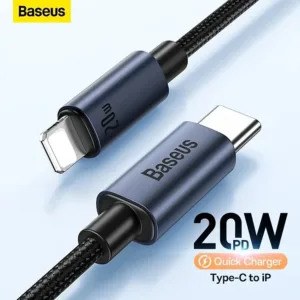
Baseus CAJY010101 Minimalist Type-C to Lightning Fast Charging Data Cable
Original price was: ৳ 670.৳ 530Current price is: ৳ 530.-20%
468 in stock
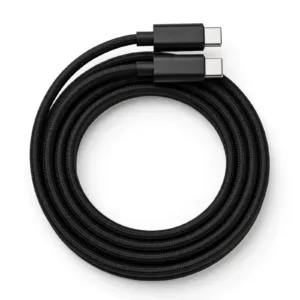
GearUP CC24015 Type-C to Type-C 240W PD Fast Charging Cable & Data Cable 1.5m
Original price was: ৳ 530.৳ 420Current price is: ৳ 420.-21%
17 in stock
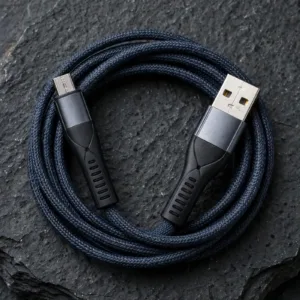
Geeoo DC-14 Super Fast Micro USB 3A Cable
Original price was: ৳ 230.৳ 180Current price is: ৳ 180.-21%
48 in stock
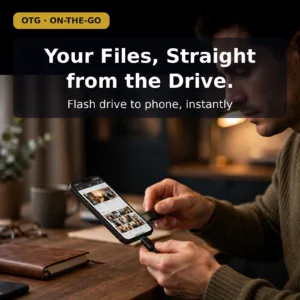
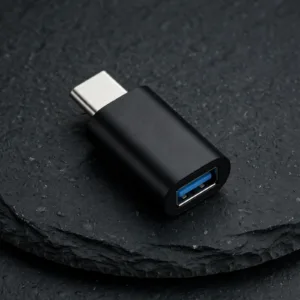
VALDUS VA26 USB-C Male to USB-A Female OTG Adapter
Original price was: ৳ 230.৳ 180Current price is: ৳ 180.-28%
154 in stock
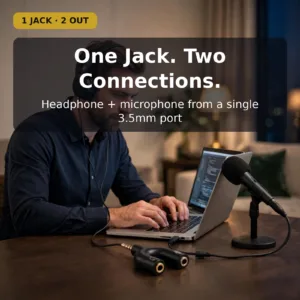
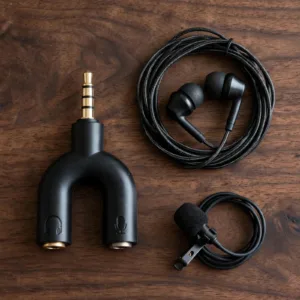
U-Shape Converter- 3.5mm Audio Splitter For Headphone and Microphone- Black
Original price was: ৳ 70.৳ 50Current price is: ৳ 50. Mcdodo CA-4820 36W USB-C to Li...
Original price was: ৳ 720.৳ 570Current price is: ৳ 570.
100 in stock
Reviews
There are no reviews yet.