No products in the cart.

-23%
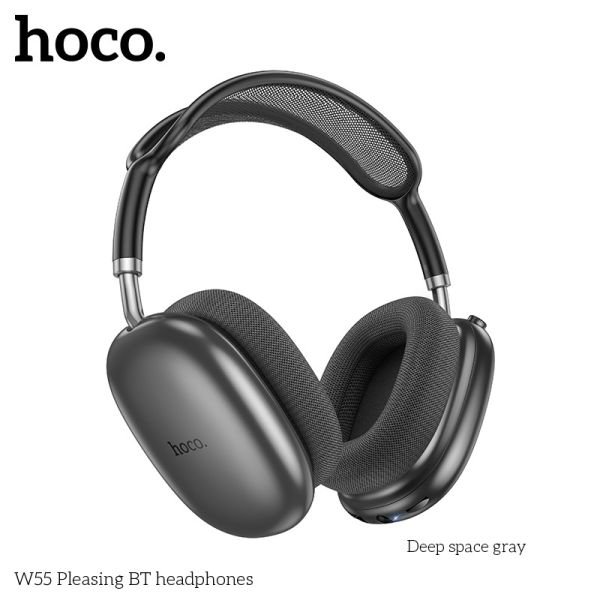
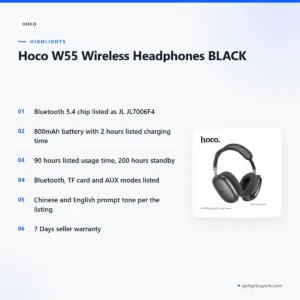
The hoco w55 headphones are a black wireless headphone from Hoco, and the maker lists a Bluetooth 5.4 chip, an 800mAh battery and a usage time of 90 hours. They suit everyday listeners in Bangladesh who want a wireless headset for study, travel and home use. Below you will find the listed specifications, setup guidance and our delivery terms.
- An overview of the hoco w55 headphones
- Key features
- Specifications
- How to use and set up
- Compatibility and what is in the box
- Who should buy it in Bangladesh
- Alternatives in our store
- Warranty and support
- Delivery, returns and ordering
- Frequently asked questions
An overview of the hoco w55 headphones
The hoco w55 headphones come in black and are listed by the maker with a Bluetooth 5.4 chip, the JL JL7006F4. The same listing gives an 800mAh battery, a charging time of 2 hours, a usage time of 90 hours and a standby time of 200 hours. These figures are the core of the product, so read them carefully before you compare the hoco w55 headphones with other models in our range. You can also read more on the maker’s website.
For most buyers in Bangladesh, the practical questions are simple. Will the hoco w55 headphones connect to your phone or laptop without trouble? How long will the battery last between charges on a busy day? The listing says the headphones support Bluetooth, TF card, AUX and other modes, so you have more than one way to connect. The listing does not give detail on how each mode works, so check the maker’s instructions for those details. Those questions matter most when you decide whether the hoco w55 headphones fit your daily routine.
Load-shedding, humidity and long journeys through Dhaka traffic are part of everyday life for many readers. The listing gives a charging time of 2 hours, which can be useful when power supply is unpredictable. Keep the headphones in a cool, dry place when they are not in use, as you would with any electronic item. Read the rest of this page to see how the hoco w55 headphones fit your routine.
Key features
Bluetooth 5.4 connection
The listing names a Bluetooth 5.4 chip, the JL JL7006F4, as the wireless core of the hoco w55 headphones. Bluetooth is the main way most people connect a wireless headset to a phone, tablet or laptop, so this line in the listing matters most to everyday buyers. The listing does not describe range, codecs or a list of compatible devices, so those details are not confirmed by the listing. Before you order, check that your phone or laptop has Bluetooth and that its settings let you pair a headset. Pairing steps differ between devices, so follow the instructions for your phone and the maker’s guidance for the hoco w55 headphones.
Battery and charging
The listing gives an 800mAh battery and a charging time of 2 hours for the hoco w55 headphones. Charge fully before first use, following the maker’s instructions. Real-world battery life depends on how loud you play audio and how often you use the headphones, so the listed figures are a starting point rather than a promise. The listing’s usage time of 90 hours gives you a clear reference when you plan a week of listening. A short charging time also makes a daily top-up easier to fit into a busy schedule, especially on days when you travel between Uttara and Motijheel.
Listed usage and standby time
According to the listing, the hoco w55 headphones have a usage time of 90 hours and a standby time of 200 hours. These are maker figures, not a guarantee of how long the battery will last in your daily routine. A student who listens during a long bus ride, or a worker who uses headphones for a few hours each evening, can use the listed usage time as a rough planning figure. Keep a simple note of how often you charge, so you can compare your own experience with the listed figures over the first few weeks with the hoco w55 headphones.
Connection modes
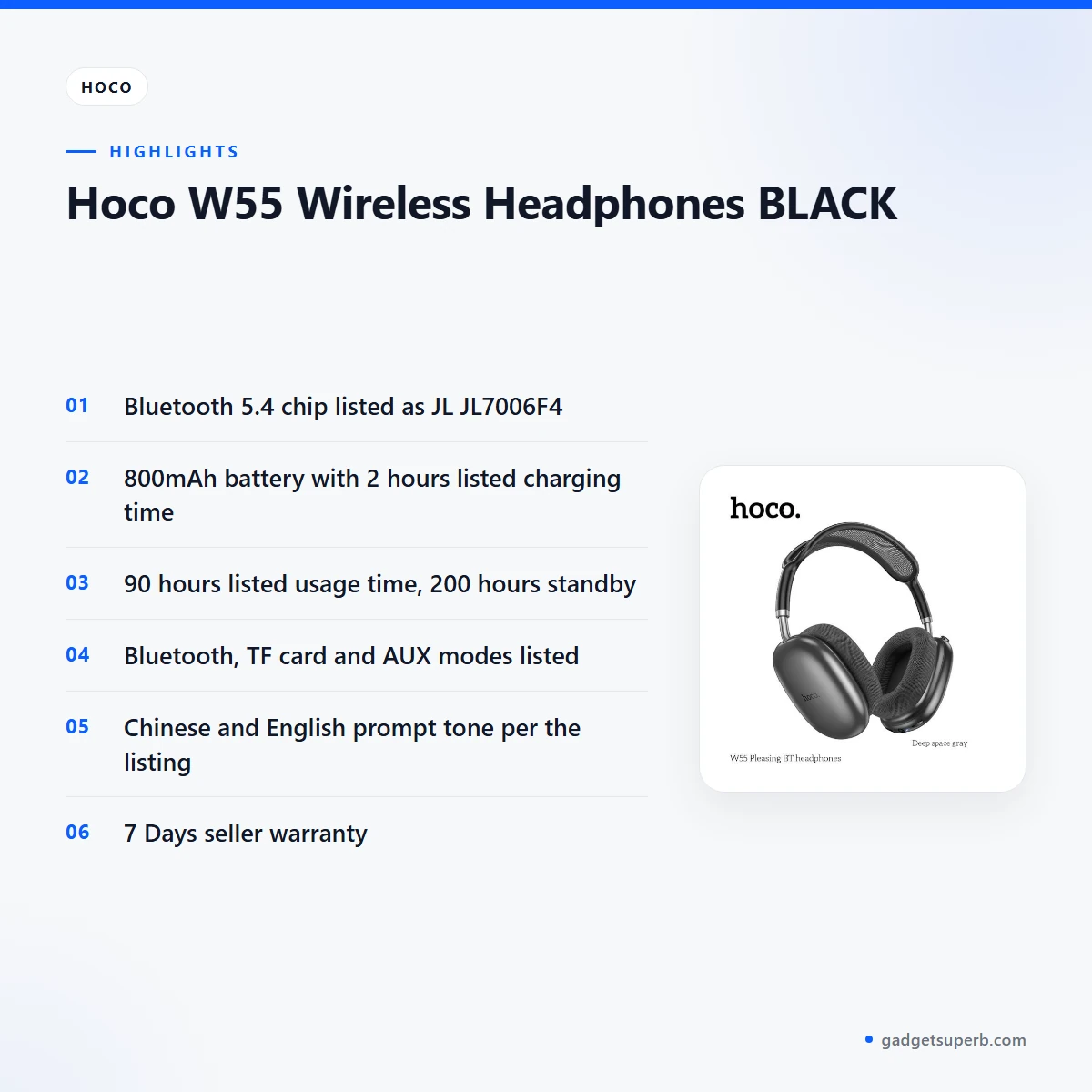
The listing says the hoco w55 headphones support Bluetooth, TF card, AUX and other modes. Bluetooth is the wireless option, while the AUX and TF card options are listed as well, which gives you more than one way to play audio. The listing does not explain the steps for each mode, so follow the maker’s instructions and test one mode at a time. If you plan to use an AUX lead or a TF card, check that you have the accessory you need before you rely on it for the hoco w55 headphones during a journey.
Prompt tone and function key
The listing states that the hoco w55 headphones support Chinese and English prompt tone. It also says you can double-click the function key when not pairing. The listing does not explain what each prompt tone says or how the function key behaves in other situations, so refer to the maker’s instructions for detail. Taken together, these notes show that the hoco w55 headphones are listed with prompt tones in two languages and one simple function-key action. Keep these points in mind when you read the setup section below.
Specifications
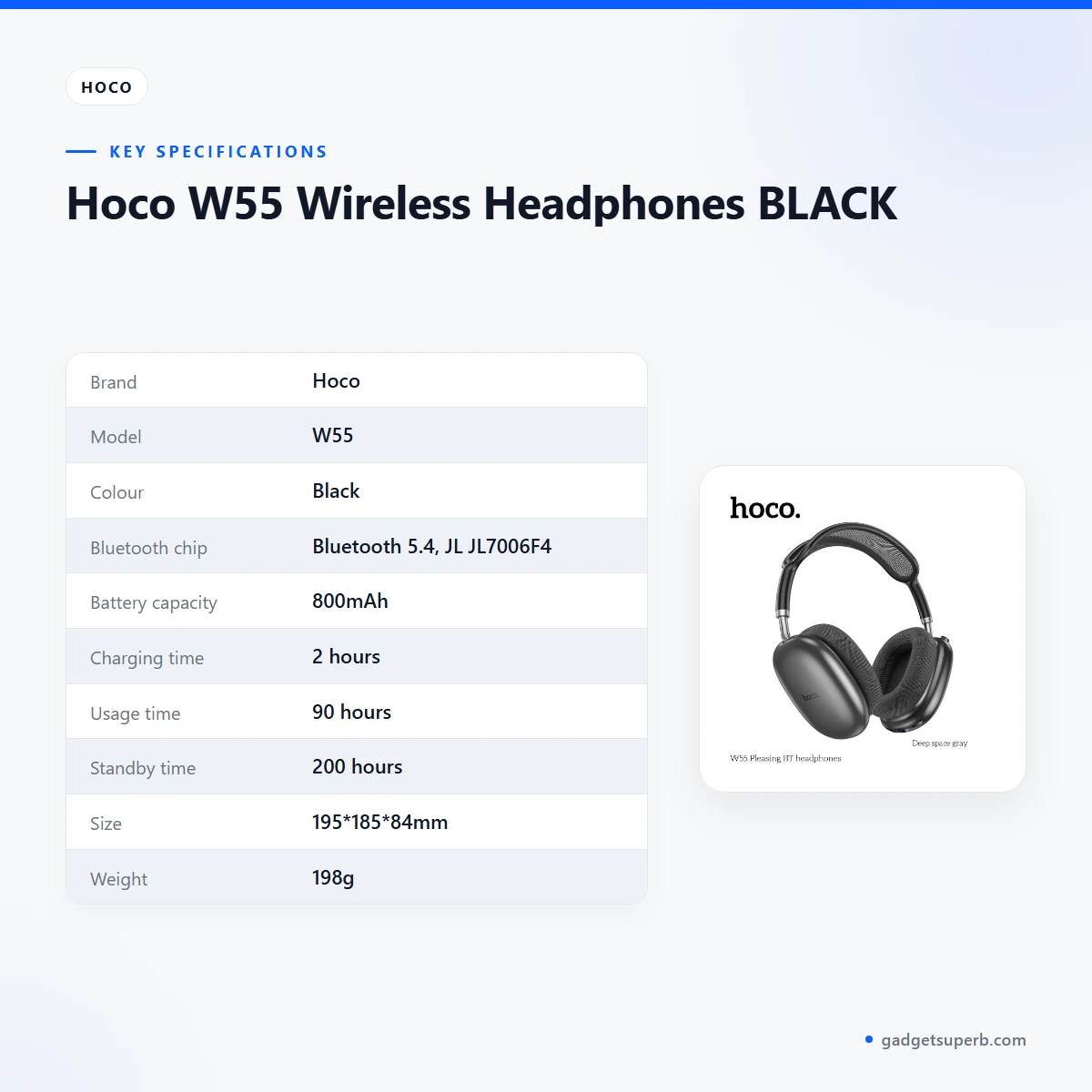
The table below lists the specifications for the hoco w55 headphones exactly as the product listing gives them.
| Label | Value |
|---|---|
| Brand | Hoco |
| Model | W55 |
| Colour | Black |
| Bluetooth chip | Bluetooth 5.4, JL JL7006F4 |
| Battery capacity | 800mAh |
| Charging time | 2 hours |
| Usage time | 90 hours |
| Standby time | 200 hours |
| Size | 195*185*84mm |
| Weight | 198g |
| Supported modes | Bluetooth, TF card, AUX and other modes |
| Voice prompt | Chinese and English prompt tone |
| Warranty | 7 Days |
These are listed specifications from the product listing for the hoco w55 headphones.
How to use and set up
Setting up the hoco w55 headphones is simple if you follow a few generic steps. Charge fully before first use. Follow the maker’s instructions for the first pairing, and keep the headphones close to your phone or laptop while you pair them. Once paired, play a short track to confirm that the connection works before you rely on the headphones for a commute or a long study session.
Before the first session, check three things. First, confirm that your phone or laptop supports Bluetooth. Second, make sure you have any AUX lead or TF card you plan to use. Third, charge the battery fully. These checks take only a few minutes and can save time when you first try the hoco w55 headphones at home or at work.
Store the hoco w55 headphones in a cool, dry place when you are not using them. Humidity in Bangladesh can be high during the monsoon, so avoid leaving them in a damp bag or on a windowsill in direct sun. Wipe the outside with a dry, soft cloth and keep the charging connection clean and dry. Regular care is the simplest way to keep any wireless headset in good condition, whatever the brand.
If you travel, keep the headphones in a soft pouch inside your bag rather than loose among keys and coins. Avoid pressing hard on the body and do not drop them onto hard floors. These habits reduce wear on any headset and help keep the charging port free from dust.
For daily use, many people find it convenient to charge overnight, so the battery is ready for the morning commute. If power is cut during the day, a charged battery lets you keep listening without interruption. Unplug the charger once the battery is full and avoid charging in very hot rooms. Keep a note of how long one full charge lasts for you, which helps when you compare your own experience with the listed figures.
For the hoco w55 headphones, try one connection mode at a time. Start with Bluetooth, since it is the wireless option named in the listing, and then test TF card or AUX once you know which accessories you have. This keeps troubleshooting simple, and it means you will not need to guess which mode is active. Write down the steps that work for your phone so that you can repeat them after a phone update.
A short routine helps too. Before you leave home, check that the headphones are charged and that Bluetooth is switched on at your phone. When you finish a session, switch the headphones off as the maker’s instructions describe, and return them to their pouch. Following the same routine each day builds a habit that protects the battery and the connection points over time.
Compatibility and what is in the box
The listing confirms Bluetooth, TF card and AUX support for the hoco w55 headphones, but it does not list specific phone, laptop or television models. Compatibility with your own device is not confirmed by the listing, so check your phone’s Bluetooth features and any cable you plan to use before you order.
The listing does not state what is in the box, so please do not assume that a cable, adapter or case comes with the headphones. Ask our team to confirm the contents before you order, using the contact details in the delivery section below. This is the quickest way to avoid a surprise after delivery.
If you plan to use the hoco w55 headphones with a laptop or desktop, check the device for Bluetooth support and for an AUX input before you buy. The connection you choose will depend on your own setup, so make that decision before you place your order.
Television and gaming compatibility is not described in the listing, so treat those uses as open questions rather than confirmed uses. If you want to use the headphones with a device that is not listed, ask our team by phone, Messenger or email before you order.
Who should buy it in Bangladesh
The hoco w55 headphones suit buyers who want a wireless headphone with a listed usage time of 90 hours and a clear list of connection modes. They are a sensible option for people who already own a Bluetooth phone and want to move away from a tangled wired set. The examples below are not promises, so compare them with your own routine.
A student in Dhaka who listens to lecture recordings or revision audio on a crowded bus may value the listed usage time, especially on days when charging is not easy. Keep the headphones charged before you leave home, and note how many hours you listen each day for a month.
A commuter who travels between Mirpur and Motijheel by bus or rickshaw can use the Bluetooth connection on the way to work. The hoco w55 headphones are a straightforward choice for someone who wants one connection method that works with a phone and stays simple to manage. Check that Bluetooth is switched on before you leave, so the connection is ready when you need it.
A family member who shares a computer at home might prefer the AUX or TF card modes, provided the computer’s connection options match what the listing describes. Check those connection points before you choose the hoco w55 headphones for shared use.
A gift buyer should check the warranty and return terms first. Those details are set out in the delivery section below, and you can ask our team any questions before you give the hoco w55 headphones as a present.
A household with one phone and one laptop could test Bluetooth on each device, one at a time, to see which device pairs more easily. Write down the steps that work, so the next pairing is quicker and less frustrating.
A first-time buyer who has only used wired earphones may find a wireless set a step up. Expect a short learning period while you get used to pairing and charging, and keep the maker’s instructions nearby.
A buyer who wants a model with more features should compare options in our range before ordering. Read each listing closely, and rely only on the features that the listing names.
Alternatives in our store
If the hoco w55 headphones are not the right fit, compare these alternatives in our store. The HOCO W55 Plus ANC Bluetooth Headphones is another model in our range. The Borofone BE62 Bone Conduction Headphones is a different style of headset in our range. For another Hoco model, see the Hoco W35 Air Wireless Headphone-Black Color, which is another model in our range. You can also consider the Hoco W53 Plus ANC Wireless Headphone, another headphone model in our range. Browse the full Headphones & Headsets category to see every option.
Warranty and support
Warranty: 7 Days seller warranty.
Delivery, returns and ordering
We deliver all over Bangladesh and you pay cash on delivery. Delivery usually takes 1–3 days inside Dhaka city and 2–5 days outside Dhaka.
You can return it within 7 days of delivery (see our Delivery & Returns policy). Full terms are on our Delivery & Returns policy page.
Questions before ordering: call 09638054751, message us on Facebook Messenger or email care@gadgetsuperb.com. Our team can help with questions about delivery, returns and the product details listed on this page.
To place an order, choose the product on this page, check that your delivery address is complete, and keep a phone number that you answer, so the courier can reach you. Because you pay cash on delivery, have the amount ready when the order arrives.
If a delivery takes longer than the usual range, contact our team with your order details and ask for an update. Keep any packaging and paperwork you receive until you are sure the order is right.
Returns follow the seven-day window from delivery. Read the policy page before you send anything back, so you know the steps to follow.
Frequently asked questions
What is the battery capacity of the hoco w55 headphones?
The listing gives a battery capacity of 800mAh and a charging time of 2 hours. Charge fully before first use, following the maker’s instructions.
How long does the battery of the hoco w55 headphones last?
The listing gives a usage time of 90 hours and a standby time of 200 hours. Real-world time depends on how loud you play audio and how often you use the headphones.
Which Bluetooth version do the hoco w55 headphones use?
The listing gives Bluetooth 5.4 with a JL JL7006F4 chip. Check that your phone or laptop supports Bluetooth before you order.
Can the hoco w55 headphones connect through an AUX cable or a TF card?
The listing says the headphones support Bluetooth, TF card, AUX and other modes. It does not explain the steps for each mode, so follow the maker’s instructions.
Do the hoco w55 headphones have an English prompt tone?
Yes, the listing says the headphones support Chinese and English prompt tone. It also says you can double-click the function key when not pairing.
What are the size and weight of the hoco w55 headphones?
The listing gives a size of 195*185*84mm and a weight of 198g. These are the listed figures for this model.
What warranty comes with the hoco w55 headphones?
The warranty is 7 Days seller warranty. Ask our team about the terms by phone, Messenger or email before you order.
Can I return the hoco w55 headphones after delivery?
Yes, you can return them within 7 days of delivery. See our Delivery & Returns policy for the full process.
How long does delivery take?
Delivery usually takes 1–3 days inside Dhaka city and 2–5 days outside Dhaka. We deliver all over Bangladesh and you pay cash on delivery.
How can I ask questions before ordering?
Call 09638054751, message us on Facebook Messenger or email care@gadgetsuperb.com. We can answer questions by phone, Messenger or email.
Related products
-26%
50 in stock
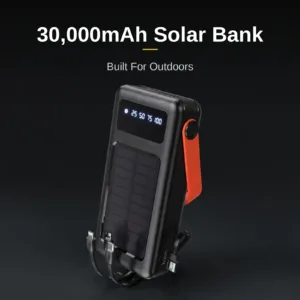
Hoco DB33 Plus 30000mAh Solar Power Bank
Original price was: ৳ 3,990.৳ 2,950Current price is: ৳ 2,950.-23%
45 in stock
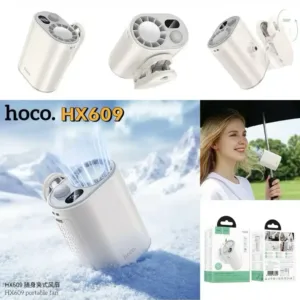
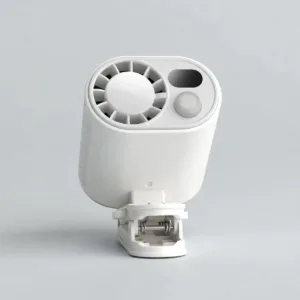
HOCO HX609 Portable Clip On Fan
Original price was: ৳ 2,250.৳ 1,730Current price is: ৳ 1,730.-28%
50 in stock

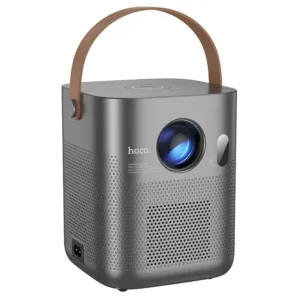
Hoco DT4 Smart Full Autofocus Projector
Original price was: ৳ 21,930.৳ 15,770Current price is: ৳ 15,770.-20%
50 in stock
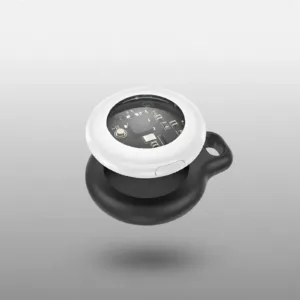
Hoco E91 Smart Location Finder
Original price was: ৳ 890.৳ 710Current price is: ৳ 710.-20%
100 in stock


 Hoco W55 Wireless Headphones B...
Original price was: ৳ 1,950.৳ 1,500Current price is: ৳ 1,500.
24 in stock
Reviews
There are no reviews yet.