No products in the cart.

-20%
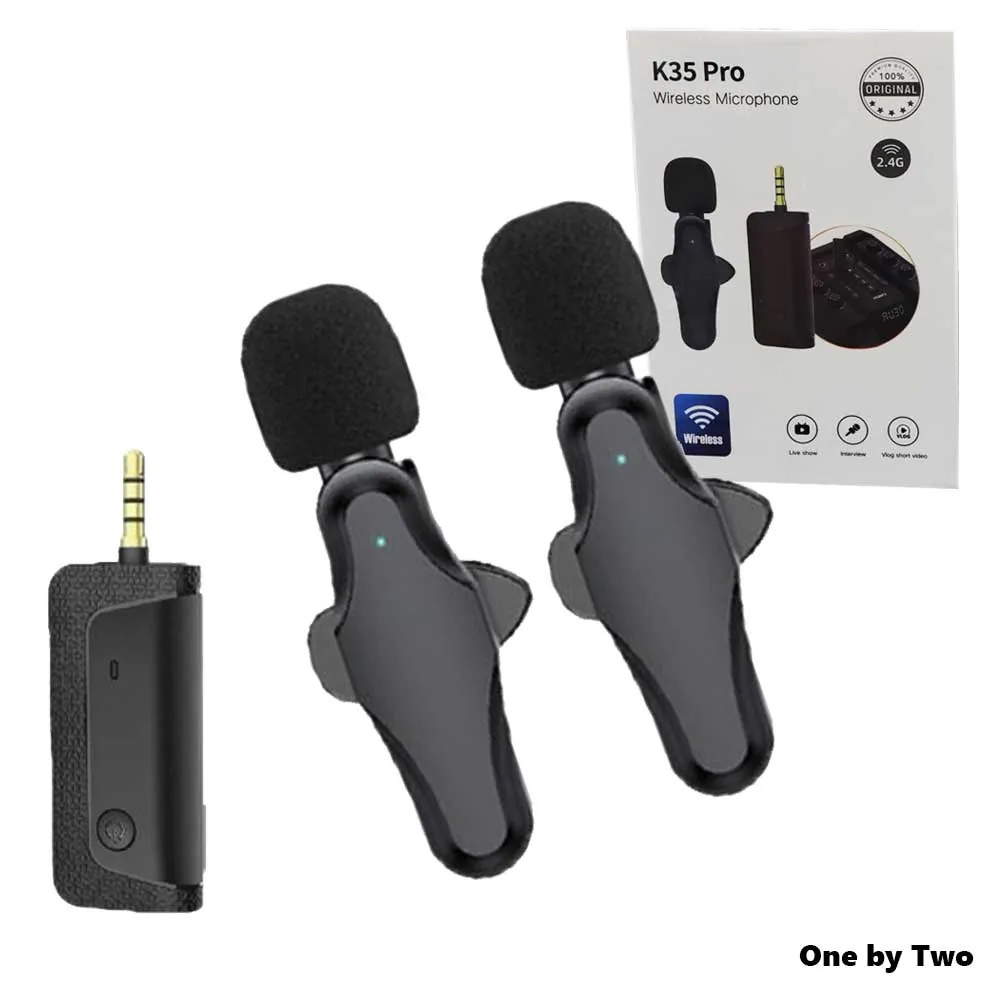
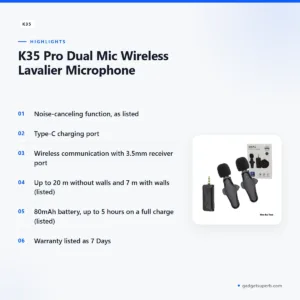
The K35 microphone is a dual mic wireless lavalier microphone that the listing says suits smartphones, DSLRs, laptops and MacBooks. It is aimed at people who record interviews, lessons, short videos or calls and want a speaker’s voice captured without a long cable across the room. This page sets out the listed details, setup steps and buying guidance for Bangladeshi buyers.
- Overview of the K35 microphone
- Key features
- Specifications
- How to use and set up
- Compatibility and what is in the box
- Who should buy it in Bangladesh
- Alternatives in our store
- Warranty and support
- Delivery, returns and ordering
- Frequently asked questions
Overview of the K35 microphone
The K35 microphone is sold in our store under the brand K35 and the model K35. The listing uses the full product name, K35 Pro Dual Mic Wireless Lavalier Microphone, so you may see both names on other sellers’ pages. Match the brand, model and product name before you compare offers, so you are comparing the same product. The category is Microphones, and you can browse the whole range through the category link later on this page.
According to the listing, the K35 microphone is ideal for use with smartphones, DSLRs, laptops or MacBooks. It transmits up to 20 meters without walls and up to 7 meters with walls, and its 80mAh battery can last up to 5 hours on a full charge. The listing gives the lower figure for walls, so that is the one to plan around when there are walls between the speaker and the device.
For background on the technology, the general overview of how microphones work and their main types on Wikipedia is a useful starting point. For any K35 microphone in Bangladesh, the practical questions are simpler: will it connect to your device, how far can the speaker move, and how long will one charge last during a class or interview? The sections below answer those questions using the listing as the source.
Choosing a lavalier-style microphone for Bangladesh comes down to three questions: how far the speaker will move from the device, how many walls sit in between, and how long a single session will run. The listing gives figures for each of these, so you can check them against your own home, office or studio before you order. Measure your usual distances, note the number of walls, and plan a charge for the longest session you expect.
Key features
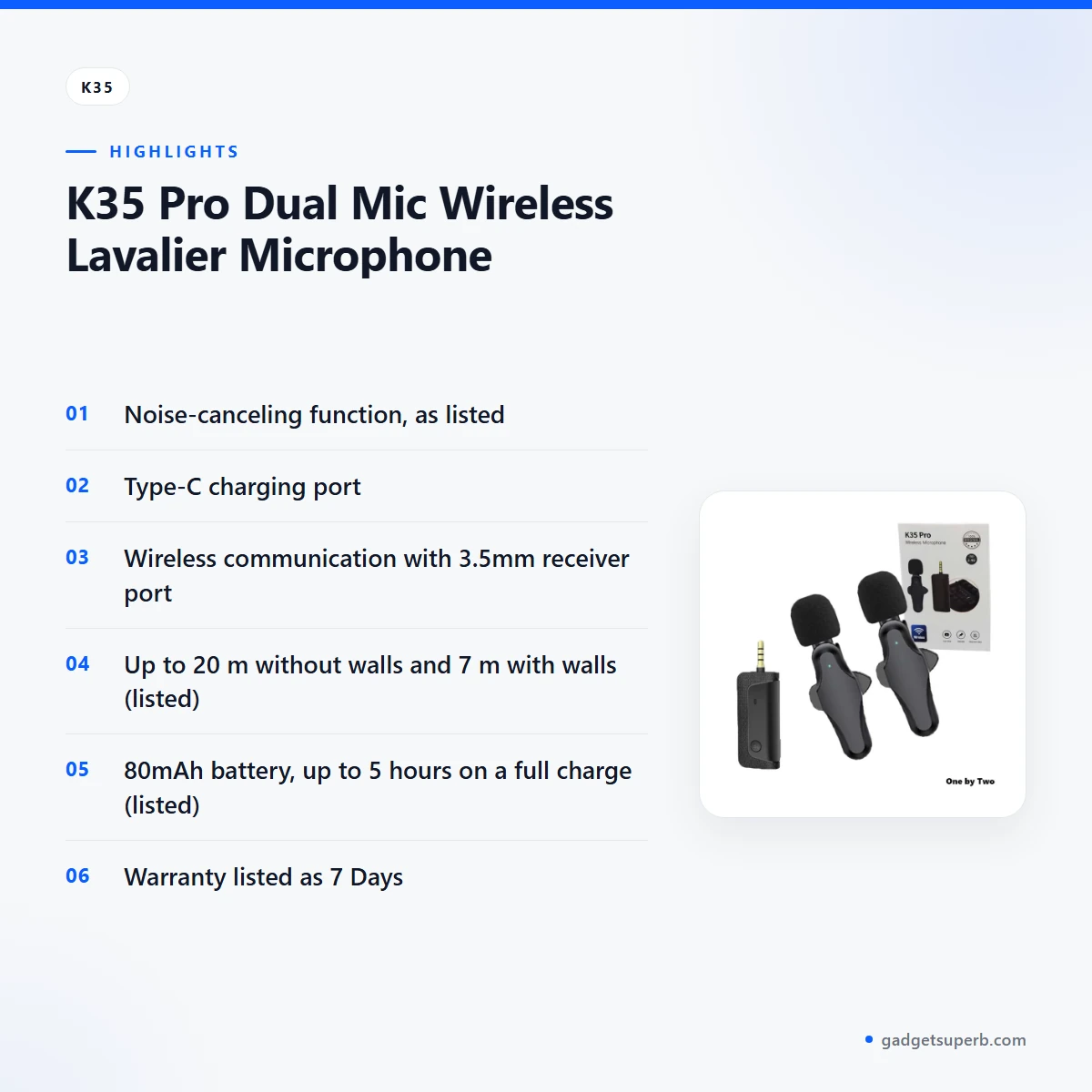
The features below follow the order of the listing. Each one states what the listing says, what it does not say and what to check before you rely on it for a session.
Noise-canceling function
The listing names a noise-canceling function as a feature of the K35 microphone. The name suggests the feature is aimed at unwanted background sound, but the listing gives no detail on how it works or how much it reduces, so the real effect is not confirmed. Many buyers in Bangladesh record in busy homes, shared offices or rooms near a road, where fans, traffic and neighbours can all be heard. Before you rely on the feature for an important session, record a short test in your own room and listen back, with the room as it is on the day.
Type-C charging port
The listing says the K35 microphone uses a Type-C charging port. Use a Type-C cable and an adapter that suit the port, and follow the maker’s instructions for charging. Charge the microphone fully before first use, so your first recording starts with the longest possible battery time. The listing gives an 80mAh battery capacity and up to 5 hours on a full charge, so a full charge before each class or interview is a sensible habit. During load-shedding, plug in as soon as power returns, so the unit is ready for the next session.
Wireless communication and 3.5mm receiver port
The listing describes the K35 microphone as having wireless communication and an auxiliary 3.5mm receiver port. In practice, the speaker’s sound travels to the recording device without a long cable running across the room. The listing does not say which devices have a matching input, so check the 3.5mm receiver port on your phone, camera or laptop before you buy. Good planning here can save a return and a wait for a second delivery. Keep the speaker within the range the listing gives, so the connection stays steady during recording, and check the link in the room where you plan to record.
Battery and reception range
The listing gives an 80mAh battery capacity and says the battery can last up to 5 hours on a full charge. It also lists 20 meters of accessible reception, with transmission of up to 20 meters without walls and up to 7 meters with walls. Many homes in Bangladesh have several walls between a speaker’s room and the room where a laptop sits, so the 7 meter figure with walls is the one to plan around.
Measure the distance in your own space before a long recording, and move the speaker while you check the sound. The K35 microphone is most useful when the speaker and the device stay within the range the maker lists.
Dual mic design and size
The product name says Dual Mic, and the listing gives the microphone size as 62 x 23 x 28mm. The listing does not explain how the two microphones work together, so this page does not describe that. The size figure helps you check whether the unit suits your camera setup. Compare the listed size with the space you have on your camera rig before you buy, and treat the figure as the maker’s measurement. The K35 microphone uses the lavalier style its name describes.
Specifications
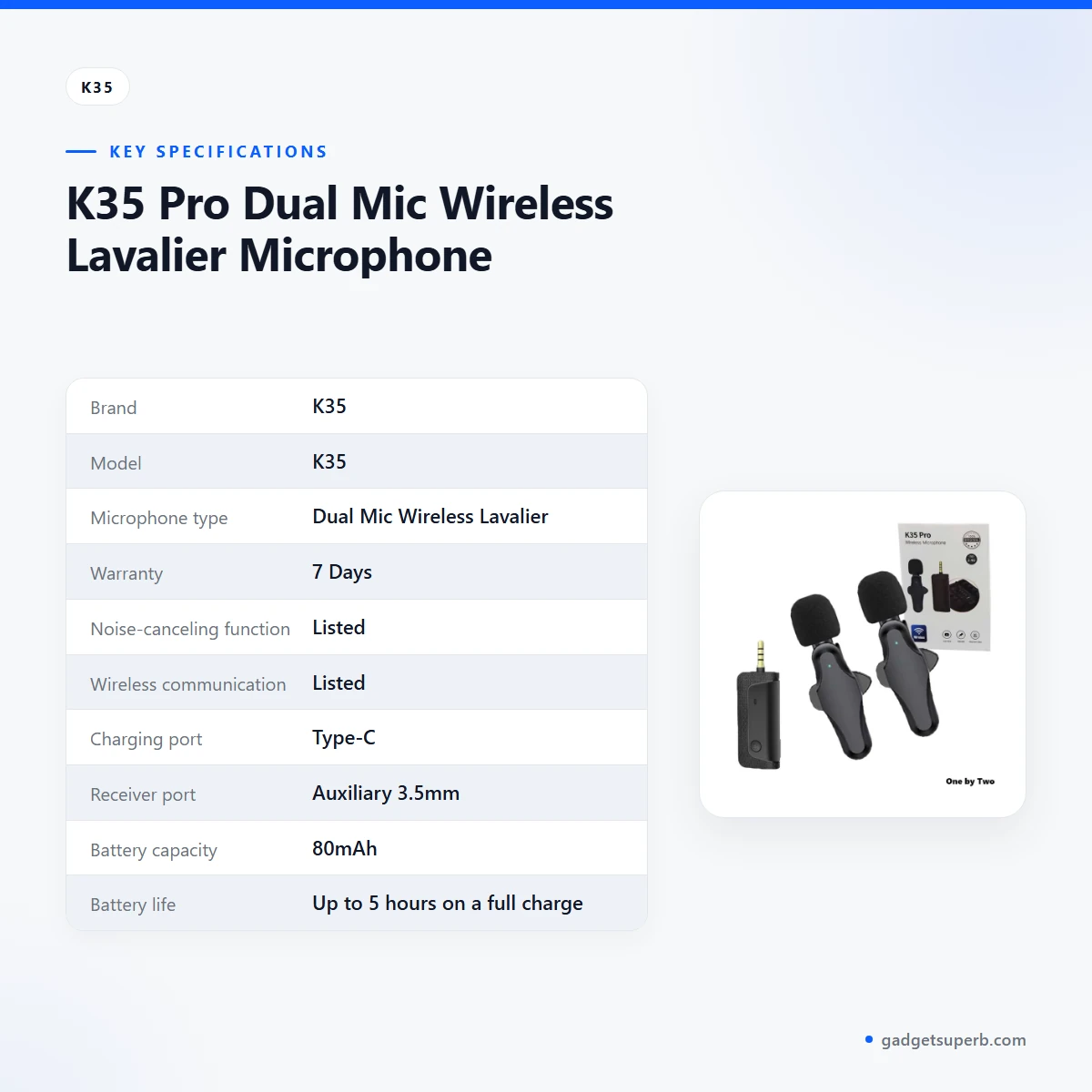
The table below lists the specifications for the K35 microphone as they appear in the product listing. Use these rows to check the K35 microphone against your device and your recording distance, then read the compatibility section before you order.
| Label | Value |
|---|---|
| Brand | K35 |
| Model | K35 |
| Microphone type | Dual Mic Wireless Lavalier |
| Warranty | 7 Days |
| Noise-canceling function | Listed |
| Wireless communication | Listed |
| Charging port | Type-C |
| Receiver port | Auxiliary 3.5mm |
| Battery capacity | 80mAh |
| Battery life | Up to 5 hours on a full charge |
| Accessible reception | 20 meters |
| Transmission without walls | Up to 20 meters |
| Transmission with walls | Up to 7 meters |
| Microphone size | 62 x 23 x 28mm |
These are listed specifications from the product listing for the K35 microphone.
How to use and set up
Start by charging the K35 microphone fully before first use, because the battery figure in the listing is given for a full charge. Follow the maker’s instructions for the first setup. Check the 3.5mm receiver port on your device before the session, and keep the speaker within the range the listing gives. Setup goes more smoothly when you prepare the room, the device and the battery before the session starts, rather than during it.
Before a class, interview or call, do a short run-through with the K35 microphone in the room you will use. Check that the sound reaches your device, check that the microphone sits clear of clothing that rubs against it, and record a few seconds to listen back. This is a buyer’s check and does not describe how the microphone performs in every room. Note where the signal stays steady, because walls and distance change the result.
Keep your recording plan simple. Decide where the speaker will sit, where the 3.5mm receiver port will connect to your device and how the connection will run across the room. Write the plan on paper before the session, so the setup does not depend on memory when the lesson or interview is about to start.
Plan your sessions around the battery. The listing says up to 5 hours on a full charge, so a long lecture or a day of interviews may need a charge in the middle. Keep the K35 microphone in one pouch or drawer, so you do not lose track of it when you move between rooms.
After the first session, write down what you noticed: how far the speaker moved, whether the sound stayed steady and how much battery was left. Those notes make the next setup faster, and they help you decide whether the listed figures fit your routine. Keep the notes near the charger so they are easy to find.
Care matters in a humid city. Store the K35 microphone in a dry place when you are not using it, and wipe the outer surface with a dry cloth. Keep the charging port clean and free of dust, and never force a cable into it. Check the port before each session, because humidity can affect cables and connectors over time. Avoid leaving the device in a damp bag or near a window where moisture collects.
For load-shedding periods, charge the microphone whenever power returns and keep the charger within reach. A short check before a power cut, such as a quick charge and a sound check, means you start the next session with a charged battery rather than a surprise. If you plan an evening recording, charge the K35 microphone earlier in the day, when there is more time to check it.
Compatibility and what is in the box
The listing says the K35 microphone is ideal for use with smartphones, DSLRs, laptops or MacBooks. It also says the microphone, speaker interface and camera are compatible. The same listing then says the microphone is not compatible with cell phones, PCs and laptops. These statements conflict, so compatibility with your exact device is not confirmed by the listing.
Think about your device type first, because each one needs a different check. For a phone, look at the port type and the adapter you already use. For a camera, check the 3.5mm receiver port and the listed reception range. For a laptop, check the connection on the laptop itself. The listing does not give a full compatibility table, so this page cannot give one.
Bangladeshi buyers often connect a microphone to a phone at home, to a laptop for online classes or to a camera for family videos. Each route needs the right port and suitable settings on the recording device. The listing does not describe those settings in detail, so test the connection in the setup you plan to use before an important session.
If you are unsure which port your device uses, check the device’s own manual or ask a technician. The listing does not describe the port on each device, so this page cannot make that choice for you. A short test with the cable and adapter you plan to use is the most practical check.
What is in the box: the listing does not state what the package includes, so we cannot confirm accessories, cables or extra parts with the K35 microphone. If the contents matter for your purchase, ask us before you order by calling 09638054751, messaging us on Facebook Messenger or emailing care@gadgetsuperb.com. We will not guess at the contents on this page.
Items the listing does not name, such as the full device list and the package contents, are left open on this page. Keep them in mind when you compare the K35 microphone with your own setup.
Who should buy it in Bangladesh
The K35 microphone suits people who want a speaker’s voice captured close to the pickup without a long cable across the room. The scenarios below show how the listed details apply in practice, and what to check first in each case.
Online teacher or tutor. A tutor recording lessons from a Dhaka flat can use the microphone while moving around the room. The listed 20 meter reception figure and the 7 meter figure with walls help decide where the laptop or phone should sit. Charge fully before each session, because the listing gives up to 5 hours on a full charge.
Video creator with a camera. A creator who films short videos on a DSLR can use the K35 microphone for dialogue. Check that your camera has a matching port, because the listing names a 3.5mm receiver port but does not list which cameras fit. A short sound check before the shoot helps you plan where the speaker stands and where the connection runs.
Remote worker on video calls. A person who joins video calls from a laptop may want a lavalier microphone for voice pickup during long meetings. The listing mentions laptops and MacBooks as suitable, but its compatibility note is mixed, so the listing does not settle the laptop connection. Check the laptop side before you rely on it for an important client call.
Student recording interviews. A student making a project or a short interview recording can use the K35 microphone to keep the speaker’s voice close to the pickup. Plan the session around the battery, and keep the charger handy during load-shedding so the microphone is ready when the interview begins.
Parent helping a child with online lessons. A parent who sets up a lesson at the dining table can use a microphone to keep a child’s voice clear for a teacher on the other end of the call. Place the laptop or phone within the listed range of the speaker, and keep the charger near the table so the battery is ready for the next lesson.
Small room, single speaker. A single speaker in a small room, with the device close by, is the simplest set-up. The listed figures for distance without walls and with walls give a starting point, and measuring the actual distance in your room is the best next step.
Buyer outside Dhaka. A buyer in a district town can order with cash on delivery. Our policy says delivery usually takes 2–5 days outside Dhaka, so plan to set up and check the sound once the K35 microphone arrives.
Buyer who needs a confirmed list. If you need a full list of what comes with the microphone, or a confirmed list of compatible devices, the listing does not give one. Ask us before you buy, so you do not depend on guesswork.
Alternatives in our store
If the K35 microphone does not fit your device or your plan, you can look at other options in our range. Each is a different product, so check its own listing before you decide. You can compare Hoco L15 Lightning Lavalier Wireless Microphone (For iPhone), another microphone in our range; SX9 Mini Wireless Microphone For Type C & 3.5 Interface 1:1, another microphone in our range; Jmary MW-16 2.4G Wireless Microphone For Mobile & Camera, another microphone in our range; and Boya Dual Clip Interview Microphone (BOYA M1DM), another microphone in our range. You can also browse the whole microphones category in our store.
Warranty and support
Warranty: 7 Days seller warranty.
Delivery, returns and ordering
When you order the K35 microphone, we deliver all over Bangladesh and you pay cash on delivery. Delivery usually takes 1–3 days inside Dhaka city and 2–5 days outside Dhaka.
You can return it within 7 days of delivery. For the full rules, read our Delivery & Returns policy. Cash on delivery means you pay when the K35 microphone arrives, so keep your phone switched on and your delivery address clear for the courier.
Questions before ordering: call 09638054751, message us on Facebook Messenger or email care@gadgetsuperb.com. Asking before you order is the simplest way to check the points this page leaves open.
Frequently asked questions
What is the K35 microphone?
The K35 microphone is a dual mic wireless lavalier microphone that the listing says is ideal for smartphones, DSLRs, laptops or MacBooks.
How far does the K35 microphone transmit?
According to the listing, the K35 microphone transmits up to 20 meters without walls and up to 7 meters with walls.
How long does the K35 microphone battery last?
The listing says the 80mAh battery can last up to 5 hours on a full charge, so charge it fully before a long session.
Does the K35 microphone have noise canceling?
The listing names a noise-canceling function but gives no detail on how well it works, so test the sound in your own room before you rely on it.
Is the K35 microphone compatible with my phone?
The listing gives mixed statements about phones, so check with us about your phone before you order.
What is the warranty on the K35 microphone?
The warranty is listed as 7 Days.
How long does delivery take?
Delivery usually takes 1–3 days inside Dhaka city and 2–5 days outside Dhaka.
Can I pay cash on delivery?
Yes. We deliver all over Bangladesh and you pay cash on delivery.
Can I return it?
Yes, you can return it within 7 days of delivery. See our Delivery and Returns policy for the details.
How can I ask questions before I order?
Call 09638054751, message us on Facebook Messenger or email care@gadgetsuperb.com.
Related products
-26%
49 in stock

SX23 Noise Canceling Mini Wireless Lavalier Microphone
Original price was: ৳ 2,950.৳ 2,180Current price is: ৳ 2,180.-28%
30 in stock

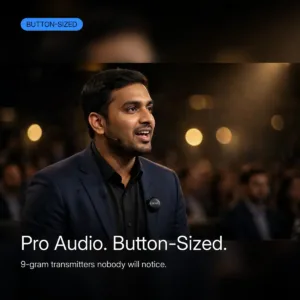
BOYALINK 3 AI-Powered Button Sized Wireless Microphone
Original price was: ৳ 15,230.৳ 10,950Current price is: ৳ 10,950.-28%
40 in stock
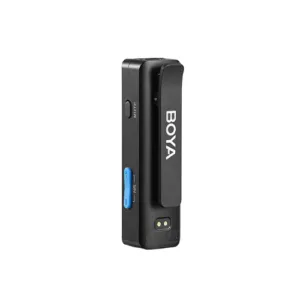

Boya BOYALINK A2 All-In-One Design Wireless Microphone System Without Charging Case
Original price was: ৳ 10,970.৳ 7,890Current price is: ৳ 7,890.-23%
48 in stock


Hoco L21 ENC Wireless Microphone For Lightning
Original price was: ৳ 1,300.৳ 1,000Current price is: ৳ 1,000.-28%
30 in stock
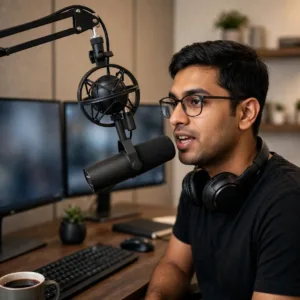
MAONO PD300X USB/XLR Dynamic Microphone
Original price was: ৳ 13,200.৳ 9,490Current price is: ৳ 9,490.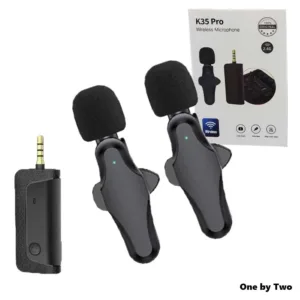 K35 Pro Dual Mic Wireless Lava...
Original price was: ৳ 1,020.৳ 810Current price is: ৳ 810.
218 in stock
Reviews
There are no reviews yet.