No products in the cart.

-28%
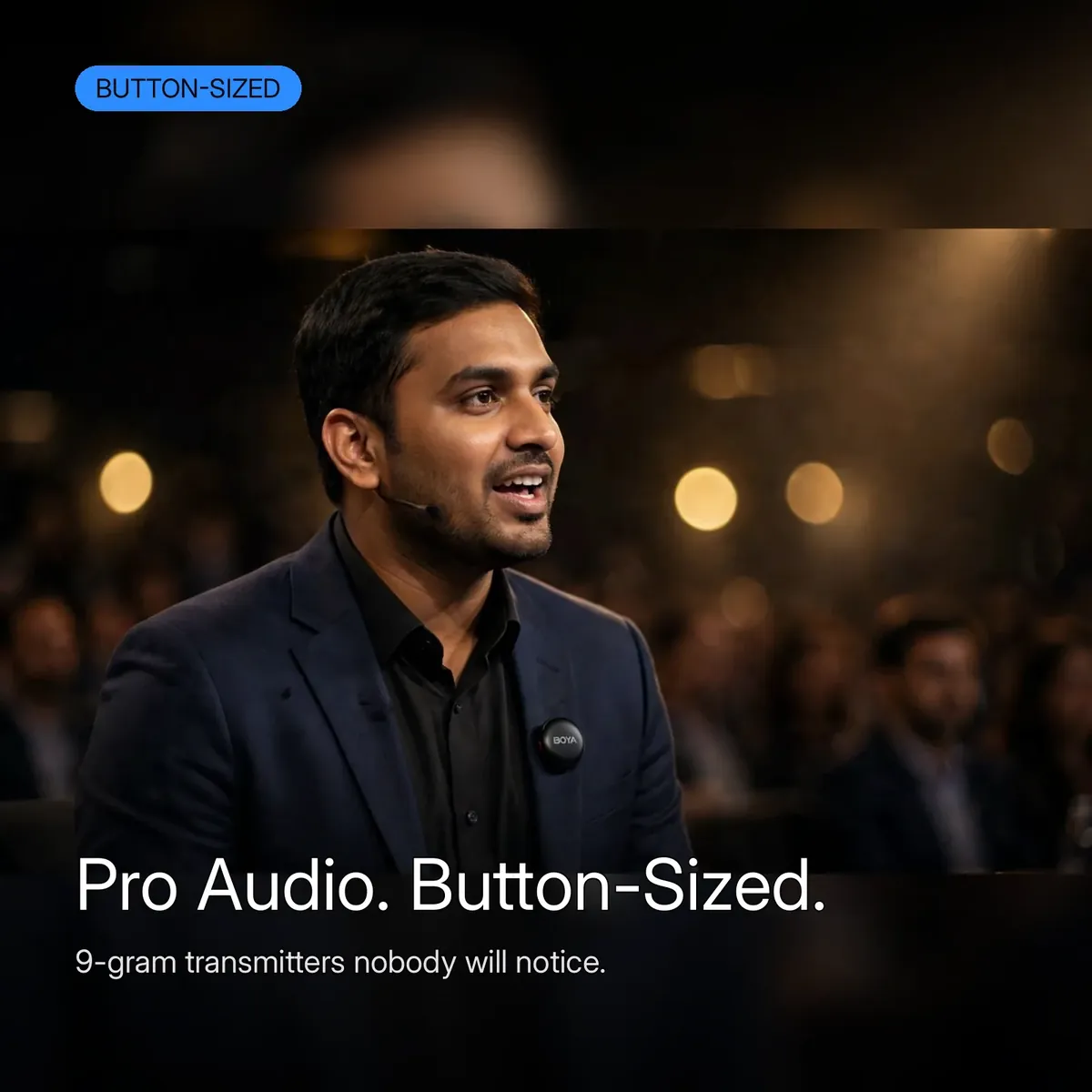






The camera in your pocket is pro-level. Its built-in microphone is not. The boyalink 3 is the AI-powered button-sized wireless microphone from BOYA — a 9-gram round transmitter that disappears on a collar while delivering HiFi voice with an 85dB signal-to-noise ratio. AI-powered true noise cancellation cuts background noise by up to 40dB, so street traffic, crowd chatter, and wind stop ruining takes. This is the flagship kit for creators, streamers, podcasters, and event crews who need professional sound with no visible gear.
Know exactly what you are buying. This listing is the BOYALINK 3 — the AI-powered button-sized system with the charging case, the 2TX–4RX architecture, and the −12dB safety track. It is NOT the Boya Magic-05 (Boya’s AI-powered transformable microphone — a different form factor, sold separately), NOT the wired Boya M1 (a wired lavalier, sold separately), NOT the BOYALINK A2 (the all-in-one wireless design sold without a charging case), NOT the Boya Omic-D (a dual-channel Lightning system built for iPhone), and NOT the Boya Mini-16 (a single ultra-compact transmitter). The boyalink 3 below is the button-sized flagship with the case — everything on this page is that kit only.
The kit is a complete professional package: two 9-gram button transmitters, a receiver with Lightning and USB-C connectivity, a charging case with LED battery dots, magnetic and clip-on mounts, a USB-C cable, and a carry pouch. The boyalink 3 works with phones, cameras, and PCs, and the 2TX–4RX system links up to 8 devices — so a two-host podcast, a panel discussion, or a full crew shoot all record clean audio from one kit. No price is quoted anywhere on this page by design; the current price shows on the product page.
40dB of AI Noise Cancellation.
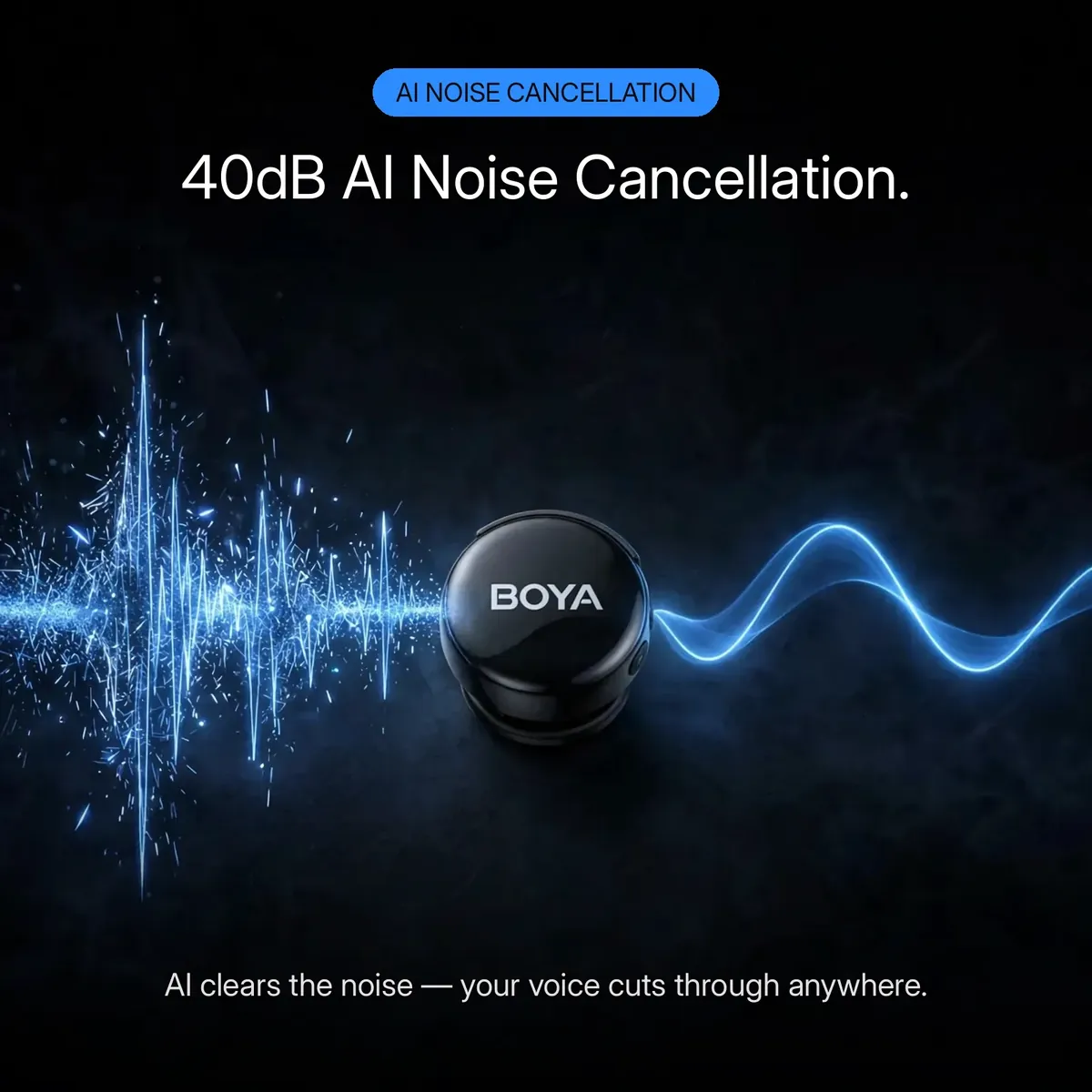
Noise cancellation is the headline — and on the boyalink 3 it is AI-powered true noise cancellation, cutting background noise by up to 40dB. The processor identifies the noise around your voice — traffic, crowds, wind, room hum — and removes it, so what reaches your phone is your voice, cleaned at the source. The feature card above says it plainly: AI clears the noise, your voice cuts through.
Two honest boundaries on the AI claim. The AI in the boyalink 3 does noise cancellation — that is the verified, documented job; it does not re-voice, translate, or mix you. The 85dB signal-to-noise ratio is the other half: clean, detailed HiFi voice from the capsule itself, before the AI even touches the signal.
The −12dB Safety Net.
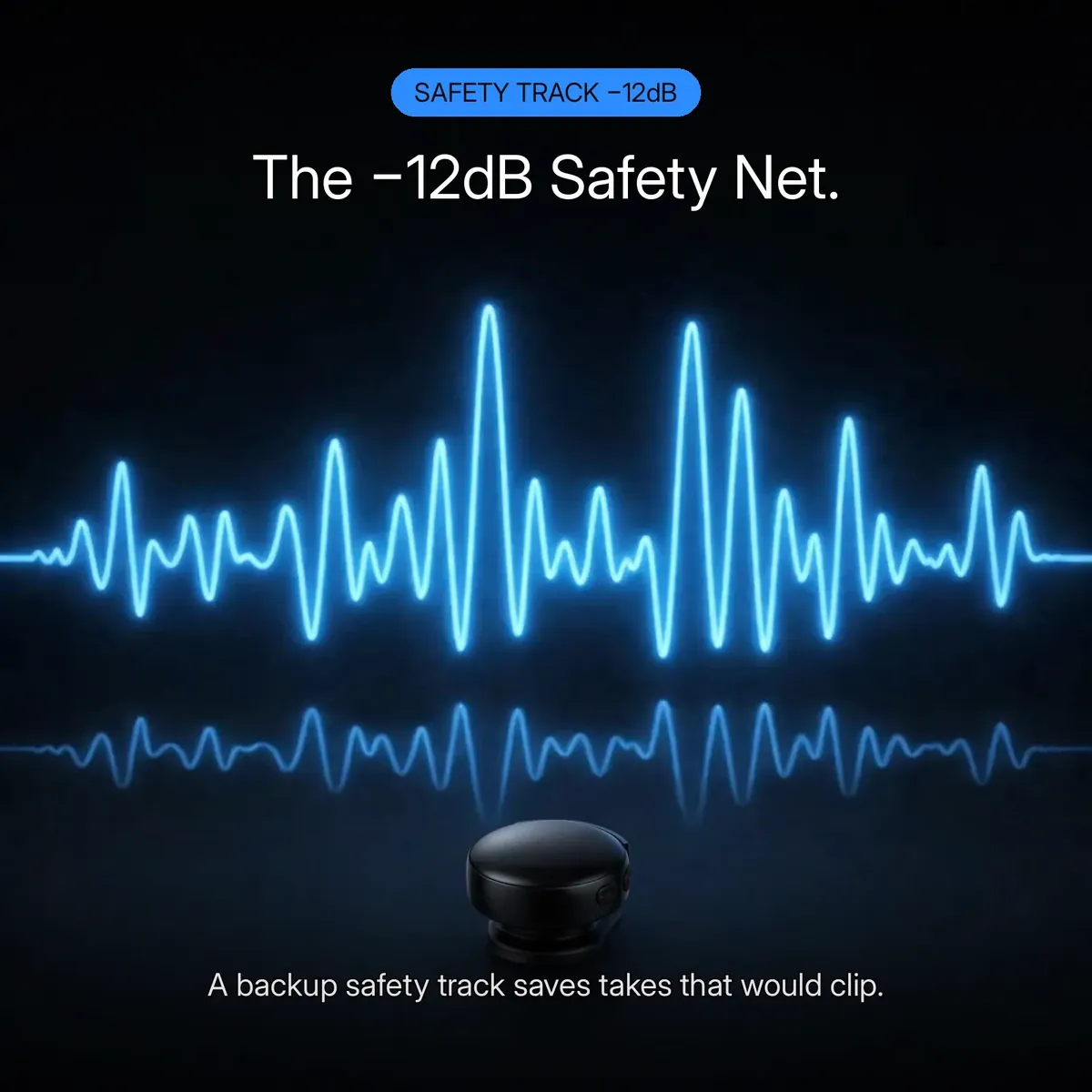
Every creator has lost a take to clipping — a laugh that peaked, a guest who leaned in, a cheer that blew out the waveform. The boyalink 3 answers with triple protection: automatic gain control keeps volume balanced as you move, a limiter catches the loudest peaks before they distort, and a −12dB safety track records a quieter backup of every take. If the main recording clips, the safety track saves it.
The card above shows it visually — the full waveform on top, its smaller −12dB shadow below. For streamers and event recordists this is the emotional core of the boyalink 3: you get one chance at a live take, and the safety track means a sudden shout never means starting over.
9 Grams of Flagship.
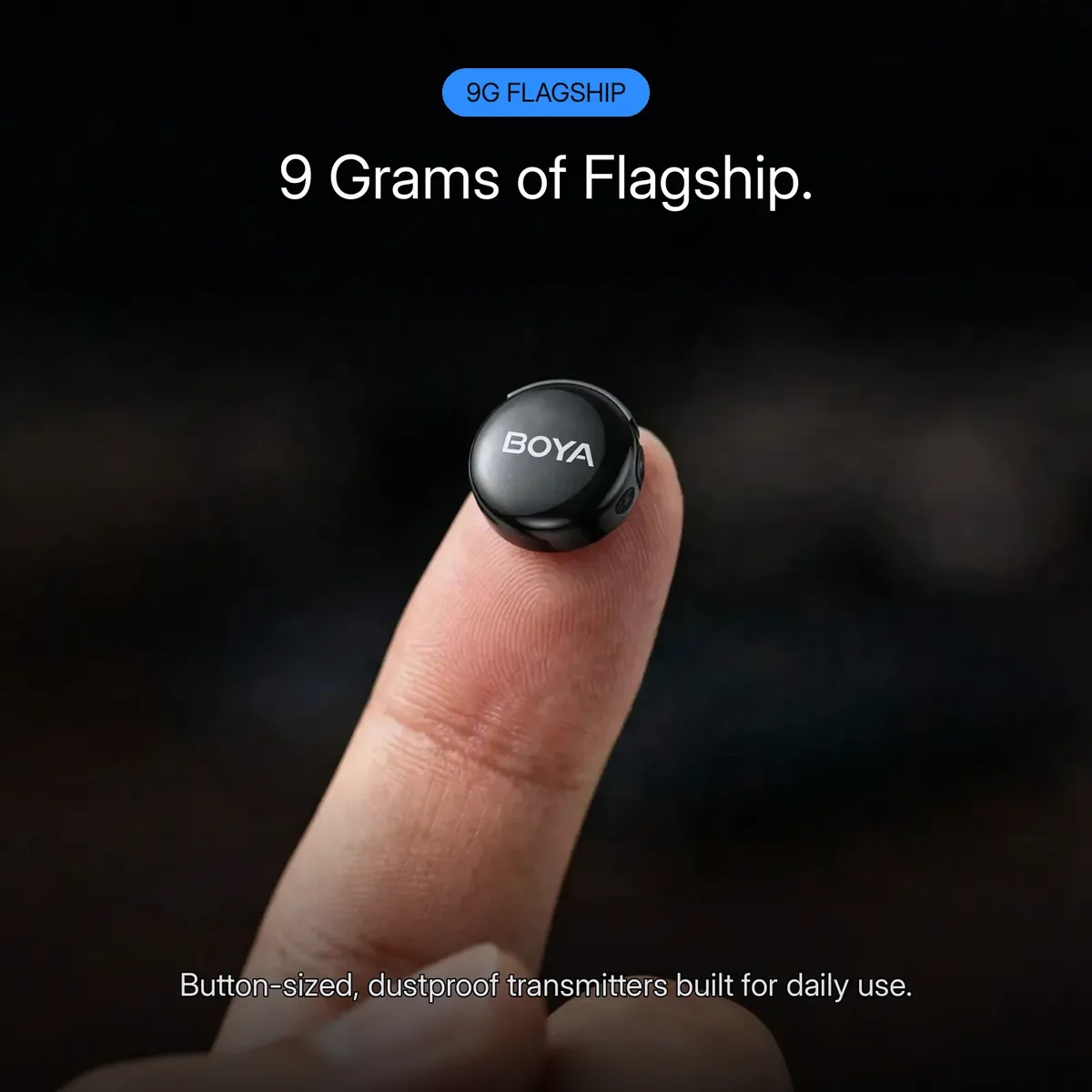
Nine grams. Barely bigger than a shirt button. The boyalink 3 transmitter is a glossy-black round button carrying the BOYA mark — engineered to be invisible on camera. Snap-on magnetic mounts hold it to any outfit without a visible clip, or use the clip-on mounts where a magnet will not work. The card above shows the scale honestly: the transmitter rides on a fingertip.
Tiny does not mean fragile. The boyalink 3 carries a dustproof build — listed explicitly in the research notes — so daily use on streets, stages, and sets does not fill it with grit. From a presenter’s blazer to a streamer’s hoodie at midnight: button-sized enough to forget, tough enough to use every day.
One Button, Whole Crew.
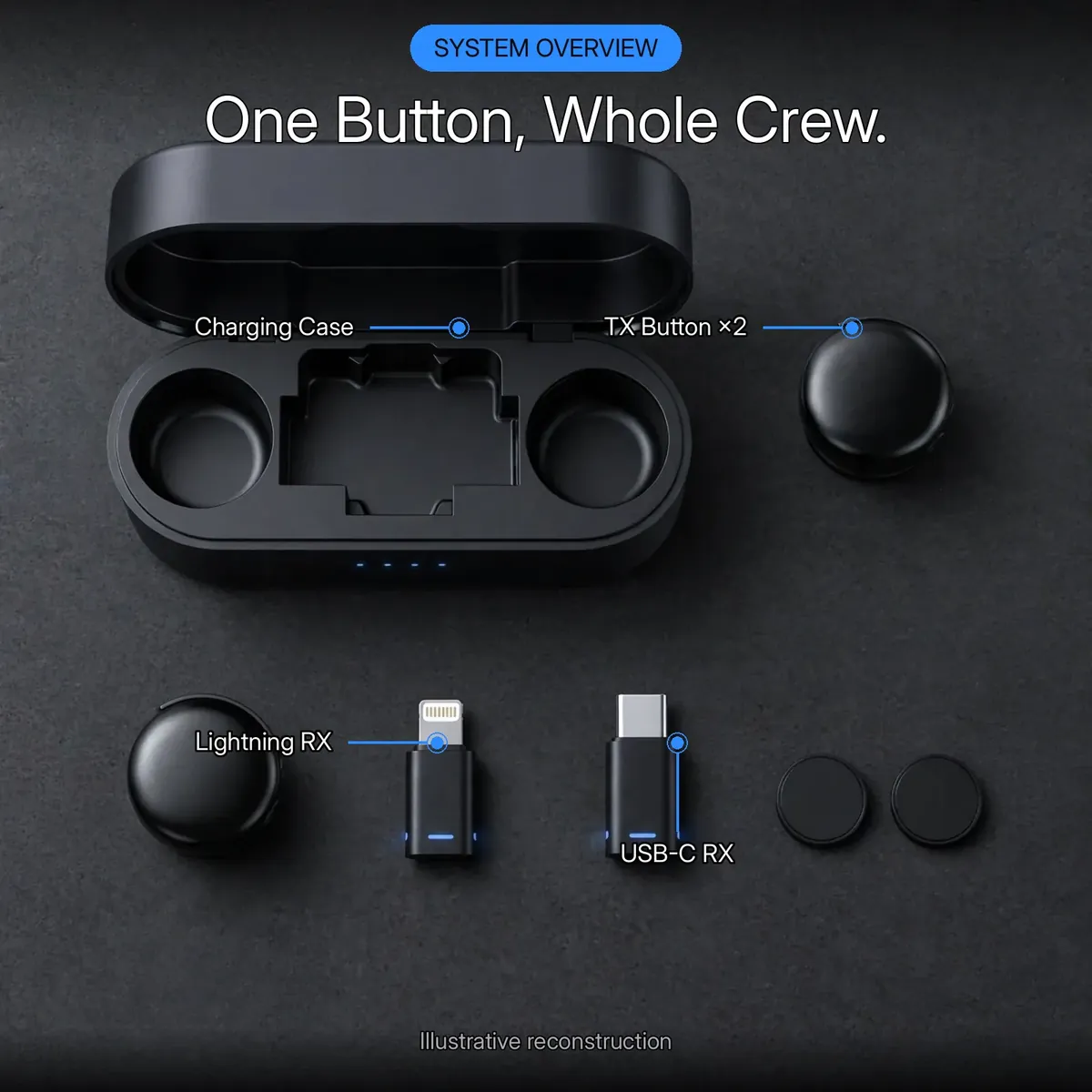
The boyalink 3 is a 2TX–4RX wireless system, not a one-mic kit pretending to be one. Two transmitters mean two voices recorded together: co-hosts, interviewer and guest, vlogger and friend. The 4RX architecture pairs across up to four receiver units, linking up to 8 devices at once — the configuration that makes multi-host podcasts, panel discussions, and team shoots practical. The diagram above is an illustrative reconstruction of that architecture.
This is the story that justifies flagship money. A single-mic kit cannot cover a panel; the boyalink 3 covers a crew — set transmitters on your hosts, feed the receivers into phones, cameras, or PCs, and the whole production records from one wireless system, with the charging case docking everything between shoots.
Noise In. Voice Out.
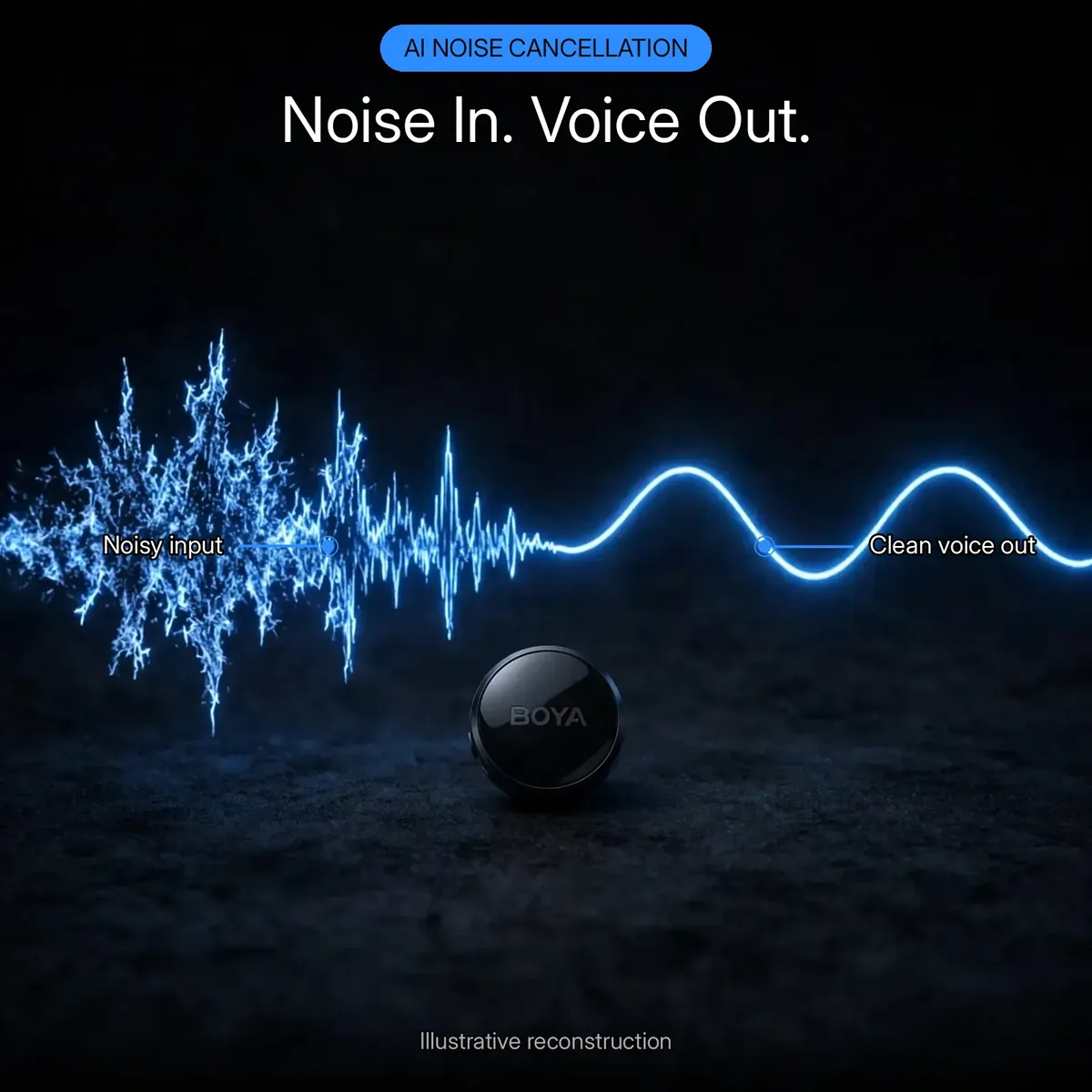
Here is the AI noise cancellation in one image: a jagged, noisy input waveform on the left, a clean voice wave on the right. The diagram above is an illustrative reconstruction, but it shows the job the boyalink 3’s AI noise-cancellation chipset does on every take — noise in, voice out, handled at capture before audio ever reaches your device. Street noise, crowd wash, air-conditioner hum: the processor strips what is not your voice, and it does it automatically.
Inside the BOYALINK 3.
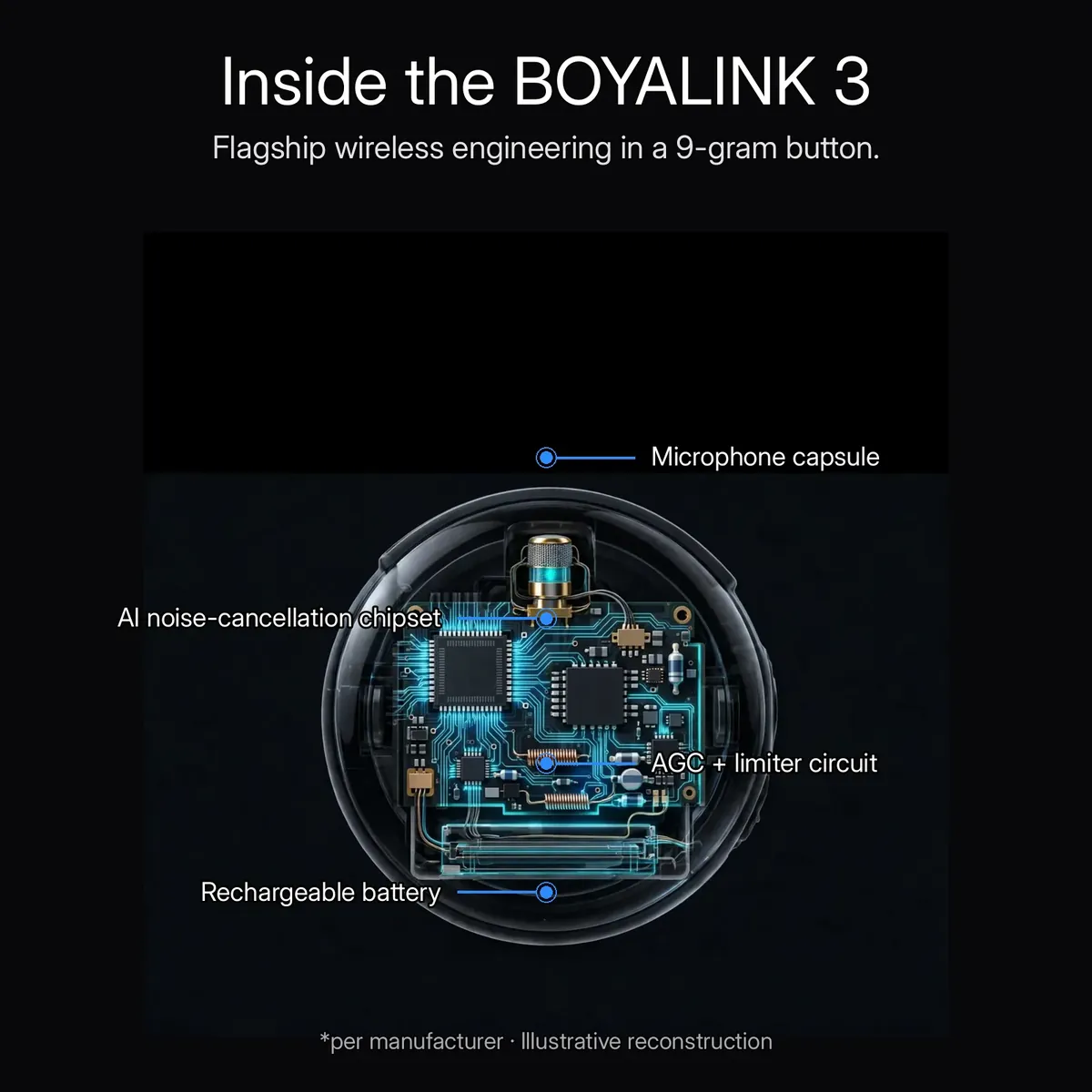
Small outside, busy inside. The x-ray render above is an illustrative reconstruction of the boyalink 3’s listed internals — not a photograph of disassembled hardware — but the architecture is real: the microphone capsule that captures your voice, the AI noise-cancellation chipset that cleans it, the AGC + limiter circuit that guards your levels, and the rechargeable battery that powers it all.
The callouts mark the four parts that matter: the capsule setting the 85dB signal-to-noise floor, the AI chipset doing the 40dB noise reduction, the AGC + limiter circuit riding gain and catching peaks, and the battery underneath it all, running a 9-gram button through real shooting days.
Power in the Case.
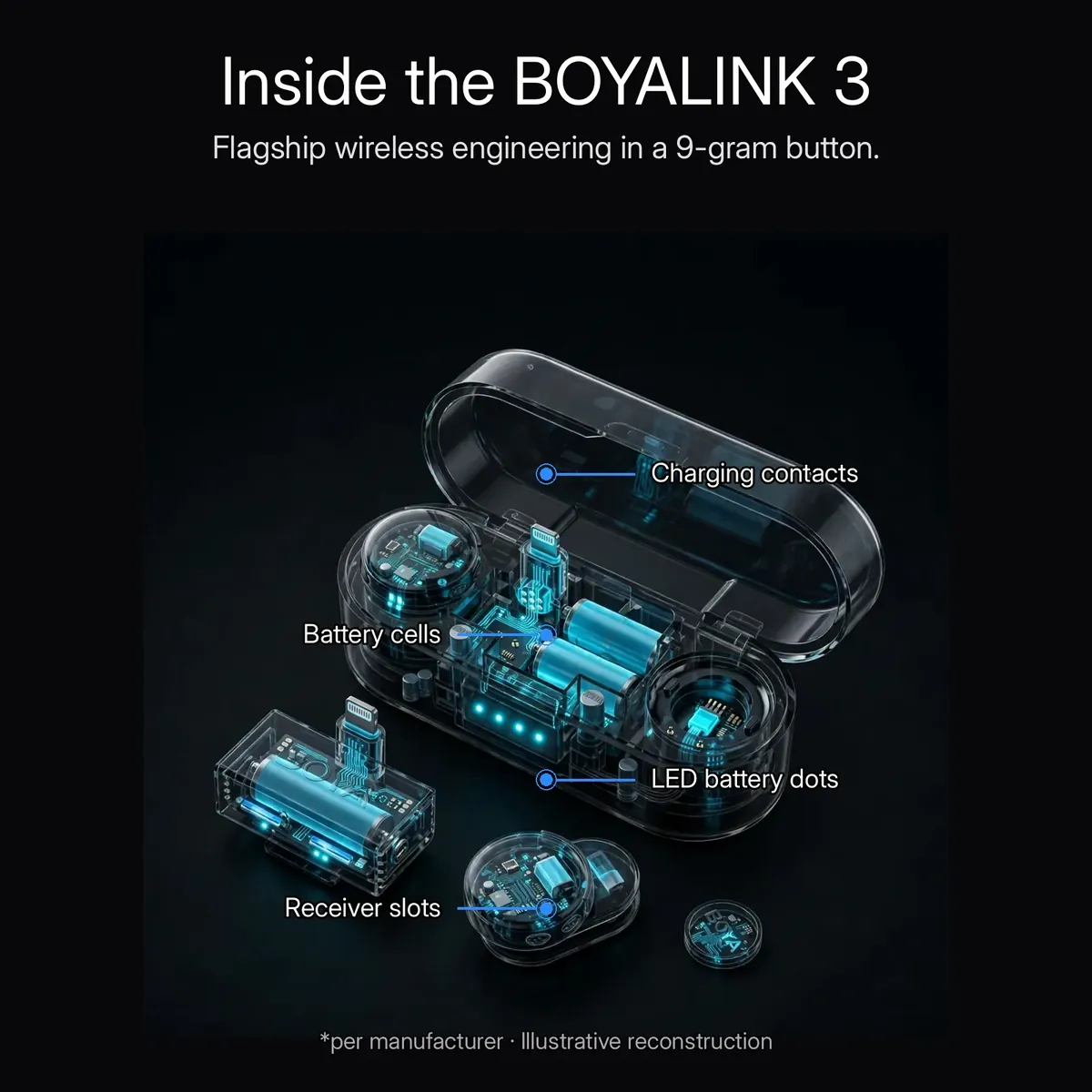
The charging case is the system’s home base. The x-ray render above is an illustrative reconstruction showing its architecture: charging contacts that top up every docked unit, the battery cells holding the reserve, LED battery dots showing charge at a glance, and receiver slots keeping the receivers where they belong. The boyalink 3’s small parts — two TX buttons, receivers, mounts — dock, charge, and travel in one pocketable unit, so the kit is always ready to shoot.
The AI-Powered Button Mic.
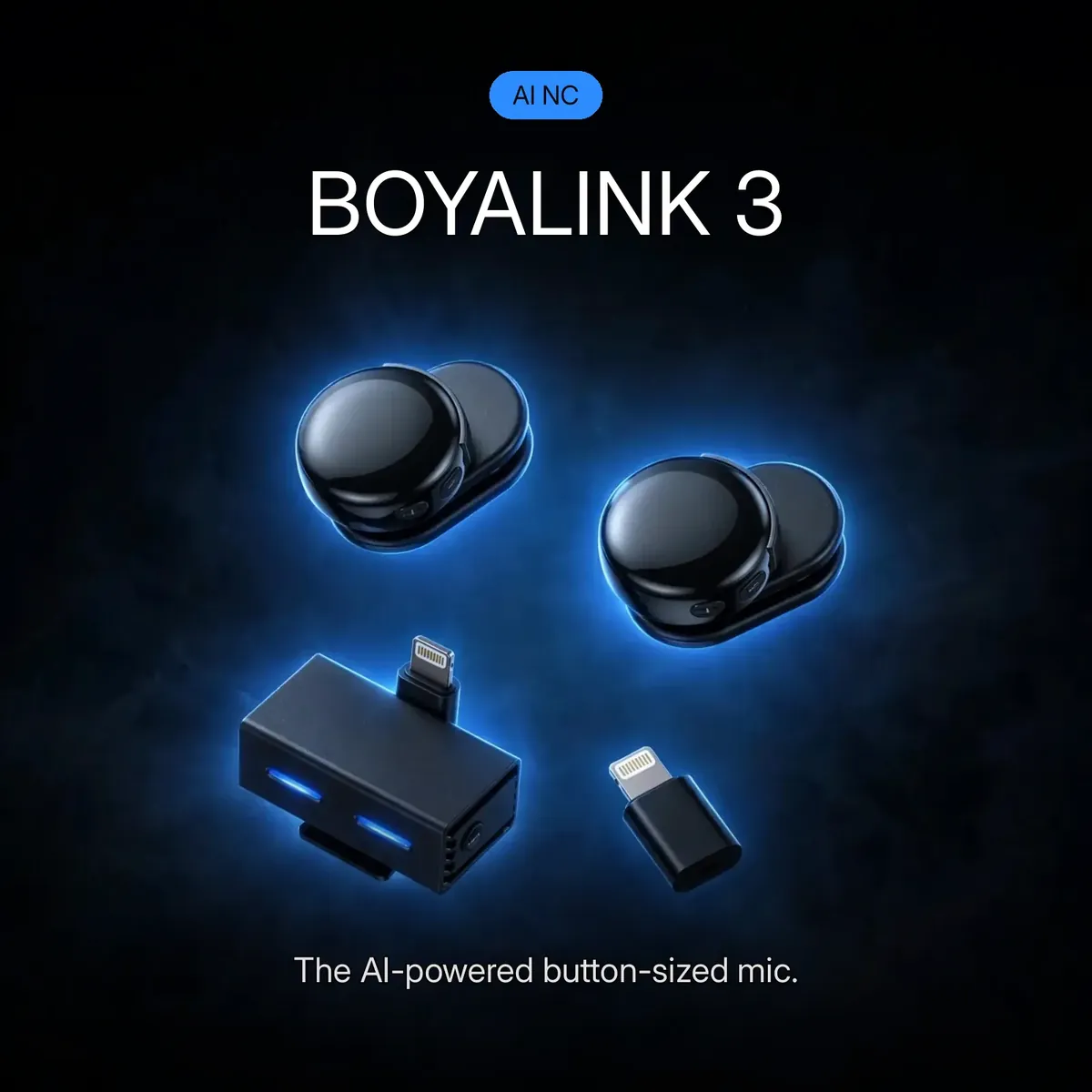
This is the kit as it ships: two round BOYA transmitter buttons and the receivers, on the dark blue backdrop of the promo hero above. BOYALINK 3. The AI-powered button-sized mic. The card’s “AI NC” badge names the single feature that separates this flagship from simpler wireless mics: the AI, the 40dB, and the 9-gram button it all fits inside.
The whole pitch fits in one line: flagship wireless audio, invisible on camera, with an AI that kills noise and a safety track that kills clipping anxiety. The boyalink 3 is not the cheapest wireless mic in the store — but it is the one bought by people who record things they cannot re-shoot.
Lightning + USB-C.
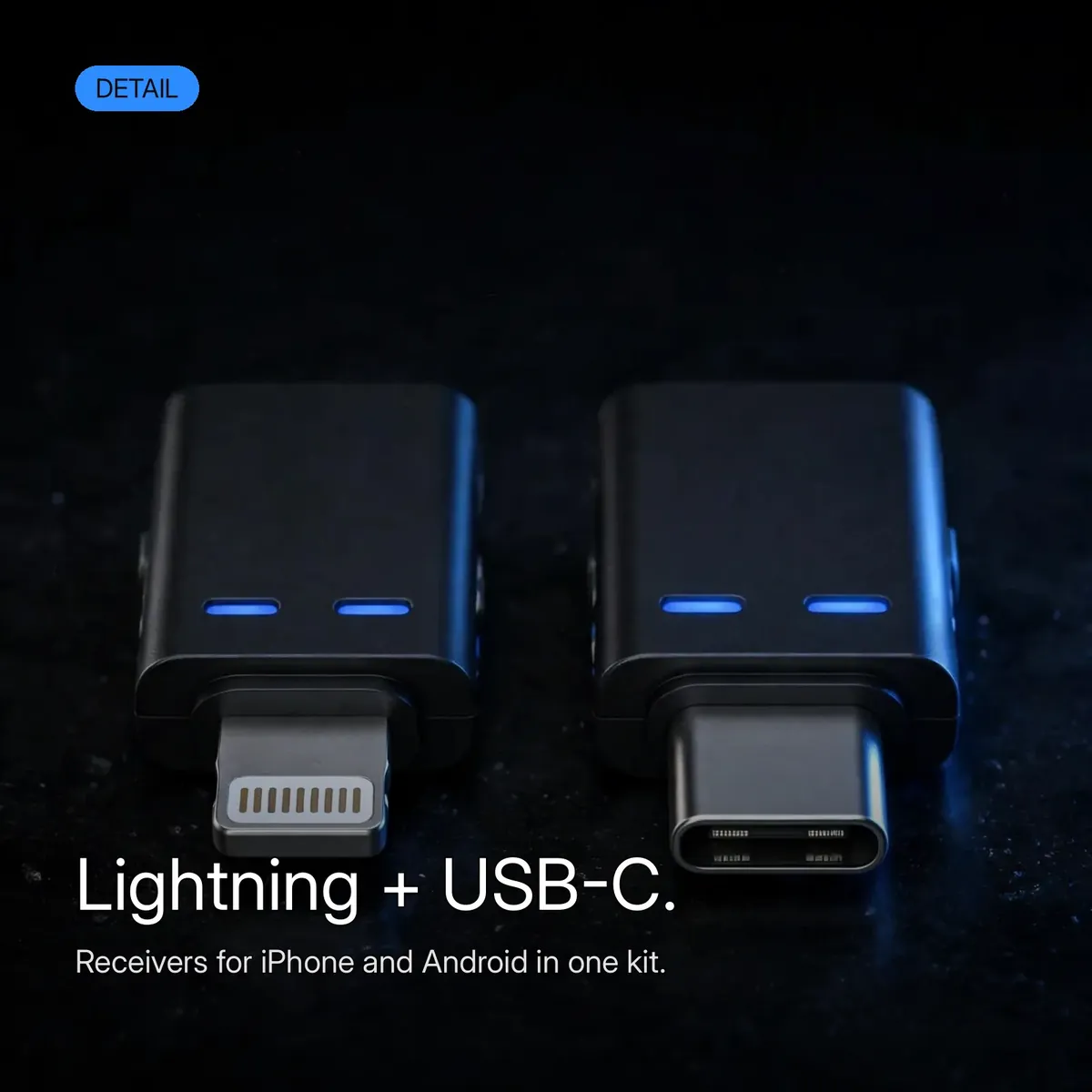
No wrong-plug anxiety with the boyalink 3. The kit carries receivers for iPhone and Android in one box — Lightning for iPhones, USB-C for Android phones and modern devices — so the same system works across your phone today and your next phone tomorrow. The detail shot above shows both receivers: small black units that plug straight in, with no app and no pairing dance.
Compatibility is broad by design: phones, cameras, and PCs are all in the verified notes. The receiver plugs into your device, the transmitters pair automatically, and you record. One kit, both plugs, no adapters to lose.
Specifications
| Brand | BOYA |
|---|---|
| Model | BOYALINK 3 — AI-powered button-sized wireless microphone |
| AI noise cancellation | Up to 40dB (AI-powered true noise cancellation) |
| Signal-to-noise ratio | 85dB |
| System | 2TX–4RX — pairs up to 8 devices |
| Audio protection | AGC (automatic gain control), limiter, −12dB safety track |
| EQ | Customizable |
| Transmitter | Button-sized, 9 g, dustproof |
| Receivers | Lightning + USB-C connectivity |
| Compatibility | Phones, cameras, PCs |
| Kit contents | 2× transmitters, charging case, receivers, magnetic + clip-on mounts, USB-C cable, carry pouch, user manual (per the store’s product page — see receiver-count note below) |
| Mounting | Magnetic snap-on mounts + clip-on mounts |
| Warranty | a 7-day store warranty |
All figures are taken from the verified research notes. Receiver-count note: the store’s product page box-contents list names 4 receivers, while Boya’s official documentation for the BOYALINK 3 kit describes a single receiver unit with interchangeable Lightning and USB-C connectors — the box image in the Drive package is also inconsistent on this count, so it was excluded from this page. The publisher must confirm the receiver count against the LIVE store page before publishing (see the SPEC-CONFLICT GUARD). This page describes the BOYALINK 3 button-sized AI system in full — do not confuse it with the Boya Magic-05, the wired Boya M1, the BOYALINK A2, the Boya Omic-D, or the Boya Mini-16.
Three Guards, Three Different Jobs: AGC, Limiter, and the Safety Track
The protection stack on the boyalink 3 is easy to list and worth slowing down for, because each of its three parts guards against a different failure. Automatic gain control works first and works constantly: as you turn from the camera, step closer to your guest, or raise your voice mid-sentence, AGC rides the recording level up and down so the take stays balanced instead of swelling and fading with your movement. It is the guard for everything normal — the ordinary dynamics of a real conversation, handled without you touching a setting.
The limiter guards the abnormal. Where AGC adjusts gradually, the limiter is a ceiling: when a laugh, a shout, or a cheer spikes past what the recording can hold, the limiter catches that peak before it distorts. And behind both stands the −12dB safety track, recording a quieter backup of the same take the whole time — so if a peak defeats even the limiter and the main track clips, the moment survives twelve decibels lower, ready to rescue the edit.
Notice what this stack never asks of you: there is no gain to set before the take, no level to babysit during it, and no second attempt required after it. The boyalink 3 was built for recordings that happen once — a live stream, a panel answer, a wedding speech — and its three guards divide that one chance between them: AGC for the movement, the limiter for the spikes, the safety track for the disaster. That division of labour is the real flagship feature, more than any single number on the box.
Magnetic or Clip-On: Dressing the Button for the Shoot
A 9-gram button only disappears on camera if it mounts the way the outfit demands, which is why the boyalink 3 ships with two mounting systems instead of one. The snap-on magnetic mounts hold the transmitter to fabric without a visible clip — the clean option for presenters, panel guests, and anyone whose on-camera look cannot carry a plastic claw on the collar. The magnet carries the button’s position; the button’s gloss and the BOYA mark do the rest, small enough to read as part of the outfit rather than equipment worn over it.
The clip-on mounts answer the shoots where a magnet will not do — thicker fabrics, active movement, costumes and uniforms where a magnetic hold is the wrong tool. Having both in the kit means the mounting decision is made per outfit and per guest, in seconds, at the start of the shoot: magnet for the clean look, clip for the secure hold. Either way the transmitter sits at the same collar distance, so the 85dB signal-to-noise voice quality does not change with the mount.
The rest of the daily routine is equally deliberate. The build is dustproof — listed explicitly in the research notes — so street, stage, and set days do not fill the button with grit, and a wipe with a soft dry cloth is the whole cleaning ritual. Between shoots the transmitters dock in the charging case, whose LED battery dots show the charge state at a glance when you open it, and the carry pouch takes the small loose pieces — mounts, cable — so nothing migrates to the bottom of a bag. The boyalink 3’s kit is designed to be opened, used, and closed again without a single part ever being hunted for.
Why Buy From Gadget Superb
Order the boyalink 3 from Gadget Superb with cash on delivery anywhere in Bangladesh — pay in cash when the parcel arrives, with no advance payment, card details, or OTPs ever asked. Delivery takes 1–3 working days inside Dhaka (৳70) and 2–5 working days outside Dhaka (৳120). Every order carries 7-day easy returns: keep the microphone system in original condition with the box and accessories, and start a return with your order number via hotline 09638054751, care@gadgetsuperb.com, or Messenger.
Learn more about the brand on Boya’s official site, explore the full Audio Electronics collection, or compare Microphones to find the right fit.
Frequently Asked Questions
Is the boyalink 3 really AI-powered — what does the AI actually do?
Yes — and the AI has one documented job: AI-powered true noise cancellation that cuts background noise by up to 40dB. The AI noise-cancellation chipset identifies noise around your voice — traffic, crowds, wind, room hum — and removes it before the audio reaches your device. The notes document noise cancellation only; the boyalink 3 claims no other AI function.
How is the boyalink 3 different from the Boya Magic-05?
They are different products for different buyers. The Boya Magic-05 is Boya’s AI-powered transformable microphone — a different form factor entirely. The boyalink 3 is the AI-powered button-sized system: 9-gram round transmitters, a charging case, the 2TX–4RX architecture, and the −12dB safety track. If you want the invisible button-sized kit, this listing is the one; the Magic-05 is sold separately.
How is it different from the Boya M1, BOYALINK A2, Omic-D, and Mini-16?
The Boya M1 is a wired lavalier — a cable, not a wireless system. The BOYALINK A2 is an all-in-one wireless design sold without a charging case. The Boya Omic-D is a dual-channel Lightning system built for iPhone. The Boya Mini-16 is a single ultra-compact transmitter. The boyalink 3 stands apart with the full flagship package: AI noise cancellation, 9-gram transmitters, a charging case, 2TX–4RX for up to 8 devices, and the safety track.
What does the 2TX–4RX system mean in practice?
2TX means two transmitters — two voices recorded together, like co-hosts or an interviewer and a guest. 4RX means the architecture supports up to four receiver units, linking up to 8 devices at once. That is what makes the boyalink 3 a crew tool: multi-host podcasts, panel discussions, and team shoots where a single-mic kit cannot cover everyone.
What is the −12dB safety track, and why should I care?
The safety track is a quieter backup recorded at −12dB alongside your main take. If a sudden laugh, shout, or cheer clips the main recording, the safety track captured the same moment 12 decibels lower — and that backup saves the take. It works with automatic gain control and a limiter. For anything you cannot re-shoot — live streams, panels, events — the boyalink 3’s safety track is the insurance policy.
Will the boyalink 3 work with my phone, camera, or PC?
The verified notes list phones, cameras, and PCs as compatible. The kit includes receivers with Lightning and USB-C connectivity — Lightning for iPhones, USB-C for Android phones and modern devices — so it works across your phone today and your next phone tomorrow. The receiver plugs in, the transmitters pair automatically, no app, no pairing process.
How small and tough is the transmitter really?
Each transmitter weighs 9 grams and is barely bigger than a shirt button — the round glossy-black button carries the BOYA mark and disappears on camera. It mounts with snap-on magnetic mounts or clip-on mounts. The build is dustproof, so daily use on streets, stages, and sets does not fill it with grit.
What is in the box?
Per the store’s product page: two 9-gram transmitters, a charging case with LED battery dots, receivers, magnetic and clip-on mounts, a USB-C cable, a carry pouch, and the user manual. Note: the store’s page names 4 receivers while Boya’s official documentation describes a single receiver unit — confirm the receiver count against the live store page.
What does the customizable EQ do?
The boyalink 3’s customizable EQ shapes tone to your voice and environment — emphasizing clarity for speech or taming boominess in reflective rooms. It is separate from the AI noise cancellation: the AI removes noise, the EQ shapes what remains. Adjust it to taste for voice work, streaming, or event recording.
What warranty does the boyalink 3 come with?
This product comes with a 7-day store warranty. If a warranty matters to you, confirm the terms with the store — hotline 09638054751, care@gadgetsuperb.com, or Messenger — before placing your order.
How long does delivery take, and what are the charges?
Inside Dhaka, delivery costs ৳70 and takes 1–3 working days; outside Dhaka, it costs ৳120 and takes 2–5 working days. These are estimates, not guarantees. Your order ships once you place a cash-on-delivery order.
What is the price of the boyalink 3 in Bangladesh?
The current price is shown on the product page and can change during sales, so no figure is quoted here. Check the live Boyalink 3 page on Gadget Superb for today’s price — that is what you pay in cash on delivery, plus the standard delivery fee.
What does automatic gain control actually do while I am moving?
It rides your recording level in real time. As you turn away from the camera, step toward your guest, or shift from speaking softly to projecting across a room, the boyalink 3’s automatic gain control adjusts the level so your voice stays balanced instead of swelling and fading. You never set a gain before the take or correct for distance during it — AGC is the quiet reason a moving, natural conversation records at an even volume from start to finish.
Magnetic mount or clip-on mount — which one should I use?
Match the mount to the outfit and the movement. The snap-on magnetic mounts are the invisible option: no visible clip, ideal for presenters, panel guests, and formal wear where the boyalink 3 should disappear entirely. The clip-on mounts give the more mechanical hold for thicker fabrics, uniforms, and shoots with a lot of movement, where a magnet is the wrong tool. Both mounts place the transmitter at the same collar distance, so the choice is about the look and the hold — never about sound quality.
How do I check the charging case’s battery, and how should I store the kit?
Open the case: its LED battery dots show the charge state at a glance, with no app and no menu involved. For storage, dock the transmitters in the case — that is both their home and their charging position — and keep the magnetic and clip-on mounts and the USB-C cable together in the carry pouch. The transmitters’ dustproof build shrugs off street and stage grit between shoots; a wipe with a soft, dry cloth is all the cleaning the buttons ask for.
Related products
-28%
50 in stock
Ulanzi A200 Wireless Lavalier Microphone
Original price was: ৳ 8,190.৳ 5,890Current price is: ৳ 5,890.-27%
70 in stock
Ulanzi A100 Wireless Lavalier Microphone
Original price was: ৳ 4,360.৳ 3,180Current price is: ৳ 3,180.-27%
100 in stock

BOYA Mini-16 Ultra-Compact Wireless Microphone for IOS Devices
Original price was: ৳ 4,690.৳ 3,420Current price is: ৳ 3,420.-23%
40 in stock

BOYA M1 Microphone (BOYA Official Product)
Original price was: ৳ 1,300.৳ 1,000Current price is: ৳ 1,000.-28%
18 in stock

Fifine Ampligame AM8 RGB USB/XLR Dynamic Microphone
Original price was: ৳ 9,920.৳ 7,130Current price is: ৳ 7,130.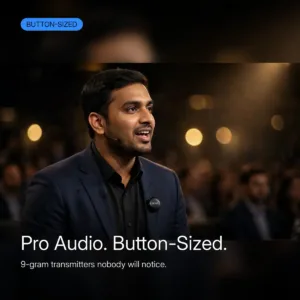 BOYALINK 3 AI-Powered Button S...
 Original price was: ৳ 15,230.৳ 10,950Current price is: ৳ 10,950.
30 in stock
Reviews
There are no reviews yet.