No products in the cart.

-26%
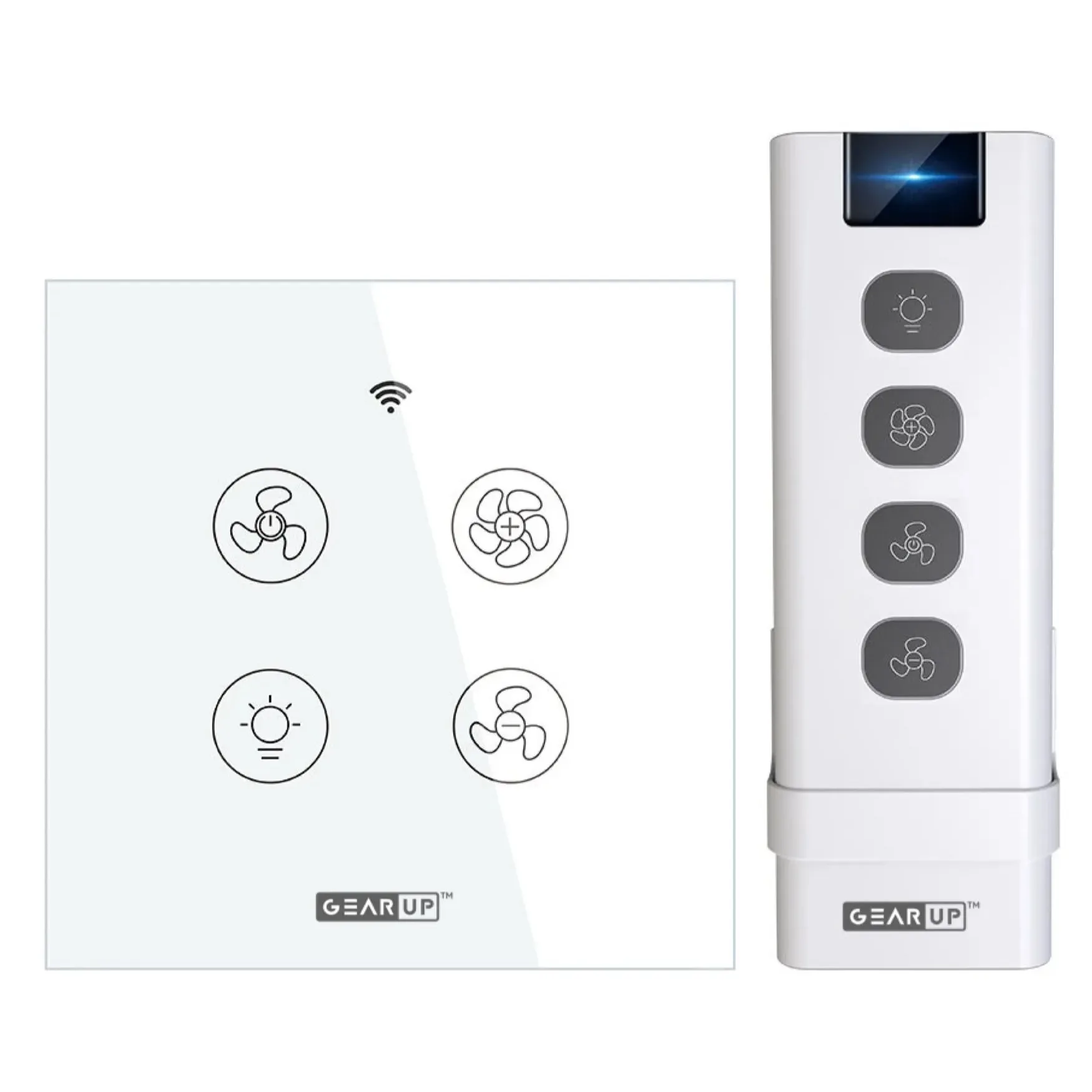

The GearUP Wi-Fi ceiling fan controller is a smart wall switch that combines fan speed and light control in one panel. According to the listing, it is designed for people who want to upgrade a traditional ceiling fan and light setup to app, voice or remote control, and it suits bedrooms, living rooms and home offices in Bangladeshi homes and flats.
- GearUP Wi-Fi ceiling fan controller overview
- Key features
- Specifications
- How to use / set up
- Compatibility and what is in the box
- Who should buy it in Bangladesh
- Alternatives in our store
- Warranty and support
- Delivery, returns and ordering
- Frequently asked questions
GearUP Wi-Fi ceiling fan controller overview
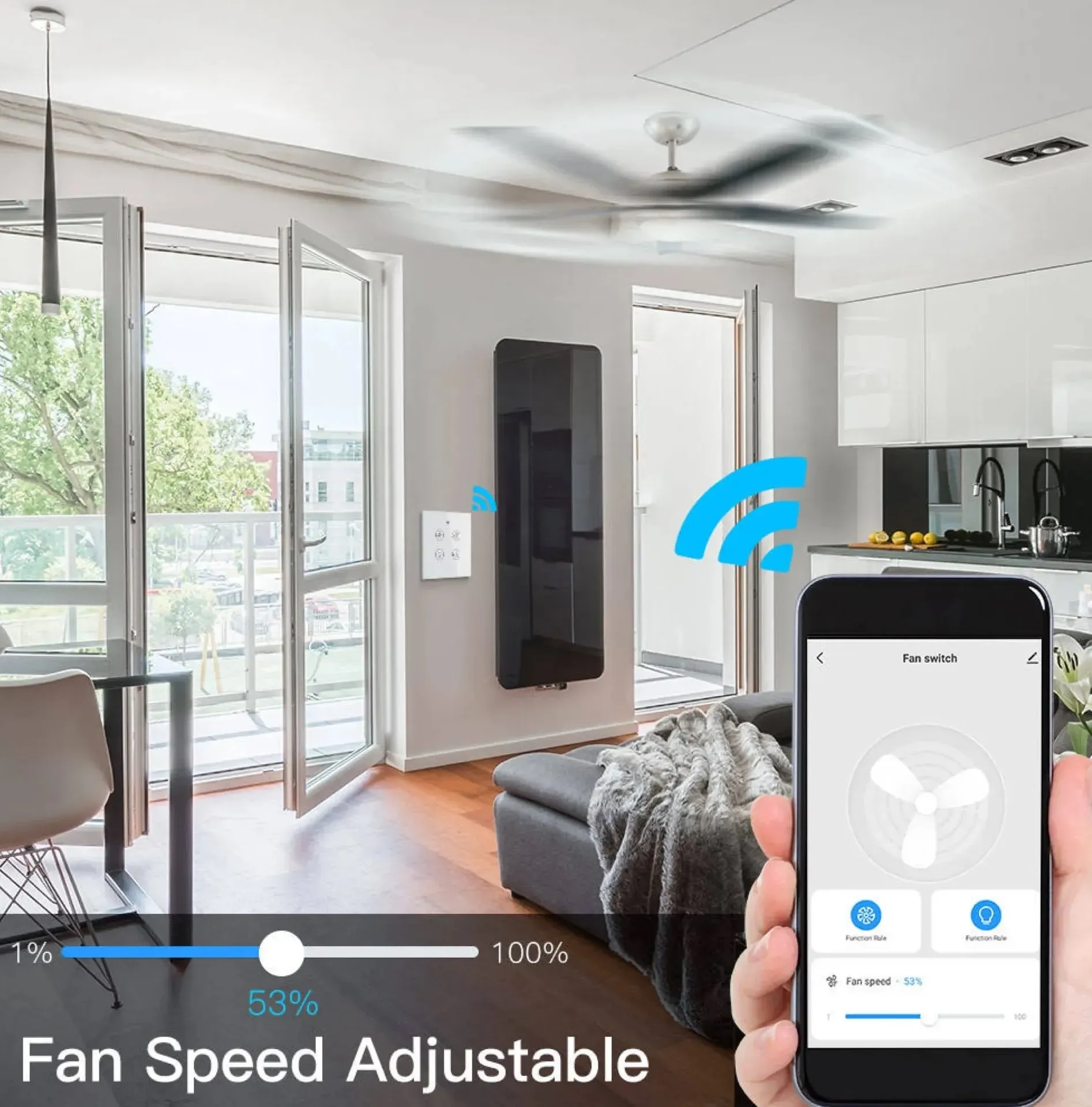
The GearUP Wi-Fi ceiling fan controller puts fan speed and light control into one wall panel. According to the listing, it is a sleek smart wall switch that lets you adjust fan speed, control lighting, set schedules and automate comfort using the Smart Life or TUYA app on your smartphone. The maker also describes the GearUP Wi-Fi ceiling fan controller as an easy replacement for existing switches, which may suit a home that already has a fan and light switch in place.
Ceiling fans and lights are part of daily life in many Bangladeshi homes, from a bedroom fan on a humid night to a living room light after dinner. A single panel for both can simplify those routines. In a bedroom you might lower the fan speed before sleep, and in a home office you can switch the lights without leaving your desk. Dhaka’s humid months make a fan a regular part of evenings, and many families also plan around scheduled power cuts, so manual control on the wall remains important. The listing presents the controller around these everyday tasks. For general background on fan machines, read the general overview of fan machines.
Two points deserve attention before you buy. The listing says the controller uses 2.4 GHz Wi-Fi with 802.11b/g/n connectivity and no 5 GHz support. It also notes that installation needs basic wiring knowledge. For the GearUP Wi-Fi ceiling fan controller, both details affect whether this smart switch suits your flat, so read the specifications and the compatibility section first. A short check of your router band and your wall box before ordering can save trouble later.
Key features
Each feature below is taken from the listing for the GearUP Wi-Fi ceiling fan controller, with notes on how it may suit a Bangladeshi home.
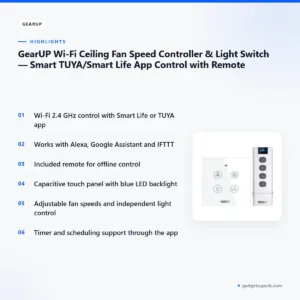
Smart Wi-Fi control on 2.4 GHz
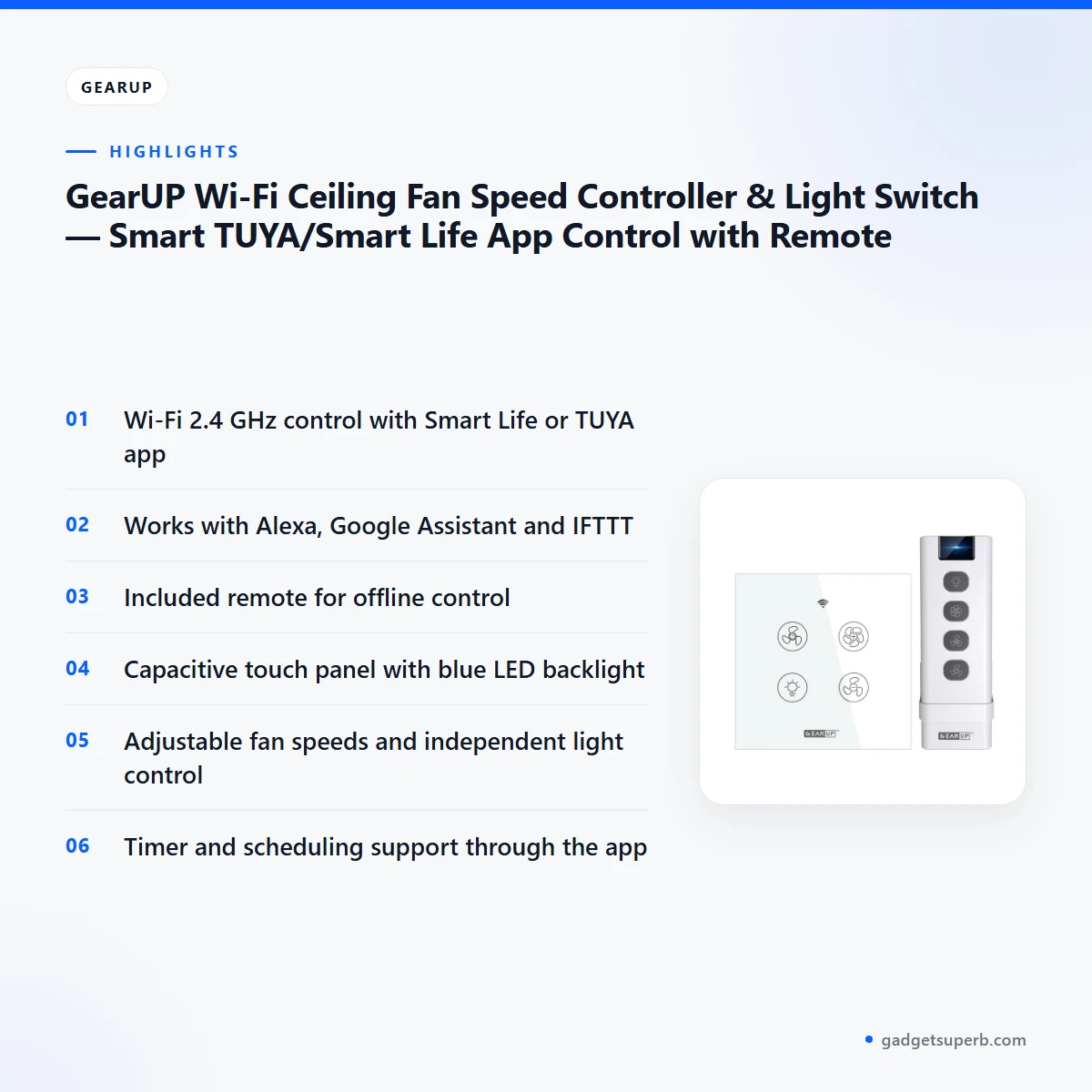
The GearUP Wi-Fi ceiling fan controller connects over a 2.4 GHz Wi-Fi network. The listing says no hub is required, so setup centres on your phone and your home network. It specifies 802.11b/g/n connectivity and states that 5 GHz is not supported. Check that your router broadcasts a 2.4 GHz band and that the switch position has a steady signal, since app and voice control depend on that connection. If your home uses a mesh system or a Wi-Fi extender, confirm which band the switch will join. A weak signal in a far bedroom or on a back balcony may interrupt control, so check the signal at the exact switch position before you fix the panel to the wall.
Smart Life and TUYA app control
The listing states that the controller integrates with the Smart Life and TUYA apps for remote control and schedules. Both apps are listed for Android and iOS, so most owners can manage the switch from the phone they already carry. Once the GearUP Wi-Fi ceiling fan controller is added to the app, you can adjust fan speed and control lighting when you are away from home. This is useful during a long day out in Dhaka traffic or a visit to family outside the city. A routine such as the bedroom fan running at night can be set once and left alone. Timers and schedules are also set in the app, as covered below.
Voice control with Alexa, Google Assistant and IFTTT
According to the listing, the switch works with Amazon Alexa and Google Assistant, and it also lists IFTTT among its voice control options. When the GearUP Wi-Fi ceiling fan controller is linked to a voice assistant, you can give commands without touching the wall. This helps when your hands are full, such as while carrying shopping up stairs in a family home. It is also useful at night, when getting up to reach the wall is less convenient. The listing does not give example voice phrases, so test your own commands after setup and follow the maker’s instructions for linking each platform.
Capacitive touch panel and blue LED backlight
The front of the GearUP Wi-Fi ceiling fan controller is a capacitive touch panel with a blue LED backlight, which the listing describes as suited to quick manual use. The panel is made of tempered glass with an anti-glare finish, and the maker presents the design as sleek. For a household, the panel means you can adjust the fan or lights without opening a phone app. This is handy when someone is asleep and the phone is across the room. The panel size is listed in the specifications, so compare it with your existing wall box before you order.
Included remote for offline control
The listing includes a remote control for users who prefer offline operation. This gives a second route to fan speed and light control when you do not want to use the app, or when your phone is charging in another room. Keep the remote in a fixed place, such as a bedside drawer or near the door, so it is easy to find. Once the GearUP Wi-Fi ceiling fan controller is working, try the remote once so you know it is ready for offline use. Many households keep a phone on charge in one room, so the remote gives everyone else in the flat a simple option.
Schedules, timers and energy-saving use
The listing says you can set timers and scheduling through the app. It also lists the ability to program fan and light schedules to reduce power consumption, under the energy-saving heading. Timers suit a bedroom where the fan should run for a set period, or a hallway light that should switch off at a fixed time. The listing gives no figure for power savings, so treat the energy claim as the maker’s statement rather than a measured result. Schedules for the GearUP Wi-Fi ceiling fan controller are created in the app, so set them once and review them when your routine changes, such as a new work pattern or a change of season.
Specifications
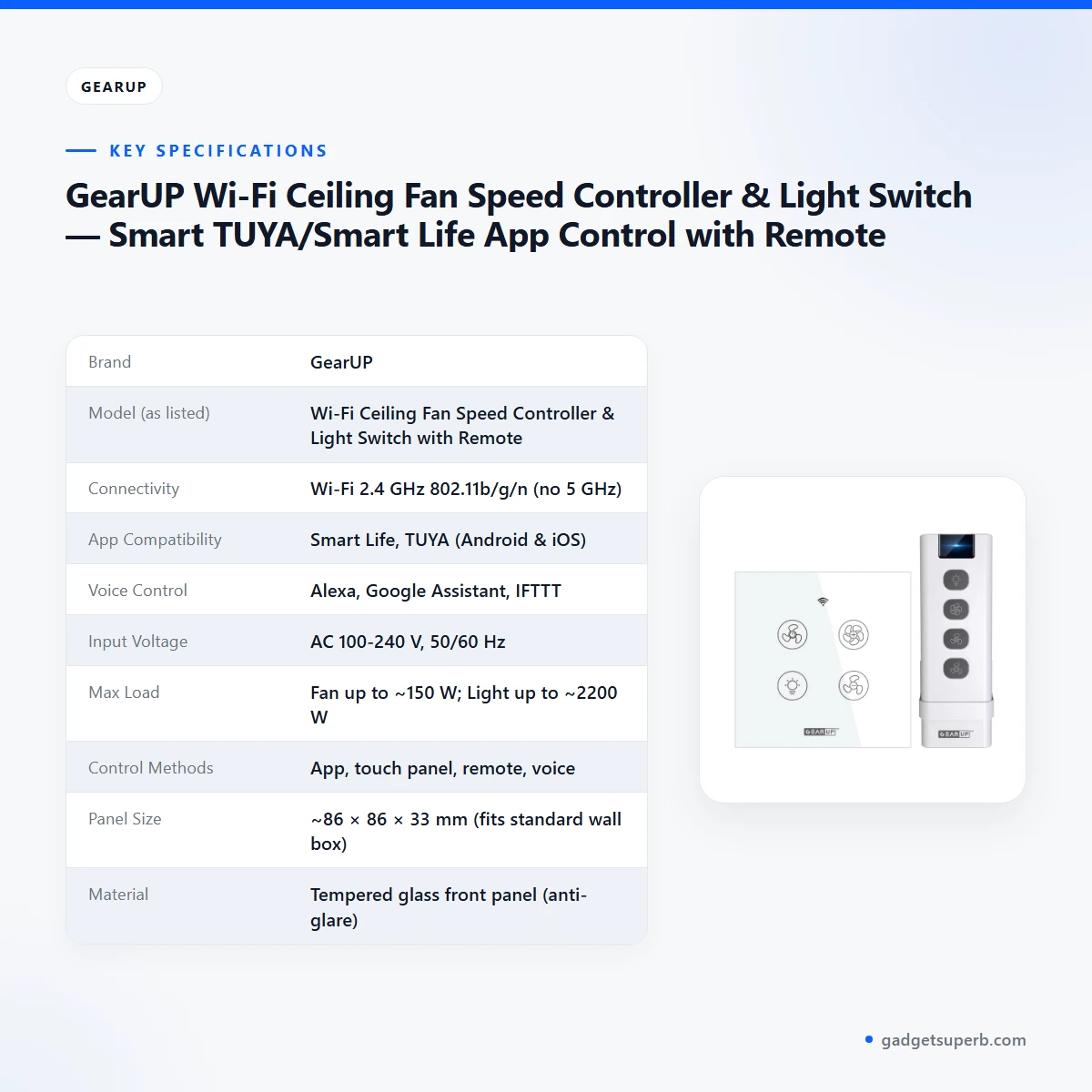
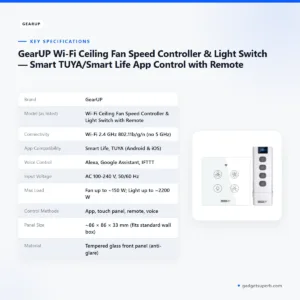
The table below lists the specifications for the GearUP Wi-Fi ceiling fan controller as they appear in the maker’s listing. Use the maximum loads, panel size and connectivity to check fit against your fan, your light and your wall box.
| Label | Value |
|---|---|
| Brand | GearUP |
| Model (as listed) | Wi-Fi Ceiling Fan Speed Controller & Light Switch with Remote |
| Connectivity | Wi-Fi 2.4 GHz 802.11b/g/n (no 5 GHz) |
| App Compatibility | Smart Life, TUYA (Android & iOS) |
| Voice Control | Alexa, Google Assistant, IFTTT |
| Input Voltage | AC 100-240 V, 50/60 Hz |
| Max Load | Fan up to ~150 W; Light up to ~2200 W |
| Control Methods | App, touch panel, remote, voice |
| Panel Size | ~86 × 86 × 33 mm (fits standard wall box) |
| Material | Tempered glass front panel (anti-glare) |
| Operating Temperature | -10 °C – 60 °C |
| Certification | CE, RoHS, FCC (where applicable) |
| Color | White |
These are listed specifications from the product listing.
How to use / set up
Setting up the GearUP Wi-Fi ceiling fan controller is a job for someone comfortable with household wiring. Follow the maker’s instructions closely. The steps below are general and do not replace the maker’s written guide.
- Switch off the power at the consumer unit before removing the old switch.
- Check that the existing wall box is a standard size and that the panel, listed at about 86 × 86 × 33 mm, will fit.
- Fit the controller using the installation screws and hardware, following the wiring steps in the maker’s instructions.
- Restore power and confirm the touch panel responds before you move on to the app.
- Connect the GearUP Wi-Fi ceiling fan controller to your 2.4 GHz network through the Smart Life or TUYA app, following the prompts in the app.
- Set timers and schedules once the device appears in the app.
- Link Alexa, Google Assistant or IFTTT if you want voice control, following each platform’s own steps.
Before you start, read the maker’s instructions for the controller and have your Wi-Fi name and password ready. Test the included remote once the unit is working, so you know it is ready for offline use. If you are unsure about any wiring step, ask a licensed electrician. The listing notes that installation needs basic wiring knowledge, so do not rush the job, and keep the power off until every connection is finished.
Once the setup is done, test each control route once: the touch panel, the remote, the app and, if you linked it, your voice assistant. Keep a note of the Wi-Fi name and the app account you used, so you can reconnect the GearUP Wi-Fi ceiling fan controller if your router is replaced or renamed. Care is simple. Wipe the tempered glass front panel gently with a soft, dry cloth and avoid harsh cleaners. Store the remote in a dry place, away from damp corners.
Compatibility and what is in the box
The listing confirms several compatibility points for the GearUP Wi-Fi ceiling fan controller. It works with the Smart Life and TUYA apps on Android and iOS, with Amazon Alexa, Google Assistant and IFTTT, and over 2.4 GHz 802.11b/g/n Wi-Fi. Input is listed as AC 100-240 V, 50/60 Hz, and the panel is described as fitting a standard wall switch box.
According to the listing, the packaging content includes one controller in white, one remote control, installation screws and hardware, and one quick start guide or manual. The listing also shows certification as CE, RoHS and FCC (where applicable).
Not confirmed by the listing: which ceiling fan motor types and speed regulators the controller supports, whether it works with dimmable LED bulbs, or whether it works on any network other than 2.4 GHz. Confirm that your fan and wiring match the listed ratings, and ask us if you are unsure about the GearUP Wi-Fi ceiling fan controller.
Who should buy it in Bangladesh
The GearUP Wi-Fi ceiling fan controller suits buyers who want to run a ceiling fan and light from one smart panel. Here are realistic scenarios where it fits:
- A bedroom owner who wants fan speed and lights controlled from bed, using the remote or a voice command.
- A living room household that uses Alexa or Google Assistant in daily routines.
- A home office worker who wants the fan and lights ready at the start of the day, using app schedules.
- A smart home upgrader who already runs other devices through the Smart Life or TUYA app.
- Someone replacing a mechanical switch, because the listing describes it as an easy replacement.
Load-shedding is a practical question for many households. The listing does not describe how the switch behaves during power cuts or when the network drops, so plan for manual use through the touch panel or the included remote. Treat app and voice control as added convenience with the GearUP Wi-Fi ceiling fan controller.
A tenant who wants to avoid changes to the building may still need the wall box and wiring checked first, because the listing describes installation as needing basic wiring knowledge. In a shared household, agree on who manages the app account and the schedules, so one person does not change settings without telling the others.
The GearUP Wi-Fi ceiling fan controller is less suitable if your Wi-Fi runs only on 5 GHz, if you are not comfortable with wiring, or if your fan and light setup has not been checked by an electrician. In those cases, ask us or seek help from a licensed electrician. Renters should check with the building owner before replacing a switch, and homeowners should turn off the power before any work starts.
For a flat in a multi-storey building, check the wall box and your Wi-Fi band first. These checks should take little time and help you decide whether this smart switch is right for the room.
Alternatives in our store
If you are still comparing options, browse the Smart Switches & Electrical category. Our range includes SONOFF WiFi Smart Wall Touch Switch T3 UK 3 Gang- Compatible With Alexa, Google Assistant – Black Color, another smart wall switch in our range, and LDNIO Z4 Universal Plug 6A Max (ABS V0), a universal plug in our electrical accessories. Also see TOMZN TOB7Z-63 2P DC Circuit Breaker – 10A, 20A, 32A Solar PV MCB, 12V–1000V Wide Range DC MCB for PV System, a circuit breaker in our electrical range, and Deli CT705ES 3 Pin 6 Port 3 Meter Power Strip With Surge Protection, a power strip in the same category. Each item has its own product page with its own details. Comparing the GearUP Wi-Fi ceiling fan controller with these items is simplest when you know your fan and wiring first.
Warranty and support
Warranty: 4 Days seller warranty.
Delivery, returns and ordering
We deliver all over Bangladesh and you pay cash on delivery. Delivery usually takes 1–3 days inside Dhaka city and 2–5 days outside Dhaka, so plan your installation date with that window in mind.
You can return it within 7 days of delivery. For the full terms, see our Delivery & Returns policy.
Questions before ordering: call 09638054751, message us on Facebook Messenger or email care@gadgetsuperb.com. Send us your fan and wiring details with any question about the GearUP Wi-Fi ceiling fan controller.
Frequently asked questions
What is the GearUP Wi-Fi ceiling fan controller?
The GearUP Wi-Fi ceiling fan controller is a smart wall switch that, according to the listing, adjusts fan speed and controls lighting through the Smart Life or TUYA app, voice assistants or the included remote.
Does the GearUP Wi-Fi ceiling fan controller work on 5 GHz Wi-Fi?
No. The listing states 2.4 GHz 802.11b/g/n connectivity and says there is no 5 GHz support.
Which apps work with the GearUP Wi-Fi ceiling fan controller?
The listing names the Smart Life and TUYA apps for Android and iOS. Both apps work with the GearUP Wi-Fi ceiling fan controller for remote control and schedules.
Can I use voice commands with the GearUP Wi-Fi ceiling fan controller?
Yes, according to the listing, it works with Amazon Alexa and Google Assistant, and IFTTT is also listed. Follow each platform’s linking steps after setup.
Does the GearUP Wi-Fi ceiling fan controller need a hub?
The listing says no hub is required. The controller connects through your 2.4 GHz Wi-Fi network, so check your router band first.
Can I control the GearUP Wi-Fi ceiling fan controller without internet?
The listing says the included remote suits users who prefer offline operation. App and voice control rely on a Wi-Fi connection.
What is the maximum load of the GearUP Wi-Fi ceiling fan controller?
The listing gives fan up to about 150 W and light up to about 2200 W. Compare these figures with your fan and light before you install.
Is the GearUP Wi-Fi ceiling fan controller easy to install?
The listing describes easy installation into a standard wall switch box. It also notes that installation needs basic wiring knowledge, so a licensed electrician may be the safer choice.
What comes with the GearUP Wi-Fi ceiling fan controller?
According to the listing, the packaging content includes the controller, a remote control, installation screws and hardware, and a quick start guide or manual.
What is the warranty on the GearUP Wi-Fi ceiling fan controller?
The warranty is listed as 4 Days seller warranty. Ask us if you need more detail.
Can I pay cash on delivery for the GearUP Wi-Fi ceiling fan controller?
Yes. We deliver all over Bangladesh and you pay cash on delivery. Delivery usually takes 1–3 days inside Dhaka city and 2–5 days outside Dhaka.
Related products
-25%
98 in stock
GearUP Precision Self-Leveling Cross Line Laser Level – Ultra-Bright Green Beam
Original price was: ৳ 2,700.৳ 2,000Current price is: ৳ 2,000.-20%
267 in stock
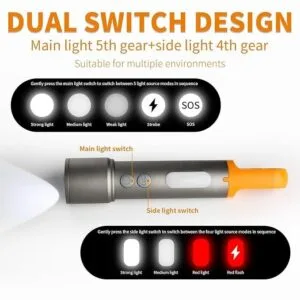
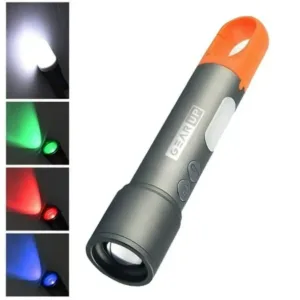
GearUP K57 Multifunctional Rechargeable Torch Flashlight
Original price was: ৳ 1,130.৳ 900Current price is: ৳ 900.-20%
76 in stock
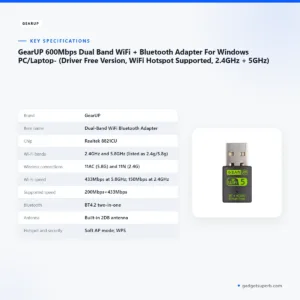
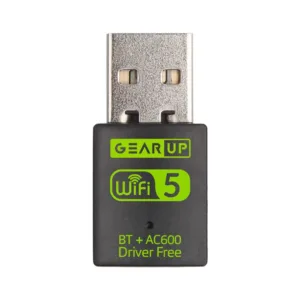
GearUP 600Mbps Dual Band WiFi + Bluetooth Adapter For Windows PC/Laptop- (Driver Free Version, WiFi Hotspot Supported, 2.4GHz + 5GHz)
Original price was: ৳ 740.৳ 590Current price is: ৳ 590.-28%
50 in stock

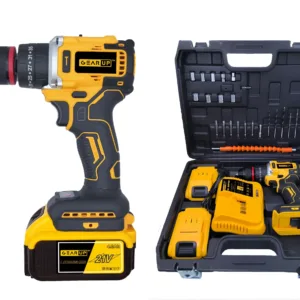
GearUP Cordless Powerful Hand Drill with Brushless Motor — (2 Lithium Battery Included)
Original price was: ৳ 6,550.৳ 4,710Current price is: ৳ 4,710.-23%
66 in stock

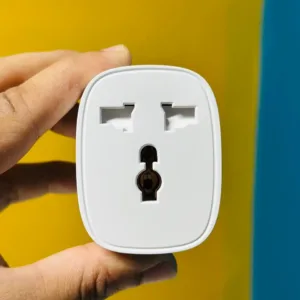
GearUP BSD61 (With Energy Monitoring) Wifi Smart Plug
Original price was: ৳ 1,380.৳ 1,060Current price is: ৳ 1,060.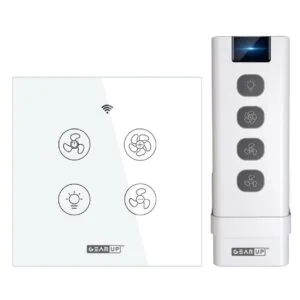 GearUP Wi-Fi Ceiling Fan Speed...
Original price was: ৳ 2,790.৳ 2,060Current price is: ৳ 2,060.
60 in stock
Reviews
There are no reviews yet.