No products in the cart.

-20%

The Inphic M8P 2.4G Silent Wireless Mouse is a cable-free mouse for people who want quiet clicks and a clean desk. According to the listing, it suits digital nomads, students, office workers and home users who work in shared or busy spaces. This page covers what the Inphic M8P offers, how to set it up and who it suits in Bangladesh.
- Inphic M8P overview
- Key features
- Specifications
- How to use / set up
- Compatibility and what is in the box
- Who should buy it in Bangladesh
- Alternatives in our store
- Warranty and support
- Delivery, returns and ordering
- Frequently asked questions
Inphic M8P overview
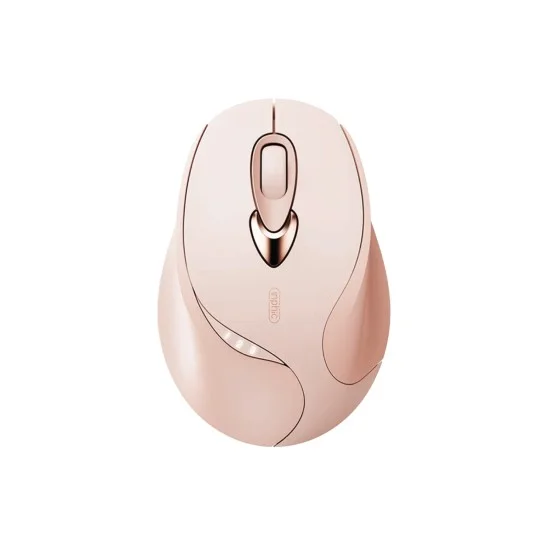
The Inphic M8P is built around two ideas: quiet clicking and a battery you recharge rather than replace. According to the listing, the Inphic M8P blends agility with quiet performance for people who value a clean, distraction-free workspace. The maker describes it as designed for that kind of focused, low-noise way of working, so it suits people who share a room, a library table or an open office with others.
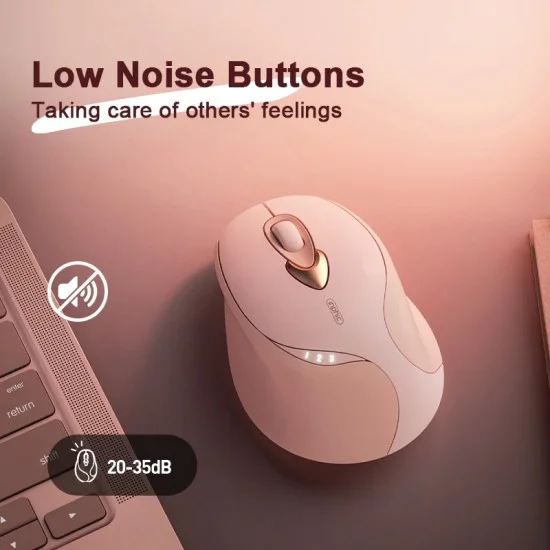
Whether you are in a quiet library or a busy open office, the listing says the Silent Click buttons keep the clicks muted. That matters in Bangladesh, where many people share a room with family, flatmates or classmates during evening study and late-night work. A mouse that does not announce every click is easier to use in those spaces, and the Inphic M8P lets you keep a light touch on a long document without disturbing the people beside you.
The Inphic M8P, as the maker lists it, has a refined, ultra-lightweight honeycomb-inspired internal structure. According to the listing, this gives superior maneuverability without sacrificing durability. The listing also describes the mouse as sleek, ergonomic and highly responsive. Those are the maker’s words, and the sections below set out each feature the listing names, so you can test the claims against your own way of working.
The Inphic M8P is also a practical choice for people who want less waste. The listing says its built-in rechargeable power means you never have to buy or throw away alkaline batteries again. It names battery waste and clicking noise as the two biggest complaints about wireless mice, and presents the Inphic M8P as a direct answer to both. Confirm your model before you order if you are buying for a specific workflow, because the listing is the only source for these claims.
Key features
Silent Click Primary Buttons
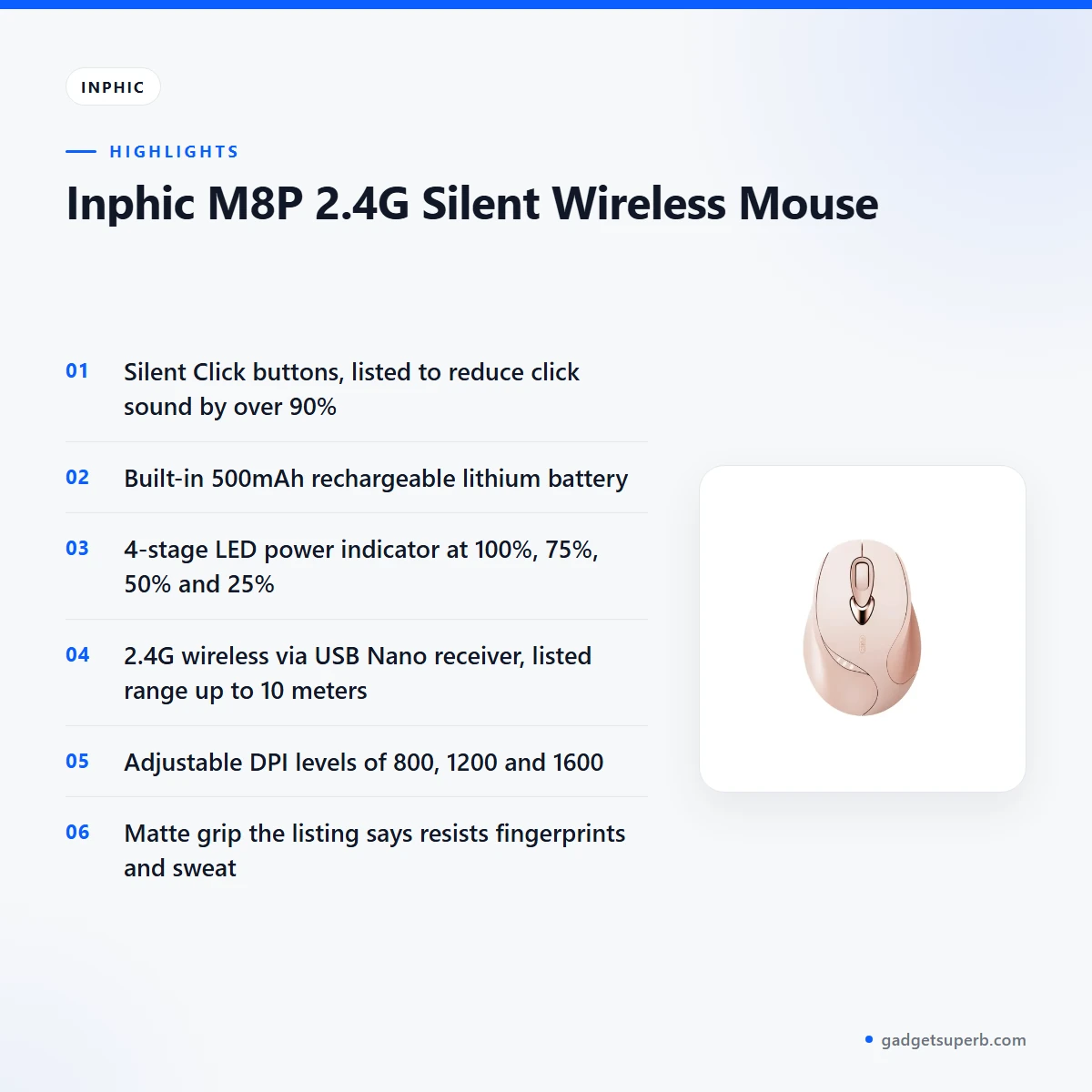
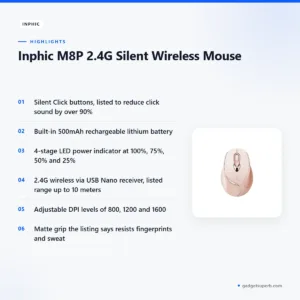
The Inphic M8P uses Silent Click primary buttons, which the listing describes as innovative micro-switches that reduce click sound by over 90%. The maker says this keeps a satisfying tactile feel without the noise, so the buttons still give clear feedback when you press them. For shared rooms, late-night work and quiet study, this is the feature that most changes how the mouse sounds in use. Try a few clicks in a shop if you can, and compare the feel with a mouse you already own. The listing does not publish a decibel figure, so treat the 90% figure as the maker’s claim.
Integrated Rechargeable Battery
The listing gives a 500mAh lithium battery that it says provides weeks of operation. You recharge it through the included USB cable, so there are no disposable batteries to buy or replace. That is useful in Bangladesh, where load-shedding can interrupt supply, so charging the Inphic M8P during normal supply hours is a simple habit to build. The listing describes this as eco-conscious design. Charge the mouse fully before first use, then top it up whenever the power indicator shows a lower level. Keep the USB cable near your desk so it is always to hand.
4-Stage Power Indicator
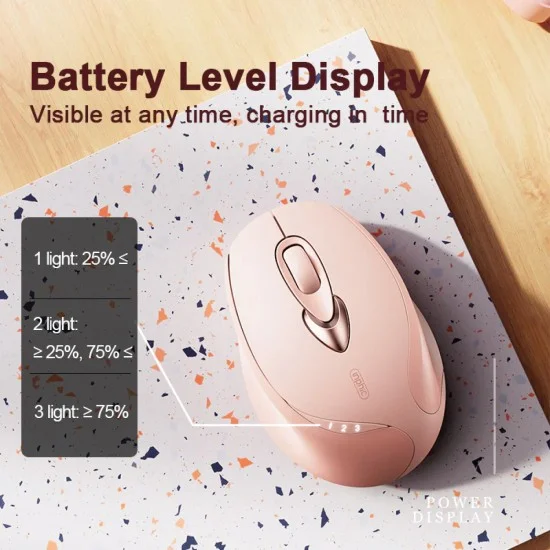
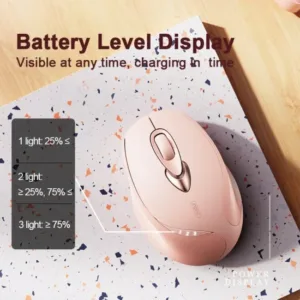
On the Inphic M8P, the listing describes built-in LED lights on the top of the mouse that show real-time battery status at 100%, 75%, 50% and 25%. Those four stages make it easier to plan a charge before a meeting, an exam or a long assignment, rather than finding a flat battery mid-task. The listing says this means you are never surprised by a dead battery during an important session. Check the level at the start of each day, especially before a long study session or a day of travel. The listing does not describe how the indicator behaves between those stages, so do not assume more detail than the four levels stated.
2.4G Wireless Freedom
The Inphic M8P connects through a dedicated Nano USB receiver. The listing says this gives a stable, lag-free connection up to 10 meters (33 feet). Use that figure as a guide for a desk in the same room, because the listing does not say how walls or furniture affect the signal. Plug the receiver directly into a free USB port on your computer rather than a crowded hub, and keep it in the same place as the mouse so it does not go missing. The listing gives the connection as 2.4GHz wireless via a USB Nano Receiver, so the mouse itself needs no cable and your desk stays tidy.
Adjustable DPI (800/1200/1600)
The Inphic M8P lists three DPI levels: 800, 1200 and 1600. According to the listing, one-button sensitivity switching lets you move between them quickly, from high-precision design work to fast web browsing. Use the higher level for detailed work such as photo editing or working with small objects on screen, and a lower level when you want steadier movement across a large display. The listing does not say whether the levels can be customised, so do not expect more settings than the three stated.
Ergonomic Skin-Friendly Grip
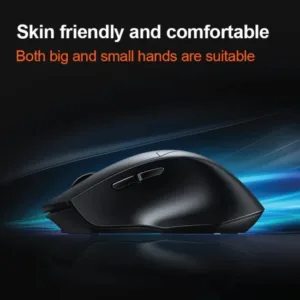
The listing describes an ergonomic, ‘skin-friendly’ grip finished with a premium matte coating. It says the coating resists fingerprints and sweat for a secure hold. The lightweight, ergonomic profile is described as designed to minimise wrist fatigue during extended use, which matters for long documents, spreadsheets or class notes. The listing gives the weight as about 75g and the dimensions as 110 x 62 x 35 mm (approx.), so check those figures against your hand before you decide. The grip on the Inphic M8P is worth trying in person if you sweat easily or work long hours in a humid room.
Specifications
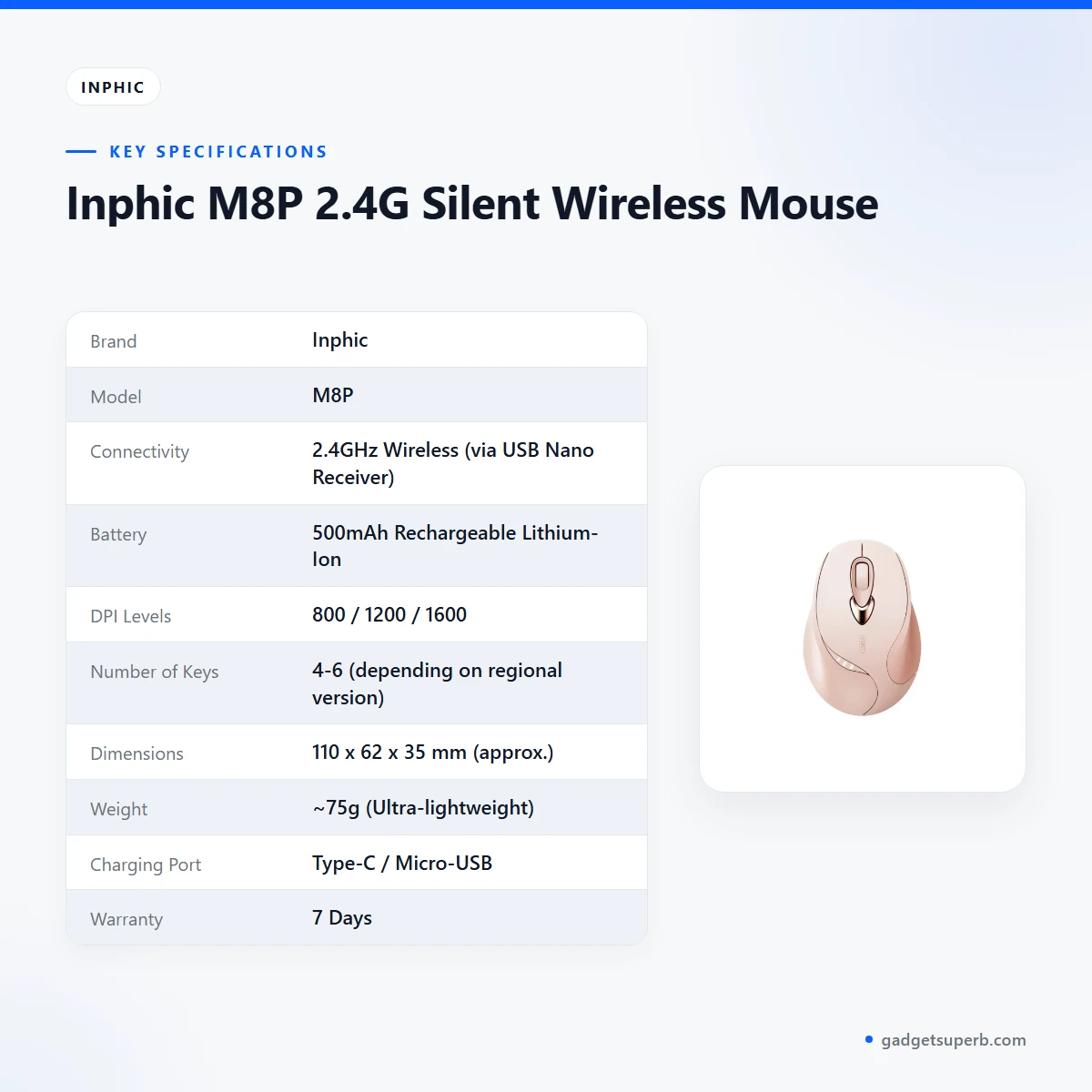
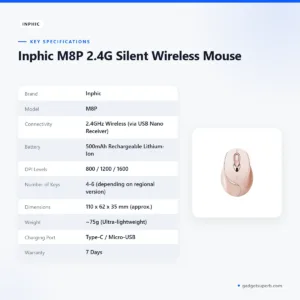
The Inphic M8P specifications are set out in the table below.
| Brand | Inphic |
| Model | M8P |
| Connectivity | 2.4GHz Wireless (via USB Nano Receiver) |
| Battery | 500mAh Rechargeable Lithium-Ion |
| DPI Levels | 800 / 1200 / 1600 |
| Number of Keys | 4-6 (depending on regional version) |
| Dimensions | 110 x 62 x 35 mm (approx.) |
| Weight | ~75g (Ultra-lightweight) |
| Charging Port | Type-C / Micro-USB |
| Warranty | 7 Days |
These are listed specifications from the product listing, reproduced as the maker lists them.
How to use / set up
Start by charging the Inphic M8P fully before first use, using the included USB cable. Then plug the Nano USB receiver into a free USB port on your computer. Follow the maker’s instructions for any pairing or extra steps, and keep them with your receipt so you can refer to them later.
Once the receiver is connected, move the mouse and check that the cursor responds across the whole screen. The listing says the mouse enters sleep mode after several minutes of inactivity and wakes with a single move. If the cursor seems idle after a break, move the Inphic M8P once before trying anything else.
Set your DPI level before you start a task. The Inphic M8P switches between 800, 1200 and 1600 with one button, so choose the level that suits the work in front of you. Use the power indicator to check the battery before a long session, and recharge when the level is low rather than waiting for the mouse to stop responding.
Care for the mouse as you would any desk tool. Wipe the surface with a soft, dry cloth when it gets dusty, and keep food and drink away from it. Avoid leaving the Inphic M8P in a hot car or in direct sun, because heat is hard on any battery. When you travel, store the mouse and receiver together in a bag or drawer so the receiver does not go missing.
For battery habits, recharge when the indicator shows a lower level rather than waiting until the battery is empty. If you will not use the mouse for a long period, check its charge again before you need it. The listing does not give a storage temperature or a charging duration, so follow the maker’s instructions for those details.
If the mouse does not respond, check that the receiver is firmly connected, try a different USB port on your computer, and confirm the battery has charge. The listing does not include troubleshooting steps, so for anything beyond these basic checks, contact our team using the details in the delivery section below.
Compatibility and what is in the box
The listing confirms that the Inphic M8P uses a 2.4GHz wireless connection through a USB Nano Receiver, and that it charges through a port the listing gives as Type-C / Micro-USB. The listing does not say which operating systems or devices it supports, so that detail is not confirmed by the listing.
For what is in the box, the listing mentions the included USB cable used for charging and the dedicated Nano USB receiver. It does not give a full list of box contents, so do not assume anything beyond those two items. Check your package against the maker’s documentation when it arrives.
If you plan to use the Inphic M8P with a particular laptop or desktop, check the connection method on that device first. Because the listing names a USB receiver, a computer with a free USB port is the simplest starting point. The listing does not name specific devices, so the compatibility question is best settled with the maker’s documentation or with our team.
Check which charging port your unit has before you buy a replacement cable, because the listing gives Type-C / Micro-USB rather than a single port type. Keep a spare cable of the matching type if you can, so a lost cable does not leave the mouse uncharged.
For general background on how keyboards and other input devices connect to computers, read the background on computer keyboards on Wikipedia. That page is general and does not describe the Inphic M8P.
Who should buy it in Bangladesh
Students in Dhaka, Chattogram and other cities who study in classrooms and libraries will find the silent clicks useful. The listing names classrooms and libraries as places where silent operation is essential, and the Inphic M8P is aimed at that use. Carry it in a bag for campus days, and charge it the night before an exam or a long project.
Office workers who spend long hours at a desk may prefer the Inphic M8P as a quiet, ergonomic upgrade to standard peripherals. The listing describes it as an ergonomic and quiet upgrade for office workers, and says it suits a busy open office where colleagues sit close together. If your floor is shared, a quiet mouse can reduce friction with the people beside you.
Digital nomads and people who work from cafes or co-working spaces can use the rechargeable battery and the power indicator to plan a charge around a day of travel. The listing describes the Inphic M8P as lightweight, reliable and rechargeable for on-the-go work. Keep the USB cable in your bag so you can charge it wherever a socket is available.
Home users who want a stylish, cable-free mouse for a family computer or a desk by the television may find the 2.4G connection a good match. The listing describes this type of buyer as wanting a battery-saving mouse. Where load-shedding is part of daily life, charging the Inphic M8P during normal supply hours is a sensible routine.
Families who share one room for evening study will notice the difference after dark. A muted click helps a younger sibling sleep or a parent work nearby, and the Inphic M8P suits that kind of shared space as the listing describes it. Try the Silent Click buttons in person if you can, because comfort differs from one hand to another.
Freelance writers, translators and remote staff who work through long sessions may appreciate the grip and weight the listing describes. The listing gives about 75g and says the profile is designed to minimise wrist fatigue, so if you type all day, test how the Inphic M8P sits next to your keyboard before you commit.
The listing does not describe the Inphic M8P for gaming or heavy graphics work. If those tasks are your main use, compare the options in our store before you choose, and confirm the fit with our team first.
Alternatives in our store
Compare the Inphic M8P with these options in our store. The Havit MS1034 RGB Backlit Programmable Gaming Mouse is another mouse in our range, and the Havit MS1027 Cool RGB LED Gaming Optical Mouse is a second mouse option from the same range. For another mouse in our range, see the A4TECH OP-720 Optical USB Wired Mouse. If you want a set, the Fantech P31 Keyboard, Mouse & Mousepad Combo is a combo in our range. You can browse the whole Keyboards & Mouse category to compare more options.
Warranty and support
Warranty: 7 Days seller warranty.
Delivery, returns and ordering
We deliver all over Bangladesh and you pay cash on delivery. This means you can order the Inphic M8P from anywhere in the country and pay when it reaches you.
Delivery usually takes 1–3 days inside Dhaka city and 2–5 days outside Dhaka. If you need the Inphic M8P for an exam or a work deadline, count the longer end of that range when you place your order.
You can return it within 7 days of delivery (see our Delivery & Returns policy). Read the full terms before you place your order, so you know the steps if the mouse is not right for you.
Questions before ordering: call 09638054751, message us on Facebook Messenger or email care@gadgetsuperb.com. Ask about the charging port, the receiver or the warranty line before you pay, so you know what to expect.
Before you place an order for the Inphic M8P, check the model name and read the warranty line above. Keep your delivery address and a phone number ready when you order, so the parcel reaches you without delay.
If you have a question about the Inphic M8P after delivery, use the same contact details. Keep the packaging until you are satisfied with the mouse, because the 7-day return window starts on delivery.
Frequently asked questions
Is the Inphic M8P rechargeable?
Yes. The listing says the Inphic M8P has a built-in 500mAh rechargeable lithium battery that charges through the included USB cable.
How quiet are the Inphic M8P clicks?
According to the listing, the Silent Click buttons reduce click sound by over 90% while keeping a tactile feel. The listing gives no decibel figure, so judge the sound for yourself in a shop if you can.
How far does the Inphic M8P connection reach?
The listing gives a range of up to 10 meters (33 feet) for the 2.4G Nano USB receiver. Real range depends on your desk and room, and the listing does not say how walls affect it.
Does the Inphic M8P show battery level?
Yes. The listing describes a 4-stage power indicator showing 100%, 75%, 50% and 25% battery status.
What DPI settings does the Inphic M8P have?
The listing gives 800, 1200 and 1600 DPI, and says one button switches between them.
Is the Inphic M8P suitable for students and office workers?
The listing names students, office workers, digital nomads and home users as its intended audiences. Check the fit against your own desk and working hours.
Does the Inphic M8P include a receiver?
The listing mentions a dedicated Nano USB receiver. It does not give a full list of box contents, so check your package on arrival.
Which charging port does the Inphic M8P use?
The listing gives Type-C / Micro-USB. Check which one your unit has before you order a replacement cable.
What warranty does the Inphic M8P have?
Warranty: 7 Days seller warranty.
Can I ask questions about the Inphic M8P before ordering?
Yes. Call 09638054751, message us on Facebook Messenger or email care@gadgetsuperb.com.
Can I return the Inphic M8P?
Yes, within 7 days of delivery. Our Delivery and Returns policy has the full terms.
What should I check if the Inphic M8P does not respond?
Check that the receiver is firmly connected, try another USB port and confirm the battery level. The listing gives no troubleshooting steps, so contact our team if the mouse still does not respond.
Related products
-23%
50 in stock


Inphic DR801 Tri-Mode Wireless Mouse
Original price was: ৳ 1,770.৳ 1,360Current price is: ৳ 1,360.-23%
50 in stock

Inphic DR01 Tri-Mode Wireless Mouse
Original price was: ৳ 1,540.৳ 1,180Current price is: ৳ 1,180.
-20%
48 in stock
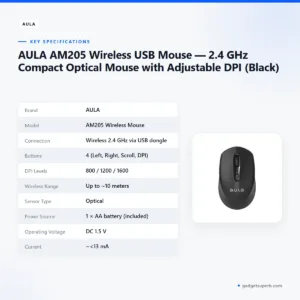
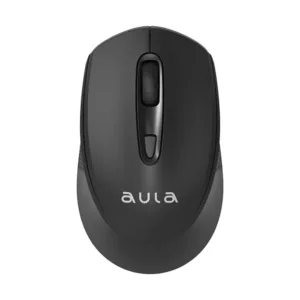
AULA AM205 Wireless USB Mouse — 2.4 GHz Compact Optical Mouse with Adjustable DPI (Black)
Original price was: ৳ 650.৳ 520Current price is: ৳ 520.-20%
48 in stock


AULA AK105 USB Wired Black Keyboard — Full-Size 104-Key Membrane Office Keyboard
Original price was: ৳ 940.৳ 750Current price is: ৳ 750. Inphic M8P 2.4G Silent Wireles...
Original price was: ৳ 1,190.৳ 950Current price is: ৳ 950.
50 in stock
Reviews
There are no reviews yet.