No products in the cart.

-20%
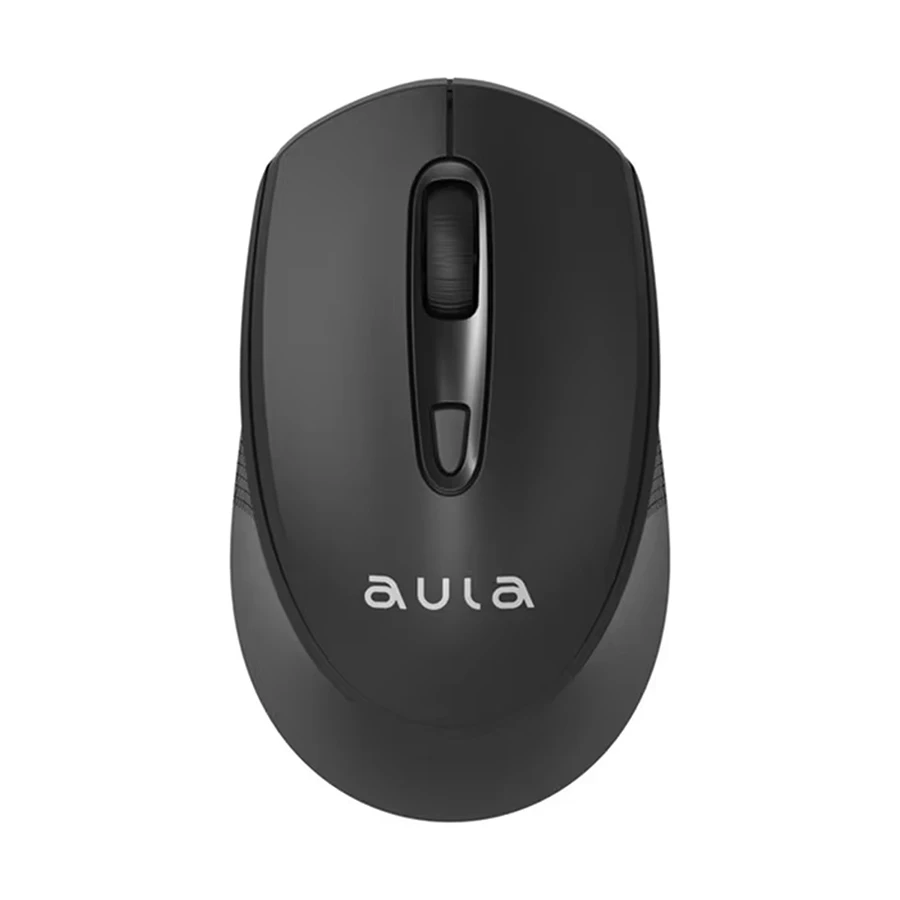


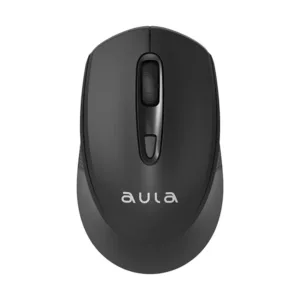
The AULA AM205 Wireless USB Mouse is a compact 2.4 GHz optical mouse with adjustable DPI, made for everyday computer use. It suits students, office workers and home users in Bangladesh who want a cable-free mouse with plug-and-play setup. According to the listing, a small USB nano receiver connects it without a pairing code.
- Overview of the mouse
- Key features
- Specifications
- How to use and set up
- Compatibility and what is in the box
- Who should buy it in Bangladesh
- Alternatives in our store
- Warranty and support
- Delivery, returns and ordering
- Frequently asked questions
AULA AM205 overview: what this wireless mouse is
The AULA AM205 is a wireless USB mouse with a 2.4 GHz connection, four buttons and three listed DPI levels. According to the listing, it is a compact optical mouse made for everyday computing, so it suits general cursor work more than specialised tasks. If your day is spent browsing, writing documents, joining online classes or managing files, the AULA AM205 covers those jobs without a cable on your desk.
Bangladeshi buyers often need a mouse that works on a crowded desk, in a shared room or on a laptop during a commute. For this reason, the AULA AM205 suits a desk setup where the cable of a wired mouse gets in the way. The listing describes it as compact and portable, easy to take with laptops or for travel. Because it runs on a battery rather than the mains supply, the mouse itself does not depend on electricity, which can matter during load-shedding. Your computer or laptop still needs its own power, so plan for that separately.
The listing names Windows and common USB-compatible systems as its compatibility. Before you buy the AULA AM205, check that your computer has a free USB port for the nano receiver and that your operating system is one the listing covers. The best choice depends on how you work, where you sit and what your desk surface is like.
Think of the AULA AM205 as a practical daily tool rather than a specialist device. The listing focuses on convenience: no cord to tangle, a simple connection and adjustable sensitivity. If those points match your routine, the mouse deserves a close look. If you need a very different feature set, the alternatives later in this guide may fit better. For general background on keyboards and input devices, read the article on computer keyboards on Wikipedia, which is independent of this listing.
Many people in Dhaka move between a laptop at home, a desktop at the office and a phone during the commute. A small wireless mouse that can be packed quickly suits that pattern. The listing’s emphasis on portability means the AULA AM205 can travel in a bag with a laptop without much extra thought. Keep the USB nano receiver in a known place, such as the same pocket as the mouse, so it does not get separated from the device it serves.
Before you order, check three things: whether your computer runs Windows or another USB-compatible system the listing covers, whether you have a free USB port for the receiver, and whether a battery-powered mouse suits how you work. These checks take a minute and help you avoid surprises after delivery.
Key features
Stable 2.4 GHz connection with a USB nano receiver
The listing describes a stable 2.4 GHz wireless connection through a USB nano receiver. The receiver is the small dongle that sits in a computer’s USB port and talks to the mouse, so no cable runs from the mouse to the computer. The listing also says no pairing code is needed, which means you do not have to type anything on screen to link the two. For the mouse, that combination is the core of the plug-and-play promise. Keep the receiver in a port you can reach easily, and store it somewhere safe so it does not get lost in a bag.
Adjustable DPI levels of 800, 1200 and 1600
The AULA AM205 offers three DPI levels, listed as 800, 1200 and 1600. In general terms, a lower DPI setting gives finer control, while a higher one moves the cursor further for the same hand movement. The listing says the adjustable levels help with precise cursor speed and control. Use the DPI button to step through the levels and settle on the one that feels right for your screen size, your resolution and the work you do most. Many people work on laptop screens at home and larger monitors at the office, so the same AULA AM205 may suit different speeds in each place.
Optical sensor for tracking on many surfaces
According to the listing, the AULA AM205 uses an optical sensor that ensures accurate tracking on many surfaces. The sensor type is listed as optical, and the maker lists it as working across many surfaces rather than one specific mat or material. The listing does not name a list of tested surfaces, so if your desk is glass or very glossy, try the movement on that surface yourself before deciding. A plain desk, a cloth mat or a common office surface is a simple starting point for most buyers in Bangladesh. Adjust your setup from there if the cursor behaves differently on your desk.
Four buttons for everyday control
The listing shows four buttons: left click, right click, scroll wheel and a DPI button. Those cover the actions most people use every day, including opening files, calling up context menus, scrolling through long documents and changing cursor speed. The layout is simple, so there are few extra controls to learn. For people who want a mouse for daily work rather than a crowded control set, the AULA AM205 keeps the choices clear. The scroll wheel is useful when you read long web pages or spreadsheets, which many students and office staff do for hours each day.
Lightweight, ergonomic and portable body
The listing describes the AULA AM205 body as lightweight and ergonomic, fitting comfortably in either hand. It also calls the mouse compact and portable, easy to take with laptops or for travel. Weight is listed as approximately 54 to 75 g, and the listing notes this varies by source, so the figure you read elsewhere may differ slightly. Size is listed as about 107 × 62.2 × 35.3 mm, which gives a sense of the footprint on your desk or in a bag. Hold the mouse in your own hand before you buy if comfort matters most to you.
Battery-powered with one AA battery
The listing says the AULA AM205 is battery-powered with one AA battery, which is included, for long usage. Power source is listed as 1 × AA battery, operating voltage as DC 1.5 V and current as about less than 13 mA. For Bangladeshi households that face power cuts, a battery-powered mouse keeps the mouse itself separate from the mains supply, although your computer will still need power. Keep a spare AA battery at home so a flat battery does not interrupt your work.
Specifications of the AULA AM205
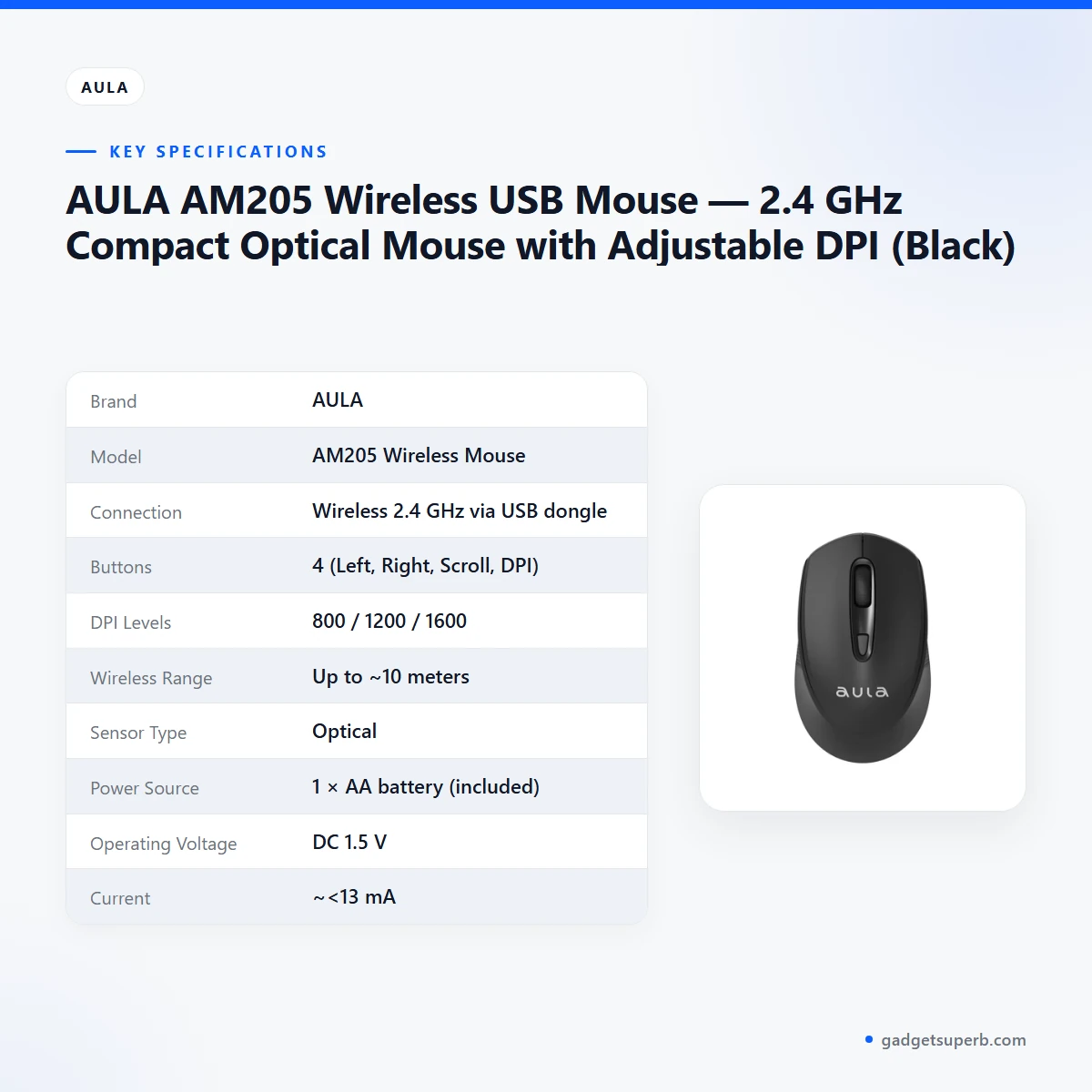
The table below sets out the specifications of the AULA AM205 as listed on the product page. Use it to compare the AULA AM205 with other mice on your shortlist before you order.
| Brand | AULA |
|---|---|
| Model | AM205 Wireless Mouse |
| Connection | Wireless 2.4 GHz via USB dongle |
| Buttons | 4 (Left, Right, Scroll, DPI) |
| DPI Levels | 800 / 1200 / 1600 |
| Wireless Range | Up to ~10 meters |
| Sensor Type | Optical |
| Power Source | 1 × AA battery (included) |
| Operating Voltage | DC 1.5 V |
| Current | ~<13 mA |
| Size | ~107 × 62.2 × 35.3 mm |
| Weight | Approx. 54–75 g (varies by source) |
| Color | Black |
| Compatibility | Windows and common USB-compatible systems |
These are listed specifications from the product listing for the AULA AM205.
How to use and set up
Setup for the AULA AM205 is designed to be simple. The listing describes plug-and-play use, so you connect the USB receiver and start working. Follow the maker’s instructions for the battery and for any other details in the printed user manual.
Step one: fit the AA battery. The listing says one AA battery is included, so you can start without buying one first. Follow the maker’s instructions for fitting it.
Step two: plug the USB nano receiver into a free USB port on your computer. The listing says no pairing code is needed, so there is nothing to type on screen.
Step three: move the mouse on your desk and check that the cursor responds. If the cursor feels too fast or too slow, use the DPI button to try the 800, 1200 and 1600 levels until the AULA AM205 suits your screen.
Care: keep the mouse and receiver clean and dry, and wipe the body with a soft, dry cloth. In humid Dhaka months, store the receiver somewhere dry when you are not using it, and keep the mouse away from spills on the desk. Clear loose dust from the underside gently with a dry cloth rather than with water.
If you will not use your AULA AM205 for a long period, remove the battery and store it separately, which is a general habit for battery-powered devices. Check the battery before an important day of work, so you are not caught out. When you travel, keep the mouse in a padded pouch so the body is not knocked about in a bag.
Load-shedding: if power cuts are common where you live, keep a torch and a power bank charged for your laptop, and keep a spare AA battery for the mouse in a drawer. The AULA AM205 does not need mains power to run, so it stays usable on battery.
Desk setup: put the mouse on a surface you have checked with the sensor, leave enough space for a full arm movement and keep the receiver close enough to the mouse for a steady link. A clear mat or a plain wooden desk is a sensible starting point for most people. If the cursor stutters, first check the battery, then move the receiver closer to the mouse, within the range of about 10 meters that the listing gives.
A simple daily routine helps. Keep the receiver plugged in when you start work, check the battery when the cursor feels slow to respond, and put the mouse back in the same place on the desk each day. Over time you will know which DPI level suits your screen and your hand.
Compatibility and what is in the box
The listing describes the AULA AM205 as compatible with Windows and common USB-compatible systems. It does not name specific Windows versions, macOS or Linux, so support for those systems is not confirmed by the listing. If you use another system, ask us before you order.
According to the listing, the packaging content includes one AULA AM205 Wireless Mouse, one USB nano receiver, one AA battery and one user manual. The listing says the receiver is pre-installed or in a compartment, and it does not say which applies to your unit.
The packaging line on the listing is written unclearly in places, so ask us if you need the exact item list. The listing does not mention a carry pouch or any extra accessories, so do not assume they are included.
Who should buy it in Bangladesh
Students who carry a laptop between home, campus and the library may find the AULA AM205 useful, because it is compact, portable and needs no cable on the desk. A wire-free mouse also keeps a bag tidy on a crowded commute.
Office and home workers who spend long hours on documents, spreadsheets and email may find a simple four-button mouse with adjustable DPI practical. The AULA AM205 fits this kind of everyday computing, as the listing describes it.
Families sharing one computer in a living room or a small flat can use the AULA AM205 without running cables across the room. The listing describes it as needing no cords or drivers, so the first session involves little setup beyond connecting the receiver.
Freelancers and home-office users who switch between a laptop and a desktop can move the AULA AM205 between machines, provided each one has a free USB port for the receiver. Check the port before you travel, especially if you work from a shared table or a cafe.
Older users who prefer a mouse with a limited set of buttons may find the AULA AM205 straightforward, since it has four listed buttons covering the functions most people already know from other mice.
Anyone who travels for work may find the AULA AM205 a practical companion, because the listing describes it as portable and easy to take for travel. Pack the receiver with the mouse so both stay together.
Shopkeepers and small offices that use a computer at a billing counter may consider the AULA AM205 for simple cursor work, provided the counter has room for the receiver and a free USB port.
Buyers who want a mouse for demanding games or extra programmable controls should look at the alternatives in our store, because the AULA AM205 is not presented that way in the listing.
Think about your typical day, the size of your desk, how far you usually sit from the computer and whether a battery-powered mouse suits your routine. Those answers will tell you whether this mouse is a good match.
Alternatives in our store
If you want to compare the AULA AM205 with other models, look at the Havit MS1034 RGB Backlit Programmable Gaming Mouse, another mouse in our range, and the Havit MS1027 Cool RGB LED Gaming Optical Mouse, also in our range.
For a wired option, see the A4TECH OP-720 Optical USB Wired Mouse, another mouse in our range. If you need a mouse together with a keyboard and mousepad, the Fantech P31 Keyboard, Mouse & Mousepad Combo is another option in our range.
You can browse the full range in our Keyboards & Mouse category.
Warranty and support
Warranty: 7 Days seller warranty.
Delivery, returns and ordering
If you order the AULA AM205, we deliver all over Bangladesh and you pay cash on delivery.
Delivery usually takes 1–3 days inside Dhaka city and 2–5 days outside Dhaka.
You can return it within 7 days of delivery (see our Delivery & Returns policy).
To place an order, contact us by phone on 09638054751, on Facebook Messenger or by email at care@gadgetsuperb.com. Have cash ready for the delivery, because you pay cash on delivery. Questions before ordering this mouse are welcome through the same channels.
Frequently asked questions
Does the AULA AM205 need a pairing code?
No. The listing says a USB nano receiver connects it and no pairing code is needed.
What DPI levels does the AULA AM205 offer?
The listing gives 800, 1200 and 1600 DPI levels, which you change with the DPI button.
What power does the mouse use?
The listing says it uses one AA battery, which is included. Keep a spare battery at home so a flat battery does not stop your work.
What is the wireless range?
The listing gives a wireless range of up to about 10 meters, so keep the receiver within that distance of the mouse.
Is the AULA AM205 compatible with Windows?
The listing says it is compatible with Windows and common USB-compatible systems. Ask us about any other system before you order.
Can I pay cash on delivery?
Yes. We deliver all over Bangladesh and you pay cash on delivery.
How long does delivery take?
Delivery usually takes 1–3 days inside Dhaka city and 2–5 days outside Dhaka.
Can I return the AULA AM205?
Yes, you can return it within 7 days of delivery. See our delivery and returns policy for the details.
What is the warranty?
Warranty: 7 Days seller warranty.
How can I ask a question before ordering the AULA AM205?
Call 09638054751, message us on Facebook Messenger or email care@gadgetsuperb.com.
What buttons does the AULA AM205 have?
The listing shows four buttons: left click, right click, scroll wheel and a DPI button.
Do you deliver outside Dhaka?
Yes. We deliver all over Bangladesh, and delivery usually takes 2–5 days outside Dhaka.
Related products
-23%
100 in stock
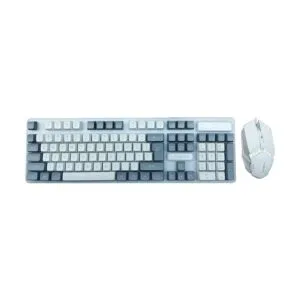
AULA F3061 Wired Keyboard & Mouse Combo (Grey White)
Original price was: ৳ 1,300.৳ 1,000Current price is: ৳ 1,000.-23%
49 in stock

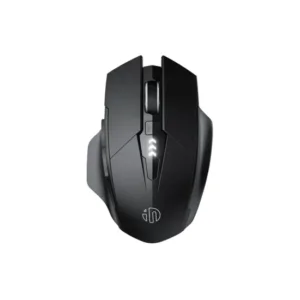
Inphic A1 Wireless Rechargeable Bluetooth Mouse
Original price was: ৳ 1,620.৳ 1,240Current price is: ৳ 1,240.-23%
60 in stock
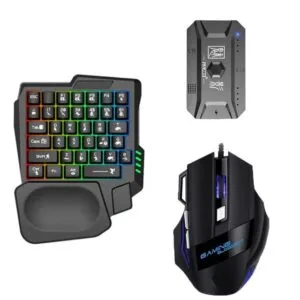
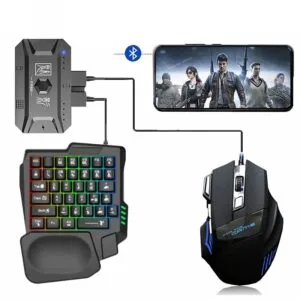
GearUP K190 Mobile Gaming RGB Keyboard & Mouse Combo
Original price was: ৳ 2,310.৳ 1,770Current price is: ৳ 1,770.-20%
166 in stock

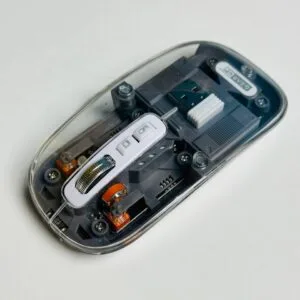
GearUP WM30 Transparent Crystal 2.4G + Bluetooth Magnetic Wireless Mouse- Gray Color
Original price was: ৳ 1,040.৳ 830Current price is: ৳ 830.
 AULA AM205 Wireless USB Mouse ...
 Original price was: ৳ 650.৳ 520Current price is: ৳ 520.
48 in stock
Reviews
There are no reviews yet.