No products in the cart.

-20%
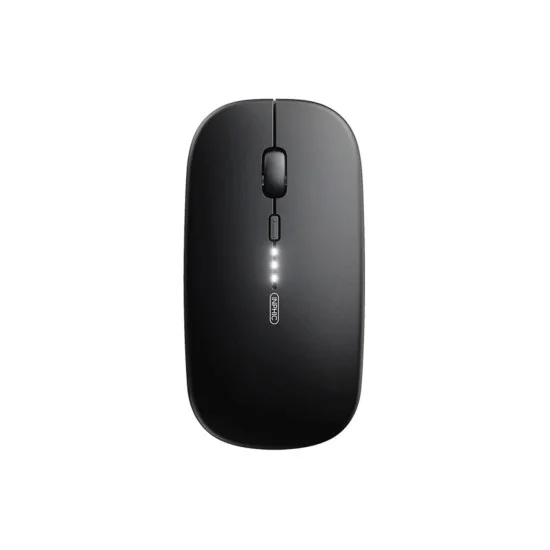


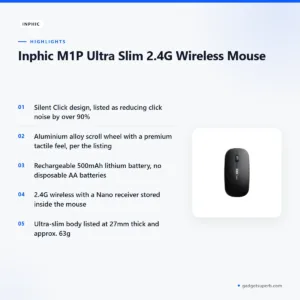
The Inphic M1P Ultra Slim 2.4G Wireless Mouse is a compact, portable mouse that the maker presents as a minimalist accessory for people who work on the move. It suits business travellers, students, remote workers and anyone with a minimalist desk in Bangladesh who wants a quiet mouse for a laptop bag. This page sets out what the listing says and how to decide whether it fits you.
- Inphic M1P overview
- Key features
- Specifications
- How to use and set up
- Compatibility and what is in the box
- Who should buy it in Bangladesh
- Alternatives in our store
- Warranty and support
- Delivery, returns and ordering
- Frequently asked questions
Inphic M1P overview
The Inphic M1P is presented by the maker as a minimalist accessory that merges clean design with high-performance technology. According to the listing, its ultra-thin, pebble-shaped profile is designed to slip into any laptop bag, and its ergonomic grip is said to conform to the natural curve of the hand. For a buyer in Dhaka who carries a laptop on the daily commute, those two claims are the first things to check.
Many shoppers search for the Inphic M1P as a wireless mouse for work and study, so it helps to know exactly what the listing claims. The maker describes Silent Click technology, an aluminium alloy scroll wheel, a built-in rechargeable battery and three DPI levels. Each one is covered in the features section below, together with notes on what it may mean in daily use.
Bangladesh has humid months and power cuts that can interrupt a working day, so a battery that tops up over a USB cable has practical appeal. The listing says the Inphic M1P uses a built-in battery to remove the need for disposable AA batteries, which means fewer spare cells to buy, store and lose. If you are weighing up an Inphic M1P for a cafe, a library or a desk at home, the same test applies: does its size and connection suit how you work?
For background on the wider family of input devices, see the general reference on computer keyboards. That article covers keyboards rather than this mouse, so treat it as background only.
Throughout this page we attribute performance, durability and convenience claims to the product listing rather than presenting them as our own findings. Where the listing is silent, we say so. That approach keeps the page useful for buyers who want facts they can check before they spend money on a mouse they will use every day.
Key features
Six features are listed for the Inphic M1P. Each is summarised below as the maker describes it, with practical notes for a buyer in Bangladesh who uses a laptop at home, in class or on the move.
Silent Click Design
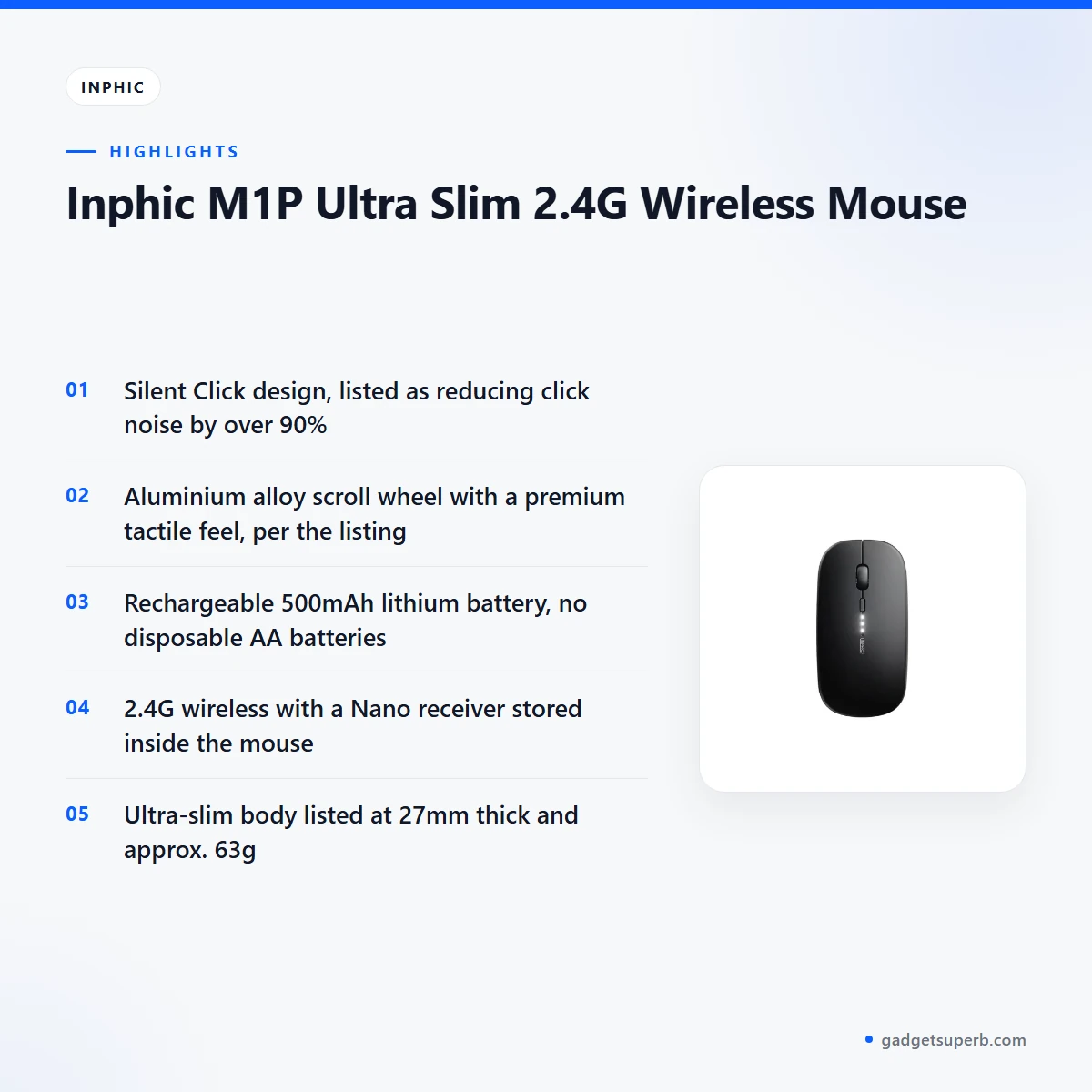
The listing says the Silent Click design reduces click noise by over 90%. According to the listing, that lets you stay focused in quiet environments, including libraries, cafes and shared offices. In a crowded office or a study room in Dhaka, quieter clicks are a practical courtesy to the people sitting nearby. The listing presents quiet clicks as a main reason to choose this design, and we pass that on as the maker’s claim rather than our own measurement.
Aluminium Alloy Scroll Wheel
The listing describes a high-quality aluminium alloy scroll wheel. Unlike plastic wheels, the listing says this metal construction offers a premium tactile feel and enhanced durability. The Inphic M1P also has metal accents, which the listing says complement high-end laptops such as MacBooks and Ultrabooks. The scroll wheel is a part you touch many times a day, so judge the feel for yourself where you can. The durability and feel points come from the listing and remain the maker’s claims.
Rechargeable Battery
The listing describes an integrated, eco-friendly lithium battery with a capacity of 500mAh. According to the listing, the battery removes the need for disposable AA batteries, so there are no spare cells to hunt for before a meeting. Charging is by USB cable, and the listing says you simply plug the cable in for a quick top-up. The maker says the battery lasts for weeks on a single charge, although actual battery life depends on how often and how long you use the mouse. For the Inphic M1P, that means one less thing to buy, store and remember. The listing also describes a Smart Sleep Mode that enters power-saving mode after a period of inactivity.
Stable 2.4G Wireless
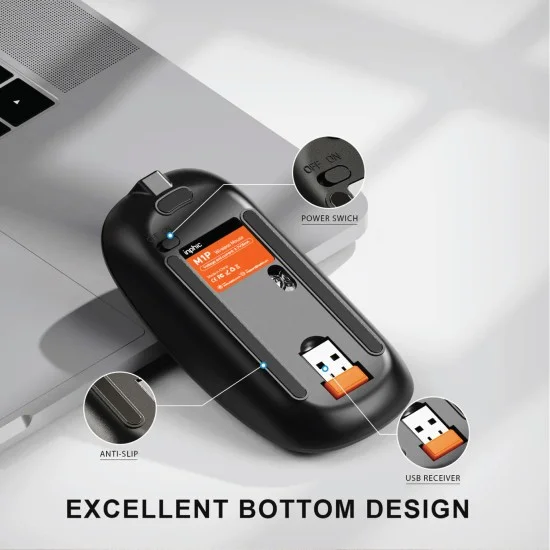
The listing describes a stable 2.4G wireless connection that uses a tiny Nano receiver stored inside the mouse. It states a lag-free connection up to 10 meters. Because the receiver lives inside the body, the Inphic M1P keeps its receiver with the device when you pack it for a trip, which is useful on busy commutes. The range figure is the maker’s own statement, so check the connection at your usual distance from the computer before you rely on it for a long session.
Ultra-Slim and Lightweight
The Inphic M1P is listed at 112 x 57.5 x 27 mm, and the maker gives its thickness as 27mm. The weight is listed as approximately 63g and described as ultra-lightweight. According to the listing, the low profile means it does not create a bulge in a laptop sleeve or pocket. Check these figures against your bag, drawer or pocket before you order. The listing also describes a sleek, modern look, which suits a minimalist desk setup as the maker presents it.
3-Level Adjustable DPI
For the Inphic M1P, the listing names three DPI levels: 800, 1200 and 1600. According to the listing, you can switch quickly between them to match your screen resolution and task. Choose the setting that suits your screen and the work you do most, and change it when the task changes. A spreadsheet, a document and a photo edit may each feel better at a different setting, so try the options on your own screen rather than relying on a single default.
Specifications
| Brand | Inphic |
| Model | M1P |
| Connectivity | 2.4GHz Wireless (via USB Receiver) |
| Battery | 500mAh Rechargeable Lithium Battery |
| Charging Port | Micro USB / USB-C (depending on production batch) |
| DPI Levels | 800 / 1200 / 1600 |
| Number of Keys | 4 Buttons |
| Dimensions | 112 x 57.5 x 27 mm |
| Weight | Approx. 63g (Ultra-lightweight) |
| Compatibility | Windows, macOS, Linux, and ChromeOS |
| Warranty | 7 Days |
These are listed specifications from the product listing for the Inphic M1P, and we have not added any figures beyond what the listing states.
How to use and set up
Start by charging your Inphic M1P fully before first use. The listing says the charging port is Micro USB or USB-C, depending on production batch. Check which cable your unit takes before you plug it in, and keep a spare cable in your bag if you travel often. A single full charge at the start is the simplest way to begin.
Next, take the Nano receiver from its storage place inside the mouse and plug it into a free USB port on your computer. Then follow the maker’s instructions for any pairing or driver steps. Once the receiver is in place, move the mouse across the screen and confirm that the cursor responds smoothly before you change any other settings.
Once the Inphic M1P is connected, set the DPI to the level that suits your screen and task. The listing gives three options: 800, 1200 and 1600. Start at the middle level if you are unsure, then adjust after a day of normal use. Small changes are easier to judge when you are working on the tasks you do every day.
When you are not using the mouse, the Smart Sleep Mode listed by the maker enters power-saving mode after a period of inactivity. This is useful on days when the mouse sits on the desk for hours between tasks. If the mouse has been stored for a long time, charge it again before you use it so the battery is ready.
Good setup also means a flat, clean surface. The listing does not describe a specific mat or surface requirement, so use the surface that suits your desk and keep it free of dust. Wipe the body with a soft, dry cloth, and store the mouse in a dry bag or drawer when you carry it.
For Dhaka commuters, a simple routine helps. Keep the Inphic M1P and its receiver in the same pouch, charge the mouse when power is available, and check the battery before a long day away from the office. A short habit like this avoids many of the small frustrations that come with any wireless device.
Compatibility and what is in the box
The listing states compatibility with Windows, macOS, Linux and ChromeOS. Before you order, check your operating system against that list. The listing does not name any other operating systems, so ask us first if you use one that is not mentioned.
The listing says the connection uses 2.4GHz wireless through a USB receiver. The receiver’s port type is not confirmed by the listing, so check that your computer has a free USB port before you buy. If your laptop has only one or two ports, plan which one the mouse will use each day.
The package contents are not confirmed by the listing, so we do not list them here. If you need a specific item or want to be sure what arrives, ask our team before you order. Matching the listing to the unit you receive is easiest when you ask these questions first.
Who should buy it in Bangladesh
The Inphic M1P fits several realistic buyers. Here is how it lines up with common situations, using the listing’s own wording where possible and keeping our comments practical.
Business travellers. The listing describes the Inphic M1P as a professional mouse for people who need a device that fits tight spaces. If you travel between offices in Dhaka or take a laptop to meetings outside the city, a slim profile can make packing easier. A low profile is meant to avoid a bulge in a sleeve, so it suits a crowded bag on a long day.
Students. For taking notes in class or studying in the library, the listing presents the Inphic M1P as a quiet option. Students who share a room or sit close to others during revision may appreciate muted clicks. The compact size also suits a small desk in a hostel or a family home where space is limited.
Minimalist desk setups. If you want a clean, wireless look without bulky hardware, the Inphic M1P matches the listing’s description of a minimalist accessory. Pairing it with a simple keyboard and a plain surface keeps a small flat workspace tidy, which many people prefer.
Remote workers. Those who need a quiet mouse for a home office will find the listing’s focus on silent clicks relevant. The Inphic M1P may also suit people who share a flat or work close to family members, because its clicks are described as muted. A rechargeable battery also means fewer trips to buy replacements for a home workspace.
Who may want something else. The listing does not describe gaming use. If you need a mouse for long gaming sessions, compare it with the gaming mice in our range before you decide. The Inphic M1P is built around portability and quiet work, so it may not suit every type of user. Think about how you hold a mouse for hours before you choose.
Alternatives in our store
If the Inphic M1P is not the right fit, you can compare these options in our Keyboards & Mouse range. Havit MS1034 RGB Backlit Programmable Gaming Mouse is another mouse in our range. Havit MS1027 Cool RGB LED Gaming Optical Mouse is also listed in the same category. A4TECH OP-720 Optical USB Wired Mouse is another mouse in our Keyboards & Mouse range. Fantech P31 Keyboard, Mouse & Mousepad Combo is another item in the same range. To see every option, browse the Keyboards & Mouse category.
Each of these is a separate product page, so check the details on that page before you decide. Comparing the listings side by side, with your own desk and bag in mind, is the most reliable way to choose.
Warranty and support
Warranty: 7 Days seller warranty.
Delivery, returns and ordering
We deliver all over Bangladesh and you pay cash on delivery. Delivery usually takes 1–3 days inside Dhaka city and 2–5 days outside Dhaka. Outside Dhaka the timing is longer, so plan ahead if you need a mouse for a fixed date.
You can return it within 7 days of delivery (see our Delivery & Returns policy). Before you order the Inphic M1P, read the full terms on our Delivery & Returns page so you know what to expect after delivery.
Questions before ordering: call 09638054751, message us on Facebook Messenger or email care@gadgetsuperb.com. Our team can answer questions about the listing, the connection and the delivery timing before you place an order.
Frequently asked questions
Is the Inphic M1P a wireless mouse?
Yes. The listing describes the Inphic M1P as a 2.4G wireless mouse that uses a tiny Nano receiver stored inside the mouse. The receiver connects to a USB port on your computer.
How far can the Inphic M1P connect?
The listing states a lag-free connection up to 10 meters. Your actual range depends on your room and setup, so check the connection at your usual distance from the computer.
How is the Inphic M1P charged?
The listing says it has a built-in rechargeable 500mAh lithium battery and a Micro USB or USB-C charging port, depending on production batch. Check which cable your unit takes before you plug it in.
Does the Inphic M1P work on Mac and Linux?
Yes, the listing says it is compatible with Windows, macOS, Linux and ChromeOS. If you use another operating system, ask us before you order.
How quiet is the Inphic M1P?
The listing says the Silent Click design reduces click noise by over 90%. It is described as suited to libraries, cafes and shared offices.
What DPI levels does the Inphic M1P offer?
The listing gives three levels: 800, 1200 and 1600 DPI. You can switch between them to match your screen resolution and task.
What is the warranty on the Inphic M1P?
The warranty value listed is 7 Days seller warranty. Ask us if you have a question about the terms before you order.
Can I return the Inphic M1P?
Yes, you can return it within 7 days of delivery. Read our Delivery and Returns policy for the full terms.
How long does delivery take for the Inphic M1P?
Delivery usually takes 1–3 days inside Dhaka city and 2–5 days outside Dhaka. We deliver all over Bangladesh and you pay cash on delivery.
Is the Inphic M1P suitable for a gaming desk?
The listing does not describe gaming use, so compare it with the gaming mice in our range before you decide. It is presented as a portable mouse for quiet work.
Related products
-20%
Out of stock
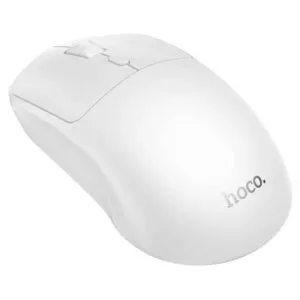
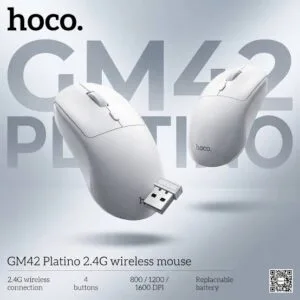
Hoco GM42 Platino 2.4G Wireless Mouse
Original price was: ৳ 740.৳ 590Current price is: ৳ 590.

-25%
50 in stock
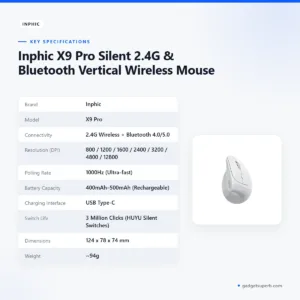

Inphic X9 Pro Silent 2.4G & Bluetooth Vertical Wireless Mouse
Original price was: ৳ 3,350.৳ 2,480Current price is: ৳ 2,480.-20%
50 in stock


Inphic M8P 2.4G Silent Wireless Mouse
Original price was: ৳ 1,190.৳ 950Current price is: ৳ 950.-20%
48 in stock


AULA AK105 USB Wired Black Keyboard — Full-Size 104-Key Membrane Office Keyboard
Original price was: ৳ 940.৳ 750Current price is: ৳ 750. Inphic M1P Ultra Slim 2.4G Wir...
Original price was: ৳ 1,040.৳ 830Current price is: ৳ 830.
49 in stock
Reviews
There are no reviews yet.