No products in the cart.

-20%
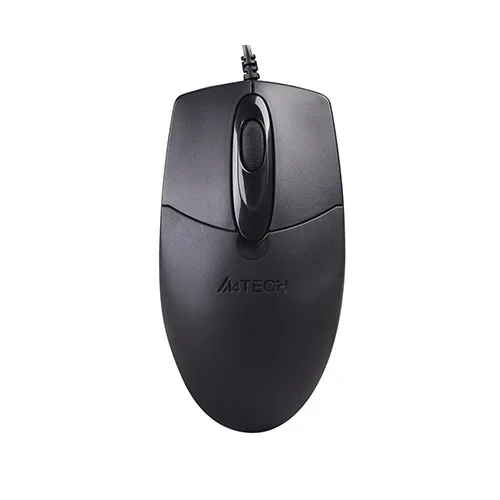
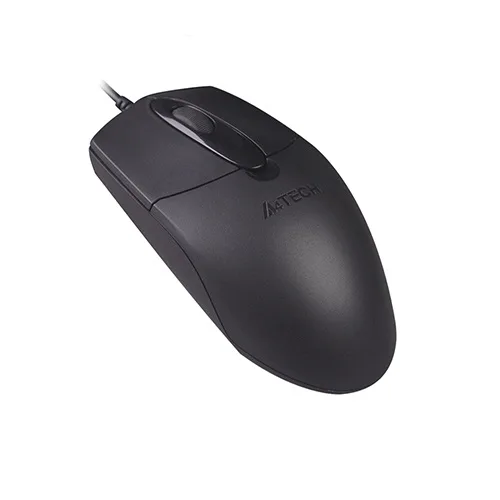
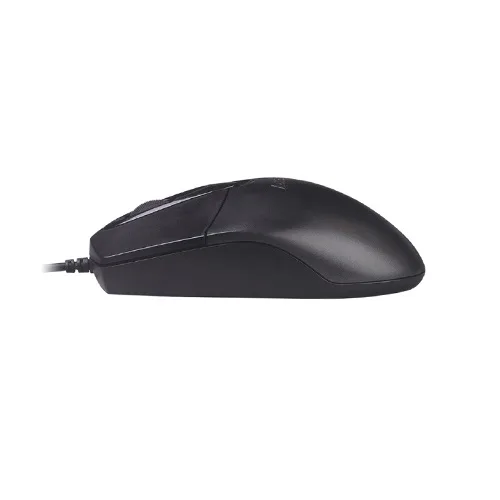

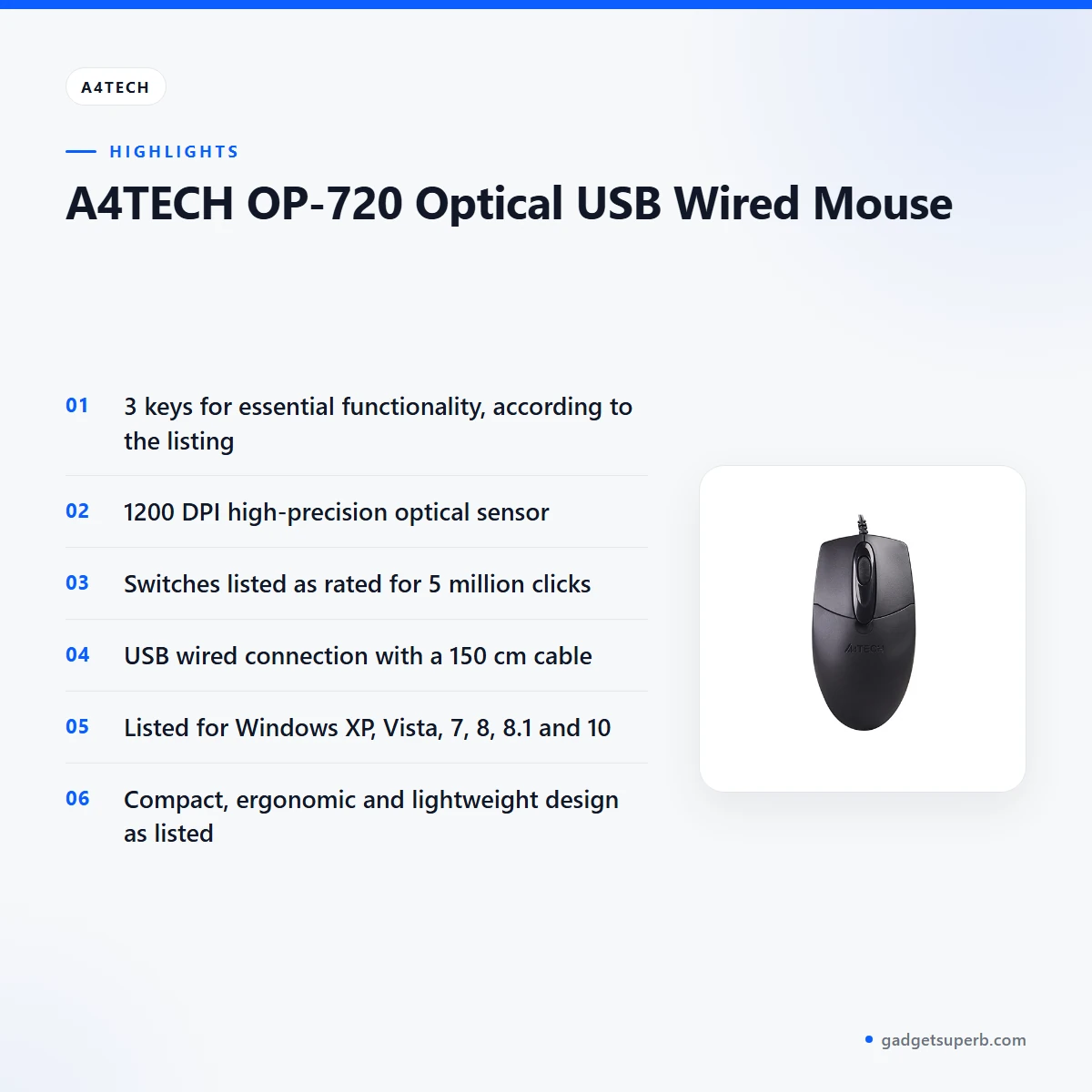
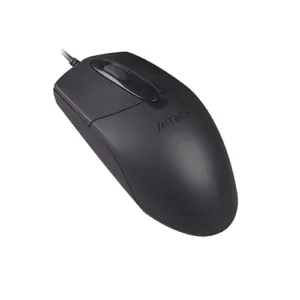
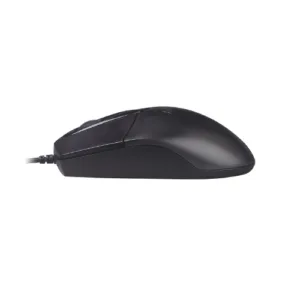

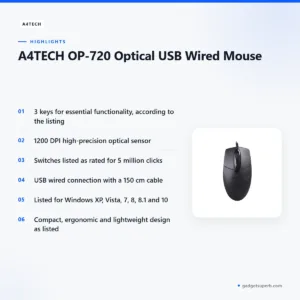
The A4TECH OP-720 mouse is a compact, wired USB mouse listed with three keys, a 1200 DPI optical sensor and a 150 cm cable. It suits students, office workers and home users in Bangladesh who want a simple, dependable mouse for everyday desk work. The listing describes its USB wired connection as reliable and lag-free.
- Overview
- Key features
- Specifications
- How to use / set up
- Compatibility and what is in the box
- Who should buy it in Bangladesh
- Alternatives in our store
- Warranty and support
- Delivery, returns and ordering
- Frequently asked questions
A4TECH OP-720 mouse overview for Bangladeshi buyers
The A4TECH OP-720 mouse is listed as an optical USB wired mouse with a compact and ergonomic design. According to the listing, it has three keys for essential functionality, which makes it a straightforward choice for people who want a mouse without a crowded set of buttons. It is aimed at everyday computer use, such as office tasks, study and general browsing at home.
This page covers what the listing says about this mouse, how it fits daily life in Bangladesh, and what to check before you order. Where the listing is silent, we say so rather than fill the gap with guesses. For the maker’s own product information, visit the maker’s website. Use the table of contents to jump to the sections you need most, whether you are buying for yourself, a family computer or an office desk.
Bangladeshi desks face particular conditions: humid weather, load-shedding that interrupts power, and long hours with a laptop during a Dhaka commute. The listing describes the USB wired connection for reliable and lag-free performance, which suits a plug-in mouse for a home or office desk. The listing does not mention humidity resistance or power-cut features for the A4TECH OP-720 mouse, so do not assume them.
A plain wired mouse is a practical choice when the main goal is a dependable pointer for everyday work. The listing does not describe wireless options, battery life or software for this model, so judge it on the features it does list. Compare the listed items with what your desk needs, such as the number of keys and the cable length, rather than with general marketing claims.
Key features
Each feature below is taken from the product listing and explained in plain terms for everyday use in Bangladesh. Where the listing gives a figure, it is quoted as written, and where the listing is silent, we say so. That approach keeps this page useful without adding claims the maker has not made.
Compact and ergonomic design
The listing describes the A4TECH OP-720 mouse as compact and ergonomic, with three keys for essential functionality. Some buyers prefer a compact shape for a relaxed grip, but the listing does not give a grip size or a hand-fit guide. If you usually use a large mouse, check the dimensions in the specifications table and compare them with your own hand before you order. Hold a mouse for a minute in a shop or at a friend’s desk if you can, because comfort is personal. Keep your wrist straight and your elbow relaxed while you work, and move the whole arm rather than only the wrist during long tasks.
High-precision 1200 DPI optical sensor
The listing gives the optical sensor resolution of the A4TECH OP-720 mouse as 1200 DPI and describes the sensor as high-precision for accurate tracking. Many users find that a clean, plain surface suits an optical sensor well, so a plain mousepad or a clean desk is a sensible habit. Wipe the underside gently with a dry cloth when it looks dusty. This is general guidance rather than a claim from the listing, and the listing does not describe performance on specific surfaces. If tracking matters to your work, ask us about the mouse before you order.
Durable switches rated for 5 million clicks
The listing says the durable switches on the A4TECH OP-720 mouse are rated for 5 million clicks, which it presents as long-lasting performance. That figure is the maker’s rating, so read it as the listing’s claim rather than an independent result. Simple habits help any mouse stay in good shape: avoid dropping it, keep the cable free from sharp bends and wipe the body with a soft, dry cloth. Avoid leaving the mouse in direct sun or near a hot window, since heat is hard on plastic parts in any device. Good handling is the most practical way to look after the switches over time.
USB wired connection and 150 cm cable
The mouse uses a USB wired connection, which the listing describes as reliable and lag-free. The cable length is listed as 150 cm, which gives room to position the computer and the mouse on your desk. Before you order, measure the distance from the computer to where you sit, so the cable reaches comfortably. Keep the cable clear of chair wheels and feet, and never pull the mouse by its cable. A tidy cable route also makes the desk easier to clean during humid months, when dust and damp can gather around cables.
Lightweight and portable design
The listing describes this mouse as lightweight and portable for easy use and transport. For a Dhaka commute or a shared desk, that means it can travel in a bag alongside a laptop. The listing does not give a weight figure, so please do not expect one from this page. When packing, wind the cable loosely to avoid tangles, and store the mouse in a bag or pocket where it will not be crushed. Carrying it in a padded pocket helps protect the shell during travel, and the listed dimensions are a useful guide to whether it will fit your bag.
Specifications of the A4TECH OP-720 mouse
The table below copies the specifications of the A4TECH OP-720 mouse from the product listing, using the labels the listing uses. Read each row as the maker’s listed value for this product.
| Specification | Value |
|---|---|
| Brand | A4TECH |
| Number of Keys | 3 |
| Connection Type | USB Wired |
| Optical Sensor Resolution | 1200 DPI |
| Cable Length | 150 cm |
| System Requirements | Windows XP / Vista / 7 / 8 / 8.1 / 10 |
| Switch Lifecycle | 5 million clicks |
| Dimensions | 119 x 62 x 37 mm |
| Warranty | 7 Days |
These are listed specifications from the product listing for the A4TECH OP-720 mouse.
How to use / set up
Setting up the A4TECH OP-720 mouse is simple because it is a wired USB device. Start by plugging the cable into a free USB port on your computer. Follow the maker’s instructions for any driver or software, and check the listed system requirements first. Keep the computer on a stable surface while you connect it.
Check that your computer runs one of the Windows versions the listing names: XP, Vista, 7, 8, 8.1 or 10. If your computer runs a different system, ask us first, because the listing does not confirm other systems. Knowing your Windows version in advance saves time on delivery day.
If the mouse does not respond straight away, unplug it, wait a moment and plug it into a different USB port. If the problem continues, restart the computer and try again. These are general steps, and the maker’s instructions take priority for any model-specific advice.
Think about where the computer sits before you connect the mouse. A computer on the floor under the desk may need a longer route for the cable, so check the 150 cm length against the layout. If you use a laptop on a bed or sofa, a firm surface such as a small board or a mousepad gives the mouse a steadier base.
Set up the mouse on a clean, flat surface and keep food and drink away from it. Crumbs and spilled liquids can reach the sensor and the switches, so a tidy desk is a simple protection. Avoid placing the cable where it can be stepped on or caught under furniture. Good handling is the simplest way to protect the cable during everyday use, especially in a busy home or office.
For storage, keep the A4TECH OP-720 mouse in a dry drawer or a bag when it is not in use, away from damp walls and direct sun. In humid weather, a sealed bag with a dry cloth inside can help if you keep it in a cupboard. Wind the cable loosely rather than tightly around the body, which helps prevent kinks over time.
For a comfortable workspace, position the keyboard and the mouse at similar heights so your wrist does not need to bend sharply. Take short breaks during long sessions and stretch your hand and forearm. The listing does not give specific ergonomic guidance, so treat these points as general advice.
To clean the outside of the A4TECH OP-720 mouse, switch off the computer first, unplug the mouse and use a soft, dry cloth. Avoid soaking the body or spraying liquid directly onto it. For the underside, a gentle brush or a dry cloth is enough for routine dust.
Compatibility and what is in the box
The listing says the A4TECH OP-720 mouse is compatible with a wide range of Windows operating systems. It names Windows XP, Vista, 7, 8, 8.1 and 10 as system requirements. Those are the confirmed compatibility points for this product, and you should check them against the computer you plan to use.
The listing does not confirm compatibility with macOS, Linux, Android or other systems, so do not assume support for them on the A4TECH OP-720 mouse. If you need to use it with a different system, please ask us before ordering. Confirming your system in advance avoids a returned parcel and a delay for both of us.
The listing does not describe the items supplied in the package, so this page does not state what comes with the A4TECH OP-720 mouse. Please ask us if you need that detail, and check the product page again on the day you order for the latest details.
Wired USB devices generally connect to a free USB port, which keeps the setup simple. Make sure the port you plan to use is free and working before you connect the mouse. A quick test with a known-good device can help you rule out a faulty port.
Shared computers in a family home or an internet café often run more than one user account. The listed system requirements describe the operating system rather than any one user account, so check the Windows version on the machine once, not for each person who uses it.
Who should buy it in Bangladesh
The A4TECH OP-720 mouse suits buyers who want a simple wired mouse for everyday computer work. Here are some realistic scenarios to help you decide whether it fits your desk and your routine.
A student using a laptop or desktop at home for assignments may find the A4TECH OP-720 mouse easy to keep on a small desk. The listing describes three keys for essential functionality, which covers the basics for study. The compact body also fits beside a notebook when space is limited.
A family computer shared between several people in one room may suit a plain, wired mouse that anyone can plug in without fuss. The 150 cm cable gives room to position the computer, and the listed Windows versions are the ones to check against your machine. Keeping a spare A4TECH OP-720 mouse in a drawer is a practical habit in many homes.
An office worker who needs a second mouse for a desk, or a replacement for a worn one, may find the A4TECH OP-720 mouse a practical choice. The listing describes the switches as rated for 5 million clicks, which is the maker’s figure. Pair it with a keyboard you already own, and check the system requirements before you connect it.
A commuter who works between home and a shared desk may value a lightweight and portable mouse. The listing describes the A4TECH OP-720 mouse as easy to transport, so it can travel in a laptop bag. Pack it with the cable loosely wound, and you will spend less time untangling it at your destination.
A home-based freelancer who spends long hours writing or designing on a desktop may want a dependable, plain wired mouse on a fixed desk. The 150 cm cable and the compact body suit a fixed workstation, and the listed system requirements help you confirm the fit before you buy.
A parent setting up a study corner for a child may choose the A4TECH OP-720 mouse for its simple layout. The three keys cover the basics the listing describes, which keeps the learning curve short for a young user.
Someone who wants a mouse for light gaming should read the listing carefully. The 5 million click switch lifecycle appears under gaming features, but the listing does not describe the A4TECH OP-720 mouse as a dedicated gaming model. If you need a gaming-focused option, look at the alternatives below.
If your needs go beyond a simple wired mouse, compare the options in the alternatives section below before you decide. A clear list of what you need from a mouse makes the choice much easier.
Alternatives in our store
If the A4TECH OP-720 mouse does not fit your needs, look at Havit MS1034 RGB Backlit Programmable Gaming Mouse, another mouse in our range, or Havit MS1027 Cool RGB LED Gaming Optical Mouse, also another mouse in our range. For a keyboard and mouse set, see Fantech P31 Keyboard, Mouse & Mousepad Combo, a combo in our range. If you need a keyboard to pair with a mouse, see AULA AK105 USB Wired Black Keyboard — Full-Size 104-Key Membrane Office Keyboard, a keyboard in our range. You can browse everything in Keyboards & Mouse.
Warranty and support
Warranty: 7 Days seller warranty.
Delivery, returns and ordering
Ordering the A4TECH OP-720 mouse from Gadget Superb is straightforward. We deliver all over Bangladesh and you pay cash on delivery. Delivery usually takes 1–3 days inside Dhaka city and 2–5 days outside Dhaka, so plan your order around the date you need the mouse.
You can return it within 7 days of delivery, as set out in our delivery and returns policy. For the full terms, read the delivery and returns policy before you place your order.
Questions before ordering: call 09638054751, message us on Facebook Messenger or email care@gadgetsuperb.com. If you are unsure whether the A4TECH OP-720 mouse suits your computer, ask before you order.
Before you confirm, double-check your delivery address, including the area and a phone number that will be answered. Clear details help the courier find you without delay, which matters most in busy parts of Dhaka. If you will be away on the expected day, tell us in advance so we can plan the delivery with you.
Keep your order details until the parcel has arrived and you have checked it against what you ordered. If anything is unclear, contact us through one of the channels above before you start using the product, so we can help quickly.
Frequently asked questions
Is the A4TECH OP-720 mouse wired or wireless?
The listing gives a USB wired connection, so the mouse plugs into a USB port rather than connecting wirelessly.
How long is the cable on the A4TECH OP-720 mouse?
The listing gives the cable length as 150 cm. Check that this reaches your computer from your usual seating position before you order.
Which Windows versions does the A4TECH OP-720 mouse support?
The listing names Windows XP, Vista, 7, 8, 8.1 and 10 as system requirements. It does not confirm other operating systems.
How many keys does the A4TECH OP-720 mouse have?
The listing gives the number of keys as 3, described as the keys needed for essential functionality.
What sensor resolution does the A4TECH OP-720 mouse list?
The listing gives the optical sensor resolution as 1200 DPI and describes the sensor as high-precision for accurate tracking.
Is the A4TECH OP-720 mouse suitable for gaming?
The listing places the 5 million click switch lifecycle under gaming features, but it does not describe the mouse as a dedicated gaming model.
How long does delivery take for an A4TECH OP-720 mouse?
Delivery usually takes 1–3 days inside Dhaka city and 2–5 days outside Dhaka. We deliver all over Bangladesh.
Can I pay cash on delivery for an A4TECH OP-720 mouse?
Yes. We deliver all over Bangladesh and you pay cash on delivery.
Can I return the A4TECH OP-720 mouse?
You can return it within 7 days of delivery, as set out in our delivery and returns policy.
What warranty comes with the A4TECH OP-720 mouse?
The listed warranty is 7 Days seller warranty, as shown in the specifications for this product.
Does the A4TECH OP-720 mouse work with macOS or Linux?
The listing does not confirm macOS, Linux or Android for this product, so check your system before you order.
How can I ask about the A4TECH OP-720 mouse before ordering?
Call 09638054751, message us on Facebook Messenger or email care@gadgetsuperb.com before you order.
Related products
-23%
100 in stock
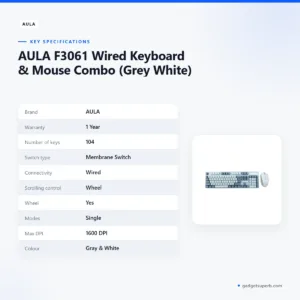
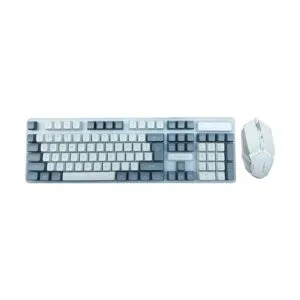
AULA F3061 Wired Keyboard & Mouse Combo (Grey White)
Original price was: ৳ 1,300.৳ 1,000Current price is: ৳ 1,000.-23%
50 in stock
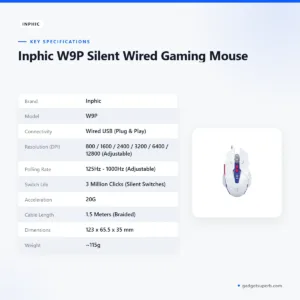
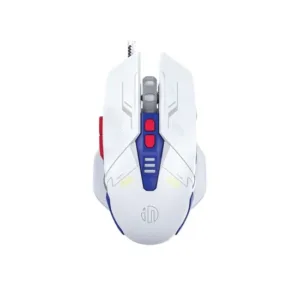
Inphic W9P Silent Wired Gaming Mouse
Original price was: ৳ 1,770.৳ 1,360Current price is: ৳ 1,360.-26%
50 in stock
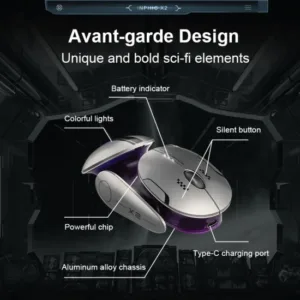
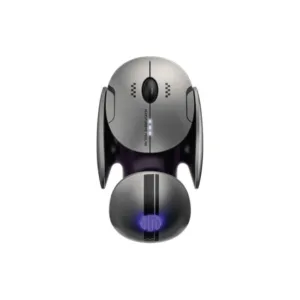
Inphic X2 Tri-Mode Wireless Mouse
Original price was: ৳ 2,870.৳ 2,120Current price is: ৳ 2,120.-23%
50 in stock


INPHIC B8 Office Wired Mouse
Original price was: ৳ 1,300.৳ 1,000Current price is: ৳ 1,000.-23%
52 in stock
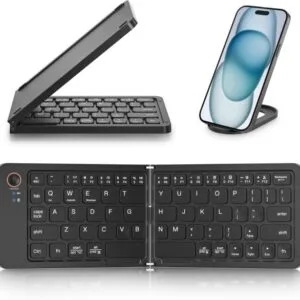
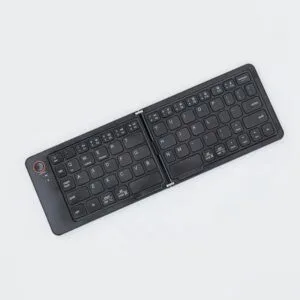
GearUP B023 Rechargeable Ultra Slim Folding Pocket Bluetooth Keyboard
Original price was: ৳ 1,460.৳ 1,120Current price is: ৳ 1,120.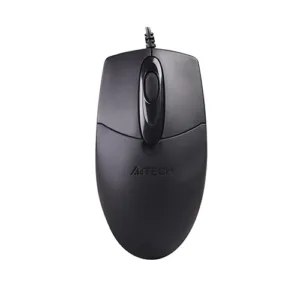 A4TECH OP-720 Optical USB Wire...
Original price was: ৳ 650.৳ 520Current price is: ৳ 520.
92 in stock
Reviews
There are no reviews yet.