No products in the cart.

-21%
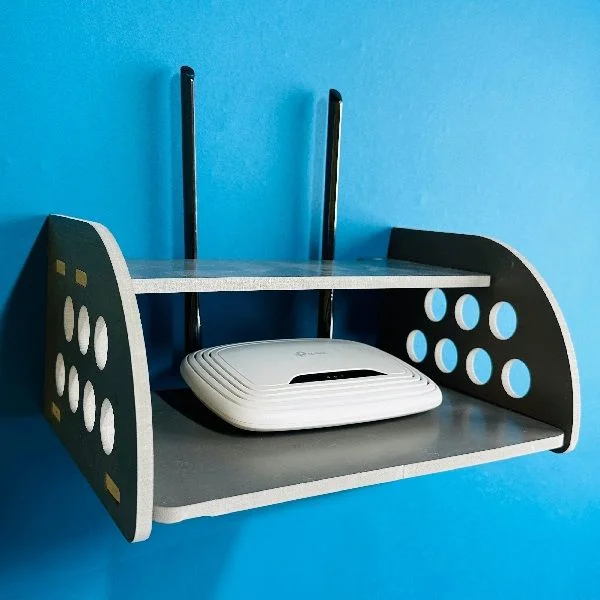

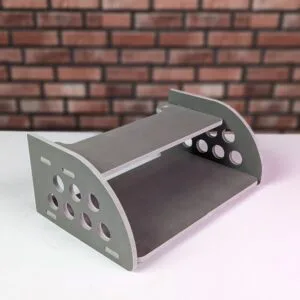

The GearUP Router Stand is a raised stand for a Wi-Fi router, modem, small set-top box or external hard drive, listed in our Laptop & Desk Stands category. It is for homes and offices in Bangladesh that want a tidier desk or entertainment unit with fewer loose cables on show.
- Overview
- Key features
- Specifications
- How to use / set up
- Compatibility and what is in the box
- Who should buy it in Bangladesh
- Alternatives in our store
- Warranty and support
- Delivery, returns and ordering
- Frequently asked questions
Overview: what the GearUP Router Stand is for
According to the listing, the GearUP Rounded Side Design Router Stand (Gray Colour) is built to turn a cluttered desk or entertainment unit into a sleek, organised space. The maker presents it as more than a holder, and as a statement of style and efficiency for the modern home and office in Bangladesh. In this guide we call it the GearUP Router Stand, and the sections below cover its listed features, specifications, set-up, compatibility, ordering and warranty.
The listing names three everyday situations: a Wi-Fi router on a crowded living room shelf, a modem on the floor beside a study desk, and a small set-top box sharing a cabinet with a television. In each case the GearUP Router Stand gives the device a fixed, raised place. That matters because networking equipment is often put wherever there is space, then forgotten until something stops working. Many Bangladeshi homes also share one socket board and one shelf between several devices, and leads can vanish behind furniture.
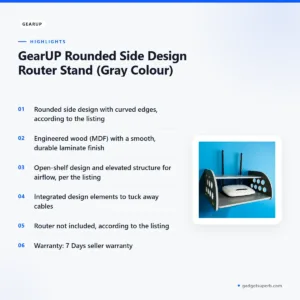
According to the listing, elevating your router can improve signal strength, and the open-shelf design allows for better airflow around the device. These are the maker’s claims, and the listing gives no figures for either. Placement matters as much as the stand, so if you want the basics first, read the Wikipedia article on wireless routers before you choose a spot for the device.
Key features
Elegant rounded side design
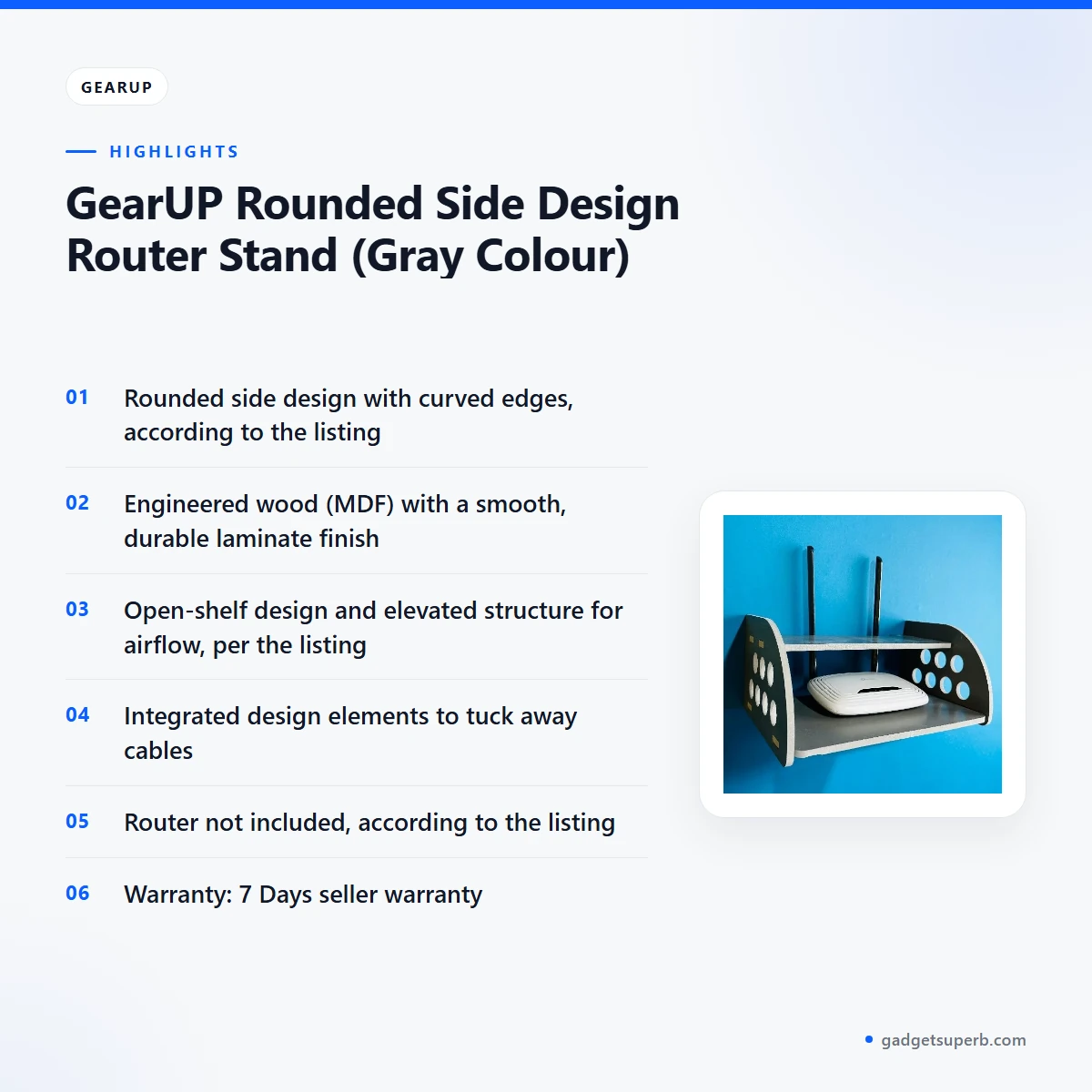
According to the listing, the rounded side design gives the stand curved edges and a modern, minimalist look that the maker says blends with most decor. The listing also says the curved edges help prevent accidental bumps and scratches, which it presents as a safety point for homes with children or pets. In a living room where a router sits near a sofa or television unit, that detail matters. The gray colour named in the listing is a quiet choice for a living room or study, so the GearUP Router Stand can look deliberate rather than hidden under a tangle of wires.
Engineered wood with a laminate finish
The listing describes the GearUP Router Stand as made from high-grade engineered wood (MDF) with a smooth, durable laminate finish. It says the finish resists scratches and minor impacts, and that the build promises stability and longevity. Those are the maker’s words, and the listing gives no test figures. To keep the surface looking good, dust it regularly and wipe it with a dry or lightly damp cloth. Keep the laminate away from standing water, because a damp surface is harder to keep neat over time.
Open shelf and airflow
The listing says the open-shelf design and elevated structure allow for excellent airflow around your router or modem. It presents this as a way to help prevent overheating and to support device performance and lifespan. The listing gives no temperature readings, so treat these as the maker’s statements. The GearUP Router Stand’s open shelf is the feature to check first when you choose a spot. A device pressed against a wall has little air moving around it, so leave a gap behind and beside the device, and avoid burying it under papers, cushions or fabric.
Cable management
The listing describes integrated design elements that help you neatly tuck away unsightly cables. It says this reduces clutter and gives your desk or unit a clean, professional look. The GearUP Router Stand helps most when you plan the route first. Gather the power and network leads behind the stand, and run them along the back and sides before you place the router on the shelf. Leave a little slack in each lead, so you can move the device for a restart or a new position without strain.
Compact footprint and a stable base
The listing says the stand has a compact design that makes use of vertical space, freeing up desk or floor space. It names smaller apartments and crowded offices in Bangladesh as settings where that matters. The maker also says the stand gives a secure base that helps prevent accidental tipping or movement. Set it on a flat, firm surface, and keep the device on the stand rather than stacking other items on top. Measure the space first, so the GearUP Router Stand fits the corner you have in mind.
Compatibility with common home networking devices
The listing says the stand is sized for a wide range of Wi-Fi routers, modems, small set-top boxes and even external hard drives. It describes the design as universal and compatible with most standard home networking devices. Check the depth and height of your own device against the surface of the stand before you order, since that is the detail that decides fit. The GearUP Router Stand is listed as a flexible choice for a small mixed set of devices in one corner.
Specifications
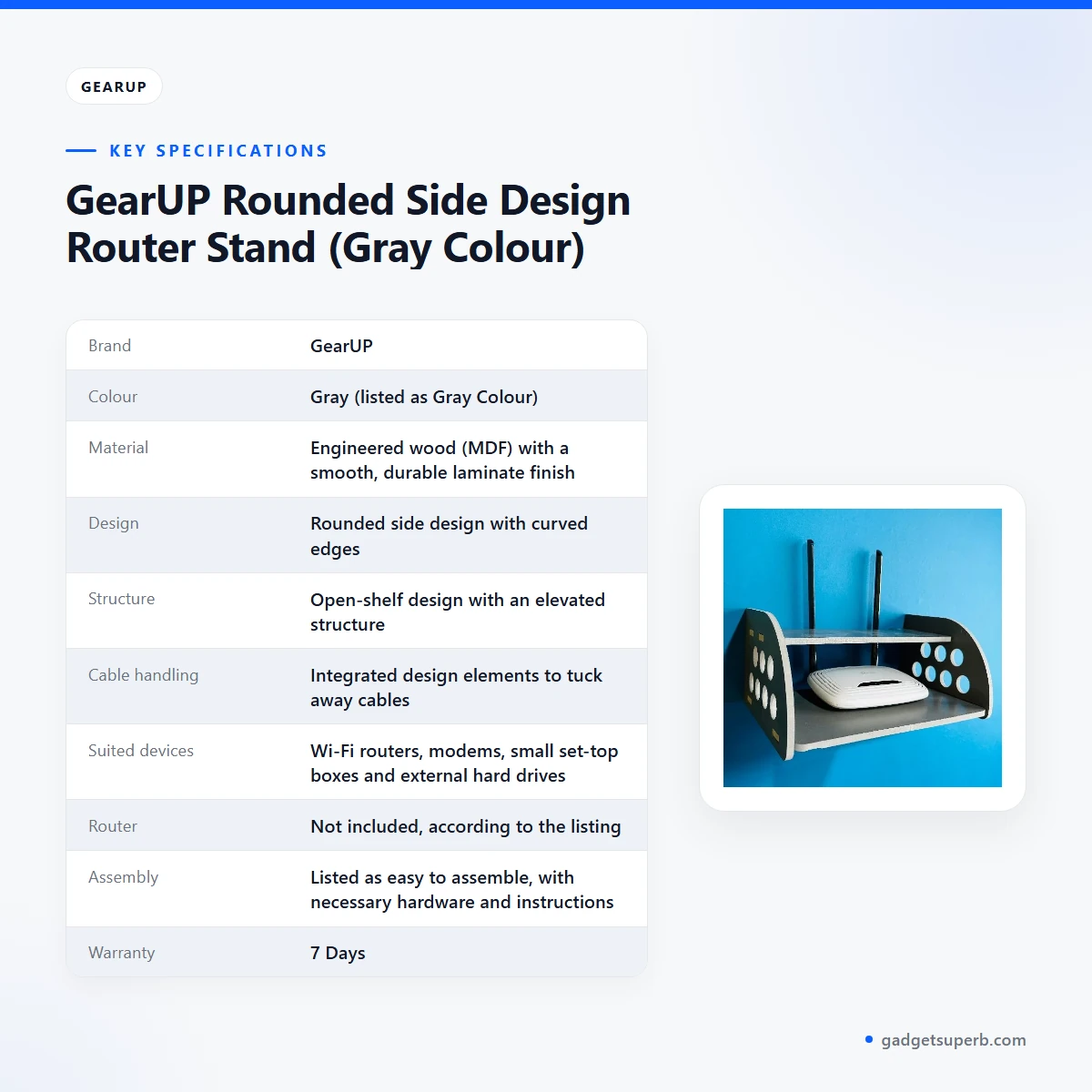
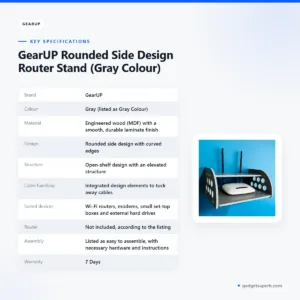
The table below sets out the specifications given in the product listing for the GearUP Router Stand. Use it to check the material, design and suited devices before you order.
| Brand | GearUP |
|---|---|
| Colour | Gray (listed as Gray Colour) |
| Material | Engineered wood (MDF) with a smooth, durable laminate finish |
| Design | Rounded side design with curved edges |
| Structure | Open-shelf design with an elevated structure |
| Cable handling | Integrated design elements to tuck away cables |
| Suited devices | Wi-Fi routers, modems, small set-top boxes and external hard drives |
| Router | Not included, according to the listing |
| Assembly | Listed as easy to assemble, with necessary hardware and instructions |
| Warranty | 7 Days |
| Category | Laptop & Desk Stands |
These are listed specifications from the product listing for the GearUP Router Stand.
How to use / set up
Setting up the GearUP Router Stand should be a short job. The listing says it comes with all necessary hardware and straightforward instructions, and it describes assembly as quick. Follow the maker’s instructions in the order they are printed, and work on a clean, flat surface so that the parts sit square.
Read the instructions for your router, modem or set-top box as well. Check its power and network leads before you place it on the stand, so you know how long each one needs to be and where it has to reach.
Once the GearUP Router Stand is together, set it on a firm, level surface before you place anything on it. Put the router or modem on the shelf and check that it sits flat without rocking. Keep the cables clear of the edge, and route them through or behind the stand so that they do not hang loose.
Think about the room as well as the stand. Keep the GearUP Router Stand away from radiators, heaters and direct sunlight, and leave air around the device. In a humid Dhaka flat, avoid a damp wall or a closed cupboard where air cannot circulate. A little planning now saves a rearrangement later.
Power cuts, or load-shedding, are common in parts of Bangladesh, so plan how the router will restart when supply returns. Keep the leads reachable without moving the stand. Once power is restored, switch the device back on as your internet provider’s set-up instructions describe, and check that the leads are not under strain.
For everyday care, dust the stand and wipe it with a dry or lightly damp cloth. Avoid harsh cleaners on the laminate. Every few months, check that the cables are still secure and that the device has not shifted, because a slightly loose lead can pull a device off a shelf over time.
If the GearUP Router Stand is not in use, store it indoors in a dry place, away from direct sunlight and damp walls. Keep the packaging and the instructions together until set-up is complete, so that nothing goes missing during the first week.
If you move house or rearrange the room, take the device off the stand first, then move the stand. Reconnect the leads once the stand is in its new place, and recheck the position after a few days.
Compatibility and what is in the box
The listing says the stand suits Wi-Fi routers, modems, small set-top boxes and external hard drives. These are the devices the maker names, and the listing describes the design as compatible with most standard home networking devices.
The router is not included. The listing states this clearly, so you will need your own Wi-Fi router, modem or set-top box before the GearUP Router Stand is useful in your home.
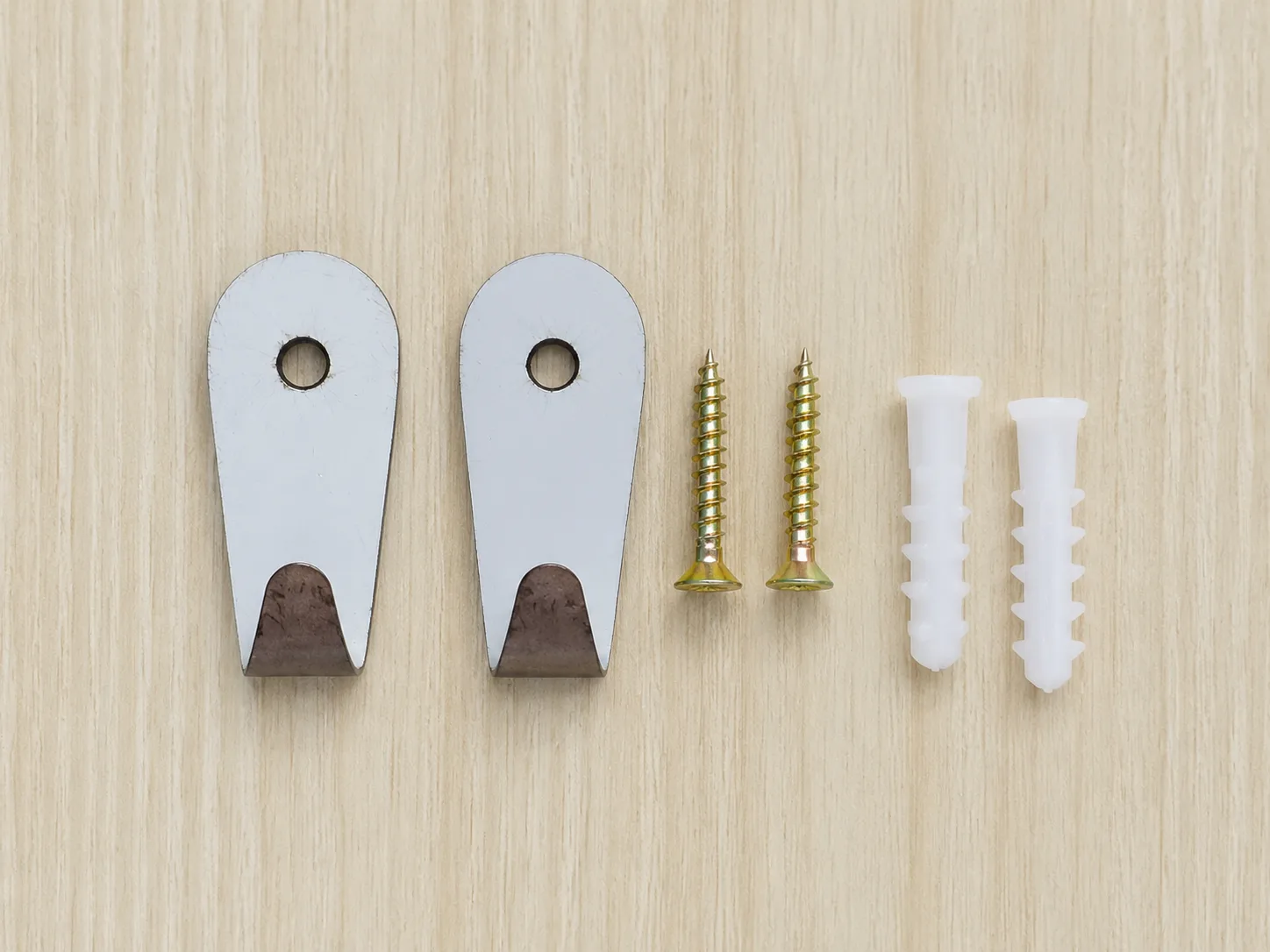
The listing says the stand comes with all necessary hardware and straightforward instructions. Compare the parts with the instructions when you unpack the GearUP Router Stand, before you begin assembly.
The listing does not give dimensions, weight or load limits. If you need those figures for the GearUP Router Stand, ask us before you order rather than assume.
Plan the cables as well as the devices. Before the stand arrives, decide where the power adaptor and network lead will run, so you can use the integrated design elements the listing describes.
Who should buy it in Bangladesh
The GearUP Router Stand suits a few realistic buyers in Bangladesh. The first is someone whose Wi-Fi router sits on the floor, in a corner where it collects dust and tangled leads. A raised position and a tidy cable route can make that corner easier to live with.
The second is someone working from home. A modem on a crowded desk can get in the way of a laptop, a notebook and a cup of tea. The GearUP Router Stand lifts the modem off the work surface and keeps its leads in one place, which can make a shared study corner calmer.
The third is a small office or shared workspace. The listing mentions crowded offices, and a stand like this can keep a modem off a busy desk. If several people share the room, the GearUP Router Stand keeps the network kit in one place that everyone can find.
The fourth is a family flat with a set-top box. The listing names small set-top boxes among the devices it suits, so the GearUP Router Stand is a reasonable choice for a shelf holding a router, a box and an external hard drive.
The fifth is a renter or student in a small flat. Such a home often has one useful shelf and no spare desk, so a stand that lifts the router off the floor can make the room feel more ordered without new furniture.
The sixth is a buyer who values a neat look. The listing presents the rounded side design as a modern, minimalist option that fits most decor, which suits a living room where the router is in view.
This stand may not suit you if your main need is a surface for a laptop. In that case, the alternatives below may be a better starting point, and the rest of this page will still help you check how the GearUP Router Stand compares with them.
Alternatives in our store
If the GearUP Router Stand is not the right fit, you may want to look at other stands in our range. Neepho Np-T4 Tablet Computer And Laptop Stand is another tablet and laptop stand in our range. Multifunctional Portable & Foldable Laptop Table – Wood Color is a laptop table in our range. YL-906 Adjustable Aluminum Laptop Stand with Dual Cooling Fans is another laptop stand in our range. To browse the full group, see the Laptop & Desk Stands category.
Our range covers several kinds of desk-side support, so compare options by the devices you need to hold and the space you have, rather than by name alone. If your laptop is the main item on the desk, a laptop stand may be the better starting point.
Warranty and support
Warranty: 7 Days seller warranty.
Delivery, returns and ordering
We deliver all over Bangladesh and you pay cash on delivery when the GearUP Router Stand arrives.
Delivery usually takes 1–3 days inside Dhaka city and 2–5 days outside Dhaka. Allow the longer window if you are ordering for a home or office outside the city.
You can return it within 7 days of delivery (see our Delivery & Returns policy). Read the full terms on the Delivery & Returns policy page before you order the GearUP Router Stand.
Questions before ordering: call 09638054751, message us on Facebook Messenger or email care@gadgetsuperb.com. Ask about the size or the devices you plan to use before you place the order.
Frequently asked questions
What is the GearUP Router Stand?
The GearUP Router Stand is a stand for a Wi-Fi router, modem or small set-top box, according to the listing. It is listed as the GearUP Rounded Side Design Router Stand (Gray Colour).
Is the router included with the GearUP Router Stand?
No. The listing states that the router is not included, so you will need your own Wi-Fi router, modem or set-top box.
Which devices does the GearUP Router Stand suit?
The listing says it suits Wi-Fi routers, modems, small set-top boxes and external hard drives.
What is the GearUP Router Stand made from?
The listing describes engineered wood (MDF) with a smooth, durable laminate finish.
Does the GearUP Router Stand need assembly?
Yes, but the listing describes it as easy to assemble, with all necessary hardware and straightforward instructions. Follow the maker’s instructions when you put the GearUP Router Stand together.
Does the GearUP Router Stand help with cables?
According to the listing, integrated design elements help you tuck away cables. The GearUP Router Stand is listed as a way to reduce clutter on the desk.
Can I pay cash on delivery for the GearUP Router Stand?
Yes. We deliver all over Bangladesh and you pay cash on delivery.
How long does delivery of the GearUP Router Stand take?
Delivery usually takes 1–3 days inside Dhaka city and 2–5 days outside Dhaka.
Can I return the GearUP Router Stand?
Yes, you can return it within 7 days of delivery. See our Delivery & Returns policy for the full terms.
Does the GearUP Router Stand come with a warranty?
Yes. The listing gives a warranty of 7 Days, which is a seller warranty.
Does the listing give the size or weight of the GearUP Router Stand?
No. The listing does not give dimensions, weight or load limits, so ask us before you order.
Can the GearUP Router Stand hold a set-top box as well as a router?
The listing says it suits small set-top boxes as well as Wi-Fi routers and modems. Check the fit of your own device before you order the GearUP Router Stand.
Who should I contact before ordering the GearUP Router Stand?
Call 09638054751, message us on Facebook Messenger or email care@gadgetsuperb.com.
Related products
-28%
98 in stock

GearUP GP90 14 Inch Premium Rechargeable Stand Fan
Original price was: ৳ 13,100.৳ 9,420Current price is: ৳ 9,420.-28%
30 in stock


GearUP Rechargeable Cordless Paint Spray Machine
Original price was: ৳ 5,900.৳ 4,240Current price is: ৳ 4,240.-20%
353 in stock


GearUP Wireless Microphone Holder for Interview (Microphone not included)
Original price was: ৳ 750.৳ 600Current price is: ৳ 600.-23%
44 in stock

GearUP KXK-686 Rechargeable Multifunctional Work Light 50W
Original price was: ৳ 2,150.৳ 1,650Current price is: ৳ 1,650.-26%
40 in stock

GearUP NRGB50 5 Meter RGB Neon Light with App & Remote Control
Original price was: ৳ 2,870.৳ 2,120Current price is: ৳ 2,120.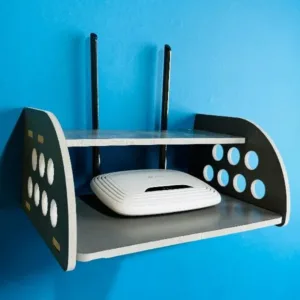 GearUP Rounded Side Design Rou...
 Original price was: ৳ 380.৳ 300Current price is: ৳ 300.
97 in stock
Reviews
There are no reviews yet.