No products in the cart.

-23%
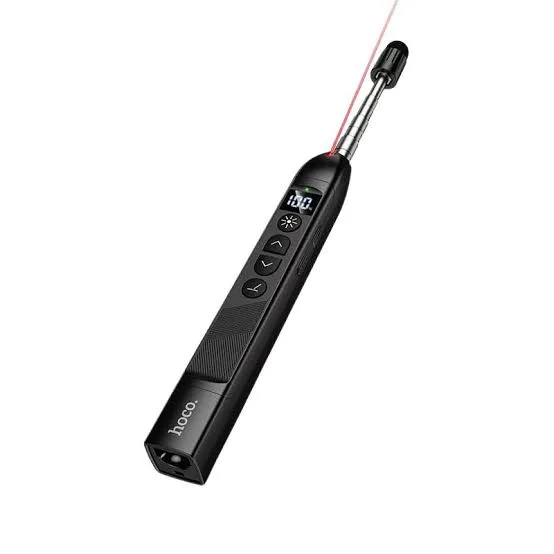
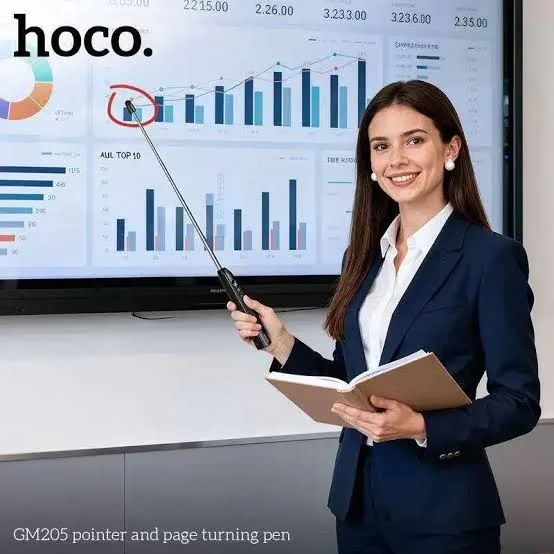
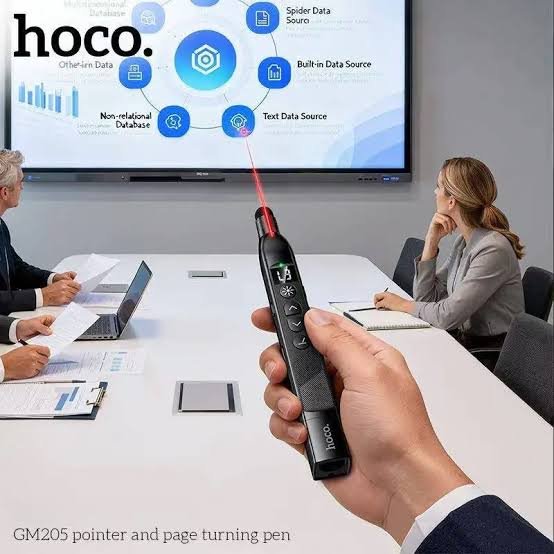
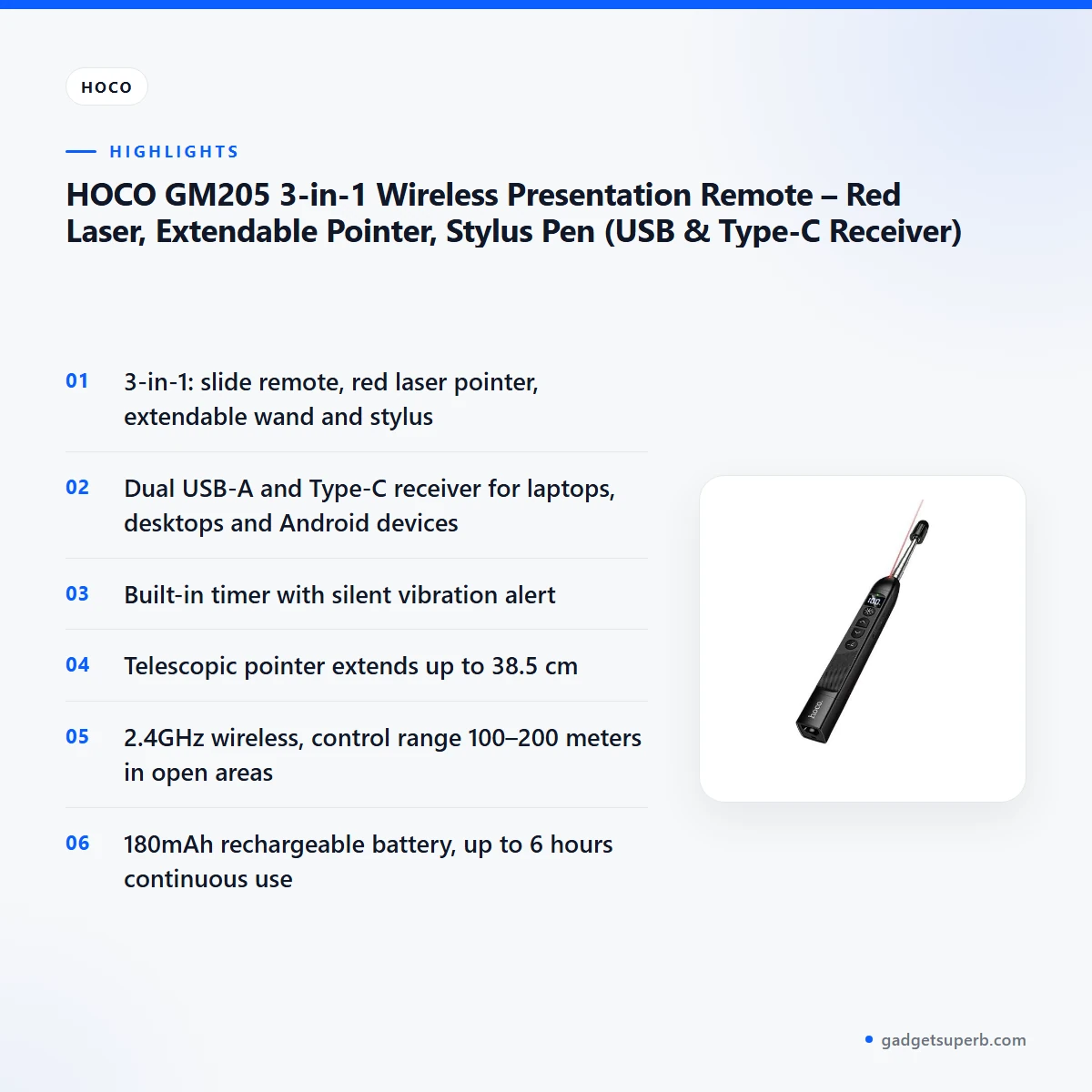

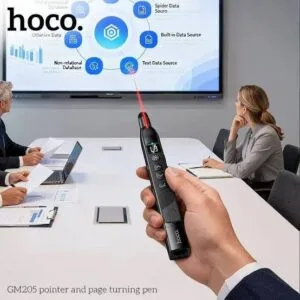

The HOCO GM205 3-in-1 Wireless Presentation Remote is listed as an all-in-one presentation controller, laser pointer, extendable teaching stick and touchscreen stylus pen. According to the listing, it is made for teachers, speakers, executives and sales professionals who present on screens, whiteboards and interactive displays.
- What is the HOCO GM205?
- Key features
- HOCO GM205 specifications
- How to use / set up
- Compatibility and what is in the box
- Who should buy it in Bangladesh
- Alternatives in our store
- Warranty and support
- Delivery, returns and ordering
- Frequently asked questions
What is the HOCO GM205?
The HOCO GM205 combines several everyday presenting tools into one body. The maker lists it for delivering presentations on screens, whiteboards and digital interactive displays. For a teacher in a Dhaka classroom or a sales team pitching in a meeting room, the appeal is that the tools sit together rather than loose in a bag.
Two features set the HOCO GM205 apart from a basic clicker, according to the listing. The first is a dual-interface receiver with a USB-A connector and a Type-C plug. The second is a built-in timer with a silent vibration alert. Together they address two common frustrations: switching between different laptops and running over time during a talk.
The HOCO GM205 is not a replacement for a full presentation laptop or a projector. It is a control device, and the listing describes what it controls and how far it reaches. Think of it as the tool that lets you stand where the audience can see you while you move slides, point at a diagram and keep an eye on the clock. Your slides and backup copies still need preparation before the event.
For buyers in Bangladesh, the practical question is often whether a remote will work with the equipment already available. The listing names USB-A and Type-C receiver connectors and a list of operating systems. It does not describe every projector or classroom display, so check whether the HOCO GM205 matches your room before the day of the event. For more on the maker and its range, see the maker’s website.
Key features
Here is how the listing describes the main features of the HOCO GM205, grouped into six parts. Each part below sets out what the listing says and what it means for a presenter in Bangladesh.
3-in-1 design: remote, laser pointer, wand and stylus
The listing describes the HOCO GM205 as a slide-changing remote, a high-power red laser pointer, an extendable physical wand and a soft touchscreen stylus. That combination covers the four jobs most presenters switch between in a session. A lecturer might move slides from the lectern, point to a formula on a whiteboard with the wand, then draw on an interactive display with the stylus. The listing gives the laser range as up to 100 meters. Keeping these functions in one body means one device to charge, one device to pack and one device to remember on the way to a seminar hall in Chattogram or Sylhet.
Dual USB-A and Type-C receiver
The listing says the receiver has a standard USB-A connector and a Type-C plug. The maker lists connection to modern USB-C laptops, MacBooks, desktop PCs and Android devices without requiring extra OTG adapters. For a Bangladeshi presenter, this can mean one remote works on an older Windows desktop in a school office and on a newer laptop at a client site. The listing also describes a magnetic internal slot that stores the dual-head receiver inside the body when not in use. That keeps a small part from going missing in a crowded bag on the Dhaka commute.
Built-in timer and silent vibration alert
According to the listing, the built-in display shows a presentation timer, and the silent vibration reminder alerts you when time is almost up. The specifications table describes the display as a built-in timer and battery status indicator. This suits client pitches with a fixed slot and academic lectures that must finish on time, so you can wrap up without glancing at a phone or watch. The listing describes the timer and alert features only, so follow the maker’s instructions for starting and resetting the timer. Keep the remote where your hand can reach it so the vibration is easy to notice.
38.5 cm telescopic pointer and stylus tip
The listing says the aluminum alloy wand extends up to 38.5 cm. That reach suits pointing at physical whiteboards, diagrams and projection screens in large classrooms and seminar halls, where standing close to a screen is not always practical. At the other end, the tip includes a soft stylus cap, which the listing describes as suitable for capacitive touchscreens, interactive whiteboards and tablets. The maker lists the cap as a way to protect screens from scratches while you draw or write. Teachers using interactive displays in hybrid lessons may find the wand and stylus the most useful part of the product.
Wireless range, battery and plug and play
The listing gives RF 2.4GHz wireless with a control range of 100–200 meters in open areas and describes the connection as interference-free. That lets the presenter walk around the room. The built-in 180mAh lithium battery charges via USB-C, and the listing says it provides up to 6 hours of continuous use on a single charge. The remote is described as plug and play, working out of the box with zero drivers or software installations needed. Charge the HOCO GM205 fully before first use, and follow the maker’s instructions for any further setup.
Dimensions and weight
The listing gives the HOCO GM205 dimensions of 171 × 20.5 × 22 mm and a weight of 63g. These are the listed figures, and they describe the body you will carry in a bag or hold at a lectern. Slip the remote into a small pocket of your bag, away from keys and coins, so the body is not scratched during a commute. Retract the wand before the remote goes into the bag, which keeps its length manageable when you move between rooms.
HOCO GM205 specifications
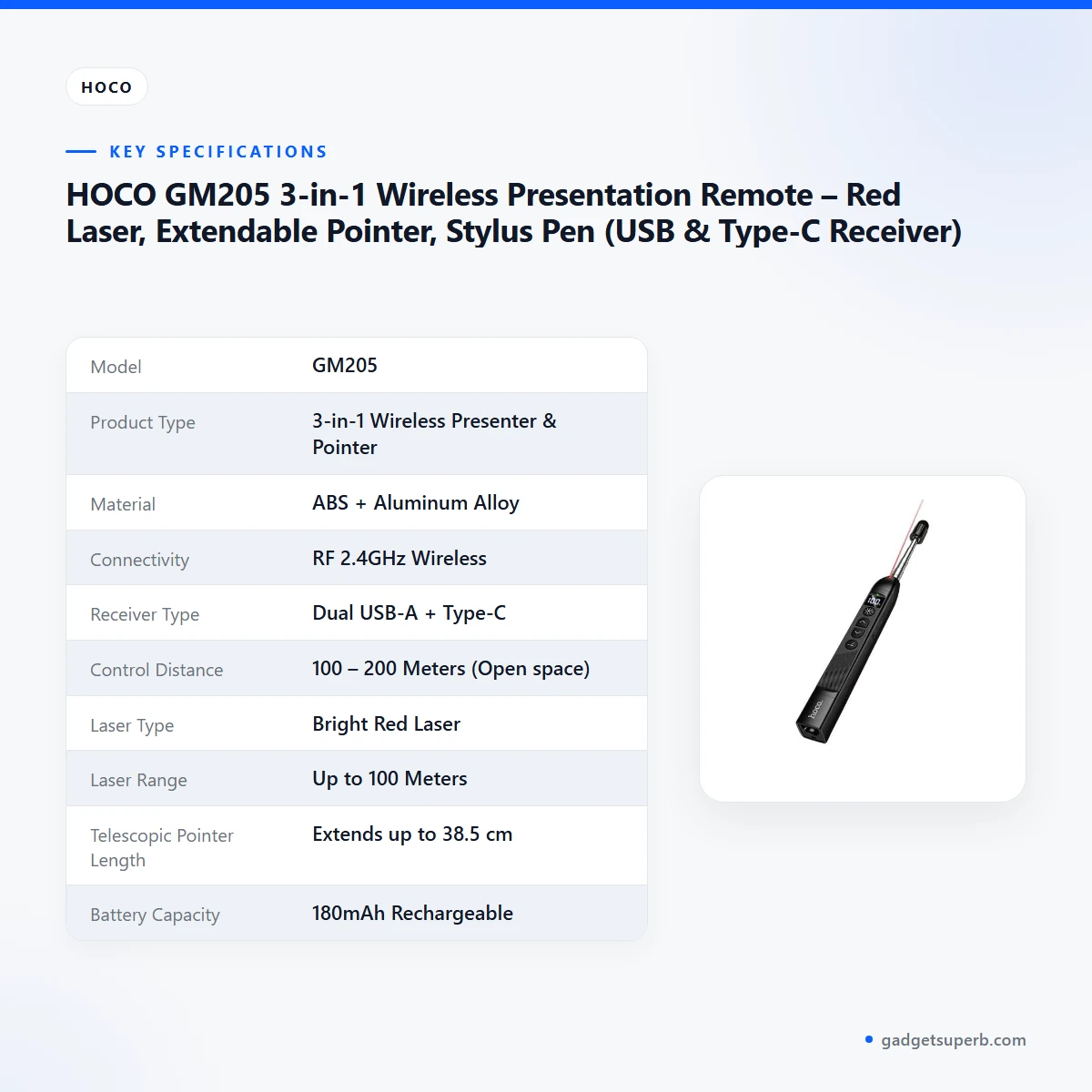
Below are the HOCO GM205 specifications as they appear on the product listing. Compare them with what your presentation setup needs before you order.
| Specification | Details |
|---|---|
| Model | GM205 |
| Product Type | 3-in-1 Wireless Presenter & Pointer |
| Material | ABS + Aluminum Alloy |
| Connectivity | RF 2.4GHz Wireless |
| Receiver Type | Dual USB-A + Type-C |
| Control Distance | 100 – 200 Meters (Open space) |
| Laser Type | Bright Red Laser |
| Laser Range | Up to 100 Meters |
| Telescopic Pointer Length | Extends up to 38.5 cm |
| Battery Capacity | 180mAh Rechargeable |
| Battery Life | Approx. 6 Hours continuous use |
| Dimensions | 171 × 20.5 × 22 mm |
| Weight | 63g |
| OS Compatibility | Windows XP/7/8/10/11, macOS, Linux, Android |
These are listed specifications from the product listing, shown as the maker lists them.
How to use / set up
Start by charging the HOCO GM205 before you use it. The listing says the battery is a 180mAh rechargeable lithium cell that charges via its Type-C port. Charge fully before first use, and keep a charging cable in your bag for days when you present from several rooms.
Next, plug the receiver into a free USB-A or Type-C port on your laptop or desktop. The listing says no driver or software installation is needed, so the remote is meant to start working once the receiver is connected. If your computer shows a prompt for anything else, follow the maker’s instructions rather than guessing.
Take the receiver out of its magnetic slot only when you need it, and return it to the slot when you finish. Store the remote somewhere dry, away from direct sun and heat, and keep the wand retracted when you carry it. Humid weather is common in Bangladesh, so avoid leaving the remote in a damp bag or near water. Wipe the body with a dry, soft cloth after a long session.
A short practice run helps more than most people expect. Sit in the seat you will use, stand at the spot you plan to present from, and move through a few slides with the HOCO GM205. Note whether you can reach the next slide and the laser without looking down. This is general advice for any remote, and it takes only a few minutes.
Before a talk with the HOCO GM205, set the timer in advance using the maker’s instructions. If you can, test the connection in the room you will present in, or at least at home on the same laptop. This habit matters most when a laptop is new to you.
During load-shedding, charge the remote before you leave home so it is ready for the presentation. The listing gives up to 6 hours of continuous use on a single charge. Compare that figure with the length of your session, and top up the battery if the session is long.
Between events, keep the HOCO GM205 in a dry case or drawer, and avoid dropping it on hard floors. Put the receiver back in its slot before the remote goes into a bag, so the small part is not pressed against other items.
Compatibility and what is in the box
According to the listing, the HOCO GM205 is compatible with Windows XP, 7, 8, 10 and 11, macOS, Linux and Android. The receiver has a USB-A connector and a Type-C plug, and the maker lists connection to USB-C laptops, MacBooks, desktop PCs and Android devices without OTG adapters.
The listing does not set out the package contents, so this page does not list them. If you need to know exactly what arrives with the remote before ordering, ask us through one of the contact channels in the delivery section.
Not confirmed by the listing: compatibility with every projector, video adapter or tablet. Those depend on your own equipment, so check them against the devices you will use with the HOCO GM205.
Operating system names in the listing describe platforms, not every version of every software package. Check the presentation software on the device you plan to use with the remote, and run through a few slides before the event.
Android is named in the listing, but how a particular Android device behaves with the HOCO GM205 is not confirmed by the listing.
If a port on your device matches neither connector, the receiver cannot be plugged in directly. Look at the ports on your laptop before you travel.
Who should buy it in Bangladesh
A school or coaching centre teacher in Dhaka, Chattogram or Sylhet who moves between a classroom computer and a whiteboard will see the value of the extendable wand and stylus. The HOCO GM205 suits lessons that mix projected slides with hand-drawn diagrams.
A university lecturer or seminar speaker presenting in a large hall can use the laser pointer and wand to direct attention, while the timer helps keep the session on schedule. The listing describes the vibration alert as silent, which suits a speaker who does not want to draw attention to the reminder. A speaker who presents often may find this a practical choice.
A sales professional with a laptop and a client’s projector can use the HOCO GM205 to move slides while staying in the room. The dual receiver helps when the laptop is a different brand from the one used at the last meeting, as long as the receiver connector matches a port on that machine.
An executive or corporate speaker presenting at a board meeting can rely on the timer and the silent vibration alert. Some offices in Dhaka, Narayanganj and Gazipur share one projector between several presenters, and a plug-and-play remote can make handovers quicker when the speaking order is planned in advance.
A small business owner in Chattogram who runs product demonstrations for walk-in customers can keep the presentation moving from one spot, using the laser to point at a product photo on a screen.
A university student giving a final-year presentation can use the timer to practise at home. The timer can help with rehearsals, so the speech fits the slot.
A corporate trainer running a workshop in a hotel conference room may move around the room with the remote while the group works. The stylus cap is described for touchscreens and interactive whiteboards, so it is a tool for digital displays rather than a paper pen.
The HOCO GM205 may not suit a buyer who only needs a basic slide clicker and never uses a laser or stylus. If you need a feature the listing does not mention, ask us before ordering. For a narrower need, a simpler product from our range may be a better fit.
Alternatives in our store
If you are comparing the HOCO GM205 with other options, see Vention Wireless Presentation Clicker with Red Laser Pointer – Gray, another presentation clicker in our store. It is a different product in the same category, so read its product page in full before deciding. If you already own a clicker and only need a simple way to move slides, that option may suit the narrower need. You can also browse the Presentation & Office category for other presentation and office accessories.
Warranty and support
Warranty: 7 Days seller warranty.
Delivery, returns and ordering
We deliver all over Bangladesh and you pay cash on delivery. That means you can order the HOCO GM205 and pay when the parcel reaches you.
Delivery usually takes 1–3 days inside Dhaka city and 2–5 days outside Dhaka. If you live outside Dhaka, plan any event date with the longer window in mind, and order early enough to try the remote before an important presentation.
You can return it within 7 days of delivery (see our Delivery & Returns policy). Read the policy page for the full conditions before you order.
Questions before ordering: call 09638054751, message us on Facebook Messenger or email care@gadgetsuperb.com.
Before you place an order, check that the model on the product page is the GM205 you intend to buy, and write down any questions about your laptop ports or room setup.
Keep your order details to hand when the parcel arrives, so you can match the HOCO GM205 with what you ordered.
Frequently asked questions
Does the HOCO GM205 work with a MacBook?
Yes, according to the listing, the receiver connects to USB-C laptops and MacBooks through its Type-C plug, without requiring extra OTG adapters. The listing names desktop PCs and Android devices for the same connection.
How far does the HOCO GM205 control range reach?
The listing gives a control range of 100–200 meters in open areas. It does not state the range inside a crowded room with walls, so test the range in your own space.
How long does the HOCO GM205 battery last?
The listing says up to 6 hours of continuous use on a single charge. The battery is listed as a 180mAh rechargeable lithium cell that charges via USB-C.
How far does the HOCO GM205 laser reach?
The listing gives the laser range as up to 100 meters. The laser is described as bright red in the specifications table.
Does the HOCO GM205 need drivers or software?
No, the listing says it works out of the box with zero drivers or software installations needed. Follow the maker’s instructions if your computer asks for anything else.
Does the HOCO GM205 work on touchscreens?
The listing says the stylus cap is suitable for capacitive touchscreens, interactive whiteboards and tablets. The maker lists the cap as a way to protect screens from scratches while you draw or write.
Which operating systems does the HOCO GM205 support?
The listing gives Windows XP, 7, 8, 10 and 11, macOS, Linux and Android. The listing does not say how each software package behaves with the device, so check your own presentation software before the event.
Is there a warranty on the HOCO GM205?
Warranty: 7 Days seller warranty.
Can I return the HOCO GM205 if it does not suit me?
Yes, you can return it within 7 days of delivery under our Delivery and Returns policy. The policy page sets out the full conditions, so read it before you order.
Can I pay cash on delivery?
Yes, we deliver all over Bangladesh and you pay cash on delivery. Delivery usually takes 1–3 days inside Dhaka city and 2–5 days outside Dhaka.
How do I ask a question before ordering?
Call 09638054751, message us on Facebook Messenger or email care@gadgetsuperb.com. Have your laptop model and room setup ready when you ask.
Is the remote suitable for a classroom in Bangladesh?
The listing describes it for teachers and lecturers, and the wand extends up to 38.5 cm for whiteboards and projection screens. Check the projector and laptop connection in your classroom before the lesson.
Related products
-20%
100 in stock
Hoco DI109 Smart Fully Charged Disconnector with Auto Cutoff
Original price was: ৳ 1,140.৳ 910Current price is: ৳ 910.-23%
50 in stock

HOCO ES3 Pro ANC Bluetooth Wireless Neckband
Original price was: ৳ 1,990.৳ 1,530Current price is: ৳ 1,530.-26%
100 in stock

hoco ESD35 Pro Max ANC Headphone – 170Hr Battery
Original price was: ৳ 2,790.৳ 2,060Current price is: ৳ 2,060.-23%
45 in stock
HOCO HX609 Portable Clip On Fan
Original price was: ৳ 2,250.৳ 1,730Current price is: ৳ 1,730.-20%
50 in stock
Hoco E91 Smart Location Finder
Original price was: ৳ 890.৳ 710Current price is: ৳ 710.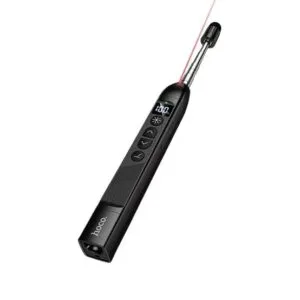 HOCO GM205 3-in-1 Wireless Pre...
 Original price was: ৳ 1,500.৳ 1,150Current price is: ৳ 1,150.
100 in stock
Reviews
There are no reviews yet.