No products in the cart.

-23%
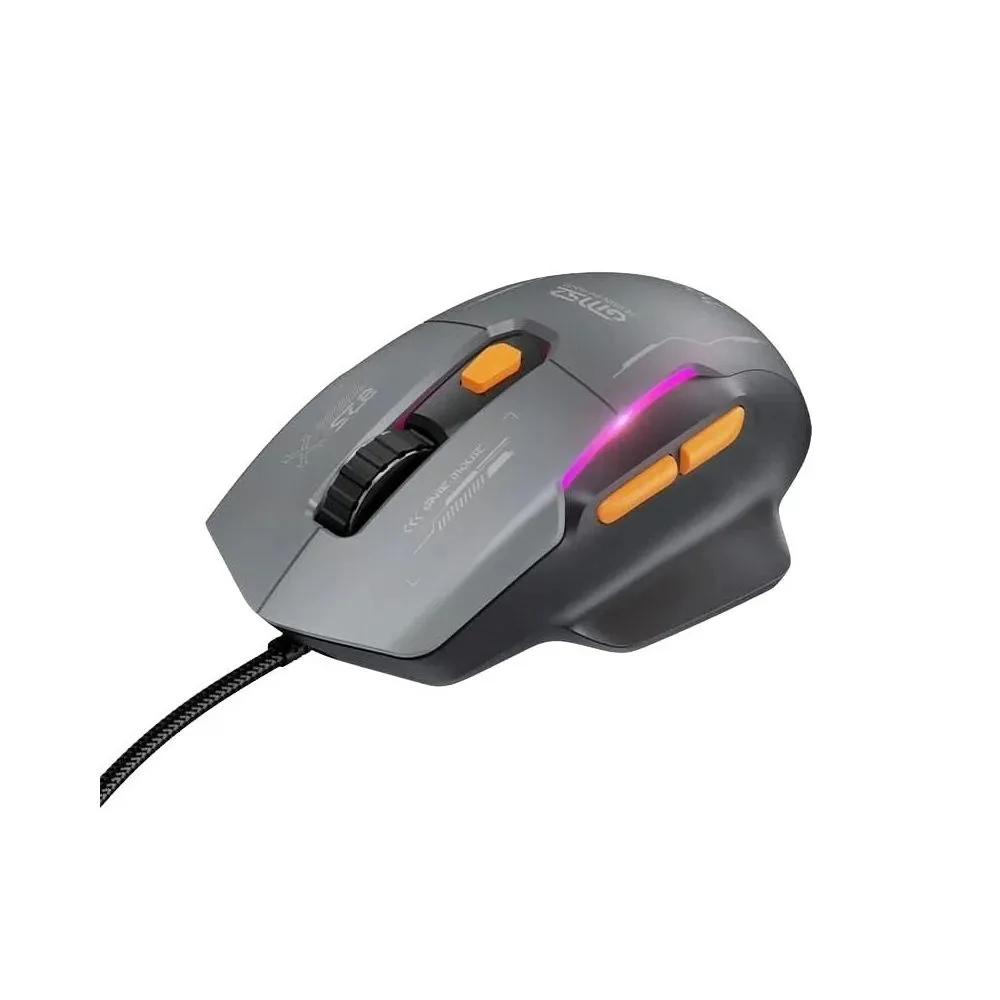

The hoco gm52 is a wired USB gaming mouse that the maker lists for competitive gaming, web browsing and everyday computing. It suits Bangladeshi students, gamers and office workers who want a plug-and-play mouse with six DPI levels and RGB lighting. This page explains what the listing confirms, what it leaves open, and how to order from Gadget Superb.
- Overview
- Key features
- Specifications
- How to use and set up
- Compatibility and what is in the box
- Who should buy it in Bangladesh
- Alternatives in our store
- Warranty and support
- Delivery, returns and ordering
- Frequently asked questions
hoco gm52 overview: a wired gaming mouse for daily use
According to the listing, the hoco gm52 is a practical choice for competitive gaming, browsing and everyday computing tasks. It is built around an Ernst 825 chip and six adjustable DPI levels, which the listing says help with smooth cursor movement and fast response times. For buyers who want a mouse that works over a plain USB connection, the hoco gm52 keeps the setup simple.
The listing also describes an ergonomic ABS construction and stylish RGB gaming lighting, which it says make the mouse suitable for comfortable extended use and modern desktop setups. The maker lists the material as ABS. Comfort depends on your grip, so compare the dimensions in the specifications table with the way you hold a mouse before you decide that the hoco gm52 suits your hand.
This guide covers the features, listed specifications, setup, compatibility, delivery and returns for the hoco gm52 in one place. Where the listing is silent, we say so rather than fill the gap with guesses. You can read the maker’s website for the brand’s own product information, and ask our team any question before you place an order.
Key features
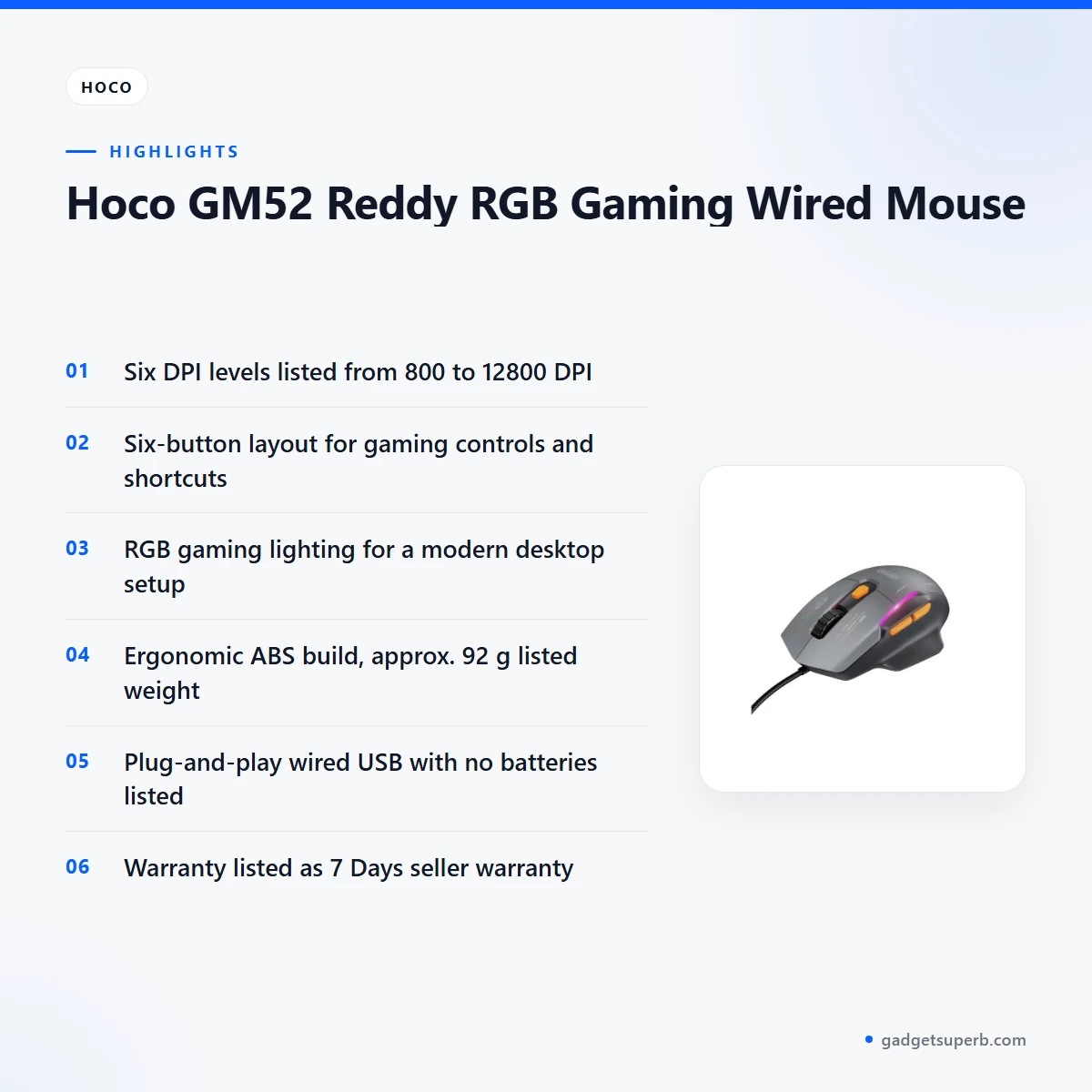
Six adjustable DPI levels from 800 to 12800
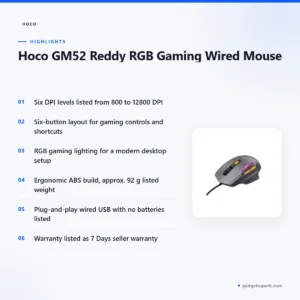
According to the listing, the hoco gm52 Reddy has six sensitivity levels, from 800 to 12800 DPI. The maker lists this range for precise aiming in games and fast navigation in office tasks. The listing also says a dedicated DPI button lets you switch sensitivities on the fly, so you can move between a higher setting for quick movement and a lower one for detailed work. Pick the level that suits the task in front of you. Many buyers use one level for browsing and another for play.
Six-button layout for games and browsing
The listing describes a six-button layout that gives quick access to essential gaming controls and convenient shortcuts for daily browsing. That matters for the hoco gm52 because one mouse is meant to handle both play and work. Extra buttons help most when you know which tasks you use them for, so think about the functions you reach for most. The listing does not say which function each button performs by default, so check what your system and games use before you rely on any particular button.
RGB gaming lighting for a modern desk
The mouse carries RGB gaming lighting, which the listing says enhances the desktop with vibrant, stylish luminous effects during gameplay. For many Bangladeshi gamers and students, a lit mouse is part of the setup, especially in a dim room in the evening. The listing does not describe the lighting modes or how they are changed, so follow the maker’s instructions if you want to adjust anything. If you are unsure whether lighting matters to you, decide what you want from the desk setup first.
Ergonomic ABS build for longer sessions
The listing describes an ergonomic ABS build designed to fit comfortably in the hand and reduce fatigue during long gaming or work sessions. Those are the maker’s words, and they describe the intended use rather than a measured result. Comfort depends on hand size, grip style and the surface you use, so try holding a mouse of similar shape first. Sit with your wrist supported in a way that feels natural, and take regular breaks during long sessions, whatever mouse you use.
Plug-and-play wired USB connection
According to the listing, the hoco gm52 Reddy uses a wired USB connection that needs no batteries or complex software installation. The maker says this gives a stable, responsive connection. For a desk in a Dhaka flat or office, a cable means you do not have to think about charging or replacing batteries during a busy working week. Plug the attached USB cable into a free USB-A port and let your computer detect the device. The listing does not state the cable length, so check it against where your computer sits.
Ernst 825 chip and DPI range
The listing names an Ernst 825 chip for the hoco gm52 Reddy and says it supports smooth cursor movement and fast response times. The listing gives no further sensor details beyond the chip name, so this page does not add any. The DPI range and the chip name are the points the listing covers, and they are the details you can rely on when you compare the hoco gm52 with other mice in our range. Read the listing before you order if you need more detail.
Specifications
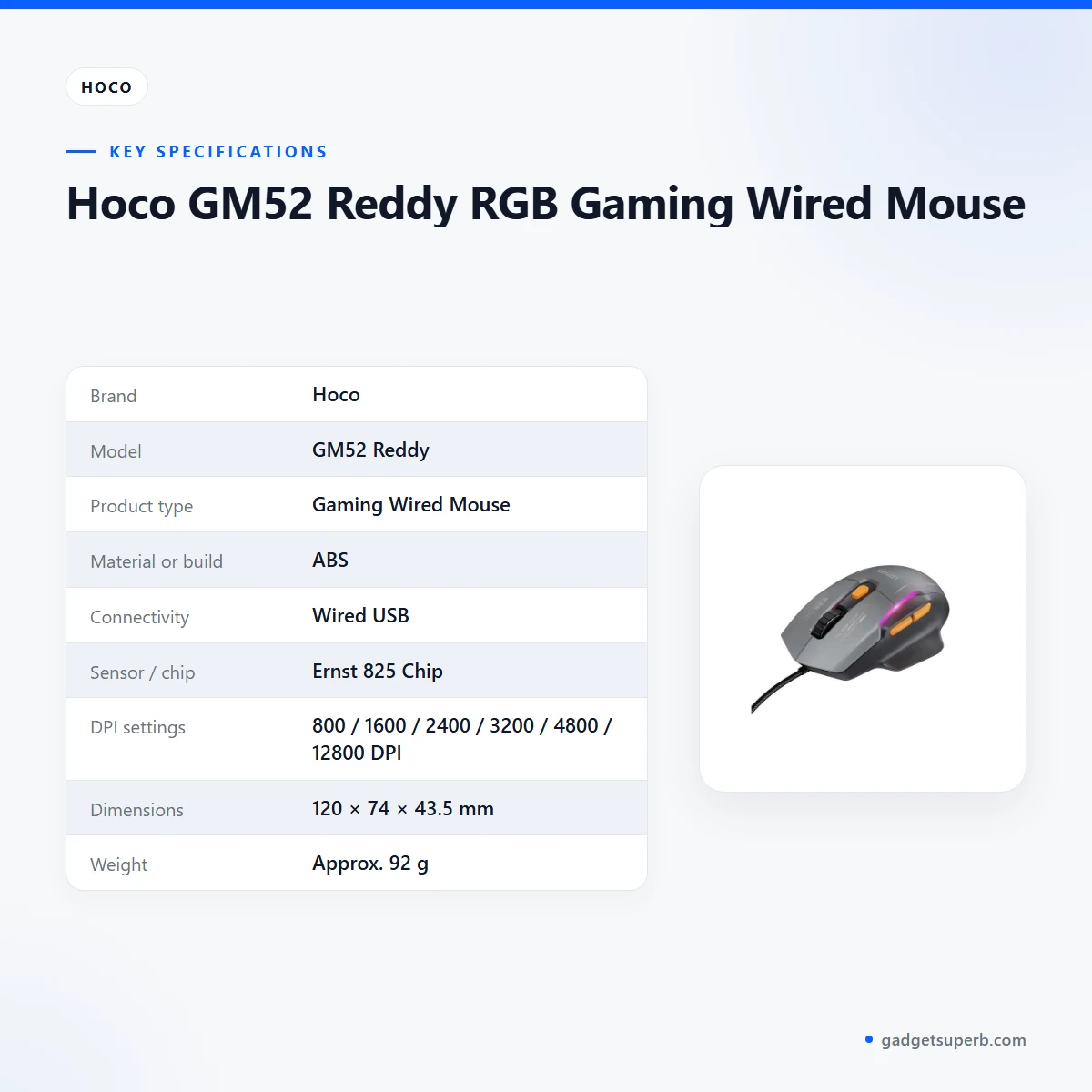
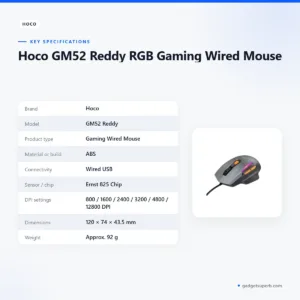
The hoco gm52 specification table is shown below.
| Specification | Details |
|---|---|
| Brand | Hoco |
| Model | GM52 Reddy |
| Product type | Gaming Wired Mouse |
| Material or build | ABS |
| Connectivity | Wired USB |
| Sensor / chip | Ernst 825 Chip |
| DPI settings | 800 / 1600 / 2400 / 3200 / 4800 / 12800 DPI |
| Dimensions | 120 × 74 × 43.5 mm |
| Weight | Approx. 92 g |
These are listed specifications from the product listing for the hoco gm52 Reddy RGB Gaming Wired Mouse.
How to use and set up
Setting up the hoco gm52 is meant to be simple. According to the listing, the mouse is plug-and-play and needs no batteries or complex software installation. Unpack the mouse, check that the attached USB cable is not damaged, and connect it to a free USB-A port on your desktop or laptop.
Give your computer a moment to detect the device. If the system asks for anything else, follow the maker’s instructions rather than guessing. To change sensitivity, use the dedicated DPI button to move between the six levels listed from 800 to 12800 DPI.
Test the mouse in a simple program first. Open a text document and move the cursor slowly across the screen at each DPI level, so you know how each setting feels before a game or a long spreadsheet session.
Try two or three levels in the program you use most, such as a browser, a spreadsheet or a game. Settle on the level that feels right for your desk space and your hand. Keep your hand relaxed on the mouse rather than gripping it hard, and adjust your chair and desk height so your forearm rests comfortably.
If you use the mouse for a long shift, set your desk so that your elbow stays near your side and your wrist stays fairly straight. The listing says the ergonomic build is designed for long sessions, but your posture matters just as much as the shape of the mouse.
Clean your hoco gm52 with a dry, soft cloth when the shell gets dusty. Keep spilled drinks away from the desk, and avoid harsh cleaning products on the shell and the cable.
Store the mouse and its cable in a dry drawer or on a shelf away from direct sun and heat. Humidity is common in Bangladesh during the monsoon months, so avoid leaving the mouse on a damp surface for long periods. Coil the cable loosely rather than wrapping it tightly around the mouse.
If the mouse does not respond, check the USB connection first. Reseat the cable at both ends and try a different free USB-A port on the same computer. If the system still does not detect the mouse, follow the maker’s instructions or ask our team for help.
The listing does not describe a driver download or companion software for this mouse, so if you need software for any feature, ask us before you order. A clean, flat desk surface suits any mouse, and the listing does not name a mousepad requirement.
Plan the desk around the cable. Run the USB cable behind the keyboard where possible, so it does not catch on pens or cups. Leave enough slack to move the mouse across the desk without pulling on the connector.
Compatibility and what is in the box
The hoco gm52 Reddy is listed as compatible with desktop computers, laptops and any device featuring a standard USB-A port. Check the required connection, size or system compatibility before you order. If your device does not have a standard USB-A port, the listing does not mention adapters, so ask us about it.
According to the listing, the box section names the hoco gm52 Reddy RGB Gaming Wired Mouse and an attached USB cable. Beyond those two items, the listing does not confirm the contents, so treat anything else as not confirmed. Check the contents when your order arrives, and keep the packaging until you are satisfied.
The listing also does not confirm supported operating systems or the cable length. If either matters for your setup, ask us and compare the details with your own equipment before you buy.
Desktop users with a tower PC under the desk should consider where the USB port sits relative to the mouse. A rear port may be harder to reach, so plan the cable path before you set up the hoco gm52 on the desk.
Who should buy it in Bangladesh
The hoco gm52 suits buyers who want a wired gaming mouse with several sensitivity levels and no battery to manage. Here are some realistic scenarios where it fits.
Students who attend online classes and finish assignments on a shared desktop often want a mouse that works straight away. The hoco gm52 has a plug-and-play USB connection and six DPI levels, so it can cover lectures, research and light casual play. If your desk is shared, check with the household that the RGB lighting will not bother anyone at night.
Casual gamers who play the hoco gm52 in the evenings can use the top sensitivity levels for quick movement and lower ones for detailed aiming. A wired mouse does not need charging, so there is one less thing to manage on a night with load-shedding, although your computer will still need power to run. The listing describes competitive gaming as a use case, not a promise of results in any particular title.
Office workers who move between spreadsheets, email and browsing can use one of the lower DPI levels for steady control. The listing describes everyday computing as well as gaming, which makes this mouse a practical option for a Dhaka office where a shared desktop may be used by several people.
Families who share one desktop in the evening often need a mouse that anyone can pick up without setup. A plug-and-play wired connection suits that situation. The listing does not describe multi-user features, so ask us if that matters to you.
If you want a lit gaming look for your desk, the hoco gm52 has the RGB lighting the listing highlights. Set your expectations on the lighting, though, because the listing does not describe the effects in detail.
Laptop users who work from a bedroom desk or a café table can use the mouse when a USB-A port is free. Because the listing describes compatibility with laptops, the same mouse can move between a home desk and a laptop, provided that port is available. Check the port on your laptop before you order.
Gamers with a small desk should measure the space and compare it with the listed dimensions of 120 × 74 × 43.5 mm before they buy. The listing gives those figures, and the rest of the desk layout is up to you.
If you need a wireless mouse, the hoco gm52 is not the right choice, because the listing describes only a wired USB connection. Ask us which products in our range use a different connection before you decide.
Alternatives in our store
If the hoco gm52 is not the right fit, you can compare other mice and combos in our range. The Havit MS1034 RGB Backlit Programmable Gaming Mouse is another gaming mouse in our range, and the Havit MS1027 Cool RGB LED Gaming Optical Mouse is a further gaming mouse in our range.
For another wired option, look at the A4TECH OP-720 Optical USB Wired Mouse, which is another wired mouse in our range. If you want a set, the Fantech P31 Keyboard, Mouse & Mousepad Combo is a keyboard, mouse and mousepad combo in our range. Browse the full Keyboards & Mouse category to compare everything we stock.
Warranty and support
Warranty: 7 Days seller warranty.
Delivery, returns and ordering
When you order the hoco gm52, we deliver all over Bangladesh and you pay cash on delivery. Delivery usually takes 1–3 days inside Dhaka city and 2–5 days outside Dhaka.
If you live outside Dhaka city, plan around the longer delivery window and keep your phone reachable for the courier. Ask us about your area before you order if you are unsure of the timing.
You can return it within 7 days of delivery (see our Delivery and Returns policy). Questions before ordering: call 09638054751, message us on Facebook Messenger or email care@gadgetsuperb.com.
Before you place an order for the hoco gm52, confirm your delivery address, check the USB-A port on your device, decide which DPI levels you need, and keep your phone number current so the courier can reach you.
Have the cash ready for the delivery day, since you pay cash on delivery. Keep the packaging in case you need to return the item within the 7-day window, and read the policy page for the conditions.
Frequently asked questions
Is the hoco gm52 wired or wireless?
The hoco gm52 is a wired mouse. According to the listing, its connectivity is wired USB and it needs no batteries.
What DPI levels does the hoco gm52 offer?
The listing says six levels, from 800 to 12800 DPI. The steps are listed as 800, 1600, 2400, 3200, 4800 and 12800 DPI.
Does the hoco gm52 need driver software?
According to the listing, it is plug-and-play and needs no complex software installation. Follow the maker’s instructions if your computer asks for anything.
Does the hoco gm52 work with a laptop?
The listing says it is compatible with desktop computers, laptops and any device featuring a standard USB-A port. Check that your device has that port.
Is the hoco gm52 good for competitive gaming?
The listing presents it as a practical choice for competitive gaming, browsing and everyday tasks. Results depend on your game, setup and grip, so the listing makes no further promise.
Can I change the RGB lighting on the hoco gm52?
The listing describes RGB gaming lighting but does not describe how to change it. Follow the maker’s instructions for any adjustment.
What is the warranty on the hoco gm52?
Warranty: 7 Days seller warranty.
How long does delivery take for the hoco gm52?
Delivery usually takes 1–3 days inside Dhaka city and 2–5 days outside Dhaka. We deliver all over Bangladesh and you pay cash on delivery.
Can I return the hoco gm52 after delivery?
You can return it within 7 days of delivery. The Delivery and Returns policy on our site explains the details.
Who can I ask about the hoco gm52 before ordering?
Call 09638054751, message us on Facebook Messenger or email care@gadgetsuperb.com. Our team can answer questions about the listed specifications.
Is the hoco gm52 suitable for a shared office desktop?
The listing describes everyday computing as one use, so a shared office desktop is a reasonable fit. The listing does not describe multi-user features, so ask us if you need them.
How do I clean the hoco gm52?
Wipe the shell with a dry, soft cloth and keep spilled drinks away from the mouse. Avoid harsh cleaning products on the shell and cable.
Related products
-23%
50 in stock

HOCO ES3 Pro ANC Bluetooth Wireless Neckband
Original price was: ৳ 1,990.৳ 1,530Current price is: ৳ 1,530.-23%
64 in stock
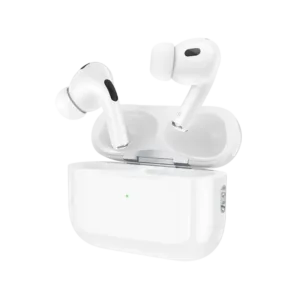

Hoco EW90 ANC True Wireless Earbuds
Original price was: ৳ 1,620.৳ 1,240Current price is: ৳ 1,240.-23%
64 in stock
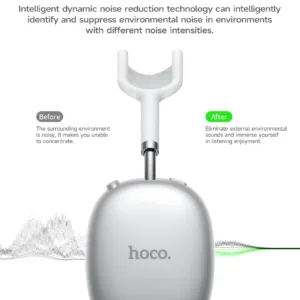

Hoco W55 Plus Extra 170H Long Usage ANC Headphone
Original price was: ৳ 2,380.৳ 1,830Current price is: ৳ 1,830.-23%
53 in stock
Hoco HX605 Ice Pack Series Foldable Fan 3600mAh
Original price was: ৳ 2,230.৳ 1,710Current price is: ৳ 1,710.-20%
50 in stock

Hoco E91 Smart Location Finder
Original price was: ৳ 890.৳ 710Current price is: ৳ 710. Hoco GM52 Reddy RGB Gaming Wir...
Original price was: ৳ 1,460.৳ 1,120Current price is: ৳ 1,120.
100 in stock
Reviews
There are no reviews yet.