No products in the cart.

-23%
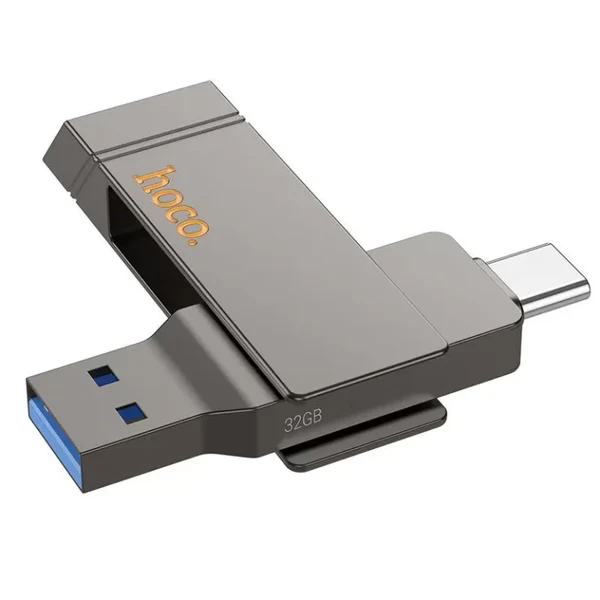

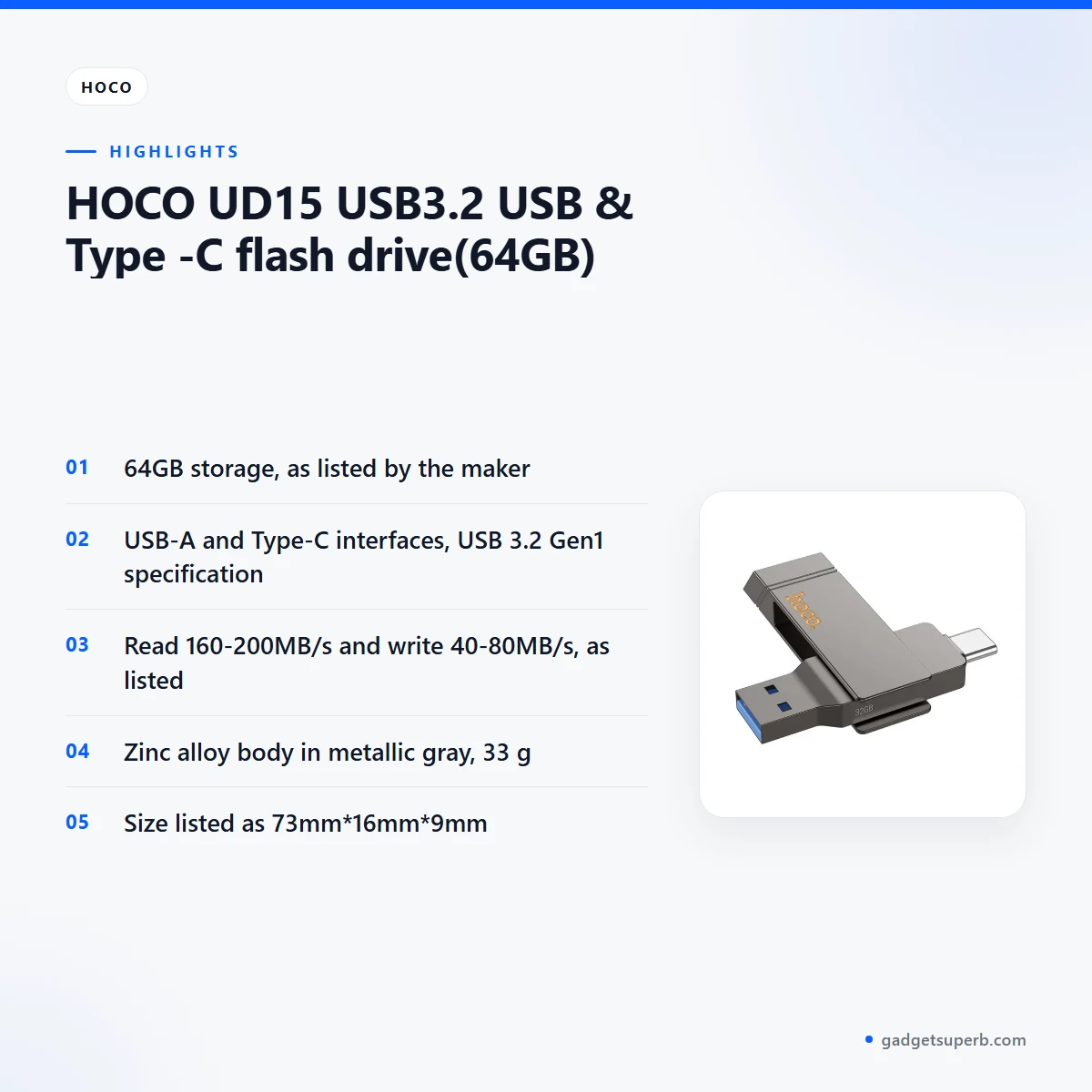

The Hoco UD15 flash drive is a 64GB USB storage device with both a USB-A and a Type-C connector, listed as USB 3.2 Gen1. It suits Bangladeshi buyers who need extra room for documents, photos and study files and want one drive with both USB-A and Type-C ports. This guide covers the listed specifications, setup tips and what the listing does not confirm.
- Overview
- Key features
- Specifications
- How to use / set up
- Compatibility and what is in the box
- Who should buy it in Bangladesh
- Alternatives in our store
- Warranty and support
- Delivery, returns and ordering
- Frequently asked questions
Hoco UD15 flash drive overview
The Hoco UD15 flash drive is a storage option that the listing gives as 64GB of capacity. According to the listing, it has a USB-A connector and a Type-C connector, so you can pick the port that matches the device in front of you. A drive like this is a simple way to carry work files, school documents and family photos from one machine to another.
Many Bangladeshi households and small offices use a flash drive to move files between a home computer, an office machine and a shared desk. Whether the Hoco UD15 flash drive suits that job depends on the ports your devices have. The listing does not say which other devices it works with, so treat that as an open question rather than a promise. Load-shedding and power cuts can interrupt a long copy, so it helps to keep a second copy of anything important.
The maker’s website lists the wider Hoco range, and it is the place to look for anything beyond our listing. This page sticks closely to the product listing we hold for the Hoco UD15 flash drive. Where the listing is silent, we say so rather than filling the gap with guesses about performance or fit.
Choosing a flash drive usually comes down to three things: the capacity you need, the ports on your devices and how you will carry it. The listing gives the capacity as 64GB, the interfaces as USB-A and Type-C, and the body as zinc alloy in metallic gray. Those are the details to weigh against your own routine before you decide.
Shoppers in Bangladesh often compare storage by how they will use it rather than by a list of numbers alone. A drive that sits in a bag all day faces different conditions from one left on a desk at home. Think about how often you will move files, how much you will carry and which devices you use each day. Your answers will show whether 64GB is the right fit.
Ask yourself a few more questions before you order. Will the drive stay at home, travel to the office or go into a bag for a college day? Do you need it for one task or for many? A short list of answers makes the choice easier and keeps you from buying room you will never use.
The sections below cover the listed features, the specification table, setup habits, compatibility, buyer scenarios, alternatives, warranty, delivery and frequently asked questions. Read them in order or jump to the part you need.
Key features
Dual USB-A and Type-C interfaces
According to the listing, the Hoco UD15 flash drive uses a USB-A connector and a Type-C connector. That gives you a choice of port when you plug it in, which helps when one port on your computer is already in use by a keyboard, mouse or printer. Many desktop and laptop setups have a mix of port types, so the second connector can save you from unplugging something else. The listing does not name the specific phones, tablets or televisions it works with, so the ports on your own device matter more than any general claim. Keep the drive away from loose coins and keys in your bag so the connectors stay clean and undamaged.
USB 3.2 Gen1 interface
The listing gives the interface specification of the Hoco UD15 flash drive as USB 3.2 Gen1. This page repeats that wording as the maker lists it, without adding detail the listing does not give. Your transfer speed in practice depends on the port you use, the computer you connect to and the files you copy. Treat the listed figures as the maker’s numbers rather than a guarantee for your own machine. If you copy a large folder for the first time, watch how long it takes and note the result as a baseline for your own setup.
Listed read and write speeds
The Hoco UD15 flash drive is listed with a write speed of 40-80MB/s and a read speed of 160-200MB/s. Those ranges are useful when you think about how long a batch of files may take to copy, for example a folder of scanned documents or a set of photos from a family event. The listing gives a range for each direction rather than a single fixed figure. Read the numbers as the maker’s listing, and compare them with your own experience rather than treating them as a promise. Reading and writing are different tasks, so check both figures before you decide how the drive fits your routine.
Zinc alloy body in metallic gray
According to the listing, the Hoco UD15 flash drive has a body made from zinc alloy in metallic gray. Zinc alloy is the material the maker names, and the listing says nothing about coatings, finishes or how the body handles knocks, so this page does not claim more. A neutral metallic finish suits a drive that moves between a bag, a desk and a shelf at home. The listing gives the weight as 33 g, which is one of the figures you can weigh against your own expectations before you buy. Keep the body clean with a soft, dry cloth.
64GB capacity for everyday files
The listing gives the storage as 64GB. For many students and office staff in Dhaka and other cities, that room suits document folders, assignment files, spreadsheets and a selection of photos. It is not a large media library, though, and a heavy user with many videos may want more space. The Hoco UD15 flash drive is the 64GB version of the UD15 line, so check the capacity on the page you are buying from. Buyers who need more room can look at the alternatives section further down this page.
Specifications
The table below sets out the specifications for the Hoco UD15 flash drive as shown in the product listing. Use it to check the basics before you compare the drive with your own needs.
| Label | Value |
|---|---|
| Brand | Hoco |
| Model | UD15 |
| Storage | 64GB |
| Material | Zinc alloy |
| Colour | Metallic gray |
| Weight | 33 g |
| Size | 73mm*16mm*9mm |
| Interface | USB-A + Type-C |
| Interface specification | USB 3.2 Gen1 |
| Write speed | 40-80MB/s |
| Read speed | 160-200MB/s |
These are listed specifications from the product listing.
How to use / set up
Start by choosing the port that is free on your computer, either USB-A or Type-C, and plug the Hoco UD15 flash drive in firmly. Give the computer a moment to recognise it before you copy anything. Once it appears in your file manager, you can open it like any other storage location on the machine.
Follow the maker’s instructions for first use of the Hoco UD15 flash drive. The listing does not describe any extra setup steps, so if you are unsure, check the maker’s website before you begin. Do not assume that a step from another product applies to this drive.
When you finish with the Hoco UD15 flash drive, use your operating system’s safe removal option before you pull it out. A simple routine works well: copy your files, wait for the transfer to finish, then remove the drive safely. This habit protects the files you have just copied.
Load-shedding can cut power without warning, so avoid unplugging during a transfer and keep a second copy of anything important on another device. Before a large copy, close any file you are working on from the drive, so the transfer is not held up by a locked document.
Store your Hoco UD15 flash drive somewhere dry and away from direct sun. Humidity is high in many parts of Bangladesh during the monsoon, so keep it in a drawer or a closed pouch rather than on an open desk near a window. Wipe the connectors gently with a dry cloth if they collect dust, and do not force the drive into a port.
Keep the drive in a small pouch or a labelled box so it does not get lost among cables and chargers. Avoid leaving it in a hot car or on a dashboard, where heat can build up. Dust and humidity are common in many parts of Bangladesh, so keep the connectors clean and dry when the drive is not in use.
Give folders on the drive clear names with dates and project titles, so you can find a file quickly on any machine. Short, consistent names work better than long ones when you move between computers, and they reduce the chance of a copy going into the wrong folder.
Do a quick check after the first copy. Open two or three files from the drive to confirm that they load correctly on your computer, and keep notes if something looks wrong. Repeat the check after you copy files from a different machine.
Keep your main copy on your computer or another storage device. A flash drive works best as a working copy, not the only copy of anything you cannot replace.
Compatibility and what is in the box
The listing confirms two interfaces for the Hoco UD15 flash drive: USB-A and Type-C. It also gives the interface specification as USB 3.2 Gen1. Those are the connection details this page treats as confirmed, and nothing beyond them.
The listing does not confirm compatibility with specific phones, tablets, televisions, game consoles or car systems. Before you order, check the ports on the device you want to use, and ask us if you are unsure about a particular model.
The listing does not state what is in the box, so this page does not list any accessories. If that matters to you, use the contact details in the delivery section below.
If you use the Hoco UD15 flash drive on more than one computer, keep folder names simple so that each machine reads them the same way.
Who should buy it in Bangladesh
The Hoco UD15 flash drive suits buyers who want a simple way to carry files between machines. A university student in Dhaka might copy lecture slides from a hostel desktop to a home laptop before an exam. The listed 64GB capacity is enough for many course folders, and the USB-A and Type-C choice lets the student match the port on each machine.
A small shop owner or accountant can keep a backup copy on the Hoco UD15 flash drive for billing files or spreadsheets. Load-shedding can interrupt a computer without warning, so a separate copy gives a fallback for the files needed the next morning. Keep the main copy on your computer as well, and do not rely on one drive alone.
Families who share photographs often move pictures from a relative’s computer to a home machine. The Hoco UD15 flash drive is a practical choice for this job when the photo folder fits within the listed 64GB. Ports matter here, and the listing does not name specific phones, so the fit is yours to judge.
A freelance designer may use the drive to hand over files to a client, but the listing does not describe any file-type support, so check that against your own software. Buyers who need a large video library, a full backup of a laptop or a drive for professional media work may find the Hoco UD15 flash drive too small for the job. The listing does not describe any use for that kind of workload, so this page does not claim it.
A teacher or tutor who prints worksheets at school may want a copy of lesson files to carry home. The Hoco UD15 flash drive suits that kind of short trip, and the listed 64GB gives room for a set of lesson files, provided they fit within that capacity.
A writer or researcher who keeps notes, drafts and reference PDFs in one folder can use the Hoco UD15 flash drive as a portable copy when moving between a home desk and a library or office. Check the total size of the folder before you copy it.
A household that shares one family computer might set up a drive for each member’s school files. Give each person a folder with a clear name. This works only if the folders stay within the listed capacity.
Anyone who wants a simple drive for everyday tasks will likely find the Hoco UD15 flash drive a sensible fit. The metallic gray body and zinc alloy construction are the listed details to judge against your own preferences. Students, office staff, families and small traders all share one need: a dependable way to move files without fuss.
Someone who only plugs in a drive now and then, such as to move a document to a print shop, may find that an occasional-use drive covers the need. Decide based on how often you will plug it in, not on the specification table alone.
Alternatives in our store
If you want another UD15 option, see the HOCO UD15 USB3.2 USB & Type -C flash drive(32GB) and the Hoco UD15 Type-C USB 3.2 Dual-Port Flash Drive 256GB, which are the other UD15 options in our range. Compare the Hoco UD15 flash drive with each one by checking the capacity and ports on its own page.
For a memory card rather than a flash drive, see the Hoco MicroSD Memory Card 256GB. For another flash drive from the same brand, see the Hoco UD11 USB 3.0 USB Flash Drive. You can browse the full range in our storage category. Match capacity and ports to your routine first, then consider the rest.
Warranty and support
Warranty: 7 Days seller warranty.
Delivery, returns and ordering
We deliver all over Bangladesh and you pay cash on delivery. Delivery usually takes 1–3 days inside Dhaka city and 2–5 days outside Dhaka.
You can return it within 7 days of delivery (see our Delivery & Returns policy). Questions before ordering: call 09638054751, message us on Facebook Messenger or email care@gadgetsuperb.com.
Ordering the Hoco UD15 flash drive follows the same steps as any other item in our store. Read the full terms on our Delivery & Returns page before you place your order. If you have a question about delivery timing for your area, the phone line and Messenger are the quickest routes.
When you place an order, check the product name, the capacity and the ports on the product page before you confirm. If anything looks different from what you expected, contact us using the details above before the parcel arrives.
Cash on delivery means you pay when your order reaches you. Keep the packaging and any receipt, since the 7-day return window runs from the day of delivery.
Delivery usually takes 1–3 days inside Dhaka city and 2–5 days outside Dhaka. If you live outside Dhaka, plan for the longer end of that range, and call us if you need an estimate for your area.
Frequently asked questions
What is the Hoco UD15 flash drive?
It is a 64GB USB storage drive that the listing describes with USB-A and Type-C interfaces. The listing also gives the interface specification as USB 3.2 Gen1.
Does the Hoco UD15 flash drive have 64GB of storage?
Yes, the listing gives the storage as 64GB, and this page covers that version of the Hoco UD15 flash drive.
Which ports does the Hoco UD15 flash drive use?
According to the listing, the interface is USB-A + Type-C, with USB 3.2 Gen1 as the interface specification.
What speeds does the Hoco UD15 flash drive list?
The listing gives a read speed of 160-200MB/s and a write speed of 40-80MB/s.
Is the Hoco UD15 flash drive made of zinc alloy?
Yes, according to the listing, the body is made from zinc alloy and the colour is metallic gray.
How big and how heavy is the Hoco UD15 flash drive?
The listing gives the size as 73mm*16mm*9mm and the weight as 33 g.
Will the Hoco UD15 flash drive work with my phone?
The listing does not confirm compatibility with specific phones, so check the ports on your device and ask us if you are unsure.
Does the Hoco UD15 flash drive come with a warranty?
Warranty: 7 Days seller warranty.
Can I pay cash on delivery for this drive?
Yes, we deliver all over Bangladesh and you pay cash on delivery.
Can I return the Hoco UD15 flash drive?
Yes, you can return it within 7 days of delivery; see our Delivery & Returns policy.
How long does delivery of the Hoco UD15 flash drive take?
Delivery usually takes 1–3 days inside Dhaka city and 2–5 days outside Dhaka.
Where can I ask questions before ordering?
Call 09638054751, message us on Facebook Messenger or email care@gadgetsuperb.com.
Related products
-20%
100 in stock
Hoco DI109 Smart Fully Charged Disconnector with Auto Cutoff
Original price was: ৳ 1,140.৳ 910Current price is: ৳ 910.-26%
100 in stock

hoco ESD35 Pro Max ANC Headphone – 170Hr Battery
Original price was: ৳ 2,790.৳ 2,060Current price is: ৳ 2,060.-23%
64 in stock

Hoco EW90 ANC True Wireless Earbuds
Original price was: ৳ 1,620.৳ 1,240Current price is: ৳ 1,240.-23%
64 in stock

Hoco W55 Plus Extra 170H Long Usage ANC Headphone
Original price was: ৳ 2,380.৳ 1,830Current price is: ৳ 1,830.
HOCO E112 Kids Quartz Watch with Smart Anti-Lost Tracker (Find My Network)
Price range: ৳ 1,590 through ৳ 1,650 HOCO UD15 USB3.2 USB & Typ...
 Original price was: ৳ 2,100.৳ 1,610Current price is: ৳ 1,610.
48 in stock
Reviews
There are no reviews yet.