No products in the cart.

-28%
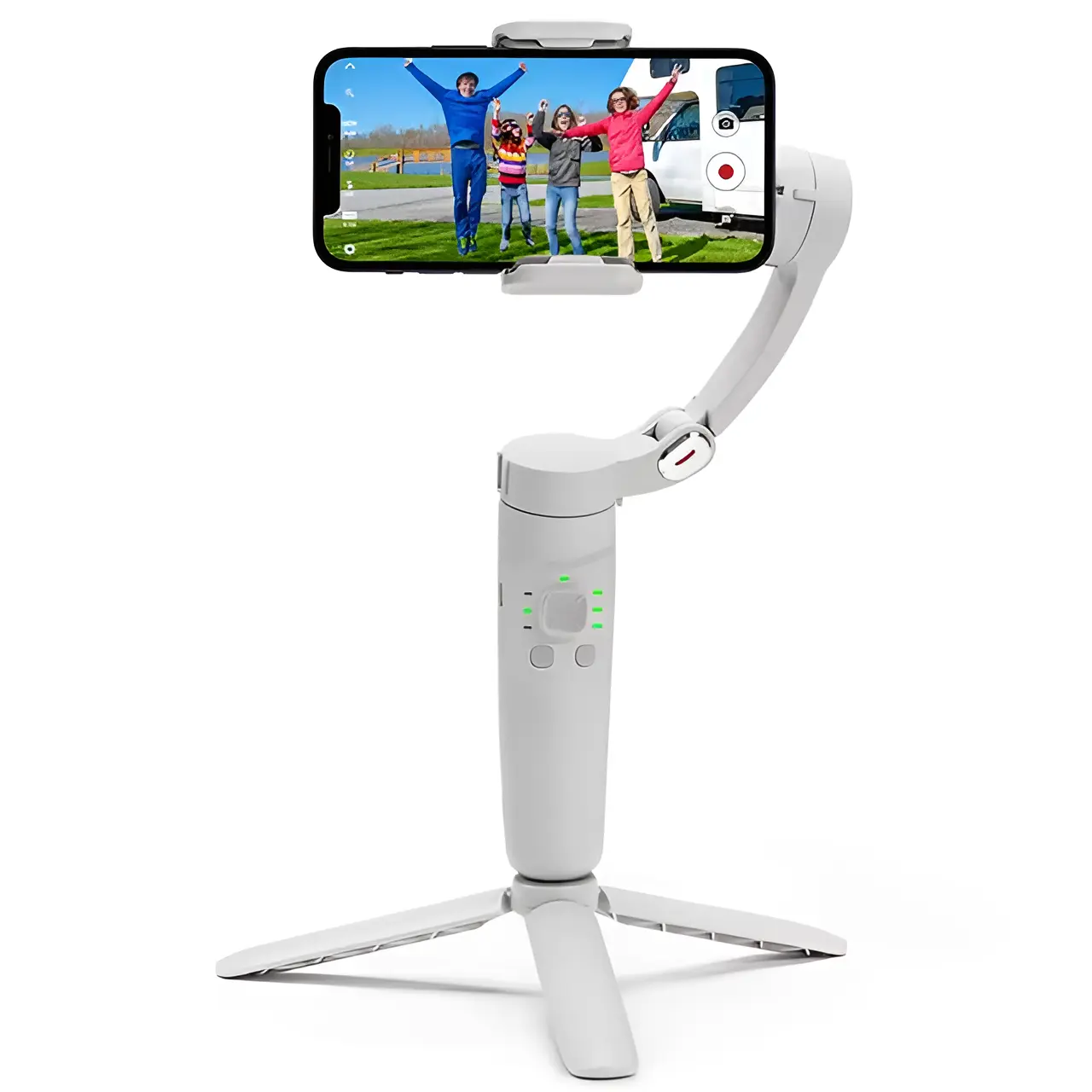
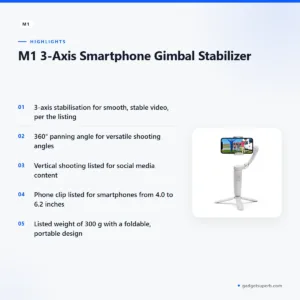
The M1 M1 gimbal stabilizer is a 3-axis handheld gimbal for smartphones, and the maker lists it as suited to smooth, stable video. It is aimed at Bangladeshi creators, vloggers, students and families who film on the move, whether on a Dhaka commute or on a trip outside the city. This page covers what the listing confirms, how to use the product sensibly and who should consider it.
- Overview
- Key features
- Specifications
- How to use / set up
- Compatibility and what is in the box
- Who should buy it in Bangladesh
- Alternatives in our store
- Warranty and support
- Delivery, returns and ordering
- Frequently asked questions
What the M1 M1 gimbal stabilizer does
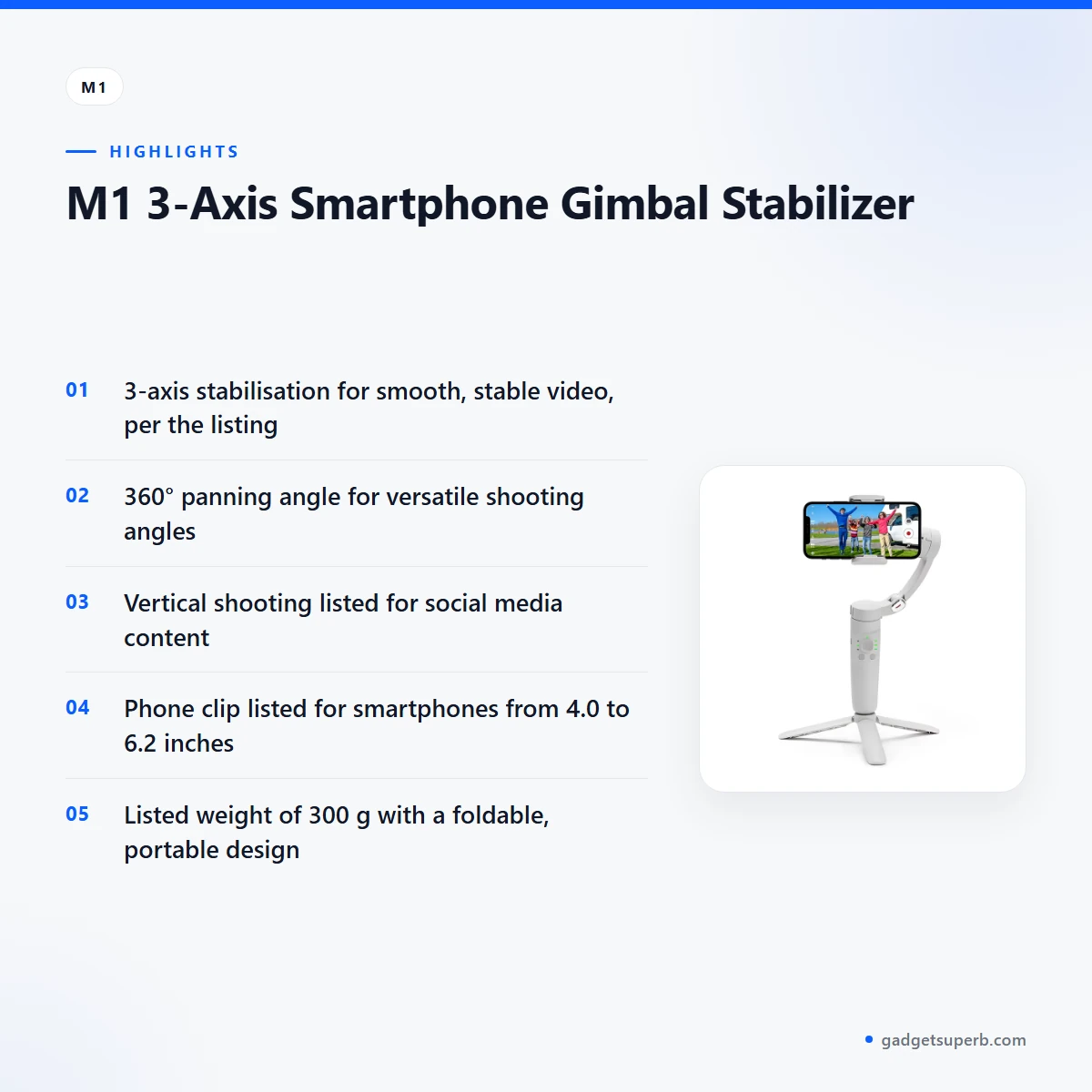
A handheld gimbal is a grip that holds a phone steady while you walk, turn or follow a subject. According to the listing, the M1 M1 gimbal stabilizer uses 3-axis stabilisation to ensure smooth and stable videos. It also gives a 360° panning angle, which the maker describes as full rotation for versatile shooting angles.
The listing describes the M1 M1 gimbal stabilizer as a foldable unit with vertical shooting for social media content, remote control, and app control with an English interface. It lists automatic tracking as well, which the listing says tracks subjects for hands-free video capture. Taken together, these are the points to compare against your own filming habits.
For Bangladeshi buyers, the practical question is whether the gimbal fits your routine. A short commute on a crowded bus calls for something that folds small and goes into a bag. A family trip or a home corner for vlogging asks for a steady base and a reliable phone clip. The M1 M1 gimbal stabilizer is listed as foldable and portable, so it belongs to the first group, but the rest of this page sets out what the listing confirms and what it does not.
Humid weather can make a grip feel less secure in the hand, so a phone clip that holds firmly matters. Load-shedding also affects how you plan a shoot, because a battery you can charge in the evening suits daily filming better than one you must charge mid-shoot. The points below help you judge the M1 M1 gimbal stabilizer against those conditions.
Many buyers in Dhaka ask whether a gimbal is worth carrying alongside a basic stand. The answer depends on the shot. A gimbal suits moving footage, such as walking, turning or following a person, while a stand suits fixed frames. The listing presents the M1 M1 gimbal stabilizer as a handheld gimbal with a tripod included in the package. The package includes one tripod, but the listing does not say how the gimbal performs as a stand.
Key features
3-axis stabilisation for smooth, stable video
The listing states that 3-axis stabilisation ensures smooth and stable videos. In practice, that is the main reason to use a gimbal: it smooths the small shakes that come with walking. The maker presents this as the core function of the M1 M1 gimbal stabilizer. Stabilisation is most useful when you are walking, climbing stairs or moving between rooms, because those are the moments when a handheld phone drifts. The listing does not give figures for how much shake is removed, so judge the result on your own footage. For a vlogger filming on a busy Dhaka street, the benefit is a usable frame when the pavement is uneven and the crowd is close.
360° panning for versatile shooting angles
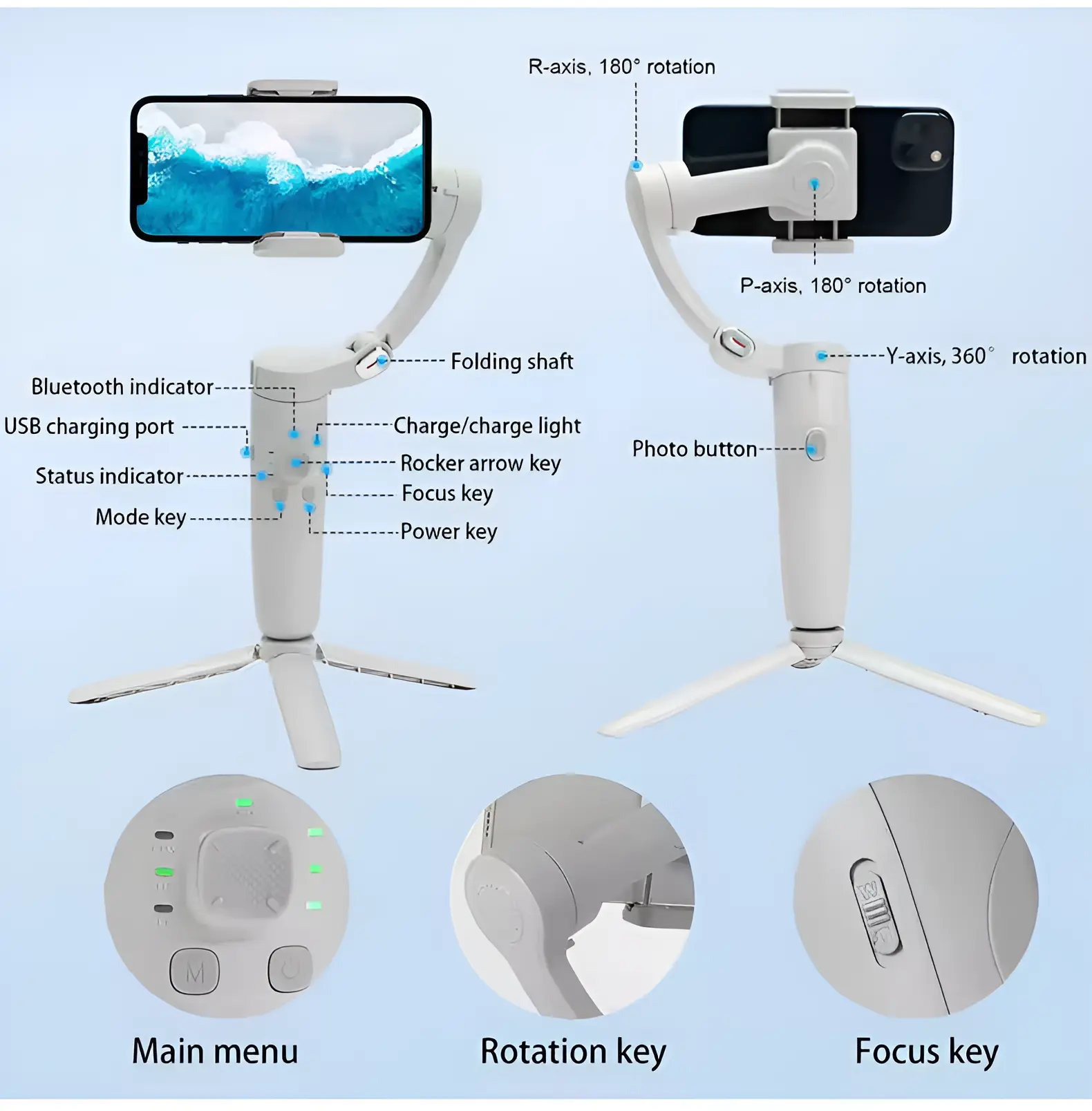
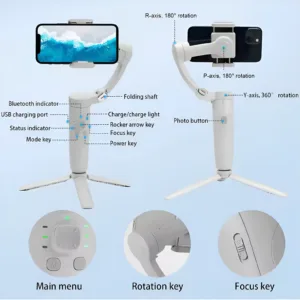
According to the listing, the panning angle is 360°, described as full rotation for versatile shooting angles. Panning means turning the phone left or right around a vertical axis, so one setup can cover a wide sweep of a room, a street or a stage. The listing also gives a rolling angle of 180° and a tilting angle of 180°, which are set out separately in the specifications below. When you plan a shot with the M1 M1 gimbal stabilizer, decide the angle first and check that the phone clip holds the phone firmly in that position. Panning is also useful for product demos, where a steady sweep across a table shows the item from several sides.
Vertical shooting for social media
The listing says vertical shooting is ideal for social media content and lists horizontal and vertical screen support. Many people watch short video on a phone held upright, so a gimbal that handles portrait framing suits creators who post to short-video platforms. Decide the orientation before you start, so the framing matches the place where the clip will be posted. Check the orientation on the phone before each session. This matters for Bangladeshi creators who film a product, a street scene or a cooking session and want a clip ready to post straight from the phone. The M1 M1 gimbal stabilizer is listed as supporting both orientations.
Remote control and app settings
The listing lists remote control, which lets you operate the gimbal with the included remote, and app control, which supports app settings with an English interface. It also lists NFC for seamless control and setup, and Bluetooth connectivity for seamless wireless operation. The listing does not describe which app features are available, so read the maker’s instructions before relying on any single control. For a solo filmer, the remote is useful when the M1 M1 gimbal stabilizer is held at arm’s length. If you prefer hands-off control, the remote keeps your attention on the shot rather than on the screen.
Automatic tracking and the phone clip
According to the listing, automatic tracking follows subjects for hands-free video capture. The phone clip is extendable and listed as compatible with smartphones from 4.0 to 6.2 inches. Those two details shape who the M1 M1 gimbal stabilizer suits: a creator who wants to be in frame without a second person behind the camera, and a phone that falls within the listed size range. Check your phone’s screen size against that range. One way to use the tracking, which is our own suggestion rather than a claim in the listing, is for a solo creator to frame the shot, start recording and then step into the scene.
Battery, weight and portability
The listing gives a 2200mAh lithium battery and says it offers up to 5 hours of uninterrupted use. It also lists the weight as 300 g and describes the device as lightweight and easy to carry, with a folded size that is compact and portable for travel. Charge it fully before first use. The listing also says the M1 M1 gimbal stabilizer has built-in functionality to charge your smartphone, which can help on a long day out. For long days, plan your charging around the listed battery life of up to 5 hours of uninterrupted use. For a Dhaka commuter, the folded size and weight are the points to check against a daily bag.
Specifications
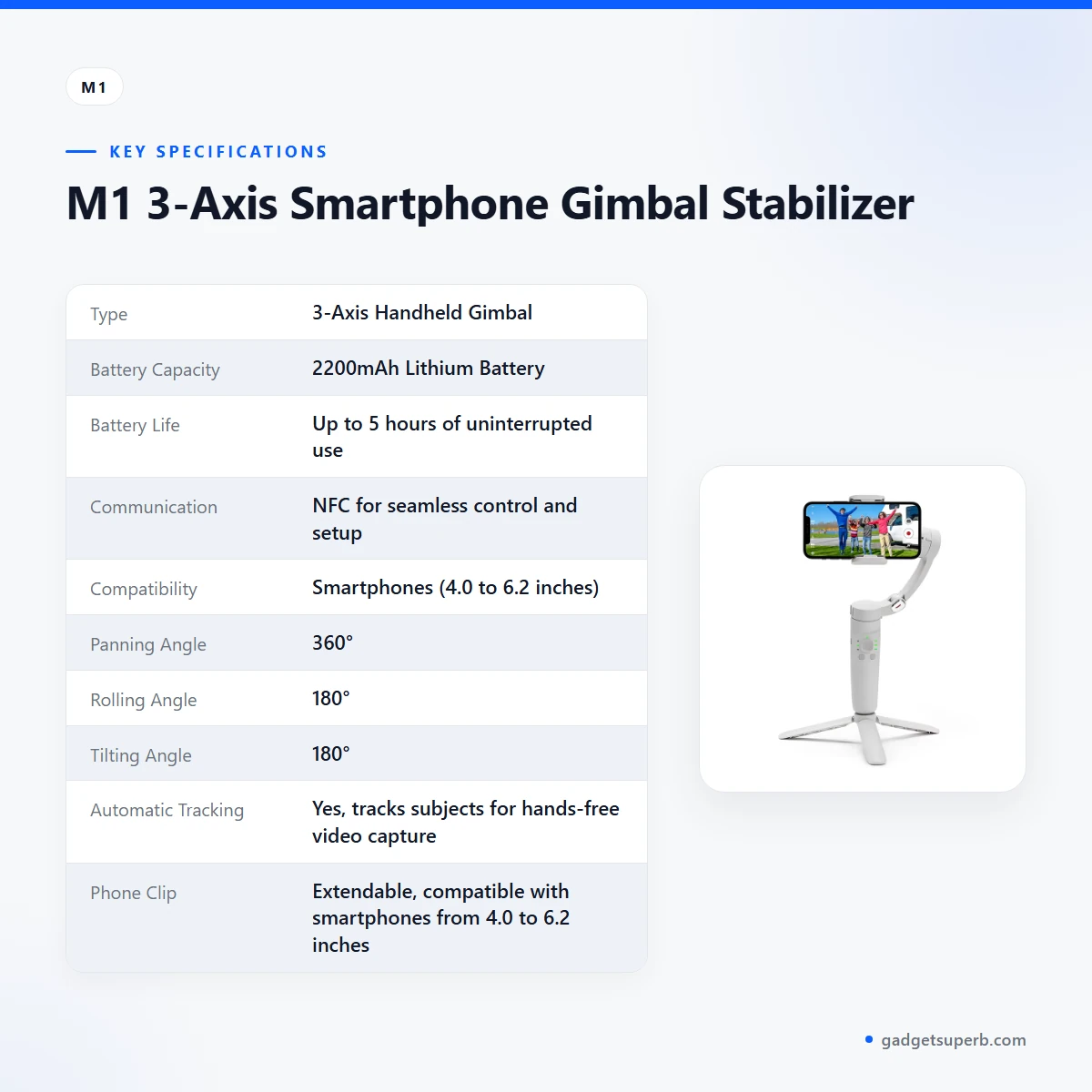
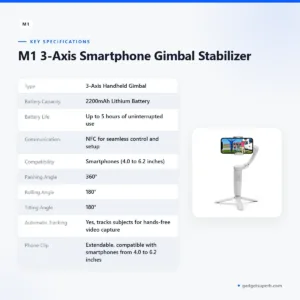
The table below sets out the specifications for the M1 M1 gimbal stabilizer as they appear in the product listing.
| Type | 3-Axis Handheld Gimbal |
|---|---|
| Battery Capacity | 2200mAh Lithium Battery |
| Battery Life | Up to 5 hours of uninterrupted use |
| Communication | NFC for seamless control and setup |
| Compatibility | Smartphones (4.0 to 6.2 inches) |
| Panning Angle | 360° |
| Rolling Angle | 180° |
| Tilting Angle | 180° |
| Automatic Tracking | Yes, tracks subjects for hands-free video capture |
| Phone Clip | Extendable, compatible with smartphones from 4.0 to 6.2 inches |
| Folded Size | Compact and portable for easy travel |
| Weight | 300 g (lightweight for easy portability) |
| Certifications | CE, FCC, RoHS |
| Operating Temperature | 0°C to 40°C |
These are listed specifications from the product listing.
How to use / set up
Start by charging the unit fully before first use. Then follow the maker’s instructions for turning the device on, pairing it and attaching your phone. The listing does not describe button sequences or menu order, so the maker’s own instructions are the reference for those steps.
Fit your phone into the extendable clip before you start filming, and check that the phone sits within the listed 4.0 to 6.2 inch range. Tighten the clip so the phone does not slide when the gimbal moves. Before a shot, hold the M1 M1 gimbal stabilizer still for a few seconds and check the framing on the phone screen.
If you want to change settings, use the remote or the app. The listing says the app supports settings with an English interface. Practise a slow pan through the 360° range before an important shoot, so you learn how the grip moves and how much room you need around you.
A simple checklist helps before every shoot: charge the unit fully, confirm that the phone’s screen size is within 4.0 to 6.2 inches, attach the phone and tighten the clip, choose horizontal or vertical mode, and check the framing on the phone screen. Keep the pouch nearby so the unit stays protected between shoots. Use this checklist with the M1 M1 gimbal stabilizer each time you change phones, because a different phone may need a different clip position.
Planning a shoot in advance also saves time. Decide whether the scene needs moving or fixed frames, choose the orientation for the platform you will post to, and note the places where you can recharge. A short run-through with the M1 M1 gimbal stabilizer before a family event or a product video lets you find awkward angles while there is still time to adjust them.
Care for the M1 M1 gimbal stabilizer is simple. Keep it clean and dry, store it in its pouch when folded, and avoid leaving it in a hot car. The listing gives an operating temperature of 0°C to 40°C, so keep use inside that range. Load-shedding can interrupt charging, so top up the battery when mains power is steady, especially before a long shoot.
Compatibility and what is in the box
The M1 M1 gimbal stabilizer is listed as designed for smartphones, with a compatibility range of 4.0 to 6.2 inches and an extendable phone clip for that range. The listing does not name specific phone models, so this page does not promise a fit for any one model.
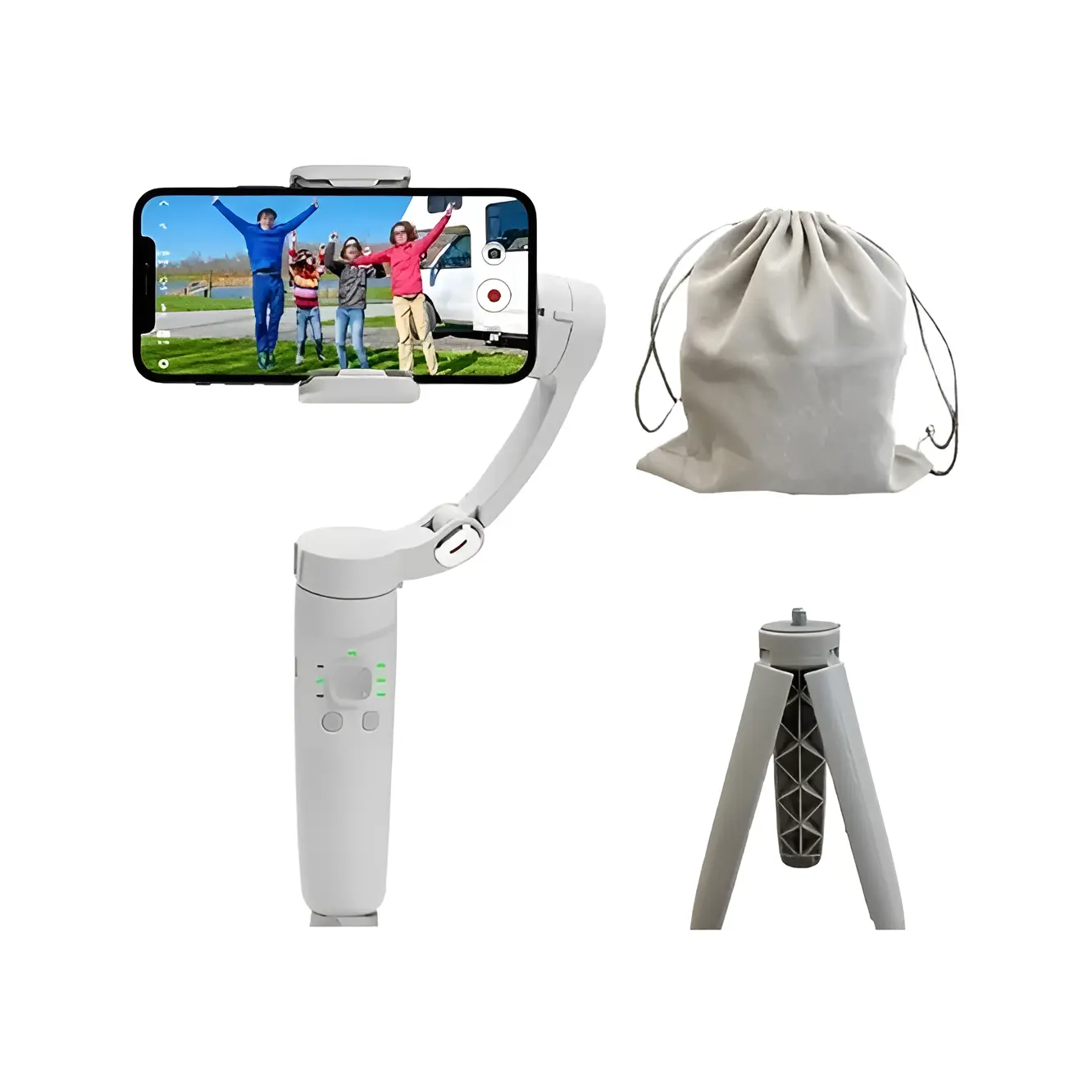
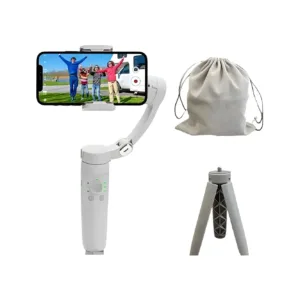
According to the listing, the package includes one M1 gimbal, one tripod and one pouch. The listing names the gimbal as ‘Merak One M1 Gimbal’, which differs from the product name used on this page, so confirm the model with us. The listing does not state a charging cable or any other accessory.
Not confirmed by the listing: any phone model outside the 4.0 to 6.2 inch range, any app features beyond the English interface, and whether a thick protective case fits the phone clip. If your phone is in a case, check its overall width against the stated range, or ask our team about it.
Who should buy the M1 M1 gimbal stabilizer in Bangladesh
A new vlogger filming in Dhaka’s streets and markets may value the automatic tracking and the 360° panning, since the listing describes both for hands-free capture and versatile angles. The M1 M1 gimbal stabilizer suits a solo creator who needs to move with the subject.
A student making short videos for social media may prefer the vertical shooting mode the listing describes, paired with a phone clip that the listing gives as 4.0 to 6.2 inches. The compact folded size and the 300 g weight listed for the device make it easy to carry to campus.
A family filming a trip outside Dhaka can use the folded size of the M1 M1 gimbal stabilizer as a travel point. Delivery outside Dhaka usually takes 2–5 days, so plan ahead if you need the device before a trip. The listing gives battery life as up to 5 hours of uninterrupted use.
A small business owner filming product demos on a phone may find the M1 M1 gimbal stabilizer useful for moving shots. For a static shot from one fixed spot, a stand may serve better. The listing does not describe studio use, so judge the fit against your own setup.
Before you buy, ask four questions. Is my phone within 4.0 to 6.2 inches? Do I mostly film moving shots or fixed frames? Do I need vertical video for my platform? Can I plan delivery around my trip or event? If the answer to any of these is no, compare the alternatives below.
Who should look elsewhere: anyone whose phone falls outside the listed 4.0 to 6.2 inch range, and anyone who films mainly from one fixed spot and wants a stand. In those cases, compare the options in the next section before you decide.
Alternatives in our store
If the M1 M1 gimbal stabilizer is not the right fit, you can browse these related items. Each one is listed in our tripods and stands range, so you can compare them with the M1 M1 gimbal stabilizer side by side: the JMARY KP-2206 Camera And Phone Selfie Stick Tripod, the Jmary MT29 Portable Mini Tripod, the Jmary KP-2207 Portable Aluminum Tripod and the YUFENG-3388 Professional Foldable Heavy-Duty Tripod.
To see the full range, visit the Tripods and Stands category. For background on how tripods are used in photography, see the Wikipedia article on photographic tripods.
Warranty and support
Warranty: 7 Days seller warranty.
Delivery, returns and ordering
We deliver all over Bangladesh and you pay cash on delivery. Delivery usually takes 1–3 days inside Dhaka city and 2–5 days outside Dhaka.
You can return it within 7 days of delivery (see our Delivery and Returns policy). Questions before ordering: call 09638054751, message us on Facebook Messenger or email care@gadgetsuperb.com.
You can use the contact details above to ask about the M1 M1 gimbal stabilizer, including points this page marks as not confirmed by the listing.
Frequently asked questions
What is the M1 M1 gimbal stabilizer?
The M1 M1 gimbal stabilizer is a 3-axis handheld gimbal for smartphones, according to the listing. The maker lists smooth, stable video, 360° panning and remote control among its features.
Which phones does the M1 M1 gimbal stabilizer fit?
The listing states compatibility with smartphones from 4.0 to 6.2 inches, and the phone clip is listed as extendable for that range. Check your phone’s screen size against that range before ordering.
Does the M1 M1 gimbal stabilizer track subjects automatically?
According to the listing, yes: it tracks subjects for hands-free video capture.
How long does the battery of the M1 M1 gimbal stabilizer last?
Up to 5 hours of uninterrupted use, according to the listing, from a 2200mAh lithium battery.
Can the M1 M1 gimbal stabilizer shoot vertical video?
Yes, the listing says it supports horizontal and vertical screen modes and is ideal for social media content.
Does the M1 M1 gimbal stabilizer come with a remote?
The listing says you operate it with the included remote. It also lists app control with an English interface.
What is the warranty on the M1 M1 gimbal stabilizer?
Warranty: 7 Days seller warranty.
Can I return the M1 M1 gimbal stabilizer after delivery?
You can return it within 7 days of delivery, as set out in our Delivery and Returns policy.
Do you deliver the M1 M1 gimbal stabilizer outside Dhaka?
Yes, we deliver all over Bangladesh with cash on delivery, and delivery outside Dhaka usually takes 2–5 days.
How can I ask a question before ordering?
Call 09638054751, message us on Facebook Messenger or email care@gadgetsuperb.com.
Is the M1 M1 gimbal stabilizer lightweight?
Yes, the listing gives a weight of 300 g and describes the device as lightweight and easy to carry.
Is the M1 M1 gimbal stabilizer suitable for beginners?
The listing does not state a skill level. Beginners can start with the remote and short practice clips, and should read the maker’s instructions for each function.
Related products
-23%
50 in stock
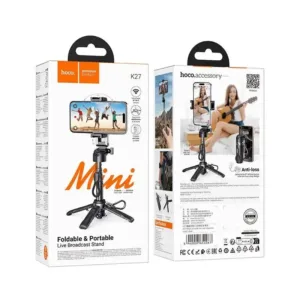
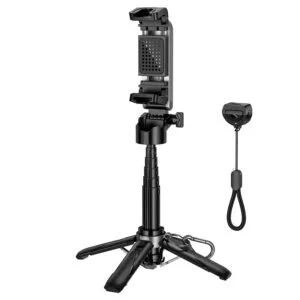
Hoco K27 Magic Mini Foldable & Portable Live Broadcast Stand Selfie Stick
Original price was: ৳ 1,770.৳ 1,360Current price is: ৳ 1,360.-26%
50 in stock

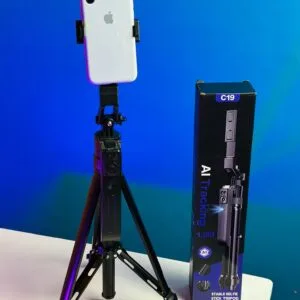
C19 AI Face Tracking Selfie Stick Tripod
Original price was: ৳ 3,990.৳ 2,950Current price is: ৳ 2,950.-25%
27 in stock


NeePho L13 3‑Axis Gimbal Stabilizer & Selfie Stick Tripod
Original price was: ৳ 2,970.৳ 2,200Current price is: ৳ 2,200.-23%
24 in stock
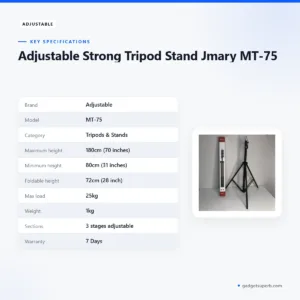

Adjustable Strong Tripod Stand Jmary MT-75
Original price was: ৳ 1,300.৳ 1,000Current price is: ৳ 1,000.-23%
100 in stock
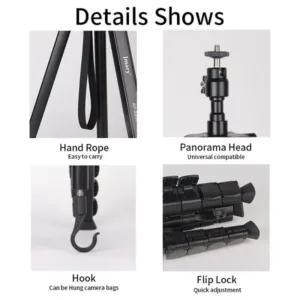

Jmary Tripod KP-2208 Professional Tripod With Mobile Holder
Original price was: ৳ 1,950.৳ 1,500Current price is: ৳ 1,500.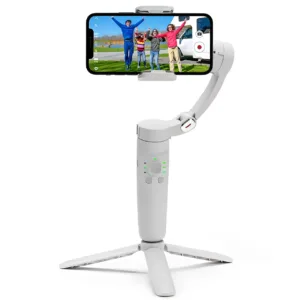 M1 3-Axis Smartphone Gimbal St...
Original price was: ৳ 8,280.৳ 5,950Current price is: ৳ 5,950.
70 in stock
Reviews
There are no reviews yet.