No products in the cart.

-27%
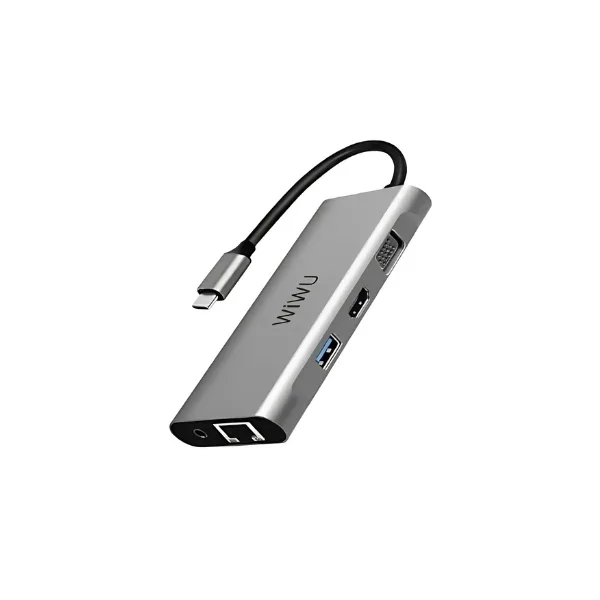



The WiWU A11 is a USB Type C hub from WiWU, listed in gray, that the listing says adds two external monitors to your PC. It suits home-office workers, students and laptop users in Dhaka who want extra screens, USB 3.0 ports and a card reader on one desk.
- About the WiWU A11
- Key features
- Specifications
- How to use / set up
- Compatibility and what is in the box
- Who should buy it in Bangladesh
- Alternatives in our store
- Warranty and support
- Delivery, returns and ordering
- Frequently asked questions
About the WiWU A11
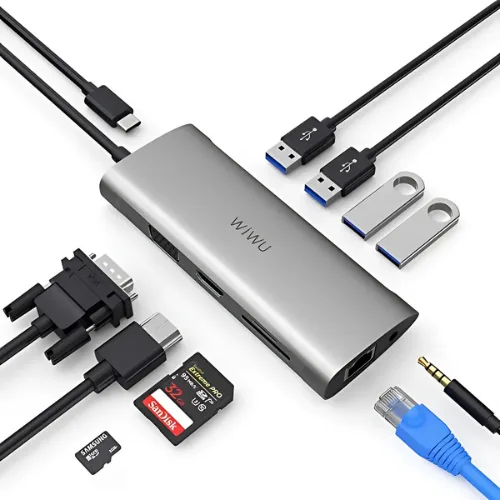
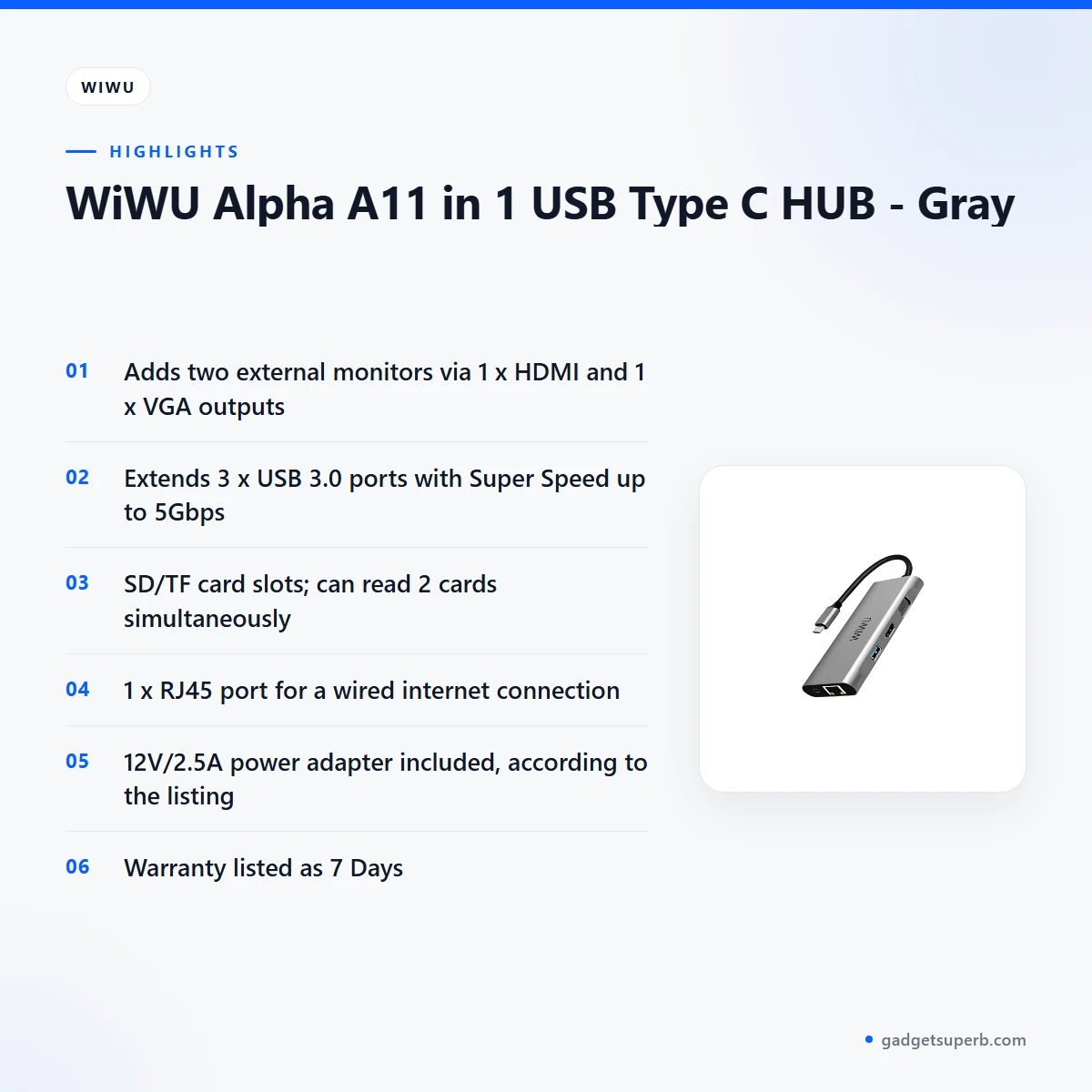
The WiWU A11 is a USB Type C hub sold in our Hubs & Adapters range. Its main job is multi-monitor output. According to the listing, it adds two external monitors to your PC, using one HDMI output and one VGA output.
Many desks in Dhaka are crowded. A laptop on a small table often needs a monitor, a memory card reader, extra USB ports and a wired connection at the same time. The hub is listed with ports for those needs: three USB 3.0 ports, SD and TF card slots and one RJ45 port. The listing does not say that the hub replaces a full docking station, so compare your needs before you order.
This guide covers the features named in the listing, the listed specifications, setup advice that applies to most hubs, compatibility points that are not confirmed, and how the WiWU A11 compares with other hubs in our store. Where the listing is silent, we say so rather than fill the gap with guesses. Read the sections in order, or jump to the table of contents above.
Before you commit to the WiWU A11, decide which screens and devices you use every day. Then check the listed outputs and ports against that list. Power interruptions and humid weather are part of daily life for many households in Dhaka, so it helps to think about where a desk accessory will be placed, how it will be powered and how it will be stored when the desk is not in use.
A practical way to decide is to write down each screen you need, the input each screen has, and the number of devices you plug in at the same time. Compare that list with the listed outputs and ports. If your list matches them, the hub may be a good fit. If it does not, one of the alternatives later on this page may suit you better.
Key features
Multi-monitor support
The headline feature of the WiWU A11 is multi-monitor support. According to the listing, it adds two external monitors to your PC, with one HDMI output and one VGA output. That pairing can suit a desk where one screen has an HDMI input and an older screen uses VGA. The listing gives the supported display resolution as up to 2048×1152@32bit, and it lists 1920×1080 for analogue VGA. It also mentions 4K HD quality. The listing does not give a separate 4K figure for each output, so check the resolution your own screen supports before you buy.
Display modes: Extended, Primary and Rotate
The WiWU A11 lists three display modes: Extended, Primary and Rotate. Extended lets you use the connected screens as one wider workspace. Primary lets you choose which screen is the main display. Rotate changes the orientation of a screen, which some people prefer for long documents or narrow code windows. The listing notes that rotation mode is not available for Mac, so Mac users should not buy the hub expecting that option. Choose your mode in your computer’s display settings after you connect your screens.
USB 3.0 hub ports
The WiWU A11 extends three USB 3.0 ports. The listing gives Super Speed of up to 5Gbps and says the hub is backward compatible with USB 2.0 and 1.1. In plain terms, older USB 2.0 or 1.1 devices can still connect, and the listing describes the hub as compatible with USB 2.0/1.1 for its USB hub functions. If you plan to use a fast external drive, the USB 3.0 ports are the ones the listing describes. Many buyers in Dhaka use the ports for a keyboard, a mouse, a flash drive and a portable drive, which keeps the desk tidy. Check the devices you plan to connect before you order, and list them in your notes so you can compare them with the ports on the hub.
SD and TF card reader
The WiWU A11 includes SD and TF card slots. According to the listing, it can read two cards at the same time. The listing names compatibility with SDXC, SDHC, SD, Micro SDXC, Micro SD and Micro SDHC cards, followed by etc., so the list is not complete. For students moving files, photographers who want to offload images, or anyone who keeps work on memory cards, a built-in reader means one less device on the desk. Confirm that your card format appears in the listing or ask us before you order. Store cards in a dry case, especially in the humid months.
RJ45 wired network port
The WiWU A11 has one RJ45 port, which the listing describes as a port for a wired internet connection. A cable connection can suit a desk where the Wi-Fi signal is weak or inconsistent. The listing does not give speed figures for the network port, so this page does not state any. If you plan to use the port, bring your router and cable plan into your check before you buy. Many people in Dhaka work from home with a router in another room, and a wired link can make that setup more predictable, though results depend on your internet service.
Power and the included adapter
According to the listing, a 12V/2.5A power adapter is included with the WiWU A11. Keep the adapter with the hub so the two stay together on the desk. If you use several devices at once, check that your socket and extension lead are stable, and plan for power cuts, since load-shedding is common in some areas. The listing does not explain how power is shared across the USB ports, and it does not mention a battery or backup function. A surge protector or a UPS is a common choice for home desks, but that decision is yours and is not part of the listing.
Specifications
The table below lists the WiWU A11 specifications as they appear in the product listing.
| Brand | WiWU |
|---|---|
| Model | A11 |
| Category | Hubs & Adapters |
| Outputs | 1 x HDMI, 1 x VGA |
| Supported display resolution | Up to 2048×1152@32bit (1920×1080 for Analog VGA) |
| Display modes | Extended, Primary, Rotate (rotation not available for Mac) |
| USB ports | 3 x USB 3.0 (extended) |
| Super Speed | Up to 5Gbps |
| Backward compatibility | USB 2.0/1.1 |
| Card reader | SD/TF card slots; can read 2 cards simultaneously |
| Network | 1 x RJ45 port (for wired internet connection) |
| Power | 12V/2.5A power adapter included |
| Warranty | 7 Days |
These are listed specifications from the product listing for the WiWU A11.
How to use / set up
Setting up the WiWU A11 is straightforward in general terms: connect the hub, connect your screens, then adjust the display settings. The steps below are generic guidance. Where the listing gives no detail, follow the maker’s instructions.
- Check your monitor inputs. Confirm that each screen you plan to use has an HDMI or VGA input, and that the cable you need is ready.
- Connect the WiWU A11 to your laptop or PC through its USB Type C connection, using a port and cable that work with your device.
- Connect one monitor to the HDMI output and one monitor to the VGA output.
- Connect the power adapter if your setup needs it, following the maker’s instructions.
- Open your computer’s display settings and choose Extended or Primary, depending on how you want to use the screens.
- Test the USB ports, the card slots and the RJ45 port one at a time, so you can spot any problem early.
If a screen does not appear, check the cable at both ends, the input selected on your monitor and the display settings on your computer. Restart your device after changing settings if your system asks you to. Confirm your monitor inputs before you order, because the listing does not explain every combination of screen and computer.
Before you connect anything, plan the desk layout. Leave enough space for the hub and the cables, and avoid bending the cables sharply. Good cable management also makes it easier to move the desk later. Place the hub where you can reach its ports without pulling on the cables, and keep the power adapter in an accessible spot.
Care for the WiWU A11 is simple. Keep the hub dry, away from direct sun and clear of heavy objects resting on the cable. Storage matters in Dhaka’s humid months. Keep the WiWU A11 in a dry drawer or bag when it is not in use, and unplug it before wiping the case with a dry cloth. Coil cables loosely rather than wrapping them tightly around the body of the hub.
Dust can build up on the ports over time. Use a dry, soft brush or a can of compressed air to clear the ports when the hub is unplugged. Avoid liquid cleaners near the ports. Check the connectors from time to time for bent pins or loose fittings, and stop using a damaged cable until you have replaced it.
Compatibility and what is in the box
The listing describes the WiWU A11 as a USB Type C hub and confirms backward compatibility with USB 2.0/1.1 for the USB hub functions. It lists a 12V/2.5A power adapter as included. Those are the compatibility points that the listing states, and we repeat them as written.
The listing does not give a full list of supported laptops, operating systems or monitors for the WiWU A11. It also does not confirm which Mac models or Windows versions work with every display mode. The rotation mode is listed as not available for Mac, which is a clear limit. Other points are not confirmed by the listing, so check them with us before you order.
On the contents of the package, the listing names only the 12V/2.5A power adapter as included. It does not give a full list of other items, so this page does not state any. If you need the full contents of the package, ask us before you order.
Before you buy, check your laptop’s ports, your monitor inputs and your operating system. For more about the brand, you can visit the maker’s website and compare its product information with this page.
Who should buy it in Bangladesh
Home-office workers with a laptop and two screens. If your desk has a free HDMI input and a free VGA input, the hub matches the outputs named in the listing. You also get three USB 3.0 ports for a keyboard, a mouse and a drive, so one hub can serve the whole desk.
Students and designers who move files from memory cards. The card reader is listed as reading two cards at once, which may suit people who copy files from memory cards to a laptop. Check that your card type is covered before you buy.
Office staff who need a wired connection. The RJ45 port is listed for a wired internet connection. If a cable link matters more to you than Wi-Fi, buy the WiWU A11 only after checking your router setup.
Mac users with rotation needs. The listing says rotation mode is not available for Mac. If you use a Mac and need rotated screens, look at the alternatives below.
Gift buyers. A hub is a practical present for someone who runs a home desk. Choose this hub as a gift only if the listed outputs match the screens the recipient already owns, and confirm that with them if you can.
Small offices and front desks. A front desk that runs one laptop with a second screen may find the WiWU A11 useful, but only if the screens use the HDMI or VGA input the listing names. Count your screens and inputs before you order for a shared desk.
Freelance writers and researchers. A writer who keeps a reference document on one screen and a draft on another may find the Extended mode suits that layout. The card reader can also help if research files arrive on memory cards.
Families with one shared computer. If several people use one PC in the evenings, a hub with three USB 3.0 ports and a card reader can keep shared drives and cards on the desk. Agree on who manages the cables, so the setup stays tidy.
Buyers who need more than the listing shows. If you need ports or features that the listing does not mention, the WiWU A11 may not be the right choice. Compare the listed features with your own list before you place an order.
Alternatives in our store
If the WiWU A11 does not fit your setup, compare these options in our store. You can read more about Vention 6-in-1 USB-C Docking Station-TGNHB, a docking station in our range. For another USB-C option, see Ugreen CM511 6-in-1 USB-C Multifunction Hub, which is another USB-C hub in our range. You can also look at CUDY UH407 7-In-1 HDMI SD/TF 4K USB-C Hub, another hub in our range, or Anker USB-C 7 in 1 Multi-Port USB Adapter (A83D2), another adapter in our range. To browse all options, visit Hubs & Adapters.
Choosing between the WiWU A11 and these options comes down to the outputs you need, the ports you use every day and the delivery timing to your area. Write down your screens, devices and desk space first, then compare each product against that list.
Warranty and support
Warranty: 7 Days seller warranty.
Delivery, returns and ordering
We deliver all over Bangladesh and you pay cash on delivery. Delivery usually takes 1–3 days inside Dhaka city and 2–5 days outside Dhaka. When you order, these delivery details apply.
You can return it within 7 days of delivery. The full terms are on our policy page, Delivery & Returns, which you should read before you order.
Questions before ordering: call 09638054751, message us on Facebook Messenger or email care@gadgetsuperb.com. You can ask about details the listing does not cover, such as your monitor inputs.
Before you place an order, check the delivery area, the cash on delivery amount you will pay and the return window. Keep the packaging until you have tested the hub.
Ask us whether the WiWU A11 suits your desk before you pay on delivery. Tell us which screens and devices you plan to connect, and we can point you to the policy and contact options that apply to your order.
Frequently asked questions
What does the WiWU A11 do?
According to the listing, the WiWU A11 adds two external monitors to your PC, with one HDMI output and one VGA output.
Which display resolution does this hub support?
The listing gives up to 2048×1152@32bit, with 1920×1080 for analogue VGA.
How many USB ports does the WiWU A11 have?
The listing says it extends 3 x USB 3.0 ports, with Super Speed of up to 5Gbps and backward compatibility with USB 2.0/1.1.
Does the WiWU A11 read memory cards?
Yes. The listing says it includes SD/TF card slots and can read 2 cards simultaneously.
Does this hub have a wired internet port?
Yes, the listing shows 1 x RJ45 port for a wired internet connection.
Does this hub include a power adapter?
According to the listing, a 12V/2.5A power adapter is included.
Does rotation work on a Mac?
No. The listing says rotation mode is not available for Mac, so check this before you order the WiWU A11.
What is the warranty on the WiWU A11?
Warranty: 7 Days seller warranty.
How long does delivery take?
Delivery usually takes 1–3 days inside Dhaka city and 2–5 days outside Dhaka, and you pay cash on delivery.
Can I return it?
Yes. You can return it within 7 days of delivery, as set out in our Delivery & Returns policy.
How can I ask questions before I order?
Call 09638054751, message us on Facebook Messenger, or email care@gadgetsuperb.com.
Does this hub work with my operating system?
The listing does not give a full list of supported operating systems, so ask us before you order.
Related products
-23%
98 in stock

WiWU iTag Anti-Lost Smart Location Tracker – Black
Original price was: ৳ 1,690.৳ 1,300Current price is: ৳ 1,300.

WiWu FS03 Mini Clip Fan 360° Rechargeable
Price range: ৳ 1,240 through ৳ 1,300-27%
46 in stock

WiWU SW03 IPX68 Smart Watch – Black
Original price was: ৳ 5,130.৳ 3,740Current price is: ৳ 3,740.-27%
30 in stock
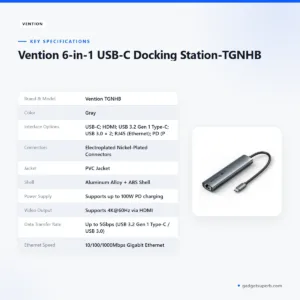
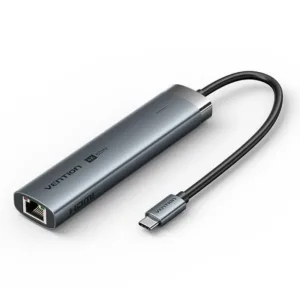
Vention 6-in-1 USB-C Docking Station-TGNHB
Original price was: ৳ 4,180.৳ 3,050Current price is: ৳ 3,050.-23%
50 in stock
Wiwu T22 ANC Touchscreen True Wireless Earbuds
Original price was: ৳ 2,250.৳ 1,730Current price is: ৳ 1,730.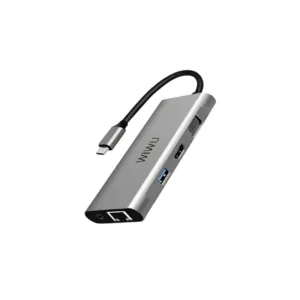 WiWU Alpha A11 in 1 USB Type C...
 Original price was: ৳ 5,210.৳ 3,800Current price is: ৳ 3,800.
49 in stock
Reviews
There are no reviews yet.