No products in the cart.

-23%
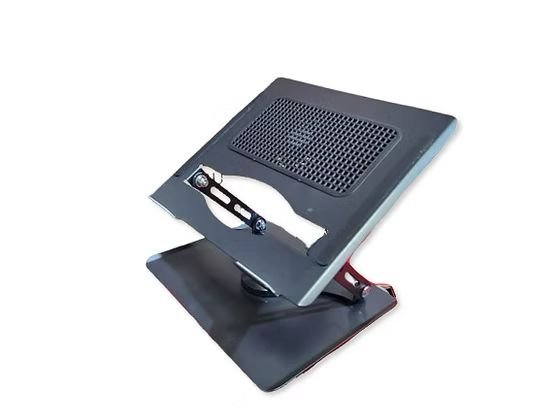
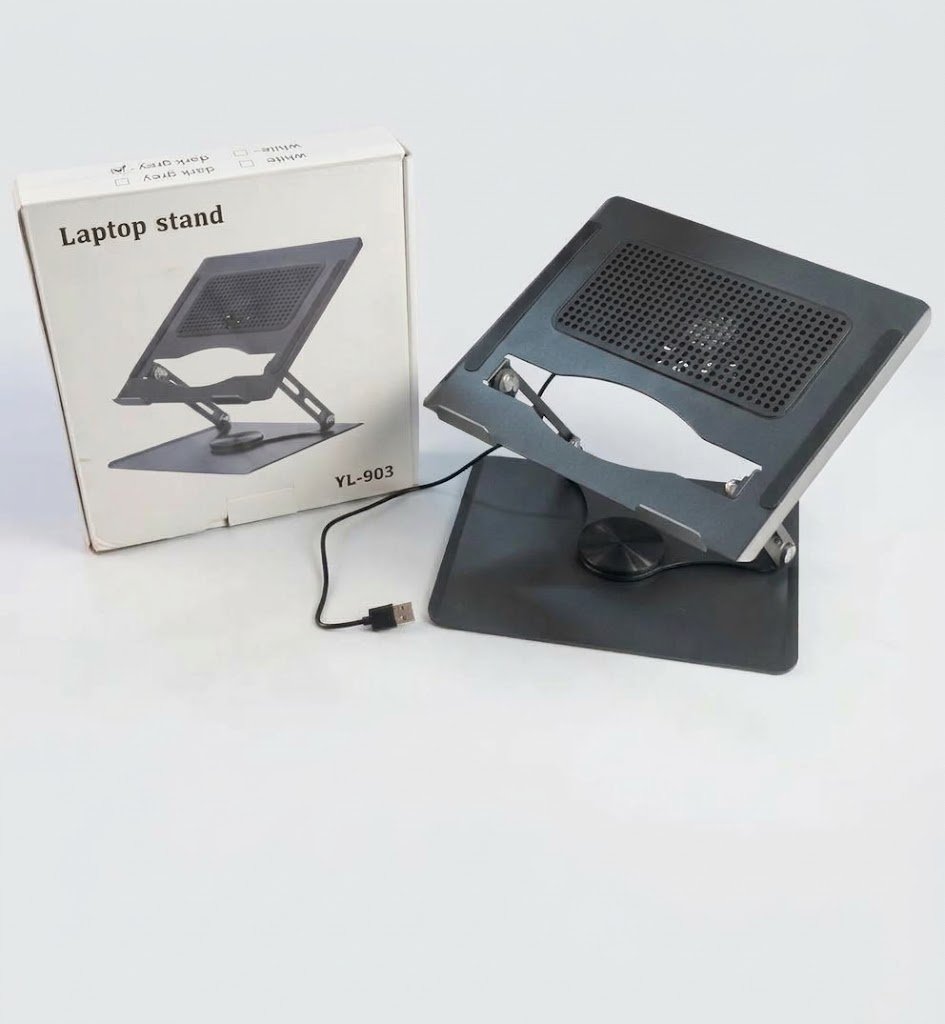



The YL-903 laptop stand is a 360° rotating, height-adjustable stand with a built-in USB cooling fan, according to the listing. It is designed for professionals, students and multitaskers in Bangladesh who spend long hours at a desk. This guide explains how it works, how to set it up, and whether it suits a home office, a hostel room or a daily commute in Dhaka.
- Overview
- Key features
- Specifications
- How to use and set up
- Compatibility and what is in the box
- Who should buy it in Bangladesh
- Alternatives in our store
- Warranty and support
- Delivery, returns and ordering
- Frequently asked questions
YL-903 laptop stand overview for home and office use
We list the YL-903 laptop stand in our Rechargeable & Desk Fans category because the listing includes a built-in cooling fan. The listing describes it as a stand that combines a height-adjustable frame, a 360° swivel base and a USB-powered fan. It is aimed at professionals, students and multitaskers who want a screen at a comfortable height during long working hours.
Many laptop users in Bangladesh work with the screen lying flat on the desk, which can make the neck and shoulders work harder after a few hours. A stand such as the YL-903 laptop stand raises the display so the top of the screen sits closer to eye level. The listing says the dual-hinge design is meant to relieve neck, back and wrist strain, which the maker presents as an aim rather than a result.
The listing also says the YL-903 laptop stand folds down flat, which suits a student who moves between a library, a hostel room and home, or a worker who carries a laptop through Dhaka traffic. The fan is USB-powered according to the listing. For general background on fans as machines, the overview of fan machines on Wikipedia is a useful starting point.
Humidity and heat are part of daily life in many Bangladeshi homes, and a laptop on a warm desk can feel uncomfortable during a long session. The fan on the YL-903 laptop stand is one way to add air movement under the device. Power cuts and load-shedding also happen in some areas, so charge your laptop fully before a long session. Keep the laptop off soft bedding and keep the vents clear, because a stand does not replace good airflow habits.
Key features
360° smooth swivel base
The listing describes a 360° smooth swivel base that lets you rotate the laptop to any angle. This is useful when you want to share your screen with a colleague across the desk or in a small meeting room without picking up the device. According to the listing, you can adjust your viewing position without moving the stand itself, so the base stays put while the screen turns. For a home office, one YL-903 laptop stand can serve the person at the keyboard and a family member who wants to look at the same page. Clear loose cables from the desk before you rotate the device, so the swivel moves freely.
Active USB cooling fan
The listing describes an active cooling fan that is USB-powered and built into the stand. It says the fan prevents overheating, which the maker links to extending battery life and sustaining optimal laptop performance. These are listed claims, so judge them against your own use. Many users place a laptop on a raised stand to free space under the base for air. The YL-903 laptop stand does not replace good habits, so keep the underside of the laptop free of papers, cloth and bedding while it works.
Ergonomic dual-hinge design
The listing says the dual-hinge design offers fully adjustable height and tilt angles, which lets you raise the screen toward eye level. A common problem with laptops is a low screen that makes you bend forward for hours. The maker lists the aim as relieving neck, back and wrist strain. Raising the screen usually means using an external keyboard and mouse, because the stand raises the display rather than the keyboard. Set the height so the top of the screen sits roughly at eye level, then adjust the tilt so your neck stays relaxed. With this YL-903 laptop stand, small changes are easier to judge after a short trial than in one attempt.
Sturdy aluminum alloy construction
The listing describes a heavy-duty aluminum alloy build that the maker says provides solid stability without shaking or wobbling while you type. A metal frame is a sensible choice where stability matters. The Material row in the specifications lists premium aluminum alloy and heavy-duty metal. The listing does not give a weight or a load limit, so the maximum weight is not confirmed by the listing. Check your laptop’s weight and case thickness before you rely on the YL-903 laptop stand for a heavy device.
Anti-slip silicone pads
According to the listing, durable silicone pads secure the laptop in place and protect both the desk and the device from scratches. This matters on a glossy desk, a glass table or a wooden surface you do not want marked. Before you place the laptop on the YL-903 laptop stand, wipe the pads and the underside of the device so grit does not sit between them. Look at the product photos on the listing to see the pads for yourself, because the listing text does not describe their layout in detail. A secure grip also helps when you type on a stand that is raised high.
Foldable and portable design
The listing says the stand folds down flat for convenient storage or transport in a backpack. That makes the YL-903 laptop stand a practical companion for students who move between a library, a hostel room and home, or for people who commute through Dhaka with a laptop bag. Folding and unfolding are part of daily use, so store the stand with the hinges closed and the cable wrapped loosely. Avoid stacking heavy items on top of it inside a bag, so the frame stays straight.
YL-903 laptop stand specifications
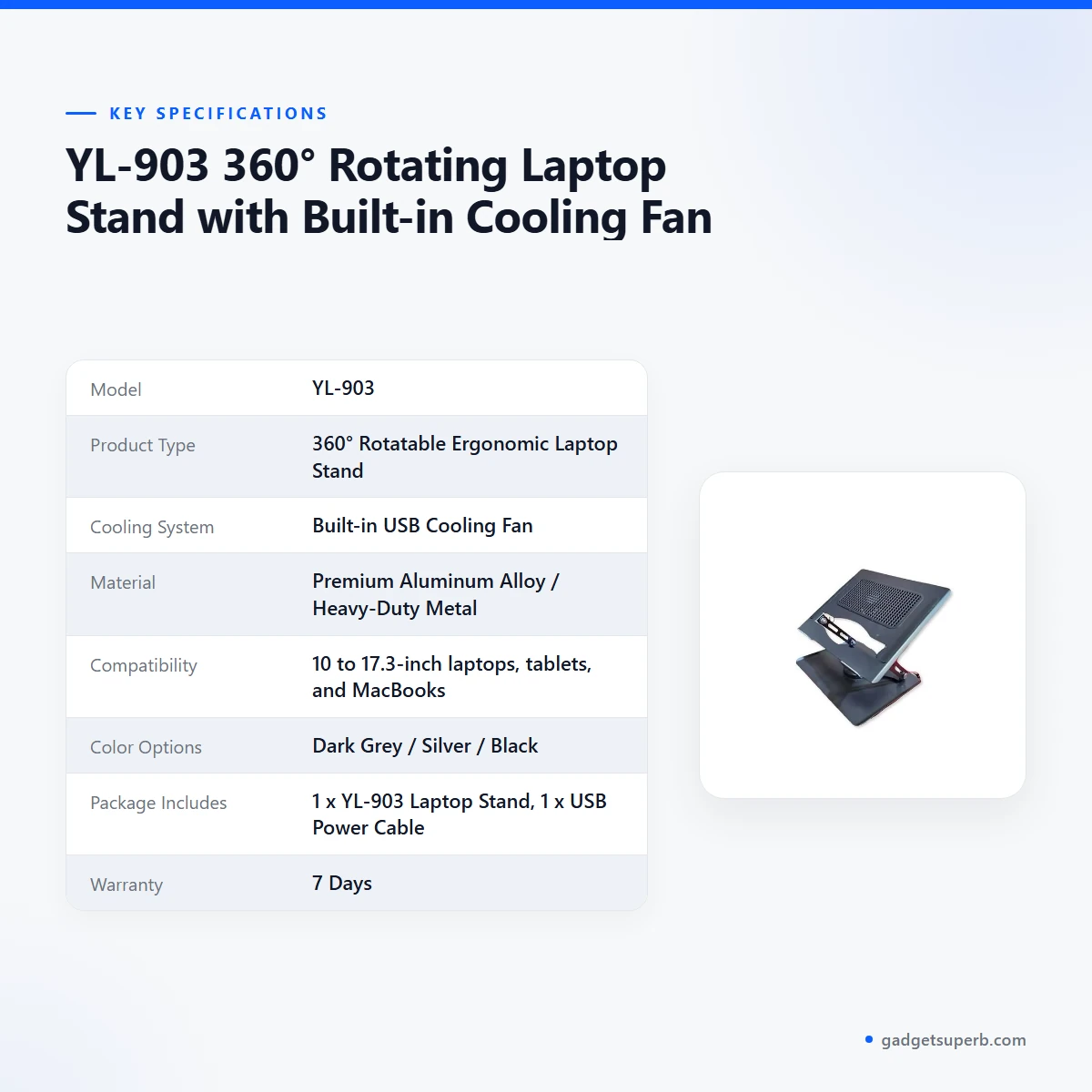
The table below lists the specifications for the YL-903 laptop stand as they appear in the product listing. Use it to check the model, material, compatibility and colour options before you order.
| Model | YL-903 |
|---|---|
| Product Type | 360° Rotatable Ergonomic Laptop Stand |
| Cooling System | Built-in USB Cooling Fan |
| Material | Premium Aluminum Alloy / Heavy-Duty Metal |
| Compatibility | 10 to 17.3-inch laptops, tablets, and MacBooks |
| Color Options | Dark Grey / Silver / Black |
| Package Includes | 1 x YL-903 Laptop Stand, 1 x USB Power Cable |
| Warranty | 7 Days |
These are listed specifications from the product listing.
How to use and set up the YL-903 laptop stand
Setting up a laptop stand is simple, but a few habits make it more comfortable from the first day. Follow the maker’s instructions, and keep the first session short so you can learn how the hinges feel under your laptop’s weight.
Before the first use of the YL-903 laptop stand, follow the maker’s instructions for the USB power cable. The listing says the fan is USB-powered, so connect the cable to a suitable USB source. Keep the cable away from the hinges so it does not catch when you adjust the height.
Place the stand on a flat, stable desk. Wipe the desk surface and the silicone pads first, then set the YL-903 laptop stand where you can reach the keyboard without stretching. A desk near a window or a wall socket often suits Bangladeshi homes, but choose a spot that keeps the stand clear of hot surfaces.
Set the height before the tilt. Work out a comfortable screen height first, because the two settings interact. Then adjust the tilt so the screen angle suits your posture, and check that the frame does not shake when you touch the keyboard.
Place the laptop on the YL-903 laptop stand, centred on the pads. Use the swivel base to turn the screen toward the person you are speaking with, and check that the laptop does not slide when you type. If the device moves, reposition it before you continue working.
Fold the stand when you finish. Let the laptop cool, close the hinges and store the YL-903 laptop stand in a bag with the cable wrapped loosely. If something does not feel stable at any point, stop and check the placement rather than forcing the frame.
For care, wipe the metal surfaces with a soft dry cloth and keep the silicone pads clean so they keep gripping. Follow the maker’s instructions before you use any cleaning product. Store the YL-903 laptop stand somewhere dry and away from direct sun, because humidity is common in Bangladesh and can affect any item kept in a damp corner.
Before each session, check the pads, hinges and cable. If you move the stand between rooms, carry it folded and hold the frame rather than the laptop. Many people keep a small cloth in the bag for quick wipe-downs between lectures or meetings.
Compatibility and what is in the box
The listing says the YL-903 laptop stand is compatible with 10 to 17.3-inch laptops, tablets and MacBooks. Those are the sizes and device types the maker names. Before you order for a specific device, measure the screen diagonal and check that it falls inside that range.
According to the listing, the package includes 1 x YL-903 Laptop Stand and 1 x USB Power Cable. Nothing else is named in the listing, so treat any other item as outside the listing until we tell you otherwise.
Not confirmed by the listing: whether the YL-903 laptop stand fits every thick gaming laptop, very large case, or device with unusual feet. The listing does not state a maximum weight. If you use a tablet, check the grip against your tablet’s size before you rely on the stand for daily use.
A case can change how a laptop sits on the pads, so remove any bulky sleeve before you place the device on the stand. Check that the laptop sits flat and centred before you start typing.
Who should buy it in Bangladesh
A university student in a shared Dhaka flat often works at a small desk for hours, with a laptop balanced on a book or a tray. The YL-903 laptop stand suits this case because it raises the screen, offers height and tilt adjustment, and folds away when the desk is needed for something else. Students who attend lectures and then study at home will find the foldable design useful.
A freelancer or remote worker in Chattogram or Sylhet, who spends most of the day on video calls, can use the swivel base to turn the screen without moving the desk setup. The listing says you can adjust your viewing position without moving the stand, which helps when you share a document with a client on screen. A home office with a shared desk can also benefit from the same setup.
A hybrid worker who travels between an office and home will value the stand’s listed portability. The listing says it folds flat for storage or transport in a backpack, so the stand can go into a laptop bag with the device. Keep the hinges closed in transit and avoid heavy items pressing on the frame.
A household with one shared family laptop may find the swivel base helpful for turning the screen toward a parent or child during a lesson, a video call or a shared review. The listing describes the stand for laptops, tablets and MacBooks, so check your device against that list first.
A programmer or designer who keeps a laptop on the desk all day may prefer a raised screen during long review sessions. The maker lists the fan as preventing overheating, so note how the laptop feels after a long build or a heavy editing session. Compare the feel over a week before you decide the YL-903 laptop stand is right for you.
An older user who reads or video-calls on a laptop may find a higher screen easier on the neck, although the listing states only the maker’s aims. Choose a height that keeps the screen at a comfortable distance, and take short breaks during long sessions.
Anyone who wants a stand with features the listing does not describe should read the full listing before deciding. If your need is not covered there, use the contact details in the delivery section below to ask us before you order.
Alternatives in our store
If the YL-903 laptop stand does not suit your setup, compare these fans from our range. The Extonic Air Cooler Fan (ET-C702) – White Color is another fan in our fans and cooling range. The JisuLife Life 4 Handheld Fan – Pink 3600 mah is another fan in the same range. The JYSUPER JY-2218 AC/DC Rechargeable 4000mAh Mini Desk Fan – Random Color is another desk fan in our range, and the Joykaly YG-737 Rechargeable Table Fan with LED Light is another table fan in our range. You can browse the full range in our Rechargeable & Desk Fans category.
Warranty and support
Warranty: 7 Days seller warranty.
Delivery, returns and ordering
We deliver all over Bangladesh and you pay cash on delivery. When you order the YL-903 laptop stand, you can pay in cash when it arrives at your door.
Delivery usually takes 1–3 days inside Dhaka city and 2–5 days outside Dhaka. Plan your order around that window, especially if you need the YL-903 laptop stand for an exam or a deadline.
You can return it within 7 days of delivery (see our Delivery & Returns policy). Read the policy page before you order so you know the full terms for the YL-903 laptop stand.
Questions before ordering: call 09638054751, message us on Facebook Messenger or email care@gadgetsuperb.com.
Have the cash ready when the order arrives, since payment is on delivery. Check the compatibility details and the warranty line above before you order, and send us a message if anything is unclear.
Frequently asked questions
What is the YL-903 laptop stand?
According to the listing, the YL-903 laptop stand is a 360° rotating ergonomic laptop stand with a built-in USB cooling fan.
Who is the YL-903 laptop stand designed for?
The listing says the YL-903 laptop stand is designed for professionals, students and multitaskers who want a comfortable height during long working hours.
Which laptop sizes does the YL-903 laptop stand fit?
The listing says it is compatible with 10 to 17.3-inch laptops, tablets and MacBooks. Measure your screen before you order to confirm your model fits.
What colours does it come in?
The listing gives Dark Grey, Silver and Black as the colour options.
Is the YL-903 laptop stand made of metal?
The listing describes a premium aluminum alloy and heavy-duty metal construction for the YL-903 laptop stand.
What warranty comes with it?
Warranty: 7 Days seller warranty.
Can I return it?
Yes, you can return it within 7 days of delivery. See our Delivery & Returns policy for the full terms.
How long does delivery take?
Delivery usually takes 1–3 days inside Dhaka city and 2–5 days outside Dhaka. We deliver all over Bangladesh, and you pay cash on delivery.
Does the YL-903 laptop stand come with a power cable?
The listing says the package includes 1 x YL-903 Laptop Stand and 1 x USB Power Cable.
Can the stand be folded for travel?
Yes. The listing says the YL-903 laptop stand folds down flat for convenient storage or transport in a backpack.
Does it work with a tablet?
The listing names tablets among the compatible devices, so check the grip against your tablet’s size before you rely on the YL-903 laptop stand daily.
Can I ask a question before ordering?
Yes. Call 09638054751, message us on Facebook Messenger or email care@gadgetsuperb.com before you order.
Related products
-28%
98 in stock

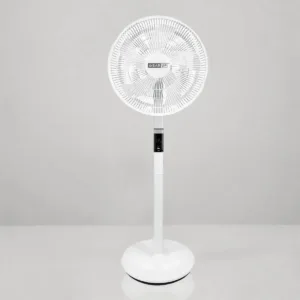
GearUP GP90 14 Inch Premium Rechargeable Stand Fan
Original price was: ৳ 13,100.৳ 9,420Current price is: ৳ 9,420.-25%
34 in stock
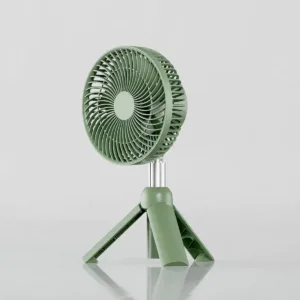
Xiaomi AISOLOVE F5 Pro Rechargeable Fan 4000mAh Green
Original price was: ৳ 3,660.৳ 2,710Current price is: ৳ 2,710.

-28%
50 in stock
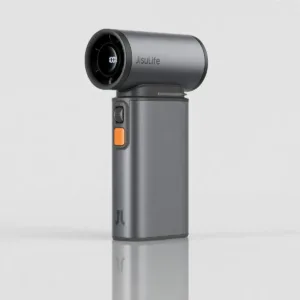
JISULIFE Ultra1 Handheld Turbo Fan – Dark Grey
Original price was: ৳ 11,290.৳ 8,120Current price is: ৳ 8,120.-26%
50 in stock
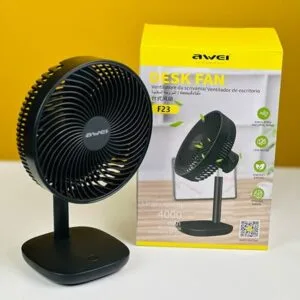
Awei F23 Portable USB Rechargeable Desk Fan 4000mAh
Original price was: ৳ 3,190.৳ 2,360Current price is: ৳ 2,360. YL-903 360° Rotating Laptop St...
 Original price was: ৳ 2,470.৳ 1,900Current price is: ৳ 1,900.
50 in stock
Reviews
There are no reviews yet.