No products in the cart.

-23%
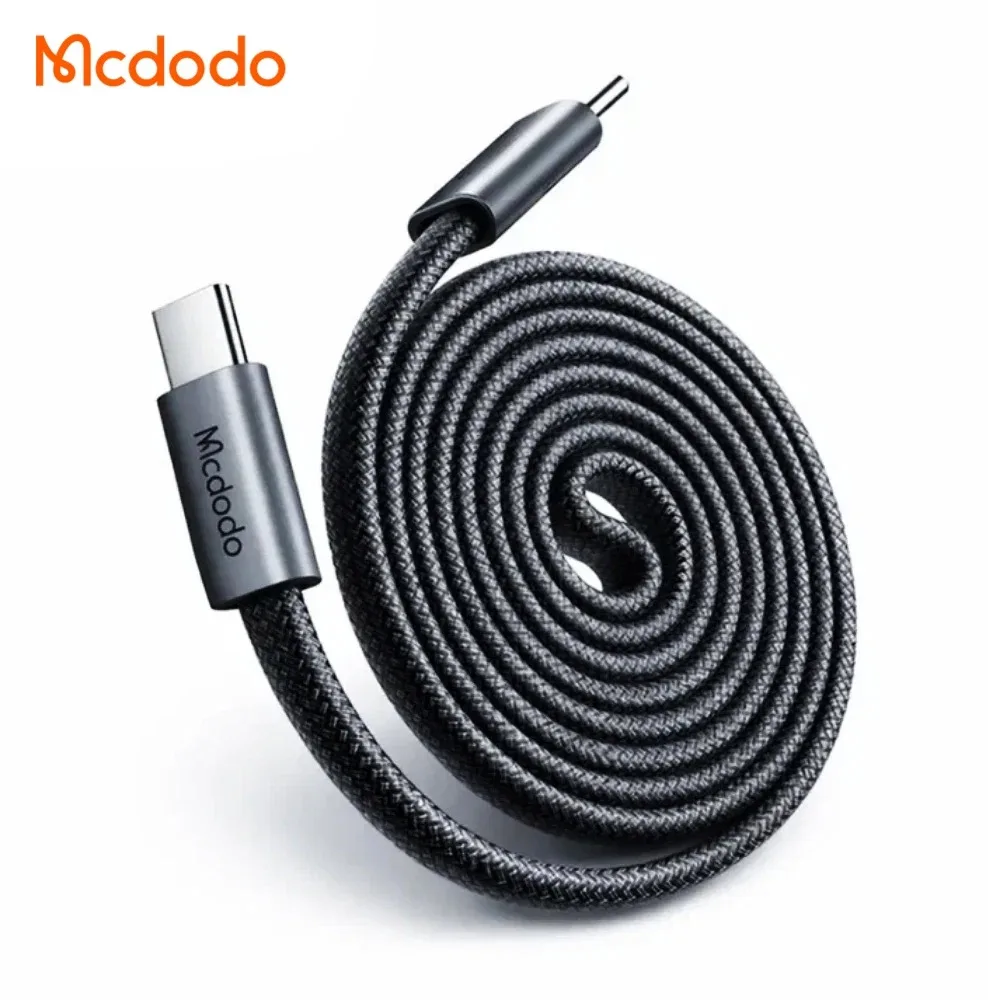
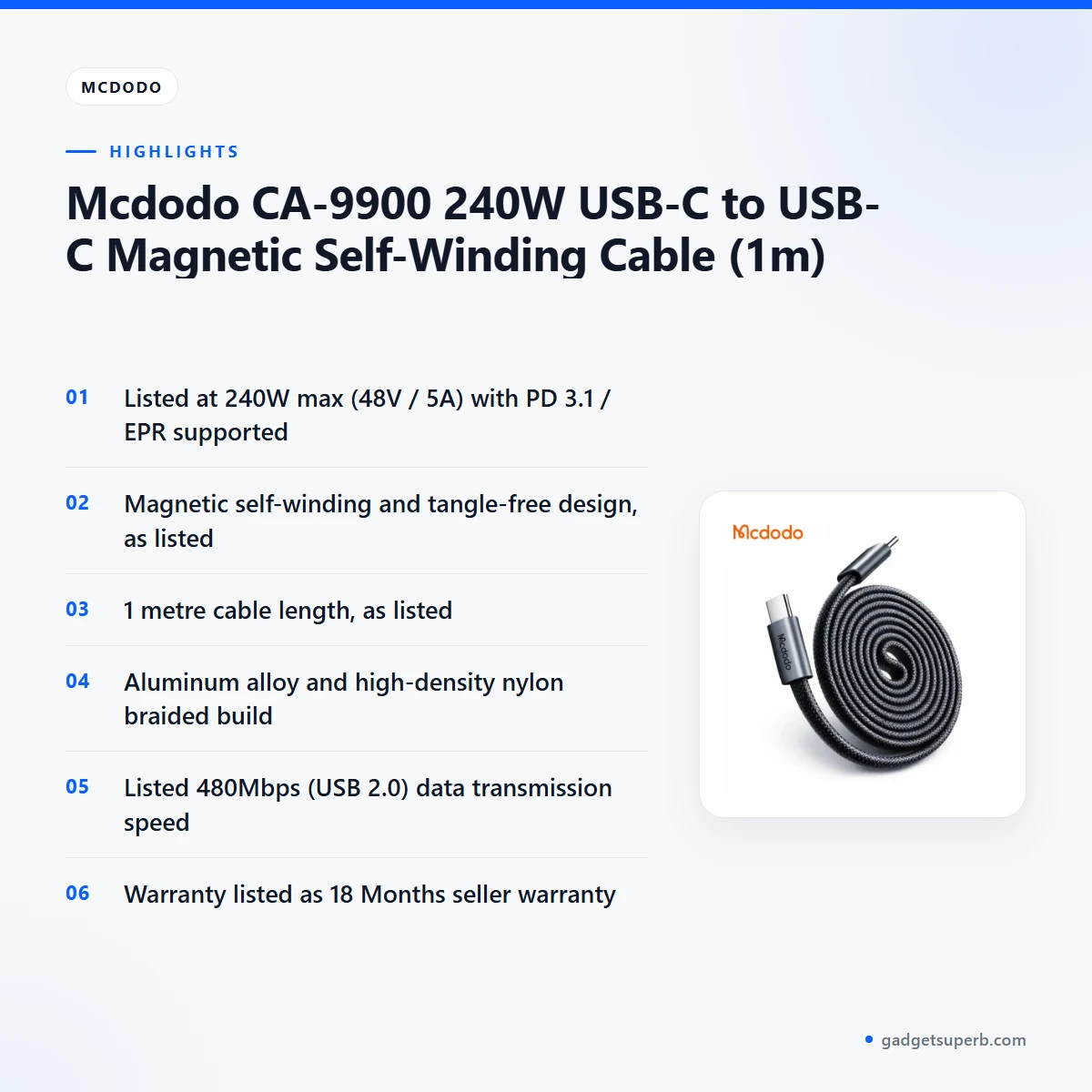
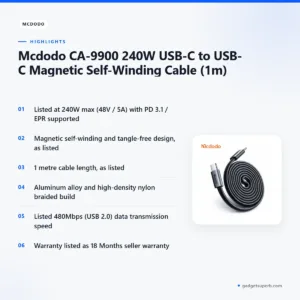
The Mcdodo CA-9900 240W USB-C to USB-C Magnetic Self-Winding Cable (1m) is a one-metre USB-C cable for people who charge laptops, phones, tablets and power banks. According to the listing, it is listed at 240W maximum with PD 3.1 / EPR support, and it is listed for MacBooks, high-power laptops, iPads, Samsung Galaxy, Xiaomi and all USB-C devices.
- Mcdodo CA-9900 overview
- Key features
- Specifications
- How to use / set up
- Compatibility and what is in the box
- Who should buy it in Bangladesh
- Alternatives in our store
- Warranty and support
- Delivery, returns and ordering
- Frequently asked questions
Mcdodo CA-9900 overview
The Mcdodo CA-9900 is listed as a USB-C to USB-C cable with a length of 1 metre. Its listed power output is 240W max (48V / 5A), and the listing states PD 3.1 / EPR supported. For most buyers the real question is whether this cable suits the charger, power bank or laptop they already own. This page is written to help you answer that question before you order the Mcdodo CA-9900.
In Bangladesh, a cable like this often lives in a bag for the Dhaka commute, on a desk during long working hours, or beside the bed for overnight charging. Humidity and daily plugging and unplugging put wear on any cable, so many buyers look for a build that feels sturdy in the hand. The listing describes the Mcdodo CA-9900 as aluminum alloy and high-density nylon braided with magnetic rings. That material line is the detail most likely to shape how the cable feels in daily use, so compare it with the cable you use now.
Where the listing is silent, we say so. It does not give details such as colour, sheath thickness or connector ratings beyond the figures above. Where the listing gives a figure, we quote it and attribute it to the listing. If details like these matter for your use, call 09638054751, message us on Facebook Messenger or email care@gadgetsuperb.com, and we will tell you which listing details are available for the Mcdodo CA-9900.
Key features
240W power output, as listed
The listing gives the power output as 240W max (48V / 5A), with PD 3.1 / EPR supported. That is the headline figure for the Mcdodo CA-9900, and it describes the upper limit the cable is listed to handle. The listing names MacBooks and high-power laptops first among compatible devices. Whether a particular charger or device will draw that power is not something the listing settles, so read the cable’s rating alongside your charger’s own rating before you rely on the Mcdodo CA-9900 for a demanding laptop.
Magnetic self-winding and tangle-free design
The listing gives the special feature as magnetic self-winding and tangle-free design. In practical terms, the maker describes a cable meant to be stored neatly coiled rather than left loose in a bag or drawer. For the Mcdodo CA-9900, this is the feature most buyers notice first. Tangle-free is the wording the listing uses, so read it as the maker’s description rather than a guarantee. The listing does not explain how the self-winding works in detail, so your experience will depend on how you wind and store the cable.
Aluminum alloy and braided nylon build
The listing gives the material of the Mcdodo CA-9900 as aluminum alloy, high-density nylon braided and magnetic rings. Braided nylon is a finish many people choose for cables they carry every day, but the listing does not say how the braid performs under repeated bending. For a Bangladesh buyer, the practical question is whether this finish suits how you carry your devices, whether in a bag on the bus or in a laptop case at the office. Treat the build as a stated feature, and compare it with your current cable before you decide.
480Mbps data transmission (USB 2.0)
The listing states that the Mcdodo CA-9900 transmits data at 480Mbps (USB 2.0). That figure matters if you copy files between a phone or laptop and a storage device, and it matters less if you mainly charge. The listing does not give transfer times for particular files, so this page will not estimate them. Use the stated speed as the maker’s figure, and remember that the cable is also a charging cable, so for many buyers its everyday job is charging first.
1 metre length for desks and bedsides
The listing gives the cable length as 1 metre. That suits a desk, a bedside table or a corner where the socket and the device sit close together. A longer run may be needed for a sofa or a wall socket across the room, so measure the distance before you order. The listing does not describe an extension lead or an adapter in the box, so plan around that single length. Choose the Mcdodo CA-9900 for a fixed spot only after you have measured that spot.
Specifications
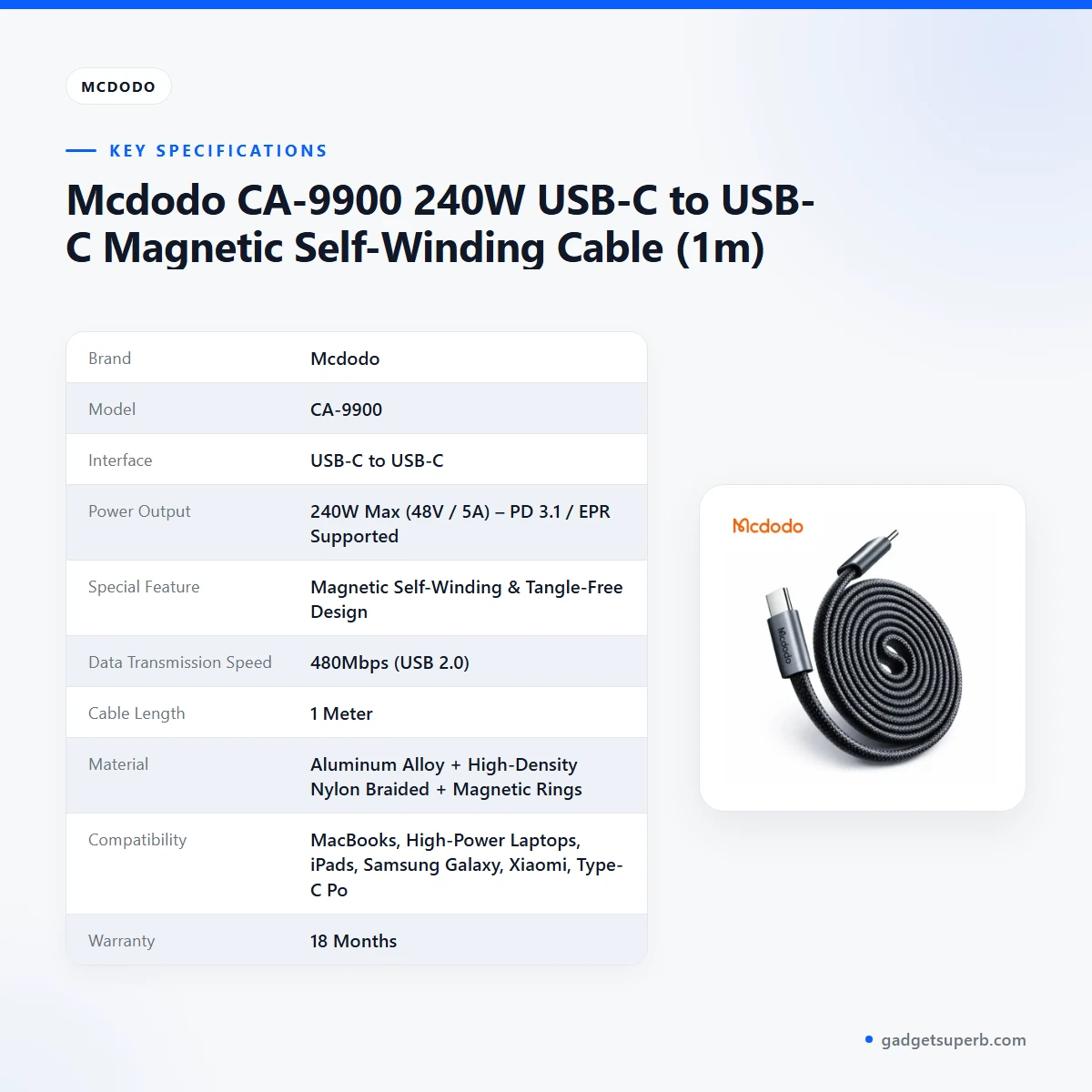
The table below sets out the specifications of the Mcdodo CA-9900 as they appear in the product listing. Each value is copied from the listing, so you can check the maker’s figures line by line before you buy.
| Label | Value |
|---|---|
| Brand | Mcdodo |
| Model | CA-9900 |
| Interface | USB-C to USB-C |
| Power Output | 240W Max (48V / 5A) – PD 3.1 / EPR Supported |
| Special Feature | Magnetic Self-Winding & Tangle-Free Design |
| Data Transmission Speed | 480Mbps (USB 2.0) |
| Cable Length | 1 Meter |
| Material | Aluminum Alloy + High-Density Nylon Braided + Magnetic Rings |
| Compatibility | MacBooks, High-Power Laptops, iPads, Samsung Galaxy, Xiaomi, Type-C Power Banks, and all USB-C devices |
| Warranty | 18 Months |
These are listed specifications from the product listing.
How to use / set up
Setting up the Mcdodo CA-9900 is simple, but a few habits help any USB-C cable last longer. The listing does not describe a setup routine, so the steps below are general advice. If a manual comes with your order, follow it as well, and where the manual and this page differ, the manual for your specific product should guide you.
- Charge fully before first use, following the guidance for the device you plan to charge.
- Unwind the Mcdodo CA-9900 gently, and avoid pulling sharply on either connector.
- Connect the USB-C end to a charger or power bank that suits the device, then connect the other end to the device.
- Check that both connectors sit fully in their sockets before you leave a device charging unattended.
- When you finish, wrap the cable loosely and store it dry, away from direct heat.
Humidity is a real factor in Dhaka, so keep the cable somewhere dry rather than in a damp bag or a sealed box on a balcony. Wipe the cable with a dry cloth if it picks up dust, and let it dry fully if it has been exposed to rain or condensation. Avoid storing it tightly knotted in a hot car or under a window in full sun, since heat is generally hard on cable sheaths.
Load-shedding is common in many parts of the country, so plan for power interruptions by keeping a power bank charged. When power returns, check your connections instead of assuming every socket and cable is working as it did before. A short check takes less time than a damaged device or a charger that has been stressed by a bad connection.
Before you plug in the Mcdodo CA-9900 for the first time, read the labels on your charger and device so that you know what each one is rated for. A cable can only work within the limits of the slowest part of the chain, so a good match matters as much as the cable itself. This habit costs nothing and avoids most of the confusion buyers face with new cables.
For a short background on the term battery charger, which appears in many charging listings, read the battery charger article on Wikipedia. That article is general reading and does not describe this product, so the listing remains the only source for the Mcdodo CA-9900 specifications.
Store the cable in a box or pouch that keeps it dry and free of sharp bends. Keep it away from children and pets, and avoid chewing or pinching the cable in doors or drawers. Good storage is one of the simplest ways to protect the connectors, which take most of the strain every time you plug in or unplug.
If the sheath looks damaged, a connector feels loose or a cable becomes unusually warm while charging, stop using it and contact us before you use it again. Do not try to repair the cable yourself. Describe what you see when you call 09638054751 or email care@gadgetsuperb.com, so that we can advise you on the next step.
Compatibility and what is in the box
According to the listing, the Mcdodo CA-9900 is compatible with the following devices:
- MacBooks
- High-power laptops
- iPads
- Samsung Galaxy
- Xiaomi
- Type-C power banks
- All USB-C devices
The listing gives compatibility as device families rather than as a model-by-model list. Before you order, confirm your own device model against the list above. A device family can contain many models, and the listing does not separate them, so a short check of your model number saves a return later.
Compatibility also depends on the charger, not only the cable. A powerful cable will not change what your charger can supply, so check the output rating of the charger or power bank you plan to use. Power banks and chargers are the other half of the chain, and the listing names Type-C power banks among compatible devices without describing any particular power bank.
What is in the box is not confirmed by the listing. Do not assume that a manual, a pouch or a plug adapter comes with the Mcdodo CA-9900 unless we confirm it. If the contents matter to your purchase, ask us before you order rather than discovering the answer after delivery.
Who should buy it in Bangladesh
The Mcdodo CA-9900 suits buyers who want a single USB-C cable for a specific set of devices. The scenarios below are realistic examples for Bangladeshi buyers, not promises about how any particular device will behave.
A Dhaka office worker with a laptop. If your work laptop is one of the high-power laptops or a MacBook named in the listing, the Mcdodo CA-9900 can serve as the main charging cable for the desk, with a second cable kept in the bag. Many office workers in the capital travel with a bag full of cables, so a cable with the self-winding design named in the listing may appeal, particularly if you dislike untangling cables before a meeting.
A student in a shared flat. A student who shares a room may have one socket for a laptop, a phone and a power bank. The one-metre length suits a desk corner, and the USB-C to USB-C format means the same cable can serve several USB-C devices, as the listing states. Confirm which of your devices are on the list before you order this cable.
A household with tablets and phones. Families who share iPads, a Samsung Galaxy phone and a Xiaomi handset can use one listed cable for several devices, provided each device is a USB-C device and its charger matches. Keep an eye on which charger each person uses, since the cable is only one part of the charging chain. Labelling the cable with a small tag can help when several people share a bedroom.
A home office in a flat with frequent power cuts. A cable is not a power supply, and the listing does not describe any backup function for the Mcdodo CA-9900. If power cuts are common where you live, keep a charged power bank as your backup and use the cable to connect it to your devices. Plan the desk so that the most important device sits closest to the cable run.
A commuter who carries devices in a bag. A daily commuter who needs to charge a phone on a bus or at the office at the end of the day may value a cable with a self-winding design, a braided build and a 1 metre length. Check the fit in your bag before you buy, and remember that a cable is easier to carry when it is coiled neatly rather than left loose beside keys and coins.
A buyer replacing a worn cable. If your current cable has frayed or stopped charging reliably, the Mcdodo CA-9900 may be a direct replacement, provided your device is on the compatibility list and your charger matches. Compare the cable length with the cable you are replacing, and measure your usual charging spot before you order.
Who should look elsewhere. If you need a cable for a device that is not on the compatibility list, or a different connector type, look at the alternatives below before you decide. The listing is the only source for the device families named above, so if your device is not among them, ask us before you order.
Alternatives in our store
If the Mcdodo CA-9900 is not the right fit, these products in our range may suit a different need. Each is named below with a link to its product page.
For another charging cable, see Geeoo DC 201 Type C To Lightning 33w PD Charging Cable, another charging cable in our range.
For a different kind of cable product, see DC Y Cable to use 2 Devices on WGP/ SKE mini UPS, another product in our cables and adapters range.
For audio connections, see U-Shape Converter- 3.5mm Audio Splitter For Headphone and Microphone- White, another audio accessory in our range.
For another charging and data cable, see Geeoo DC27 Fast Charging 1M Long 30W (PD-L) Data Cable, another cable in our range.
To compare every cable in this group, browse the Cables & Adapters category, where you can review each listing side by side before you choose.
Warranty and support
Warranty: 18 Months seller warranty.
Delivery, returns and ordering
Ordering from Gadget Superb is straightforward. We deliver all over Bangladesh and you pay cash on delivery. Delivery usually takes 1–3 days inside Dhaka city and 2–5 days outside Dhaka, so plan your charging needs around that window if the cable is replacing one you have already lost.
You can return it within 7 days of delivery (see our Delivery & Returns policy). For the full terms, read the Delivery & Returns policy page before you place your order. Questions before ordering: call 09638054751, message us on Facebook Messenger or email care@gadgetsuperb.com.
Before you order, check three things: your device is on the compatibility list, the length of 1 metre suits your socket distance, and your charger matches the power the listing describes. Writing these down takes a minute and prevents most buying mistakes with cables.
If you are buying as a gift, confirm the recipient’s device model first. A cable that suits one phone may not suit another device, and the listing groups devices by family rather than by model, so a quick message to us can save an exchange later.
Frequently asked questions
What is the cable length of the Mcdodo CA-9900?
The listing gives the cable length as 1 metre. Measure the distance between your socket and your device before you order the Mcdodo CA-9900.
What power output does the Mcdodo CA-9900 list?
The listing gives 240W max (48V / 5A), with PD 3.1 / EPR supported. Whether your charger or device uses the same features is a question to check against its own specifications.
Is the Mcdodo CA-9900 compatible with MacBooks?
The listing names MacBooks and high-power laptops among compatible devices. Confirm your own laptop model before you order the Mcdodo CA-9900.
Does the Mcdodo CA-9900 work with iPads and Samsung Galaxy phones?
The listing names iPads and Samsung Galaxy among compatible devices, along with Xiaomi and all USB-C devices. Check your exact model against the listing if you are unsure.
What data transmission speed does the Mcdodo CA-9900 list?
The listing gives 480Mbps (USB 2.0) as the data transmission speed. That is the maker’s stated figure for the Mcdodo CA-9900.
What is the warranty on the cable?
Warranty: 18 Months seller warranty.
Can I pay cash on delivery for this cable?
Yes. We deliver all over Bangladesh and you pay cash on delivery.
How long does delivery take?
Delivery usually takes 1–3 days inside Dhaka city and 2–5 days outside Dhaka.
Can I return this cable?
You can return it within 7 days of delivery (see our Delivery & Returns policy).
How can I ask a question before ordering the Mcdodo CA-9900?
Call 09638054751, message us on Facebook Messenger or email care@gadgetsuperb.com. Ask about your device model, your charger or the cable length before you order the Mcdodo CA-9900.
Does the Mcdodo CA-9900 come with a manual or pouch?
The listing does not confirm what is in the box, so ask us before you order the Mcdodo CA-9900 if the contents matter to you.
Does the Mcdodo CA-9900 include a charger?
The listing does not name a charger for the Mcdodo CA-9900, so check which charger you will use with it before you order.
Related products
-21%
464 in stock
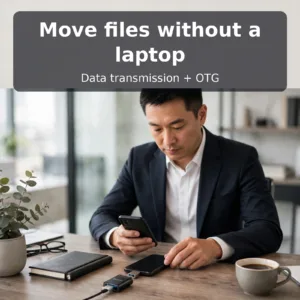
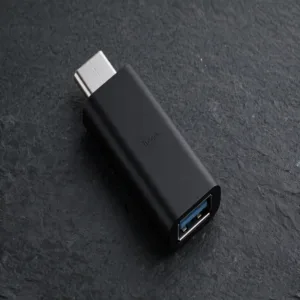
Hoco UA17 Type-C Male to USB 3.0 Female Adapter
Original price was: ৳ 190.৳ 150Current price is: ৳ 150.-20%
72 in stock
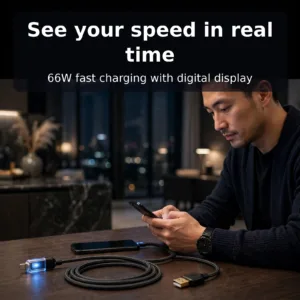
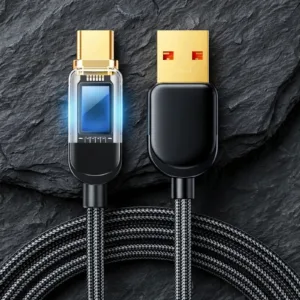
Joyroom S-AC066A4 66W Type C Fast Charging Cable With Digital Display
Original price was: ৳ 820.৳ 650Current price is: ৳ 650.-20%
100 in stock
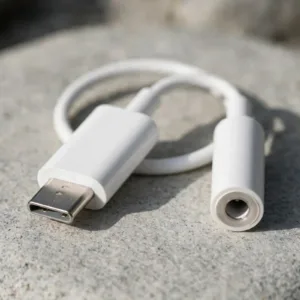
Google USB-C to 3.5mm Headphone Adapter
Original price was: ৳ 400.৳ 320Current price is: ৳ 320.-20%
50 in stock
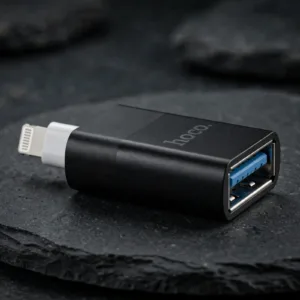
Hoco UA17 Adapter Lightning Male to USB Female
Original price was: ৳ 600.৳ 480Current price is: ৳ 480.-21%
48 in stock
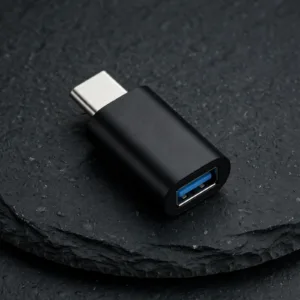
VALDUS VA26 USB-C Male to USB-A Female OTG Adapter
Original price was: ৳ 230.৳ 180Current price is: ৳ 180.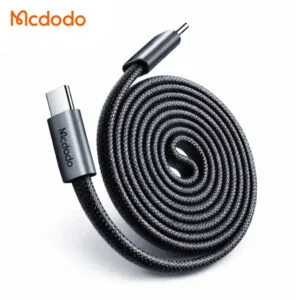 Mcdodo CA-9900 240W USB-C to U...
Original price was: ৳ 1,360.৳ 1,040Current price is: ৳ 1,040.
82 in stock
Reviews
There are no reviews yet.