No products in the cart.

-25%
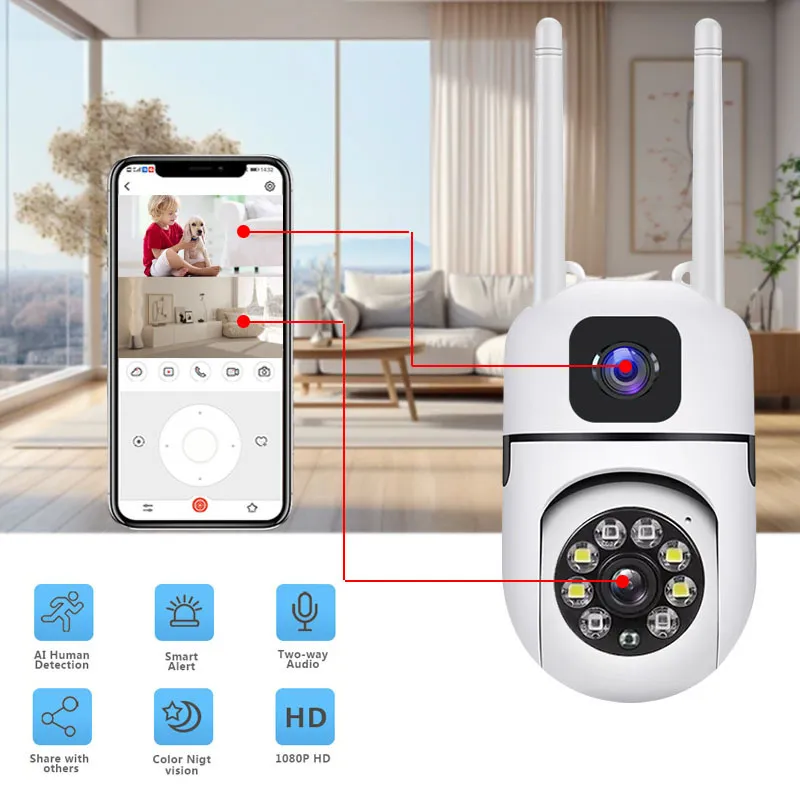
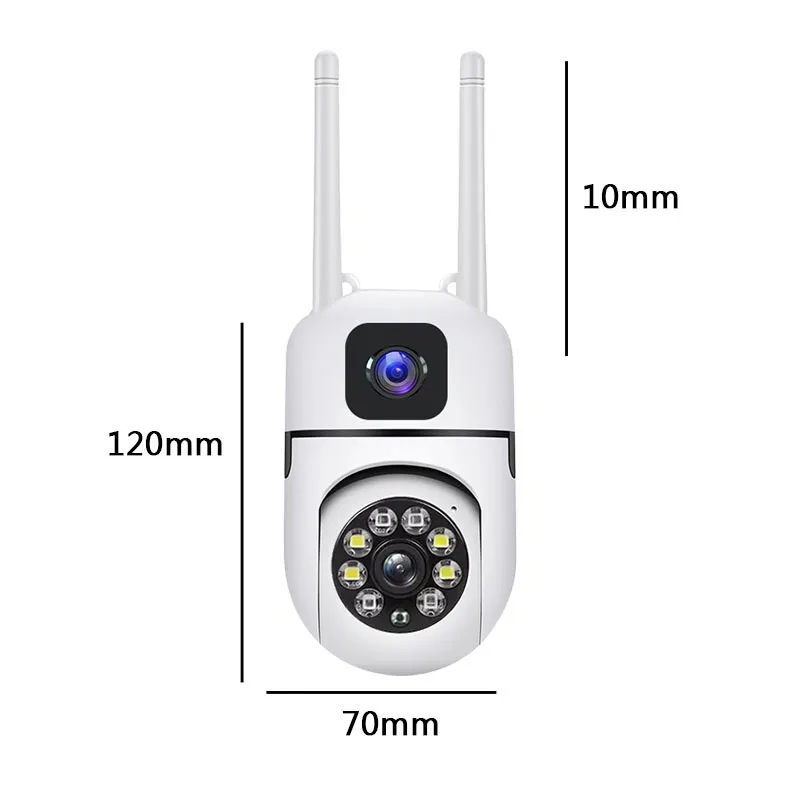

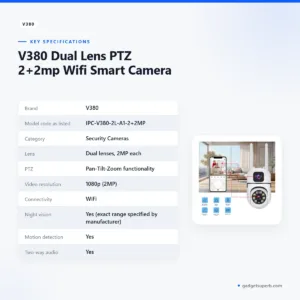
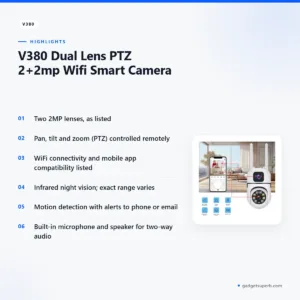
The v380 v380 security camera is a dual lens PTZ WiFi camera that the listing describes for indoor and outdoor use. It suits Bangladeshi homes, shops and small offices that want to watch more than one area and move the view from a phone. The maker lists it under model IPC-V380-2L-A1-2+2MP.
- Overview
- Key features
- Specifications
- How to use / set up
- Compatibility and what is in the box
- Who should buy it in Bangladesh
- Alternatives in our store
- Warranty and support
- Delivery, returns and ordering
- Frequently asked questions
Overview of the v380 v380 security camera
The listing describes the v380 v380 security camera as a versatile and advanced surveillance camera designed for both indoor and outdoor use. It is listed under the name Dual Lens PTZ IPC-V380-2L-A1-2+2MP WiFi Smart Camera, with the brand given as V380 and the category as Security Cameras. According to the listing, the design combines two lenses, PTZ (pan-tilt-zoom) functionality and WiFi connectivity for monitoring and security.
For a buyer in Bangladesh, the practical question is coverage. A single lens points one way. The listing says two lenses give a wider field of view and let you monitor multiple areas at the same time. Whether the v380 v380 security camera suits your entrance, balcony, shop counter or store room depends on where you can mount it and how well your WiFi reaches that spot.
If you are new to network cameras, the IP camera overview on Wikipedia gives background on the general idea. This page sticks to the listing for the product itself, so read the specifications first, then the setup and delivery sections before you order.
Think about who has to check the space. A homeowner might want to see the entrance from a bedroom, and a shopkeeper might want to see the counter from a back room. Because the listing names both indoor and outdoor use, the spot where the v380 v380 security camera will live matters as much as the model name.
Key features
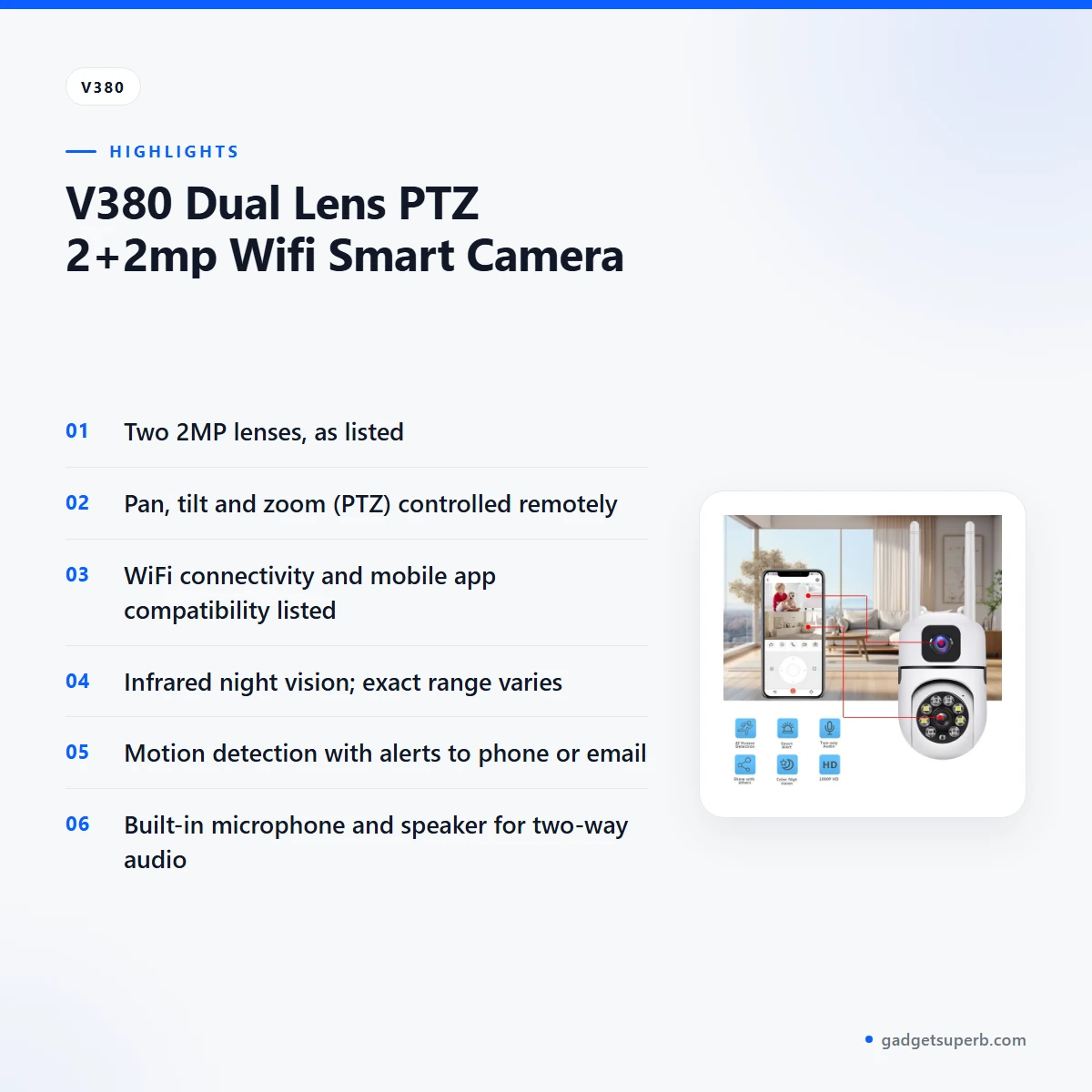
The listing sets out several features. Each one below is described as the listing gives it, with practical notes for Bangladeshi homes and businesses.
Dual lens design
The listing states that the camera has two lenses, each 2MP. According to the listing, this gives enhanced coverage and detail, a wider field of view and the ability to monitor multiple areas simultaneously. For the v380 v380 security camera, placement is the main thing to plan. One lens can face a gate while the other covers a side path or a corridor. Test the angles in your own space before you fix the bracket, and note which parts of the room each view covers.
PTZ movement
PTZ stands for pan, tilt and zoom. The listing describes pan-tilt-zoom capabilities for flexible and dynamic monitoring, and says you can control the camera’s movement and zoom remotely for precise surveillance. In practice, this lets you pan the v380 v380 security camera across a room, tilt it to follow a hallway, or zoom in on a gate when a visitor arrives. Remote control suits a camera mounted high on a wall or ceiling, because you can adjust the view from your phone instead of climbing up to it. Check the range of movement in your own room once it is installed.
HD video and WiFi viewing
The listing describes high-definition video recording with 2MP resolution for clear and detailed footage. It gives the video resolution as 1080p (2MP) and says the camera supports real-time video streaming via WiFi. WiFi is used for easy setup and remote access, and the listing says the camera is compatible with mobile apps for live viewing and control. Live viewing depends on the network, so check the signal at the exact mounting point before you drill any holes, especially if your router sits in another room.
Night vision and motion alerts
The listing says the camera has infrared (IR) LEDs for night vision up to a certain distance, and that the exact range may vary. No figure is given, so treat night vision as a feature to check in your own room rather than a fixed distance. Built-in motion detection is listed with real-time alerts sent to your smartphone or email. For a camera placed near a gate or stairwell, alerts help you look at the view when something moves. Ask us or follow the maker’s instructions for how alerts behave in daily use.
Two-way audio, storage and weatherproof design
The listing says the camera has a built-in microphone and speaker for two-way communication. It also lists microSD card storage for local recording, with capacity given as up to a certain capacity. The listing describes a weatherproof design suitable for outdoor use with an IP66 or higher weatherproof rating, and that rating is repeated here only as the listing gives it. Together these points describe a v380 v380 security camera listed for indoor and outdoor use. Pick a sheltered spot inside your WiFi range for any outdoor position.
Specifications
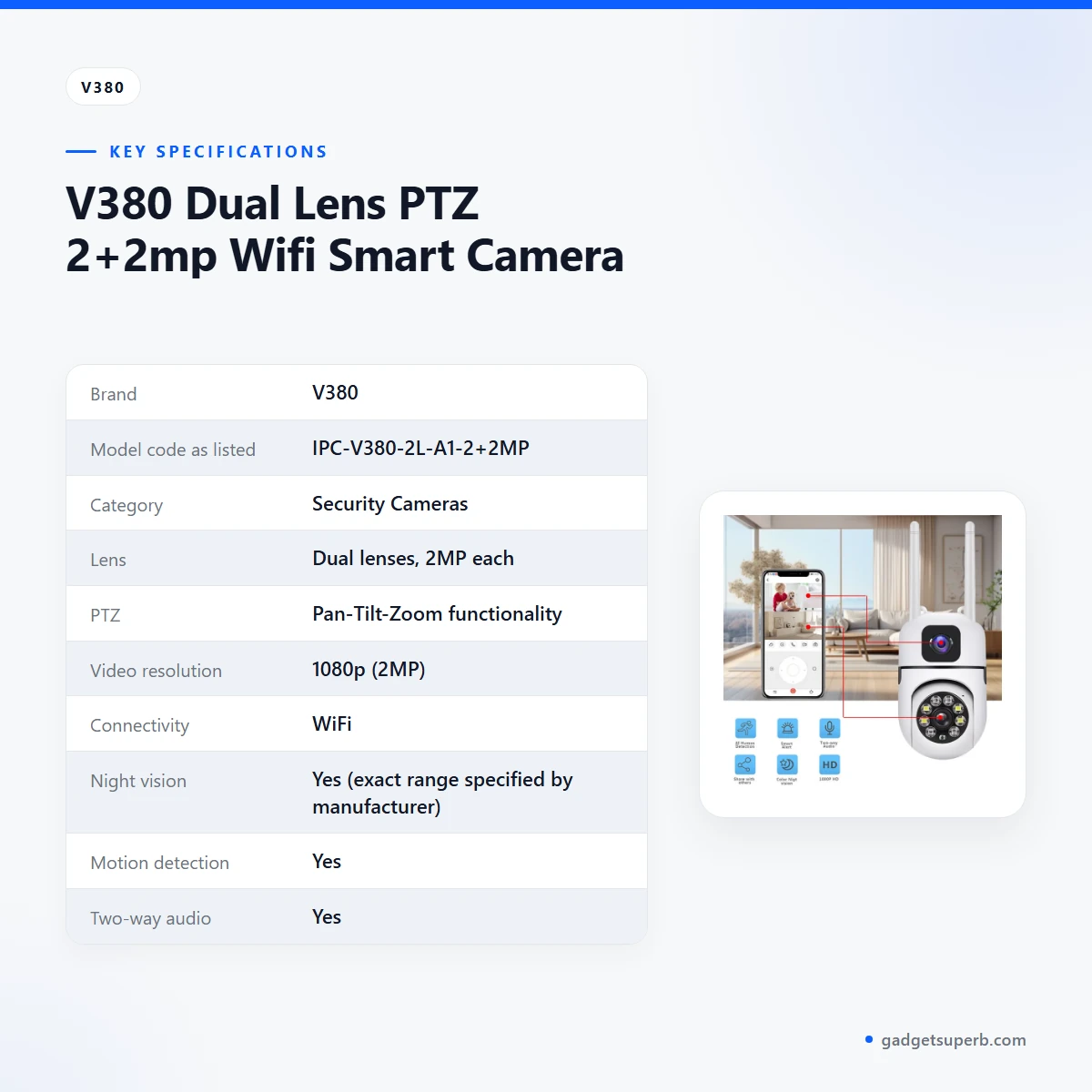
The table below sets out the v380 v380 security camera specifications exactly as the product listing gives them, so you can check the lens, video, connectivity and power details before you order.
| Brand | V380 |
|---|---|
| Model code as listed | IPC-V380-2L-A1-2+2MP |
| Category | Security Cameras |
| Lens | Dual lenses, 2MP each |
| PTZ | Pan-Tilt-Zoom functionality |
| Video resolution | 1080p (2MP) |
| Connectivity | WiFi |
| Night vision | Yes (exact range specified by manufacturer) |
| Motion detection | Yes |
| Two-way audio | Yes |
| Weatherproof rating | IP66 or higher |
| Storage | MicroSD card (up to a certain capacity) |
| Power supply | Typically DC 12V or PoE (Power over Ethernet), depending on the model |
These are listed specifications from the product listing for the v380 v380 security camera.
How to use / set up
Setup for the v380 v380 security camera should follow the maker’s instructions. The listing does not include step-by-step setup, so the points below are general guidance.
Start with power. The listing says the camera uses typically DC 12V or PoE (Power over Ethernet), depending on the model. Check which option your model uses and have the matching supply ready before you plan the cable route. Keep cable runs tidy and leave a little slack at the camera end so you can move it later.
Next, connect to WiFi. Place the camera where your router signal is strong and the view is clear, then follow the maker’s instructions to add it to your network. Keep your WiFi password private and write it down in a safe place so you can reconnect later.
Mobile apps are listed as compatible for live viewing and control. Install the app named in the maker’s instructions, sign in, and check that the live view of the v380 v380 security camera loads before you fix it permanently. This test also shows you the lens angles and pan range in your own room.
If you plan to record locally, insert a microSD card. The listing gives storage as up to a certain capacity, so check the card size against the maker’s instructions before you buy one. Confirm that the card is recognised after fitting it, following the maker’s instructions.
Test night view, motion alerts and two-way audio over the first few days. Keep a short written note of the spots that gave a clear picture, so you can compare them when you move the camera.
For general care, wipe the lens with a soft, dry cloth when it looks dusty, and keep the camera body clear of cobwebs and dust. Avoid harsh cleaners on the lens, because a film on the glass can reduce picture quality on any camera. Every few months, check the mounting screws and cable connections, and tighten them if the camera has moved.
Humidity matters in Bangladesh. When the camera is not in use, keep spare cables and any microSD card in a dry, sealed bag away from direct heat. Check the card and cables for corrosion before you reconnect them after a long break.
A power cut is a common concern in Bangladesh, and the listing does not explain how the v380 v380 security camera behaves during one. Plan a backup for overnight security before you rely on it, and check the maker’s instructions for power needs before you connect any backup device.
Compatibility and what is in the box
The listing lists the following for the v380 v380 security camera: WiFi connectivity, compatibility with mobile apps for live viewing and control, microSD card storage for local recording, two-way audio, and power typically DC 12V or PoE depending on the model. These are the points you can rely on when you check whether the camera fits your setup.
The contents of the package are not confirmed by the listing. Ask us before you order if you need a particular item with the camera, so you know what to expect on delivery.
The listing also does not name compatibility with other camera systems, recorders or third-party software. If you already run a recorder or a network video system, ask us about the connection before you buy, rather than assuming the v380 v380 security camera will work with it.
For PoE, check that your network switch or injector matches the listed option. For DC 12V, match the supply to your model. Do not mix power sources without checking the model details first.
If you are unsure which power option applies, send us the model code from the listing before you order. We can then tell you what the listing says for that code, and you can plan the supply and cable route in advance.
Who should buy it in Bangladesh
The v380 v380 security camera suits buyers who want one camera that can move, zoom and speak, rather than a fixed camera with a single view. Below are some realistic buyer scenarios for Dhaka and other cities, based on the features the listing gives.
A family flat in Dhaka with a shared entrance and a balcony is a good scenario. The two lenses on the v380 v380 security camera can cover both areas from one wall, and the pan-tilt movement lets you check a visitor at the door without going to the device. This assumes your WiFi reaches the flat’s entrance.
A small shop owner who needs to watch a counter and a back door may find the two lenses useful. Use the zoom to check a till or stock area when you are away from the shop. Test the view in the shop’s lighting first, because night view can differ from one room to another.
A small office or workshop with a shared gate can use the v380 v380 security camera to watch arrivals and the corridor outside. Motion alerts sent to a phone or email can help when no one is at the desk. Keep the WiFi router close enough that live viewing stays steady.
A working parent who wants to check the house during the day can place the camera in a living room or hallway and use remote control to look around the space. Live viewing depends on the WiFi signal, so test it from the office before you rely on it.
A household that faces load-shedding should plan its power separately, because the listing does not explain how the camera handles a power cut. Think about a backup plan before you rely on it at night.
A buyer who wants outdoor use should choose the mounting position with care. The listing gives an IP66 or higher weatherproof rating and says the camera is suitable for outdoor use. Pick a sheltered spot that stays inside your WiFi range.
A tenant who cannot make permanent holes in the wall should check with the landlord first. Plan a removable fixing and confirm the model’s power option before you choose a spot for the v380 v380 security camera.
A buyer who needs only a single fixed view may find a simpler model is enough. That is a choice to make with our team, based on where the camera will sit and what you want to watch.
Alternatives in our store
Compare the v380 v380 security camera with other models in our range before you decide. Meari S2 Plus 4MP Outdoor Smart PTZ WiFi Camera is another security camera in our range. V380 WiFi Dual Lens Security Smart IP Camera is a related security camera in our range.
Two more options are worth a look. V380 PRO E27 360 Degree 1080P Wireless Home Security IP Camera is another security camera in our range, and Dual Lens V380 Pro PTZ Bulb IP Night Vision Camera is another security camera in our range. You can see the full selection in our Security Cameras category.
Warranty and support
Warranty: 7 Days seller warranty.
Delivery, returns and ordering
We deliver all over Bangladesh and you pay cash on delivery. Delivery usually takes 1–3 days inside Dhaka city and 2–5 days outside Dhaka. You can return it within 7 days of delivery (see our Delivery & Returns policy). Questions before ordering: call 09638054751, message us on Facebook Messenger or email care@gadgetsuperb.com.
Before you place an order for the v380 v380 security camera, read the full terms on the Delivery & Returns policy page. Tell us your delivery area so we can give you the usual timing for your address. Dhaka city and areas outside Dhaka have different timing, so the answer depends on where the camera will be fitted.
Cash on delivery means you pay when the parcel reaches you. Have the amount ready for the courier when it arrives, and keep your order details until the camera is working as you expect.
For the v380 v380 security camera, the 7 day return window starts from delivery. Note the delivery date, because the return period is counted from that day.
If you are unsure which model suits your space, call or message us before you order rather than after delivery. A short conversation about the mounting spot and WiFi signal can save time for both sides.
Frequently asked questions
Is the v380 v380 security camera a dual lens PTZ camera?
Yes, according to the listing the v380 v380 security camera has two 2MP lenses and pan-tilt-zoom functionality. The listing name is Dual Lens PTZ IPC-V380-2L-A1-2+2MP WiFi Smart Camera.
Can I use the v380 v380 security camera without WiFi?
The listing describes WiFi connectivity for live streaming, remote access and app-based viewing, and it does not describe an offline setup. Ask us before ordering if you need the camera to work without WiFi.
Does the v380 v380 security camera have night vision?
Yes, the listing says the camera has infrared LEDs for night vision up to a certain distance, and that the exact range may vary. No figure is given, so check the range with us before you rely on it.
Does the v380 v380 security camera send motion alerts?
Yes, the listing says the v380 v380 security camera has built-in motion detection with real-time alerts sent to your smartphone or email.
Can the v380 v380 security camera record to a memory card?
Yes, the listing says it supports microSD card storage for local recording, with capacity up to a certain amount. Check the card size against the maker’s instructions before you buy one.
Can I use the v380 v380 security camera outdoors?
Yes, the listing says it is suitable for outdoor use with an IP66 or higher weatherproof rating. Choose a sheltered mounting position within your WiFi range.
What power does the v380 v380 security camera need?
The listing says it typically uses DC 12V or PoE (Power over Ethernet), depending on the model. Confirm your model before you order.
Is the v380 v380 security camera safe to use?
The listing does not include security certification or data-handling details, so we cannot confirm them. Use a strong WiFi password and follow the maker’s instructions.
How is the v380 v380 security camera different from the V380 Pro models?
The listing does not compare this camera with other V380 models, so we cannot say which one suits you better. The alternatives section lists other cameras in our range, and our team can help you compare them.
Why is my v380 v380 security camera not working?
The listing does not include troubleshooting steps. Check the power option and WiFi connection first, follow the maker’s instructions, and contact us if it still does not work.
How long does delivery take for the v380 v380 security camera?
Delivery usually takes 1–3 days inside Dhaka city and 2–5 days outside Dhaka. Message us with your area for the timing that applies to your address.
Can I return the v380 v380 security camera?
Yes, you can return it within 7 days of delivery, as set out in our Delivery & Returns policy. Keep your delivery date noted so you know when the period ends.
Related products
-28%
30 in stock


Lenovo XW1-U 3MP Dual Lens Smart WiFi Camera
Original price was: ৳ 6,720.৳ 4,830Current price is: ৳ 4,830.-27%
45 in stock
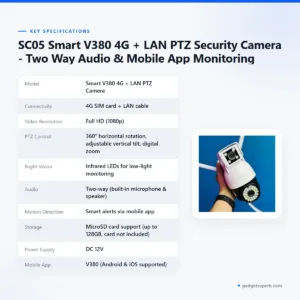

SC05 Smart V380 4G + LAN PTZ Security Camera – Two Way Audio & Mobile App Monitoring
Original price was: ৳ 4,530.৳ 3,300Current price is: ৳ 3,300.-25%
451 in stock
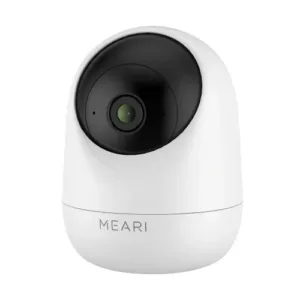
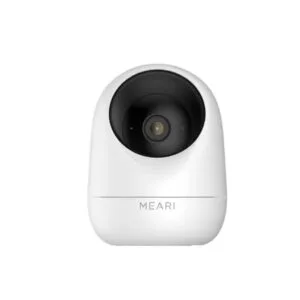
Meari S1 Plus 3MP Indoor Pan/Tilt Portable WiFi Camera
Original price was: ৳ 3,660.৳ 2,710Current price is: ৳ 2,710.
-28%
47 in stock


Meari S2 Plus 4MP Outdoor Smart PTZ WiFi Camera
Original price was: ৳ 7,360.৳ 5,290Current price is: ৳ 5,290.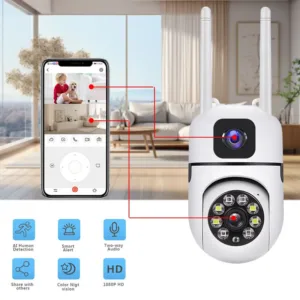 V380 Dual Lens PTZ 2+2mp Wifi ...
Original price was: ৳ 2,700.৳ 2,000Current price is: ৳ 2,000.
48 in stock
Reviews
There are no reviews yet.