No products in the cart.

-23%
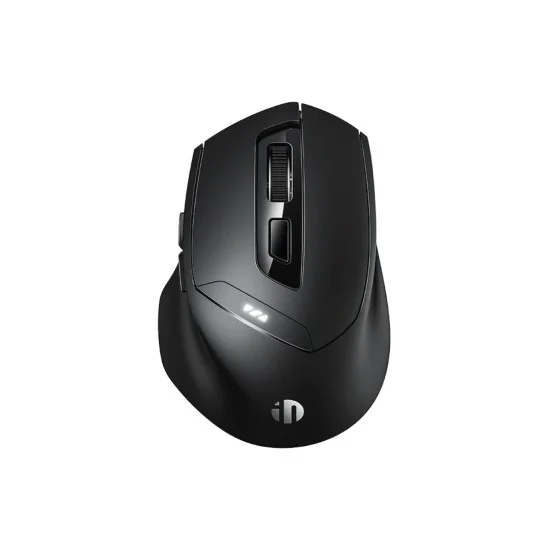





The inphic dr01 is a tri-mode wireless mouse for people who move between devices during the working day. According to the listing, it connects over Bluetooth 5.0, Bluetooth 4.0 or 2.4G and switches between up to three devices with one button. It suits home workers, students and office staff across Bangladesh who share one desk between several screens.
- Overview
- Key features
- Specifications
- How to use / set up
- Compatibility and what is in the box
- Who should buy it in Bangladesh
- Alternatives in our store
- Warranty and support
- Delivery, returns and ordering
- Frequently asked questions
Overview of the inphic dr01
The inphic dr01 is built around one idea: a single mouse that keeps up with the devices you already own. The listing describes it as the bridge between your devices and says it lets you toggle between a Windows laptop, a MacBook or an iPad with a single button. For someone who moves from a desk computer in the afternoon to a tablet in the evening, that is the main reason to look at this model.
Beyond connectivity, the listing points to an asymmetrical ergonomic curve and a specialised thumb rest. The maker says this tail-end support fits the natural contour of the palm and is intended to prevent fatigue. Silent Click technology and a modern Type-C charging port complete the design. The maker presents the inphic dr01 as a quiet tool for libraries, cafes and open offices. For general background on input devices, read the Wikipedia article on computer keyboards.
For buyers in Bangladesh, the practical questions are about daily use. Power cuts and humid weather are part of life for many homes and offices, so a rechargeable mouse with a Type-C cable is easy to keep topped up whenever power is available. Delivery times and the cash on delivery option matter too, and they are covered in the delivery section below. The inphic dr01 suits people who want one mouse for several screens rather than a separate mouse for each device.
Key features
Tri-mode connectivity across three devices
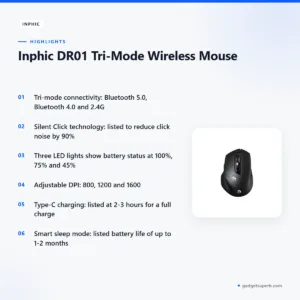
The listing says the inphic dr01 supports Bluetooth 5.0, Bluetooth 4.0 and 2.4G wireless, which lets you pair and switch between up to three devices. Think about a typical working day: a laptop for office documents, a tablet for reading and a phone for messages. The listing says one mouse can cover all of them, and that you switch between them with a single button. The listing also notes that many mice in its class offer only 2.4G wireless. The maker does not describe the pairing steps, so follow the maker’s instructions for each device and check that the Bluetooth version on your computer or tablet matches the one you plan to use. Start with one device, get comfortable with it, and then add the next.
Silent Click technology
According to the listing, Silent Click technology reduces click noise by 90%. That figure comes from the maker and refers to click noise, as the listing describes it. The listing names libraries, cafes and open offices as suitable settings for a quiet tool like the inphic dr01. In a shared flat in Dhaka, a quieter click can matter during late-night work when others are asleep. In an open office, a quieter mouse is easier to live with beside colleagues. Treat the 90% figure as the maker’s claim, and judge the sound for yourself in your own space.
Visible power indicator and battery details
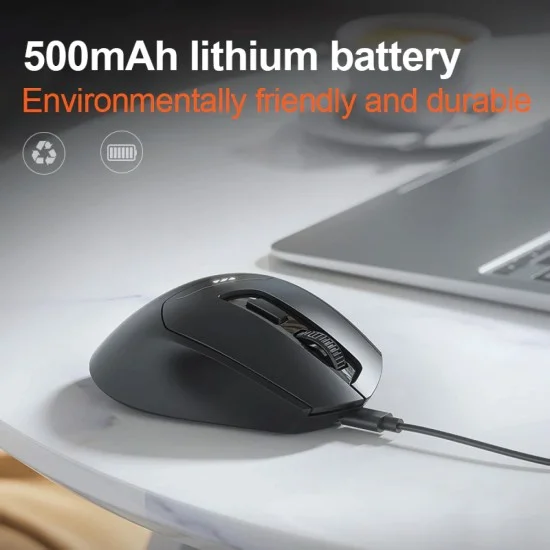
The listing says three LED lights on the top of the inphic dr01 show real-time battery status at 100%, 75% and 45%, so you know when to recharge. A visible indicator is useful during a long session when you do not want the mouse to stop mid-task. The listing also gives the battery capacity as 500mAh and describes a lithium rechargeable battery. Keep the inphic dr01 charged before important days, and avoid waiting until the indicator shows its lowest level. Regular top-ups suit the way many people in Bangladesh plan their week around power availability.
Ergonomic asymmetrical design
The listing describes an asymmetrical ergonomic curve, specifically shaped for right-handed users, with a wide finger rest intended to reduce muscle strain. The maker also describes a specialised thumb rest and a tail-end support that follows the natural contour of the palm. These are the maker’s descriptions, so judge them by how the shape suits your own hand. Because the listing says the shape is designed for right-handed use, left-handed buyers should read this point carefully before they order. Long sessions make grip and wrist position more noticeable, so set your desk so the mouse sits at a comfortable height for your arm. Whatever the shape, the inphic dr01 should sit comfortably under your hand.
Adjustable DPI and side buttons
The listing gives three DPI levels, 800, 1200 and 1600, so you can change cursor speed for office tasks, web browsing or creative work. Choose the level that feels right for each task and switch as needed. The listing counts six buttons, including side Forward and Back keys. It says these make navigating long documents and web pages significantly faster, which suits the daily reading and browsing many people do at work or at home. The side buttons are useful when you move through several pages without reaching for the keyboard. Check how the DPI settings are changed on your system, as the listing does not describe the process here.
Type-C charging and smart sleep mode
The listing names a modern Type-C charging port and says a full charge takes 2-3 hours. Charge the inphic dr01 fully before first use, then top it up when the indicator shows a lower level. Smart sleep mode is described as entering power-saving mode automatically after inactivity, which the listing says can extend battery life up to 1-2 months. Treat that figure as the maker’s estimate, since real use will vary. A Type-C cable kept at the desk means the inphic dr01 is ready when you need it.
Specifications
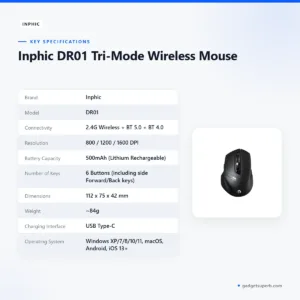
The table below lists the specifications of the inphic dr01 as published on the product listing. Each row is copied from the listing, so check them against the product you receive.
| Brand | Inphic |
| Model | DR01 |
| Connectivity | 2.4G Wireless + BT 5.0 + BT 4.0 |
| Resolution | 800 / 1200 / 1600 DPI |
| Battery Capacity | 500mAh (Lithium Rechargeable) |
| Number of Keys | 6 Buttons (including side Forward/Back keys) |
| Dimensions | 112 x 75 x 42 mm |
| Weight | ~84g |
| Charging Interface | USB Type-C |
| Operating System | Windows XP/7/8/10/11, macOS, Android, iOS 13+ |
These are listed specifications from the product listing.
How to use / set up
Start by charging the inphic dr01 fully before first use. Connect the USB Type-C cable to a suitable power source and leave it until the charge is complete. The listing gives 2-3 hours for a full charge, so plan for that time before a long working day.
Next, choose the connection you need on each device: Bluetooth 5.0, Bluetooth 4.0 or 2.4G wireless, as the listing describes. The listing does not give pairing steps for the inphic dr01, so follow the maker’s instructions for each device. Pair one device at a time so you do not confuse the connections.
Check your system before you start. The listing says the mouse supports Windows XP/7/8/10/11, macOS, Android and iOS 13+. If you use another operating system, check with us before you order the inphic dr01.
In the first week, use the mouse on each device you plan to connect, and note which link suits which device. This makes switching simpler later. Keep the charging cable in one place on the desk so it does not get lost. A small note beside the desk can list which device uses which connection, which saves time on busy mornings. Many households find this useful when the inphic dr01 moves between a laptop and a family tablet.
Look after the inphic dr01 with simple habits. Keep the mouse clean and store it in a dry place. The listing describes a skin-friendly matte finish that is sweat-resistant and gives a non-slip grip, so a clean surface underneath matters too. Bangladesh’s humid months can make desks damp, so wipe the mouse and mousepad regularly with a soft dry cloth and avoid leaving the mouse in direct sun for long periods. Looking after the inphic dr01 this way keeps it ready for daily work.
When you travel or leave the desk for a few days, store the mouse in a bag or drawer away from dust, and keep it topped up before you leave. Charge it again on your return if the indicator shows a low level. Keeping a rechargeable mouse at a low charge for long gaps is a common reason to top it up before you go. Note the battery figures in the listing as the maker’s details, and check the charge before any trip.
Load-shedding and power cuts are common in many areas of Bangladesh. When the mains supply goes off, a charged mouse is more useful than one that is already low. The listing does not describe charging from any other source, so use the Type-C cable with a power source you trust, following the maker’s instructions. Plan your charging around your own power pattern, and keep the cable where you can find it in the dark.
Compatibility and what is in the box
The listing states compatibility with Windows XP/7/8/10/11, macOS, Android and iOS 13+. It describes the mouse as working with almost any device, from high-end laptops to smartphones and tablets. The inphic dr01 therefore suits mixed households, where several people use different systems on the same desk.
The listing does not confirm what the box contains, so this page does not list any accessories. The operating systems above are the best guide the listing gives, so use them when you check your own devices.
Not confirmed by the listing for the inphic dr01: the cable length, the contents of the box, and whether the mouse pairs with every Bluetooth device you own. Treat these as open questions until they are confirmed in writing.
Mixed households often share a desk, a family tablet and a laptop. For these homes, the listed operating systems help you decide whether the inphic dr01 fits each device before you order.
Who should buy it in Bangladesh
The inphic dr01 suits an office worker in Dhaka who moves between a laptop at a desk and a phone or tablet during the day. The tri-mode connections let that person choose the right link for each device. For a commute that includes reading on a tablet, the same mouse can follow the work across devices.
Students and home workers often share one desk with a laptop, a family tablet and a phone. For them, the rechargeable battery and battery indicator mean fewer surprises when a study session runs late. The mouse also suits a household where several people use the same desk, since the listing says it works with almost any device.
Freelance designers and writers who work across several screens may value the three DPI levels and the side buttons. The listing presents these features for creative work and long documents, and the inphic dr01 fits that kind of day. Test the cursor speed for each task and keep the level that suits you best.
Office staff who attend quiet meetings or work in shared spaces may appreciate Silent Click technology. The listing names libraries, cafes and open offices, so a quieter click suits those settings. Remember that the 90% figure is the maker’s claim.
People who spend long hours on a computer may want a comfortable shape. The listing describes the ergonomic curve and thumb rest, but comfort is personal, so judge the inphic dr01 by how it sits in your hand. If the shape suits your grip after a few days of normal use, that is a useful sign.
Families who share one wireless mouse across a computer and a tablet may find the connection options useful. Each person can keep their own device linked and switch when the room changes. The inphic dr01 is a practical choice for that kind of shared setup.
Small business owners and shopkeepers who run accounts on a laptop and a phone can use the inphic dr01 across both. The side buttons help when you move through spreadsheets and long documents. A single mouse on one desk also keeps the workspace tidy.
Some buyers may prefer something else. The inphic dr01 is not described as a gaming mouse in the listing, and it is not listed as left-handed. If you need either of those, the alternatives section below points to other mice in our range.
Think about your own desk before you buy. Count the devices you want to switch between, the operating systems they run and the hours you expect to use the mouse each day. If those match the listing, the inphic dr01 is a reasonable option to consider.
Alternatives in our store
If the inphic dr01 does not fit your needs, these products in our range are worth a look. The Havit MS1034 RGB Backlit Programmable Gaming Mouse is another gaming mouse in our range. The Havit MS1027 Cool RGB LED Gaming Optical Mouse is a further gaming option. The A4TECH OP-720 Optical USB Wired Mouse is another mouse in our range, and the Fantech P31 Keyboard, Mouse & Mousepad Combo is a keyboard and mouse bundle.
A keyboard and mouse bundle can suit a desk that needs both at once, while a single wireless mouse suits people who only need to change the mouse. Each link opens its own product page, so you can read the details before you decide between those options and the inphic dr01. Browse the full range in the Keyboards & Mouse category.
Warranty and support
Warranty: 7 Days seller warranty.
Delivery, returns and ordering
We deliver all over Bangladesh and you pay cash on delivery. That means you can order the inphic dr01 from home and pay when the parcel arrives.
Delivery usually takes 1–3 days inside Dhaka city and 2–5 days outside Dhaka.
You can return it within 7 days of delivery (see our Delivery & Returns policy). The policy page sets out the full terms for returns on the inphic dr01.
Questions before ordering: call 09638054751, message us on Facebook Messenger or email care@gadgetsuperb.com. Ask about compatibility or the delivery area before you pay.
If you are ready to order, the policy page at gadgetsuperb.com/delivery-returns is the reference for returns and delivery terms. Read it before you place the order.
Frequently asked questions
Is the inphic dr01 a wireless mouse?
Yes. The listing describes it as a tri-mode wireless mouse with Bluetooth 5.0, Bluetooth 4.0 and 2.4G connectivity.
How many devices can I connect to the mouse?
According to the listing, you can pair and switch between up to 3 devices.
Does the inphic dr01 work with a MacBook and an iPad?
The listing names macOS and iOS 13+ and describes switching between a Windows laptop, a MacBook and an iPad with a single button.
What DPI settings are available?
The listing gives three levels: 800, 1200 and 1600 DPI.
How long does a full charge take?
The listing says a full charge takes 2-3 hours through the USB Type-C port.
Does the mouse have Silent Click technology?
Yes, according to the listing, Silent Click technology reduces click noise by 90%.
Is the inphic dr01 suitable for left-handed users?
The listing says the mouse is specifically shaped for right-handed users, so left-handed buyers should check this before ordering.
Does the inphic dr01 work with Windows XP?
The listing includes Windows XP among its supported systems, alongside Windows 7, 8, 10 and 11.
Does smart sleep mode extend battery life?
The listing says smart sleep mode can extend battery life up to 1-2 months, so treat this as the maker’s figure.
What warranty applies to the mouse?
Warranty: 7 Days seller warranty.
Can I return the inphic dr01 if it does not suit me?
Yes. You can return it within 7 days of delivery, as set out in our Delivery & Returns policy.
Do you deliver outside Dhaka?
Yes. We deliver all over Bangladesh, usually in 2–5 days outside Dhaka, and you pay cash on delivery.
Related products

-25%
50 in stock
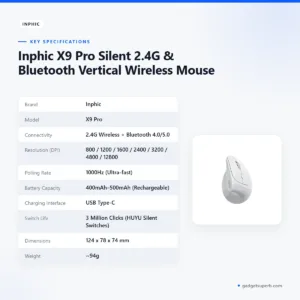

Inphic X9 Pro Silent 2.4G & Bluetooth Vertical Wireless Mouse
Original price was: ৳ 3,350.৳ 2,480Current price is: ৳ 2,480.-23%
50 in stock


Inphic DR801 Tri-Mode Wireless Mouse
Original price was: ৳ 1,770.৳ 1,360Current price is: ৳ 1,360.-20%
166 in stock

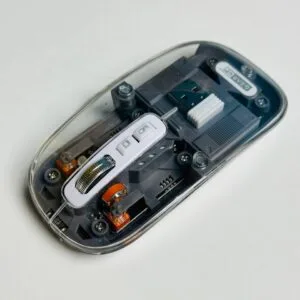
GearUP WM30 Transparent Crystal 2.4G + Bluetooth Magnetic Wireless Mouse- Gray Color
Original price was: ৳ 1,040.৳ 830Current price is: ৳ 830.-20%
48 in stock
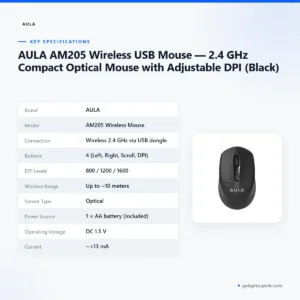
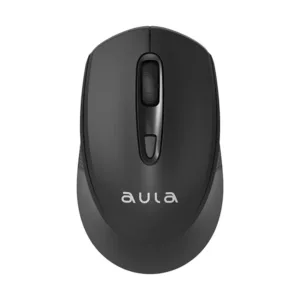
AULA AM205 Wireless USB Mouse — 2.4 GHz Compact Optical Mouse with Adjustable DPI (Black)
Original price was: ৳ 650.৳ 520Current price is: ৳ 520. Inphic DR01 Tri-Mode Wireless ...
 Original price was: ৳ 1,540.৳ 1,180Current price is: ৳ 1,180.
50 in stock
Reviews
There are no reviews yet.