No products in the cart.

-20%

The GearUP WM30 Transparent Crystal 2.4G + Bluetooth Magnetic Wireless Mouse in gray is a wireless mouse with a see-through body, listed with 2.4GHz wireless and Bluetooth connectivity. It suits Bangladeshi buyers who move between a laptop, a desktop and a phone and want one mouse that can connect to up to three devices at the same time.
- Overview
- Key features
- Specifications
- How to use and set up
- Compatibility and what is in the box
- Who should buy it in Bangladesh
- Alternatives in our store
- Warranty and support
- Delivery, returns and ordering
- Frequently asked questions
GearUP WM30 overview for Bangladeshi buyers
The GearUP WM30 sits in the Keyboards & Mouse category of our store. According to the listing, the brand is GearUP, the model is WM30 and the colour is gray. Keep the brand and model in mind when you compare listings, because mice in this category often have similar names and it is easy to pick the wrong one.
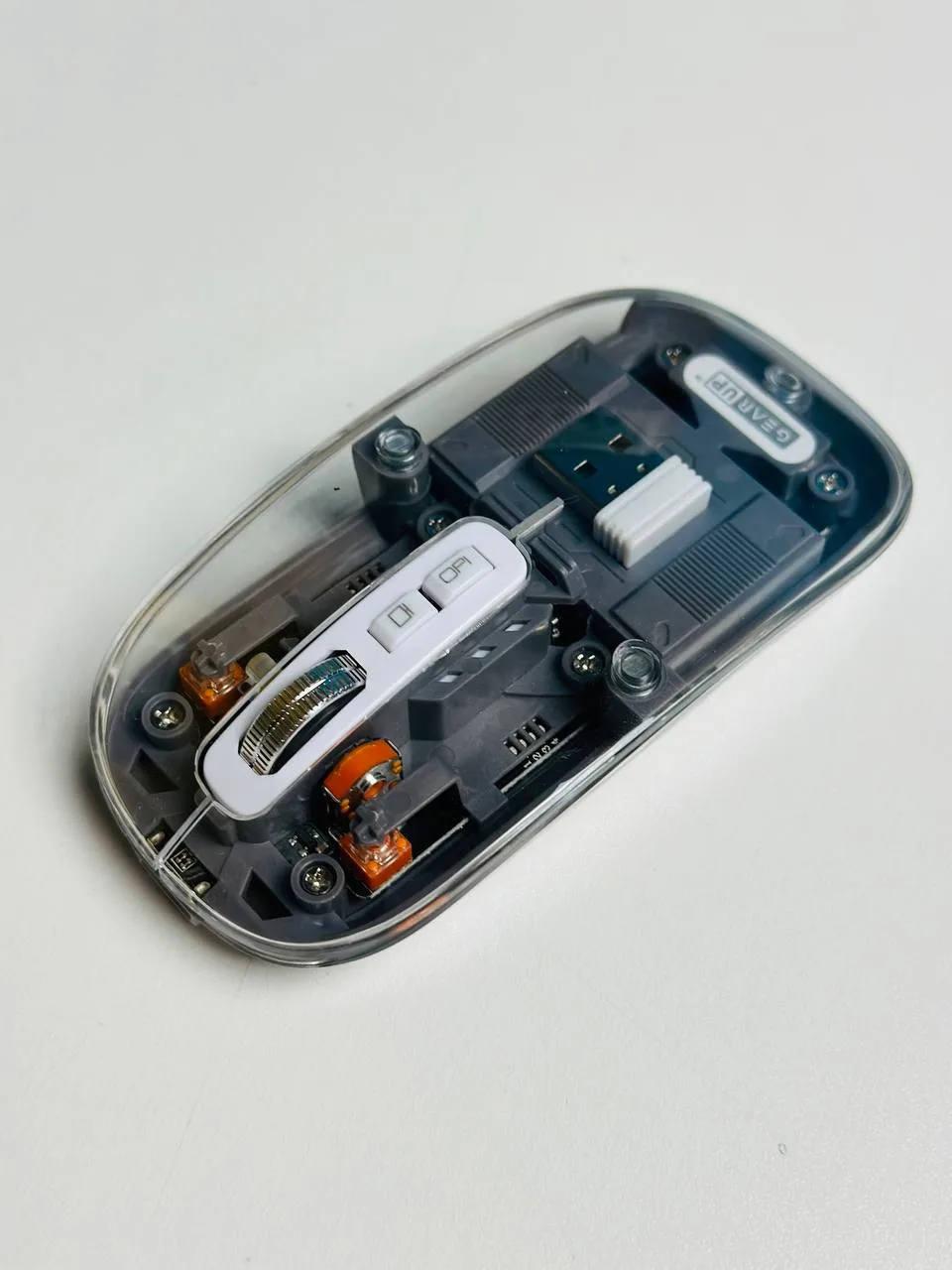
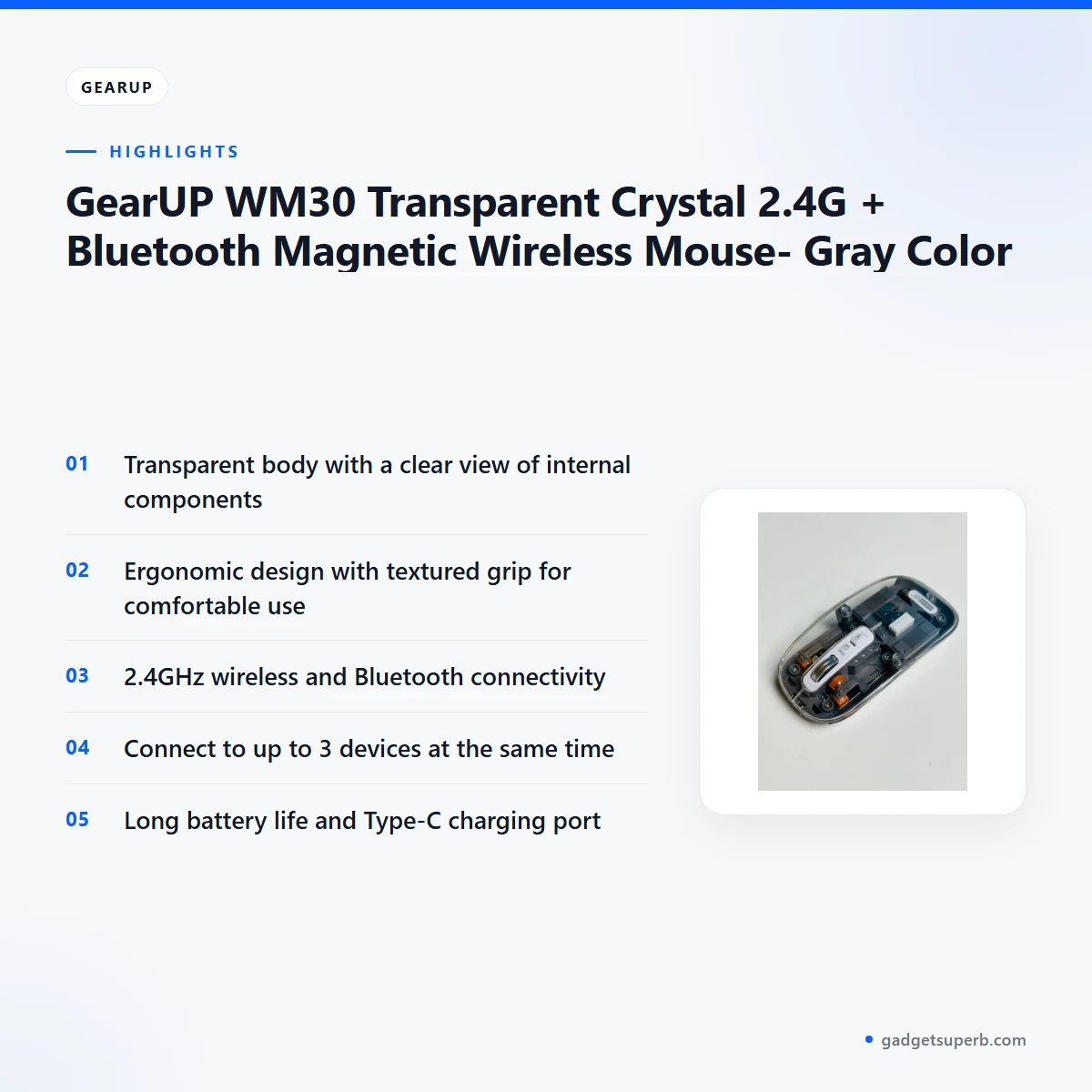
The GearUP WM30 is built around three ideas that the listing repeats: a transparent body, an ergonomic shape and wireless flexibility. The transparent body gives a clear view of the internal components, which the maker presents as a visual feature. The ergonomic design has a textured grip for comfortable use.
Its 2.4GHz wireless and Bluetooth connectivity lets you pair the GearUP WM30 with up to three devices at the same time. That suits a household where one person moves between a work laptop, a home computer and a tablet. A Type-C charging port and a battery that the listing describes as offering long battery life complete the main picture.
For general background on input devices, read the general article on computer keyboards on Wikipedia. That article does not cover this mouse, but it explains the basic ideas behind keyboards and mice, which can help you judge what a wireless link or a rechargeable battery means in daily use.
Many buyers in Dhaka and other cities choose a mouse by how it feels after a few hours rather than by the name on the listing. The listing gives useful facts, but the feel of a grip, the weight in the hand and the surface it sits on are personal. Read the specifications below, compare them with what you already own, and ask us a question if a detail matters to your work. Your choice of GearUP WM30 should rest on how well it suits your desk and your hand.
Key features
Each feature below is taken from the GearUP WM30 listing, with practical notes on how it may suit everyday use in Bangladesh.
Transparent body with a clear view of internal components
The listing describes the GearUP WM30 as having a transparent body with a clear view of its internal components. This is the feature most people notice first, and it is the reason the product carries the Transparent Crystal name. A see-through shell is an easy talking point when a colleague or family member asks about your desk accessories, and it gives the mouse a different look from a plain solid-coloured design. The listing does not explain how the internal parts are arranged, so treat the transparency as a visual feature rather than a promise about any particular internal layout.
Ergonomic design with a textured grip
The listing says this mouse has an ergonomic design with a textured grip for comfortable use. During long sessions of document work, spreadsheets or video calls, the textured grip is the part of the design you will notice most, and the listing describes the shape as ergonomic. Hand size and grip style differ from person to person, so the listing alone cannot tell you whether it suits your hand. If you have large hands, try holding a similar mouse in a shop, or ask our team about the dimensions in the specifications section. In a humid Dhaka afternoon, damp hands can change how any grip feels, so choose the mouse for the way it sits in your own hand.
2.4GHz wireless and Bluetooth connectivity
It is listed with 2.4GHz wireless and Bluetooth connectivity. The listing also gives the working mode as 2.4G + BT1 + BT2, which shows that the mouse supports the 2.4G link and two Bluetooth modes labelled BT1 and BT2. For a Bangladeshi household with limited desk space, having more than one way to connect can be useful when you move the GearUP WM30 between a laptop, a desktop and a phone. The listing does not explain how to switch between modes on a particular device, so follow the maker’s instructions for the exact steps. If you are unsure which mode suits your setup, ask us before you order.
Connect to up to three devices at the same time
The listing states that it can connect to up to 3 devices at the same time. That is a practical feature for people who work across a laptop, a desktop computer and a tablet, and who do not want to reconnect a mouse every time they change task. Students sharing a family computer, freelancers with a home office and small shop owners who run a billing computer and a phone may all find it useful. The listing does not describe how quickly you can switch between the three devices, so judge the switching speed for yourself during the first week.
Long battery life and Type-C charging
The listing describes the GearUP WM30 as having long battery life and a Type-C charging port. The listed battery capacity is 400mAh, and the operating current is listed as 30MA. Charge the mouse fully before first use, then keep a suitable Type-C cable within reach so you can top it up when you have a spare moment. Load-shedding can interrupt power in some parts of Bangladesh, so charging the GearUP WM30 whenever mains power is available is a sensible habit. The listing does not give a run time in hours, so judge the battery by your own daily use over the first few weeks.
Setting the connection for each device
Because the listing names both 2.4GHz wireless and Bluetooth connectivity, you have a choice of how to link the mouse to each device. A simple habit is to decide, before you start work, which device you will use most and set that connection first. Keep a note of the connection you used for each computer or phone, so you can return to it quickly after a restart. The listing does not say whether one connection is more stable than the other, so avoid assuming a difference and try what feels right in your own setup. Many households find that a short written list near the desk saves time.
Specifications
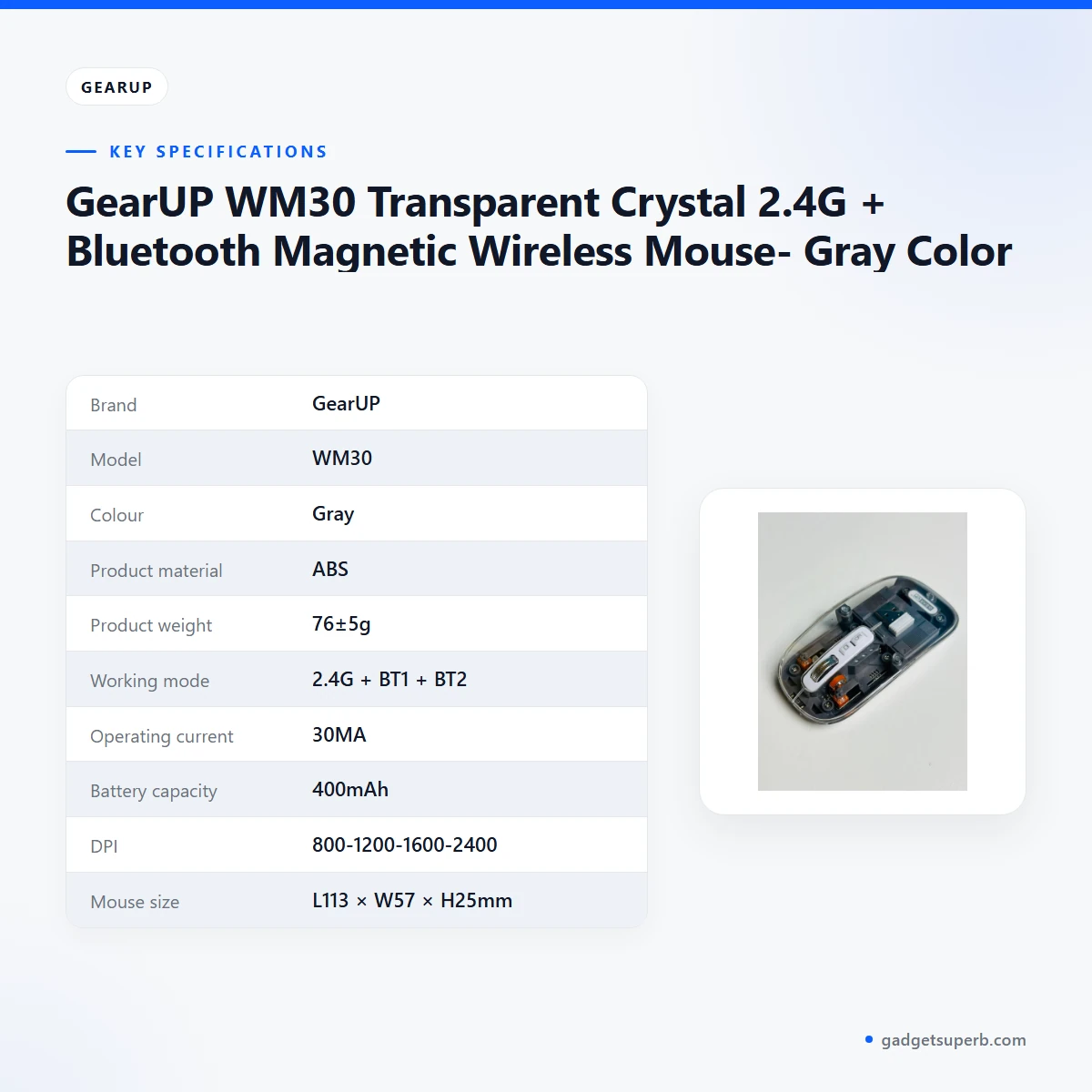
The table below sets out the GearUP WM30 specifications as published by the maker.
| Brand | GearUP |
|---|---|
| Model | WM30 |
| Colour | Gray |
| Product material | ABS |
| Product weight | 76±5g |
| Working mode | 2.4G + BT1 + BT2 |
| Operating current | 30MA |
| Battery capacity | 400mAh |
| DPI | 800-1200-1600-2400 |
| Mouse size | L113 × W57 × H25mm |
| Connectivity | 2.4GHz wireless and Bluetooth |
| Devices at the same time | Up to 3 |
| Charging port | Type-C |
| Warranty | 6 Months |
These are listed specifications from the product listing for the GearUP WM30, so check the listing or ask our team if a detail matters for your purchase.
How to use and set up the GearUP WM30
Setting up the GearUP WM30 should be straightforward if you follow a clear order. Start by charging the mouse fully before first use, using the Type-C charging port. Then follow the maker’s instructions for connecting the mouse to your first device. Once that device works, repeat the same process for each additional device you plan to use, up to the listed limit of three.
Choose a flat, clean surface for the GearUP WM30. The listing mentions an ergonomic design, and a steady surface gives the mouse a stable base. Keep the mouse out of direct sunlight on a hot Dhaka afternoon and away from spilled drinks, because heat and humidity are common in the city for much of the year.
Top up the battery whenever you have mains power, especially during load-shedding periods, so the mouse is ready when you need it. A mouse that is charged only when it runs flat is harder to plan around than one you top up regularly, so a short charge at the end of each working day is a good routine.
For care of the GearUP WM30, wipe the transparent shell with a soft, dry cloth. Dust and fingerprints can show on a clear body, so a quick wipe each week keeps the view tidy. Avoid harsh household cleaners, since the listing gives the material as ABS and does not recommend any cleaning product.
When you store the GearUP WM30 for a few days, keep it in a dry drawer away from direct heat and away from the edge of the desk, so it cannot fall. Before you put it away, make sure the battery is reasonably charged so it is ready when you return. In humid months, a dry spot on a shelf is kinder to any electronic device than a damp corner.
If you switch the mouse between devices during the day, set a simple routine. Connect it to your main computer first, then your secondary device, then your phone. Return to the same order each morning so you do not need to think about it, and note any device that gives trouble so you can raise it with us later.
If the GearUP WM30 does not respond, first check that it has charge, then confirm that the device you are using is set to the connection you intended. Restart the device you are working on if the problem continues. If it still fails, message us with the make and model of the device, and we will help you work through it.
Compatibility and what is in the box
The listing confirms 2.4GHz wireless and Bluetooth connectivity, support for up to 3 devices at the same time, and a Type-C charging port for the GearUP WM30. Those are the connection facts you can rely on from the listing.
The listing does not state which operating systems, phones or tablets are supported, and it does not give a full list of items included with the GearUP WM30. Those points are not confirmed by the listing, so it is best to confirm them with our team.
To check compatibility, message us on Facebook Messenger, email care@gadgetsuperb.com or call 09638054751. Give us your exact laptop, desktop or phone model when you ask about the GearUP WM30, because the listing alone cannot answer that question for every device.
Before you get in touch, write down the make and model of each device you want to pair, along with its operating system version. Keep that list with your order details. It gives us the information we need to answer your question quickly and accurately.
Who should buy the GearUP WM30 in Bangladesh
The GearUP WM30 suits buyers who want a wireless mouse with a transparent look, a Type-C charging port and the option to use either 2.4G or Bluetooth.
Students and home workers who use a laptop at a desk and a phone on the sofa may find the three-device connection useful. The same goes for freelancers who move between a laptop at a café and a desktop at home, since a single GearUP WM30 can serve both.
Office staff who share a desk or use a shared computer may like the see-through shell as a personal touch. The listing says the ergonomic design with a textured grip is for comfortable use, so a mouse that is clearly yours can also keep a shared desk tidy.
Buyers who prefer a rechargeable mouse with a Type-C port rather than a wired one will find the battery and charging details a good match. The listed battery capacity is 400mAh, so check the specifications before you decide whether the mouse fits your routine.
Small business owners who run a billing computer, a laptop for stock and a phone for orders may find that one mouse covers several tasks. It saves time when you move between a billing screen and a back-office screen without changing hardware.
Online tutors and remote learners who attend classes on a laptop and then study on a desktop can use the three-device connection to avoid reconnecting a mouse each time. Keep a spare charging routine in place before a long class day, so the mouse does not run low in the middle of a lesson.
Gamers and heavy designers should look at the alternatives in our store first, since the listing does not describe a gaming focus for this mouse. A dedicated gaming model from our range may suit those needs better.
Parents who want a mouse for a child’s first computer can consider the GearUP WM30 for its clear body and textured grip, but supervise charging and keep cables out of reach of young children.
Anyone who needs a wired mouse that never needs charging should choose a wired model instead of the GearUP WM30. You may also want a different mouse if you need a feature the listing never mentions. In that case, look at the alternatives below and ask our team for advice first.
Alternatives in our store
If the GearUP WM30 is not the right fit, you can browse other mice in our range. The Havit MS1034 RGB Backlit Programmable Gaming Mouse is another mouse in our range, and the Havit MS1027 Cool RGB LED Gaming Optical Mouse is a second option in the same category. For a different wired mouse from our range, see the A4TECH OP-720 Optical USB Wired Mouse. If you want a set rather than a single mouse, look at the Fantech P31 Keyboard, Mouse & Mousepad Combo. You can also browse the whole Keyboards & Mouse category to compare all options side by side with the GearUP WM30.
Warranty and support
Warranty: 6 Months seller warranty.
Delivery, returns and ordering
When you order the GearUP WM30, we deliver all over Bangladesh and you pay cash on delivery.
Delivery usually takes 1–3 days inside Dhaka city and 2–5 days outside Dhaka. If you need the mouse for a class, a project deadline or a family event, place your order early so the normal delivery window fits your plans.
You can return it within 7 days of delivery. Full details are in our Delivery & Returns policy, which we recommend reading before you place an order for the GearUP WM30.
Questions before ordering? Call 09638054751, message us on Facebook Messenger or email care@gadgetsuperb.com. Our team can answer questions before you pay, so ask about delivery to your area, the connection options or anything else that affects your choice.
Keep your phone number and full delivery address clear when you order, so the courier can reach you on the day. If you are outside Dhaka, check that the address includes a nearby landmark, which helps the courier find you faster.
Frequently asked questions
What is the GearUP WM30?
The GearUP WM30 is a wireless mouse with a transparent body, listed with 2.4G and Bluetooth connectivity.
Is the GearUP WM30 a wireless mouse?
Yes, the listing describes it as a wireless mouse with 2.4GHz wireless and Bluetooth connectivity.
Can the GearUP WM30 connect to more than one device?
Yes. According to the listing, it can connect to up to 3 devices at the same time.
Does the GearUP WM30 charge through a Type-C port?
Yes, the listing includes a Type-C charging port.
What is the battery capacity of the GearUP WM30?
The listing gives the battery capacity as 400mAh and does not give a run time in hours.
How heavy is the GearUP WM30?
The maker lists the product weight as 76±5g.
Does the GearUP WM30 come with a warranty?
Yes. Warranty: 6 Months seller warranty.
Which operating systems does the GearUP WM30 support?
The listing does not state which operating systems are supported, so ask us before you order.
Is the GearUP WM30 suitable for large hands?
The listing does not say how the mouse fits different hand sizes, so compare the listed size with your own hand.
How long does delivery of the GearUP WM30 take in Dhaka?
Delivery usually takes 1–3 days inside Dhaka city and 2–5 days outside Dhaka.
Can I pay cash on delivery?
Yes, we deliver all over Bangladesh and you pay cash on delivery.
Can I return the GearUP WM30 after delivery?
Yes, you can return it within 7 days of delivery. See our Delivery and Returns policy for the full details.
Related products
-23%
50 in stock


Inphic DR801 Tri-Mode Wireless Mouse
Original price was: ৳ 1,770.৳ 1,360Current price is: ৳ 1,360.-23%
50 in stock

Inphic DR01 Tri-Mode Wireless Mouse
Original price was: ৳ 1,540.৳ 1,180Current price is: ৳ 1,180.-23%
49 in stock

Inphic M9 Rechargeable 2.4G Wireless Mouse
Original price was: ৳ 1,380.৳ 1,060Current price is: ৳ 1,060.-20%
50 in stock


Inphic F1 2.4G Rechargeable Wireless Mouse
Original price was: ৳ 1,120.৳ 890Current price is: ৳ 890.-20%
49 in stock


Inphic M1P Ultra Slim 2.4G Wireless Mouse
Original price was: ৳ 1,040.৳ 830Current price is: ৳ 830.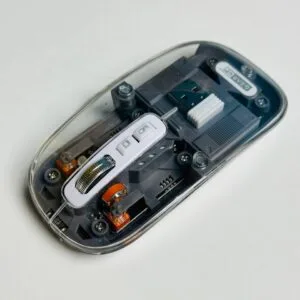 GearUP WM30 Transparent Crysta...
 Original price was: ৳ 1,040.৳ 830Current price is: ৳ 830.
166 in stock
Reviews
There are no reviews yet.