No products in the cart.

-28%
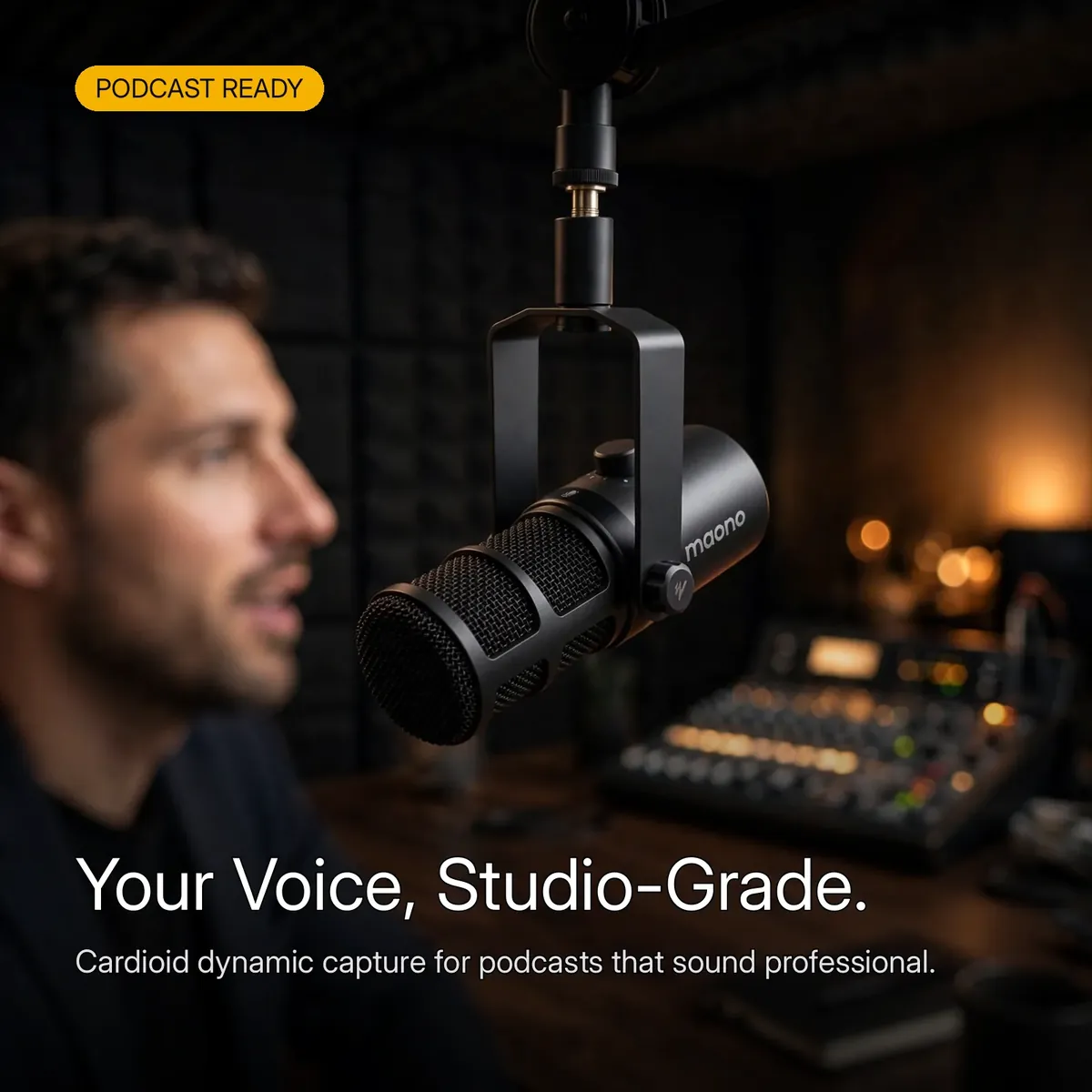
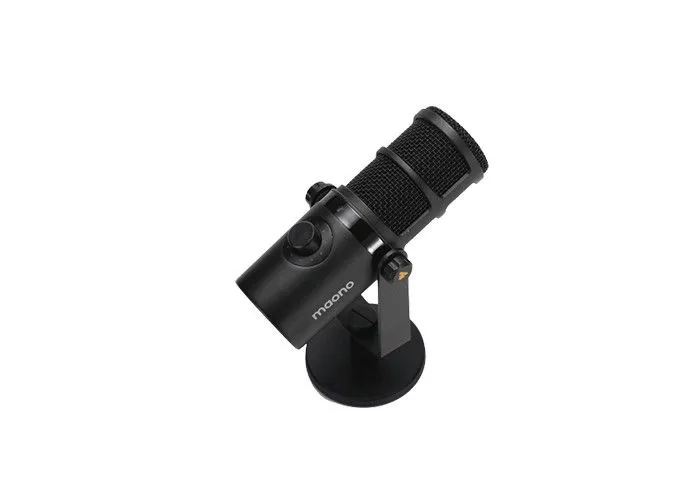
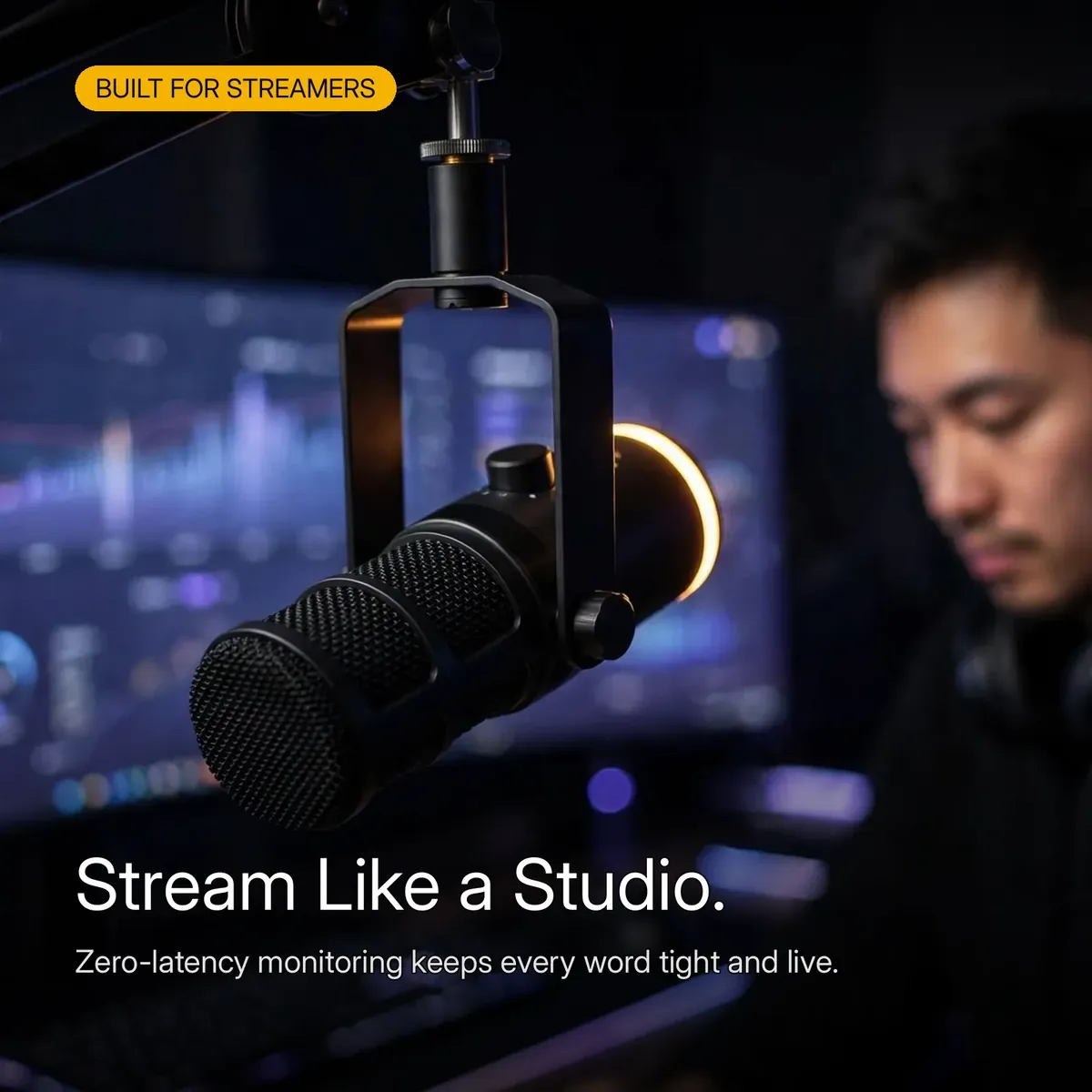


Your podcast, stream, or recording deserves a voice that sounds like a studio. The MAONO PD400X gives you that voice by borrowing the recipe of broadcast microphones used in radio stations and pro podcast studios: a dynamic capsule with a tight cardioid pattern. Doing so means you get a focused, warm voice with body, while room noise, echo, and keyboard clatter stay in the background.
What makes this microphone different from the basic USB mics most creators start with is that it grows with you. Plug it into your laptop with USB-C today and record instantly — no interface, no setup headaches. When you are ready for a professional chain, switch to the XLR output and connect it to any mixer or audio interface. One microphone covers both stages of your creator journey.
This page is written from the verified research notes for this microphone — the live product page and the manufacturer’s published specifications. Every number below is verified; nothing is estimated. One honest framing up front: the XLR output needs no phantom power, and over USB-C the mic simply runs on your computer’s power.
Dual USB-C and XLR Connection
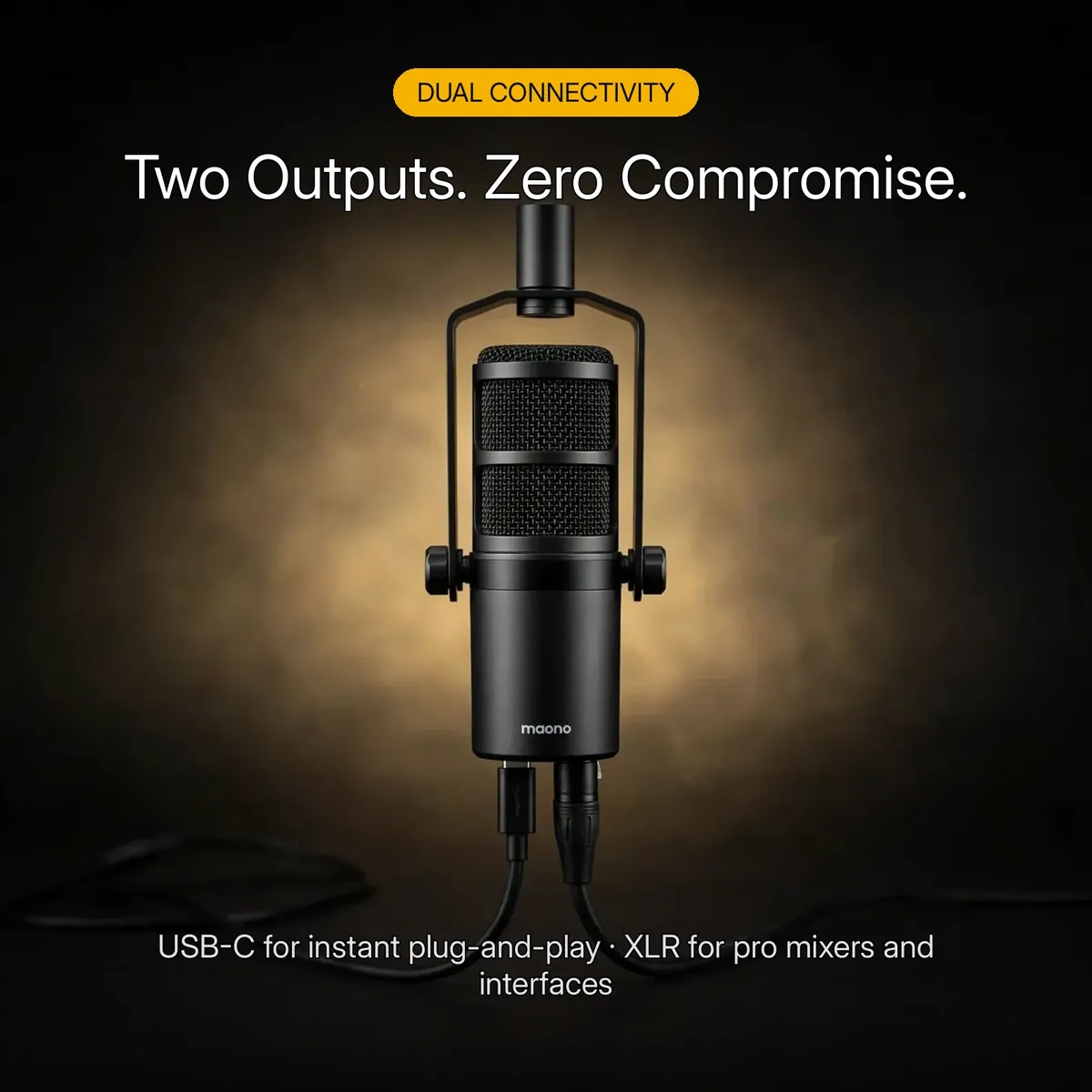
You get two complete signal paths in one microphone. The USB-C output turns it into a plug-and-play USB microphone for your computer: no audio interface, no extra software, nothing technical standing between you and a first episode. The XLR output connects the same microphone to a mixer or interface when your setup grows up. Because both outputs are built in, your second-stage upgrade is just a cable swap — you never replace the microphone itself.
The XLR output is a classic 3-pin analog connection that sends your voice to a mixer, preamp, or audio interface, which handles the conversion and gives you hardware gain control. And because this is a dynamic microphone, the XLR output needs no phantom power. Keep whichever path you are not using simply unplugged — the microphone works on one connection at a time.
Cardioid Pickup That Ignores the Room
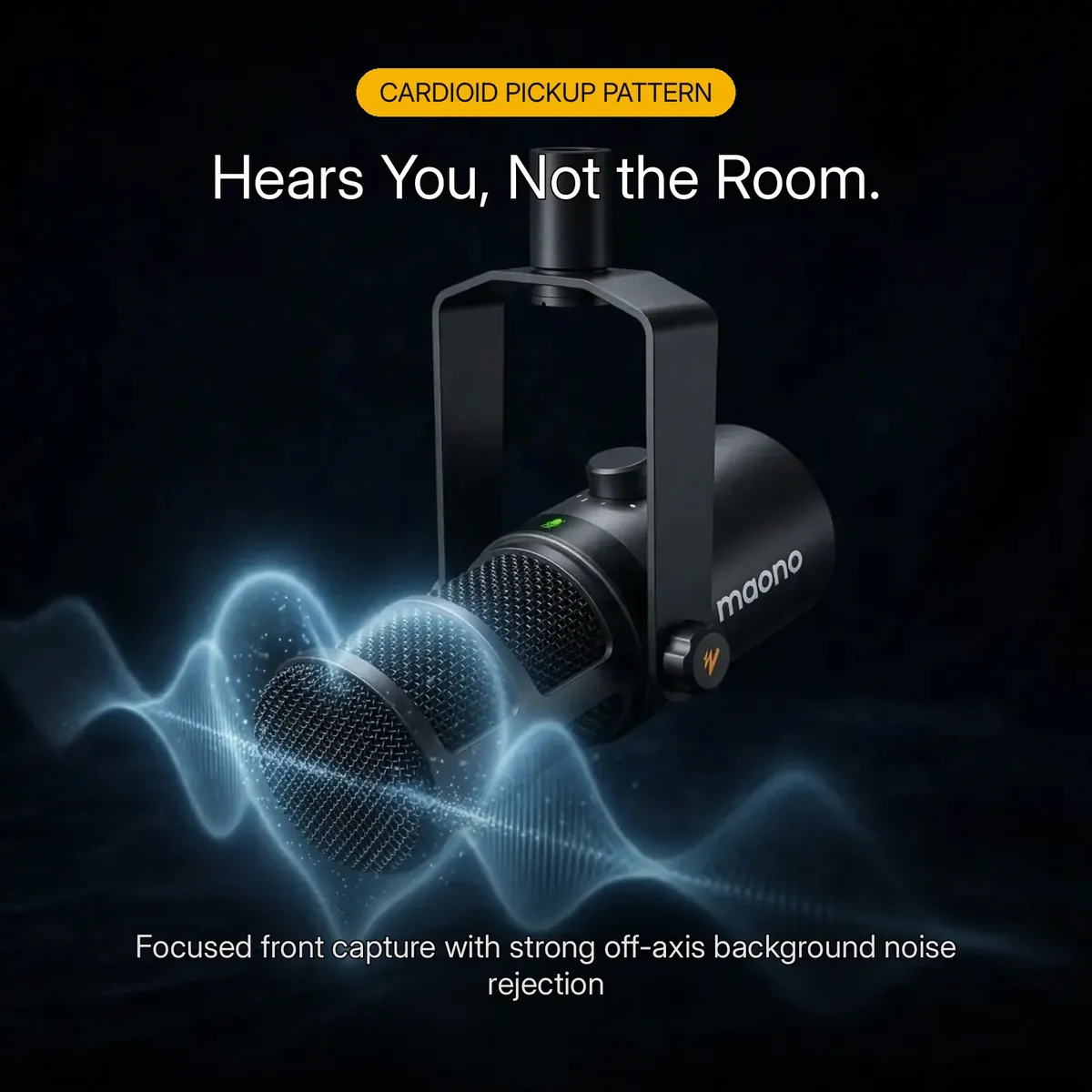
The cardioid polar pattern is this microphone’s answer to the untreated room. It is fully sensitive to what is directly in front — your voice — progressively quieter at the sides, and it rejects the most sound from directly behind, exactly where your monitor speakers, your window, and your room’s reflections sit. In practice, a close voice at the front of this microphone sits far above everything the room contributes.
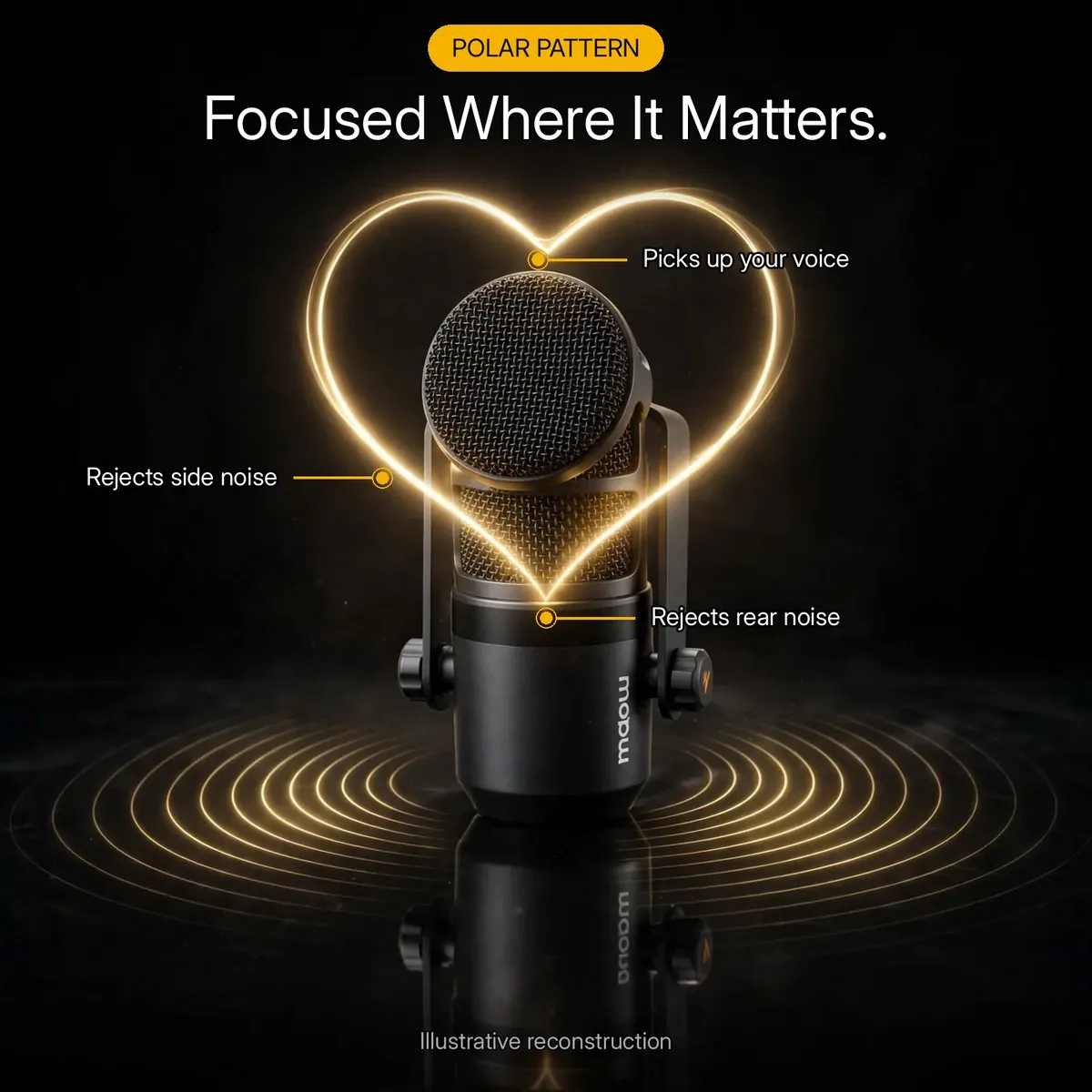
That is why this mic suits bedrooms, home offices, and project rooms where a condenser would capture the echo along with your voice. The polar-pattern infographic above is an illustrative reconstruction of the verified cardioid pattern — front pickup, side and rear rejection — not a laboratory measurement chart. For podcasters and streamers recording at home, this pattern is the single most important feature of the microphone.
The 3-in-1 Control Knob
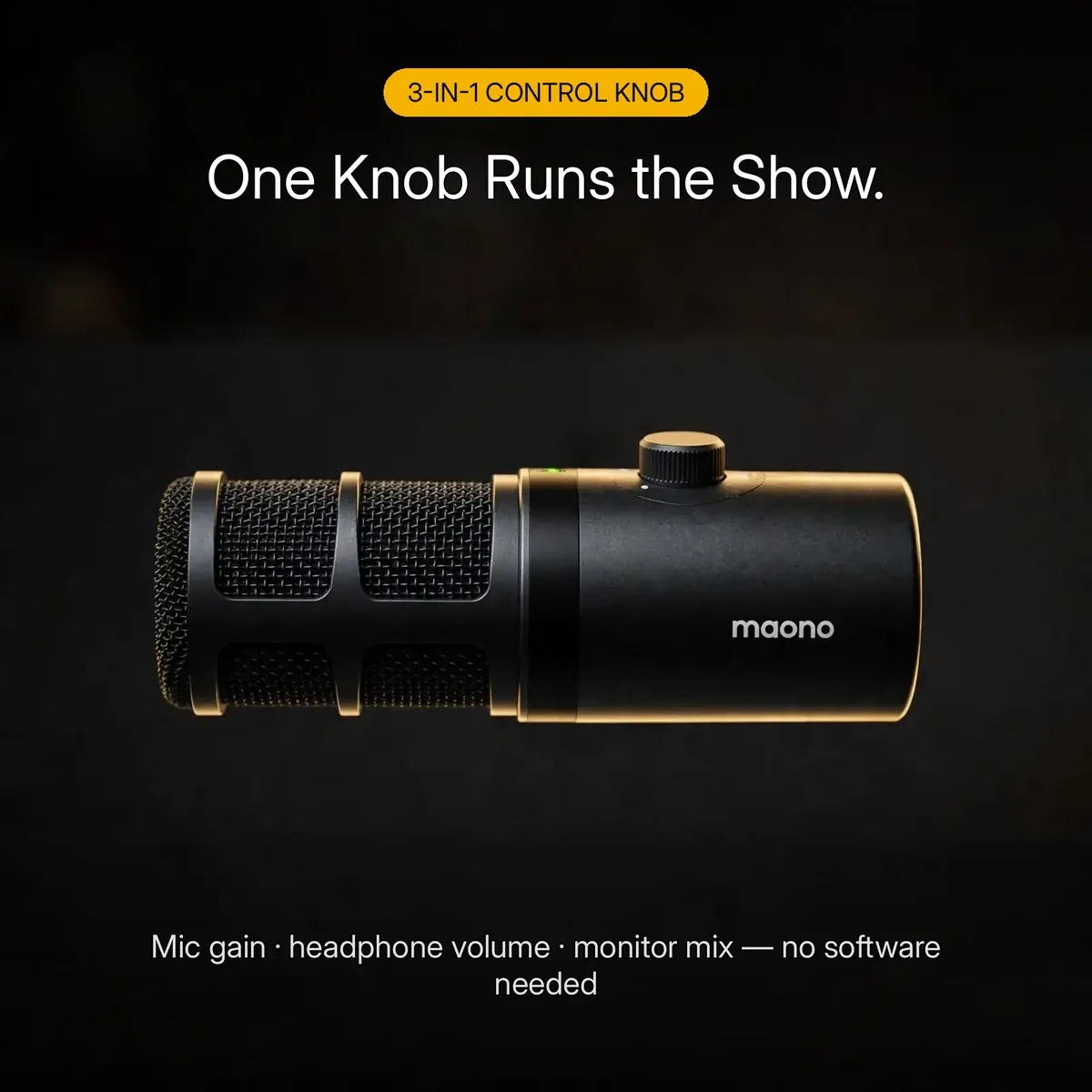
One ridged knob on the body runs the three settings you reach for most: mic gain, headphone volume, and monitor mix. Press the knob to switch between modes — the LED tells you which function is active — then turn to adjust. During a session there is no software panel to keep open and no settings menu to dig through; your hand learns the knob’s position once and never has to think again.
The practical win: no reaching for software mid-session, no alt-tabbing out of a game or a live call to fix a level. The essential controls stay where your hand already is, which is exactly what you want when you are live.
Tap-to-Mute, Right at Your Fingertips
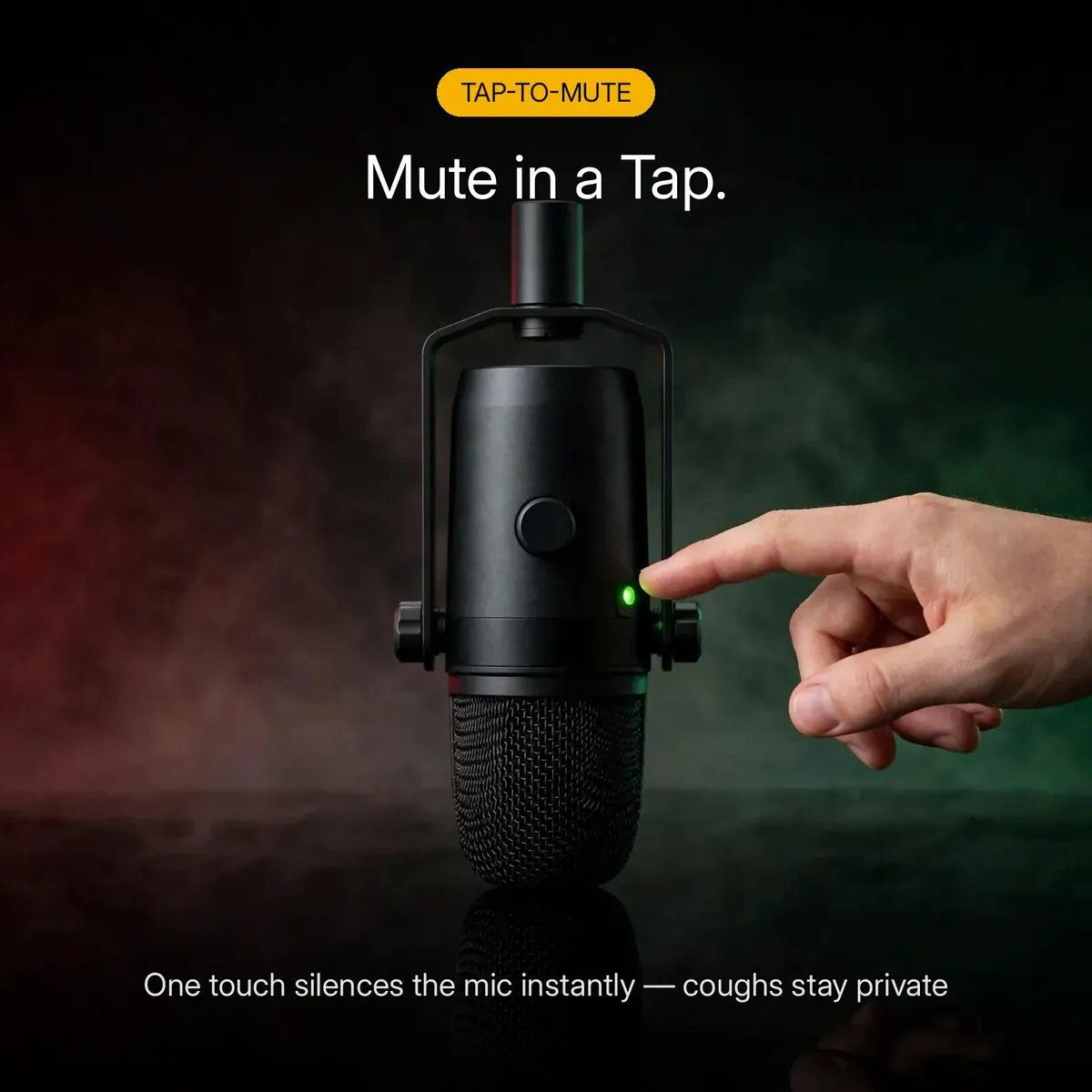
The mute control is touch-sensitive and sits on the body within a fingertip’s reach. One tap silences the microphone instantly — for a cough, a doorbell, a conversation in the next room — and a second tap brings your voice back. The LED shows your mute status at a glance, so there is never a moment of wondering whether the room just heard that.
Streamers know why this matters: the mute you can reach without looking is the mute that actually gets used — no hunting for a software button mid-sentence.
Engineered Inside and Out
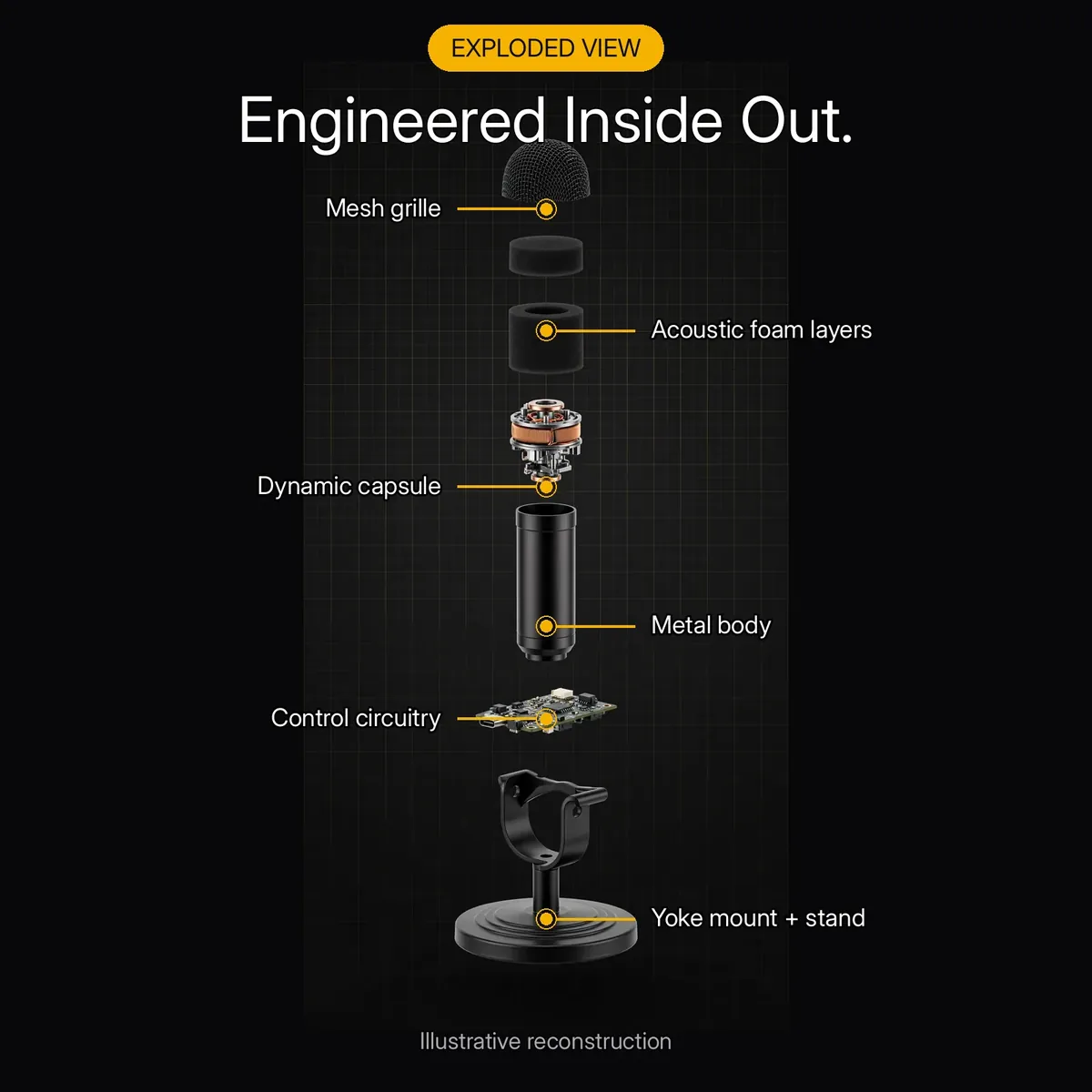
This mic is built like professional hardware. The all-metal body shrugs off daily handling and shields the capsule from the interference thin plastic shells let through. The woven steel mesh grille guards the capsule take after take, with acoustic foam layers behind it taming plosives before they reach the diaphragm.
The exploded-view infographic above is an illustrative reconstruction of the verified components — not a photograph of disassembled parts. The yoke-style bracket mount pivots so you can angle the grille precisely toward your mouth, and standard ⅜” and ⅝” threads (adapter included) fit boom arms and desk stands everywhere.
A Mic That Grows With Your Setup
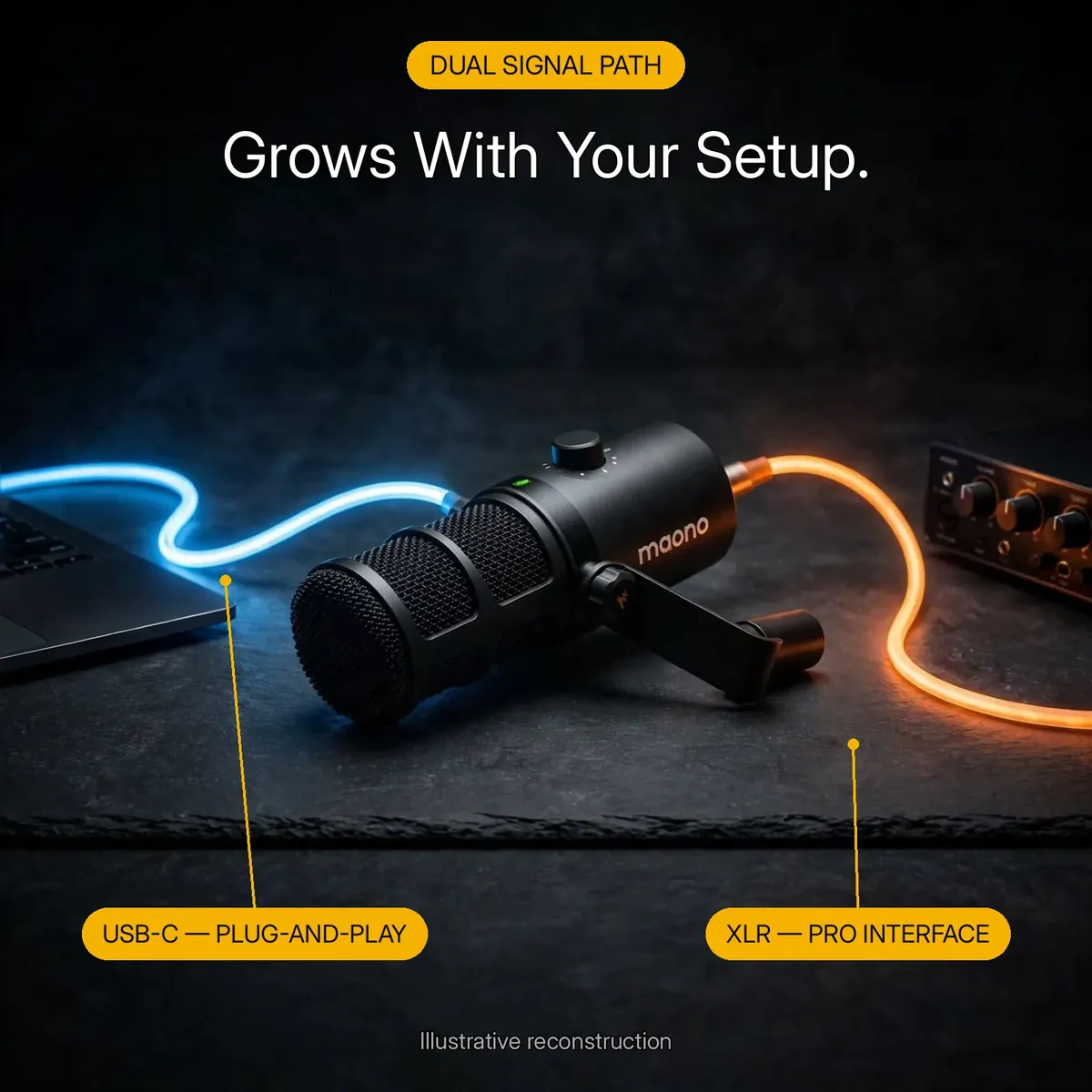
The dual signal path is this microphone’s smartest design decision, and it answers the real purchase question: is this microphone worth more than the basic USB alternatives? Those alternatives are dead ends — when you outgrow them, you replace them. This mic is the opposite: start on USB-C with zero extra gear, then move to XLR when you buy a mixer or interface, keeping the same mic, the same sound, and the same controls.
Between the two paths you also get the 3.5mm headphone jack for real-time zero-latency monitoring — hear exactly what the microphone hears, with no delay, while you record or stream. And the Maono-Link software (Windows and macOS) opens EQ, tone, gain, limiter, and compressor controls for creators who want to shape their sound further. The signal-path infographic above is an illustrative reconstruction of the two outputs — not a wiring diagram.
Specifications
| Brand | MAONO |
|---|---|
| Model | PD400X (USB/XLR Dynamic Microphone) |
| Acoustic principle | Dynamic |
| Polar pattern | Cardioid |
| Frequency response | 40Hz – 16kHz |
| Sensitivity (XLR) | -51dBV |
| Sensitivity (USB) | -8.5dBFS/Pa (max) |
| USB digital audio | 24-bit / 48kHz |
| Mic gain range | 0 to +42dB |
| Max SPL handling | >130dB SPL |
| Outputs | USB-C and XLR (dual output) |
| Headphone output | 3.5mm (zero-latency monitoring) |
| Controls | 3-in-1 knob (mic gain, headphone volume, monitor mix); tap-to-mute |
| Phantom power | Not required (dynamic capsule) |
| Software | Maono-Link (EQ, tone, gain, limiter, compressor) |
| Mount threads | ⅜” and ⅝” (adapter included) |
| Compatibility | Windows, macOS, audio interfaces |
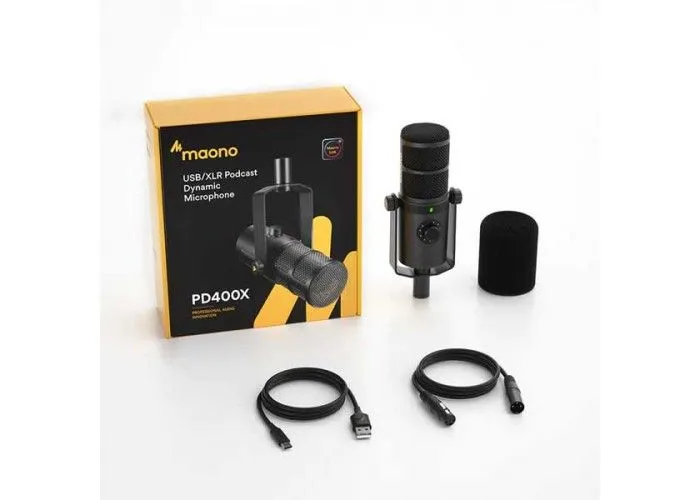
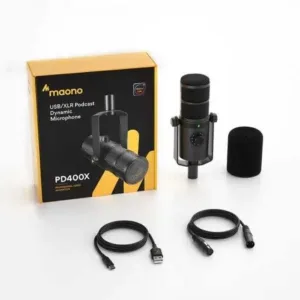
| Box contents | PD400X mic, USB-C to USB-A cable, XLR cable, desktop stand base with iron plate, thread adapter (⅜”→⅝”), user manual — boom arm NOT included |
| Warranty | a 7-day store warranty |
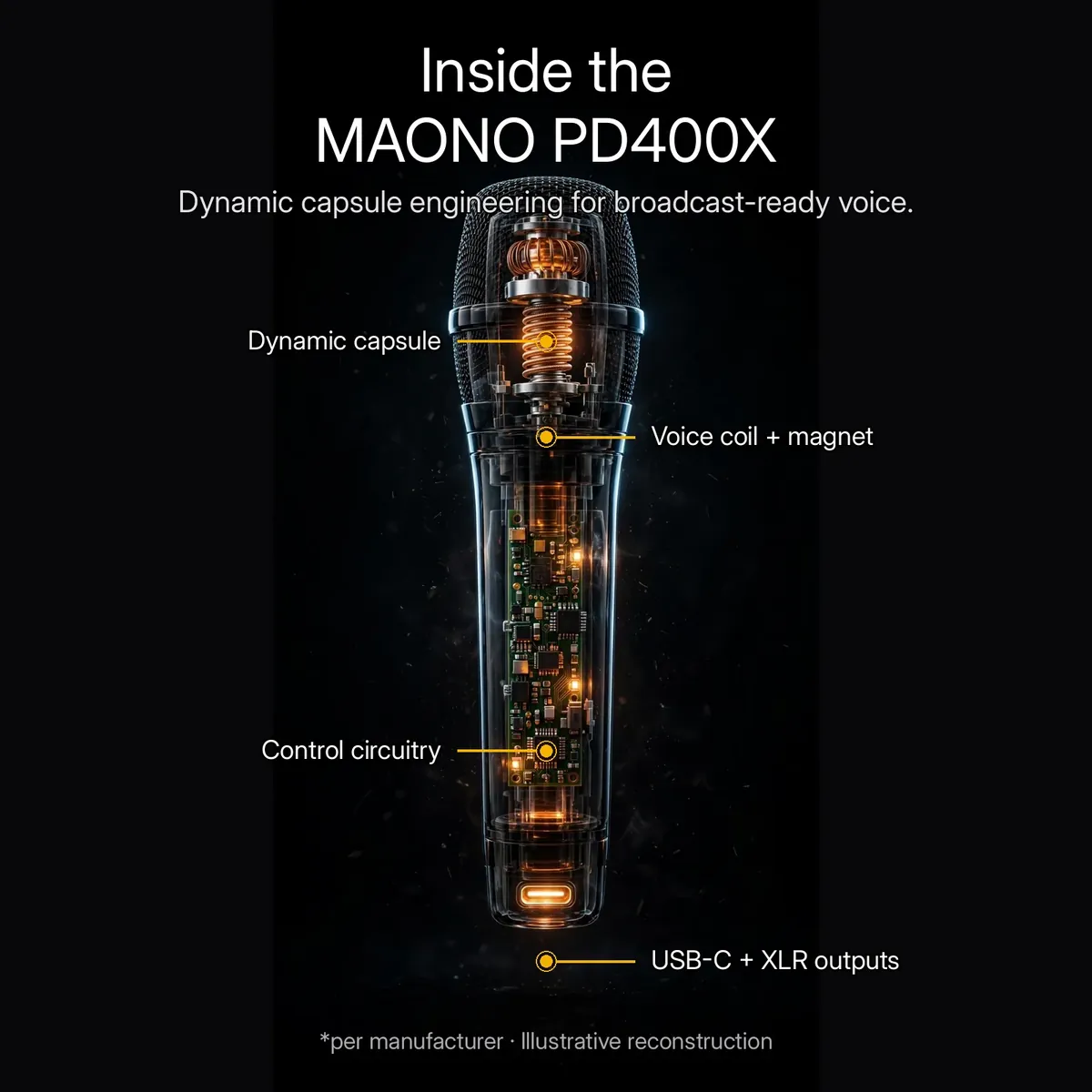
All figures are from the verified research notes and the manufacturer’s published specifications. The x-ray render above is an illustrative reconstruction — not a photograph of disassembled hardware.
What’s in the Box
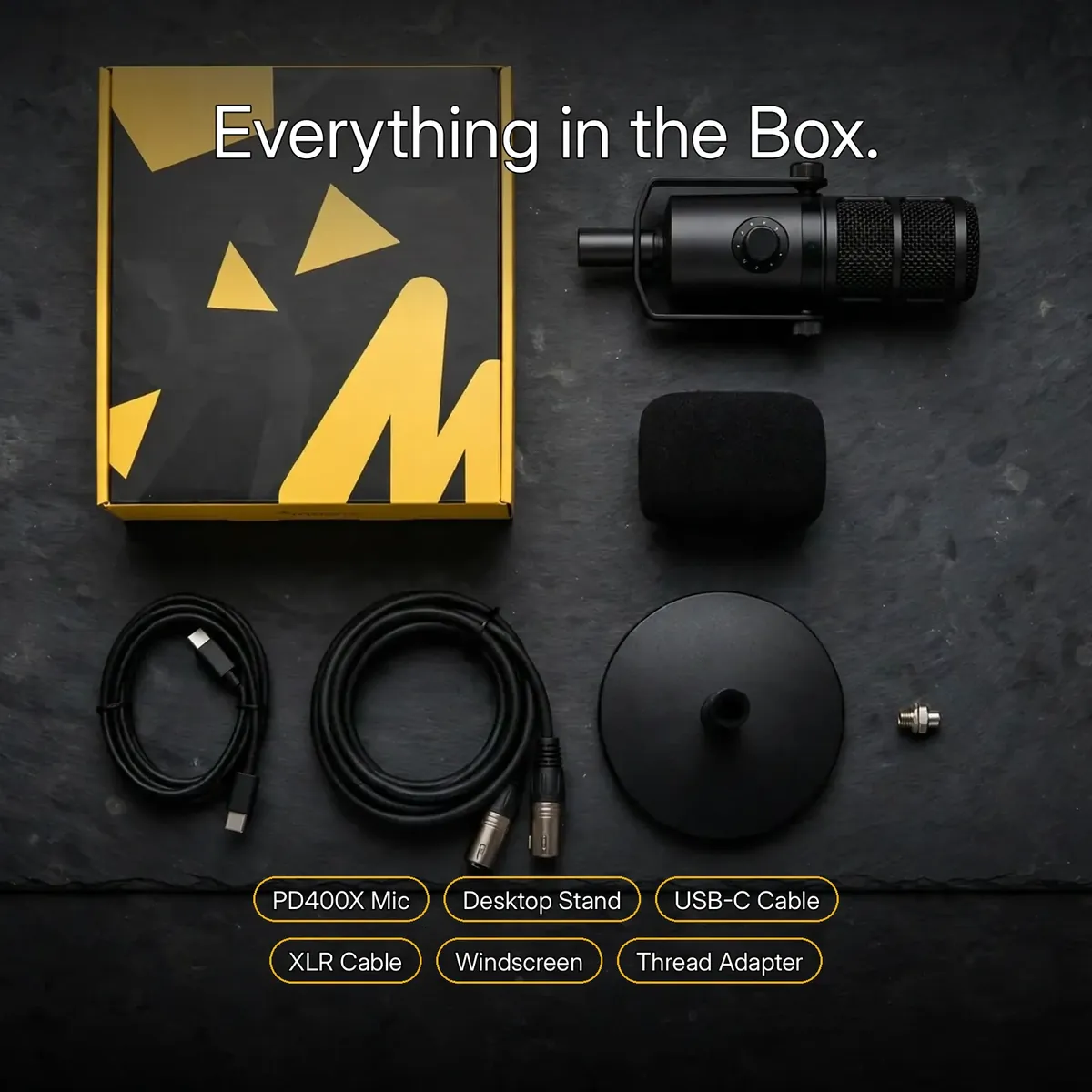
The box contains the maono pd400x microphone, a USB-C to USB-A cable, an XLR cable, the desktop stand base with iron plate, a foam windscreen, the ⅜”→⅝” thread adapter, and the user manual — everything shown in the flat-lay above, so you can record on day one with nothing else to buy.
One clear exclusion: the boom arms in some of this page’s lifestyle photos are the photographer’s own and are NOT included. The maono pd400x ships with the desktop stand base, and its standard threads also fit any boom arm you already own.
What the Numbers on the Spec Table Actually Mean
Three lines in the specifications table decide how the maono pd400x behaves in a real session, and each translates into plain language. The first is 24-bit / 48kHz USB audio. Bit depth is the resolution of the digital conversion — how finely each moment of your voice is measured — and 24 bits gives the recording headroom to capture a whisper and a laugh in the same take without either one clipping or sinking into hiss. The 48kHz sample rate is the standard video and streaming work at, so your takes drop onto a podcast or video timeline with no conversion surprises.
The second line is the sensitivity pair: -51dBV on the XLR output and -8.5dBFS/Pa at maximum on USB. Sensitivity is simply how much signal the capsule produces for a given volume of sound at the grille. Dynamic capsules are deliberately less sensitive than condensers, which is why this microphone pairs those figures with a mic gain range of 0 to +42dB: on USB you raise the level from the knob on the body, and on XLR your interface or mixer does the same job. It is also why this microphone rewards close placement — speak near the grille, set the gain once, and the numbers work in your favour.
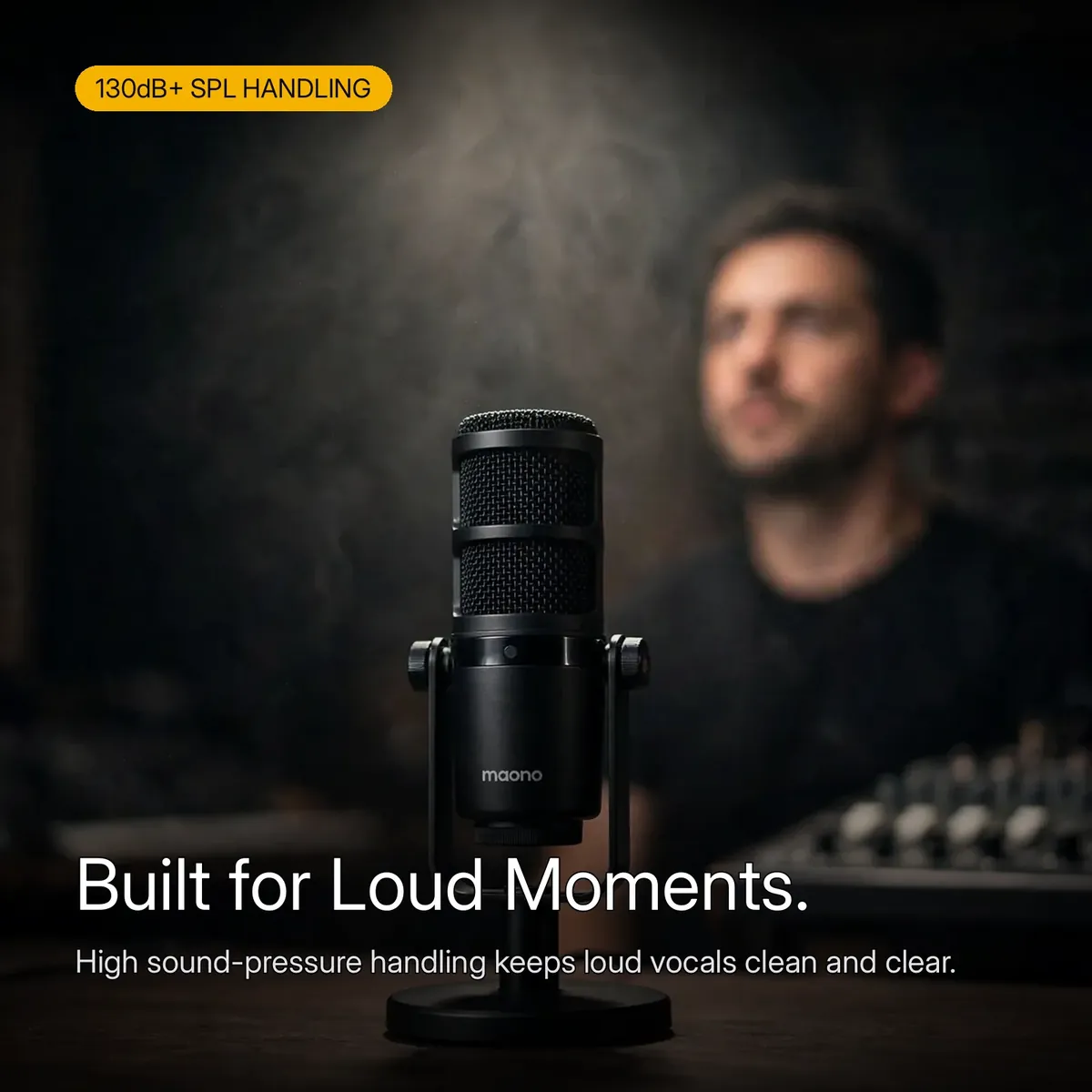
The third line is the one loud voices care about: maximum SPL handling above 130dB, across a 40Hz–16kHz frequency response. Sound pressure at the grille rises fast when a streamer shouts a callout or a singer leans into a chorus; a capsule rated past 130dB takes those peaks in stride instead of distorting. The response range frames it — deep enough at the bottom for the warmth that makes a voice sound broadcast-ready, and open enough at the top for consonants and detail to survive.
One Microphone, Three Jobs in a Creator’s Week
Picture the week this microphone is bought for. On recording day it sits on its desktop stand for a podcast episode: the cardioid pattern keeps the untreated room — the fan, the window, the echo off bare walls — behind the voice where it belongs, and tap-to-mute swallows the coughs and page turns between segments so the edit stays painless. Because monitoring is zero-latency through the 3.5mm jack, the host hears their own voice exactly as the maono pd400x hears it, and catches a drifting mic position before it ruins a take instead of after.
On stream night the same microphone earns its controls. The 3-in-1 knob rides headphone volume when the game gets loud, pulls mic gain back when the lobby gets excitable, and adjusts the monitor mix — the balance between your own voice and the game or playback in your headphones — without a single alt-tab. Nothing about the setup changes; the microphone that recorded the episode in the afternoon runs the live show in the evening with the same USB-C cable.
And when the week turns musical, the dynamic capsule’s headroom takes the lead role. Loud vocal takes, energetic hooks, and close-mic’d practice sessions sit comfortably inside the >130dB SPL rating, the foam windscreen and the acoustic foam layers behind the grille tame the plosive blasts that close singing produces, and Maono-Link’s EQ, tone, limiter, and compressor controls let you shape the take afterwards — a limiter to catch the peaks, a compressor to even out a performance that moves between quiet verses and a full-voice chorus. One maono pd400x, three jobs, no re-buying as the channel grows.
Day One: From the Box to Your First Take
Everything the first session needs is already in the box, so day one is assembly, not shopping. Set the desktop stand base on your desk — its iron plate gives it the weight to stay planted — and mount the maono pd400x on it using the standard threads. Swing the yoke bracket until the grille angles up toward your mouth, then fit the foam windscreen over the grille, and the microphone is physically ready. No boom arm is required for any of this: the stand in the box is the intended starting point, and an arm of your own can join the setup later. The included thread adapter covers that move when it comes.
Connect the included USB-C to USB-A cable between microphone and computer, then select the maono pd400x as the input in your recording or streaming software — there are no drivers to install and no interface to configure. Put your headphones into the 3.5mm jack so you can monitor with zero latency, press the 3-in-1 knob until its LED shows mic gain, and turn it until your normal speaking voice sits at a healthy level. The gain range runs from 0 to +42dB, so a quiet narration voice and a projected streaming voice both fit inside one knob’s travel. It rides headphone volume and monitor mix — press to switch modes, turn to adjust.
Then work the way the capsule wants to be worked. A dynamic microphone rewards closeness, so speak near the grille at a consistent distance and the cardioid pattern keeps the room behind your voice where it belongs. Use tap-to-mute for coughs and pauses instead of stopping the take, and listen through the monitoring jack as you record — a drifting mic position is audible immediately, not in the edit. When the session ends, nothing needs packing away: the maono pd400x stays mounted, cabled, and set, so tomorrow’s session starts at the record button, not at another setup. That consistency — same distance, same gain, same position — is what makes takes edit together seamlessly.
Who Should Buy the MAONO PD400X?
The maono pd400x is for creators who want one microphone for both halves of their journey. Start today on USB-C: plug-and-play recording at 24-bit/48kHz, a 3-in-1 knob for gain, headphone volume and monitor mix, tap-to-mute, and zero-latency monitoring through the 3.5mm jack. When your setup grows, the XLR output — with a cable included in the box — connects the same maono pd400x to a mixer or interface. Podcasters, streamers and voice artists recording in untreated rooms get the other half of the bargain too: a cardioid dynamic capsule that focuses on the voice and pushes room noise behind it.
Skip it if you record a whole room from across it — a dynamic capsule rewards close placement, so distant, ambient capture is not this microphone’s job. It is also more microphone than a casual meeting attendee needs — the maono pd400x is built for people who record on purpose. But if your voice is the product — episodes, streams, narration — and you want hardware that will not need replacing when your chain goes professional, the maono pd400x is the buy-once answer: desktop stand, cables and controls all in the box, and a capsule rated past 130dB SPL for your loudest moments.
Why Buy From Gadget Superb
Order from Gadget Superb with cash on delivery anywhere in Bangladesh — pay in cash when the parcel arrives, with no advance payment, card details, or OTPs ever asked. Delivery takes 1–3 working days inside Dhaka (৳70) and 2–5 working days outside Dhaka (৳120). Every order carries 7-day easy returns: keep the microphone in original condition with box and accessories, and start a return with your order number via hotline 09638054751, care@gadgetsuperb.com, or Messenger.
MAONO is a global microphone brand — see maono.com — and Gadget Superb curates its models for Bangladeshi buyers. Explore the full Audio Electronics collection or compare Microphones to find the right fit.
Frequently Asked Questions
Is the Maono PD400X on this page an original Maono product?
This listing is for this model as catalogued by Gadget Superb under the MAONO brand. The store does not claim official-distributor status for any brand it carries. If authenticity documentation matters to you, message the store on Messenger or email care@gadgetsuperb.com before ordering.
What is the difference between the USB and XLR outputs on the maono pd400x?
USB-C is the simple route: plug the maono pd400x into your computer and it works immediately, with 24-bit/48kHz digital audio and no extra hardware needed. XLR is the professional route: connect it to a mixer, preamp, or audio interface for an analog signal in a studio chain. Start on USB, move to XLR when your setup grows — the microphone serves both.
How does tap-to-mute work?
The maono pd400x has a touch-sensitive mute control on the body. Tap it once and the microphone goes silent instantly; tap again to unmute. An LED shows the mute status at a glance, so you always know whether you are live — coughs, interruptions, and off-mic moments stay private.
How do I use the 3-in-1 knob?
Press the knob on the maono pd400x to cycle through its three modes — mic gain, headphone volume, and monitor mix — with the LED indicating the active one, then turn to adjust. Mic gain runs from 0 to +42dB. It is the fastest way to fix your levels mid-session without opening any software.
What are the key specifications of the maono pd400x?
It is a dynamic microphone with a cardioid polar pattern, 40Hz–16kHz frequency response, -51dBV sensitivity on XLR, -8.5dBFS/Pa on USB at maximum gain, and over 130dB SPL handling. USB audio runs at 24-bit/48kHz, there is a 3.5mm zero-latency headphone jack, and the dynamic capsule needs no phantom power.
Can the maono pd400x handle loud vocals without distorting?
Yes — the maono pd400x is rated for sound pressure above 130dB SPL, which covers loud singing, energetic streaming, and close-mic’d instruments without breaking up. That headroom is one of the reasons dynamic microphones are the standard for powerful vocal sources.
What comes in the box?
The box contains the maono pd400x microphone, a USB-C to USB-A cable, an XLR cable, the desktop stand base with iron plate, a foam windscreen, the ⅜”→⅝” thread adapter, and the user manual. The boom arms shown in some lifestyle photos are not included — the microphone ships with the desktop stand base.
Does the maono pd400x need phantom power?
No. The maono pd400x is a dynamic microphone, so its XLR output needs no phantom power and no batteries — connect the XLR cable to your mixer or interface and record. Over USB-C it simply runs on the power from your computer’s USB port.
What does the Maono-Link software do?
Maono-Link is MAONO’s companion software for Windows and macOS that unlocks deeper control of the maono pd400x: EQ, tone shaping, gain, limiter, and compressor settings. The microphone works fully without it — every core control is on the hardware — but the software is there when you want to fine-tune your sound.
Does this microphone come with a warranty?
This microphone comes with a 7-day store warranty. For details on what the warranty covers, confirm the terms with the store — hotline 09638054751, care@gadgetsuperb.com, or Messenger — before placing your order.
How long does delivery take, and can I pay on delivery?
Inside Dhaka, delivery costs ৳70 and takes 1–3 working days; outside Dhaka, it costs ৳120 and takes 2–5 working days — estimates, not guarantees. Every order is cash on delivery: you pay the courier in cash when the parcel arrives, and Gadget Superb never asks for advance payment, card details, or OTPs. Every product carries 7-day easy returns in original condition with box and accessories.
What is the price of the Maono PD400X in Bangladesh?
The current price is shown on the product page and can change during sales, so no figure is quoted here. Check the live Maono PD400X page on Gadget Superb for today’s price — that is what you pay in cash on delivery, plus the standard delivery fee.
What is monitor mix, and when would I adjust it?
Monitor mix is the balance, in your headphones, between your own voice coming through the microphone and the sound coming back from your computer — the game, the call, or the playback track. The maono pd400x puts it on the 3-in-1 knob alongside mic gain and headphone volume. Turn it toward your voice when you need to hear yourself clearly over a loud game; turn it toward the playback when you are recording along to music or checking how you sit inside a mix. It changes only what you hear, not what gets recorded.
Can I mount the maono pd400x on a boom arm I already own?
Yes, in most cases. The microphone carries standard ⅜” and ⅝” mount threads, and the ⅜”→⅝” thread adapter is included in the box, so it fits the boom arms and desk stands those two thread sizes cover. The yoke-style bracket also pivots, letting you angle the grille precisely toward your mouth once it is mounted. The set ships with a desktop stand base for day one; moving the same microphone onto your own arm later needs nothing extra beyond the included adapter.
What does the foam windscreen do?
It softens the bursts of air that wreck close-mic’d takes. Sounds like “p” and “b” push a small blast of air into the grille; the foam windscreen — included in the box with the maono pd400x — spreads that blast out before it reaches the capsule, and the acoustic foam layers behind the woven steel grille do the same job a second time. The result is cleaner consonants when you speak or sing close to the microphone, which is exactly the distance this dynamic design is built for.
Why does my recording sound quiet or far away?
Almost always, it is distance or gain — the two things this microphone puts in your hands. A dynamic capsule is deliberately less sensitive than a condenser, so a voice recorded from across the desk arrives thin and distant. Move closer to the grille first; then raise the mic gain with the 3-in-1 knob, which runs from 0 to +42dB, checking the result through the 3.5mm monitoring jack as you adjust. Set once for your speaking position, the maono pd400x holds that level for every take that follows. If the level still feels low after that, check you are speaking into the front of the grille, where the cardioid pattern listens.
Do I need to install Maono-Link before I can record?
No. The maono pd400x works fully the moment it is plugged in over USB-C — mic gain, headphone volume, monitor mix, and tap-to-mute all live on the microphone’s own controls, and no software is required for any of them. Maono-Link, MAONO’s companion app for Windows and macOS, is an optional second layer: it opens EQ, tone, limiter, and compressor controls for creators who want to shape their sound further. Install it when you are ready to fine-tune your sound — not as a toll you pay before you are allowed to start recording. Everything else you might outgrow — the XLR path included — waits in the hardware, not in a software paywall.
Can the maono pd400x handle loud vocals and shouting?
Yes. The capsule is rated past 130dB SPL, so the maono pd400x takes loud passages — shouted stream moments, belted choruses, excited commentary — without the strain a more delicate microphone would show. Headroom is one reason the maono pd400x suits streamers: the dynamic cardioid capsule focuses on the voice in front of the grille and pushes the room behind it.
Set the gain with the 3-in-1 knob while monitoring through the 3.5mm jack, and the maono pd400x holds that level take after take. Loud or quiet, the maono pd400x stays consistent; if a passage still pushes too hard, tap-to-mute and a small step back are both instant — the maono pd400x is built to be worked close and loud.
Related products
-23%
50 in stock
SX21 Noise Reduction Lavalier Wireless Microphone For Type-C
Original price was: ৳ 1,690.৳ 1,300Current price is: ৳ 1,300.-28%
54 in stock

FIFINE K658 USB Dynamic Cardioid Podcast Microphone With A Live Monitoring, Gain Control, Mute Button
Original price was: ৳ 8,510.৳ 6,120Current price is: ৳ 6,120.-23%
50 in stock


Hoco L21 ENC Wireless Microphone For Android
Original price was: ৳ 1,300.৳ 1,000Current price is: ৳ 1,000.-28%
30 in stock

MAONO PD300X USB/XLR Dynamic Microphone
Original price was: ৳ 13,200.৳ 9,490Current price is: ৳ 9,490.-28%
18 in stock


Fifine Ampligame AM8 RGB USB/XLR Dynamic Microphone
Original price was: ৳ 9,920.৳ 7,130Current price is: ৳ 7,130. MAONO PD400X USB/XLR Dynamic M...
Original price was: ৳ 16,630.৳ 11,960Current price is: ৳ 11,960.
47 in stock
Reviews
There are no reviews yet.