No products in the cart.

-28%

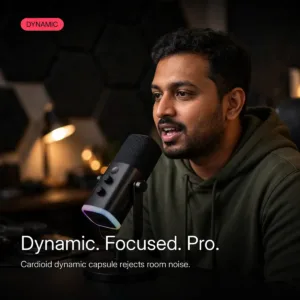
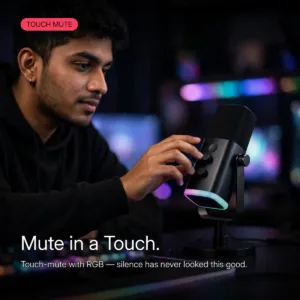
Start on USB, grow into XLR — without buying a second microphone. The FIFINE AmpliGame AM8 is the USB/XLR dynamic microphone that answers the classic creator dilemma in one purchase: plug in over USB-C for instant, plug-and-play streaming on PC, Mac or PS5, then switch to XLR when a mixer or audio interface joins the setup. The fifine am8 was built for the beginner-to-pro journey, and it never asks you to outgrow it.
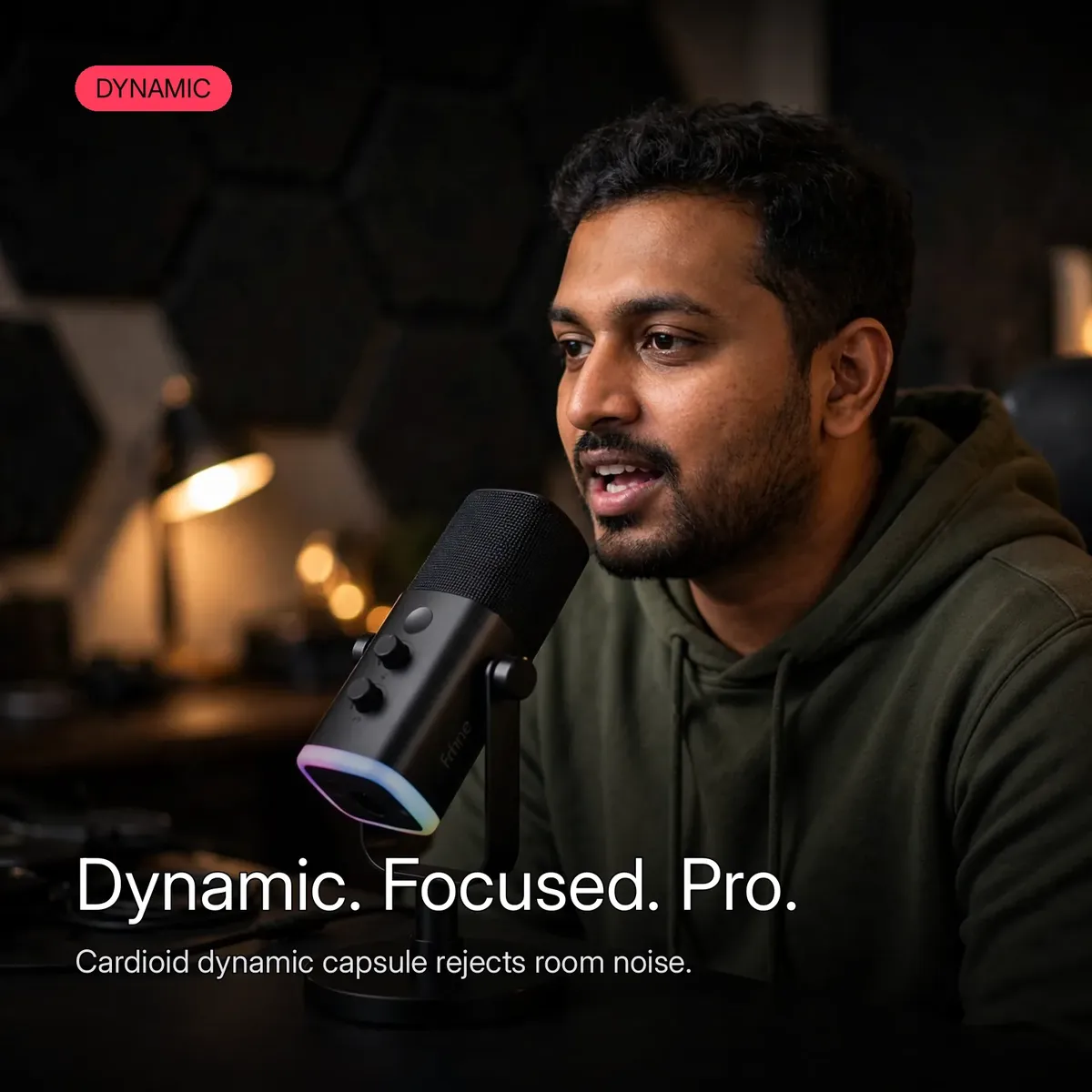
At its core is a dynamic cardioid capsule — the architecture that focuses on your voice and shrugs off the ambient noise of an untreated room. Fan hum, keyboard clatter, the traffic outside: the fifine am8 pushes them aside and keeps your voice front and center, with a frequency response of 50Hz to 16kHz that covers deep lows and crisp highs. Sensitivity is rated at -50dB ± 3dB with a signal-to-noise ratio of ≥70dB — the numbers that keep dialogue clean on stream, on podcast, and on call.
Two honest framings before the details. First, this is the classic AmpliGame AM8 — the USB/XLR dynamic mic with the adjustable desktop stand, two front knobs, and touch-mute. FIFINE’s newer AM8PROT is a different product (a 3-in-1 knob and an included RGB boom arm); everything below describes the fifine am8 as catalogued here, with nothing borrowed from the PRO model. Second, the box ships ready for USB recording with a 6.6ft USB-C to USB-A cable — the XLR path needs your own XLR cable and a mixer or interface. Everything below comes from the verified research notes; nothing is guessed.
USB Today, XLR Tomorrow
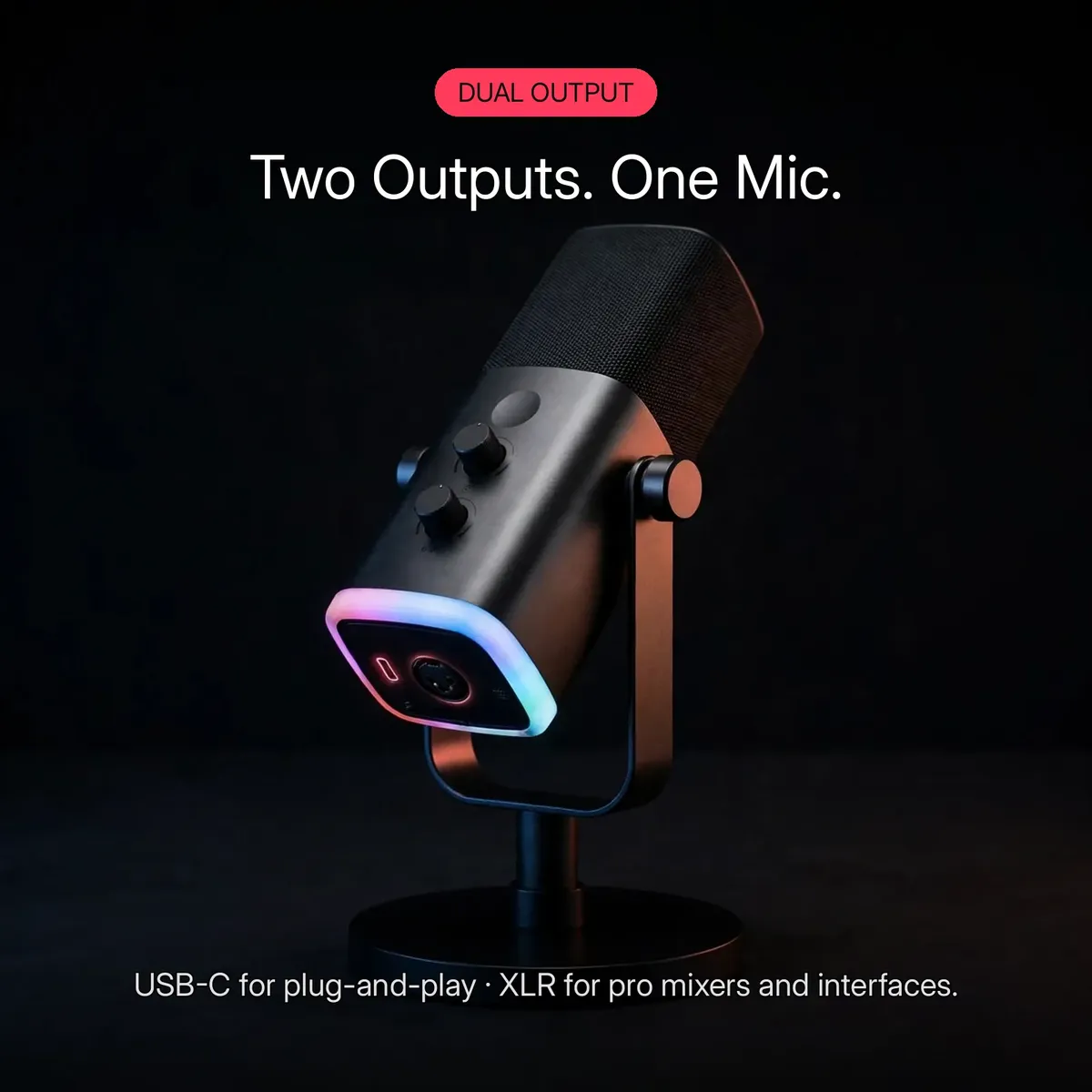
The fifine am8 refuses to make you choose a signal path on day one. Connect the included USB-C cable to a PC, Mac, or PS5 and it is plug-and-play — no drivers, no interface, no extra gear — which is exactly how a first stream, podcast, or voice chat should start. Later, when your setup grows into a mixer, preamp, or audio interface, the same fifine am8 speaks through its XLR output into a professional chain. One microphone, two careers: beginner-friendly now, studio-ready later.
Grows With Your Setup
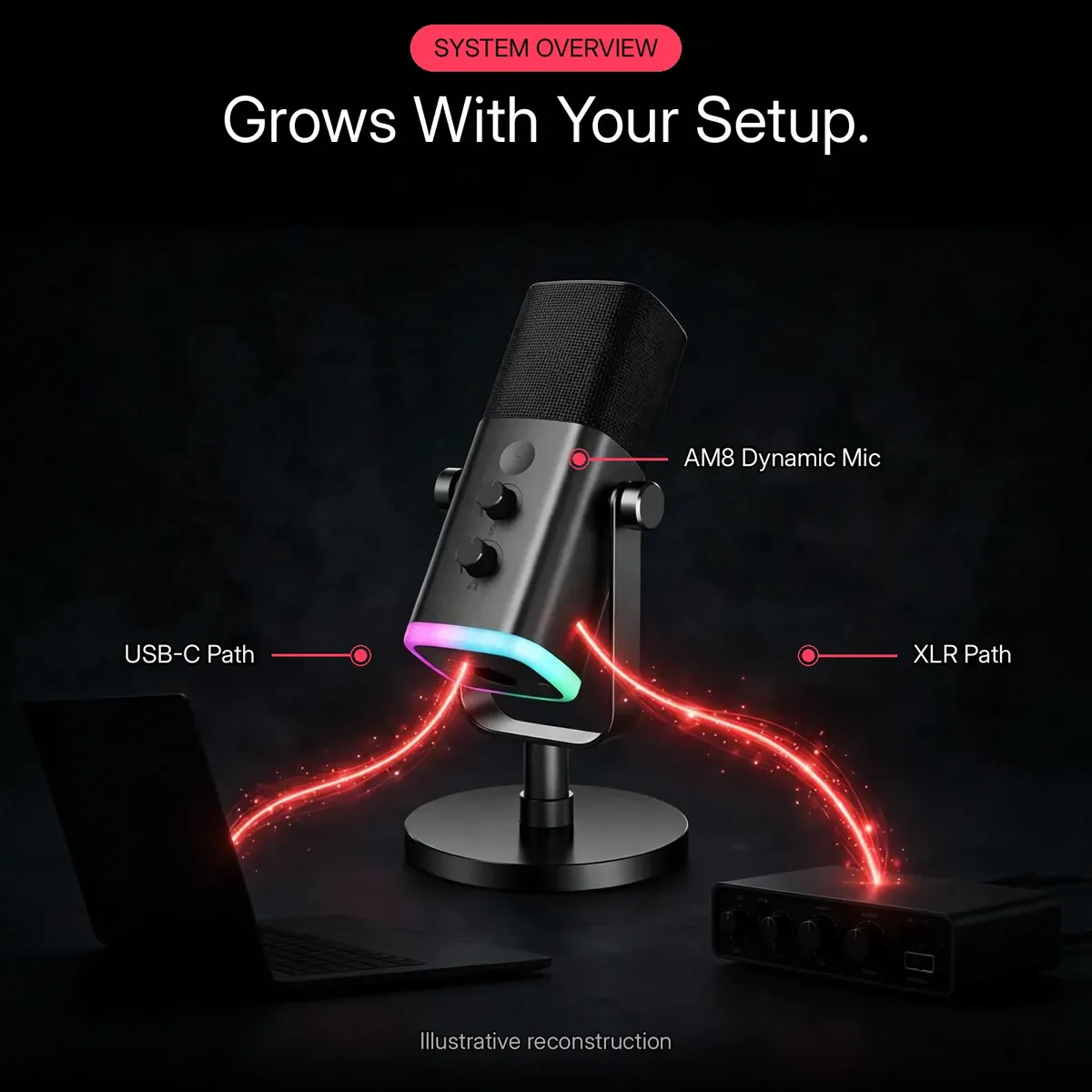
The system overview above maps the fifine am8’s two verified signal paths — USB-C to your computer, XLR to your interface — in a single glance. It is an illustrative reconstruction of the connection options, not a wiring diagram, but the story it tells is real: the fifine am8 never becomes the bottleneck in your setup, because the upgrade path is built into the hardware from day one. Buy once; grow into XLR when you are ready, with no second microphone to shop for.
Dynamic Sound for Real Rooms
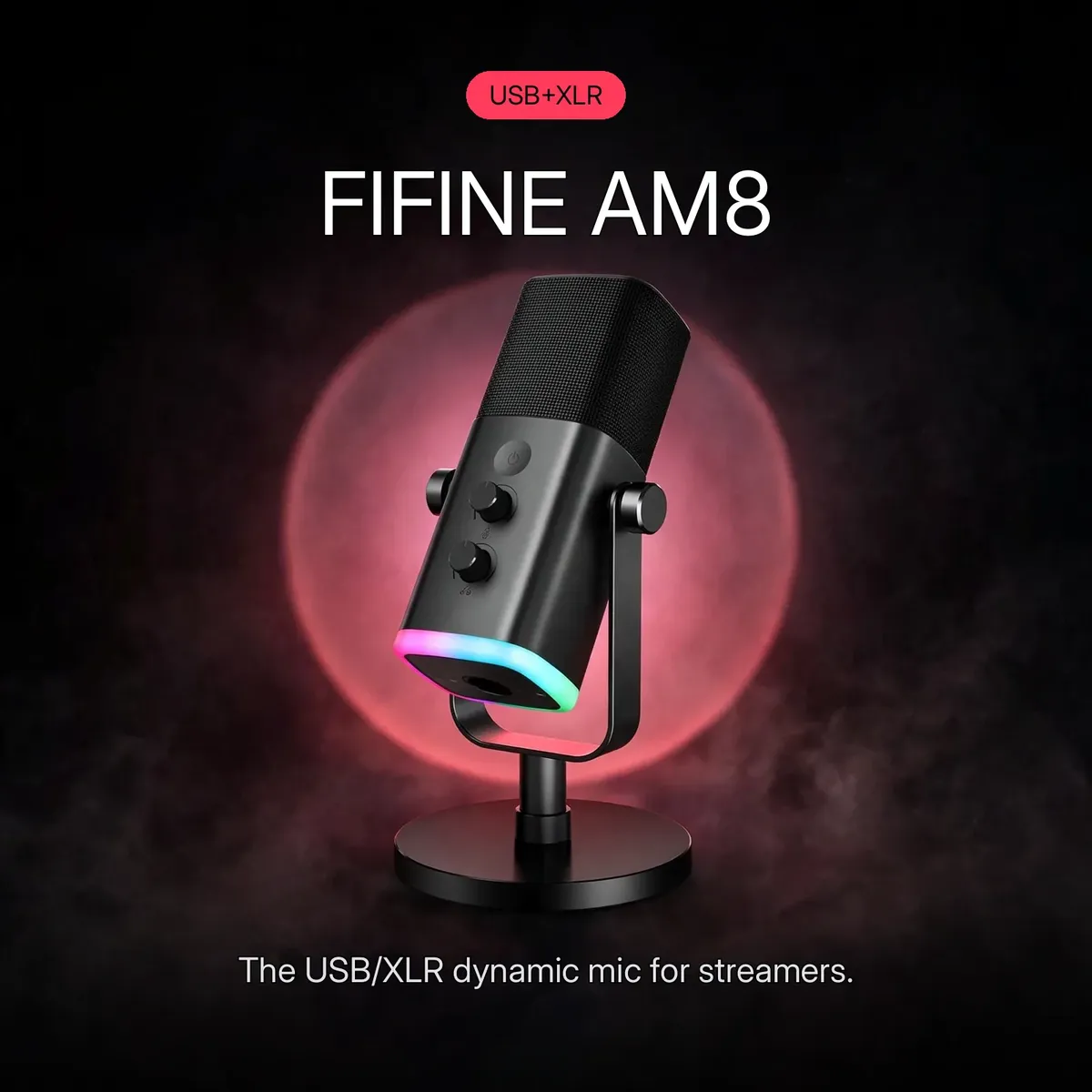
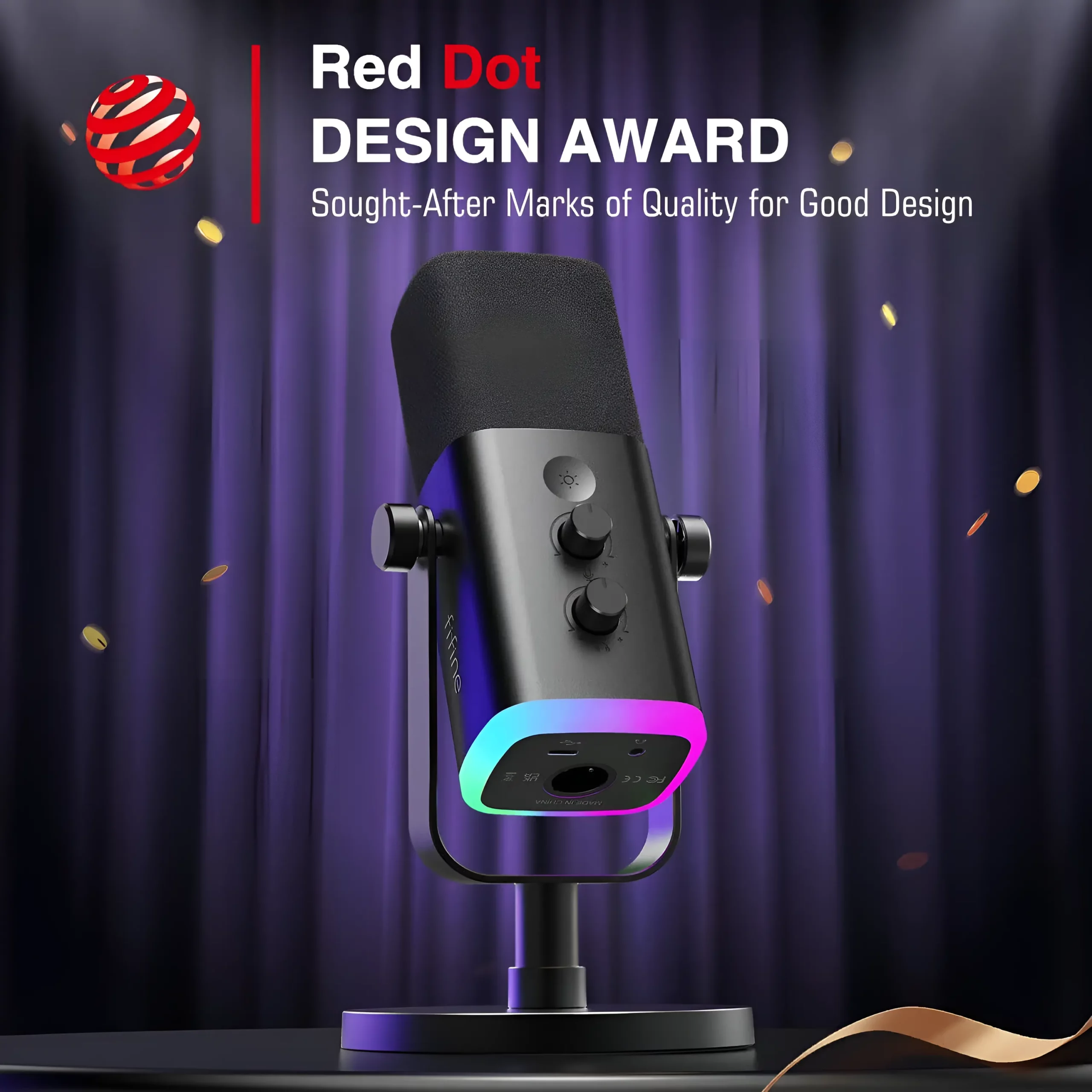
The fifine am8 is a dynamic microphone, and that is the right architecture for an untreated room. Dynamic capsules are built for close-up voice work: warm, focused, forgiving of imperfect technique and imperfect acoustics — and they need no phantom power, ever. The cardioid pattern focuses on the sound in front of the microphone — your voice — and rejects off-axis noise from the sides and rear. With 50Hz–16kHz response and ≥70dB signal-to-noise, streams, podcasts, and game comms come through with your voice forward and the room pushed back. The promo hero above carries the fifine am8’s real model identity — never confuse it with the AM6 condenser.
Silence in a Tap
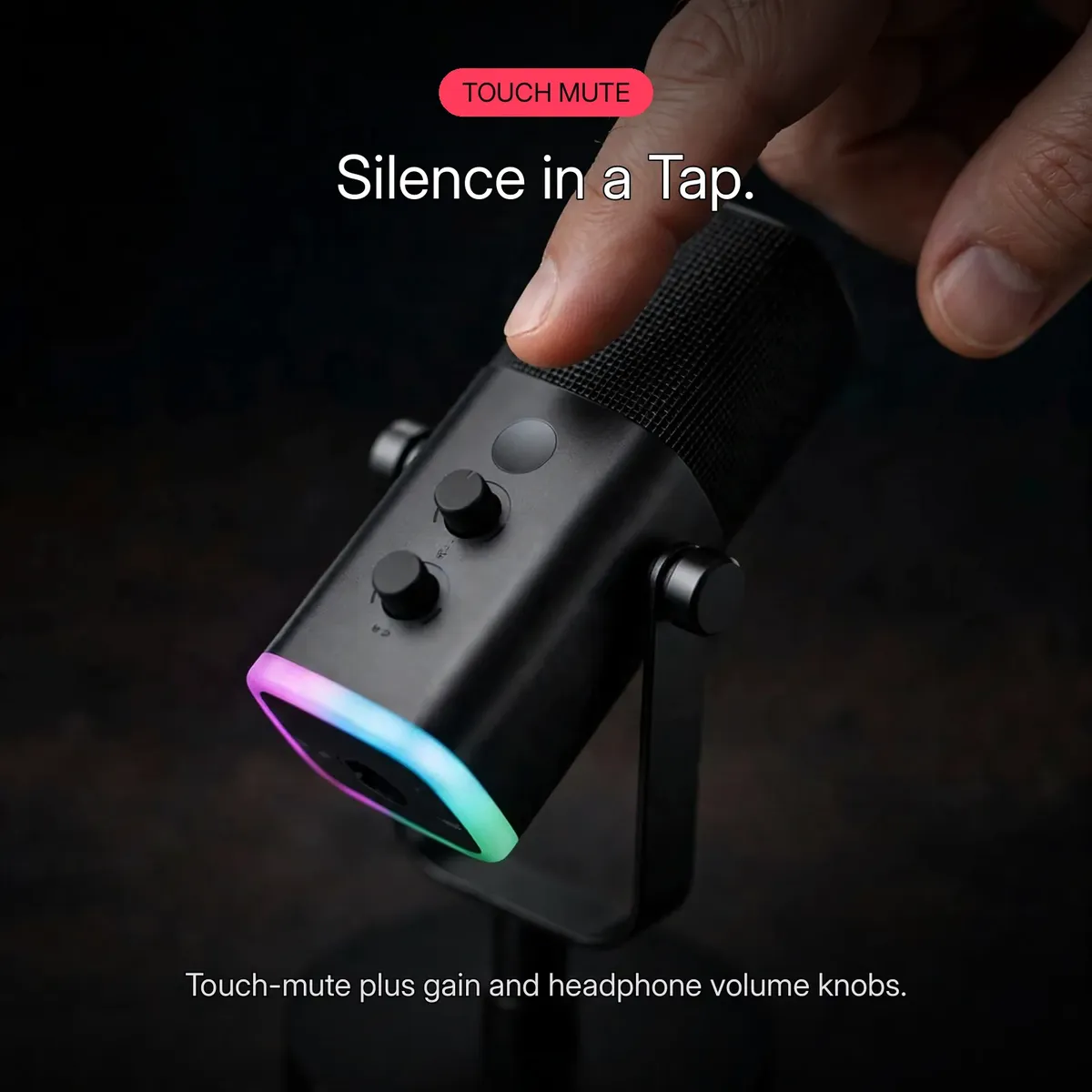
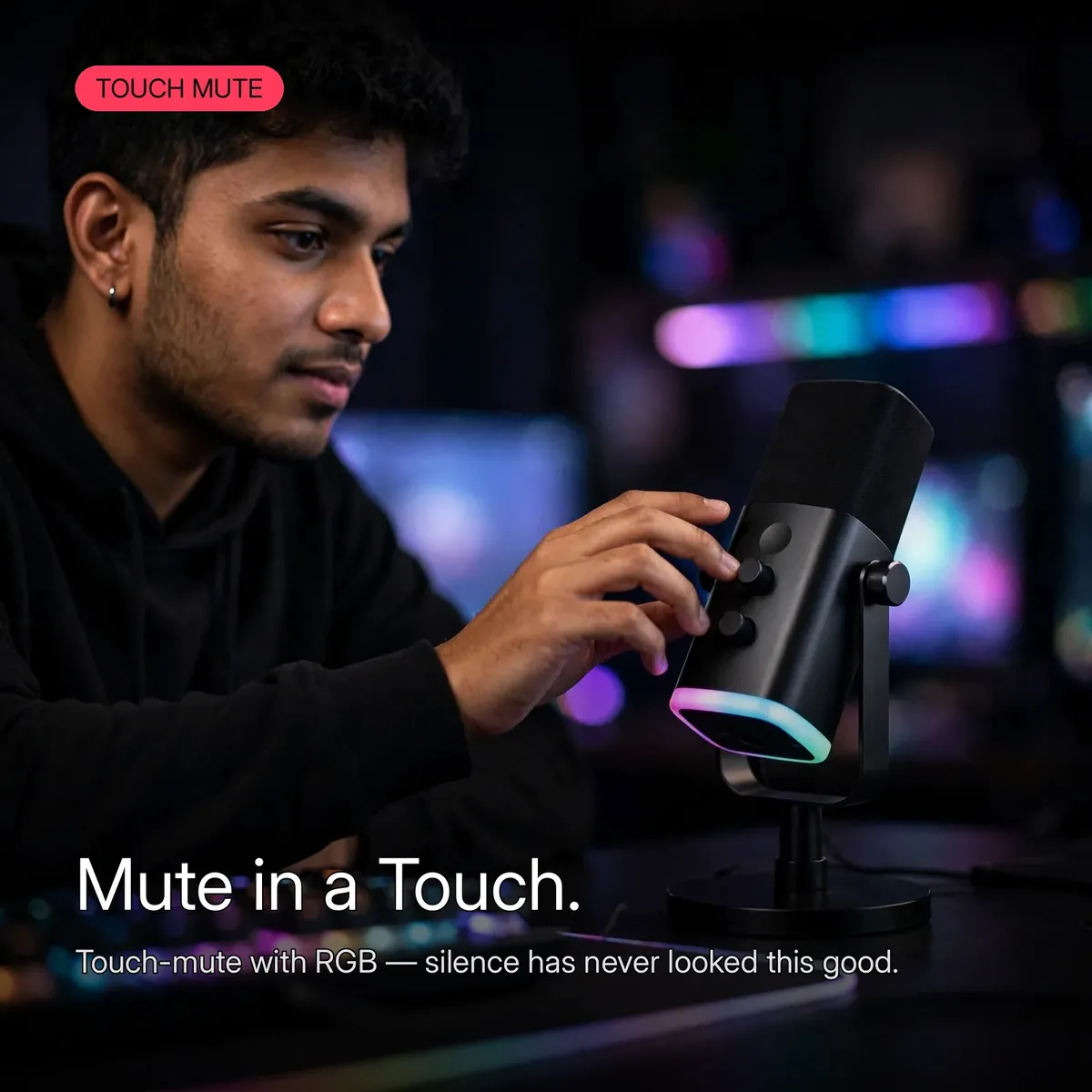
Every streamer knows the moment: the cough, the doorbell, the teammate who walked into the room mid-clutch. The fifine am8 answers with a touch-sensitive mute button on top of the mic — one tap, total silence, with no mechanical click for the recording to catch. Beside it sit the two front knobs: microphone gain and headphone volume, dialed in without touching software mid-stream. Mute anxiety — the fear of being live when you should not be — is solved with a fingertip on the fifine am8.
Hear Yourself, Live
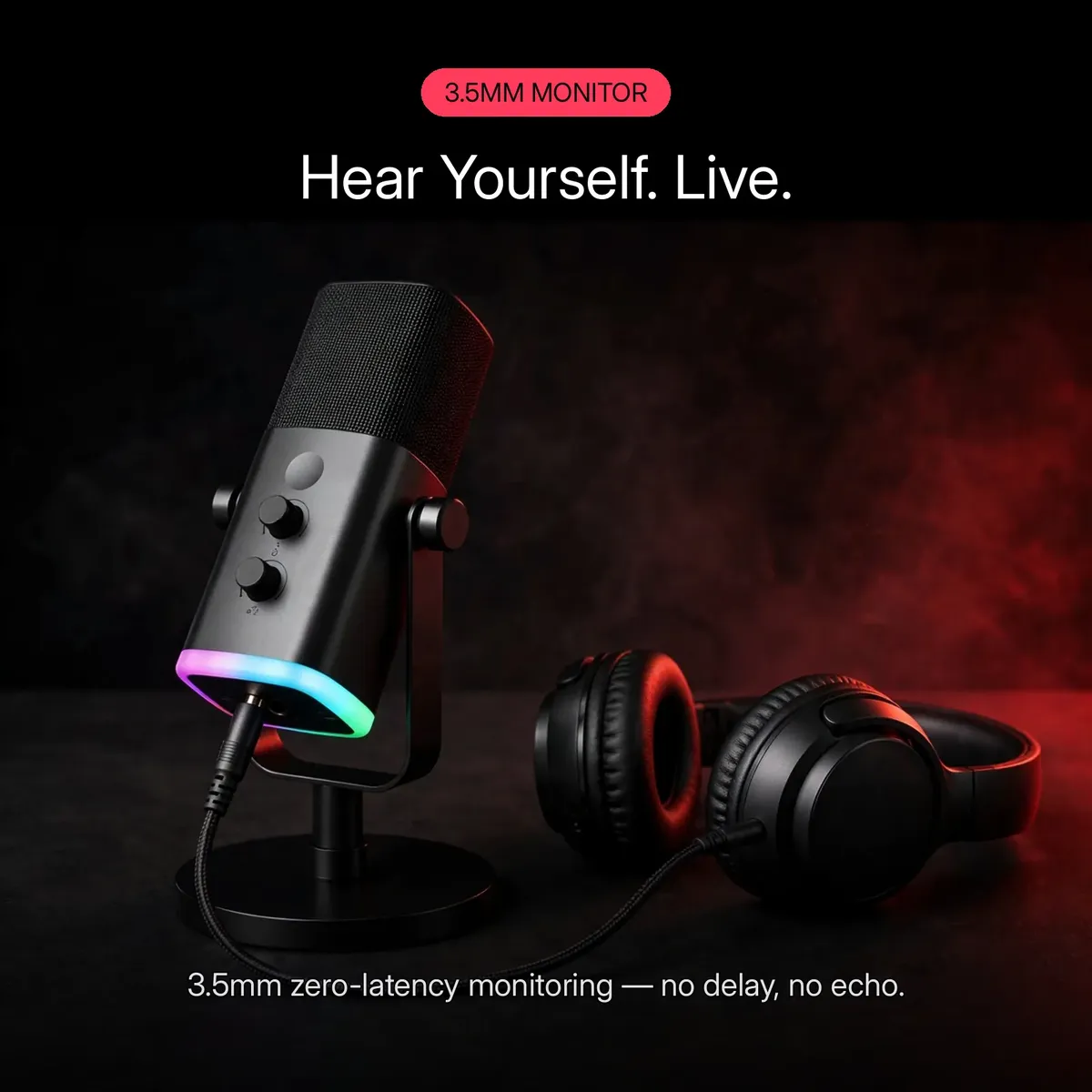
The 3.5mm headphone jack on the fifine am8 gives you real-time, zero-latency monitoring — you hear exactly what your audience hears, with no delay and no echo. Set your levels with confidence instead of guessing, then fine-tune the monitoring loudness with the headphone volume knob. Latency anxiety disappears when the monitoring path is hardware: plug headphones into the fifine am8 and your voice comes back live.
Every Control, Up Front
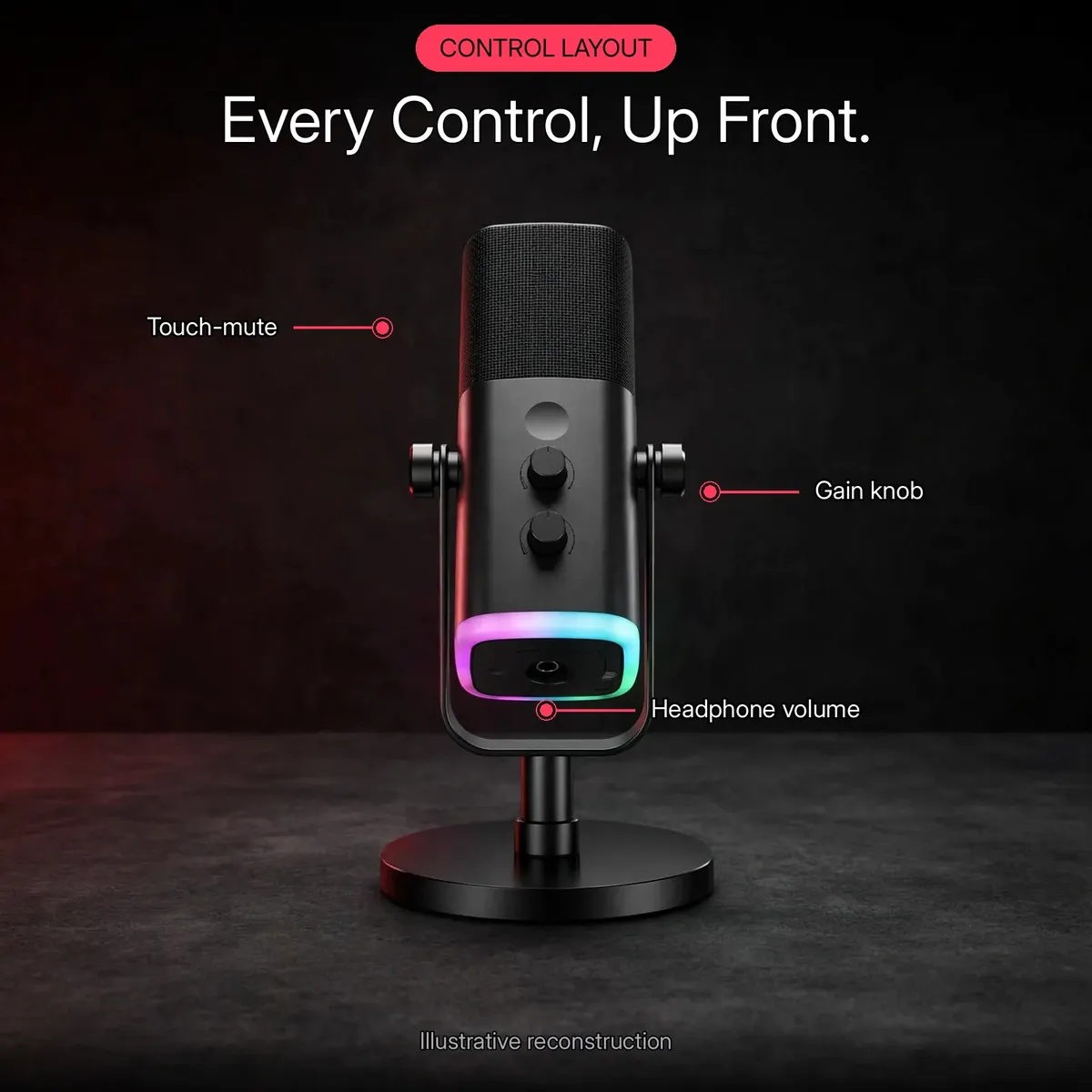
Gain, mute, headphone volume, monitoring, RGB — the fifine am8 keeps every control on the microphone itself, and the layout diagram above maps them at a glance: touch-mute up top, the gain knob and headphone volume knob on the front face, the 3.5mm monitor jack underneath, and the RGB lighting glowing at the base. The customizable RGB runs multiple modes for gaming-desk flair — and switches off completely for a clean, professional look on work calls. The control diagram is an illustrative reconstruction of the verified fifine am8 layout, not a circuit schematic.
Inside the FIFINE AM8
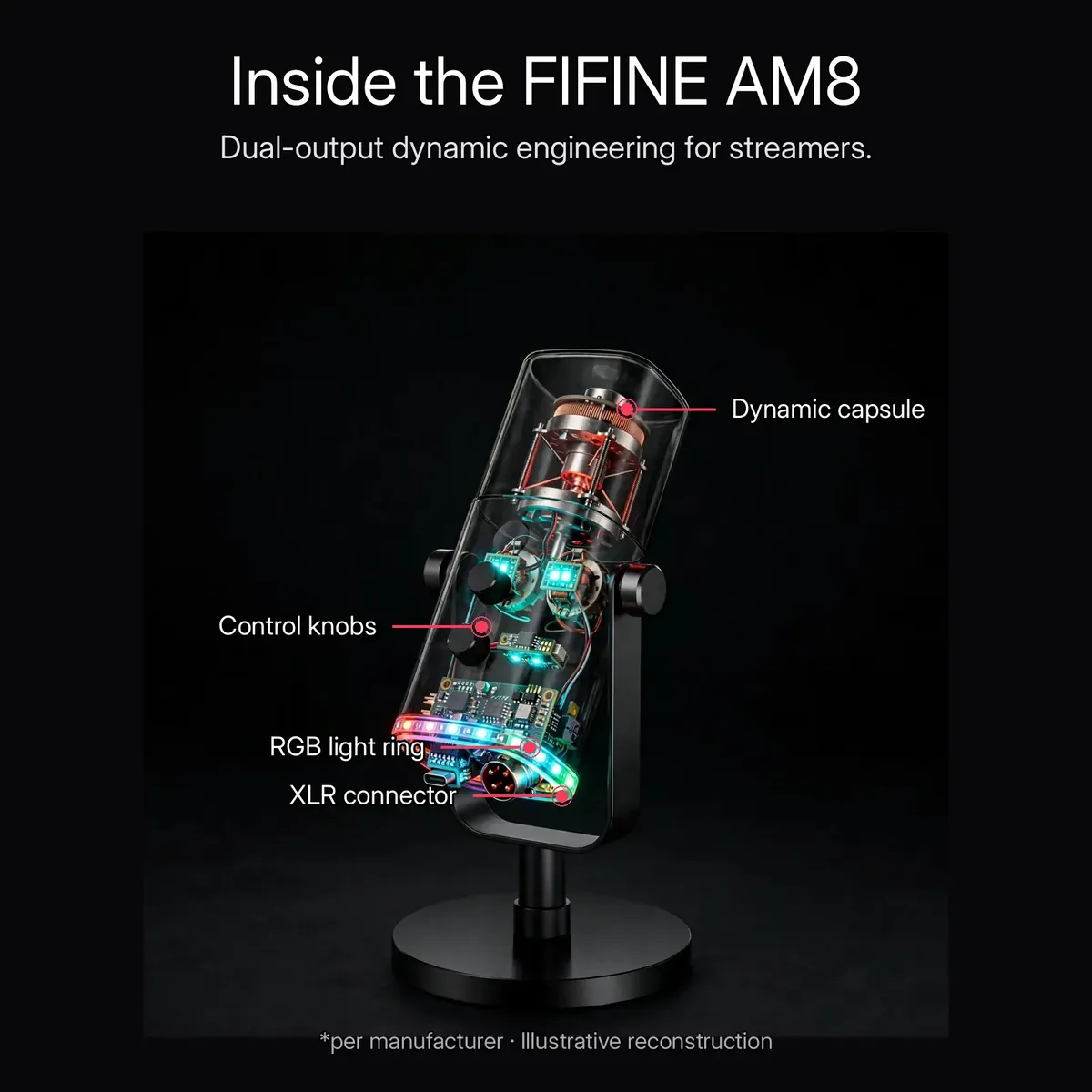
Under the shell, the fifine am8 is built around a dynamic capsule feeding a dual USB/XLR architecture — one capsule, two signal paths, no compromise in either. The metal body shields the electronics and survives daily desk life, while the RGB lighting lives at the base alongside the USB-C and XLR connectors. The x-ray render above is an illustrative reconstruction of the manufacturer’s listed internals — the dynamic capsule, control knobs, RGB light ring, and XLR connector — not a photograph of disassembled hardware.
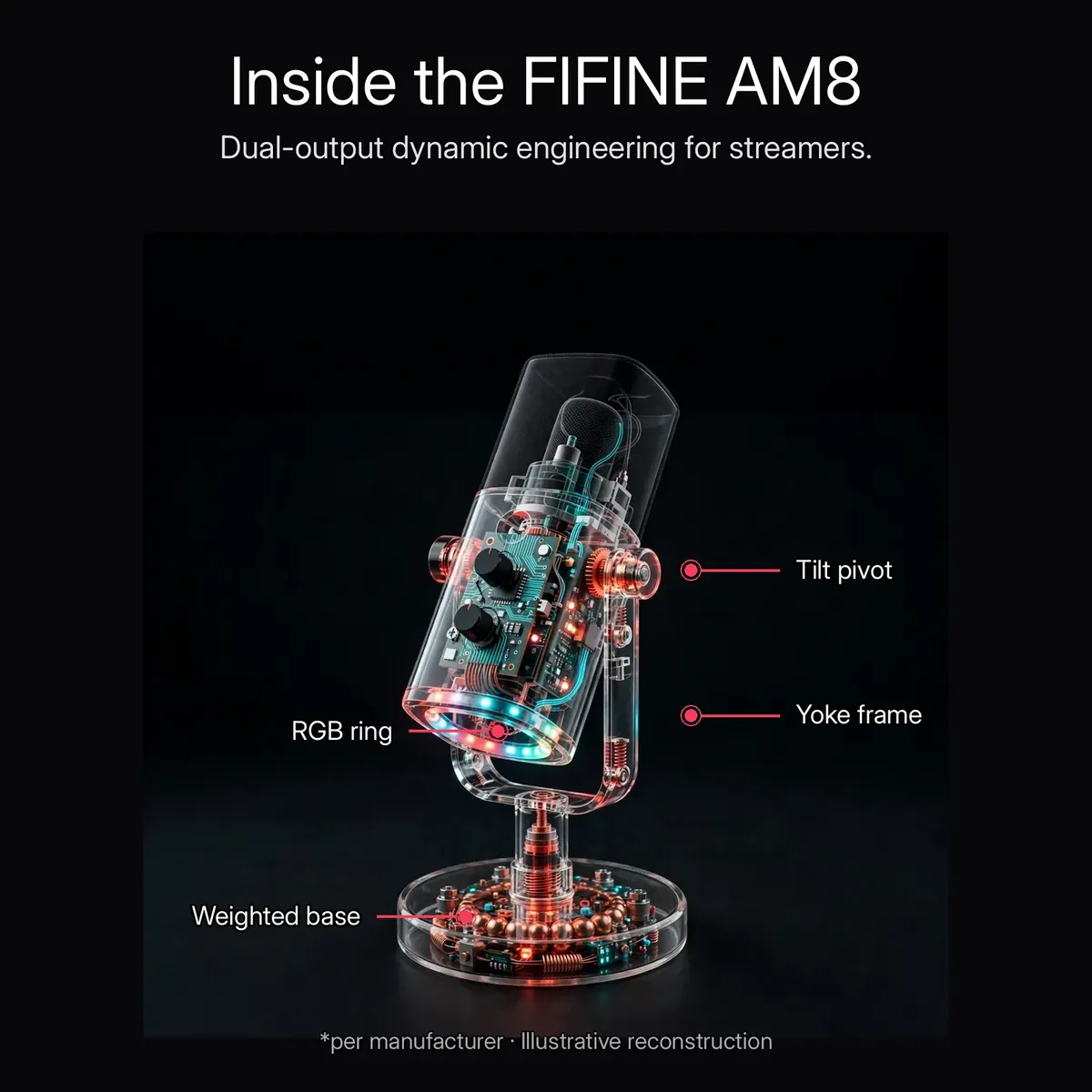
The stand gets its own x-ray treatment: a yoke frame with tilt pivots holds the fifine am8 at the exact angle your voice needs, and the weighted round base keeps everything planted on the desk. The yoke mount is adjustable, the base is weighted, and the cable routes cleanly — shown above in the same illustrative reconstruction style, per the manufacturer’s description of the fifine am8’s mounting hardware.
What’s in the Box
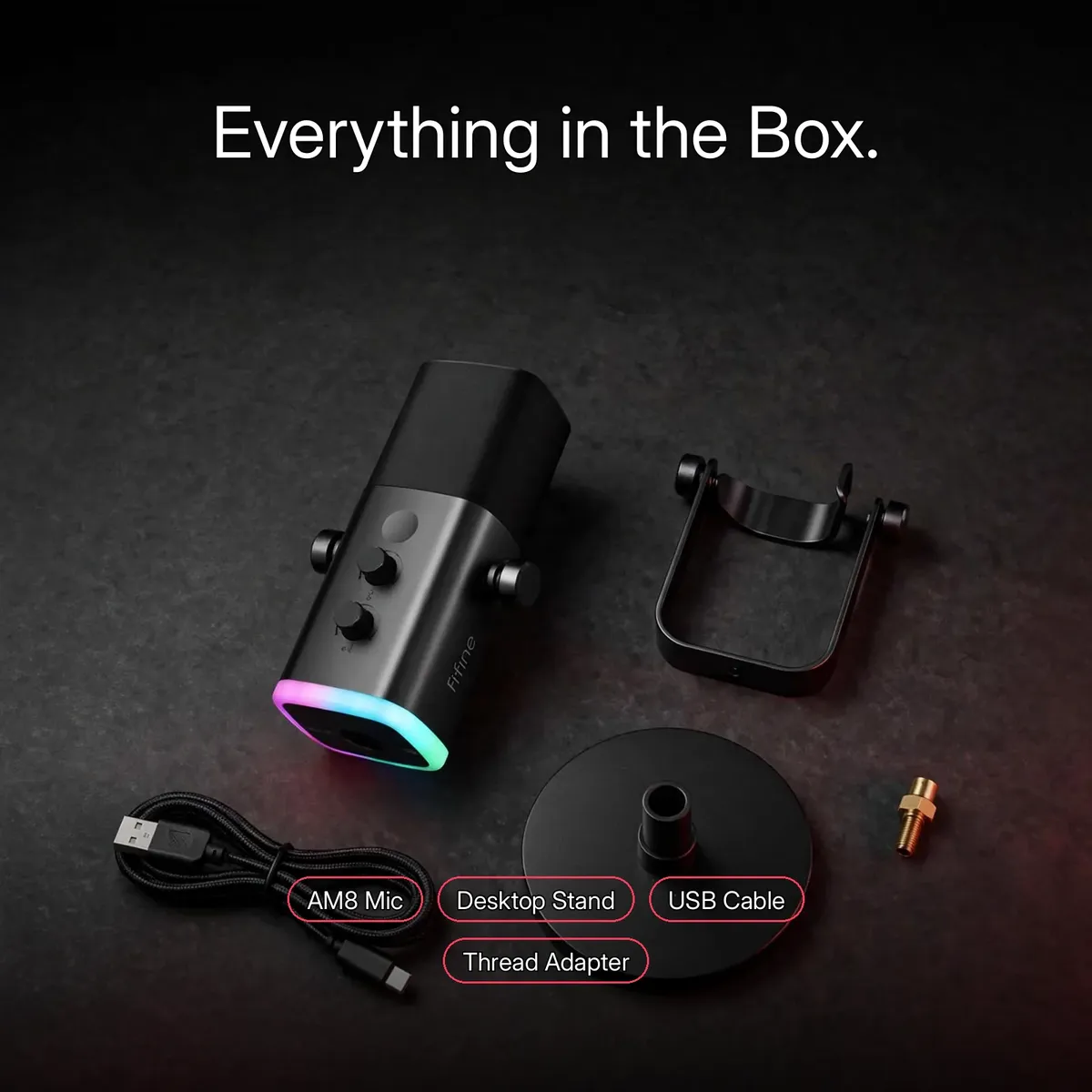
The box contains the fifine am8 microphone, the USB-C to USB-A cable (6.6ft), the adjustable desktop stand, the thread adapter for boom-arm mounting, and a quick start guide. The flat-lay infographic above is an illustrative reconstruction of the verified box contents — not a packing photograph.
One honest exclusion: an XLR cable is not listed among the included items, and no boom arm is included — the thread adapter lets you mount the fifine am8 on a boom arm you already own or buy separately. The kit is ready for USB recording out of the box; if you plan to use the XLR output, bring your own XLR cable and connect through a mixer, preamp, or audio interface.
Specifications
| Brand | FIFINE |
|---|---|
| Model | AmpliGame AM8 (RGB USB/XLR Dynamic Microphone) |
| Acoustic principle | Dynamic (no phantom power needed) |
| Polar pattern | Cardioid |
| Frequency response | 50Hz – 16kHz |
| Sensitivity | -50dB ± 3dB |
| Signal-to-noise ratio | ≥70dB |
| Connectivity | USB Type-C + XLR |
| Cable (included) | USB-C to USB-A, 6.6ft |
| Controls | Gain knob, touch-sensitive mute (no mechanical clicks), headphone volume |
| Monitoring | 3.5mm headphone jack, real-time zero-latency |
| RGB lighting | Customizable, multiple modes, switchable off |
| Compatibility | Windows, macOS, PS4, PS5 (USB mode, plug-and-play) |
| Build | Metal body |
| Mount | Adjustable desktop stand (included) + thread adapter for boom arms |
| Box contents | AM8 microphone, USB-C to USB-A cable, adjustable desktop stand, thread adapter, quick start guide |
| Warranty | a 7-day store warranty |
All figures are taken from the verified research notes and the live store product page. Bit depth, sample rate, and weight are not published in the research notes and are therefore omitted rather than estimated. Do not confuse this microphone with the AM6 condenser or the newer AM8PROT kit.
What 50Hz–16kHz, −50dB and ≥70dB SNR Mean in Practice
The specifications table lists three numbers that together decide how your voice arrives on stream, and each is worth a plain-language translation. The fifine am8 covers a frequency response of 50Hz to 16kHz — the span that carries the fundamental weight of a voice at the bottom and the consonant detail that makes speech intelligible at the top. Nothing a voice produces in a podcast, a stream, or a game call falls outside it: deep lows, crisp highs, and the mid-tones where dialogue actually lives.
Sensitivity, rated at −50dB ± 3dB, describes how strongly the capsule converts your voice into signal — the figure that lets the fifine am8 capture close-up speech cleanly without being pushed. The signal-to-noise ratio of ≥70dB is the quietness figure: your dialogue sits roughly seventy decibels above the microphone’s own electronic noise floor, so the background of the recording is silence rather than hiss. Together, those two numbers are why streams, podcasts, and calls come through with the voice forward and clean.
One more line in the table saves real-world trouble: it is dynamic, so it needs no phantom power, ever. There is no 48V switch to find on an interface, no battery to charge, and no power setting to get wrong — plug it in over USB, or feed it into a mixer over XLR later, and the capsule simply works.
Setting Up Your First Session: Stand, Angle, Gain
The desktop stand does more than hold the microphone up. Its yoke frame has tilt pivots, so the AM8 angles toward your mouth instead of pointing at your chest or the ceiling — and angle is half of microphone technique, because a cardioid capsule hears best what it faces. The weighted round base keeps the stand planted on the desk while you adjust, and the cable routes cleanly away. Set the tilt once, and every session starts from the same known-good position.
Gain is the second half of the setup, and the fifine am8 lets you dial it in by ear. Plug headphones into the 3.5mm monitoring jack — the monitoring is real-time, with zero latency — then speak at the volume you actually stream at and turn the gain knob on the front face until your voice sounds full and confident in your own ears. The separate headphone volume knob then sets how loud that monitoring is, without touching the recorded level. Loud laugh, quiet aside: check both against the gain you chose, and the recording will behave.
From there, the session runs from the microphone itself. The touch-sensitive mute on top silences you in a tap when the doorbell rings — no mechanical click for the recording to catch — and the customizable RGB at the base matches the gaming desk when you want the flair and switches off completely when a work call wants a clean, professional look. Stand, angle, gain, mute: four small habits, set once, that carry every recording afterward.
Why Buy From Gadget Superb
Order the fifine am8 from Gadget Superb with cash on delivery anywhere in Bangladesh — pay in cash when the parcel arrives, with no advance payment, card details, or OTPs ever asked. Delivery takes 1–3 working days inside Dhaka (৳70) and 2–5 working days outside Dhaka (৳120). Every order carries 7-day easy returns: keep the microphone in original condition with box and accessories, and start a return with your order number via hotline 09638054751, care@gadgetsuperb.com, or Messenger.
FIFINE is a global microphone brand — see fifinemicrophone.com — and Gadget Superb curates its models for Bangladeshi creators. Explore the full Audio Electronics collection or compare Microphones to find the right fit.
Frequently Asked Questions
Is this FIFINE AmpliGame AM8 an original FIFINE product?
This listing is for this model as catalogued by Gadget Superb under the FIFINE brand. The store does not claim official-distributor status for any brand it carries. If authenticity documentation matters to you, message the store on Messenger or email care@gadgetsuperb.com before ordering and they will clarify what they can share.
What is the difference between the AM8 and the AM8PROT?
Same concept, different product. This listing is the classic AmpliGame AM8 — the USB/XLR dynamic microphone with the adjustable desktop stand, two front knobs (gain and headphone volume), and touch-mute. The AM8PROT is FIFINE’s newer upgraded kit, which ships with an RGB boom arm and a 3-in-1 control knob. Everything on this page describes the fifine am8, not the PRO model — buy this listing only if the classic AM8 is the microphone you want.
Do I need an audio interface to use the fifine am8?
No. Over USB the fifine am8 is plug-and-play — connect the included 6.6ft USB-C to USB-A cable to a PC, Mac, or PS4/PS5 and record with no drivers and no extra gear. An interface (or mixer, or preamp) is only needed if you choose to use the separate XLR output, which is the professional upgrade path for later.
Is an XLR cable included in the box?
No. The box includes the USB-C to USB-A cable for USB recording, plus the desktop stand, thread adapter, and quick start guide — but no XLR cable and no boom arm. If you plan to use the XLR output, bring your own XLR cable and connect through a mixer, preamp, or audio interface.
How does the touch-mute work?
Tap the touch-sensitive button on top of the fifine am8 and the microphone mutes instantly — with no mechanical click for the recording to catch. Tap again to go live. It is the fastest privacy switch a streamer can ask for: cough, doorbell, off-mic conversation, gone in a touch.
What are the key specs of the fifine am8?
It is a dynamic microphone with a cardioid polar pattern, 50Hz–16kHz frequency response, -50dB ± 3dB sensitivity, and ≥70dB signal-to-noise ratio. It offers USB Type-C and XLR outputs, a gain knob, touch-sensitive mute, headphone volume knob, 3.5mm real-time monitoring, customizable RGB lighting that switches off, an all-metal body, and ships with a desktop stand, thread adapter, USB cable, and quick start guide.
Does the fifine am8 work with PS5?
Yes, over USB. The fifine am8 is plug-and-play on PS4 and PS5 as well as Windows and macOS — connect the included USB cable and it appears as a USB microphone. No drivers are needed in USB mode.
Can I turn the RGB lighting off?
Yes. The RGB runs multiple modes for gaming-desk flair and can be switched off completely for a clean, professional look — for example on work calls. The lighting never affects the microphone’s audio performance either way.
Can I mount the fifine am8 on a boom arm?
Yes — the included thread adapter lets you mount the fifine am8 on a standard boom arm. No boom arm is included in the box, but the desktop stand that ships with it is adjustable and tilts the microphone into position on day one.
Does this microphone come with a warranty?
a 7-day store warranty
How long does delivery take, and what are the charges?
Inside Dhaka, delivery costs ৳70 and takes 1–3 working days; outside Dhaka, it costs ৳120 and takes 2–5 working days. These are estimates, not guarantees. Your order ships once you place a cash-on-delivery order.
How does cash on delivery work? Can I check the microphone before paying?
Cash on delivery means you pay the courier in cash when the parcel arrives. Gadget Superb never asks for advance payment, card details, OTPs, or mobile-banking PINs. Couriers generally do not allow opening a parcel before payment, so check your microphone right after the courier leaves and contact the store within the 7-day return window if anything is wrong.
What is the return policy if my microphone arrives faulty?
Every Gadget Superb product carries 7-day easy returns. If it arrives damaged or faulty, keep it in its original condition with the box and accessories, then start a return with your order number via hotline 09638054751, email care@gadgetsuperb.com, or Messenger.
What is the price of the fifine am8 in Bangladesh?
The current price is shown on the product page and can change during sales, so no figure is quoted here. Check the live FIFINE AmpliGame AM8 page on Gadget Superb for today’s price — that is what you pay in cash on delivery, plus the standard delivery fee.
Can I use the fifine am8 for singing or instruments, or is it for voice only?
Its verified positioning is close-up voice work: streaming, podcasting, game comms, and calls, where its dynamic cardioid capsule and 50Hz–16kHz response cover the full range of the voice. Nothing in the verified research notes rates it as an instrument microphone, so this page does not promise instrument recording. If your primary job is spoken content, it is built for you; if instruments are the main event, confirm your needs with the store before ordering.
Will the fifine am8 work with my phone?
The verified compatibility list for USB mode is Windows, macOS, PS4, and PS5 — phones are not in the verified list for this model, so this page does not claim phone support. If recording to a phone is essential to your setup, message the store on Messenger or email care@gadgetsuperb.com before ordering and they will confirm what your specific device needs.
Why choose a dynamic microphone over a condenser for a bedroom studio?
Because of what each architecture forgives. The fifine am8’s dynamic capsule is built for close-up voice work: warm, focused, and forgiving of imperfect technique and imperfect acoustics, with a cardioid pattern that rejects off-axis room noise from the sides and rear — and it needs no phantom power. In an untreated bedroom with a fan, a keyboard, and traffic outside, that combination keeps your voice forward and the room pushed back, which is why dynamic is the classic broadcast choice outside treated studios.
Related products
-26%
49 in stock

SX23 Noise Canceling Mini Wireless Lavalier Microphone
Original price was: ৳ 2,950.৳ 2,180Current price is: ৳ 2,180.-28%
50 in stock
Maono DM30 RGB Programmable USB Condenser Microphone – Black
Original price was: ৳ 7,940.৳ 5,710Current price is: ৳ 5,710.-28%
54 in stock

FIFINE K658 USB Dynamic Cardioid Podcast Microphone With A Live Monitoring, Gain Control, Mute Button
Original price was: ৳ 8,510.৳ 6,120Current price is: ৳ 6,120.-23%
50 in stock


Hoco L21 ENC Wireless Microphone For Android
Original price was: ৳ 1,300.৳ 1,000Current price is: ৳ 1,000.-28%
100 in stock

MAONO PD200X USB/XLR Dynamic Microphone
Original price was: ৳ 8,800.৳ 6,330Current price is: ৳ 6,330. Fifine Ampligame AM8 RGB USB/X...
 Original price was: ৳ 9,920.৳ 7,130Current price is: ৳ 7,130.
18 in stock
Reviews
There are no reviews yet.