No products in the cart.

-23%
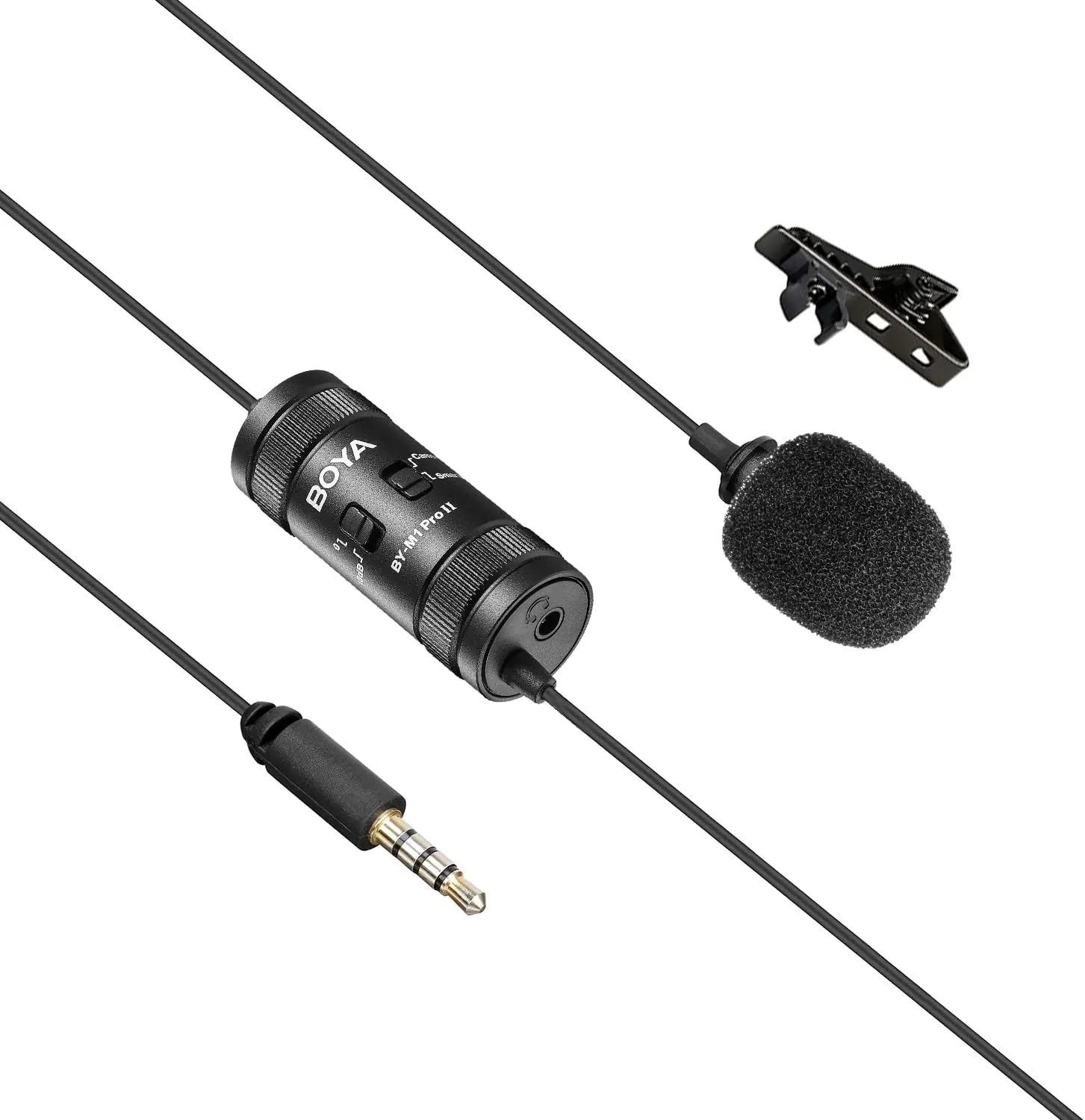
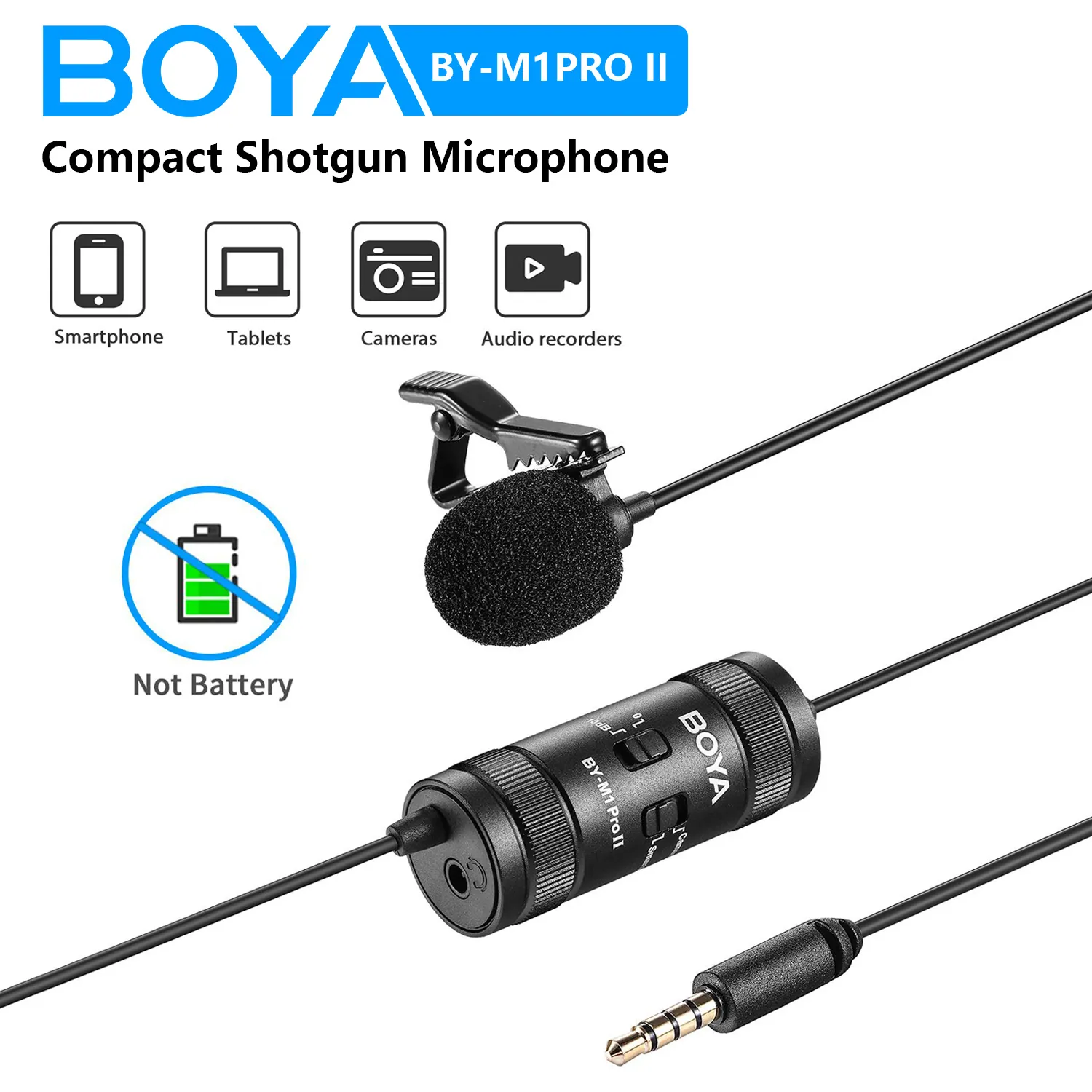
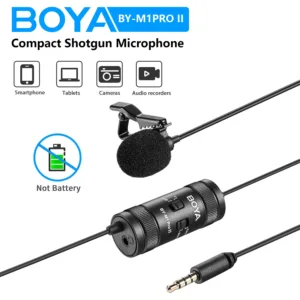
The Boya BY-M1 Pro Ⅱ is a lavalier microphone for people who record speech on a smartphone, tablet, PC, camera or audio recorder. According to the listing, it has an omnidirectional capsule and a 6m audio cable. It suits interviews, live-streaming, speeches and everyday voice recording in Bangladesh.
- Boya BY-M1 Pro Ⅱ overview
- Key features
- Specifications
- How to use / set up
- Compatibility and what is in the box
- Who should buy it in Bangladesh
- Alternatives in our store
- Warranty and support
- Delivery, returns and ordering
- Frequently asked questions
Boya BY-M1 Pro Ⅱ overview
The Boya BY-M1 Pro Ⅱ is listed by the maker as a universal lavalier microphone with an omnidirectional mic capsule. According to the listing, it picks up sound through 360 degrees and works with smartphones, tablets, PCs, cameras and audio recorders. For Bangladeshi buyers, that range matters because one small microphone can move between a phone interview, a laptop call and a camera recording without a separate model for each device. Buyers who already own one of those devices can judge quickly whether the Boya BY-M1 Pro Ⅱ fits their routine.
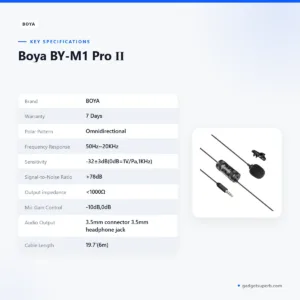
The listing gives a frequency response of 50Hz~20KHz and a signal-to-noise ratio above 78dB. These are the maker’s listed figures, so read them as the maker’s statements and compare them with the rest of this page before you decide. The maker lists the Boya BY-M1 Pro Ⅱ for interviews, live-streaming and speeches, and says the -10dB gain setting helps when a speaker is very loud and close to the capsule.
The Boya BY-M1 Pro Ⅱ suits content creators who film themselves on a phone, teachers who record short lessons, students who collect interviews for projects, and families who want to capture a speech at a gathering. The product listing does not describe a wireless or battery function, so plan your cable route around the 6m cable before you buy. For the maker’s own product information, visit the maker’s website.
Key features
Each feature below is taken from the product listing, with notes on how a Boya BY-M1 Pro Ⅱ user might apply it at home, in class or on location in Dhaka.
360-degree pickup from an omnidirectional capsule
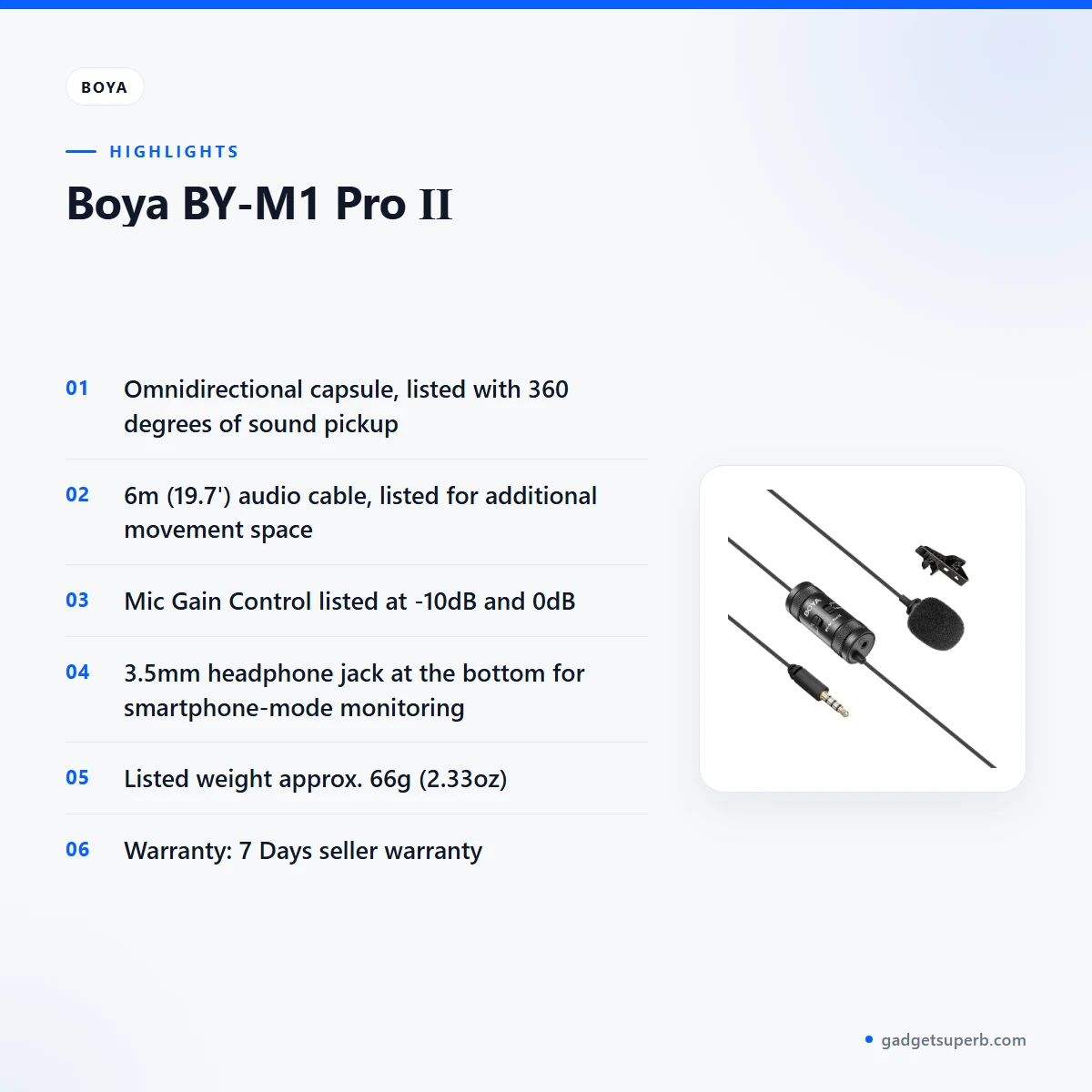
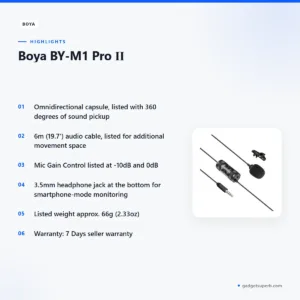
The listing names the polar pattern as Omnidirectional and says the mic capsule gives 360 degrees of sound pickup. According to the listing, that means the capsule picks up sound from all directions rather than one narrow front area. This can help when a subject turns, nods or leans while speaking. The Boya BY-M1 Pro Ⅱ is described for speech, so the simplest check is a short sample in the room where you plan to work. Listen on headphones before a long session. Keep the capsule area clear of clothing rubbing and handling noise, since those sounds can be picked up. In a Dhaka flat with a fan running or street noise outside the window, a short sample shows how much background sound reaches the microphone in that space.
A 6m cable for movement and placement
The Boya BY-M1 Pro Ⅱ comes with a 6m (19.7′) long audio cable, which the maker says provides additional space for movement and improved usability. For a speaker who sits or stands away from the recorder, that length can matter. Measure the distance you need before you record, and allow spare length for routing the cable out of the way. A long cable can also pick up knocks if it lies across a hard floor, so tape it down where people walk. A phone on a stand at a family gathering or a recorder on a desk during an interview can both benefit from that extra room.
The -10dB mic gain control for loud speakers
The listing includes a Mic Gain Control with -10dB and 0dB settings. According to the listing, the -10dB setting quickly reduces the audio level when the subject’s sound is very loud and close to the microphone, which the maker says keeps recordings clear. Use it when a speaker sits very close to the Boya BY-M1 Pro Ⅱ or when the source is loud, such as an excited presenter close to the capsule. The listing does not give a rule for choosing between the two settings, so record a short sample at each setting and listen back before you settle on one. This gain control is a listed feature, not a promise about every room or every voice.
A 3.5mm headphone jack for smartphone monitoring
The audio output is listed as a 3.5mm connector, and the listing places a 3.5mm headphone jack at the bottom of the unit. According to the listing, that jack lets you monitor sound in smartphone mode. Monitoring helps because you can hear what the Boya BY-M1 Pro Ⅱ is capturing while you record, rather than finding a problem after an interview. Plug in headphones before you start, check the level, and keep the cable clear of the jack when you move the device. The listing does not describe other monitoring features, so the jack and the cable route are the points to plan around.
Listed weight and sensitivity figures
The listing gives the weight as approx. 2.33oz (66g) and the sensitivity as -32±3dB (0dB=1V/Pa, 1KHz). A weight figure helps you plan how the unit is clipped or placed on a stand, so read it alongside the 6m cable length. The sensitivity figure is the maker’s listed value, and the listing gives no further explanation, so treat it as a listed figure only. When you compare microphones in our range, check that each listing uses the same units before you draw conclusions from the numbers.
Specifications
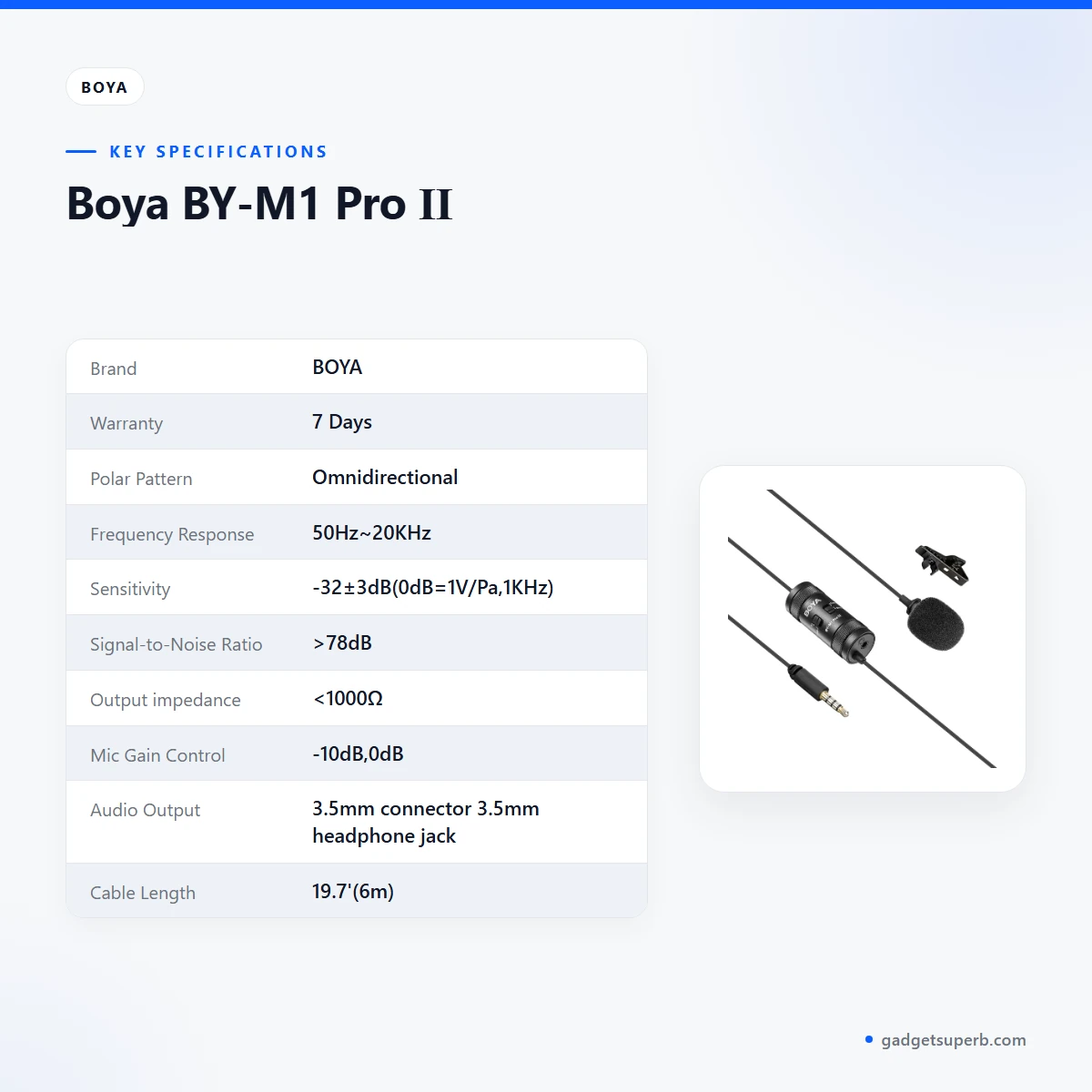
Specifications for the Boya BY-M1 Pro Ⅱ are copied from the listing below, so you can check each figure against your device before you order.
| Label | Value |
|---|---|
| Brand | BOYA |
| Warranty | 7 Days |
| Polar Pattern | Omnidirectional |
| Frequency Response | 50Hz~20KHz |
| Sensitivity | -32±3dB(0dB=1V/Pa,1KHz) |
| Signal-to-Noise Ratio | >78dB |
| Output impedance | <1000Ω |
| Mic Gain Control | -10dB,0dB |
| Audio Output | 3.5mm connector 3.5mm headphone jack |
| Cable Length | 19.7′(6m) |
| Weight | Approx.2.33oz(66g) |
These are listed specifications from the product listing.
How to use / set up
Setting up the Boya BY-M1 Pro Ⅱ is straightforward when you plan the cable route first. Follow the maker’s instructions for your device, and charge fully before first use if your recorder or phone needs it. Start by matching the connector. The listing names a 3.5mm connector for audio output, so confirm that your phone, tablet, PC or recorder accepts a 3.5mm plug before you begin.
- Lay out the cable and check the full 6m length for kinks before you connect anything.
- Connect the plug to your device, following the maker’s instructions for that device.
- Set the mic gain control to the position that suits the speaker’s distance and volume, based on a short test.
- Plug headphones into the 3.5mm headphone jack at the bottom to monitor sound in smartphone mode.
- Record a short sample with the Boya BY-M1 Pro Ⅱ, play it back, and adjust the cable placement before the real session.
A Boya BY-M1 Pro Ⅱ works best when the cable is secured rather than dangling from the speaker. Route it under clothing or along a table edge, and keep it away from hot surfaces and damp places. Humidity in Bangladesh’s wetter months can make cables and plugs feel sticky, so wipe them with a dry cloth after use and store them loosely coiled rather than wrapped tightly.
For storage, keep the microphone and its cable in a dry bag or drawer, away from direct sun and cooking steam. Avoid pulling on the cable to remove the plug from a device, and hold the connector body instead. A cable kept in loose loops is less likely to kink at the joints over time. Store it out of reach of pets and young children.
Load-shedding can interrupt a session at the worst moment. If the power drops during an interview or a speech, save each recording as you go and keep a second charged device nearby for a backup. Plan your recording slots around times when the supply is steady, and record a short test before each important session.
Before a long session, run through a short checklist. Check that the cable is fully connected, that the gain control is at the setting you chose in your test, that headphones are plugged in for monitoring, and that the device has enough charge. Then record thirty seconds of the speaker, listen back, and adjust the cable path if anything rubs or pulls.
Clean the outside of the unit with a dry or lightly damp cloth, and avoid soaking any part of it. Do not use harsh solvents on the cable. If the connector gets dusty, a soft dry brush is enough. These are general care habits rather than maker instructions, so follow the maker’s instructions for any specific cleaning advice.
If anything in the listing is unclear for your setup, confirm your device connector before you order.
Compatibility and what is in the box
According to the listing, the Boya BY-M1 Pro Ⅱ is compatible with smartphones, tablets, PCs, cameras and audio recorders. The listing gives device types only, so compatibility with a specific phone, camera or recorder model is not confirmed by the listing. Check your device’s audio input and connector, and ask us if you are unsure.
The listing does not state what the package contains, so the contents of the box are not confirmed by the source text. If you need a specific accessory with your order, ask us before ordering so that we can answer from the product details we hold.
Connector compatibility is the main practical check for the Boya BY-M1 Pro Ⅱ. The listed output is a 3.5mm connector with a 3.5mm headphone jack, and the cable is 6m long. Match those two points against your device, and you will know quickly whether the setup suits your needs.
Adapters are not mentioned in the listing, so do not assume that one is included or needed. If your device uses a different connector, ask us about the Boya BY-M1 Pro Ⅱ before ordering, rather than guessing.
Who should buy it in Bangladesh
The Boya BY-M1 Pro Ⅱ suits people who need a simple lavalier for speech and already own a phone, tablet, PC, camera or recorder. The scenarios below are based on the uses the listing names, with a Bangladesh context added. They are examples for planning, not guarantees of performance.
- Dhaka content creator: A creator who films tutorials on a phone in a flat in Mirpur or Uttara may value the 6m cable for moving between the desk and a doorway. Test the Boya BY-M1 Pro Ⅱ in the room first, because fans, traffic and neighbours can change the sound.
- Teacher or trainer: A teacher recording short lessons on a tablet, or a trainer in a Chattogram office capturing a short talk, can use the listed speech focus as a starting point. The listing mentions speeches, so the speaker’s distance and the gain setting are the first things to check.
- Student or reporter: A student collecting interviews on a phone for a university project can use the headphone jack to check the recording as it happens. That check reduces the risk of a silent file and lets the student adjust the cable placement early in the interview.
- Family speeches: Someone recording a family speech on a camera may use the cable to place the Boya BY-M1 Pro Ⅱ closer to the speaker while the camera stays at a comfortable distance. Ask the speaker to keep a steady distance from the capsule.
- Live-streamer: The listing names live-streaming, so a streamer on a PC or phone can compare the Boya BY-M1 Pro Ⅱ with other microphones in our range before deciding.
If you need a wireless microphone with no cable, look at the alternatives below. The listing for this product describes a 6m cable, and it does not describe a wireless function.
A quiet room gives the most useful test for any microphone. A noisy street or a busy shop will show how much background sound reaches the capsule, and that result is often more useful than any single listed figure. Record in the same place you plan to use the Boya BY-M1 Pro Ⅱ for real work.
Alternatives in our store
If the Boya BY-M1 Pro Ⅱ is not the right fit, browse these related products in our range. For another wireless option, see Hoco L15 Lightning Lavalier Wireless Microphone (For iPhone), another wireless microphone in our range. For another wireless microphone with a different interface, see SX9 Mini Wireless Microphone For Type C & 3.5 Interface 1:1, another wireless microphone in our range. For a 2.4G wireless option for mobile and camera use, see Jmary MW-16 2.4G Wireless Microphone For Mobile & Camera, another wireless microphone in our range. For a second interview option, see Boya Dual Clip Interview Microphone (BOYA M1DM), another interview microphone in our range. You can compare all of them in the Microphones category.
When you compare these options, start with the device you already own and the way you plan to record. Then read the product pages side by side before you decide.
Warranty and support
Warranty: 7 Days seller warranty.
Delivery, returns and ordering
We deliver all over Bangladesh, and you pay cash on delivery for your Boya BY-M1 Pro Ⅱ order. Delivery usually takes 1–3 days inside Dhaka city and 2–5 days outside Dhaka. You can return it within 7 days of delivery, and the full terms are on our Delivery & Returns policy page.
Questions before ordering: call 09638054751, message us on Facebook Messenger or email care@gadgetsuperb.com. Ask about cable length, connector fit and device compatibility before you pay for the Boya BY-M1 Pro Ⅱ, so that the order matches your setup.
To place an order, choose the Boya BY-M1 Pro Ⅱ on its product page and confirm your delivery address. Because delivery takes longer outside Dhaka, add a clear address with the nearest landmark, such as a market or a school near a main road. Keep your phone reachable on delivery day.
For a return, contact us within the seven-day window and read the policy page for the full conditions before you request one.
Cash on delivery keeps payment simple for buyers who prefer to pay when the parcel arrives.
Frequently asked questions
What is the Boya BY-M1 Pro Ⅱ?
The Boya BY-M1 Pro Ⅱ is listed by the maker as a universal lavalier microphone with an omnidirectional capsule.
Which devices is the Boya BY-M1 Pro Ⅱ compatible with?
According to the listing, it is compatible with smartphones, tablets, PCs, cameras and audio recorders. The listing does not confirm specific models.
How long is the cable on the Boya BY-M1 Pro Ⅱ?
The listing gives the cable length as 6m (19.7′), which the maker says provides additional space for movement.
Does the Boya BY-M1 Pro Ⅱ have a gain setting?
Yes, the listing includes a Mic Gain Control with -10dB and 0dB settings. The -10dB setting reduces the level when a source is very loud and close.
Can I monitor sound with the Boya BY-M1 Pro Ⅱ?
Yes, according to the listing, the 3.5mm headphone jack at the bottom lets you monitor sound in smartphone mode.
What is the warranty on the Boya BY-M1 Pro Ⅱ?
Warranty: 7 Days seller warranty.
How long does delivery take for the Boya BY-M1 Pro Ⅱ?
Delivery usually takes 1–3 days inside Dhaka city and 2–5 days outside Dhaka.
Can I pay cash on delivery for the Boya BY-M1 Pro Ⅱ?
Yes, we deliver all over Bangladesh and you pay cash on delivery.
What is the return window for the Boya BY-M1 Pro Ⅱ?
You can return it within 7 days of delivery, and the full terms are on our Delivery and Returns policy page.
Is the package content of the Boya BY-M1 Pro Ⅱ confirmed?
No, the listing does not state what the package contains, so please ask us before ordering.
How can I ask about the Boya BY-M1 Pro Ⅱ before ordering?
Call 09638054751, message us on Facebook Messenger or email care@gadgetsuperb.com.
Related products
-27%
70 in stock
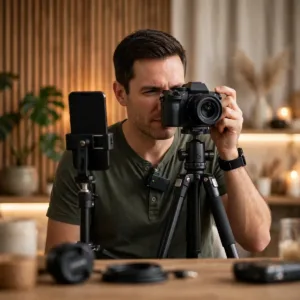
Ulanzi A100 Wireless Lavalier Microphone
Original price was: ৳ 4,360.৳ 3,180Current price is: ৳ 3,180.-26%
76 in stock
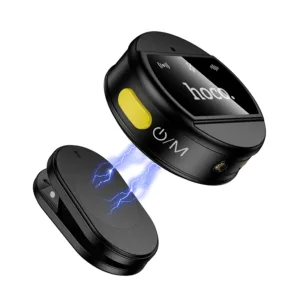
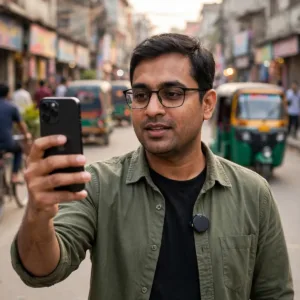
Hoco L22 Bright 2-in-1 wireless Microphone with Case
Original price was: ৳ 2,870.৳ 2,120Current price is: ৳ 2,120.-26%
49 in stock

SX23 Noise Canceling Mini Wireless Lavalier Microphone
Original price was: ৳ 2,950.৳ 2,180Current price is: ৳ 2,180.-23%
40 in stock

BOYA M1 Microphone (BOYA Official Product)
Original price was: ৳ 1,300.৳ 1,000Current price is: ৳ 1,000.-28%
18 in stock
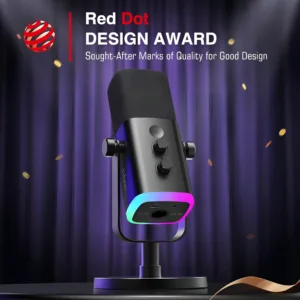

Fifine Ampligame AM8 RGB USB/XLR Dynamic Microphone
Original price was: ৳ 9,920.৳ 7,130Current price is: ৳ 7,130.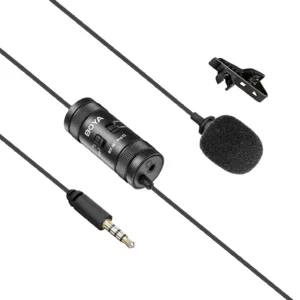 Boya BY-M1 Pro Ⅱ
Original price was: ৳ 2,400.৳ 1,840Current price is: ৳ 1,840.
28 in stock
Reviews
There are no reviews yet.