No products in the cart.

-28%
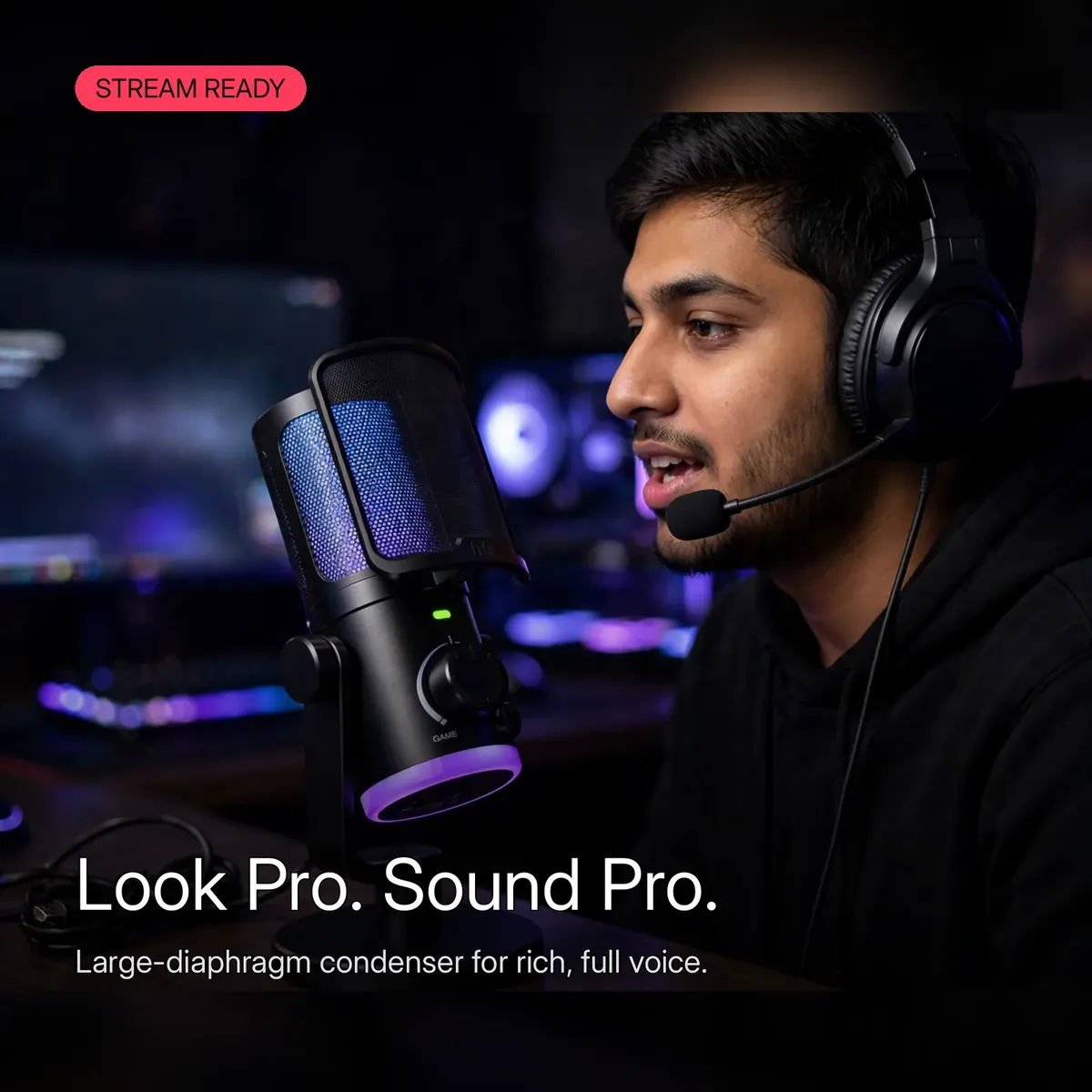
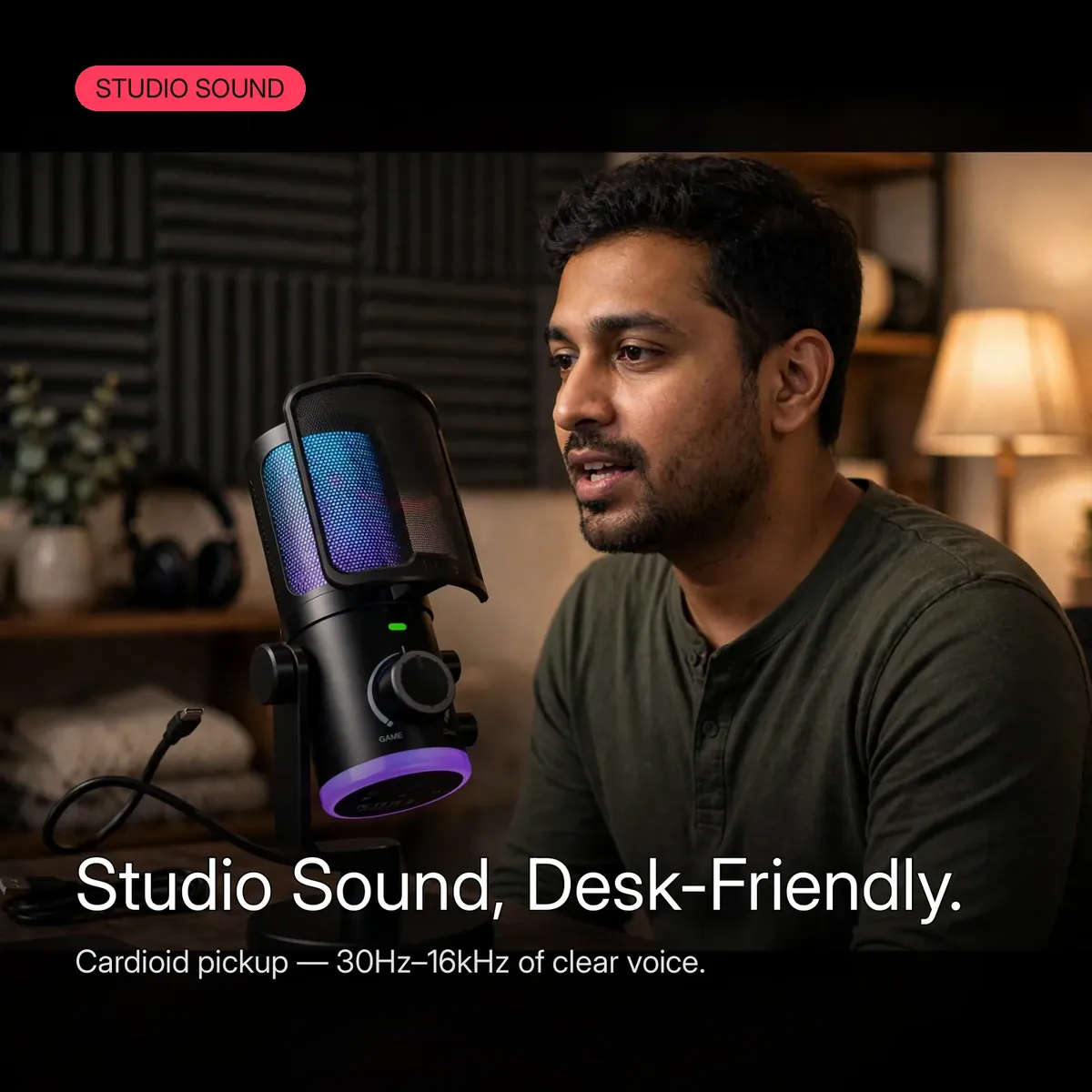


Your headset mic is the weakest link in your stream — thin, noisy, and betrayed by every keyboard clack. The FIFINE AmpliGame AM6 is the upgrade that fixes it: a large-diaphragm USB condenser microphone built for gaming, streaming, podcasting, and voiceovers, with a cardioid pickup pattern that locks onto your voice and pushes room noise into the background. This is the fifine am6 as a complete desk kit — microphone, adjustable stand, shock mount, and pop filter — with USB plug-and-play that works with Windows, macOS, and gaming consoles, no drivers needed.
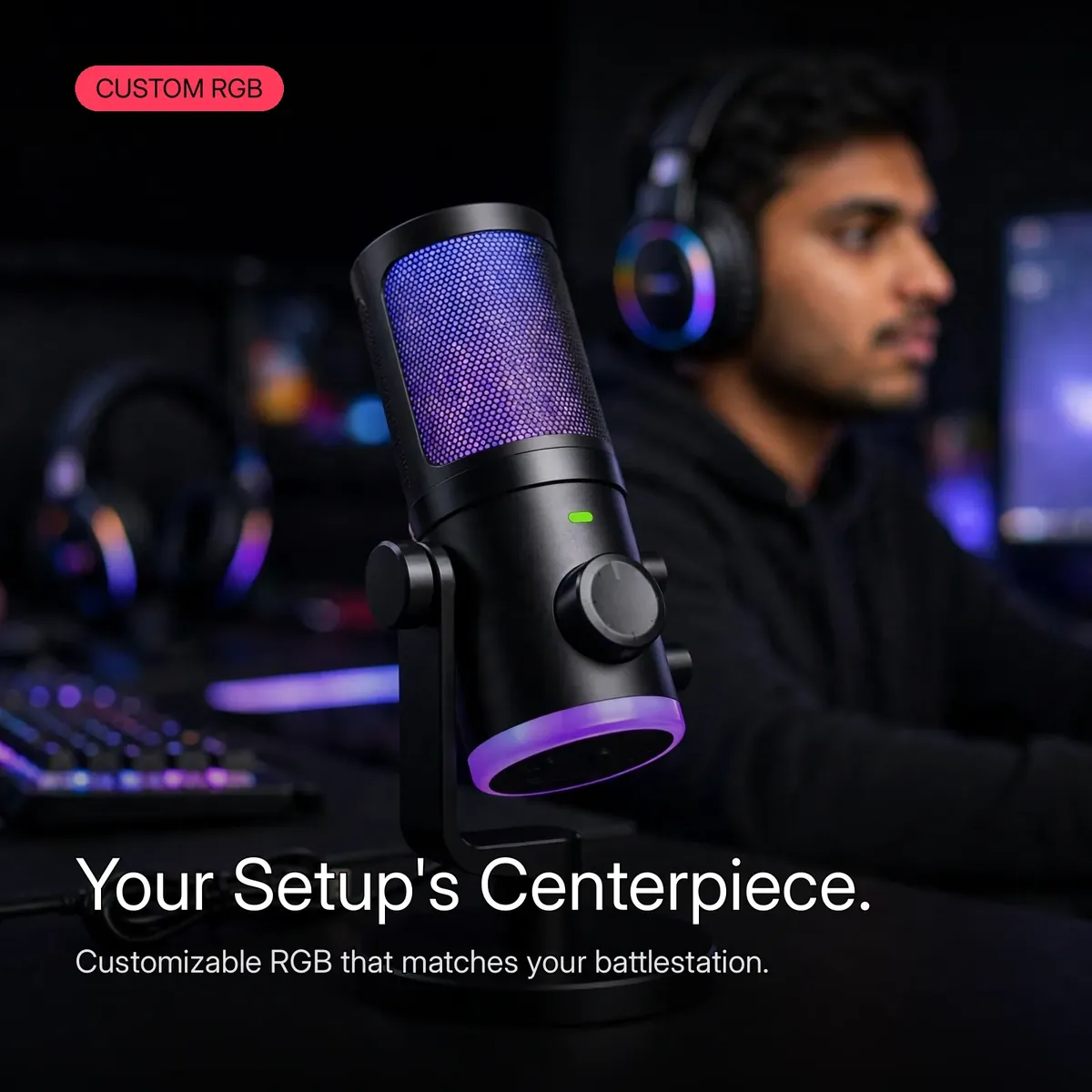
The large diaphragm is the heart of the story: a bigger capsule captures warmer, fuller voice detail than the tiny electrets in headsets and webcams, while the 30Hz–16kHz frequency response covers the full vocal range. Sensitivity is rated at -38dB ± 3dB, and the 16-bit/48kHz digital path delivers clean, detailed audio for your content. On the body, a volume knob and mute button keep you in command mid-session — adjust and mute without opening software — and customizable RGB lighting lets the mic match your battlestation.
This page is written from the verified research notes for this microphone — the live store product page fetched on 2026-10-14. Every number below comes from those verified notes; nothing is estimated, and anything not confirmed is stated as omitted rather than guessed. One honest framing up front: the fifine am6 is a USB microphone, so it connects directly to a PC, Mac, or console — it does not need an audio interface, mixer, or phantom power.
Design and Build
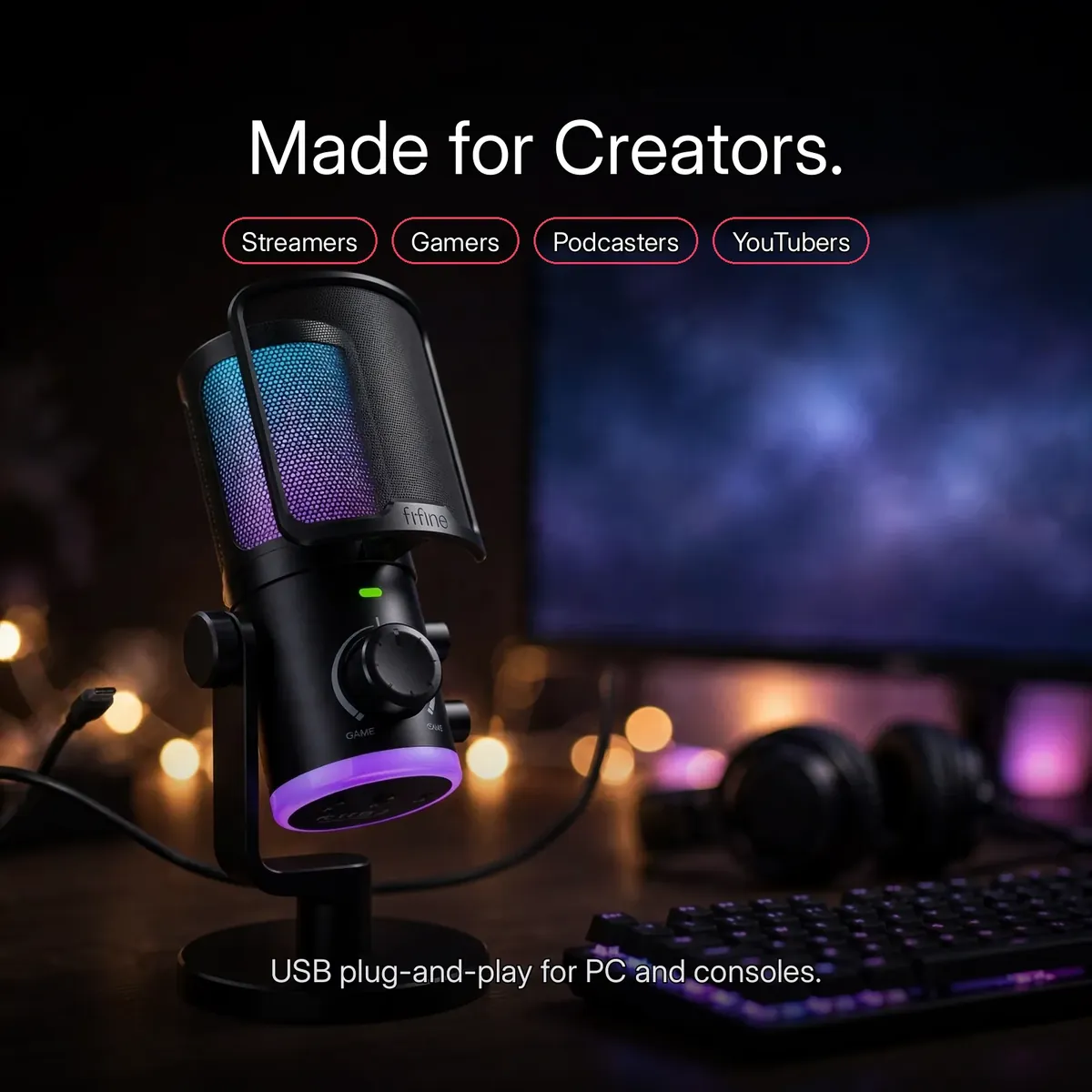
The fifine am6 looks like streaming hardware because it is: a large cylindrical black body with a fine mesh grille over the capsule, a glowing RGB ring at the base, and a clean white fifine wordmark on the front. It sits in a U-shaped metal yoke on a weighted round desktop stand, and the tilt adjustment lets you angle the capsule exactly toward your mouth, then lock it there for the whole session.
The desk stand is the practical hero. It keeps the mic stable and close without a boom arm, and the included shock mount isolates the capsule from desk vibrations — keyboard thumps, controller drops, and accidental bumps stay out of your audio. The pop filter clips onto the frame at the top of the mic, softening the harsh “p” and “b” plosives that ruin close-mic takes.
Sound and Performance
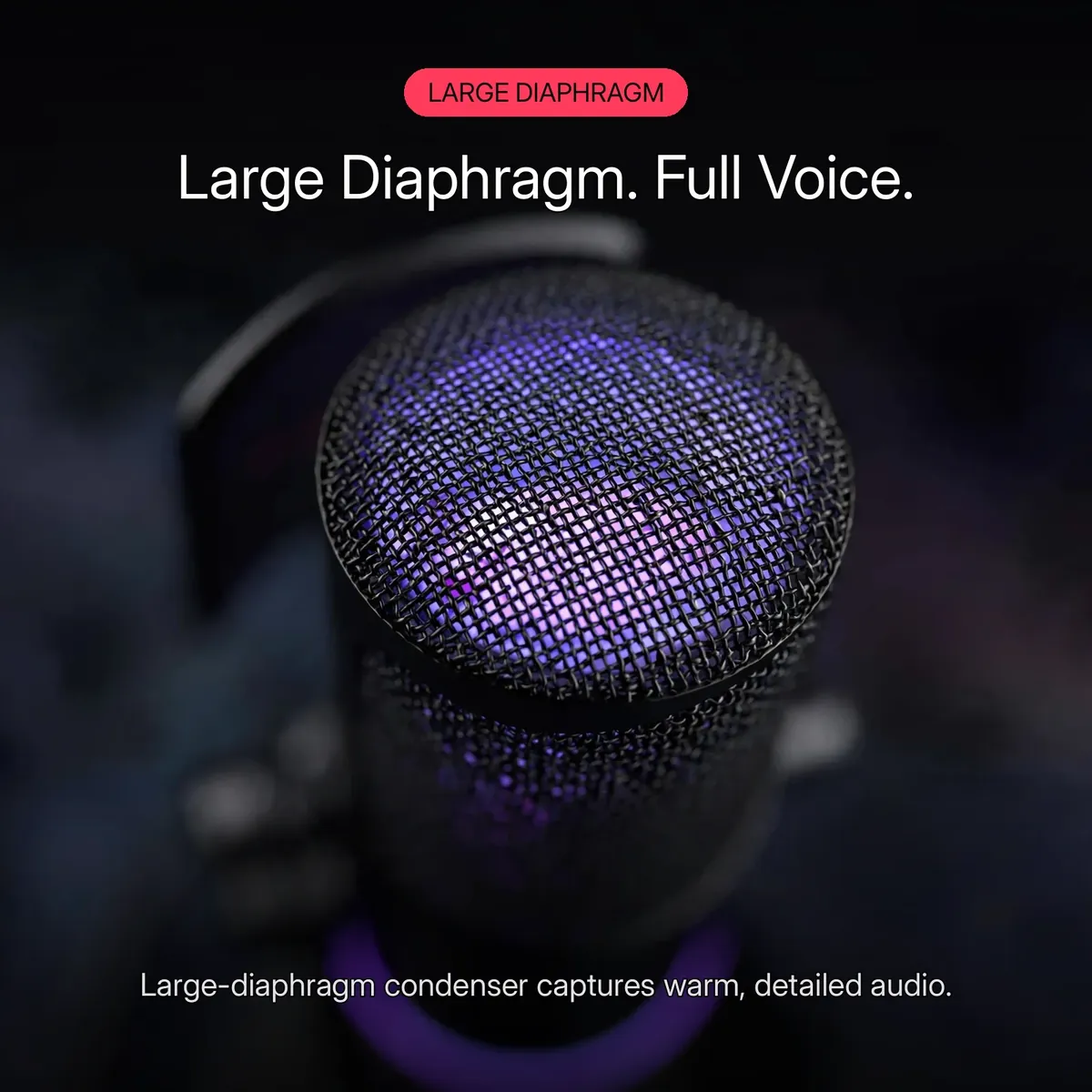
Sound starts with the capsule. The fifine am6 uses a large-diaphragm condenser element — the same capsule architecture that gives studio microphones their warm, present voice character. Condenser capsules are detailed and sensitive by design, which is exactly what you want for voice work: every inflection, every whisper-level aside, captured with clarity.
The cardioid pickup pattern is what keeps that sensitivity useful in a real room. Cardioid means the mic hears what is directly in front of it and rejects sound from the sides and rear — your keyboard, your fan, the room echo behind you. In a busy gaming room, that focus is the difference between comms your squad can hear and comms they ask you to repeat.
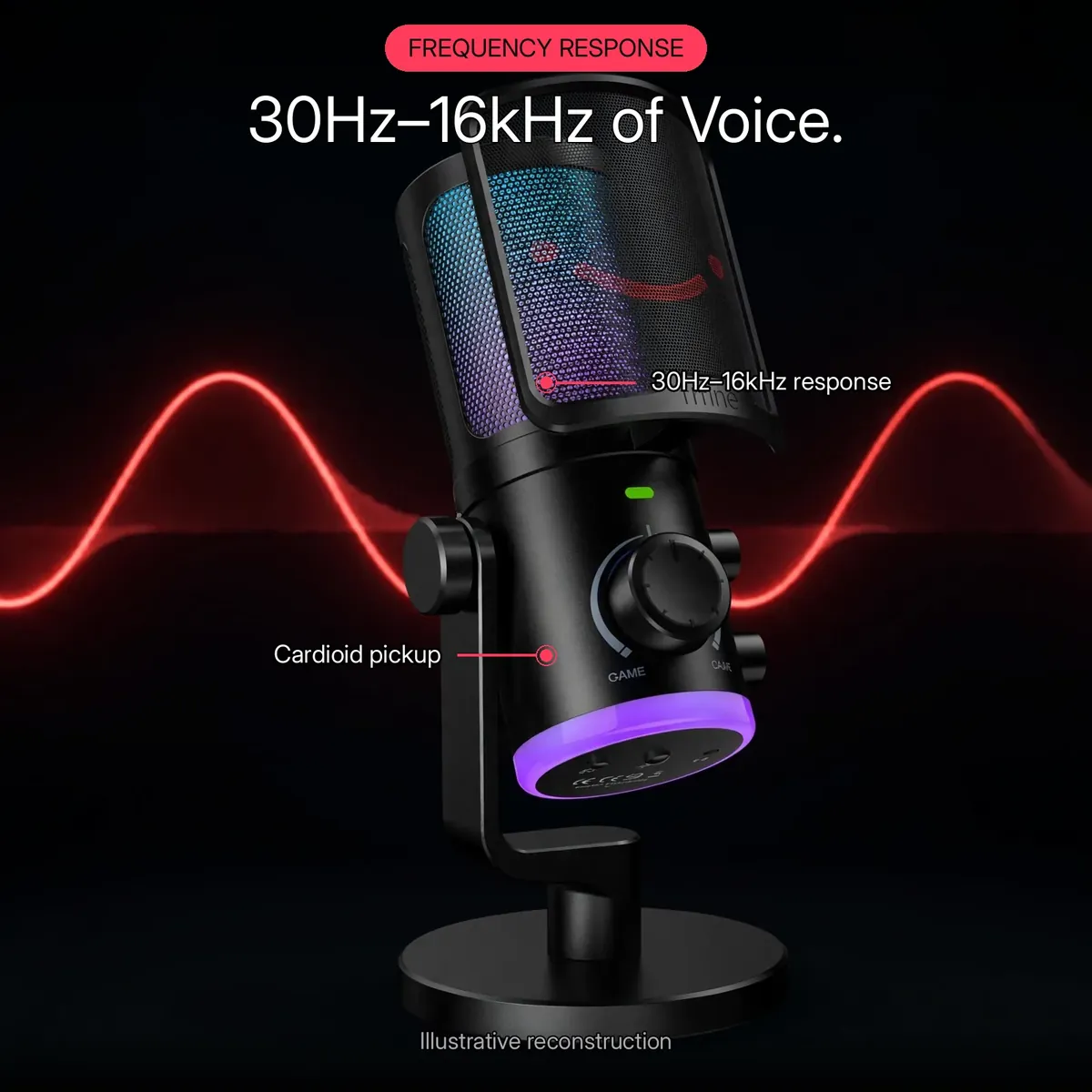
The frequency response runs 30Hz–16kHz, per the store’s listed specs — covering deep vocal lows through crisp high detail — and sensitivity is rated at -38dB ± 3dB. The 16-bit/48kHz digital path keeps the signal clean from capsule to USB. The response graphic above is an illustrative reconstruction of the listed 30Hz–16kHz range and cardioid pattern — not a lab measurement.
On-Mic Controls
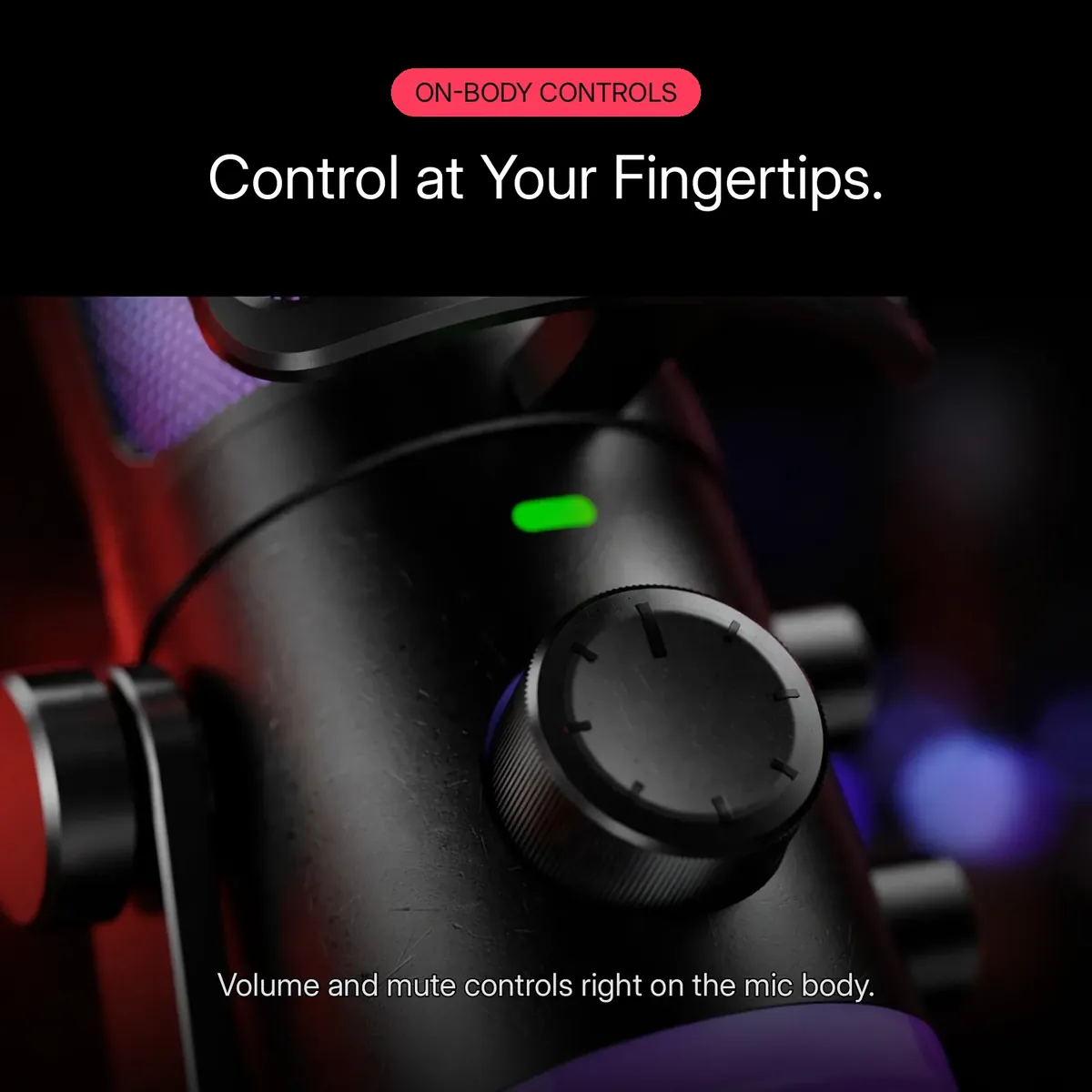
Mid-stream, the last thing you want is to alt-tab into a settings menu. The fifine am6 puts the essentials on the mic body: a volume knob you can roll without looking, and a mute button that cuts your output instantly. The small green LED tells you at a glance that the mic is live.
That hardware control is the streaming workflow the fifine am6 was designed around — no software, no drivers, no on-screen mixer needed to ride your levels. Set your gain once, then adjust on the fly as the game gets loud or the lobby gets quiet. When you need to cough, mute is one press away.
RGB Lighting
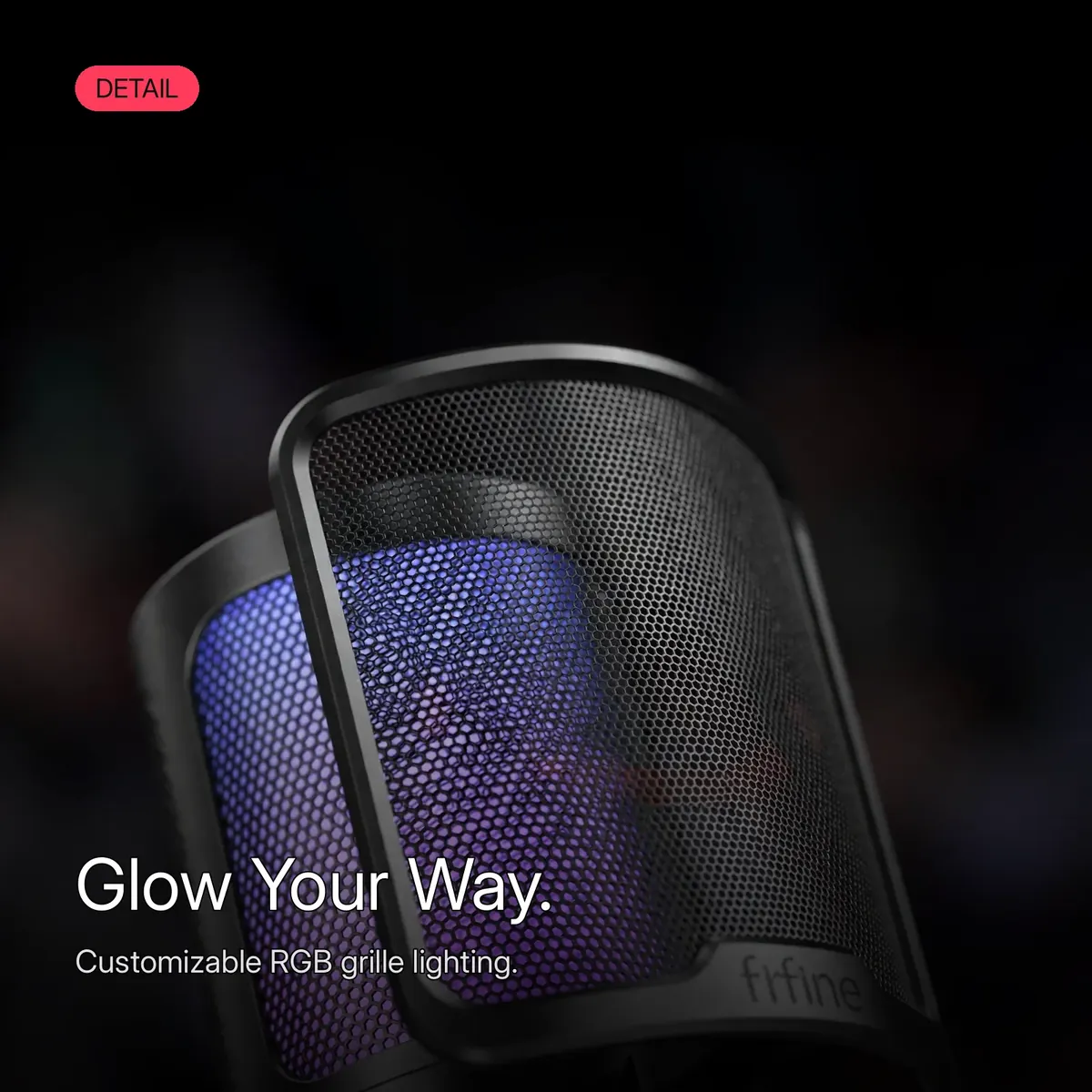
The customizable RGB lighting is the fifine am6’s visual signature: a glowing ring at the base of the mic and a grille that takes on your chosen color, tying the mic into the rest of your setup. It is the battlestation aesthetic — keyboard, mousepad, and mic all speaking the same lighting language.
Two honest notes on the visuals. First, the product photos are provided by the brand, so the exact shade and intensity on your desk may differ from the photographs. It is in existing setups that the lighting earns its place: it ties the mic into your keyboard, mousepad, and case lighting so the whole desk looks deliberate rather than assembled. The infographics on this page are illustrative reconstructions of those photos — not the original photographs.
Complete Desk Kit
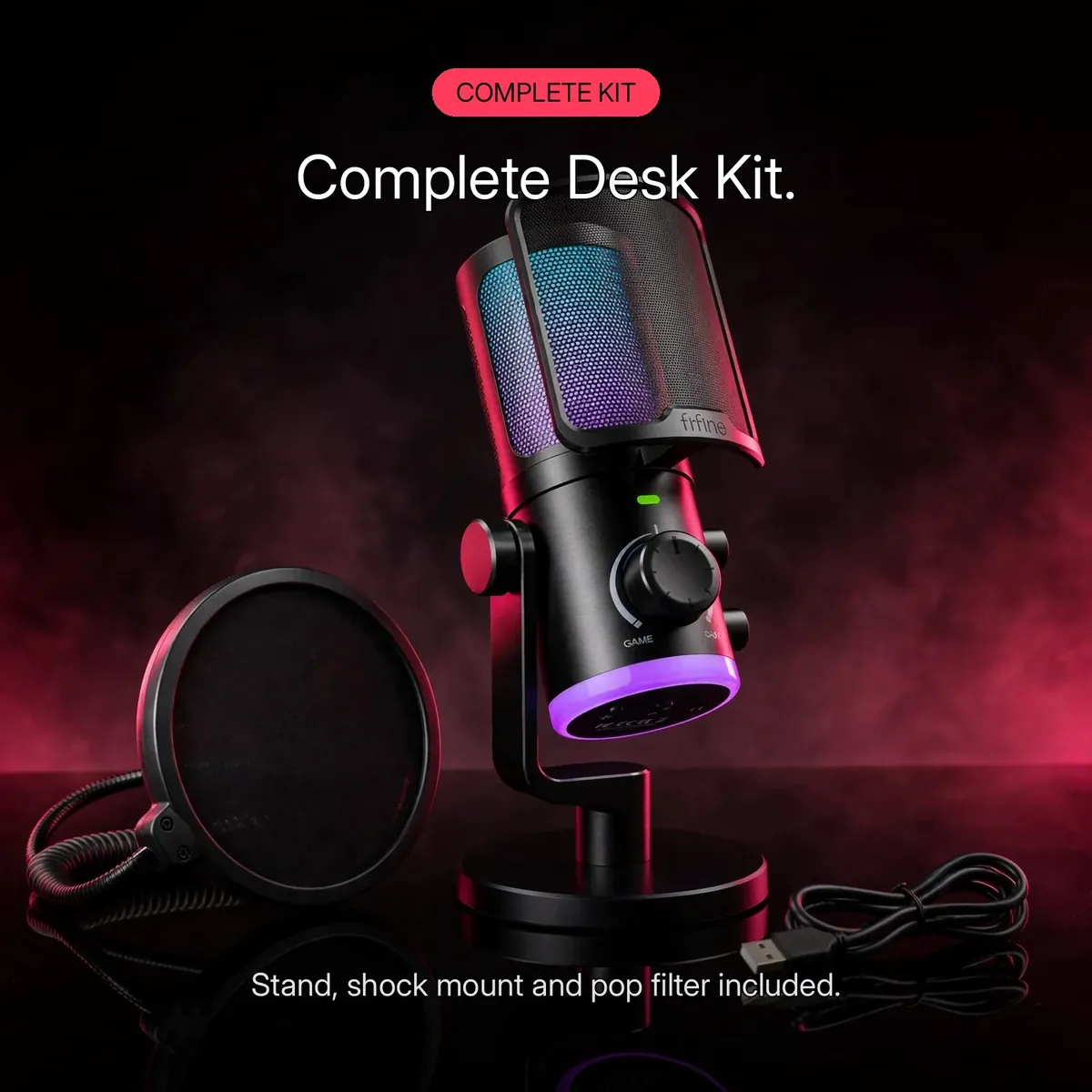
The fifine am6 ships as a complete desk kit. In the box: the AM6 microphone, an adjustable desktop stand, the U-shaped yoke with shock mount, a pop filter, and the USB cable. Everything you need to go from unboxing to live is in the package.
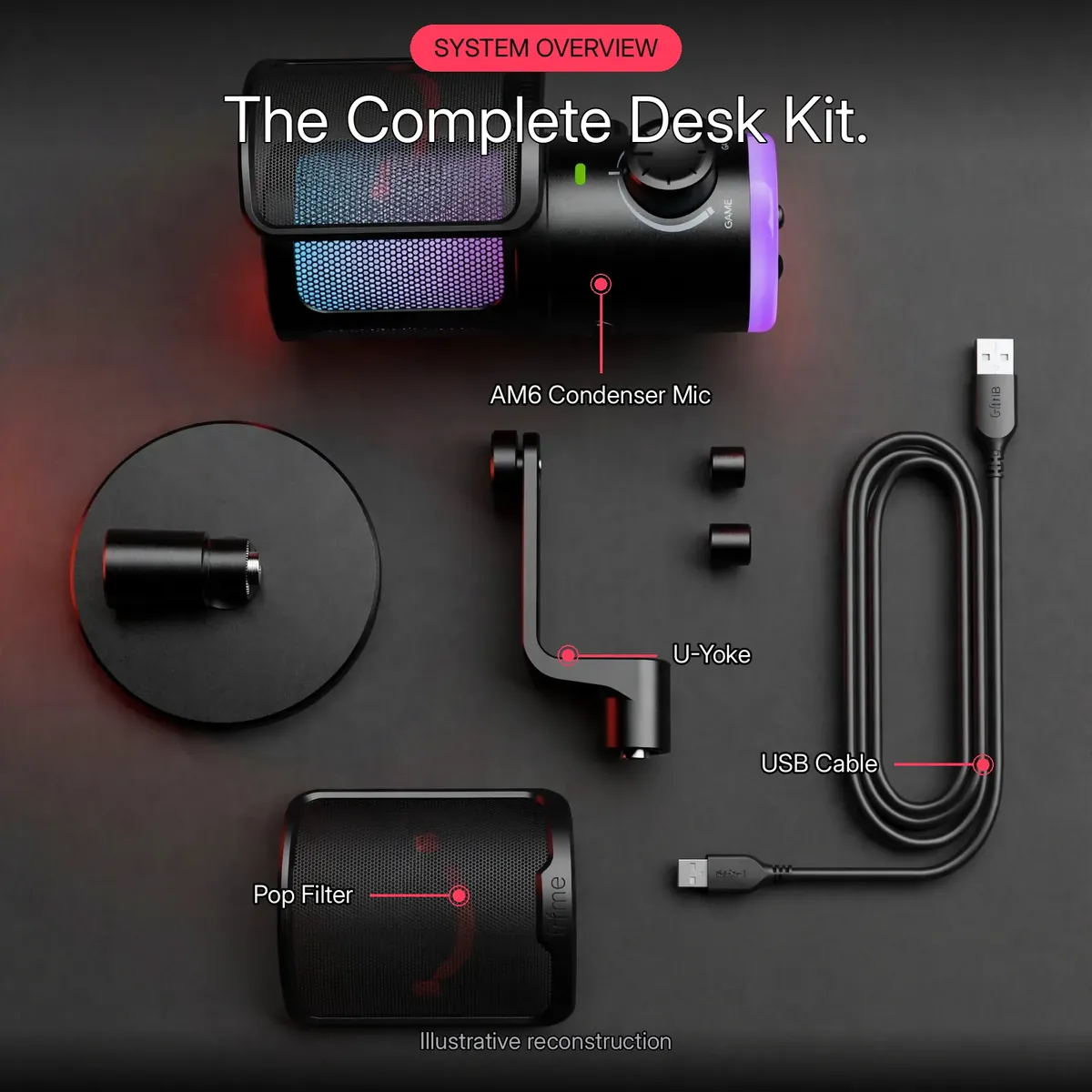
The system overview above sums up the whole package: a large-diaphragm condenser capsule in a fine-mesh grille, cardioid pickup, on-body volume and mute, customizable RGB, and the complete kit — stand, shock mount, pop filter, and cable. Every capability named in the verified notes is on that one card; nothing about this product needed inventing.
Specifications
| Brand | FIFINE |
|---|---|
| Model | AM6 (AmpliGame) |
| Type | Condenser (large diaphragm) |
| Polar pattern | Cardioid |
| Frequency response | 30Hz–16kHz |
| Sensitivity | -38dB ± 3dB |
| Bit depth / sample rate | 16-bit / 48kHz |
| Connectivity | USB (plug-and-play) |
| Monitoring | No direct monitoring |
| Compatibility | Windows, macOS, gaming consoles |
| Controls | On-mic volume + mute |
| Lighting | Customizable RGB |
| In the box | AM6 microphone, USB cable, adjustable desk stand, shock mount, pop filter, user manual |
| Warranty | a 7-day store warranty |
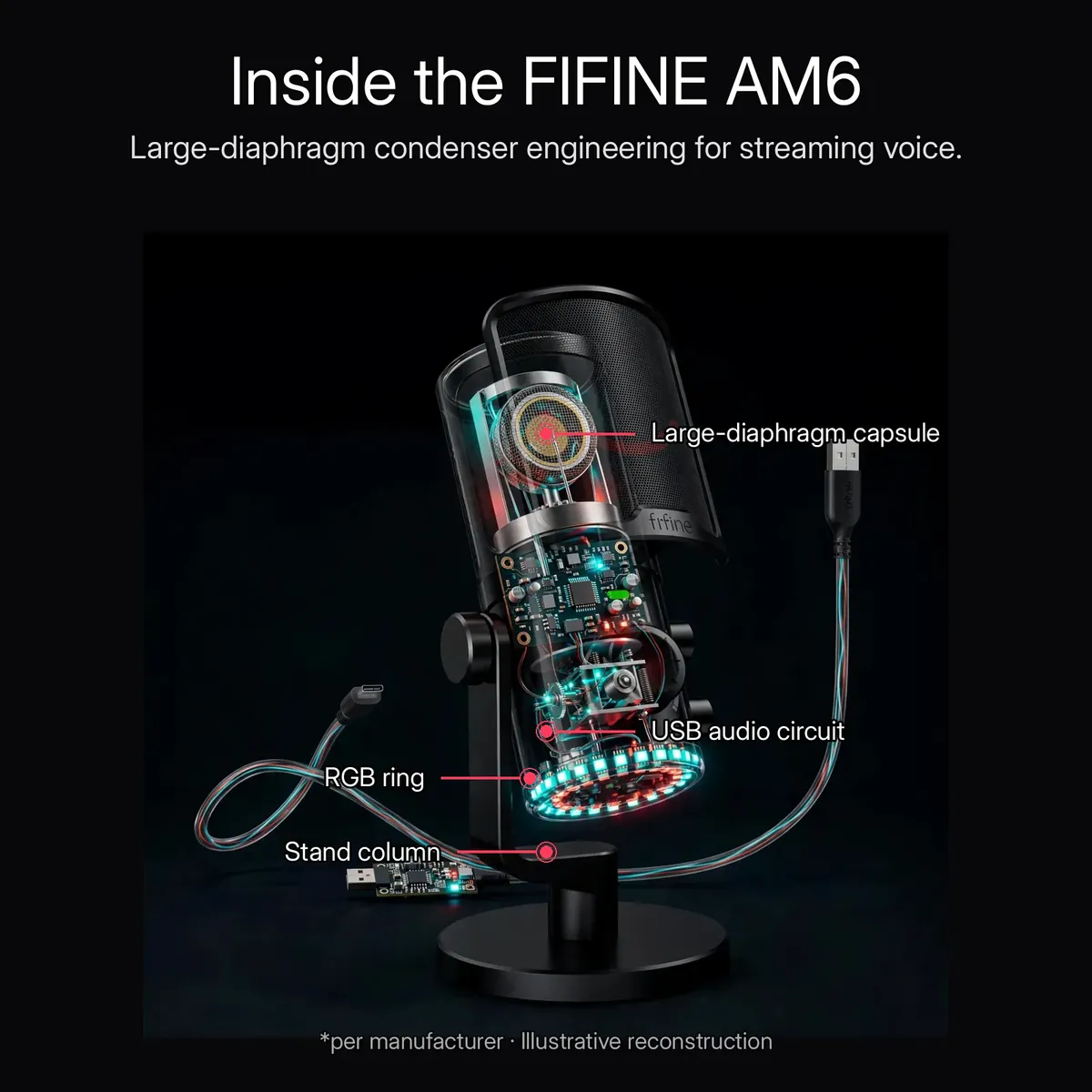
All figures are taken from the verified research notes for this microphone, sourced from the store’s live product page fetched on 2026-10-14 and the store’s verified knowledge base. The x-ray render above is an illustrative reconstruction — not a photograph of disassembled hardware.
What’s in the Box

The box contains exactly what the kit promises: the fifine am6 microphone, the adjustable desktop stand, the U-shaped yoke with shock mount already fitted, the pop filter, the USB cable, and the user manual. One honest note drawn from the research notes: nothing beyond this list is confirmed in the box — if a specific extra matters to you, ask the store on Messenger or at care@gadgetsuperb.com before ordering.
The Spec Table in Plain Language
Three figures in the specifications decide how the fifine am6 will sound on your desk, and each one is worth translating. The first is the 30Hz–16kHz frequency response. That span starts below the lowest notes of a speaking voice and ends above the finest detail in one, which is why the copy on this page describes the capture as warm and full rather than thin: the capsule is listening to the whole of your voice, not a squeezed slice of it. For spoken content — streams, podcasts, voiceovers, calls — the vocal range is the entire job, and the AM6 covers it end to end.
The second figure is sensitivity, rated at -38dB ± 3dB. Sensitivity is how much signal the capsule produces for a given volume of sound in front of it. A figure in this range means the capsule responds readily to ordinary speaking levels — you talk at a natural volume, from a natural distance, and the mic delivers a healthy signal without you having to eat the grille or shout. It is also why the on-mic volume knob matters: with a responsive capsule, small adjustments on the body are enough to ride your level as a session gets louder or quieter.
The third is the 16-bit/48kHz digital path. Sixteen bits is the depth of a CD recording, and 48kHz is the sample rate video and streaming platforms work at, so what the fifine am6 captures lands in your recording or broadcast software cleanly and in step with your video. None of these numbers asks anything of you in practice — plug the USB cable in and they are simply working — but they explain why a take from this microphone sounds finished where a headset mic sounds like a phone call.
Game Night, Podcast Morning, Voiceover Afternoon
The rotation this microphone is built for starts with game night. The cardioid pattern faces your voice and turns its back on the keyboard, the controller, and the fan, so squad comms stay intelligible when the room gets loud. The shock mount earns its keep here too: the desk takes the thumps — a slammed ability key, a controller set down hard — and the mount keeps those vibrations out of the recording. When a cough or a doorbell interrupts, the mute button on the body cuts you instantly, and the green LED confirms at a glance whether you are live.
Podcast morning uses a different half of the kit. The pop filter clips on and softens the plosive blasts that close, careful speech produces, while the weighted desktop stand and tilt adjustment hold the capsule at exactly the angle and distance you set yesterday — consistency between episodes is what makes a show sound produced. The large diaphragm does the rest, giving a guest-ready, broadcast-style voice with no interface, no mixer, and no setup beyond plugging in the USB cable.
By the afternoon it is a voiceover mic. Lines read close for a product video, a course module, or a channel intro benefit from the same capsule sensitivity: quiet, deliberate delivery is captured with its detail intact, and the volume knob lets you set a level once and trust it across takes. Then the RGB ring takes the evening shift on camera, the grille glowing in your setup’s colours for the stream. One fifine am6 follows the whole day because each part of the kit — capsule, pattern, controls, mount, filter — was chosen for a desk that does more than one kind of work.
Set It Once: A Desk Routine That Stays Put
The quiet advantage of a complete desk kit is that yesterday’s setup is still today’s setup. Assemble the fifine am6 once — microphone in its U-shaped yoke and shock mount, on the adjustable desktop stand — and use the tilt adjustment to angle the capsule toward your mouth, then lock it there. That fixed position is worth more than it sounds: your voice arrives at the same distance and angle every session, so episodes, streams, and calls share one consistent sound instead of being re-balanced each time you sit down. Clip the pop filter onto the frame, and the desk is ready. A kit that never moves never needs re-aiming between sessions.
From there, the routine is two checks. Plug the USB cable in and select the fifine am6 as the input in your app — no drivers, no interface, nothing to configure. Then roll the volume knob to the level you set yesterday and glance at the green LED to confirm the mic is live before you start. Because the capsule is a sensitive large-diaphragm condenser rated at -38dB ± 3dB, you speak at a natural volume from a natural desk distance; there is no need to lean in, shout, or re-tune the setup between a stream and a call. The mute button covers interruptions — coughs, doorbells, next-room voices — without touching the app.
Care is the small print that keeps that routine alive for years. Wipe the fine mesh grille with a soft, dry cloth so dust never dulls it, and brush the pop filter clean — it sits in the line of every spoken word and collects the session with it. Keep the capsule dry and the stand planted on its weighted base rather than balanced at a desk edge. The fifine am6 asks for no servicing, no software upkeep, and no accessories beyond the kit in its box: assemble it once, clean it occasionally, and it simply stays ready. A monthly minute of this keeps day one hundred feeling like day one.
Is the FIFINE AM6 Right for Your Desk?
The fifine am6 suits streamers, podcasters and voiceover creators who record at a computer and want a complete kit rather than a parts list. The microphone arrives with its shock mount, pop filter and adjustable desktop stand, so the desk is recording-ready out of the box. Its large-diaphragm condenser capsule — rated at -38dB ± 3dB — answers a natural speaking voice at a natural distance, the cardioid pattern faces you and turns its back on the keyboard, and the on-body volume knob and mute button keep control within reach while you are live. For USB simplicity, the fifine am6 asks for nothing else: no drivers, no interface, nothing to configure.
Skip it if your chain runs through an XLR interface, or if you record away from a computer — the fifine am6 is a USB microphone, powered by the machine it plugs into. Very noisy, untreated rooms also deserve a thought: a sensitive condenser hears the room as well as the voice, so position and the cardioid pattern have to do that work. But for a fixed desk where episodes, streams and calls happen daily, the fifine am6 offers the set-it-once routine those creators actually want.
Why Buy From Gadget Superb
Order the fifine am6 from Gadget Superb with cash on delivery anywhere in Bangladesh — pay in cash when the parcel arrives, with no advance payment, card details, or OTPs ever asked. Delivery takes 1–3 working days inside Dhaka (৳70) and 2–5 working days outside Dhaka (৳120). Every order carries 7-day easy returns: keep the microphone in original condition with box and accessories, and start a return with your order number via hotline 09638054751, care@gadgetsuperb.com, or Messenger.
FIFINE is a global audio brand — see fifinemicrophone.com — and Gadget Superb curates its microphones for Bangladeshi buyers. Explore the full Audio Electronics collection or compare Microphones to find the right fit.
Frequently Asked Questions
What exactly is the FIFINE AmpliGame AM6?
A USB condenser microphone built for gaming, streaming, podcasting, and voiceovers. The fifine am6 pairs a large-diaphragm cardioid capsule with on-mic volume and mute controls, customizable RGB lighting, and a complete desk kit — stand, shock mount, and pop filter included. It connects over USB with plug-and-play setup, so there are no drivers to install.
Is this an original FIFINE product?
This listing is for this model as catalogued by Gadget Superb under the FIFINE brand. The store does not claim official-distributor status for any brand it carries. If authenticity documentation matters to you, message the store on Messenger or email care@gadgetsuperb.com before ordering.
Does the FIFINE AM6 come with a warranty?
This microphone comes with a 7-day store warranty. Warranty terms vary by product at Gadget Superb. If a warranty matters to you, confirm the terms with the store — hotline 09638054751, care@gadgetsuperb.com, or Messenger — before placing your order.
Does the AM6 need an audio interface or any extra equipment?
No — this is a USB microphone, designed to plug directly into a computer. Yes. Plug the USB cable in and the fifine am6 shows up as your audio input, with no audio interface, mixer, or phantom power supply required. If you later build a full studio chain around an interface, that is what XLR microphones are for; the AM6’s job is a complete, working setup with zero extra boxes.
What devices is the FIFINE AM6 compatible with?
Per the listed specs, the AM6 works with Windows and macOS computers as well as gaming consoles, over its USB connection with plug-and-play setup and no drivers needed. If your exact setup is unusual — an older console or an adapter chain — message the store on Messenger before ordering and they will confirm.
How do I control the volume and mute the AM6 during a stream?
The volume knob and mute button sit right on the mic body. Roll the knob to adjust your level without opening any software, and press the mute button to cut your output instantly — for example when you need to cough mid-stream. The green LED on the body shows at a glance that the mic is live.
What does the cardioid pickup pattern mean for my streams?
Cardioid means the fifine am6 captures sound from directly in front of it while rejecting sound from the sides and rear. Your voice — spoken into the front of the mic — comes through clearly, while keyboard clatter, fan hum, and room echo are pushed into the background. It is the pattern built for busy, untreated rooms.
What’s in the box?
The complete desk kit: the AM6 microphone, a USB cable, the adjustable desktop stand with U-shaped yoke, the shock mount, the pop filter, and the user manual. That is the full contents as listed in the verified research notes — everything needed to start streaming is included.
How long does delivery take, and what are the charges?
Inside Dhaka, delivery costs ৳70 and takes 1–3 working days; outside Dhaka, it costs ৳120 and takes 2–5 working days. These are estimates, not guarantees.
Which payment methods are accepted, and is Cash on Delivery available?
Cash on Delivery is the payment method for this store: you pay in cash when your order arrives. No advance payment, card details, or OTPs are needed or asked for at any point. Every gadgetsuperb.com product delivery follows the same cash-on-delivery process, so checkout stays simple and risk-free.
What is the FIFINE AM6 price in Bangladesh?
The price currently listed on this product page. Prices can change during sales, so the live figure on gadgetsuperb.com is the one that counts, and nothing beyond the listed price is owed — just the standard delivery charge on top.
What is the price of the FIFINE AmpliGame AM6 in Bangladesh?
The current price is shown on the product page and can change during sales, so no figure is quoted here. Check the live FIFINE AM6 page on Gadget Superb for today’s price — that is what you pay in cash on delivery, plus the standard delivery fee.
Can I hear myself through headphones with the FIFINE AM6?
Here the honest answer cuts the other way: the AM6 has no zero-latency headphone monitoring of its own. The product carries no headphone jack, so direct monitoring is not part of what it offers — the verified notes are explicit that there is no direct monitoring on this model. What the AM6 page lists instead is the complete on-mic kit: USB plug and play, the volume knob and mute button on the body, the shock mount, pop filter, and adjustable stand. If hearing yourself in real time is essential to how you work, weigh that before choosing this microphone.
What does the included pop filter do, and how do I stop popping sounds?
That harshness is a plosive: a small blast of air from “p” and “b” sounds hitting the capsule. The pop filter included in the fifine am6 kit exists precisely for it — it sits between you and the grille and breaks the blast up before it arrives, so close takes stay clean instead of popping. Pair it with a small habit: angle the mic slightly and speak just across the capsule rather than straight into it at very close range. Between the filter and the angle, the problem the filter was designed for mostly disappears.
Does the RGB lighting change how the microphone sounds?
No. The customizable RGB on the AM6 is lighting only — a glowing ring at the base and a grille that takes on your chosen colour — and it sits on top of the same large-diaphragm condenser capsule, cardioid pattern, and 16-bit/48kHz path whether it is lit or not. It changes what your setup looks like on camera, nothing about what your audience hears. Buy it for the sound and the kit; treat the glow as the part your viewers get to enjoy.
How far from the fifine am6 should I sit when recording voice?
At a natural desk distance, speaking into the front of the capsule. The fifine am6’s large-diaphragm condenser is rated at -38dB ± 3dB sensitivity, which means it responds readily to ordinary speaking levels — you do not need to press close to the grille or raise your voice. What matters most is consistency: pick the distance that sounds right on a test take, then let the tilted stand hold the capsule there for every session. Speak toward the front of the mic, where the cardioid pattern listens, and let the rear face the room you want ignored. If you change chairs or desks, run one test take at the new distance before the real session.
How do I keep the grille and pop filter clean?
Gently, and with a dry cloth. The fifine am6’s fine mesh grille wipes clean with a soft, dry cloth — no water and no cleaning sprays near the capsule behind it. The pop filter takes the direct line of your speech, so brush or wipe it down regularly; it is the part that catches breath moisture and dust before either reaches the grille. Keep the microphone dry in a dusty room by covering it between sessions if it will sit unused for days. That is the whole regime: dry cloth, clean filter, dry storage.
Does the fifine am6 work for streaming and voiceover as well as podcasts?
Yes — the fifine am6 was built for all three. The large-diaphragm condenser capsule answers a natural speaking voice at a natural desk distance, so streams, narration and episodes share the same set-it-once setup: stand tilted, pop filter clipped on, input selected in the app.
The on-body controls are what make the fifine am6 practical live: the volume knob adjusts your level mid-session without opening settings, and the mute button covers coughs and interruptions before they reach the audience. Podcasters get consistency, streamers get control, and voiceover creators get a sensitive capsule that hears nuance — one kit, and the fifine am6 covers all three desks. That is why the fifine am6 suits creators who record on purpose, every day.
Related products
-28%
50 in stock
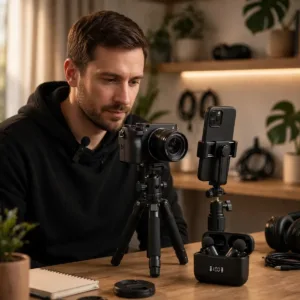
Ulanzi A200 Wireless Lavalier Microphone
Original price was: ৳ 8,190.৳ 5,890Current price is: ৳ 5,890.-25%
100 in stock
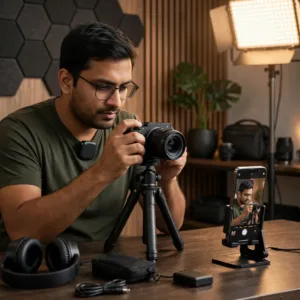
SX63 Wireless Lavalier Microphone for Type-C & Iphone
Original price was: ৳ 3,580.৳ 2,650Current price is: ৳ 2,650.-26%
76 in stock
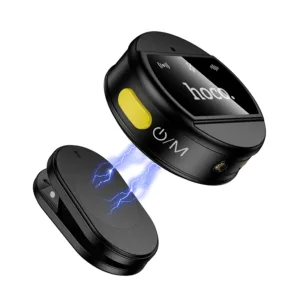

Hoco L22 Bright 2-in-1 wireless Microphone with Case
Original price was: ৳ 2,870.৳ 2,120Current price is: ৳ 2,120.-27%
70 in stock
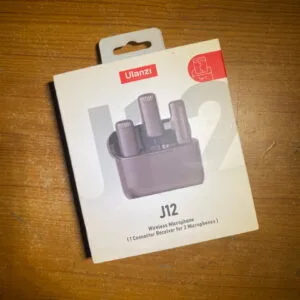
Ulanzi J12 Dual Wireless Microphone for Android With Charging Case For Type-C
Original price was: ৳ 4,110.৳ 3,000Current price is: ৳ 3,000.-28%
30 in stock

MAONO PD300X USB/XLR Dynamic Microphone
Original price was: ৳ 13,200.৳ 9,490Current price is: ৳ 9,490.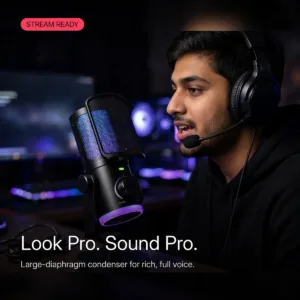 FIFINE AmpliGame AM6 Condenser...
Original price was: ৳ 9,600.৳ 6,900Current price is: ৳ 6,900.
10 in stock
Reviews
There are no reviews yet.