No products in the cart.

-28%

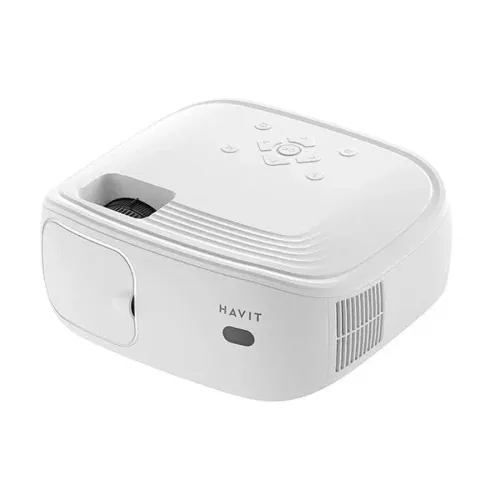


The havit pj212 is a portable projector from Havit, listed with a native 1920*1080P resolution and projection sizes from 33 to 200 inches. It suits Bangladeshi families who want a large picture at home, students who need a classroom screen, and small offices that present to clients. This page explains the listed specifications and what to check before you order.
- Overview
- Key features
- Specifications
- How to use and set up
- Compatibility and what is in the box
- Who should buy it in Bangladesh
- Alternatives in our store
- Warranty and support
- Delivery, returns and ordering
- Frequently asked questions
Overview of the havit pj212 for Bangladeshi buyers
According to the listing, the havit pj212 is a portable projector with a native 1920*1080P resolution and a 4-inch LCD display. The maker lists projection distances from 1.12 to 6 meters and screen sizes between 33 and 200 inches. In a typical Bangladeshi living room, that range means the projector can fill a plain wall or a pull-down screen, provided the room gives you enough distance behind it. Measure the space before delivery, note the width of the wall, and decide which size fits the way you will sit and watch.
The listing gives brightness as 270 ANSI (12000 Lumens) and a 1500:1 contrast ratio. The maker presents these figures as the reason images stay clear in varied lighting conditions. Still, the room you choose will shape how the havit pj212 looks. A Dhaka evening with the ceiling fan running and a window open is different from a closed room at night, so set up the projector at the time you plan to watch, and test it with the lights you will actually use.
Load-shedding is a practical question for many households. The listing gives a power figure of 68W, so check that your socket, extension lead and any backup supply can handle the load before you rely on it for a long session. Humidity is another factor in Bangladesh, so keep the unit somewhere dry when it is not in use, and let it settle after a hot or damp day before a long session. For more about the brand, see the maker’s website.
Key features
The sub-sections below follow the feature groups used in the product listing. Each one explains what the maker says, what it means for everyday viewing, and where the listing is silent. Read them alongside the specification table, which sets out the details in one place. If a point matters for your purchase, such as the sound or the number of ports, check it against the table before you decide, because the listing mentions some figures more than once.
Full HD picture and 270 ANSI brightness
According to the listing, the havit pj212 is a 12000 Lumens FHD portable projector with a native 1920*1080P resolution. The 270 ANSI rating is presented as the reason visuals stay sharp in varied lighting conditions. Brightness matters most when the picture is large, because a wall-sized image spreads the same light over a bigger area.
The 1500:1 contrast ratio is listed as the figure behind vivid colours and deep blacks. Whether those blacks look deep enough depends on your room and your source material, so watch a few films at home before deciding. The listing also says the projector supports 16:9 and 4:3 aspect ratios, which covers widescreen films, sports and older standard-format content.
Wireless mirroring and Bluetooth output
The listing says the havit pj212 supports 2.4G+5G WiFi screen mirroring, so you can send content from smartphones, tablets and laptops without a cable. The maker states that this link gives lag-free playback for movies, presentations and gaming. Your phone’s own settings still control what is shared, so check the screen-sharing option on your device before an important meeting or a family film night.
Bluetooth output allows a connection to external speakers for enhanced audio, which is useful if you want sound through a speaker of your choice. The listing also says the multilingual interface supports 23 languages. Test the pairing with your speaker before the event, so you are not troubleshooting on the day.
Ports for HDMI, USB, AV and audio out
The connection list in the listing is one of the more practical parts of the product. The havit pj212 has AV input, dual USB, dual HDMI and a 3.5mm audio jack out. Two HDMI ports let you keep a laptop connected while a media stick or set-top box stays in place, and two USB ports give you more than one USB source to hand.
The 3.5mm audio jack lets you send sound to external audio equipment with a suitable cable. Check that the cables you already own match these ports before you order, and buy any missing cables from a reliable seller. A secure connection is the first step to a steady picture during a presentation, so push plugs in firmly and keep cable runs tidy.
Built-in speaker and quiet operation
The listing describes a built-in 5W speaker that ensures clear sound, while the spec table lists the built-in speaker as 4Ω 3W. Both figures appear in the listing, so treat the sound output as the maker’s description and confirm the figure before you buy if the built-in sound matters to you. The listing gives power consumption of 68W.
The maker says noise levels stay under 28dB, which matters in a bedroom or study where background noise is noticeable. For a large room or long films, a separate speaker can be connected through the 3.5mm jack or Bluetooth output. Both sound and noise levels are listed claims, so judge them in your own room.
Image correction, aspect ratios and portable size
The listing says the havit pj212 has manual vertical ±15° image correction for precise alignment on a surface. This matters when the projector sits on a low table or shelf, because the picture can tilt upwards or downwards. The listing gives dimensions of 245*205*92mm and a weight of 1.35kg, which the maker presents as a balance of portability and strong visuals.
Carry the havit pj212 in a bag with its cables and keep the lens clean. For the best alignment, place the projector square to the screen where possible, then use the vertical correction to fine-tune the image. Plan the placement first, because the vertical correction is a fine-tuning step rather than a substitute for a level base.
Specifications of the havit pj212
The table below sets out the specifications shown for the havit pj212 in the product listing. Use it to check the model against your room, your cables and your power supply before you decide.
| Specification | Listed value |
|---|---|
| Display type | 4-inch LCD display |
| Resolution | Native 1920*1080P (listed as 1080P) |
| Brightness | 270 ANSI (12000 Lumens) |
| Projection distance | 1.12 to 6 meters (33 to 200 inch) |
| Aspect ratio | 16:9 and 4:3 |
| Contrast ratio | 1500:1 |
| Lamp | LED, 40,000-hour bulb life |
| Built-in speaker | 4Ω 3W (spec table); 5W (description) |
| Interface | AV, USB x2, HDMI x2, 3.5mm audio jack out |
| Wireless | 2.4G+5G WiFi screen mirroring |
| Bluetooth | Yes, output to external speakers |
| Power | 68W |
| Weight | 1.35kg |
| Dimensions | 245*205*92mm |
These are listed specifications from the product listing for the havit pj212.
How to use and set up the havit pj212
Setup for any projector follows the same logic. The steps below are generic, so follow the maker’s instructions for your unit on anything specific, and keep any paperwork that comes with the unit.
Start by choosing the wall or screen. Measure the distance from the lens to the surface and check it against the listed range of 1.12 to 6 meters. The listing ties this distance to screen sizes from 33 to 200 inches, so a larger picture needs more room behind the projector. Place the havit pj212 on a stable table, shelf or stand, and avoid soft surfaces that could block the vents.
A flat, steady base also keeps the picture level and reduces the correction you need later. Think about where people will sit, too, so the lens is not in their direct line of sight and the screen is easy to view from the sofa or chairs.
Before you first switch on, unpack the unit in good light and check that the lens and body are free of dust. Confirm that the cables you plan to use are in good order, and place the unit where its vents are not blocked. Do not put it under a cloth or on a bed, because soft surfaces can restrict airflow.
Next, connect your source. For a wired link, use one of the two HDMI ports or the AV input. For a wireless link, use the 2.4G+5G WiFi screen mirroring option on your phone, tablet or laptop. For external sound, connect the 3.5mm audio jack or use Bluetooth output to a speaker.
Connect cables while the havit pj212 is switched off, then power it on. Let the unit settle for a few minutes before you judge the picture quality, and check that the source device is set to share its screen or output to the projector.
Finally, adjust the image on the havit pj212. Use the vertical correction of ±15° if the picture is skewed, and choose the aspect ratio that suits your content, either 16:9 or 4:3. Close curtains or dim the lights for the best contrast, since room light affects how the picture looks.
Care for the havit pj212 is simple. Wipe the lens gently with a soft, dry cloth, and keep dust away from the vents. Store the unit in a dry place when you have finished, away from direct sun and heat, and avoid leaving it in a hot car or a closed bag in humid weather.
Humidity is common in Bangladesh, especially in the rainy season, so keep the projector on a shelf or in a ventilated cupboard rather than sealed in a plastic bag for long periods. Let it reach room temperature after it has been carried in from a cold or hot place before you switch it on.
Power is another practical point. The listing gives 68W for the havit pj212. Plug it into a stable outlet, avoid daisy-chained extension leads, and switch it off when you are not watching. If the supply drops during a film, wait for power to return and let the unit settle before you restart it.
Compatibility and what is in the box
The listing confirms the connection options for the havit pj212: AV, dual USB, dual HDMI, a 3.5mm audio jack out, Bluetooth output and 2.4G+5G WiFi screen mirroring. The listing says wireless mirroring works with smartphones, tablets and laptops, but it does not name specific phone models, operating systems or software versions, so confirm your own device before you rely on it.
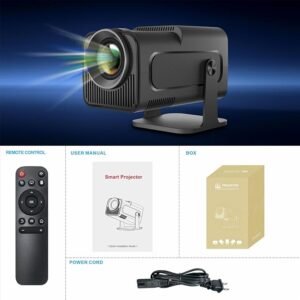
The listing does not give a list of box contents for the havit pj212, so this page does not state what comes in the box. Check the package on delivery against your order, and ask us if anything seems to be missing. Before ordering, check that your power outlet, extension lead and cables match the ports listed above.
Before you buy, list the devices you plan to use, such as a phone, a laptop, a media stick or a console, and check each one against the ports above. For wireless use, check that your device can join a 2.4G or 5G WiFi connection, since the listing names both bands.
If you plan to connect a separate speaker, confirm that the speaker supports Bluetooth before you buy it. Whether a streaming stick works with the havit pj212 is not confirmed by the listing, so ask us before ordering.
Who should buy the havit pj212 in Bangladesh
The havit pj212 suits buyers who want a large picture without a fixed television and who have a clear wall or plain surface. The notes below are guidance on use and fit, not claims beyond the listing.
Families who watch films together in the evening are a natural fit for the havit pj212. A 33 to 200 inch range lets you choose a size that suits the room, and the HDMI and wireless options let you use a phone, a laptop or a media stick.
If the family room is small, measure first and pick a distance and screen size that match the space rather than the largest possible picture. Plan the film night around the lighting, because a projected picture works best when the room is dim.
Students and teachers often need a projector for lessons, study groups or group presentations. The listing says the havit pj212 supports wireless mirroring, and the HDMI and USB ports give you wired options alongside it.
A projector like the havit pj212 can be moved between rooms, which helps when a tutoring room or shared study space is used by several people. Bring your own cables and a spare extension lead, and test the link in the room before the class starts.
Small offices, home businesses and training rooms can use the havit pj212 for client presentations or short internal meetings. Wireless mirroring avoids cable clutter, and Bluetooth output lets you link a speaker for the room.
Test the setup with your own laptop and presentation software before the meeting day, so there are no surprises when the room is full. If the presenter changes, check that the new laptop connects in the same way.
Families hosting a small gathering at home may find a large picture useful for photos and simple videos. Wireless mirroring lets a guest’s phone share content without moving cables, but agree on the setup before the guests arrive.
Gamers and sports fans may want a large screen for console or laptop play. The listing states that the wireless link gives lag-free playback for gaming, and the HDMI ports are one wired option for a console.
For gaming on the havit pj212, check your device’s output settings and cable length before you set up. Remember that a projected picture depends on the light in the room, so a match on a bright afternoon may look different at night.
Renters in a Dhaka flat may prefer the havit pj212 to a wall-mounted screen. The listing gives a projection distance of 1.12 to 6 meters, so measure the room before you order, because a small flat may only allow part of that range.
The havit pj212 is less suited to buyers who need a very bright picture in a sunlit room, or who want a fixed wall installation. Read the brightness and contrast figures in the specification table, and decide whether they match your room before you order.
Alternatives in our store
If you are still comparing the havit pj212 with other models, we carry several projectors that may suit different needs. The HY320 Android Projector is another projector in our range. The TP360 Smart Android Projector is listed separately in our projector range. The HY320 Mini Android Projector is a further option under its own product name. The Hoco DT4 Smart Full Autofocus Projector completes the set of projectors we link here. For the full range, browse all projectors in our store.
Warranty and support
Warranty: 7 Days seller warranty.
Delivery, returns and ordering
We deliver all over Bangladesh and you pay cash on delivery. Delivery usually takes 1–3 days inside Dhaka city and 2–5 days outside Dhaka. You can return the havit pj212 within 7 days of delivery (see our Delivery & Returns policy). Questions before ordering: call 09638054751, message us on Facebook Messenger or email care@gadgetsuperb.com.
When you place an order, keep your phone reachable on delivery day so the courier can confirm the address. Keep your packaging until you are satisfied with the projector, and read the full Delivery & Returns policy before you order.
Because you pay cash on delivery, have payment ready in cash and keep your phone close by so the courier can reach you. Check the delivery window before you plan the first setup.
If you are ordering from outside Dhaka, allow for the 2–5 day window and plan the first setup for the day the parcel arrives. If you need to check a detail of the havit pj212 before ordering, call or message us using the details above, and ask about any point the listing does not give.
Frequently asked questions
Is the havit pj212 a full HD projector?
Yes, according to the listing the havit pj212 has a native 1920*1080P resolution, shown in the specification table as 1080P.
What picture size can the projector make?
The listing gives screen sizes from 33 to 200 inches, with projection distances from 1.12 to 6 meters.
Can I stream to the havit pj212 from my phone?
The listing says the havit pj212 supports 2.4G+5G WiFi screen mirroring from smartphones, tablets and laptops.
Which ports does this projector have?
The listing shows AV, two USB ports, two HDMI ports and a 3.5mm audio jack out.
How long does the LED bulb last?
The listing gives a 40,000-hour LED bulb life for this model.
Does it have a built-in speaker?
Yes, the listing includes a built-in speaker. The spec table shows 4Ω 3W, while the description mentions 5W, so check the listing before you order.
How much does the unit weigh?
The listing gives a weight of 1.35kg and dimensions of 245*205*92mm.
What warranty comes with the havit pj212?
The listed warranty is 7 Days seller warranty. Ask us before ordering about any detail the listing does not give.
Can I return it after delivery?
You can return it within 7 days of delivery, as set out in our Delivery & Returns policy.
How do I order and pay?
We deliver all over Bangladesh and you pay cash on delivery. For questions before ordering, call 09638054751, message us on Facebook Messenger or email care@gadgetsuperb.com.
Does it support widescreen and 4:3 pictures?
Yes, the listing says the projector supports 16:9 and 4:3 aspect ratios.
Does it have Bluetooth?
Yes, the listing says Bluetooth output allows a connection to external speakers.
Related products
-20%
50 in stock
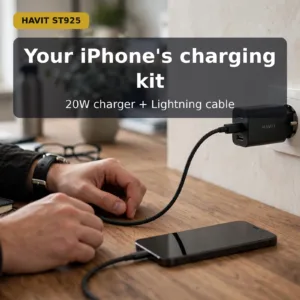
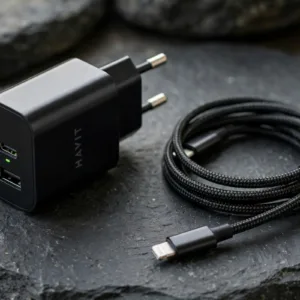
Havit ST925 USB Charger with Data Cable
Original price was: ৳ 1,200.৳ 960Current price is: ৳ 960.-20%
49 in stock
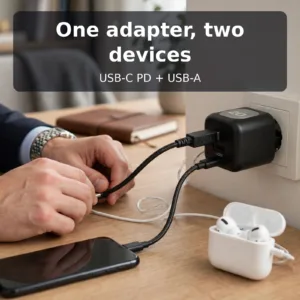
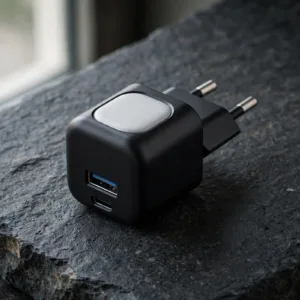
Havit UC220 20W Dual Port Charger Adapter
Original price was: ৳ 1,020.৳ 810Current price is: ৳ 810.-28%
118 in stock

-23%
115 in stock

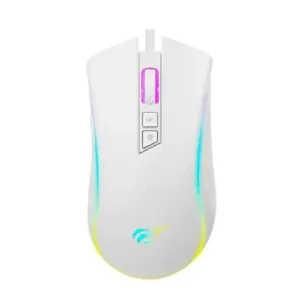
Havit MS1034 RGB Backlit Programmable Gaming Mouse
Original price was: ৳ 1,360.৳ 1,040Current price is: ৳ 1,040.-25%
50 in stock
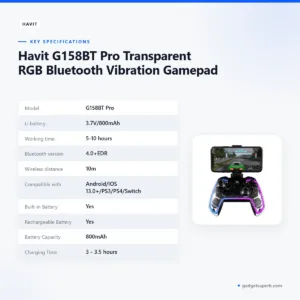

Havit G158BT Pro Transparent RGB Bluetooth Vibration Gamepad
Original price was: ৳ 3,850.৳ 2,850Current price is: ৳ 2,850.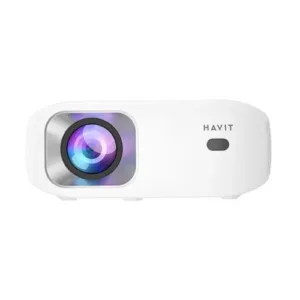 Havit PJ212 270 ANSI FHD Porta...
Original price was: ৳ 27,320.৳ 19,650Current price is: ৳ 19,650.
50 in stock
Reviews
There are no reviews yet.