No products in the cart.

-28%

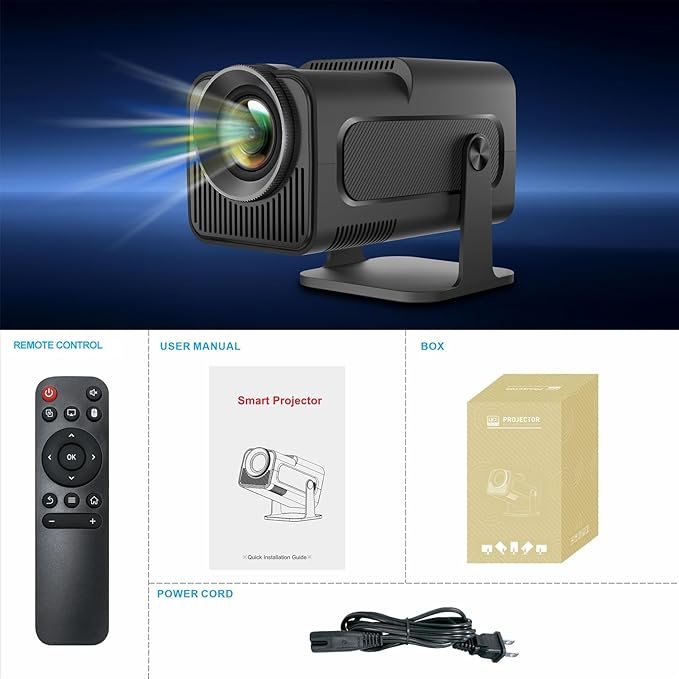


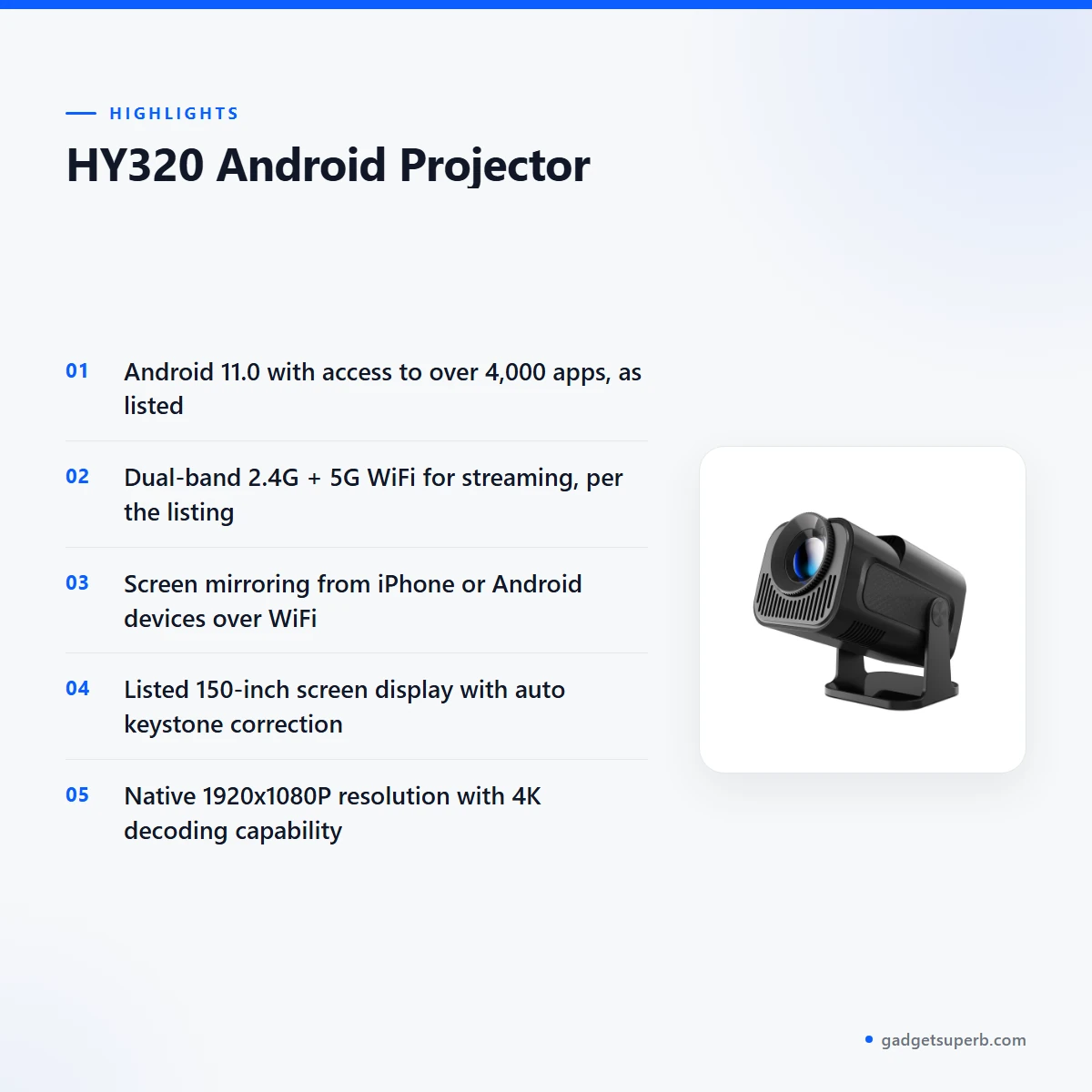


The HY320 projector is an Android projector built for households, students and home workers who want streaming apps and a large picture from one compact unit. According to the listing, it projects a 150-inch screen display, so it suits families and students who want a big picture without a full home cinema setup.
- Overview
- Key features
- Specifications
- How to use and set up
- Compatibility and what is in the box
- Who should buy it in Bangladesh
- Alternatives in our store
- Warranty and support
- Delivery, returns and ordering
- Frequently asked questions
Overview of the HY320 projector
The HY320 projector sits in our Projectors category for buyers who want one device for films, video calls and classroom teaching. The listing describes it as an Android projector running Android 11.0, with access to over 4,000 apps such as Netflix, YouTube and Prime Video. The listing does not cover app accounts, subscriptions or internet speeds, so check those with your own provider before you order.
The brand is not confirmed in our product data, so the model number HY320 is the most useful identifier when you compare this HY320 projector with listings elsewhere. For general background on how these devices work, read the general background on video projectors on Wikipedia. Our description is based only on the listing, so every number and standard below is attributed to it.
An HY320 projector suits people who want one screen for entertainment, study and work. The listing names home theatre, movie nights, gaming sessions, family gatherings, early childhood education, online teaching and video conferences as use cases. Read the sections below to decide whether those match your room, your internet connection and your daily routine.
Choosing a projector in Bangladesh means weighing a few practical factors. Think about the room size, the wall colour and the light in the room. The listing gives brightness in ANSI lumens and a contrast ratio of 1500:1, but it gives no real-room figures. Think about your internet, since the apps need it, and about power, because load-shedding can interrupt viewing. The HY320 projector is easiest to judge against these everyday conditions.
Humidity is a fact of life in many parts of Bangladesh, especially during the monsoon. Store the unit in a dry cupboard when it is not in use, keep the room well ventilated and avoid leaving the projector in a damp corner. These habits are simple to follow and suit most homes, shops and classrooms.
Key features
Dual-band WiFi for streaming
The listing describes ultra-fast wireless with dual-band 2.4G + 5G WiFi and says this gives smooth streaming. The listing does not give speed figures or the range you can expect in a flat with thick walls. Your experience depends on the router, the internet plan and how many devices share the connection at the same time. The HY320 projector therefore relies on your home network for every app you open, so keep it near the router or in the same room as the access point. Before a long film, run a short test with the apps you plan to use and check whether the picture stays steady in the evening.
Android 11.0 and app access
According to the listing, the projector runs on Android 11.0 and gives access to over 4,000 apps, including Netflix, YouTube and Prime Video. Those are the services the listing names, and we do not promise that every app is available in every region or on every account. Once you are on WiFi, open the apps you already use and sign in with your own accounts. Subscriptions and content availability are outside what the listing covers, so check them with each service. The HY320 projector suits households that already use these services on a phone or television and want a bigger screen. Confirm your model before you order if app access is essential for your household.
Screen mirroring from phones
The listing says you can easily connect an iPhone or Android device via WiFi for hassle-free content sharing. For the HY320 projector, mirroring is useful for showing photos, slides, short clips or a video call from a phone to a whole room. It helps when a family wants to share a moment, or when a student needs to show notes on a bigger display. Because the connection runs over WiFi, the result depends on the signal in your home, so place the unit where the phone can see the network clearly. Steps for each phone are not set out in the listing, so follow the maker’s instructions for the first connection and repeat them on each device you plan to use.
A 150-inch picture with auto keystone
The listing describes a large 150-inch screen display with optimal projection distance. It also lists auto keystone correction, which it says adjusts for a perfectly square image every time. That matters in real rooms, where a projector is rarely placed dead centre in front of the wall. The listing also refers to remote-controlled image correction and manual focus, so you can fine-tune the picture after placement. Measure your wall and the distance to it before you buy the HY320 projector, because the listing names an optimal distance but gives no full distance table. The listed throw ratio is 1.37, which you can use as a starting point when you plan the layout.
Portable design and a 180-degree angle
The listing gives a 180° projection angle for flexible setup, so the HY320 projector can work on a shelf, a table or a stand in many rooms. It is described as a compact design that is portable and lightweight, perfect for outdoor use and travel. For Bangladeshi buyers, that means the same unit can move from a bedroom to a roof terrace for a family evening, provided you have a safe place to put it. The listing does not describe battery operation, so during load-shedding check your power options before you rely on the unit outdoors. Keep it away from damp walls and humid corners. If you carry it on a commute or a trip, use a bag that keeps dust off the lens.
Ports, speaker and noise level
The listing gives one USB port, one HDMI port and one audio port, and it names a built-in 5W Hi-Fi speaker. It also states a noise level of under 25 dB for quiet operation. That combination suits a shared living room, a study corner or an early morning session. The listing does not explain how each port is used, so read the maker’s instructions before you connect any external device. If you plan to use a separate sound system with the HY320 projector, confirm the connection in your own setup first.
Specifications
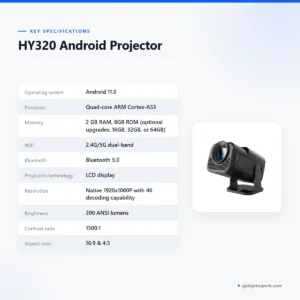
The table below lists the HY320 projector specifications exactly as the product listing gives them. We have kept each figure in its listed form, without conversion or added values, so you can check the numbers against the maker’s wording. Where the listing does not state a value, this page does not state one either.
| Operating system | Android 11.0 |
| Processor | Quad-core ARM Cortex-A53 |
| Memory | 2 GB RAM, 8GB ROM (optional upgrades: 16GB, 32GB, or 64GB) |
| WiFi | 2.4G/5G dual-band |
| Bluetooth | Bluetooth 5.0 |
| Projection technology | LCD display |
| Resolution | Native 1920x1080P with 4K decoding capability |
| Brightness | 390 ANSI lumens |
| Contrast ratio | 1500:1 |
| Aspect ratio | 16:9 & 4:3 |
| Throw ratio | 1.37 |
| Speaker | Built-in 5W Hi-Fi speaker |
| Noise level | <25 dB for quiet operation |
| Lamp life | Up to 50,000 hours |
These are listed specifications from the product listing.
How to use and set up
Setting up the HY320 projector is simple if you follow the maker’s instructions for the first start-up. Choose a flat, stable surface and a spot where the picture can fall on a plain wall or screen. The listing names an optimal projection distance and a throw ratio of 1.37, so measure the wall width and the distance before you move the unit into place.
Connect the power and, if the maker’s instructions ask for it, charge fully before first use. Then join your home WiFi network. The listing does not describe the on-screen steps, so follow the maker’s instructions at this stage and keep them somewhere safe for later reference.
Pick a time of day when the room is quiet and the lights can be dimmed. Turn on the unit, then check the picture from the seating position you use most. Keep a short list of your favourite apps near the screen so you can open them quickly during your first session.
For the picture, use the remote-controlled image correction and manual focus that the listing describes. Make small adjustments once the picture is steady on the wall, and recheck the focus after you move the unit. Once the layout suits you, mark the spot on the floor or table so you can return to the same arrangement next time.
Care matters in Bangladesh, where humidity can stay high for much of the year. Keep the unit in a dry place, keep the lens clean and dry following the maker’s instructions, and avoid placing it near open windows during heavy rain. Allow air to move around the unit during long sessions rather than running it in a closed, warm cabinet.
When you store the HY320 projector, wrap it in a soft, dry cloth and place it in a cupboard away from damp walls. During the monsoon, check the storage space every few weeks and air it out on dry days. A small packet of desiccant in the cupboard can help, but keep it away from the unit itself.
Load-shedding is common in some areas, so keep a torch within reach and plan your viewing around power cuts where you can. If the power returns while you are in the middle of a session, wait for the unit to settle before you move it, and then check the focus again.
Noise is listed as under 25 dB for quiet operation, which suits shared rooms, study time and early mornings. The built-in 5W Hi-Fi speaker is listed for everyday viewing. The listing also shows an audio interface, but it does not explain how it is used, so check the maker’s instructions before you connect external sound.
A simple routine helps too. Use the same wall and the same seating position for each session, note the distance that gave you the best picture and write it down. That habit makes it easier to set up the HY320 projector again later.
Compatibility and what is in the box
The listing confirms the following connections for the HY320 projector: dual-band 2.4G/5G WiFi, Bluetooth 5.0, one USB port, one HDMI port and one audio port. It also states that you can connect an iPhone or Android device over WiFi for screen mirroring.
The listing does not confirm the contents of the package, so this page does not list them. Before you order, ask our team which items come with the unit if that matters for your plans.
Not confirmed by the listing: compatibility with specific phone models, with particular laptops or television sources through HDMI, and with any individual Bluetooth accessory. Check your own device settings and the maker’s instructions before you rely on any of these connections.
Check the model number HY320 against the product you are buying, especially when you compare it with a listing from another seller. Matching the model number helps you avoid confusion when you read reviews or specifications. Some sellers use similar names for different units, so the model number is the safest reference for the HY320 projector.
Bluetooth 5.0 is listed as a connection option. The listing does not describe which devices pair with it, so test the pairing with your own accessory after delivery. The listing lists one USB port, one HDMI port and one audio port, and does not describe the use of each port in detail.
If you are unsure whether the HY320 projector will work with your phone, laptop or set-top box, send us the device name and model before you order. We can then point you to the right listing details, without guessing at compatibility.
Who should buy it in Bangladesh
A family in a Dhaka flat who wants streaming on a large wall can use the HY320 projector in a living room after work. The listing names Netflix, YouTube and Prime Video among the apps, so the evening routine can stay on one screen.
Students and teachers may find the unit useful for early childhood education and online teaching, as the listing names both uses. A small group can gather around a wall, and the picture is shared from a phone connected by WiFi.
Remote workers and small offices can use the HY320 projector for video conferences, since the listing describes a larger, clearer display for virtual meetings. Check your own internet connection first, because video calls depend on it and the listing gives no bandwidth figures.
Families who host gatherings can make use of the listed family gatherings and movie night use cases. Load-shedding can cut power during an event, so if you plan to use the unit outdoors, check your power options before the evening.
Gamers should read the listing carefully. It names gaming sessions as a use case, but it gives no input lag or frame rate figures, so the listing cannot tell you how the HY320 projector responds in fast games.
A renter who moves often may value a portable unit with a 180° projection angle, since the listing describes flexible setup for many spaces. Keep the wall and the seating layout in mind before you commit, and measure the distance in each new flat.
A parent who wants a shared screen for children’s learning may find a unit with a listed noise level under 25 dB easier to use during study time. Read the listed figures, then check the picture size against the room before you decide.
Look elsewhere if you need a fixed installation, an app that the listing does not name, or precise brightness for a bright room. The listing gives brightness in ANSI lumens, but it does not describe the picture in daylight.
For buyers who want a simple, portable unit with Android apps and screen mirroring, the HY320 projector is worth a closer look before you compare it with other units in our range.
Alternatives in our store
If the HY320 projector does not fit your plans, compare these options from our range. The TP360 Smart Android Projector is another projector in our range. The HY320 Mini Android Projector is another projector in our range. The Hoco DT4 Smart Full Autofocus Projector is another projector in our range. The Havit PJ212 270 ANSI FHD Portable Projector is another projector in our range. For the full selection, browse our Projectors category.
Warranty and support
Warranty: 7 Days seller warranty.
Delivery, returns and ordering
We deliver all over Bangladesh and you pay cash on delivery. Delivery usually takes 1–3 days inside Dhaka city and 2–5 days outside Dhaka.
You can return it within 7 days of delivery (see our Delivery & Returns policy). Read the full terms on that page before you place your order, so you know the steps to follow.
Questions before ordering: call 09638054751, message us on Facebook Messenger or email care@gadgetsuperb.com. Our policy page is at https://gadgetsuperb.com/delivery-returns/ and sets out the same terms in full.
If you are ordering the HY320 projector from Dhaka, the usual window is 1–3 days. For other districts outside Dhaka, plan for 2–5 days. Before you place an order, check your delivery address and keep a working phone number ready, so the courier can reach you within the usual window.
When you ask a question about the HY320 projector, mention the model number HY320 so our team can confirm details with you quickly. Keep a note of your order details and the date of delivery, since the 7-day return window starts from delivery.
Frequently asked questions
What is the HY320 projector?
The HY320 projector is an Android projector that the listing describes as running Android 11.0, with access to over 4,000 apps. The listing names Netflix, YouTube and Prime Video among those apps.
Can the HY320 projector connect to my phone?
Yes, according to the listing the unit can connect an iPhone or Android device over WiFi for screen mirroring. Follow the maker’s instructions for the first connection.
Does the unit support dual-band WiFi?
Yes, the listing gives 2.4G and 5G dual-band WiFi. Your streaming quality also depends on your home network and internet plan.
How large a picture does the HY320 projector project?
The listing describes a large 150-inch screen display, with optimal projection distance. Measure your wall before you order, because the listing does not give a full distance table.
What resolution does the HY320 projector list?
The listing gives a native resolution of 1920x1080P and says the unit has 4K decoding capability. These are listed figures, so check them against your own needs.
Can I use the HY320 projector outdoors?
The listing describes the unit as portable and lightweight, perfect for outdoor use and travel. During load-shedding, check your power options before you rely on it outdoors.
Is the HY320 projector covered by warranty?
Warranty: 7 Days seller warranty. Ask us about the warranty terms before you order.
Can I pay cash on delivery for the HY320 projector?
Yes, we deliver all over Bangladesh and you pay cash on delivery.
How long does delivery take in Bangladesh?
Delivery usually takes 1–3 days inside Dhaka city and 2–5 days outside Dhaka. We deliver all over Bangladesh.
Can I return the HY320 projector?
You can return it within 7 days of delivery. Read our Delivery and Returns policy for the steps.
Does the HY320 projector have Bluetooth?
Yes, the listing gives Bluetooth 5.0. The listing does not describe which accessories pair with it.
Does the HY320 projector have a built-in speaker?
Yes, the listing names a built-in 5W Hi-Fi speaker and a noise level of under 25 dB for quiet operation.
Related products
-28%
40 in stock
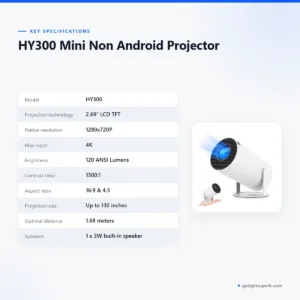
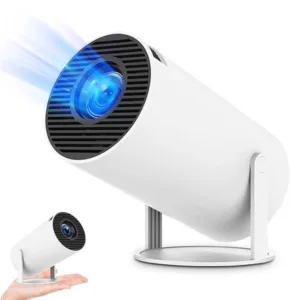
HY300 Mini Non Android Projector
Original price was: ৳ 6,550.৳ 4,710Current price is: ৳ 4,710.-28%
50 in stock

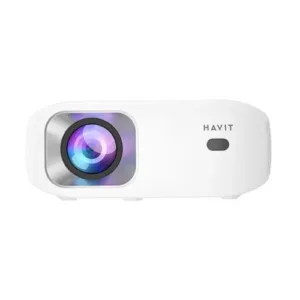
Havit PJ212 270 ANSI FHD Portable Projector
Original price was: ৳ 27,320.৳ 19,650Current price is: ৳ 19,650.-28%
50 in stock

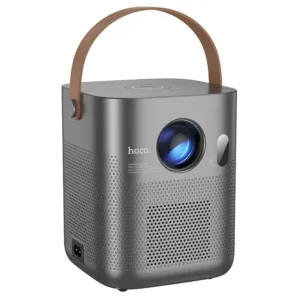
Hoco DT4 Smart Full Autofocus Projector
Original price was: ৳ 21,930.৳ 15,770Current price is: ৳ 15,770.-28%
100 in stock
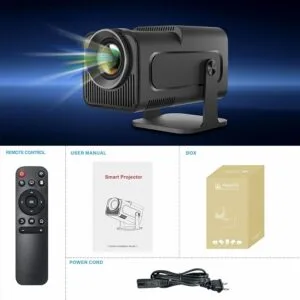
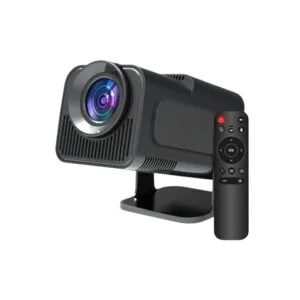
HY320 Mini Android Projector
Original price was: ৳ 8,030.৳ 5,770Current price is: ৳ 5,770.-28%
64 in stock
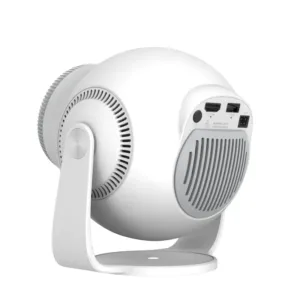
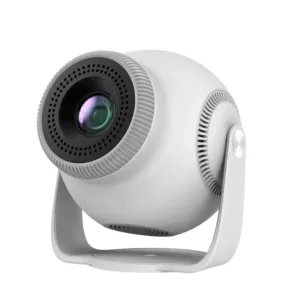
TP360 Smart Android Projector
Original price was: ৳ 13,910.৳ 10,000Current price is: ৳ 10,000. HY320 Android Projector
Original price was: ৳ 10,870.৳ 7,820Current price is: ৳ 7,820.
118 in stock
Reviews
There are no reviews yet.