No products in the cart.

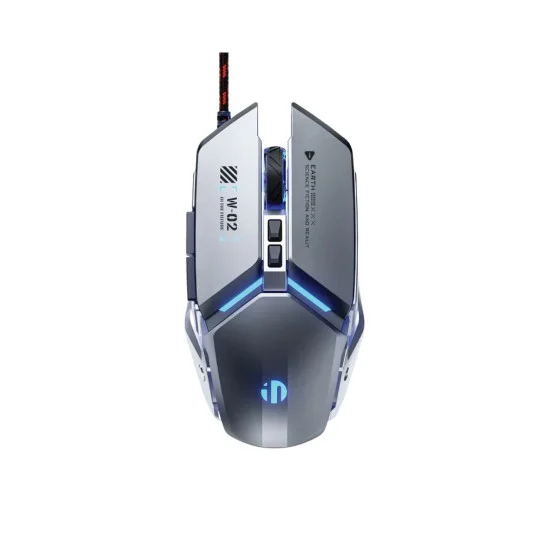



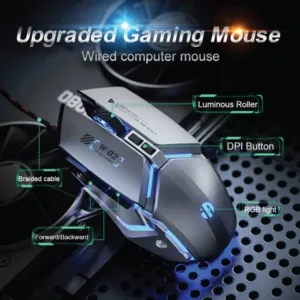


The Inphic W2 Mouse is a wired gaming mouse for players and office users who want a metal-clad design with silent primary clicks. The maker lists it as the Inphic W2 Ⅱ Silent Wired Gaming Mouse, with a gaming chip rated up to 12800 DPI and a 1000Hz polling rate.
- Overview
- Key features
- Specifications
- How to use / set up
- Compatibility and what is in the box
- Who should buy it in Bangladesh
- Alternatives in our store
- Warranty and support
- Delivery, returns and ordering
- Frequently asked questions
Inphic W2 Mouse overview
The Inphic W2 Mouse sits in our Keyboards and Mouse range for computer users in Bangladesh who want a wired mouse with a solid metal look. According to the listing, the exterior has a “metal mechanical” design with an electroplated finish, and the body is built on an aluminum base for enhanced stability and smooth gliding. The maker presents it as a gaming mouse, but it also highlights silent primary buttons, so the Inphic W2 Mouse can suit a late-night gaming session or a quiet home or office desk.
Wired mice remain a practical choice for many buyers in Dhaka and other cities, and the listing describes the Inphic W2 Mouse as Wired USB with Plug and Play connectivity. That wording points to a simple desk setup, although the listing does not give step-by-step instructions. Load-shedding is common in many areas, so it is reasonable to ask what keeps working during a power cut. The listing does not say how the mouse behaves in that situation, so ask us before ordering if this matters to you.
The listing names three kinds of buyer: late-night gamers who need silent buttons, mecha and tech enthusiasts who like a metallic desktop look, and competitive FPS and MOBA players who want a high polling rate and macro customisation. Heavy mouse fans who dislike lightweight plastic mice are also part of the target group named by the maker. Each group is covered in the buying section below, where we explain how to decide whether the Inphic W2 Mouse fits your desk.
Humidity is another everyday factor in Bangladesh, where many desks sit in warm, damp rooms. Store the mouse on a dry surface when you are not using it, keep the cable clear of pets and children, and wipe the body with a soft cloth. These habits help any mouse last longer, and they are a sensible start for the Inphic W2 Mouse as well.
Key features
Each feature below is described according to the maker’s listing for the Inphic W2 Mouse, so the figures are the maker’s own claims.
Silent Mechanical Click
According to the listing, the primary left and right buttons are muted for a 90% noise reduction while keeping a tactile mechanical feel. That combination matters most in shared rooms, such as a dorm or a flat where other people sleep nearby. For the Inphic W2 Mouse, the silent click is the headline feature. The specifications list the switch life as 5 Million Clicks for the silent switches. The listing does not give a decibel figure, so the 90% number is the maker’s own claim. If sound is your deciding factor, ask us before you order.
Pro-Gaming Sensor
The listing describes a pro-gaming sensor with adjustable DPI settings from 1000 to 12800. The specifications list the steps as 1000, 1600, 3200, 6400, 9600 and 12800. For the Inphic W2 Mouse, that range gives you a choice between slower, more controlled movement and faster, wider movement, depending on the game and the screen you use. The listing says the range is designed for seamless precision across different game genres, and it links the top setting with 4K monitors and high-resolution gaming setups. Start with a middle setting and adjust from there, because a higher number is not automatically better for every player or every desk.
Ultra-Fast Polling Rate
The Inphic W2 Mouse lists its polling rate as up to 1000Hz. The listing also gives a 1ms response time and says this ensures minimal input lag for competitive play. Those are the maker’s figures, and the listing does not provide an independent measurement. Polling rate is one of the figures competitive players tend to compare when they look at wired mice, which is why the listing puts it near the top. Casual players may simply prefer the way the mouse feels in the hand, and that is a reasonable way to choose. Treat the rate as a listed value and a starting point for your own comparison, not a promise of results in any particular game.
Rugged Metal Construction
The listing describes an aluminum alloy base plate for a premium weight and long-lasting wear resistance. It gives the weight as about 140g and calls the design heavy-weight. The weighted metal base is presented as a way to stop the mouse from lifting or sliding during fast, high-speed movements. The Inphic W2 Mouse also has a 1.5m braided cable with a magnetic ring, which the listing says helps prevent interference and ensures signal stability. The exterior has an electroplated finish, as listed. Heavy mouse fans may like this solid feel, while buyers who prefer a very light mouse should check the weight figure before ordering.
Six Programmable Buttons
The Inphic W2 Mouse has six programmable buttons, which the listing describes as fully customisable through the Windows driver. The maker lists this for macros and personalised shortcut commands. The listing also notes that macros and side buttons are not supported on Mac, so Mac users should read that line carefully before ordering. The exact driver steps are not described on this page, so follow the maker’s instructions when you set them up. Keep a simple written note of any shortcuts you assign, so you can restore them after a change of computer or a reinstall.
Thumb Support Ergonomics
According to the listing, the mouse has a dedicated thumb rest and a streamlined shape designed to prevent hand fatigue during long sessions. Thumb support is one of the features the maker highlights for the Inphic W2 Mouse, so it is worth checking how the shape suits your grip. The listing does not describe grip sizes or hand fit, so buyers with very small or very large hands should compare the dimensions in the specifications table. The listed dimensions are 120 x 77 x 41 mm. The same body carries Dynamic RGB Lighting, which the listing describes as four-colour breathing LED modes that cycle through vibrant colours.
Specifications
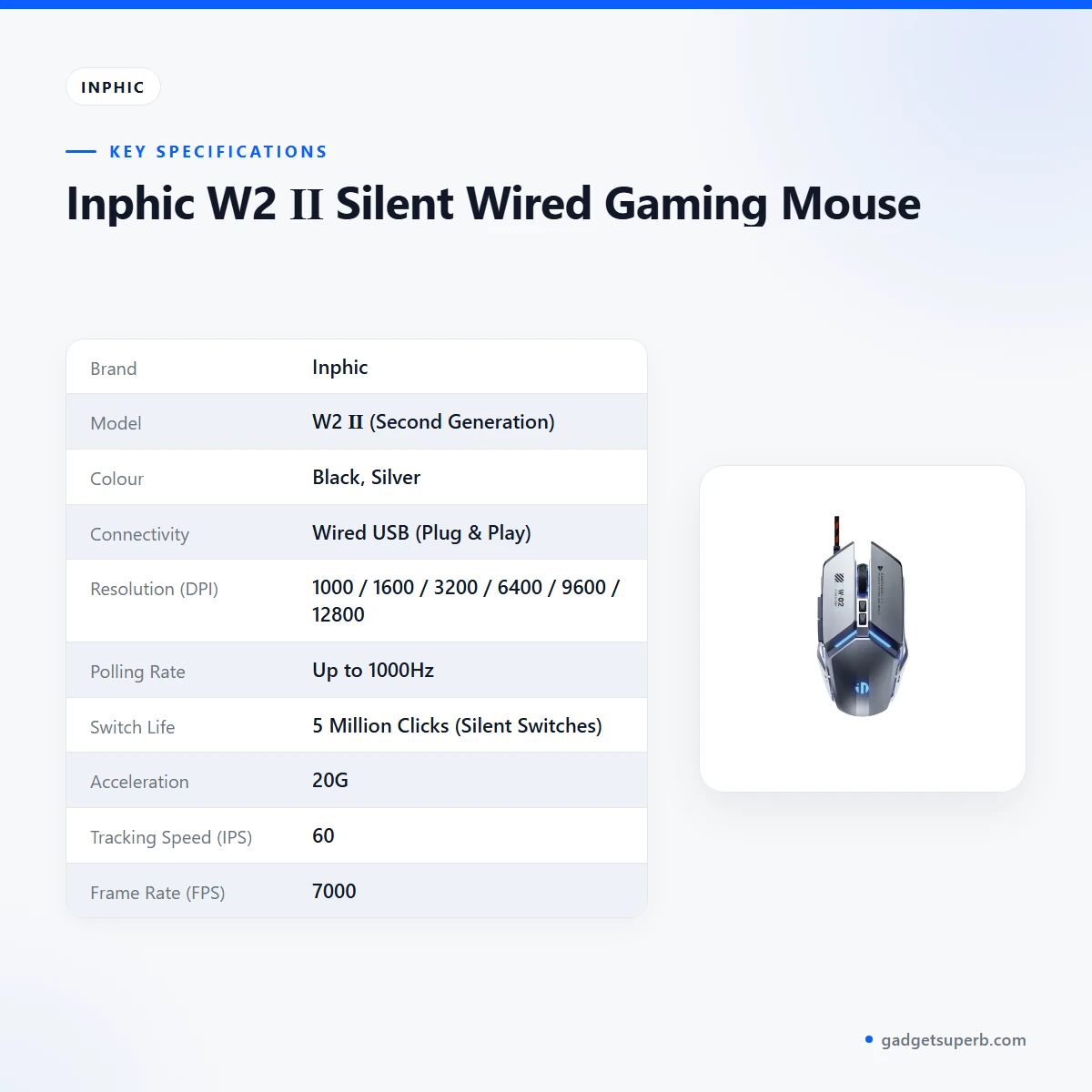
The table below repeats the specification fields for the Inphic W2 Mouse as the listing gives them, with values kept as the maker wrote them.
| Brand | Inphic |
| Model | W2 Ⅱ (Second Generation) |
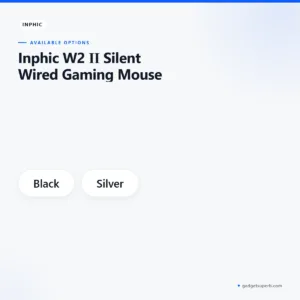
| Colour | Black, Silver |
| Connectivity | Wired USB (Plug & Play) |
| Resolution (DPI) | 1000 / 1600 / 3200 / 6400 / 9600 / 12800 |
| Polling Rate | Up to 1000Hz |
| Switch Life | 5 Million Clicks (Silent Switches) |
| Acceleration | 20G |
| Tracking Speed (IPS) | 60 |
| Frame Rate (FPS) | 7000 |
| Dimensions | 120 x 77 x 41 mm |
| Weight | ~140g (Heavy-weight design) |
| System Support | Windows XP/7/8/10/11, macOS (Note: Macros/Side buttons not supported on Mac) |
These are listed specifications from the product listing.
To read the table, the DPI row shows the steps the listing gives, the polling row shows up to 1000Hz, and the system row carries the Mac note in full.
How to use / set up
Setting up the Inphic W2 Mouse should be straightforward, because the listing describes it as Plug and Play over wired USB. Connect the cable to a free USB port on your computer, then follow the maker’s instructions for any driver installation. Keep the port and cable in good condition, and avoid pulling on the cable when you unplug it.
Before you start, clear a little desk space for the mouse and make sure the braided cable can lie loose without being bent sharply. The listing describes the cable as durable, but any cable can be damaged by a sharp bend, so route it along the back of the desk where it will not be pinched. A tidy cable path also makes the mouse easier to move during long sessions.
If you want to program the six buttons or change the DPI steps, the listing says the buttons are customisable through the Windows driver. Once the Inphic W2 Mouse is connected, the driver is where those button settings are made, according to the listing. The listing does not include a download link, so this page does not give one. Follow the maker’s instructions for the driver you obtain.
Caring for your Inphic W2 Mouse is simple. Keep liquids away from the desk, wipe the body and base with a soft, dry cloth, and store the mouse on a flat surface when you are not using it.
The listing describes smooth gliding from the aluminum base, but it does not name a particular mousepad. A clean, flat mousepad is a sensible choice for any mouse, including the Inphic W2 Mouse. Choose a surface that suits your sensor and your desk, and check the glide for yourself before you settle on one.
For general background on input devices and how they developed, see background reading on computer keyboards. That page is independent of the listing and is included only for context.
Compatibility and what is in the box
The listing confirms these systems: Windows XP, 7, 8, 10 and 11, and macOS. It also notes that macros and side buttons are not supported on Mac. Users on other operating systems should check compatibility before ordering, because the listing does not name them.
The listing does not confirm the contents of the package, so this page does not describe them. Ask us before ordering if you need to know exactly what comes with the Inphic W2 Mouse.
According to the listing, the cable is a 1.5m braided cable with a magnetic ring that helps prevent interference and ensure signal stability. The listing also gives the colour options as Black and Silver. These are the only accessory details the listing provides.
Compatibility with specific keyboards, adapters, laptops or docking stations is not confirmed by the listing. If your setup is unusual, confirm your model before you order, and ask our team whether the Inphic W2 Mouse suits your computer.
Mac users should note the listed limitation carefully. Macros and side buttons are not supported on Mac, according to the listing, so a Mac setup may use the mouse without those features.
Who should buy it in Bangladesh
Buyers in Bangladesh use a mouse in very different ways, from a Dhaka flat shared with family to a home office with long working hours. The scenarios below draw only on the features the listing gives for the Inphic W2 Mouse, and none of them is a guarantee of performance.
Late-night gamers. If you play after everyone has gone to bed, silent primary buttons may be the feature that matters most. The listing says the buttons are muted for a 90% noise reduction. The Inphic W2 Mouse suits this use if the sound and the switch feel work for you, so check those points before deciding.
Students and shared-room users. In a hostel, a shared flat or a dorm room, quiet clicks help everyone sleep. The listing describes the mouse as perfect for dorm rooms or shared apartments. Pair it with the keyboard you already own, and check the connection type before ordering.
Competitive FPS and MOBA players. The listing highlights the 1000Hz polling rate and macro customisation through the Windows driver. If your games rely on those features, the Inphic W2 Mouse deserves a close look. No listing can promise results in a match, so treat the figures as the maker’s claims.
Heavy mouse fans and desk builders. If you dislike lightweight plastic mice, the metal-clad body and the listed weight of about 140g may feel right. Mecha and tech enthusiasts who want a metallic, industrial or futuristic desktop look will also find the design fits the brief. The Inphic W2 Mouse suits this group if the design fits the brief, so measure your desk before ordering.
Office users who want quiet clicks. Silent primary buttons are also useful in an office or a shared study room. Quiet productivity is a listed benefit of the Inphic W2 Mouse. The listing describes quiet clicks as useful where clicking sounds can be annoying to others.
Who may want something else. If you prefer a very light mouse, or you do not need programmable buttons, another wired mouse in our range may suit you better. Compare the listing details carefully before you choose, and ask us if you are unsure about this mouse.
Before you buy, ask yourself three questions: how often you play or work at night, whether you use macros, and whether you want a heavier feel. If the answers point to silence, programmable buttons and substance, the Inphic W2 Mouse matches those needs on paper. If not, look at the other options below.
Alternatives in our store
If the Inphic W2 Mouse is not the right fit, these options from our range are worth comparing. For another gaming mouse in our range, see Havit MS1034 RGB Backlit Programmable Gaming Mouse. For a second gaming mouse in our range, see Havit MS1027 Cool RGB LED Gaming Optical Mouse. For a wired mouse in our range, see A4TECH OP-720 Optical USB Wired Mouse. For a keyboard, mouse and mousepad set in our range, see Fantech P31 Keyboard, Mouse & Mousepad Combo. To see every option in this range, browse the Keyboards & Mouse category.
Warranty and support
Warranty: 7 Days seller warranty.
Delivery, returns and ordering
When you order the Inphic W2 Mouse, we deliver all over Bangladesh and you pay cash on delivery. Delivery usually takes 1–3 days inside Dhaka city and 2–5 days outside Dhaka. You can return it within 7 days of delivery, as set out in our Delivery & Returns policy.
Questions before ordering: call 09638054751, message us on Facebook Messenger or email care@gadgetsuperb.com. If you are unsure whether the Inphic W2 Mouse suits your computer, ask before you order.
Read the full terms on our Delivery & Returns policy page before you place an order.
Frequently asked questions
Is the Inphic W2 Mouse a wired mouse?
Yes. The listing describes it as Wired USB with Plug and Play connectivity and a 1.5m braided cable.
What DPI range does the Inphic W2 Mouse support?
According to the listing, DPI is adjustable from 1000 to 12800, with listed steps of 1000, 1600, 3200, 6400, 9600 and 12800.
Does the Inphic W2 Mouse have silent buttons?
Yes, according to the listing, the primary left and right buttons are muted for a 90% noise reduction. The listing also gives 5 Million Clicks for the silent switches.
Does the Inphic W2 Mouse work on a Mac?
The listing names macOS as a supported system, but notes that macros and side buttons are not supported on Mac.
Can you program the buttons on the Inphic W2 Mouse?
The listing says there are six programmable buttons, customisable through the Windows driver for macros and shortcut commands.
What polling rate does the Inphic W2 Mouse list?
The listing gives up to 1000Hz and a 1ms response time, which are the maker’s figures rather than independent measurements.
How heavy is the Inphic W2 Mouse?
The listing gives the weight as about 140g and describes a heavy-weight design with an aluminum base plate.
Can I return the Inphic W2 Mouse?
Yes, you can return it within 7 days of delivery, as set out in our Delivery & Returns policy.
Do you deliver outside Dhaka?
Yes. We deliver all over Bangladesh and you pay cash on delivery, with delivery usually taking 2–5 days outside Dhaka.
Is the Inphic W2 Mouse suitable for a shared room?
The listing describes silent primary clicks as suitable for dorm rooms and shared apartments, so the mouse may fit that setting.
Who can I contact with questions before I order?
Call 09638054751, message us on Facebook Messenger or email care@gadgetsuperb.com before you order.
Related products
-23%
100 in stock
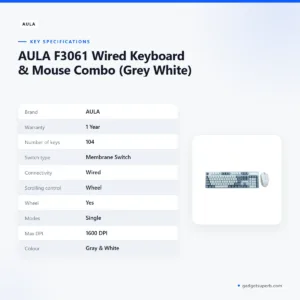
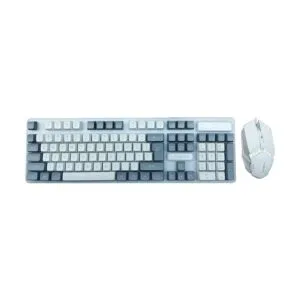
AULA F3061 Wired Keyboard & Mouse Combo (Grey White)
Original price was: ৳ 1,300.৳ 1,000Current price is: ৳ 1,000.-26%
50 in stock
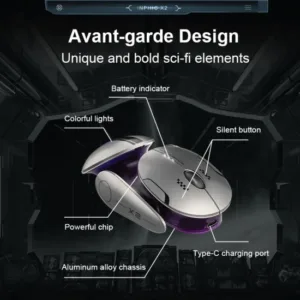
Inphic X2 Tri-Mode Wireless Mouse
Original price was: ৳ 2,870.৳ 2,120Current price is: ৳ 2,120.-23%
50 in stock

Inphic DR01 Tri-Mode Wireless Mouse
Original price was: ৳ 1,540.৳ 1,180Current price is: ৳ 1,180.-20%
50 in stock


Inphic M8P 2.4G Silent Wireless Mouse
Original price was: ৳ 1,190.৳ 950Current price is: ৳ 950.-20%
50 in stock


Inphic F1 2.4G Rechargeable Wireless Mouse
Original price was: ৳ 1,120.৳ 890Current price is: ৳ 890.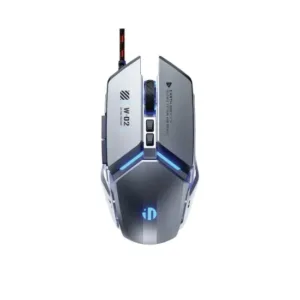 Inphic W2 Ⅱ Silent Wired Gamin...
 ৳ 1,300
Reviews
There are no reviews yet.