No products in the cart.

-20%


The Inphic F1 wireless mouse is a 2.4G rechargeable mouse that Inphic describes as a blend of ergonomic comfort and silent efficiency. It is listed for office workers, students and home users who want a quieter click and a mouse that charges over USB. This page covers the listed features, specifications, setup notes, buyer scenarios and delivery details.
- Overview
- Key features
- Specifications
- How to use / set up
- Compatibility and what is in the box
- Who should buy it in Bangladesh
- Alternatives in our store
- Warranty and support
- Delivery, returns and ordering
- Frequently asked questions
Inphic F1 wireless mouse overview
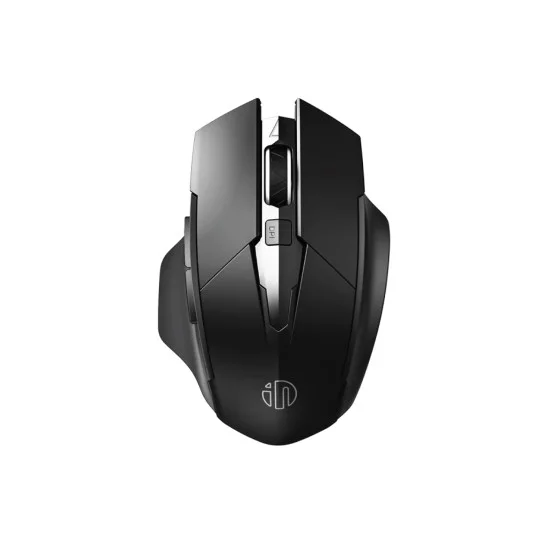
The Inphic F1 wireless mouse, according to the listing, features a widened palm rest and a skin-friendly matte finish. The listing says these details reduce hand fatigue during long hours of work, which is why the maker positions the mouse for professionals. The emphasis on ergonomic comfort runs through the whole product description, so it is the first thing to weigh when you compare options.
The maker’s listing also puts silence at the centre of the pitch. Inphic’s Silent Click technology is listed as reducing click noise by up to 90%, which matters in a shared flat, a library reading room or an office where colleagues are on calls. The listing presents that quiet operation as a core benefit rather than a side feature.
Power is the other main theme. The listing describes a built-in 500mAh rechargeable battery and a 3-level power indicator, so you can see how much charge is left before the mouse runs out. Load-shedding is a regular part of life in many parts of Bangladesh, and a mouse that recharges over USB from a laptop or a charger gives you a simple plan for keeping it ready.
Humidity during the monsoon months and dust on busy desks are common issues in Bangladesh. Any mouse can collect grime over time, so keep the desk clear and the surface dry. The matte finish mentioned in the listing is one feature to consider, and the care notes later on this page explain how to keep the Inphic F1 wireless mouse clean.
When you shortlist mice for work or study, start with the listed facts. Look at the connection type, the battery and charging details, the number of buttons, and the size and weight. Then decide which features matter for the way you use a computer each day. A clear list makes it easier to compare options without relying on guesswork.
Key features
The features below come from the product listing, so you can see what the mouse is designed to do before you order.
Silent Click primary buttons
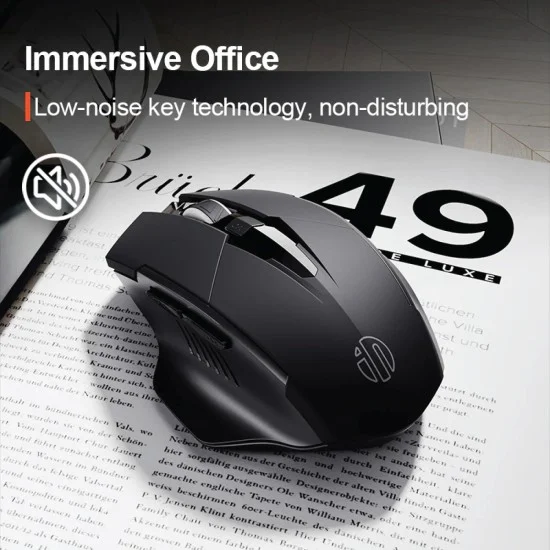
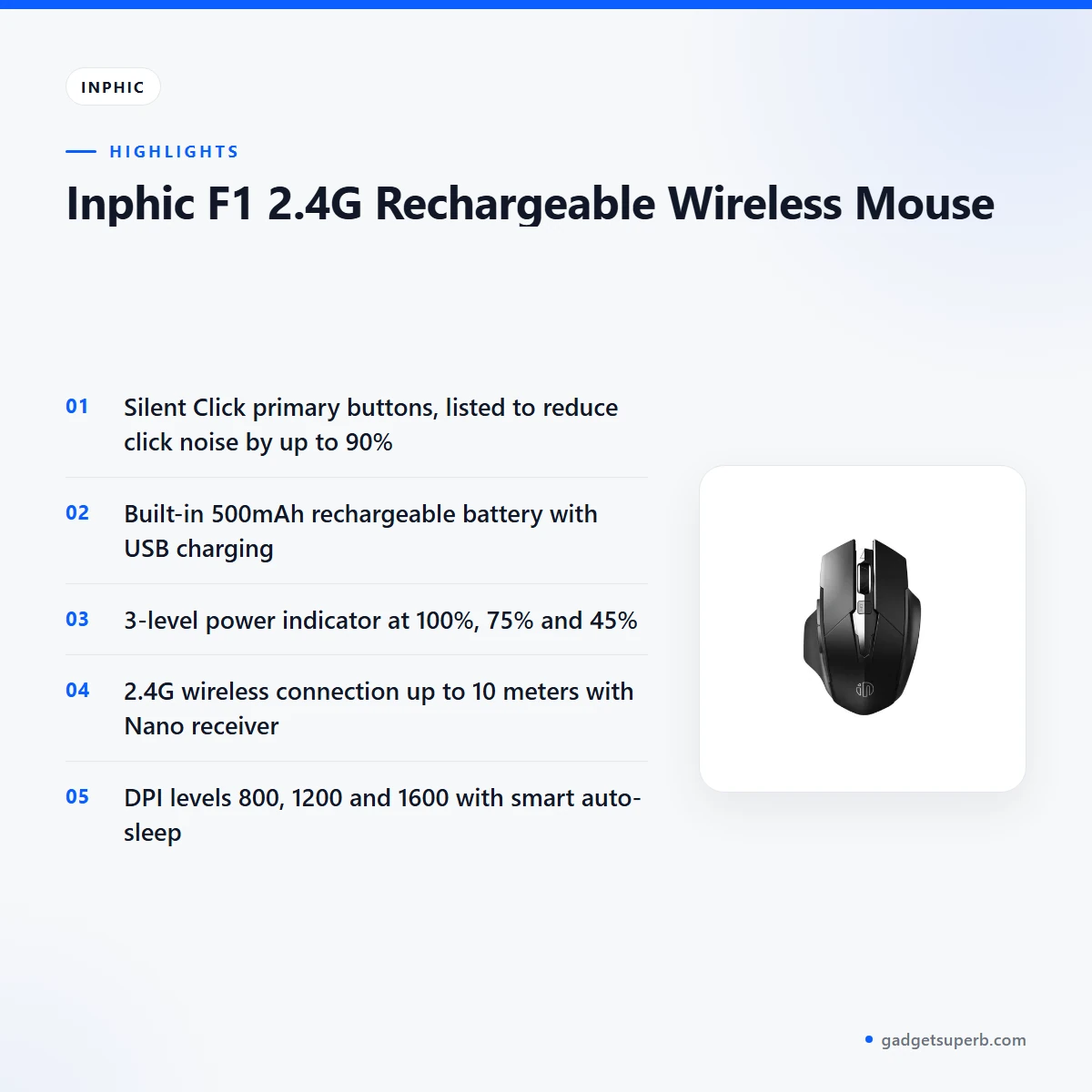
The listing describes Silent Click primary buttons that reduce click noise by up to 90%. According to the maker, this suits quiet public spaces and late-night work, where a loud mouse is most noticeable. In a flat shared with family, or an office where colleagues take calls all day, a quieter click means fewer interruptions. The Inphic F1 wireless mouse is aimed at people who want to work without drawing attention to every click. The listing does not give a decibel figure, so the 90% number should be read as the maker’s own claim.
Built-in rechargeable battery
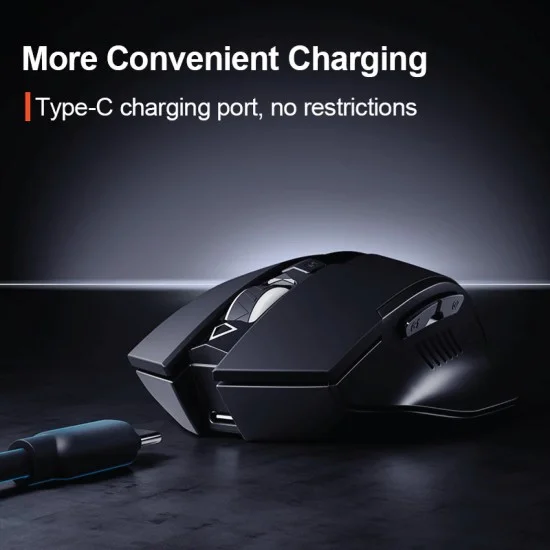
The listing states a built-in 500mAh lithium battery that provides weeks of use on a single charge and recharges via USB. For many users the practical benefit is simple: there are no AA or AAA cells to buy and throw away. The listing describes this as eco-friendly and economical. The Inphic F1 wireless mouse suits people who would rather charge a mouse than keep replacing batteries. Charge the mouse fully before first use, then top up when the power indicator shows the charge is getting low. The weeks-of-use figure is the maker’s own estimate and depends on how much you use the mouse each day.
3-level power indicator
According to the listing, LED lights on the top of the mouse show remaining battery life at 100%, 75% and 45%. The maker presents this as an answer to a problem it describes as common with wireless mice, where the charge is unclear until the device starts to fail. Being able to check the level before a meeting, an exam or a long design session is a simple benefit. The listing describes the lights by function only, so this page does not add details about their appearance. Check the level before a long session, and plug in the cable when the charge is lower than the day needs. The Inphic F1 wireless mouse makes that check part of your routine.
2.4G wireless connection
The listing describes a 2.4GHz wireless connection through a USB Nano receiver, and says the link is stable and lag-free up to 10 meters. The maker calls the receiver plug-and-play, so setup is intended to be a matter of inserting it into a free USB port. For desk use within the listed range, the Inphic F1 wireless mouse removes a cable that can catch on a keyboard, a cup or a stack of papers. Keep the receiver in a port that is easy to reach, so you can plug it in without moving your desk setup. If you carry a laptop, decide whether the receiver stays in the port or travels with the mouse.
Ergonomic thumb rest
The listing describes a wide side-wing design that supports the thumb and prevents friction against the mousepad. For people who rest the hand on a mouse for hours, reducing friction at the thumb is a practical comfort point. The maker also describes the ergonomic shape as encouraging a more natural hand position. The listing gives no measurements or test details for that claim, so treat it as the maker’s description rather than a proven result. If you try the Inphic F1 wireless mouse on a hard desk or a cloth pad, check that your grip feels relaxed during the first hour of use.
Adjustable DPI and smart auto-sleep
The listing gives three DPI levels: 800, 1200 and 1600. The maker says you can switch cursor sensitivity to match the task, from detailed design work to casual browsing. Smart auto-sleep is also listed: the mouse enters power-saving mode after 5 minutes of inactivity to preserve battery life. Together, these two settings help the Inphic F1 wireless mouse suit both careful work and everyday browsing. Choose the DPI level that feels comfortable on your screen, because the listing does not say which level suits any particular task.
Specifications
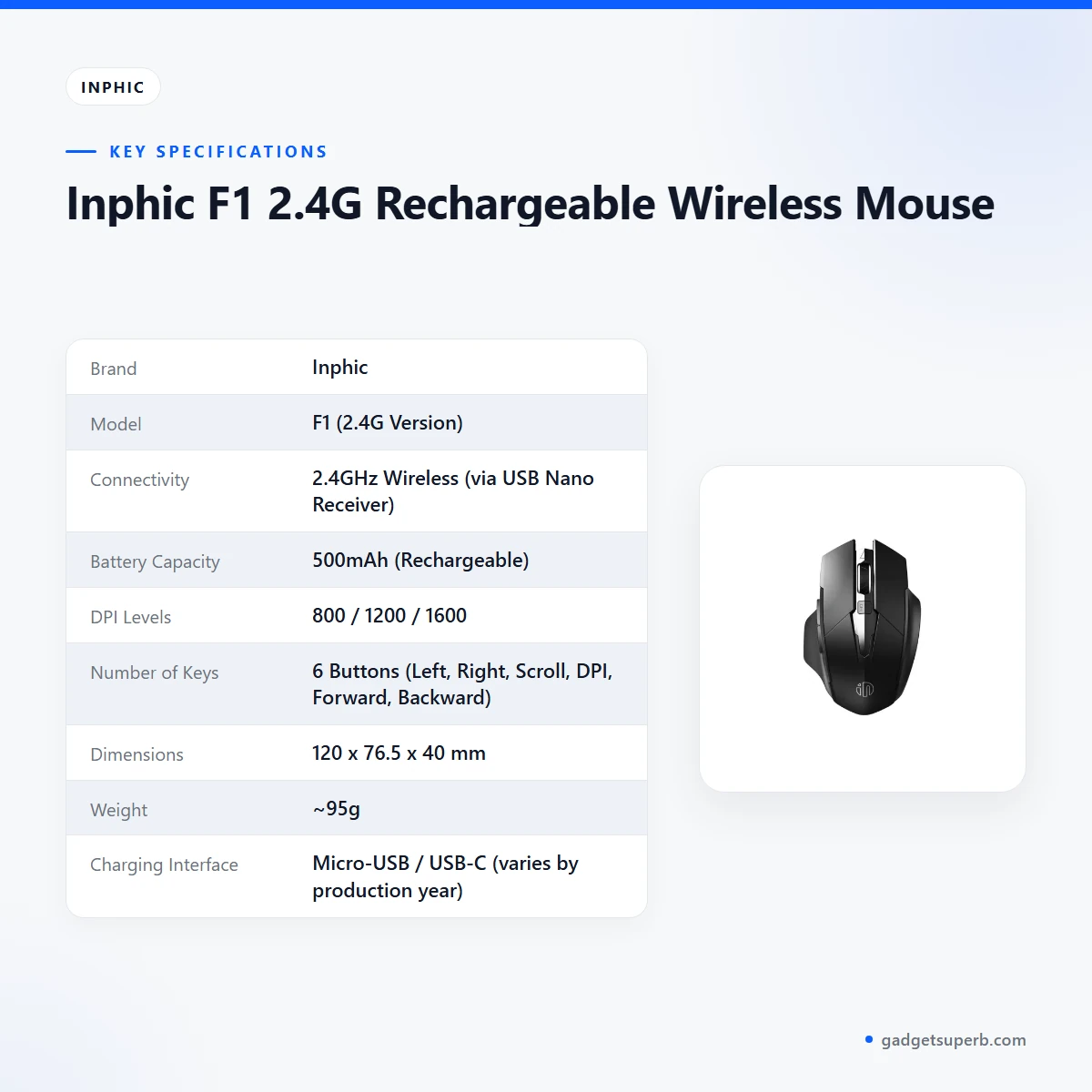
The table below sets out the specifications for the Inphic F1 wireless mouse as published on the product listing. The listed model is F1 (2.4G Version).
| Brand | Inphic |
|---|---|
| Model | F1 (2.4G Version) |
| Connectivity | 2.4GHz Wireless (via USB Nano Receiver) |
| Battery Capacity | 500mAh (Rechargeable) |
| DPI Levels | 800 / 1200 / 1600 |
| Number of Keys | 6 Buttons (Left, Right, Scroll, DPI, Forward, Backward) |
| Dimensions | 120 x 76.5 x 40 mm |
| Weight | ~95g |
| Charging Interface | Micro-USB / USB-C (varies by production year) |
These are listed specifications from the product listing.
Reading the table together helps you check the basics before ordering. The connection is listed as 2.4GHz through a USB Nano receiver, the battery as 500mAh and rechargeable, and the DPI levels as 800, 1200 and 1600. The dimensions are listed as 120 x 76.5 x 40 mm and the weight as about 95g. Before you decide whether the Inphic F1 wireless mouse suits your bag or desk, compare these figures with the space you have.
How to use / set up
Setting up the Inphic F1 wireless mouse is straightforward when you follow the maker’s instructions. Start by charging the mouse fully before first use. The listing gives the charging interface as Micro-USB or USB-C, depending on production year, so check the port on your device before you connect a cable. Keep the charger somewhere you can reach easily.
Next, insert the 2.4G Nano receiver into a free USB port on your computer. The listing describes the receiver as plug-and-play, so the setup is intended to be simple. Keep the receiver within the 10 meter range the listing gives, and avoid placing it behind a thick obstacle. The listing includes a DPI button among the six buttons, and the three DPI levels are 800, 1200 and 1600.
Battery habits matter too. Keep an eye on the power indicator and recharge before a long session or a day away from a charger. The auto-sleep setting moves the mouse into power-saving mode after 5 minutes of inactivity. The listing does not state how quickly the mouse wakes, so notice how it responds when you return to your desk. A steady routine of recharging early helps the Inphic F1 wireless mouse stay ready for the day.
Once the mouse is charged and the receiver is connected, check that the buttons respond as expected on your own computer. Try the scroll wheel, the forward and back buttons and the DPI button. Doing this at the start means any issue shows up on a quiet afternoon rather than in the middle of a deadline.
Everyday care is simple. Wipe the surface with a soft, dry cloth, keep the mouse away from spilled drinks, and store the receiver somewhere it will not be lost. In humid weather, keep the mouse on a dry surface and avoid leaving it on a damp desk. The listing does not give cleaning instructions, so these are general habits rather than maker guidance. Follow the maker’s instructions for any other care questions.
If you share the computer with others, label the receiver or keep it in a small pouch so it does not get lost. A tidy desk makes it easier to keep the mouse close at hand. Small habits like these make daily use more straightforward.
Compatibility and what is in the box
The listing does not state which operating systems or devices the Inphic F1 wireless mouse supports, so check your computer before ordering. The connection is described as 2.4GHz through a USB Nano receiver, which means you need a free USB port. Compatibility beyond these listed details is not confirmed by the listing.
The listing does not provide a full list of the items included with the product. If you need to confirm what comes with the mouse before you order, ask us through one of the contact routes in the delivery section below. We would rather you ask than guess.
The charging port depends on production year, so if you already own a Micro-USB cable or a USB-C cable, check the port on your mouse before you buy another. Keep a note of the charging cable you use, so it is easy to find when the power indicator starts to fall. If you use more than one computer, check each one for a free USB port before you move the receiver.
For general context on input devices, see the background on computer keyboards on Wikipedia. That article is general and does not describe this product, so use the listing as the main source for these details.
Who should buy it in Bangladesh
Office workers who want an ergonomic mouse that does not make noise in meetings are the clearest fit for the Inphic F1 wireless mouse. Long days of email, spreadsheets and document review are where the widened palm rest and matte finish are meant to help, according to the listing. If you move between a desk and a laptop, the wireless connection also keeps a cable out of the way.
Students who need a quiet tool for focused study sessions will appreciate the Silent Click buttons. Whether you study in a library, a hostel room or a shared family space, the mouse keeps clicks subdued and cable clutter to a minimum. Students should also consider how often they will need to recharge, since the battery is built in and charged over USB.
Home users who want a reliable, rechargeable mouse for general browsing can use the Inphic F1 wireless mouse for email, shopping, news and everyday browsing. Charging over USB means you are not dependent on disposable cells, which can be useful when spare batteries are hard to find. The mouse still needs power, so keep a charged cable near your desk.
Shared family spaces in Dhaka can be busy, with a television, a phone and a neighbour’s noise to compete with. A quieter click can make a home desk easier to use late in the evening, when the rest of the household is asleep. This is the everyday situation the listing has in mind when it describes late-night work.
Value seekers who want a visible power indicator and a rechargeable battery in one mouse will find that the Inphic F1 wireless mouse lists both. Compare the listed specifications with your own needs, and decide whether these features matter more to you than the design. The listing presents the mouse as a practical choice for everyday use rather than a specialist tool.
Commuters who work from a laptop on the move may prefer a wireless receiver to a cable that tangles in a bag. The receiver can stay in the laptop port while you travel, so there is one less loose part to carry. The mouse is designed for use with a USB Nano receiver, as the listing states.
The mouse may not suit everyone. If you need a mouse for competitive gaming, the listing does not describe gaming performance, so look at the gaming mice in our range before deciding.
Alternatives in our store
If the Inphic F1 wireless mouse does not fit your needs, these related products in our range may help. The Havit MS1034 RGB Backlit Programmable Gaming Mouse is another gaming mouse in our range, and the Havit MS1027 Cool RGB LED Gaming Optical Mouse is a further gaming mouse option. The A4TECH OP-720 Optical USB Wired Mouse is another mouse in our range. If you want a bundle, the Fantech P31 Keyboard, Mouse & Mousepad Combo is a combo option in our range.
You can browse the full selection in our Keyboards & Mouse category. If you are not sure which option fits, compare the product names and categories, then send us your question before ordering the Inphic F1 wireless mouse or any alternative.
Warranty and support
Warranty: 7 Days seller warranty.
Delivery, returns and ordering
If you are ordering the Inphic F1 wireless mouse, here is what to expect. We deliver all over Bangladesh and you pay cash on delivery. Delivery usually takes 1–3 days inside Dhaka city and 2–5 days outside Dhaka.
You can return it within 7 days of delivery (see our Delivery & Returns policy). Questions before ordering: call 09638054751, message us on Facebook Messenger or email care@gadgetsuperb.com.
Frequently asked questions
What is the Inphic F1 wireless mouse?
The Inphic F1 wireless mouse is a 2.4G rechargeable wireless mouse with Silent Click primary buttons, according to the product listing.
How does the mouse connect to a computer?
The listing describes a 2.4GHz wireless connection through a USB Nano receiver, with a stated range of up to 10 meters.
How do I charge the Inphic F1 wireless mouse?
It recharges via USB. The listing gives the charging interface as Micro-USB or USB-C depending on production year, so confirm your model before you order.
How long does the battery last?
The listing says the 500mAh battery provides weeks of use on a single charge, but the actual time depends on how much you use the mouse.
Does the Inphic F1 wireless mouse show battery level?
Yes. According to the listing, a 3-level power indicator on top of the mouse shows remaining battery life at 100%, 75% and 45%.
Is the mouse quiet to use?
The listing says Silent Click primary buttons reduce click noise by up to 90%, which the maker presents as suitable for quiet spaces.
What DPI levels does the Inphic F1 wireless mouse offer?
The listing gives 800, 1200 and 1600 DPI, selectable with the DPI button.
Does the mouse go into power saving mode?
Yes, the listing says smart auto-sleep enters power-saving mode after 5 minutes of inactivity to preserve battery life.
Can I return the Inphic F1 wireless mouse if it does not suit me?
Yes. You can return the Inphic F1 wireless mouse within 7 days of delivery, as set out in our Delivery & Returns policy.
How do I pay for the mouse and how long does delivery take?
You pay cash on delivery. Delivery usually takes 1–3 days inside Dhaka city and 2–5 days outside Dhaka.
How can I ask a question before ordering the Inphic F1 wireless mouse?
Call 09638054751, message us on Facebook Messenger or email care@gadgetsuperb.com.
What is the warranty on the Inphic F1 wireless mouse?
Warranty: 7 Days seller warranty.
Related products
-23%
50 in stock
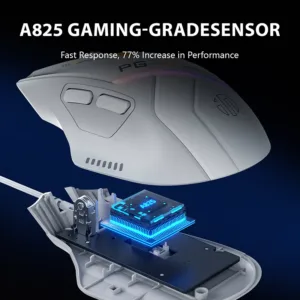

Inphic PG1 Wired and RGB Gaming Mouse
Original price was: ৳ 2,070.৳ 1,590Current price is: ৳ 1,590.-23%
49 in stock

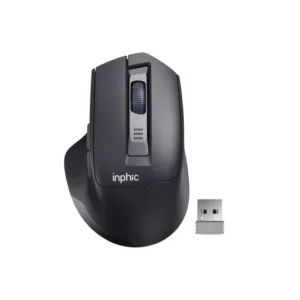
Inphic M9 Rechargeable 2.4G Wireless Mouse
Original price was: ৳ 1,380.৳ 1,060Current price is: ৳ 1,060.-20%
49 in stock


Inphic M1P Ultra Slim 2.4G Wireless Mouse
Original price was: ৳ 1,040.৳ 830Current price is: ৳ 830.
-23%
52 in stock
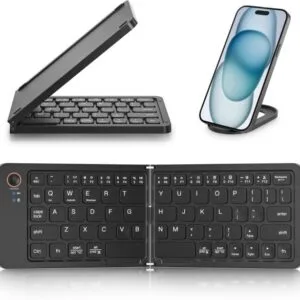
GearUP B023 Rechargeable Ultra Slim Folding Pocket Bluetooth Keyboard
Original price was: ৳ 1,460.৳ 1,120Current price is: ৳ 1,120. Inphic F1 2.4G Rechargeable Wi...
 Original price was: ৳ 1,120.৳ 890Current price is: ৳ 890.
50 in stock
Reviews
There are no reviews yet.