No products in the cart.

-23%
The Neepho L2 is a selfie stick and tabletop tripod in one, sold in our Tripods & Stands range. According to the listing, it is built for people who film themselves with a smartphone, livestream or take group shots, and who want one accessory for both jobs. This page covers the listed specifications, setup advice and the questions Bangladeshi buyers ask most often.
- Overview
- Key features
- Specifications
- How to use and set up
- Compatibility and what is in the box
- Who should buy it in Bangladesh
- Alternatives in our store
- Warranty and support
- Delivery, returns and ordering
- Frequently asked questions
What is the Neepho L2 selfie stick and tripod?
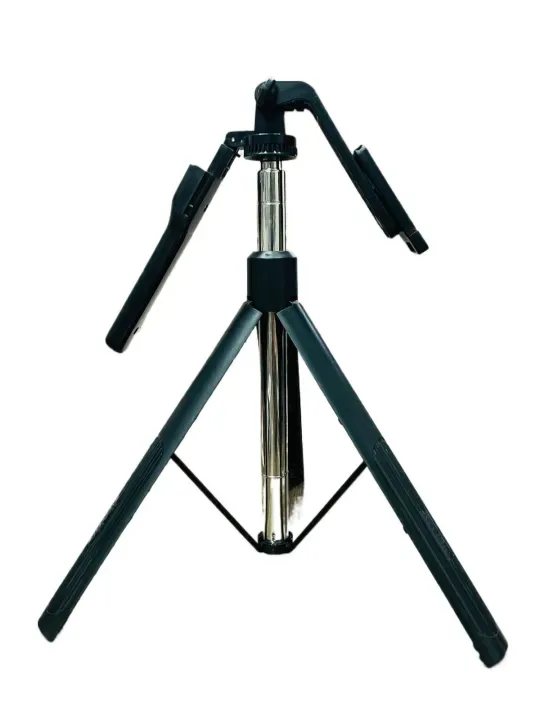
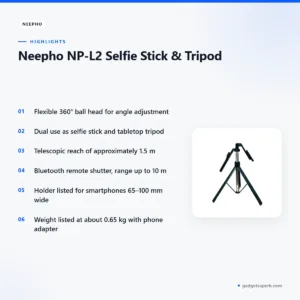
The Neepho L2 sits in our Tripods & Stands range, within camera and vlogging accessories. Its main idea is simple: one body that works as a telescopic selfie stick when you need reach, and as a tabletop tripod when you want to stand a smartphone on a flat surface. The full product name in the listing is Neepho NP-L2 Selfie Stick & Tripod, and the maker lists the model as NP-L2.
The listing describes a flexible 360° ball head for angle adjustment and optimal framing. It also describes the Neepho L2 as lightweight yet sturdy, at about 0.65 kg including the phone adapter, and suited to smartphones and high-quality video capture. The build is listed as ABS plastic and aluminium alloy, which the maker presents as strong construction with portability. We report these points as listed, and this page does not add claims that the listing does not make.
The Neepho L2 suits people who film themselves at home, on a rooftop, at a family outing in Dhaka or on a trip outside the city, and who want to avoid carrying a separate selfie stick and a separate stand. If you are new to tripods, the general guide to photography tripods on Wikipedia gives background on how these supports are used. Read the rest of this page for the listed specifications, setup advice and buying guidance.
Think of this page as a buying guide rather than a sales sheet. Where the listing is silent, we say so, and we point you to the questions worth asking before you order. That includes checking your phone’s width, the height you need and whether the remote suits the phone you already use. The aim is that you can decide with the facts in front of you and without guesswork.
Key features
360° ball head for angle adjustment
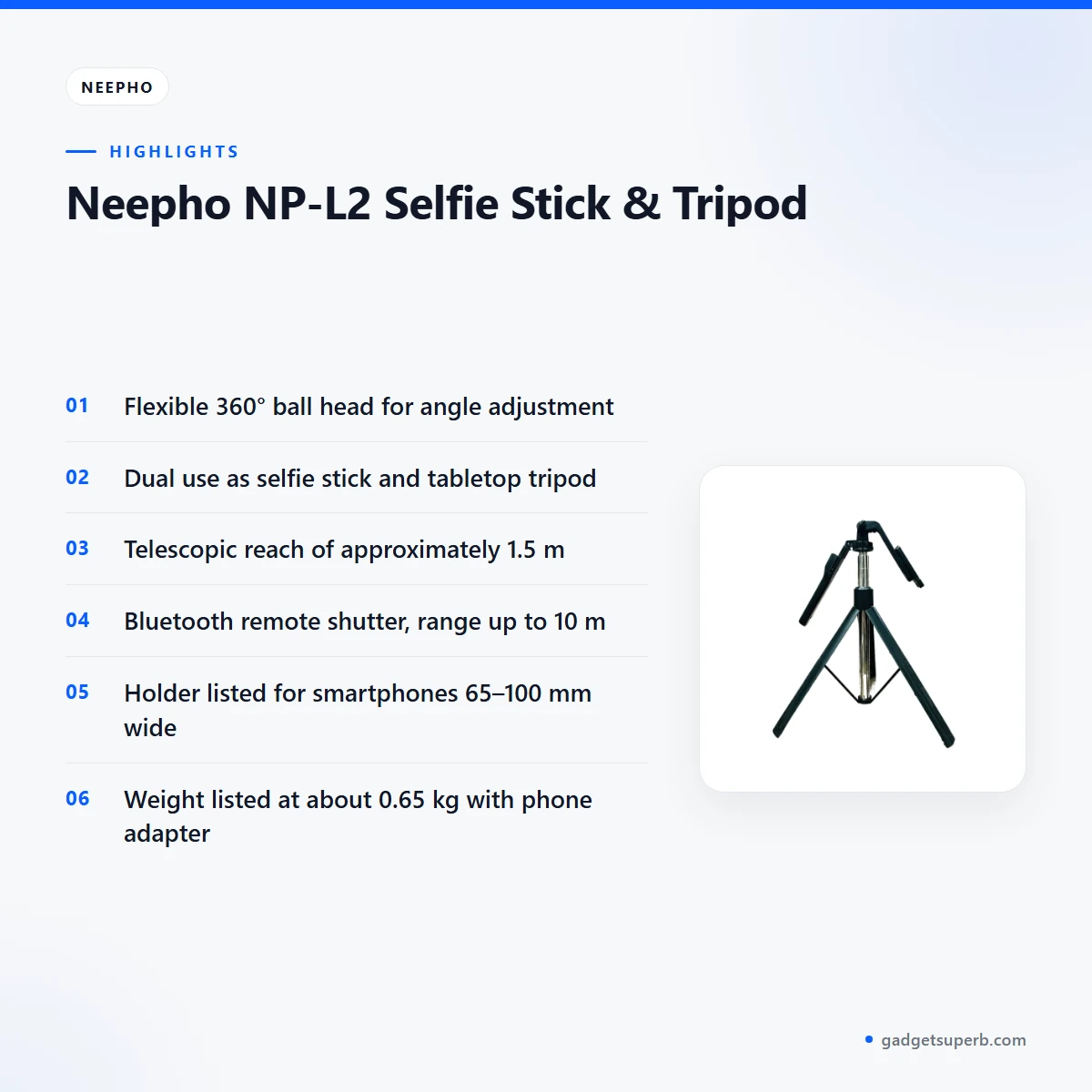
The listing describes a flexible 360° ball head, and it presents that head as the way to get ultimate angle adjustment and optimal framing. A ball head lets you point a smartphone up, down or sideways without moving the whole stand, which is handy in a narrow room, a crowded market or a balcony with little space. For Bangladeshi buyers, that flexibility can make the difference between a rushed shot and a well-framed one. The listing does not describe the range of each joint, so check the angle on the product itself before you rely on it for a fixed set-up. When you use it on a table, check that the head is secure before you press the remote.
Lightweight build at about 0.65 kg
According to the listing, it weighs about 0.65 kg including the phone adapter, and the maker describes the build as lightweight yet sturdy. Weight matters when you carry a stand in a bag for a commute, a park visit or a family event, and when you hold the arm out for a long selfie. A stand that feels light in the shop can feel heavier after an hour of holding it at arm’s length, so think about how long you will hold it. The listing does not state a maximum load, so do not assume that a heavy phone or any other device will be supported. Check the listed specifications below, and follow the maker’s instructions before you mount anything other than a phone.
Dual use: selfie stick and tabletop tripod
The Neepho L2 is described as converting easily between a selfie stick and a tabletop tripod. The listing presents this dual function as versatile for livestreaming, vlogging and group shots. One accessory for these jobs means fewer items to pack, and one set of parts to keep track of when you move between a street scene and a table. Use the stick form when you want reach, and the stand form when you need a fixed position on a desk, table or shelf. The listing does not describe the conversion steps, so follow the maker’s instructions when you change between the two modes.
Telescopic reach of about 1.5 m
The listing gives a telescopic reach of approximately 1.5 m and says it is great for wide-angle shots and group selfies. Reach is the reason many people buy a selfie stick: it moves the phone away from the arm and lets more people fit into one frame. The maximum height is listed as about 1,530 mm when extended, which is the figure to compare with the space you have at home or on a trip. It is not described as a studio stand, so keep expectations realistic for everyday filming. Bangladeshi buyers often film in crowded places, so check the listed reach against the spot where you plan to shoot.
Bluetooth remote shutter control
The listing describes Bluetooth remote shutter control, compatible with Android 4.4+ and iOS 5.1+, with a working range up to 10 m. It gives the Bluetooth version as 4.0 with a 2.4 GHz transmission frequency. A remote is useful with the Neepho L2 when you want to start a shot without reaching for the phone, especially in a group where you want to be in the frame. The listing does not describe pairing steps, so follow the maker’s instructions and try the remote at short range before an important shoot.
Durable build with ABS plastic and aluminum alloy
The listing describes a durable build using ABS plastic and aluminum alloy, which the maker presents as strong construction with portability. It does not give the share of each material or the thickness of any part, so we cannot say more than that. Plastic and metal parts often feel different in the hand, so handle one in person if you can. Care for the Neepho L2 is simple: wipe it with a dry or lightly damp cloth, keep grit away from the joints and dry it fully after use in humid weather.
Specifications
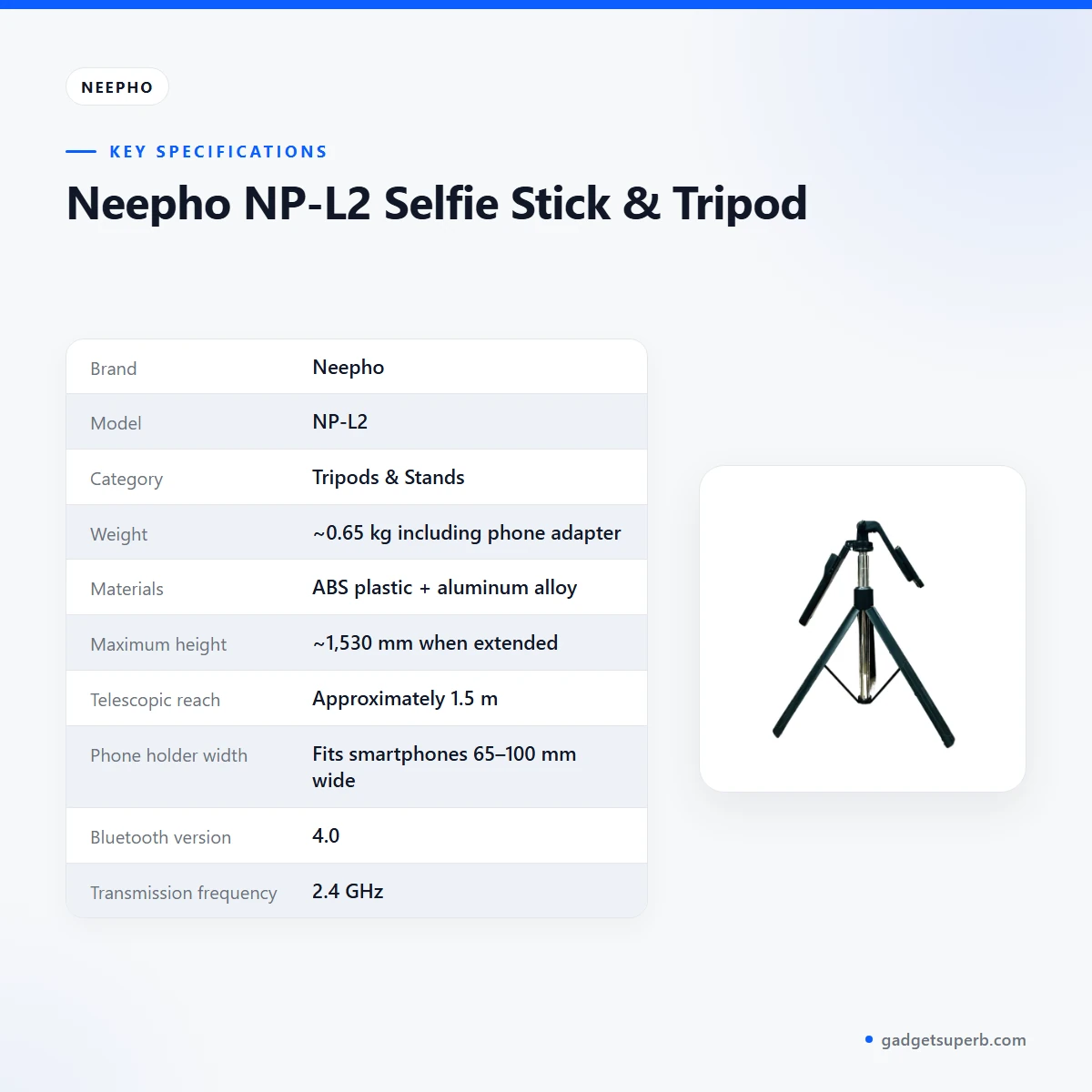
The Neepho L2 specifications below are copied from the product listing, so you can check them against your phone and your planned use. Read the maximum height and the phone holder width first, because they decide whether the stand fits your space and your phone. Weight and Bluetooth details matter next if you carry the stand daily or plan to use the remote in a group.
| Brand | Neepho |
| Model | NP-L2 |
| Category | Tripods & Stands |
| Weight | ~0.65 kg including phone adapter |
| Materials | ABS plastic + aluminum alloy |
| Maximum height | ~1,530 mm when extended |
| Telescopic reach | Approximately 1.5 m |
| Phone holder width | Fits smartphones 65–100 mm wide |
| Bluetooth version | 4.0 |
| Transmission frequency | 2.4 GHz |
| Effective Bluetooth range | Up to 10 m |
| Operating systems | Android 4.4+ and iOS 5.1+ compatible |
These are listed specifications from the product listing for the Neepho L2, and the figures are the maker’s own.
How to use and set up
Before first use, read the maker’s instructions for the Neepho L2 from start to finish. The listing does not give a step-by-step setup, so the steps below stay general, and you should follow the maker’s instructions wherever they differ.
- Charge fully before first use if the maker’s instructions say the remote needs power.
- Check that the phone holder is secure and centred before you mount the phone.
- Extend the arm slowly and check that it is secure before you shoot.
- Pair the Bluetooth remote following the maker’s instructions, then test the shutter at short range.
- Stand the stick on a flat, stable surface when you switch to tripod use.
For a solo selfie, hold the stick at arm’s length, check the framing on your phone screen and then press the remote. For a group photo, step back a short distance from the group, widen the angle with the ball head and recheck the frame before everyone moves in.
In Bangladesh’s humidity, dry the stand and the phone holder after rain, sweat or a river crossing, and store the Neepho L2 somewhere cool and dry between uses. During load-shedding, charge your phone and any remote before a planned shoot, and keep a torch within reach if you film in the evening. Avoid leaving the stand in a hot car, as a general precaution for plastic parts.
Store the stand with the arm fully closed so that the joints do not catch on other items in your bag. Keep it away from sand, dust and cooking smoke, and wipe off any grit before you extend the arm again. A soft, dry cloth is enough for routine cleaning, and the listing does not recommend any cleaning product, so ask the maker before you use one.
If the stand wobbles on a table, stop and check that the arm and head are secure before you shoot. Before an important shoot, run a practice session at home with your own phone, in the same room and at the same time of day if you can. Note how far the arm reaches, whether the head stays put and how long your phone lasts while you film. Keep the maker’s instructions with the product so you can refer to them later.
Compatibility and what is in the box
The listing says the Bluetooth remote shutter is compatible with Android 4.4+ and iOS 5.1+. The phone holder is listed as fitting smartphones 65–100 mm wide, and the Neepho L2 is described for smartphones and high-quality video capture.
What is in the box is not confirmed by the listing, so this page does not name accessories. If you need the exact contents of the Neepho L2 before you order, message us on Facebook Messenger or email care@gadgetsuperb.com.
Phone width is the main physical check. Measure your phone without its case if you can, and remember that a thick case may change the fit in the holder. The listing does not describe camera use, so ask us before you rely on the Neepho L2 for anything other than a smartphone.
Compatibility with the remote depends on the Neepho L2 pairing with a phone whose operating system is within the listed range. Check your phone’s version in its settings before you buy, and do not assume that an older handset will pair. The listing gives the Bluetooth version as 4.0, so check that figure against your phone’s settings if you are unsure.
Who should buy it in Bangladesh
The listing points to selfies, livestreaming, vlogging and group shots, so the scenarios below follow those uses. Each one describes a realistic buyer for the Neepho L2, and none assumes features that the listing does not mention.
A student or young vlogger filming around Dhaka will find the telescopic reach useful for self-filmed clips on campus, at a café or along a riverside walk. The Neepho L2 lets you frame yourself without asking a friend to hold the phone, which many people find awkward in public. Dhaka’s crowds and afternoon heat can make a long arm awkward, so pick a quiet moment and a shaded spot.
A small business owner who livestreams products from a shop counter can use the tabletop mode to hold the phone steady on a table, and the ball head helps you angle the shot toward the goods. Check the listed height first if your counter has low shelves above it.
A family planning a trip, a wedding or a school event may value the listed reach of about 1.5 m for group selfies. Ask everyone to stand close together before you press the remote, and recheck the frame before the shot. For a family of four in a small room, test the Neepho L2 at home first so you know the frame before the event.
A commuter who wants a light, portable stand may like the listed weight of about 0.65 kg including the phone adapter. Put the Neepho L2 in a bag with its arm closed and keep the remote in a separate pocket so it does not get lost.
A traveller who wants to film at a tea garden, a river ghat or a hill viewpoint may find the Neepho L2 helpful for wide group shots with friends. Plan for humidity, dry the stand after use and check the listed height before you climb steps or stand near a crowd.
A content creator who records short clips between meetings in Dhaka may find this stand easy to carry in a daily bag. Keep spare room in the bag for the remote, and check that the phone holder is secure before each take.
A teacher recording short lessons at home can place the phone on a table and use the Neepho L2 to frame the board or a demonstration. Check the listed height against your table before you set it up.
Buyers who need a heavy rig, a large device or a studio stand should look at other tripods in our range rather than assume the Neepho L2 will suit the job. The listing does not state a maximum load, so ask before you buy.
Alternatives in our store
If the Neepho L2 does not suit your use, look at the other stands in our Tripods & Stands range. JMARY KP-2206 Camera And Phone Selfie Stick Tripod is another product in our Tripods & Stands range. Jmary MT29 Portable Mini Tripod is another tripod in our range. Jmary KP-2207 Portable Aluminum Tripod is another tripod in our range, and YUFENG-3388 Professional Foldable Heavy-Duty Tripod is another tripod in our range. Browse the whole list in our Tripods & Stands category.
Compare alternatives by use rather than by appearance: choose a selfie-stick style if you film yourself, and a stand-style if you mostly stand your phone on a surface. Whichever you choose, read the listed specifications on each page before you order.
If you want a second option for the same job, open each product page and compare the listed details against your phone width and the space you have. Keep the Neepho L2 in mind for selfies, and check the other pages for stands you plan to use on a desk.
Warranty and support
Warranty: 7 Days seller warranty.
Delivery, returns and ordering
We deliver all over Bangladesh and you pay cash on delivery. Delivery usually takes 1–3 days inside Dhaka city and 2–5 days outside Dhaka, so plan your shoot accordingly when you order the Neepho L2.
You can return it within 7 days of delivery. Read the full terms on our Delivery & Returns policy page before you order.
Questions before ordering: call 09638054751, message us on Facebook Messenger or email care@gadgetsuperb.com.
When you order the Neepho L2, have your phone width and planned shooting height to hand, so you can ask us a quick question before you buy. If you are ordering from outside Dhaka, allow for the longer delivery window and plan your filming dates with that in mind.
Keep your phone charged for the day of delivery so you can try the stand straight away when it arrives. Keep the packing and the policy details to hand in case you need to check the return terms later.
Frequently asked questions
Is the Neepho L2 a selfie stick or a tripod?
It is both, according to the listing. The maker describes the Neepho L2 as a dual-function design that converts between a selfie stick and a tabletop tripod.
How tall does it get when extended?
The listing gives the Neepho L2 a maximum height of about 1,530 mm when extended. Measure your space before you buy if you plan to use it indoors.
What phone width does the Neepho L2 holder take?
The listing says the phone holder fits smartphones 65–100 mm wide. Measure your phone without its case if you can.
Does the remote work with Android and iOS?
The listing says the Bluetooth remote shutter is compatible with Android 4.4+ and iOS 5.1+.
What is the Bluetooth range of the Neepho L2 remote?
The listing gives an effective Bluetooth range of up to 10 m. It gives the Bluetooth version as 4.0.
How much does the Neepho L2 weigh?
The listing gives the Neepho L2 a weight of about 0.65 kg including the phone adapter.
What is the warranty on the Neepho L2?
Warranty: 7 Days seller warranty.
Can I return the Neepho L2 if it does not suit me?
Yes, you can return the Neepho L2 within 7 days of delivery. See our Delivery and Returns policy for the full terms.
Can I pay cash on delivery?
Yes, we deliver all over Bangladesh and you pay cash on delivery. Delivery usually takes 1–3 days inside Dhaka city and 2–5 days outside Dhaka.
Is the Neepho L2 the same model as NP-L2 in the listing?
The listing gives the model as NP-L2 under the brand Neepho. Confirm your model before you order.
Can I use it for livestreaming?
The listing presents it as versatile for livestreaming, vlogging and group shots. Check the listed reach and height against your room before you start.
How should I store it between shoots?
Keep it somewhere cool and dry with the arm closed, away from sand and dust. Wipe grit off the joints before you extend it again.
Related products
-28%
70 in stock
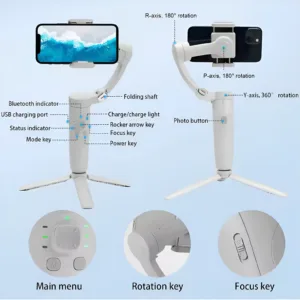
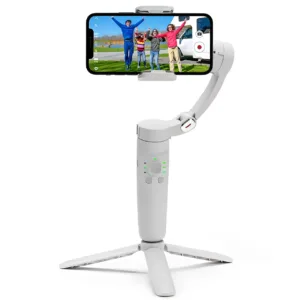
M1 3-Axis Smartphone Gimbal Stabilizer
Original price was: ৳ 8,280.৳ 5,950Current price is: ৳ 5,950.-23%
100 in stock


BOYA BY-K171 Adjustable Desk-Mount Arm Stand for USB Microphones
Original price was: ৳ 1,850.৳ 1,420Current price is: ৳ 1,420.-26%
100 in stock
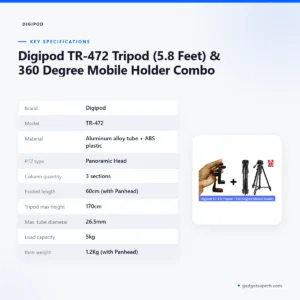
Digipod TR-472 Tripod (5.8 Feet) & 360 Degree Mobile Holder Combo
Original price was: ৳ 3,230.৳ 2,390Current price is: ৳ 2,390.-26%
100 in stock
Digipod TR-472 Tripod (5.8 Feet)
Original price was: ৳ 2,870.৳ 2,120Current price is: ৳ 2,120.-23%
100 in stock

Jmary Tripod KP-2208 Professional Tripod With Mobile Holder
Original price was: ৳ 1,950.৳ 1,500Current price is: ৳ 1,500.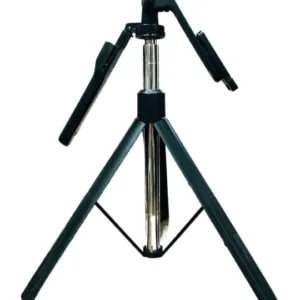 Neepho NP-L2 Selfie Stick &...
Original price was: ৳ 1,950.৳ 1,500Current price is: ৳ 1,500.
37 in stock
Reviews
There are no reviews yet.