No products in the cart.

-26%
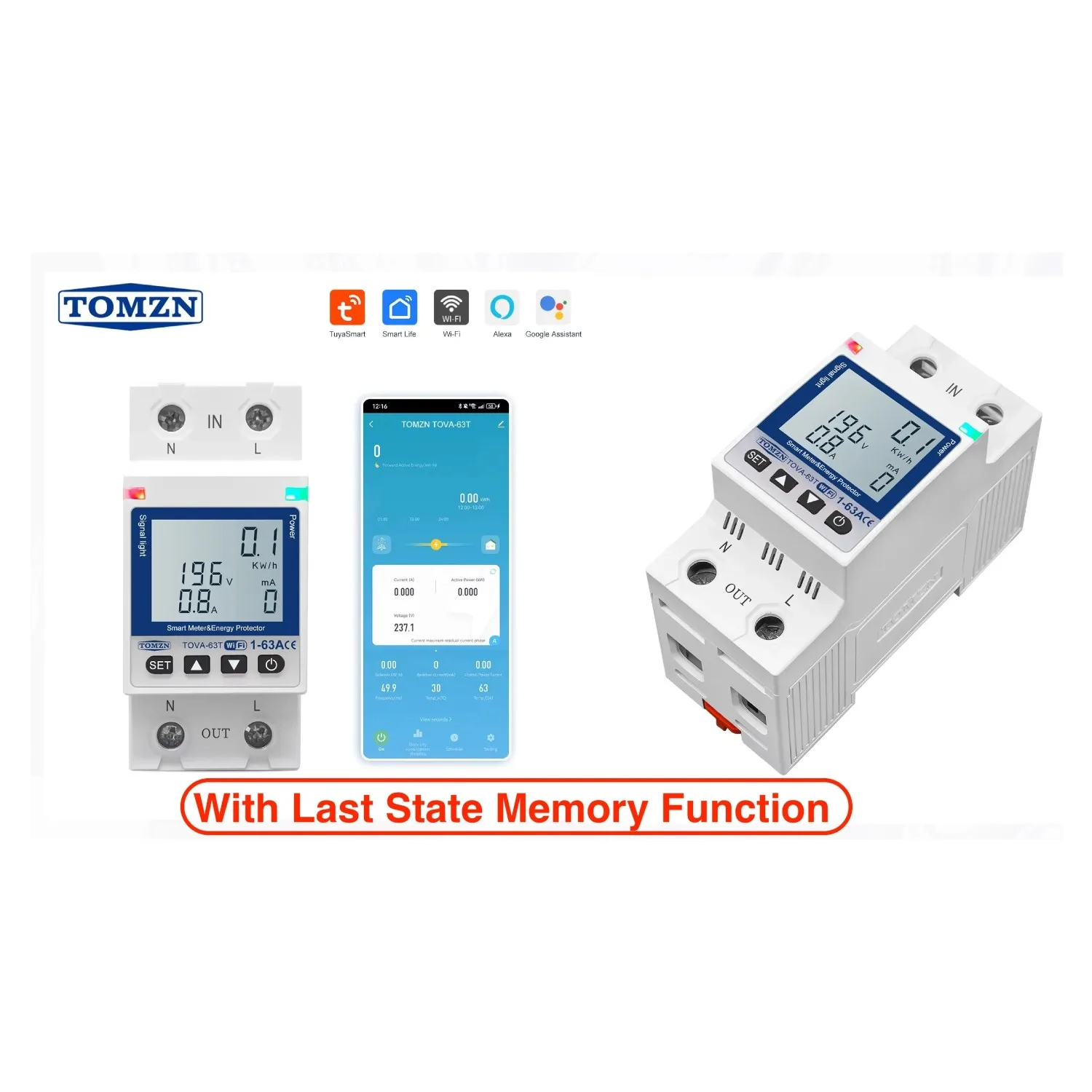


The TOMZN TOVA-63T is a 63A Wi-Fi circuit breaker with timer, energy monitoring and protection features, according to the listing. The maker lists it for homes, offices, factories and commercial installations that want remote control of a breaker panel through the Smartlife or TUYA app. This page sets out the listed facts, the setup stages, and who it suits in Bangladesh.
- Overview of the product
- Key features
- Specifications
- How to use / set up
- Compatibility and what is in the box
- Who should buy it in Bangladesh
- Alternatives in our store
- Warranty and support
- Delivery, returns and ordering
- Frequently asked questions
TOMZN TOVA-63T overview
The maker describes the TOMZN TOVA-63T as a heavy-duty smart Wi-Fi circuit breaker designed to combine safety, intelligence and convenience for modern electrical systems. According to the listing, it has a 63A current capacity and advanced protection features, and it works with the Smartlife and TUYA apps. The listing presents it as a way to monitor and control power remotely, which is the main reason buyers look at a unit like this.
It helps to be clear about the type of device. A smart plug sits between a socket and an appliance, and you can read more about the concept in the background article on smart plugs. The TOMZN TOVA-63T is a different category: the listing describes it as a circuit breaker that mounts on a DIN rail in a breaker panel. That makes it suited to controlling a circuit rather than one appliance.
For Bangladeshi buyers, the practical questions are usually about power cuts, Wi-Fi coverage and who will fit a TOMZN TOVA-63T. The listing describes intelligent auto-recovery that restores previous settings after power outages, which matters when supply is interrupted. It does not describe how the unit behaves in every outage pattern, so plan your own backup arrangements as well.
Choosing a unit like this starts with the circuit, not the gadget. List the appliances that share the circuit, note when they run, and check whether the total load suits a 63A rating. Many households will find that a plug-level device or a wall switch covers their needs, while a panel-level unit makes more sense for a whole circuit that runs heavy equipment.
This page follows the listing closely. Where the listing is silent, we say so, and we give general buying and setup guidance instead of adding specifications. Read the sections in order if you are new to panel-mounted devices, or jump to the specifications table if you already know the layout of your breaker panel.
Key features
The listing groups the main functions of the TOMZN TOVA-63T into the features below. Each sub-heading repeats a listed claim and adds plain guidance on what it means for daily use in a Bangladeshi home, office or small workshop.
63A High-Capacity Smart Switch
The listing says the TOMZN TOVA-63T handles heavy electrical loads up to 63 amps without overheating. The figure matters most when several large appliances share one circuit, such as an air conditioner, a water pump and kitchen equipment. Add up the rated loads on the circuit before you choose a breaker, and ask a qualified electrician to confirm the rating against your wiring. The 63A figure is the maker’s claim, and the right size for your home depends on the circuit you are protecting.
Built-in Wi-Fi Connectivity
According to the listing, the TOMZN TOVA-63T connects directly to your Wi-Fi network, with no hub required. That removes one device from the setup, which many buyers find useful when a panel is in a corridor, a utility room or a shared stairwell. The listed Wi-Fi band is 2.4 GHz, so the router must offer that band for pairing. If your router offers more than one Wi-Fi network, make sure the 2.4 GHz option is switched on before you start. Keep the panel within a reasonable distance of the router so the signal stays steady.
Smartlife and TUYA App Compatibility
The listing names full app support for Smartlife and TUYA on iOS and Android devices. You download the app that matches your phone, create an account, and add the unit by following the app prompts and the maker’s instructions. Once paired, the unit can be controlled from the app while you are at home or away, as long as your phone is online. Keep the app updated, and use the same account on every phone that will manage the panel, so nobody is locked out of the schedules.
Timer and Scheduling Function
The listing says the timer and scheduling function automates on and off cycles, and the maker says this can save energy and reduce costs. Schedules set on the TOMZN TOVA-63T suit equipment with predictable hours, such as a water pump that should run at fixed times, outdoor lighting, or a shop sign that switches off overnight. Plan the schedule around how the circuit is actually used, and review it after a few weeks. The listing does not put a figure on any saving, so treat the energy claim as the maker’s description.
Real-Time Monitoring
The listing says the TOMZN TOVA-63T lets you track voltage, current and power usage live from the app. For a household, these readings show when a circuit is busiest. Watch the figures across a normal day, note the times when use peaks, and compare them with your own habits. The listing does not say how the readings are calculated or how often they refresh, so use them as a guide to trends rather than as a precise record of consumption.
Leakage, Overload and Voltage Protection
The listing says the TOMZN TOVA-63T cuts power during abnormal current flow and lists leakage, overload and over/under voltage protection. It also says the unit safeguards appliances against unstable supply, with automatic cut-off during overload, leakage or unstable voltage. These are protective functions described by the maker. They do not replace sensible wiring, correctly sized cable or regular checks of your appliances, and any fault should be looked at by a qualified electrician.
Specifications
The table below sets out the specifications of the TOMZN TOVA-63T as the product listing gives them. Use it as a quick check against your panel and network before you order.
| Brand | TOMZN |
|---|---|
| Model | TOMZN TOVA-63T |
| Maximum Current | 63A |
| Communication | Wi-Fi (2.4 GHz) |
| App Support | Smartlife / TUYA |
| Protection | Leakage, Overload, Over/Under Voltage |
| Monitoring | Real-time voltage, current, power usage |
| Control | Remote ON/OFF, Schedule/Timer |
| Installation | DIN-rail compatible |
| Operating Temperature | Suitable for home, office, and mini industrial environments |
| Material | Durable fire-retardant housing |
| Display | Color display for monitoring and control |
| Warranty | 7 Days |
These are listed specifications from the product listing.
How to use / set up
Setup follows the stages the maker lists. Treat them as a general plan, follow the maker’s instructions for each step, and leave any work inside the breaker panel to a qualified electrician.
Install the switch. The listing says to mount the TOMZN TOVA-63T on a DIN rail in your breaker panel. Before any work inside the panel, switch off the main supply and make sure the area is dry and well lit. If you are not sure how the panel is laid out, ask an electrician to plan the position before the unit is fitted.
Connect to Wi-Fi. Pair this breaker with your 2.4 GHz Wi-Fi network. Have your router name and password ready, and keep your phone close to the panel during pairing. If pairing fails, check that the 2.4 GHz band is enabled and that the network is within range, then try again. Do not change other router settings unless you understand what they control.
Download the Smartlife or TUYA app. Install the app on your iOS or Android device, create or sign in to an account, and add the device by following the on-screen prompts. Keep the account details private, and use the same login on any other phone that needs control. Share access only with people you trust.
Control and monitor. The listing says you can switch the TOMZN TOVA-63T on or off, schedule timers, and view real-time voltage and current data from the app. Try each control with a low-risk appliance first, so you know how the unit responds before you rely on schedules for important equipment.
Confirm the unit is running. The listing describes automatic cut-off during overload, leakage or unstable voltage. Once the setup is complete, confirm the unit is running, and keep a note of the circuit it protects, the appliances connected to it, and the date of installation. That record helps an electrician if the setup changes later.
Care and routine checks. Once the unit is running, review schedules each month and keep the app updated. Look at the monitoring readings during a busy week and again during a quiet one. If a reading looks unusual, or the unit cuts power, do not keep resetting it without a check. Call a qualified electrician first.
If the unit does not appear in the app after pairing, check the basics first: the phone is on the same network, the router is working, and the band is 2.4 GHz. Close the app, open it again and retry the steps above before you change anything else. If the problem continues, contact us with the model name and a short description of what you saw, so we can point you to the right next step.
Compatibility and what is in the box
The listing confirms three compatibility points for the TOMZN TOVA-63T: Smartlife and TUYA app support, Wi-Fi at 2.4 GHz, and DIN-rail installation in a breaker panel. Check these three points against your home network and your panel before you order. They are the most important practical checks for most buyers.
Other compatibility points for the TOMZN TOVA-63T are not confirmed by the listing, including support for other smart home platforms and voice assistants. If you plan to link the unit to a different system, ask us before ordering so you do not buy on assumption.
The listing does not state what is in the box, so this page does not list accessories. If you need to know the contents of the package, ask before you buy.
If you are unsure whether the TOMZN TOVA-63T suits your panel, the safest route is to have an electrician check the panel first, then compare the result with the listed specifications above. A panel that is already crowded, or wiring that an electrician has not inspected recently, is a good reason to pause the order and plan the work first.
Who should buy it in Bangladesh
The TOMZN TOVA-63T suits buyers who want to control a heavier circuit remotely, provided the wiring and the panel are right for it. These scenarios describe the most realistic fits in Bangladesh.
Homeowners with a shared circuit. Where several rooms share one circuit, the appliances on it can draw a lot of current at the same time. The timer and real-time monitoring may help you see when the load peaks. Use the app to check use from work or during a commute, but have an electrician confirm the circuit rating first.
Small offices. The listing names offices among the intended settings. A TOMZN TOVA-63T on the office circuit might be used to switch equipment on and off at set times, such as the end of the working day. Log in from the app to check that the circuit is off when the office is closed, and keep the access details with the office manager.
Shops and commercial units. The listing names commercial installations. A shop owner could use the schedules to run signage or lighting at set hours, and check the monitoring readings during the day. Commercial use depends on the panel, the load and local rules, so confirm all three before installation.
Mini industrial sites. The listing mentions mini industrial environments in its operating temperature line. Small workshops that run equipment on a fixed circuit may find the scheduling and monitoring useful. The TOMZN TOVA-63T should be fitted only by a qualified electrician, and the monitoring data is worth keeping for your own records.
Who should look elsewhere. The TOMZN TOVA-63T is a panel-level device, so it is not the right tool for one lamp or one fan. If you only want to switch a single plug socket, a plug-level product is a better fit. A renter who cannot change the panel should also check with the landlord before ordering anything.
A simple way to decide is to start with the circuit. Write down the appliances on it, the hours they run, and whether anything on it is essential, such as a fridge or a pump. Take that list to an electrician and compare the answer with the listed specifications. If the list and the panel agree, you have a clear reason to go ahead. If they do not, pause and plan the work first.
Alternatives in our store
If the TOMZN TOVA-63T is not the right fit, browse these options in our range. SONOFF WiFi Smart Wall Touch Switch T3 UK 3 Gang- Compatible With Alexa, Google Assistant – Black Color is a smart wall switch in our range. LDNIO Z4 Universal Plug 6A Max (ABS V0) is a universal plug in our range. TOMZN TOB7Z-63 2P DC Circuit Breaker – 10A, 20A, 32A Solar PV MCB, 12V–1000V Wide Range DC MCB for PV System is another circuit breaker in our range, in the DC category. Deli CT705ES 3 Pin 6 Port 3 Meter Power Strip With Surge Protection is a power strip in our range. For more options, see the Smart Switches & Electrical category.
Warranty and support
Warranty: 7 Days seller warranty.
Delivery, returns and ordering
We deliver all over Bangladesh and you pay cash on delivery. Delivery usually takes 1–3 days inside Dhaka city and 2–5 days outside Dhaka. Delivery usually takes these times, so plan the delivery date around your electrician’s visit.
You can return it within 7 days of delivery (see our Delivery & Returns policy). Read the policy before you order, especially if you plan to have the unit fitted before you check it.
Questions before ordering: call 09638054751, message us on Facebook Messenger or email care@gadgetsuperb.com. We are happy to answer questions about the listed facts, delivery timing or the return process.
Before you place an order, check four things: the model name, the panel type, the router’s Wi-Fi band and your delivery address. Ask us if any point is unclear. An electrician’s inspection of your panel is the only way to confirm how the unit will fit your wiring.
Frequently asked questions
What is the TOMZN TOVA-63T?
It is a 63A Wi-Fi circuit breaker with timer, real-time monitoring and protection features, according to the listing.
Does the TOMZN TOVA-63T need a hub?
No. The listing says it connects directly to your Wi-Fi network, with no hub required.
Which Wi-Fi band does the TOMZN TOVA-63T use?
The listing gives Wi-Fi (2.4 GHz), so check that your router offers that band before you pair.
Which apps work with the TOMZN TOVA-63T?
The listing names Smartlife and TUYA app support, with full app support for iOS and Android devices.
Can the TOMZN TOVA-63T show power use?
Yes. The listing says you can track voltage, current and power usage live from the app.
Does the TOMZN TOVA-63T protect against overload?
The listing lists overload, leakage and over/under voltage protection, with automatic cut-off in those cases.
Does the TOMZN TOVA-63T restore settings after a power cut?
The listing describes intelligent auto-recovery that restores previous settings after power outages.
Can the TOMZN TOVA-63T run on a timer?
Yes. The listing describes a timer and scheduling function that automates on and off cycles.
What is the warranty on the TOMZN TOVA-63T?
Warranty: 7 Days seller warranty.
Can I return the TOMZN TOVA-63T?
Yes, within 7 days of delivery, as set out in our Delivery & Returns policy.
Do you deliver the TOMZN TOVA-63T outside Dhaka?
Yes. We deliver all over Bangladesh, usually in 2–5 days outside Dhaka, and you pay cash on delivery.
Is the TOMZN TOVA-63T a smart plug?
No. The listing describes it as a circuit breaker for a breaker panel, not a plug-in device.
Related products
-20%
80 in stock

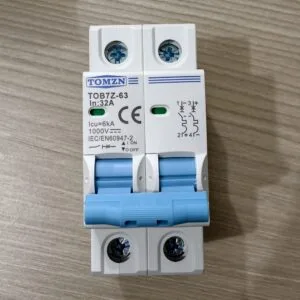
TOMZN 2P DC Circuit Breaker 32A- 12V-1000V Wide RangeDC MCB for PV System (TOMZN TOB7Z-63)
Original price was: ৳ 1,120.৳ 890Current price is: ৳ 890.-21%
154 in stock
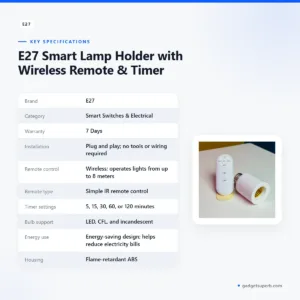

E27 Smart Lamp Holder with Wireless Remote & Timer
Original price was: ৳ 380.৳ 300Current price is: ৳ 300.-23%
48 in stock
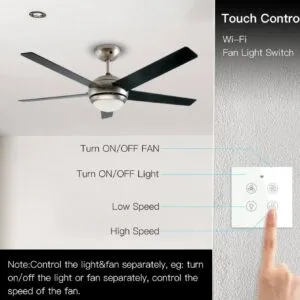
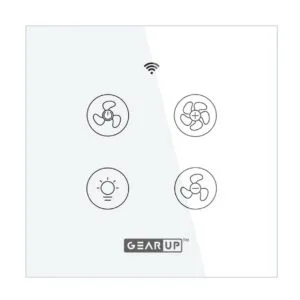
GearUP Wi-Fi Ceiling Fan Speed Controller & Light Switch — Smart TUYA / Smart Life App Control – (Without Remote)
Original price was: ৳ 2,070.৳ 1,590Current price is: ৳ 1,590.-26%
493 in stock

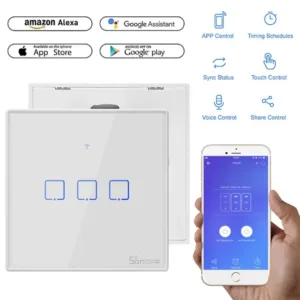
SONOFF WiFi Smart Wall Touch Switch T2 UK 3 Gang- Compatible With Alexa, Google Assistant – White Color
Original price was: ৳ 2,790.৳ 2,060Current price is: ৳ 2,060.-26%
30 in stock
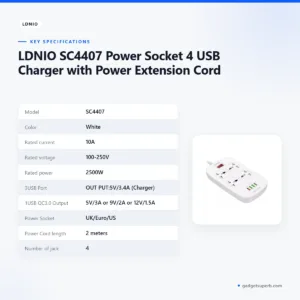
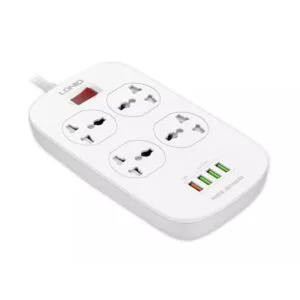
LDNIO SC4407 Power Socket 4 USB Charger with Power Extension Cord
Original price was: ৳ 2,790.৳ 2,060Current price is: ৳ 2,060.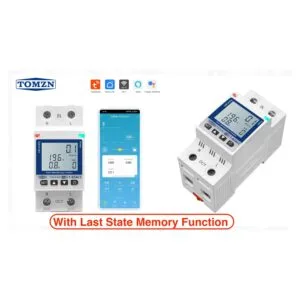 TOMZN TOVA-63T WIFI Circuit Br...
Original price was: ৳ 2,870.৳ 2,120Current price is: ৳ 2,120.
166 in stock
Reviews
There are no reviews yet.