No products in the cart.

-25%
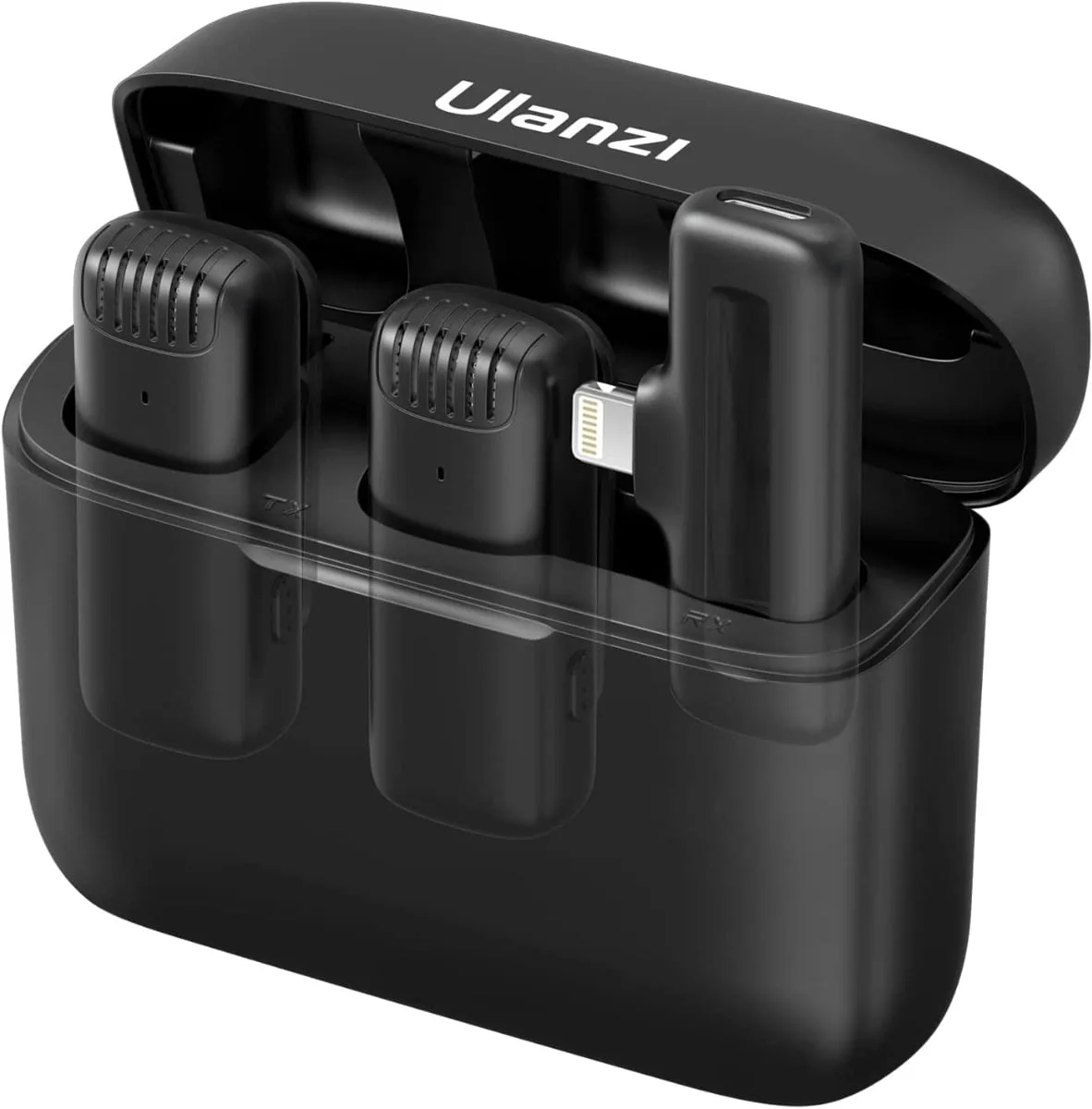
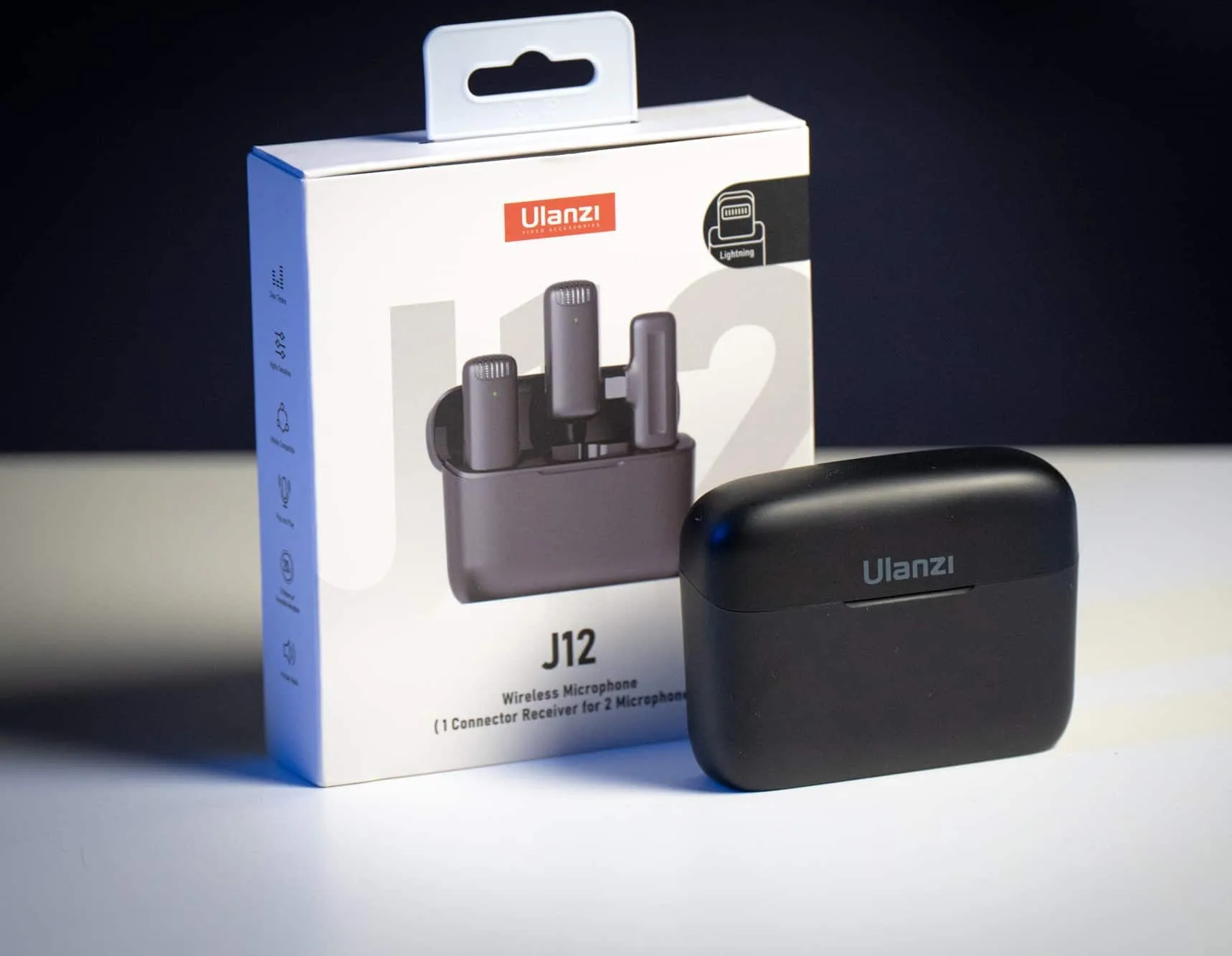
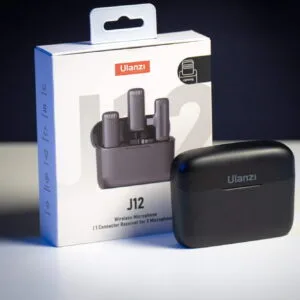
Ulanzi J12 is a dual wireless microphone for iPhone that the listing describes as a 2-in-1 plug-play wireless lavalier microphone with a charging case. It suits people who record presentations, short videos, interviews and karaoke on the go, and who want to move freely while their voice stays clear.
- Overview
- Key features
- Specifications
- How to use and set up
- Compatibility and what is in the box
- Who should buy it in Bangladesh
- Alternatives in our store
- Warranty and support
- Delivery, returns and ordering
- Frequently asked questions
Ulanzi J12 overview: a dual wireless microphone for phone video
The listing presents the Ulanzi J12 as a way to make presentations and videos more expressive. According to the listing, the Ulanzi J12 supports dual-microphone simultaneous recording, which the maker suggests suits live streaming, V-log, interviews, short videos and mukbang content.
For Bangladeshi buyers, the practical question is whether a wireless lavalier setup fits the way you work. Many people in Dhaka record at home, on a rooftop or in a small office, and power cuts make it useful to plan a shoot around what is already charged. The listing gives battery capacities but does not state a run time, so treat those figures as the only battery numbers confirmed by the listing, and keep the Ulanzi J12 charged before an important shoot.
Buyers who want a full kit for a camera should look at the options in our range before deciding on the Ulanzi J12. The sections below go through the listed features, the specifications, set-up, compatibility, the buyer profiles it suits, and the delivery and returns terms that apply across Bangladesh. You can also read the maker’s own product information on the maker’s website.
The listing’s wording is worth reading closely. It calls the set a 2-in-1 plug-play kit, and it names live streaming, V-log, interviews, short videos, mukbang and karaoke as use cases. These are the maker’s suggestions rather than guarantees, so match them against the way you plan to record.
Think about your setting before you buy. A quiet room with soft furnishings will behave differently from a tiled hall or a busy street. The listing does not describe how the set performs in each setting, so use your own usual room as the test case. Keep in mind that the figures in the specification table are the maker’s own figures as published in the listing.
Key features
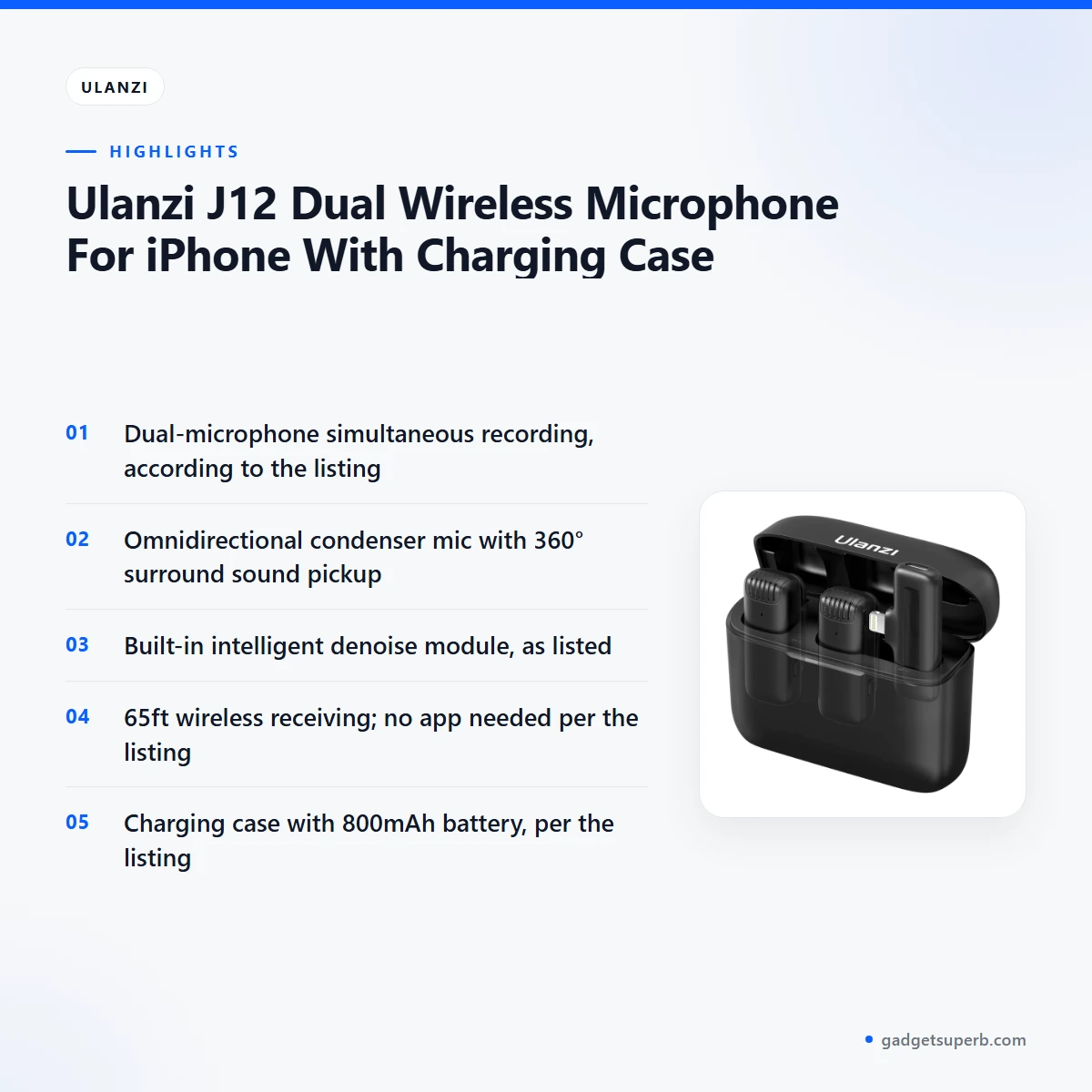
The listing names five headline features for the Ulanzi J12. Each one is summarised below in the maker’s wording, with the listed figures where the listing gives them.
Dual microphone recording
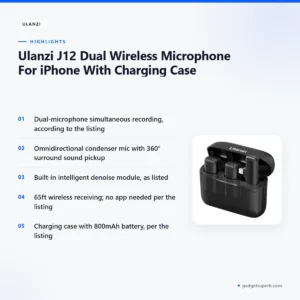
The listing says the Ulanzi J12 supports dual-microphone simultaneous recording. According to the listing, this means two microphones can record at the same time, which the maker links to interviews, mukbang and live streaming. For a two-person chat, a shared table or a family vlog, this is the feature that matters most. The listing does not explain how the two microphones are set up within your recording set-up, so test the Ulanzi J12 with a short clip before a longer session.
Omnidirectional condenser pickup
According to the listing, the Ulanzi J12 adopts an omnidirectional condenser microphone with 360° surround sound pickup and better spatial sense. The maker presents this as a way to pick up sound from around the speaker rather than from one direction only. The listing does not give a figure for background noise, and it does not show results for every room. Hard walls, echoing bathrooms and busy streets can still change how a recording sounds, so listen back before you rely on the Ulanzi J12 for important work.
Built-in intelligent denoise
The listing states that a built-in intelligent denoise module can effectively filter out noise and deliver high fidelity sound quality. The maker presents this as useful for everyday recording, where a fan, a generator or a passing rickshaw bell can creep into the audio. The listing does not say how much noise is removed or which noise types the module handles best. A cautious approach is to record the same sentence twice, once in your usual spot and once in a second room, then compare the two clips by ear. Treat the denoise claim as the maker’s wording, and check a sample recording in the room where you plan to use the Ulanzi J12.
65ft wireless receiving
The listing gives 65ft wireless receiving and a transmission distance of 20m/65ft. These are the range figures the maker publishes, so use them as your reference point when you plan a shoot. The listing does not describe performance through walls, in crowded venues or on a rooftop with metal structures nearby. If you plan to move between rooms during a recording, walk the route once with the set powered up and check the connection before the real take. Doing this short walk test costs little time and shows you where the edges of your working space are.
No app needed, plug-in receiver
The listing says no app is needed. According to the listing, you plug the receiver into the phone and the set connects automatically. For buyers who want a simple set-up without installing software, this is the main attraction of the Ulanzi J12. The listing also says some phones may not work at first. In that case, it suggests opening OTG, which you can find by searching OTG in the phone settings. A short test clip after connecting is a sensible first step for any new wireless lavalier kit.
Charging case and battery figures
The listing describes a long-lasting charging case with a wireless earbud-type box design, which it says makes the set easy to store, lightweight and portable. It lists an 800mAh rechargeable case battery, an 80mAh transmitter battery and a 5V/1A adapter. Charge the case and transmitter fully before first use, and follow the maker’s instructions for the charging steps. The listing does not state how long a charge lasts, so plan the Ulanzi J12 around your own session length rather than a stated run time.
Specifications
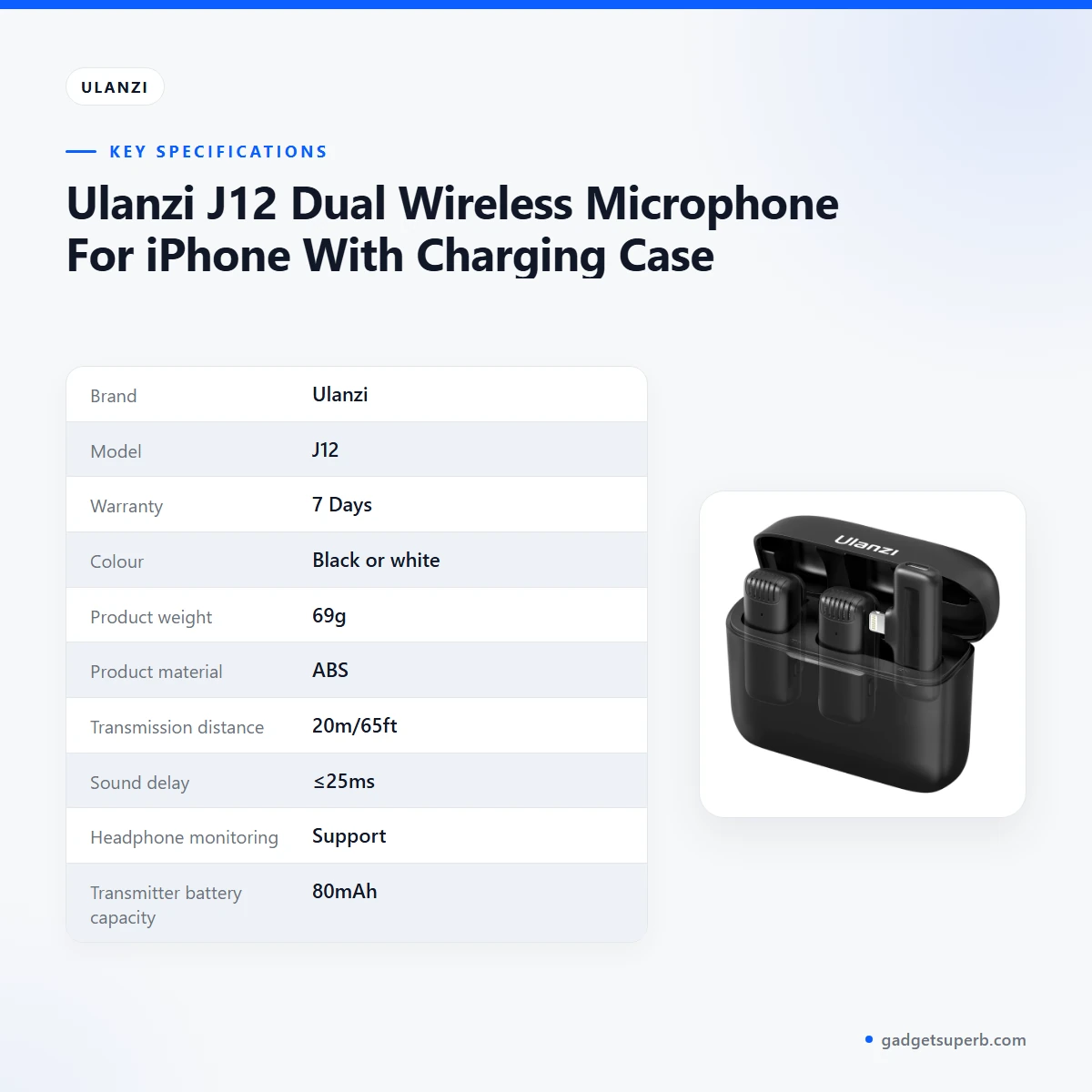
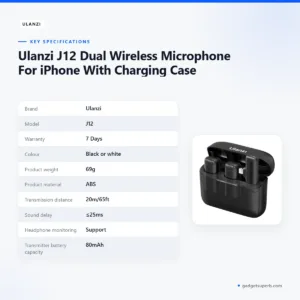
The table below lists the specifications of the Ulanzi J12 as they appear in the product listing. Check these figures against your own needs before you buy the Ulanzi J12.
| Brand | Ulanzi |
|---|---|
| Model | J12 |
| Warranty | 7 Days |
| Colour | Black or white |
| Product weight | 69g |
| Product material | ABS |
| Transmission distance | 20m/65ft |
| Sound delay | ≤25ms |
| Headphone monitoring | Support |
| Transmitter battery capacity | 80mAh |
| Rechargeable case battery capacity | 800mAh |
| Adapter | 5V/1A |
These are listed specifications from the product listing, and the figures are shown as the maker wrote them.
How to use and set up the Ulanzi J12
Set-up for the Ulanzi J12 can stay simple. Start by charging the case and transmitter fully, as covered in the features above. Then follow the maker’s instructions for connecting the parts and for using the receiver with your phone. Keep the instructions with your order records so you can check them later.
According to the listing, no app is needed. Plug the receiver into the phone, and the listing says the set connects automatically. If your phone does not connect, check the OTG step described in the features section, then try a short test clip so you know the set works before a long session. A short test clip is a sensible first step for any new wireless lavalier kit.
Once the set is up, the habits matter most. Keep clothing from rubbing against the transmitter, and keep the receiver in view of the transmitter during a recording where possible. Plan your camera angle so that the phone is not blocked by your body during a take.
Humidity is high in Dhaka for much of the year, so store the set in a dry place when you are not using it. Keep the listed 5V/1A adapter with it so the case can be charged when you need it.
Care is simple. Wipe the set with a dry cloth after use outdoors or in a dusty room, and keep it out of direct sun. The listing gives the material as ABS, so use gentle cleaning methods suited to plastic rather than harsh solvents.
Power cuts are common enough in Bangladesh that a charging habit should be part of your routine. Charge the case and transmitter fully when mains power is available, and plan recordings around those charging windows.
Compatibility and what is in the box
The product name describes the Ulanzi J12 as For iPhone. The listing also names Samsung S8, S9, S20 and Google as incompatible phone models. Other phones may work after you open OTG, but the listing does not confirm this for every model, so confirm your phone model before you place an order.
The listing does not give a full package list for the Ulanzi J12. Please ask us about the contents before you order, so you know exactly what arrives.
Two details are confirmed by the listing: the receiver connects to the phone without an app, and the charging case uses a wireless earbud-type box design. The listing does not confirm compatibility with models beyond those named, the exact run time of the set or the full package list.
The listing names OPPO and VIVO as examples of phones that may need OTG turned on. If you use one of these, search OTG in the phone settings, turn it on, and test with a short clip before a shoot.
Who should buy it in Bangladesh
The Ulanzi J12 suits people who need a simple phone-based voice set-up and who value freedom of movement. The scenarios below use the uses the listing names, so you can see where the fit is strong and where it is not.
A teacher or trainer who records lessons at home. A tutor in Dhaka who records short lessons on a phone may find the Ulanzi J12 useful. The listing names speeches and presentations as uses, so a teacher who moves around the room while speaking can use the wireless link to stay expressive. Test the audio in the actual room first, because the listing does not give a noise figure.
A vlogger filming walks around the city. A creator who films short videos while walking through a neighbourhood needs a voice that stays clear while the camera moves. The listing names V-log and short videos among its suggested uses, so the Ulanzi J12 fits the maker’s own wording. Keep the receiver where you can see it during each take, and check the connection on a test walk before a long shoot.
A small business owner recording customer interviews. A shop owner who records short customer interviews for social media may find the Ulanzi J12 helpful. The listing describes dual-microphone simultaneous recording and links it to interviews, so this is one of the uses the listing names. Record a trial interview in the shop before you rely on it for a client.
A family or friends’ karaoke evening. The listing mentions karaoke, speeches and sing-alongs as ways to use the set, so the Ulanzi J12 can serve a home gathering as well as a recording. Check the sound in your room before the evening starts, because the listing gives no figure for background noise.
A parent recording a school event. Parents who record a school performance or a family speech may find the wireless link useful, since the listing names speeches as a suitable use. Ask us about the set before the event so you know what to expect from it.
A content creator doing live streams or mukbang videos. The listing includes live streaming and mukbang among suggested uses. If your work involves long sessions, plan for charging breaks, since the listing does not state a run time for the set.
Who should look at other options. If you need a connection type or a use the listing does not describe, the Ulanzi J12 may not be the right fit. Compare the other microphones in our range before you order, and confirm your phone model first.
Alternatives in our store
If the Ulanzi J12 does not match your plan, the other microphones in our range may suit you better. Each option below is named with its category only, so you can open its product page and compare the details there.
Another microphone in our range is Hoco L15 Lightning Lavalier Wireless Microphone (For iPhone), which sits in the same microphone category. Compare it with the Ulanzi J12 on its own page and check the listed details there.
For a different option, see SX9 Mini Wireless Microphone For Type C & 3.5 Interface 1:1, another wireless microphone in our range. It is a separate product in the same category, so read its listing before you decide.
You can also look at Jmary MW-16 2.4G Wireless Microphone For Mobile & Camera, which is another wireless microphone in our range, and Boya Dual Clip Interview Microphone (BOYA M1DM), another microphone in our range.
Browse every option in our Microphones category to compare them side by side.
Warranty and support
Warranty: 7 Days seller warranty.
Delivery, returns and ordering
Ordering the Ulanzi J12 from Gadget Superb is straightforward. We deliver all over Bangladesh and you pay cash on delivery. Delivery usually takes 1–3 days inside Dhaka city and 2–5 days outside Dhaka. The times above are the usual windows, so plan your shoot date with a small margin.
If the Ulanzi J12 is not right for you, you can return it within 7 days of delivery (see our Delivery & Returns policy). Before ordering, call 09638054751, message us on Facebook Messenger or email care@gadgetsuperb.com. Full terms are on our Delivery & Returns policy page.
Keep your delivery address clear and check the phone number on the order, so the courier can reach you on the day. Our contact details are above, and we are happy to answer questions before you decide.
Frequently asked questions
Is the Ulanzi J12 a dual wireless microphone for iPhone?
Yes. The listing describes the Ulanzi J12 as a dual wireless microphone for iPhone that comes with a charging case.
Does the Ulanzi J12 need an app?
No app is needed, according to the listing. You plug the receiver into the phone and it connects automatically.
What is the wireless range of the Ulanzi J12?
The listing gives 65ft wireless receiving and a transmission distance of 20m/65ft. It does not describe performance through walls or in crowded venues.
Can the Ulanzi J12 record with two microphones at once?
Yes, according to the listing, it supports dual-microphone simultaneous recording, which the maker links to interviews and live streaming.
Which phones are not compatible with the Ulanzi J12?
The listing names Samsung S8, S9, S20 and Google as incompatible phone models. Some other phones may need OTG turned on before they work.
What warranty does the Ulanzi J12 have?
The listed warranty is 7 Days seller warranty. Ask us if you need the details before you order.
Can I return the Ulanzi J12 if it does not suit me?
Yes, you can return it within 7 days of delivery, as set out in our Delivery & Returns policy.
How long does delivery of the Ulanzi J12 take?
Delivery usually takes 1–3 days inside Dhaka city and 2–5 days outside Dhaka. We deliver all over Bangladesh and you pay cash on delivery.
Related products
-28%
54 in stock
FIFINE K658 USB Dynamic Cardioid Podcast Microphone With A Live Monitoring, Gain Control, Mute Button
Original price was: ৳ 8,510.৳ 6,120Current price is: ৳ 6,120.-23%
40 in stock

BOYA M1 Microphone (BOYA Official Product)
Original price was: ৳ 1,300.৳ 1,000Current price is: ৳ 1,000.-23%
50 in stock
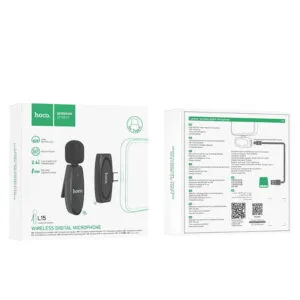

Hoco L15 Type-C Lavalier Wireless Microphone (for Android)
Original price was: ৳ 1,300.৳ 1,000Current price is: ৳ 1,000.-28%
48 in stock

MAONO PD100X RGB USB/XLR Dynamic Microphone
Original price was: ৳ 8,890.৳ 6,390Current price is: ৳ 6,390.-28%
30 in stock

MAONO PD300X USB/XLR Dynamic Microphone
Original price was: ৳ 13,200.৳ 9,490Current price is: ৳ 9,490.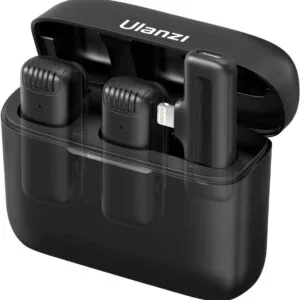 Ulanzi J12 Dual Wireless Micro...
Original price was: ৳ 3,850.৳ 2,850Current price is: ৳ 2,850.
23 in stock
Reviews
There are no reviews yet.