No products in the cart.

-26%
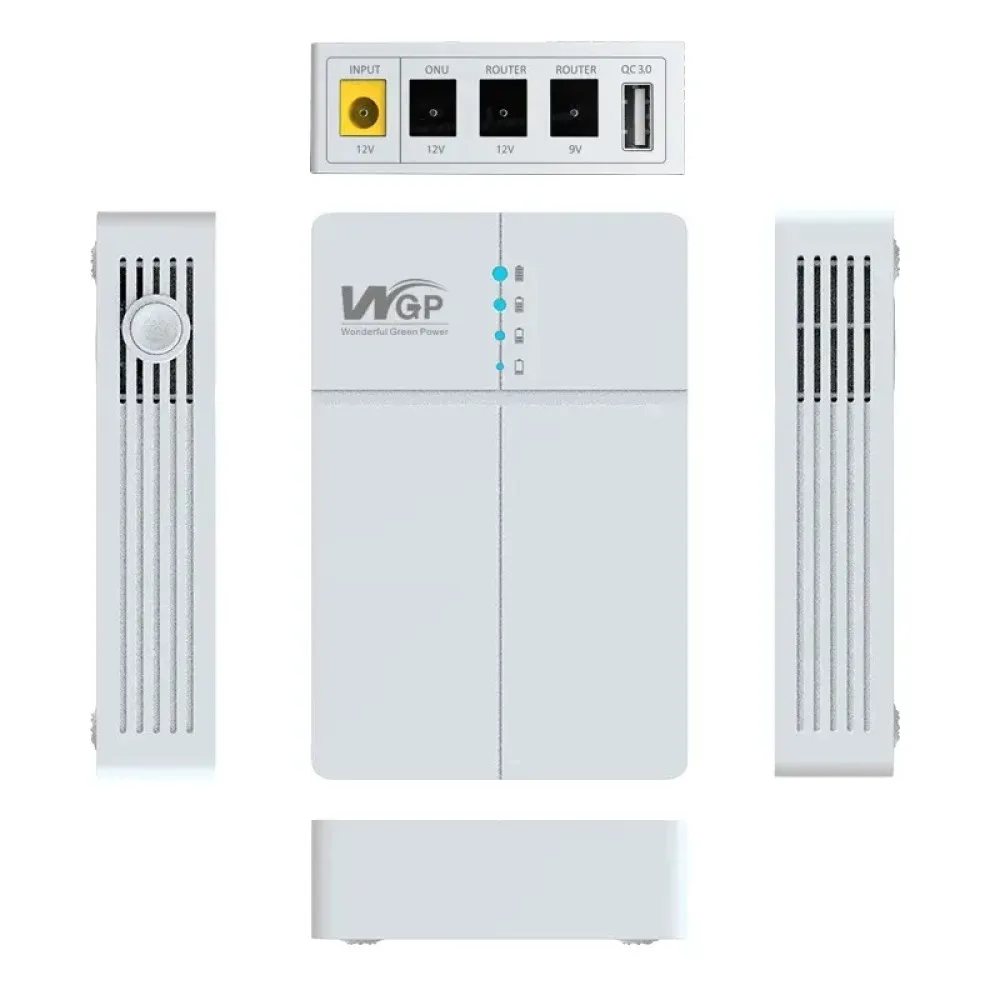
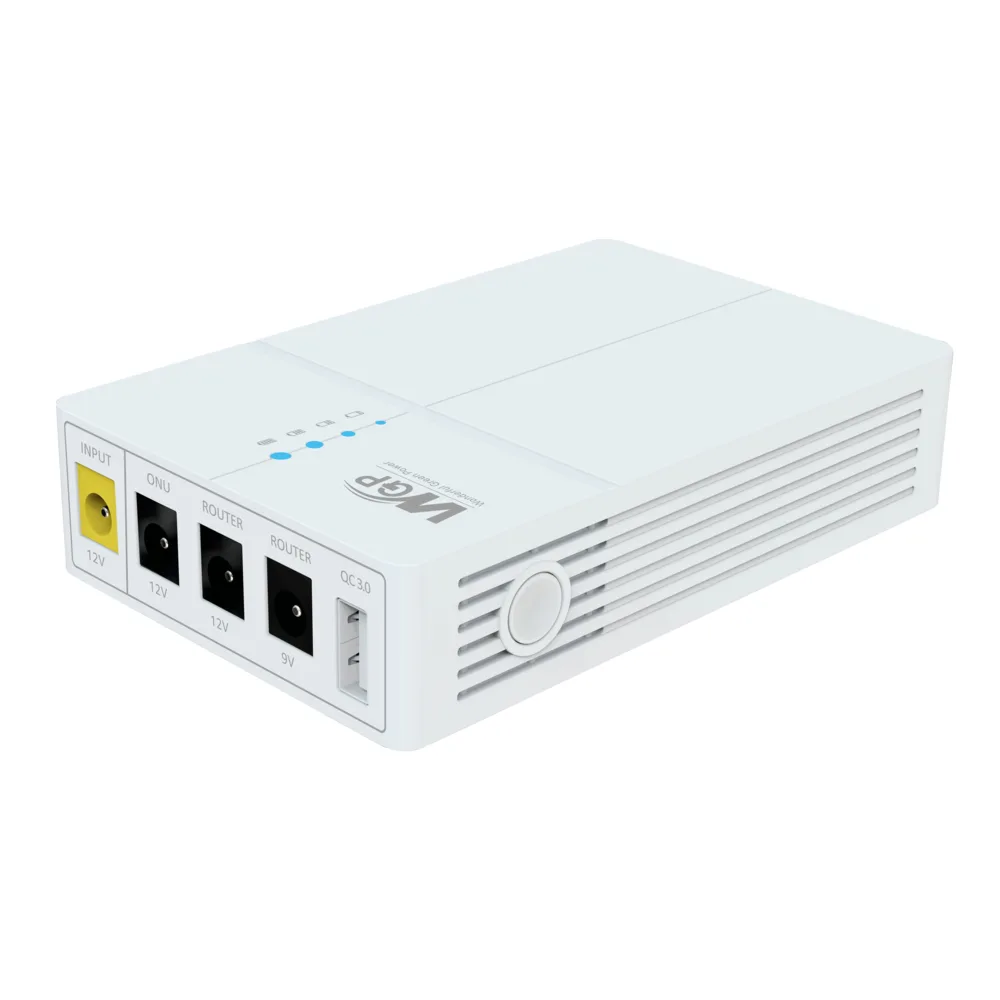


The WGP Optima 302 is a mini UPS, or small battery backup unit, for Wi-Fi routers, ONUs and other low-power DC devices. It is aimed at Bangladeshi households and small offices that want their internet to stay on when the power goes out. The product name states that it is supplied without an adapter.
- WGP Optima 302 overview
- Key features
- Specifications
- How to use / set up
- Compatibility and what is in the box
- Who should buy it in Bangladesh
- Alternatives in our store
- Warranty and support
- Delivery, returns and ordering
- Frequently asked questions
WGP Optima 302 overview: backup power for your internet
The listing presents the WGP Optima 302 10500mAh Mini UPS for Wifi Router as a way to provide seamless, uninterrupted power to essential network devices. According to the listing, it is designed specifically for routers, ONUs and other low-power DC devices. In Bangladesh, where unexpected power outages are a common occurrence, the maker positions the WGP Optima 302 as a way to keep work, study and entertainment running.
The listing describes the WGP Optima 302 as a high-capacity, intelligent mini UPS built around a 10500mAh lithium-ion battery. According to the listing, that capacity is made up of three 3500mAh cells. The maker lists a typical backup of 6-8 hours for a 12V 1A Wi-Fi router and 10-12 hours for a 9V 0.6A ONU. These are typical values from the maker, so the backup you get from the WGP Optima 302 will depend on the device it powers and how it is used. Treat them as a guide rather than a guarantee.
Think of the WGP Optima 302 as a backup layer between the mains and your router. It sits between the router’s power adapter and the router, so the device keeps receiving power while the battery takes over, as the listing describes. Before you order, confirm your router’s input voltage, because the listing stresses that the output setting must match the device. If you want background on what the device connects to, see what a wireless router does. That context explains why a router that loses power drops your connection, even when the rest of your equipment keeps running.
Key features
Uninterrupted power supply for your router
The listing describes the WGP Optima 302 as a true Uninterruptible Power Supply. When the main power fails, the maker says it switches to battery power automatically and instantaneously, without interrupting your router or ONU. According to the listing, that means no rebooting, no loss of connection and no downtime. For households that face load shedding, this is one reason to look at the WGP Optima 302, because the connection can stay up while the mains are off. The listing does not give a switchover time in seconds, so this page does not quote one.
10500mAh lithium-ion battery
The WGP Optima 302 is listed with a 10500mAh battery made from three 3500mAh cells. The battery type is given as high-quality lithium-ion (Li-ion). The maker lists a typical backup of 6-8 hours for a 12V 1A router, and 10-12 hours for a 9V 0.6A ONU. The listing gives a charging time of approximately 3-4 hours from empty to full. Charge the unit fully before first use, following the maker’s instructions, so you know where the battery starts. Keep the WGP Optima 302 on a stable surface while it charges, and plan a recharge after any long outage so it is ready for the next cut.
Selectable 9V and 12V output
According to the listing, the WGP Optima 302 offers selectable output voltages of 9V DC and 12V DC. Each setting is listed with a maximum output current of 1A, and the maker gives a total maximum power of 12W. The input is listed as 12V DC at 2A maximum. The listing names TP-Link, D-Link, Tenda and Netgear routers as examples of devices the unit is designed for, along with ONUs and other low-power network equipment. Because the output must match your device, the voltage setting is the detail that matters most in daily use.
Smart charging and comprehensive protection
The listing describes intelligent charging circuitry that prevents overcharge and over-discharge, which the maker says helps extend the lifespan of the internal battery. It also names short-circuit protection, overload protection and surge protection. According to the listing, these safeguard both the UPS and the devices connected to it from potential electrical damage. The listing does not explain how each protection works, so this page repeats only the names the maker gives. For a router or ONU that runs for many hours a day, these listed features are worth reading closely before you commit to the WGP Optima 302.
Compact, lightweight body
The listing gives the dimensions as 105mm x 70mm x 30mm and the weight as approximately 320g. The maker describes a compact, lightweight design with a sleek, minimalist look that the listing says suits home or office decor. In practice, a unit of this size can sit beside a router on a shelf or desk, with room left for the cables. The listing also describes it as portable, so it can be moved between locations if needed. Measure your shelf space first, and allow room for the DC output cable to reach the router without strain.
Plug-and-play setup with LED indicators
The listing describes the WGP Optima 302 as a true plug-and-play device. You connect it between your router’s power adapter and the router itself, and the maker says no complex configuration or technical expertise is required. The listing also mentions LED indicators for charging status, power on and battery level. Read the maker’s user manual for your unit before first use, so the setup matches the model you bought. The maker presents the setup as simple, which is why the device suits people who want a straightforward backup for their router.
Specifications
The table below sets out the WGP Optima 302 specifications as they appear in the product listing. Use it to check the listed figures against your router’s input voltage and power needs before you order.
| Label | Value |
|---|---|
| Model | WGP Optima 302 |
| Battery Type | High-Quality Lithium-ion (Li-ion) |
| Battery Capacity | 10500mAh |
| Input Voltage | 12V DC |
| Input Current | 2A (Max) |
| Output Voltage | Selectable 9V DC / 12V DC |
| Output Current (Max) | 1A for 9V, 1A for 12V (Total Max Power: 12W) |
| Typical Backup Time | 6-8 hours for 12V 1A Router; 10-12 hours for 9V 0.6A ONU |
| Charging Time | Approximately 3-4 hours (from empty to full) |
| Protections | Overcharge, Over-discharge, Short Circuit, Overload, Surge Protection |
| Indicators | LED (Charging, Power On, Battery Level) |
| Dimensions (L x W x H) | 105mm x 70mm x 30mm |
| Weight | Approximately 320g |
These are listed specifications from the product listing.
How to use / set up
The listing describes a simple setup for the WGP Optima 302. The steps below stay general, and you should follow the maker’s instructions in the user manual for your unit.
- Charge the unit fully before first use, following the maker’s instructions.
- Choose the 9V or 12V output that matches your router or ONU input voltage.
- Connect the power input and the DC output cable as the maker describes.
- Confirm that your router or ONU is receiving power from the unit.
- Check the status indicators from time to time for charging and battery level.
The listing says the UPS takes over automatically if the main supply fails, so you do not need to switch anything during a power cut with the WGP Optima 302. Always ensure the output voltage selected matches the input requirement of your device to prevent damage.
Plan for power cuts before they happen. Write down which devices you want to keep online, check each input voltage against the specification table, and keep the DC output cable and power adapter in one place so you can reconnect quickly. A short written checklist can help everyone in the house know what to do when the lights go out.
Good habits make a backup unit more useful over its life. Keep the WGP Optima 302 on a firm, level surface rather than a bed or sofa, and route the cables so that nobody pulls a connector loose during a power cut. The listing gives an operating temperature range of 0°C to 40°C, so keep the unit within that range and away from direct heat sources such as heaters or strong afternoon sun through a window.
Humidity is a real concern for electronic equipment in many parts of Bangladesh during the wet months. If you store a spare unit, keep it in a dry, well-ventilated place rather than a damp cupboard or a bathroom. The listing does not give humidity limits, so use the operating temperature range as your main guide and keep the unit indoors.
Recharge the WGP Optima 302 after each outage so it is ready for the next one. The listing does not describe how to store the battery for long periods, so follow the maker’s instructions on charging rather than guessing. Check the status indicators when you start to see whether a recharge is due.
Compatibility and what is in the box
According to the listing, the WGP Optima 302 is designed for routers, ONUs and other low-power DC devices that take a 9V or 12V input. The listing names TP-Link, D-Link, Tenda and Netgear routers as examples, but it does not give a full model list. Compatibility with your exact router or ONU is not confirmed by the listing, so compare its input requirement with the specification table above.
The product name states that the WGP Optima 302 is without an adapter. The listing’s usage section refers to connecting your router’s own 12V DC power adapter to the DC IN port. The listing gives the package contents as the WGP Optima 302 Mini UPS, a DC output cable and a user manual.
Who should buy it in Bangladesh
If your household loses power often and the router is the first thing you need back, the WGP Optima 302 is aimed at that situation. The listing describes it as a way to keep the connection up during outages, and the maker refers to load shedding as the everyday problem it addresses in Bangladesh. Families who share one internet line will often feel that loss most when a call or a lesson is in progress.
Remote workers who rely on video calls and online meetings can use a WGP Optima 302 to keep a router or ONU powered through short cuts. The listing presents uninterrupted work as a benefit, but it does not measure how much work a given backup will protect, so plan around your own working hours and the length of the outages you usually see.
Students attending online classes at home may find that the WGP Optima 302 keeps the router running while the rest of the building is dark. The listing mentions online classes as a use case, so this is a direct match with the maker’s own description. Check whether the classes need the router only, or the ONU as well, before you decide what to connect.
A small office or shop with one router and one ONU can use a mini UPS for the networking equipment only. The listing names routers, ONUs and other low-power DC devices, so match your equipment’s power needs against the specification table before you decide on the WGP Optima 302. Keep power for other office equipment separate in your planning, because the listing focuses on networking devices.
Households with a router and a separate ONU need to decide which device matters most during an outage. Each device needs its own matching input voltage, so check both before you buy a WGP Optima 302 for the setup. The listing describes a switch on the side that selects 9V or 12V, so a router and an ONU that need different voltages should be checked carefully before you plan the layout.
Before you buy any mini UPS for a router, write down the input voltage of each device you want to keep online. Compare those details with the specification table on this page. If anything is unclear, use the contact details in the delivery section and ask before you order, so the choice fits your equipment rather than the other way round.
If your device needs a different input voltage from the 9V or 12V settings, or a higher output than the listing describes, the WGP Optima 302 may not suit it. In that case, look at the other mini UPS options in our range below, and read each listing before you choose.
Anyone who wants a simple, plug-and-play backup will find the WGP Optima 302 described by the maker as easy to set up. Ask us before ordering if you are unsure which device to connect, using the contact details in the delivery section.
Alternatives in our store
If the WGP Optima 302 does not fit your setup, you can look at other mini UPS products in our range. Browse the full Mini UPS category to see the complete range. Another mini UPS in our range is the SKE POE-36E-LFP 20,000mAh Mini DC UPS – 36W High Power Backup with LiFePO4 Battery (5V/9V/12V 3A). Another mini UPS in our range is the JIMOX JM-01 Multi-Output Mini UPS for Router & ONU (10400mAh, Fast Charging). The Olax POE D8 Pro 24W 20000mAh Smart Mini DC UPS is also a mini UPS in our range. Read each listing carefully before you choose.
Warranty and support
Warranty: 1 Year seller warranty.
Delivery, returns and ordering
We deliver all over Bangladesh, and you pay cash on delivery. Delivery usually takes 1–3 days inside Dhaka city and 2–5 days outside Dhaka. You can return it within 7 days of delivery; see our Delivery & Returns policy for the full terms. Questions before ordering: call 09638054751, message us on Facebook Messenger or email care@gadgetsuperb.com.
When you plan an order, check the model name, the input voltage of your router or ONU and your delivery area before you place it. If you are ordering for a home outside Dhaka, allow for the longer delivery window above when you plan around a power cut. Ordering questions can be sent through any of the channels listed above before you place the order.
Frequently asked questions
What is the WGP Optima 302?
The WGP Optima 302 is a mini UPS, or small battery backup unit, that the listing describes for Wi-Fi routers, ONUs and other low-power DC devices. It is built around a listed 10500mAh lithium-ion battery and is supplied without an adapter.
Who is this mini UPS for?
It suits Bangladeshi households and small offices that want a router or ONU to keep running during power cuts, including load shedding. The listing presents it as a backup for connectivity rather than a general power source.
How long does a backup last?
The maker lists a typical backup of 6-8 hours for a 12V 1A Wi-Fi router and 10-12 hours for a 9V 0.6A ONU. Your actual time will depend on the device and how it is used.
Does the WGP Optima 302 include an adapter?
No, the product name states that it is without an adapter. The listing gives the package contents as the unit, a DC output cable and a user manual.
How do I choose the output voltage?
Select the 9V DC or 12V DC setting that matches the input voltage your router or ONU requires. The listing says this value is usually found on the router or its power adapter.
Will the WGP Optima 302 work with my TP-Link or D-Link router?
The listing names TP-Link, D-Link, Tenda and Netgear routers as examples of devices it is designed for. The listing does not give a full model list, so match the input voltage and power needs of your own device.
How long does it take to charge?
The listing gives an approximate charging time of 3-4 hours from empty to full. Charge it fully before first use, following the maker’s instructions.
What protection does it have?
According to the listing, it has overcharge, over-discharge, short-circuit, overload and surge protection. The maker says these help protect the UPS and the devices connected to it.
How do I set up the WGP Optima 302?
The listing describes it as plug-and-play, connected between the router’s power adapter and the router. Follow the maker’s instructions in the user manual for your unit.
How do I order for delivery in Bangladesh?
We deliver all over Bangladesh and you pay cash on delivery. Delivery usually takes 1–3 days inside Dhaka city and 2–5 days outside Dhaka.
Can I return it?
Yes, you can return it within 7 days of delivery. See our Delivery & Returns policy for the full details.
What warranty does the WGP Optima 302 have?
Our listing gives a 1 Year seller warranty for the WGP Optima 302. For questions before ordering, call 09638054751 or email care@gadgetsuperb.com.
Related products
-27%
100 in stock
Olax POE D8 Pro 24W 20000mAh Smart Mini DC UPS
Original price was: ৳ 4,440.৳ 3,240Current price is: ৳ 3,240.-26%
57 in stock
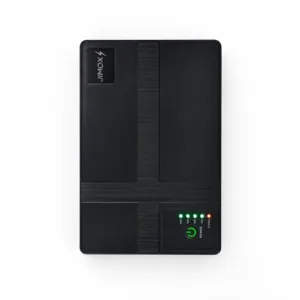

JIMOX JM-01 Multi-Output Mini UPS for Router & ONU (10400mAh, Fast Charging)
Original price was: ৳ 2,950.৳ 2,180Current price is: ৳ 2,180.-26%
Out of stock
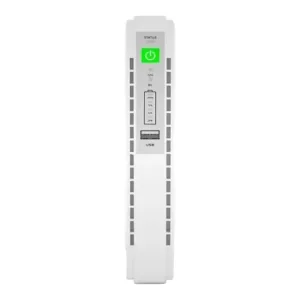
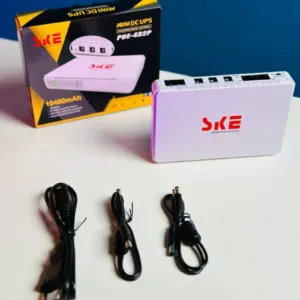
SKE POE 432P Mini DC UPS 25Watt 5v 9v 12v & PoE support 15/24v – 10400MAH
Original price was: ৳ 3,110.৳ 2,300Current price is: ৳ 2,300.-27%
352 in stock
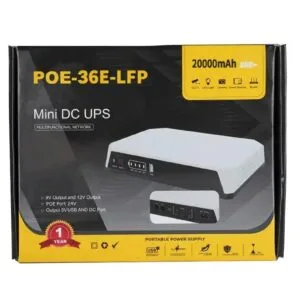
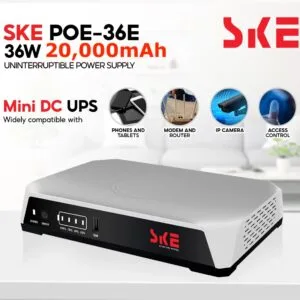
SKE POE-36E-LFP 20,000mAh Mini DC UPS – 36W High Power Backup with LiFePO4 Battery (5V/9V/12V 3A)
Original price was: ৳ 5,200.৳ 3,790Current price is: ৳ 3,790.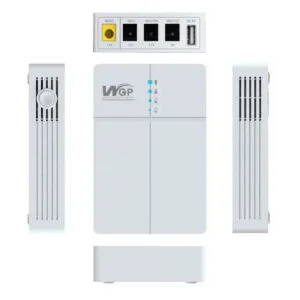 WGP Optima 302 Mini UPS for Wi...
Original price was: ৳ 2,790.৳ 2,060Current price is: ৳ 2,060.
100 in stock
Reviews
There are no reviews yet.