No products in the cart.

-23%

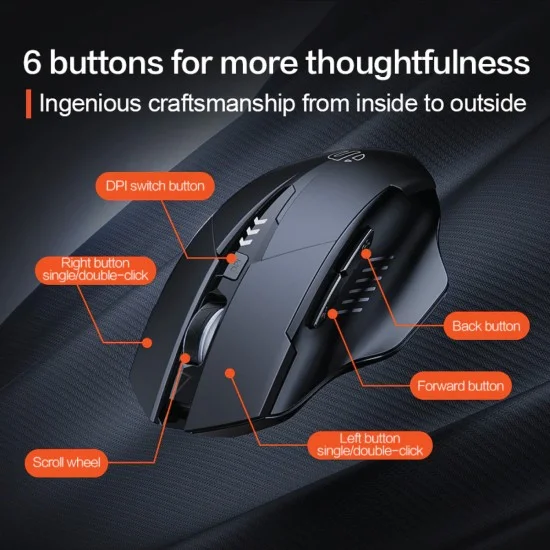


The Inphic A1 wireless mouse is a rechargeable mouse for people who move between a laptop, a tablet and a desktop during the working day. According to the listing, it offers Tri-Mode connectivity across Bluetooth 5.0, Bluetooth 4.0 and 2.4G wireless. It suits office workers, students and home users across Bangladesh.
- Overview
- Key features
- Specifications
- How to use and set up
- Compatibility and what is in the box
- Who should buy it in Bangladesh
- Alternatives in our store
- Warranty and support
- Delivery, returns and ordering
- Frequently asked questions
Inphic A1 wireless mouse overview
The Inphic A1 wireless mouse is built around one idea: a single mouse that works across several devices without constant re-pairing. The maker describes it as the Pro version of Inphic’s office lineup for 2026. According to the listing, Tri-Mode connectivity covers Bluetooth 5.0, Bluetooth 4.0 and 2.4G wireless, so it can pair directly with modern laptops and tablets without using up a USB port.
Many people in Dhaka work from a laptop at home, move to a desktop at a shared office and sometimes read on a tablet. Each device can behave a little differently, and carrying several receivers adds friction to a busy day. The mouse is listed as switching between three devices with a single click, which is the feature to weigh first if your work spans more than one screen. For background on input hardware, see the computer keyboard article on Wikipedia.
The listing also covers comfort and noise. It describes a widened thumb rest, a skin-friendly matte finish and a natural grip that, according to the listing, helps prevent fatigue during long workdays. The Silent Click design is listed as reducing noise by 90% for the left and right buttons. Treat these comfort and noise figures as the maker’s claims, and use them as a checklist when you compare any mouse on our site.
Key features
Tri-Mode connectivity
The listing says the Inphic A1 wireless mouse supports Bluetooth 5.0, Bluetooth 4.0 and 2.4G wireless, and that it connects to up to three devices simultaneously. You can switch between devices with a single click, so a laptop in your bag and a desktop on your desk can share one mouse.
The listing notes that Bluetooth pairing lets the mouse work with modern laptops and tablets without using up a USB port. For many buyers in Bangladesh, that means fewer receivers to keep track of and one mouse that follows you between home, office and the commute.
Silent Click design
According to the listing, the Inphic A1 wireless mouse mutes its left and right buttons to reduce noise by 90%, which the maker describes as ideal for libraries and shared workspaces. In Bangladesh that matters in a family living room during evening study, in a flat where sound carries, or in a small office where colleagues sit close together.
The listing also says the mouse suits working late into the night without disturbing people nearby. The 90% figure is the maker’s own, so try the mouse yourself, or ask someone who has used one, before you judge how quiet it feels.
Visible power indicator
Integrated LED lights on the top surface are listed as showing real-time battery levels at 25%, 50%, 75% and 100%. The listing describes this as a way to avoid a dead battery in the middle of a meeting.
For a busy schedule, a quick glance at the mouse before you leave home can prevent a stressful moment at the office. The battery is rechargeable, so you do not need to keep buying alkaline batteries for it, which the listing presents as an eco-friendly choice. The listing gives the four percentage steps only, so use those levels when you plan a charge.
Adjustable DPI
The listing gives the Inphic A1 wireless mouse four DPI levels: 800, 1200, 1600 and 2400. According to the maker, these are four stages of sensitivity to match your tasks, from precision work to fast-paced browsing.
Lower settings can suit detailed work such as editing a document or reviewing a spreadsheet, while higher settings may feel more comfortable on a large monitor or when you move quickly across several windows. Choose the setting that matches your task rather than the highest number, and try two or three levels for a week to see which feels natural with the mouse.
Ergonomic arc support and thumb rest
The listing describes the mouse as having a contoured body and a specialised thumb rest, designed to enhance comfort during extended use. The widened thumb rest and matte finish are listed as giving a natural grip.
Six buttons are listed, including forward and back side keys, which many people use while browsing. Hand size and grip style decide whether any mouse feels right, so hold one in your hand, or read reviews from people with similar hands, before you decide the mouse suits you.
Type-C charging and Smart Sleep
The listing says the mouse has a Type-C port for faster, more convenient charging through any USB power source. Its rechargeable battery is listed as 500mAh Rechargeable Lithium Polymer. Charge the Inphic A1 wireless mouse fully before first use, and top it up when the power display shows a lower level.
The Smart Sleep function enters power-saving mode after 5 minutes of inactivity, and the listing states that this can extend battery life up to 30 days. The listing also describes the built-in battery as lasting up to a month. Real use will vary with habits, so keep an eye on the power display.
Specifications
The table below lists the Inphic A1 wireless mouse specifications as they appear in the product listing. Use it to check connectivity, battery, DPI and dimensions against your devices and desk space.
| Brand | Inphic |
| Model | A1 |
| Connectivity | 2.4G Wireless + BT 4.0 + BT 5.0 |
| Battery | 500mAh Rechargeable Lithium Polymer |
| DPI Levels | 800 / 1200 / 1600 / 2400 |
| Number of Keys | 6 Buttons (including Forward/Back side keys) |
| Dimensions | 120 x 76.5 x 40 mm |
| Weight | 95g (±5g) |
| Tracking System | Optical (Invisible Infrared) |
| Compatibility | Windows XP/7/8/10/11, macOS, Android, iOS 14+ |
| Warranty | 7 Days |
These are listed specifications from the product listing.
How to use and set up
Start by charging the Inphic A1 wireless mouse fully before first use. Connect a USB power source to the Type-C port and let the battery finish charging before your first session. Keep the charging cable within easy reach of your desk so you can top up between tasks.
Next, choose your connection. The listing names three wireless options: Bluetooth 5.0, Bluetooth 4.0 and 2.4G. For laptops and tablets, Bluetooth is the route the listing highlights, because it avoids using up a USB port. The listing also includes 2.4G wireless among the connections, so check the maker’s instructions for how it is set up on your desktop. Follow the maker’s instructions for pairing each device with the Inphic A1 wireless mouse.
Then set your DPI. Use the four listed levels, 800, 1200, 1600 and 2400, and try two or three of them on the work you do most. Keep the setting that feels right for that task on your Inphic A1 wireless mouse, and change it when your work changes.
Build a battery habit. Check the level shown by the LED lights before a long meeting or a session of video calls. During load-shedding, charge the Inphic A1 wireless mouse whenever power is available, so it is ready when the lights go off. The listing does not give a charge time, so judge the timing from your own routine.
Let Smart Sleep do its job. According to the listing, the mouse enters power-saving mode after 5 minutes of inactivity. If it does not respond after a break, check the connection on your device and follow the maker’s instructions before you assume a fault.
Care matters in a humid climate. Keep the Inphic A1 wireless mouse clean and dry, avoid leaving it in a damp bag, and keep it away from direct heat on a warm desk. Wipe the surface with a soft, dry cloth after use. The listing does not give separate cleaning instructions, so follow the maker’s guidance if you need more detail.
For a long break, store the mouse in a dry drawer rather than on a sunny windowsill, and check the battery level before you put it away. Keep it apart from sharp objects that could scratch the finish.
Ask for help early. After you set up the Inphic A1 wireless mouse, test it on the device you use most. Setup steps beyond these are not detailed in the listing, so follow the maker’s instructions. If something is unclear, message us before you start a return.
Compatibility and what is in the box
The listing says the Inphic A1 wireless mouse is compatible with Windows XP, 7, 8, 10 and 11, macOS, Android and iOS 14 or later. The benefits section also describes switching between a PC and an iPad without re-pairing or swapping dongles.
If your device is an older model or runs an unusual system, confirm your model before you order. Check the operating system version on the device itself, since the listing gives only the compatibility list above.
What comes in the package is not confirmed by the listing. Ask us before you order if you need to know exactly which items are included with the Inphic A1 wireless mouse.
Connection performance also depends on your device’s own Bluetooth or USB settings, which the listing does not describe in detail.
Who should buy it in Bangladesh
The Inphic A1 wireless mouse suits a hybrid worker who moves between a laptop at home, a desktop at the office and a tablet on the commute. Tri-Mode connectivity and single-click switching are the features that matter most for this group.
Students who move between a laptop in one room and a tablet in another will find the Inphic A1 wireless mouse useful for reading and note-taking sessions. Because the listing describes one mouse that connects to up to three devices, you do not need a separate mouse for each one.
Families sharing a flat, and colleagues in a shared office, benefit from the Silent Click design. The listing describes it as ideal for libraries and shared workspaces, so the Inphic A1 wireless mouse is a sensible choice when quiet matters more than the highest sensitivity setting.
Remote workers who depend on a steady home setup during load-shedding will value the visible power display and the rechargeable battery. Charge the mouse when power is on and check the LED levels before the next outage.
Anyone who already keeps a Type-C cable at hand will find charging simple, because the listing says the port charges from any USB power source. It is a small habit that keeps the mouse ready for the next session.
A designer who edits on a tablet and reviews files on a desktop may use the Inphic A1 wireless mouse at different DPI settings for different parts of the day, though the right setting is always a matter of personal preference.
The listing does not describe the Inphic A1 wireless mouse for competitive gaming, and it presents the design around office and everyday productivity use. If gaming is your main need, look at the gaming options in the alternatives section below.
People with smaller or larger hands should weigh the grip description and the listed dimensions against their own hand before they buy the Inphic A1 wireless mouse.
Before you order, decide which devices you will connect, how much desk space you have, and whether the four listed DPI levels cover your work. Your answers should guide the choice more than any single feature on the page.
The most useful comparison is not which mouse has the longest list of features, but which one fits your devices and daily routine.
Alternatives in our store
If the Inphic A1 wireless mouse does not fit your needs, our range has other mice and keyboard sets. For a gaming-focused option, see the Havit MS1034 RGB Backlit Programmable Gaming Mouse, a gaming mouse in our range. Another gaming mouse in our range is the Havit MS1027 Cool RGB LED Gaming Optical Mouse. If you prefer a different mouse type, look at the A4TECH OP-720 Optical USB Wired Mouse, another mouse in our range. For a bundle, the Fantech P31 Keyboard, Mouse & Mousepad Combo is a keyboard, mouse and mousepad combo in our range. You can browse more options in the keyboards and mouse category.
Warranty and support
Warranty: 7 Days seller warranty.
Delivery, returns and ordering
Before you order the Inphic A1 wireless mouse, here is how delivery works. We deliver all over Bangladesh and you pay cash on delivery. Delivery usually takes 1–3 days inside Dhaka city and 2–5 days outside Dhaka.
You can return it within 7 days of delivery (see our delivery and returns policy). Read the policy page before you place your order.
Questions before ordering: call 09638054751, message us on Facebook Messenger or email care@gadgetsuperb.com. Have your delivery area ready when you ask, so we can answer your timing question quickly.
When you are ready, tell us the device you plan to use with the mouse and your delivery area, so we can confirm the details with you.
Frequently asked questions
What is the Inphic A1 wireless mouse?
The Inphic A1 wireless mouse is a rechargeable wireless mouse that the listing says supports Bluetooth 5.0, Bluetooth 4.0 and 2.4G wireless. It is aimed at people who switch between a laptop, a tablet and a desktop.
Does the Inphic A1 wireless mouse have adjustable DPI?
Yes, the listing gives four levels: 800, 1200, 1600 and 2400. The maker describes them as four stages of sensitivity to match different tasks.
Is the Inphic A1 wireless mouse rechargeable?
Yes, the Inphic A1 wireless mouse uses a 500mAh rechargeable lithium polymer battery. The listing says it charges through a Type-C port from any USB power source.
How long does the Inphic A1 wireless mouse battery last?
The listing says Smart Sleep enters power-saving mode after 5 minutes of inactivity, and that the Inphic A1 wireless mouse can reach up to 30 days of battery life. Real use will vary, so keep an eye on the power display.
Does the Inphic A1 wireless mouse work with an iPad or a Mac?
The listing says it is compatible with macOS and iOS 14 or later, and it describes switching between a PC and an iPad. If you use an older system, confirm your model before you order.
Is the Inphic A1 wireless mouse silent?
The listing says the left and right buttons are muted to reduce noise by 90%. Quietness is personal, so try the mouse in your own setting before you judge it.
Does the Inphic A1 wireless mouse come with a warranty?
The listed warranty is 7 Days seller warranty. If you have questions about it, contact us before you order by phone, Facebook Messenger or email.
Can I pay cash on delivery for the Inphic A1 wireless mouse?
Yes. We deliver all over Bangladesh and you pay cash on delivery.
How long does delivery take for the Inphic A1 wireless mouse?
Delivery usually takes 1–3 days inside Dhaka city and 2–5 days outside Dhaka. If you need help with timing, call 09638054751 or email care@gadgetsuperb.com.
Can I return the Inphic A1 wireless mouse?
Yes, you can return it within 7 days of delivery, as set out in our delivery and returns policy. Read the policy page before you order.
Related products
-20%
Out of stock
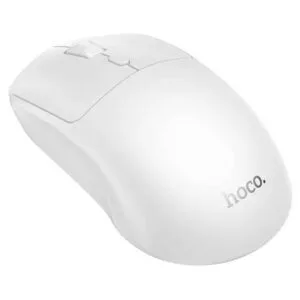
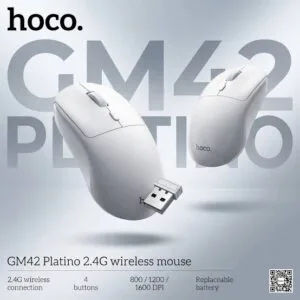
Hoco GM42 Platino 2.4G Wireless Mouse
Original price was: ৳ 740.৳ 590Current price is: ৳ 590.-23%
100 in stock
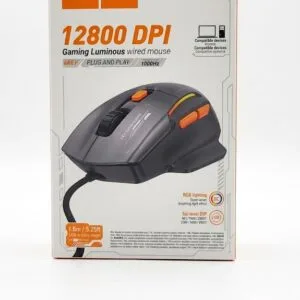

Hoco GM52 Reddy RGB Gaming Wired Mouse
Original price was: ৳ 1,460.৳ 1,120Current price is: ৳ 1,120.-23%
50 in stock
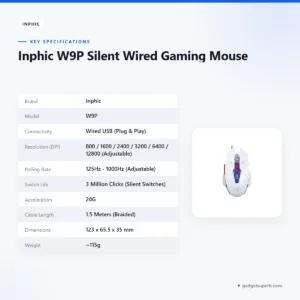
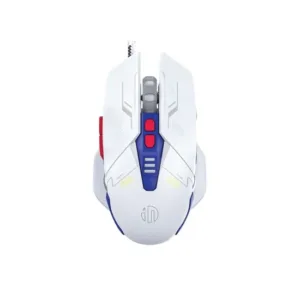
Inphic W9P Silent Wired Gaming Mouse
Original price was: ৳ 1,770.৳ 1,360Current price is: ৳ 1,360.-23%
50 in stock
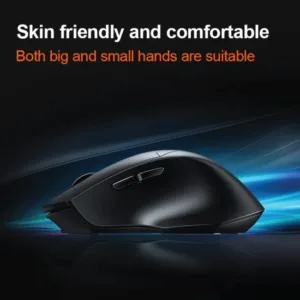

Inphic DR01 Tri-Mode Wireless Mouse
Original price was: ৳ 1,540.৳ 1,180Current price is: ৳ 1,180.-20%
50 in stock


Inphic M8P 2.4G Silent Wireless Mouse
Original price was: ৳ 1,190.৳ 950Current price is: ৳ 950.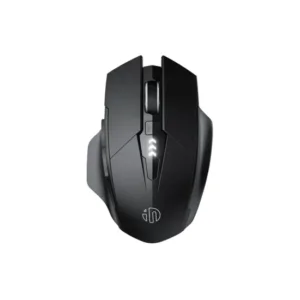 Inphic A1 Wireless Rechargeabl...
 Original price was: ৳ 1,620.৳ 1,240Current price is: ৳ 1,240.
49 in stock
Reviews
There are no reviews yet.