No products in the cart.

-23%
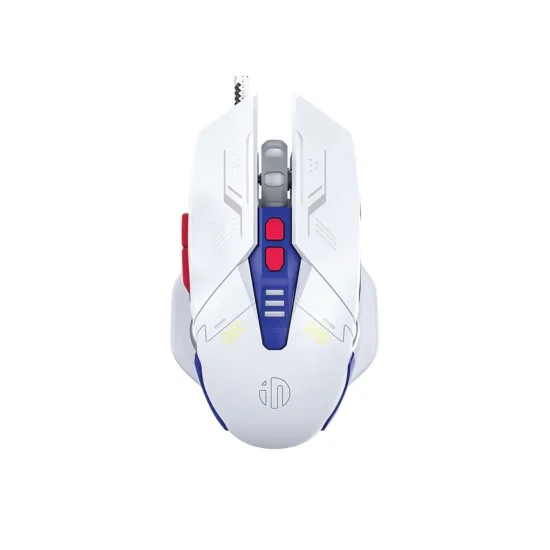
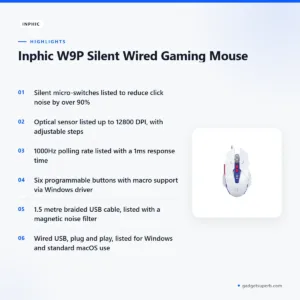
Inphic W9P is a wired gaming mouse that the maker describes as silent, with micro-switches designed to reduce click noise while keeping a tactile feel. It is aimed at gamers who share a home, designers who need a steady cursor and night-time users who want a quiet desk setup in Bangladesh.
- Inphic W9P overview
- Key features
- Specifications
- How to use / set up
- Compatibility and what is in the box
- Who should buy it in Bangladesh
- Alternatives in our store
- Warranty and support
- Delivery, returns and ordering
- Frequently asked questions
Inphic W9P overview for Bangladeshi buyers
According to the listing, the Inphic W9P Silent Wired Gaming Mouse is built around two ideas: quiet operation and precise tracking. The listing says the left and right primary buttons use muted micro-switches, and it presents the Inphic W9P as suited to long gaming sessions or high-stakes professional work. For a household in Dhaka, Chattogram or Sylhet where people sleep, study or work in the same room, that combination is the main reason to look at this model.
Inphic W9P is a mouse, not a keyboard. If you are looking for a full set, a keyboard mouse combo or a wireless option may suit you better, and the alternatives section below lists other products from our range. This page covers only the Inphic W9P wired mouse as described in its listing. Where the listing is silent, we say so rather than fill the gap with guesses.
Each headline figure on this page is repeated as the listing states it. The listing gives a DPI of up to 12800, a polling rate range of 125Hz to 1000Hz, and a 1.5 metre braided cable. These are the numbers a buyer can compare across listings, and they are the best place to start when you decide whether a wired mouse fits your desk and your games.
Think about your grip before you think about the Inphic W9P spec sheet. The listing describes an ergonomic arc shape, but it gives no hand size or grip type, so the shape may feel right for one person and less comfortable for another. If you are unsure, picture how your palm rests on a mouse of this kind and ask us before ordering. For background on the wider device category, see the Wikipedia article on computer keyboards.
A simple way to decide is to list the three tasks you use a computer for most. If gaming and detailed design both matter, the listed DPI range and polling rate will be the main points to weigh. If your work is mostly documents and browsing, the quiet clicks and the programmable buttons may be more useful than the top sensor figure.
Key features
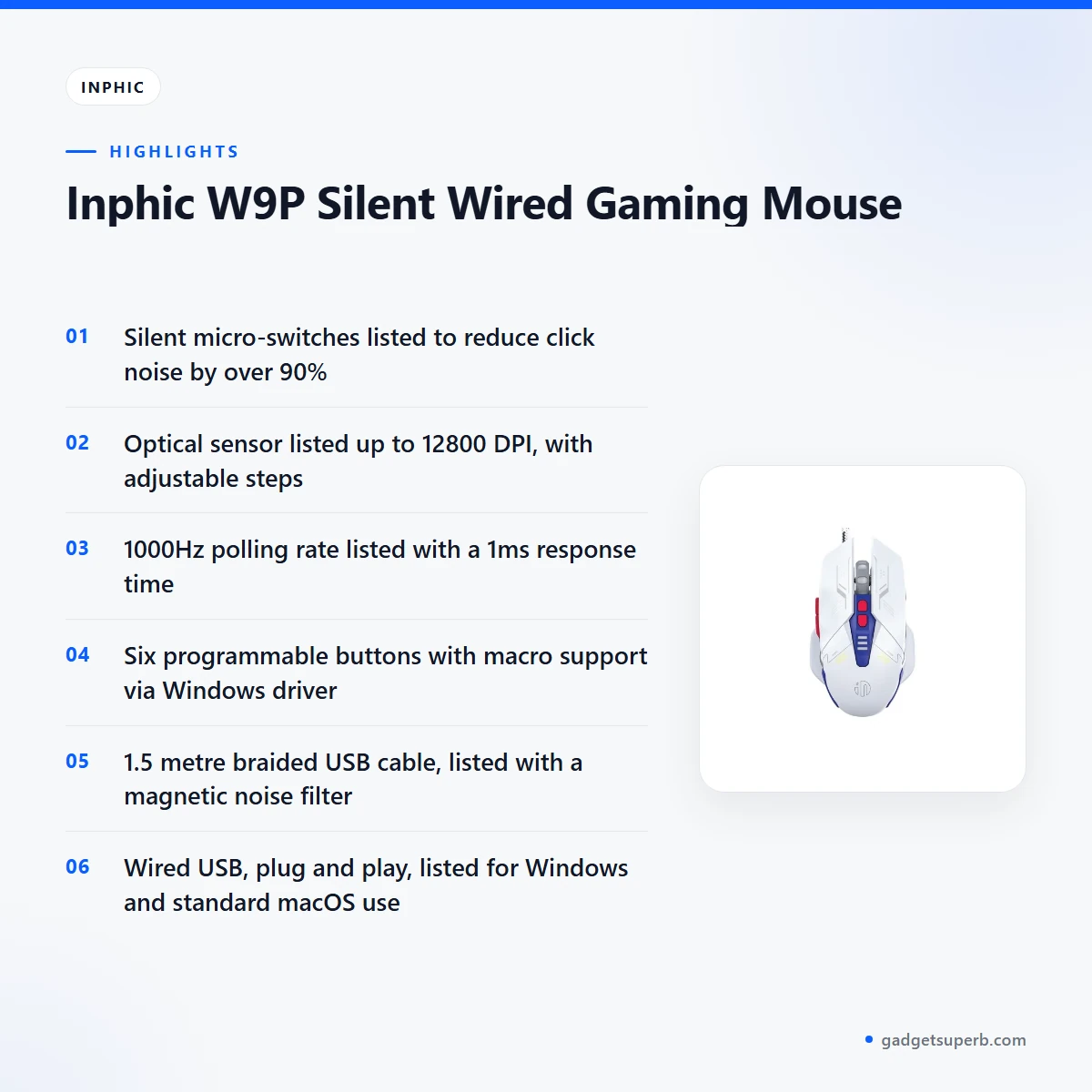
The listing highlights the following features of the Inphic W9P. Each one is summarised below as the maker presents it, with notes on how it may fit everyday use in Bangladesh.
Silent Click Technology
The listing says the left and right primary buttons use muted micro-switches, and that these reduce noise by over 90 per cent. That is the feature most people will notice first, because the sharp click is the sound that carries across a room. According to the listing, the switches still give a tactile, responsive feel, so the Inphic W9P is meant to feel crisp rather than soft. The listing also gives a switch life of 3 million clicks for the silent switches.
For a shared flat in Dhaka, this matters during late-night sessions when someone is asleep in the next room. It also matters in offices where colleagues sit close together. The listing describes the result as a distraction-free environment, and that is a claim you can judge at your own desk. The listing gives the noise reduction as a percentage only and does not give a decibel figure, so the reduction is the maker’s own claim.
Pro-Gaming Sensor and 12800 DPI
The listing says the Inphic W9P uses a gaming-grade optical engine capable of 12800 DPI. On-the-fly DPI switching is listed up to 12800, so you can change sensitivity during a match or while you move between design tasks. The listed DPI steps are 800, 1600, 2400, 3200, 6400 and 12800, and the listing describes these as adjustable.
Many players use a lower setting for aiming and a higher one for fast desktop movement, while designers often prefer a steady middle value for detailed work. The listing does not recommend a particular value for any game or programme, so the choice is yours. Try a few steps and keep the one that feels controlled. The listing also describes the sensor as delivering pixel-perfect accuracy on high-resolution displays, which is the maker’s wording.
1000Hz Ultra-Polling
The listing describes a 1000Hz ultra-polling rate that provides a 1ms response time, and says that movements reach the screen with zero lag. The listed polling range is 125Hz to 1000Hz and the rate is adjustable. Players who want the quickest response usually choose the higher end of a range like this, but the listing does not say which setting suits which title, so test it with the games you actually play.
Change one setting at a time so you can judge the difference. If your computer does not handle a high polling rate well, the listing does not address that, so return to a lower value and keep your expectations realistic. The phrase zero lag is the listing’s claim rather than a guarantee for every computer setup.
6 Programmable Buttons and Macro Support
The listing says the mouse has six programmable buttons with macro support for gaming combos or productivity shortcuts, via the Windows driver. Macros can save time in games with repeated sequences and in software such as Photoshop, which the listing names as an example of complex macro use. Plan your shortcuts before you start and keep the list short so that you remember it when you need it.
The listing does not say which buttons are assigned by default, how many macros can be stored, or how the driver is installed on each computer. Follow the maker’s instructions for those details. If you plan to use programmable features on a Mac, note that the listing says macOS supports standard functions only.
Ergonomic Arc Design and Stability-Weighted Interior
The listing describes an ergonomic arc design shaped to suit various grip styles, with anti-slip textures on the sides for better control. It also describes a matte finish that it calls skin-friendly. The listing mentions an internal weight balance system that it says gives a grounded, high-precision feel during fast movements. These are maker claims, and comfort is personal, so judge the shape in your own hand.
The listing also describes dynamic RGB lighting, with colourful breathing light effects that cycle through various shades to enhance the desk setup. For many Bangladeshi households, a desk lit in this way is a matter of taste rather than a practical need. The listing does not say how the finish handles sweat or humid weather, so check that point against your own use. Ask us about the Inphic W9P if you have a specific grip concern.
Specifications
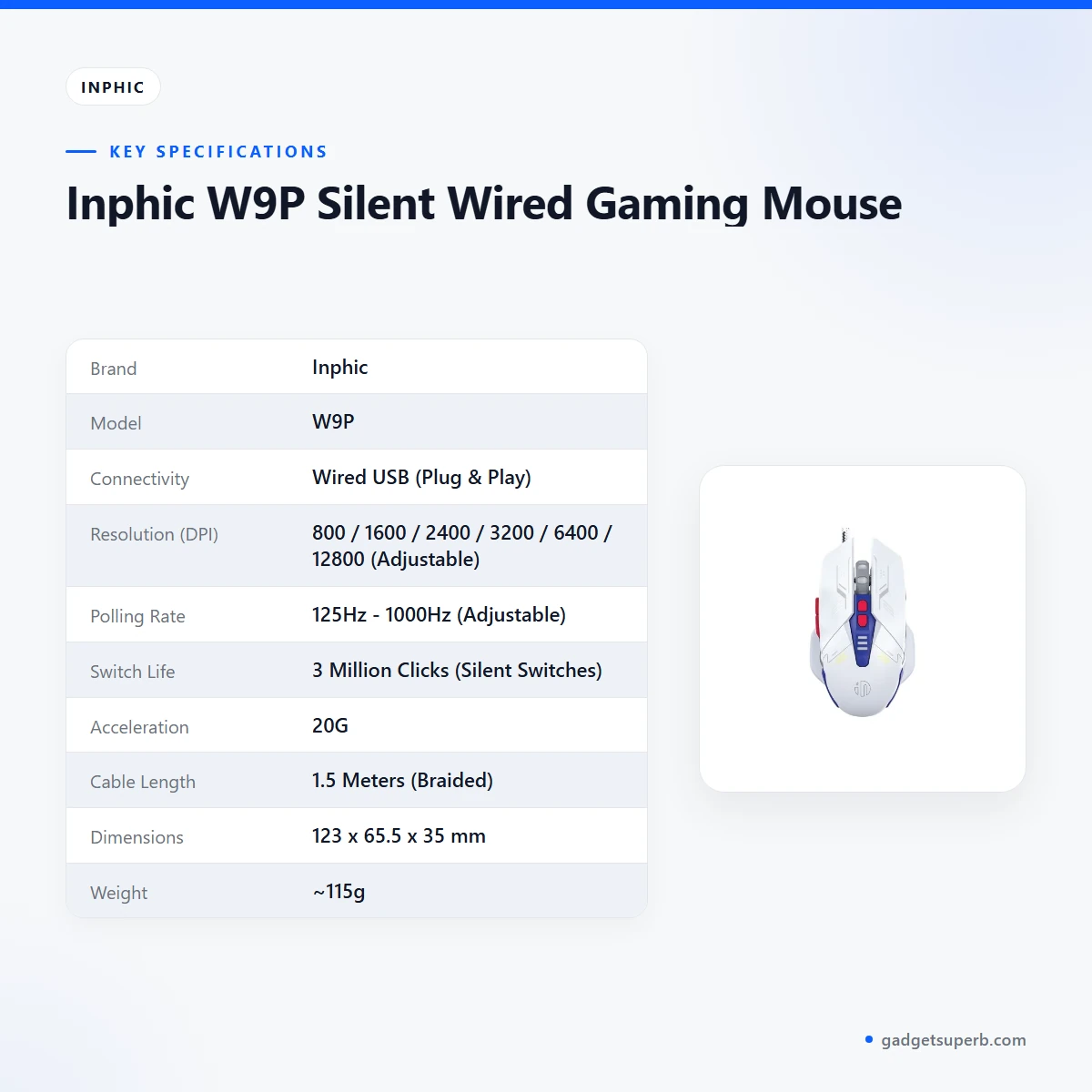
The table below gives the specifications for the Inphic W9P as they appear in the product listing, so you can check each figure before you decide.
| Brand | Inphic |
| Model | W9P |
| Connectivity | Wired USB (Plug & Play) |
| Resolution (DPI) | 800 / 1600 / 2400 / 3200 / 6400 / 12800 (Adjustable) |
| Polling Rate | 125Hz – 1000Hz (Adjustable) |
| Switch Life | 3 Million Clicks (Silent Switches) |
| Acceleration | 20G |
| Cable Length | 1.5 Meters (Braided) |
| Dimensions | 123 x 65.5 x 35 mm |
| Weight | ~115g |
| System Support | Windows XP/7/8/10/11, macOS (Standard functions only) |
These are listed specifications from the product listing.
How to use / set up
Setting up the Inphic W9P is designed to be simple. The listing describes the connection as Wired USB with plug and play, so connect the 1.5 metre braided cable to a free USB port on your computer and wait for the system to recognise the mouse. Follow the maker’s instructions if your system asks for any further steps.
If you want the six programmable buttons and macro support, install the Windows driver that the listing refers to, and follow the maker’s instructions for that process. The listing does not describe the driver steps here, so we do not guess at them. Keep the installer until your settings are saved.
Before a long gaming or design session, set your DPI and polling rate, then use the mouse for a short test period to check comfort. Adjust one setting at a time. Keep the cable clear of the desk edge and avoid pulling the mouse by its cable, which helps protect the connector over time.
Clean the surface with a dry cloth when needed and keep food and drink away from the mouse. These are general care habits for any computer mouse rather than maker instructions. Store the mouse on a clean, dry surface when it is not in use, particularly in the humid months of the monsoon season.
Compatibility and what is in the box
According to the listing, the Inphic W9P supports Windows XP, 7, 8, 10 and 11, and macOS for standard functions only. The listing also describes Plug and Play use over wired USB. Programmable button and macro features are described for the Windows driver, so if you use a Mac, expect the standard mouse functions rather than the full feature set described for Windows.
The listing does not confirm which Linux distributions or other operating systems are supported, so treat those as not confirmed. It also does not confirm the exact contents of the Inphic W9P package. Ask us before ordering if you need to know what is in the box.
The listing says the braided cable is 1.5 metres long and that a magnetic noise filter is included for signal purity. It also describes a wired connection as having no recharging or battery swaps, which the listing presents as a benefit. Compatibility with a particular desk setup, a laptop dock or a tablet is not confirmed by the listing and should not be assumed.
Who should buy it in Bangladesh
Competitive gamers who share a flat in Dhaka or Chattogram are the clearest match. The listing describes this buyer as someone who needs high DPI and polling rates but plays in shared living spaces. If your household is asleep when you play, the silent switch design may be the reason to choose the Inphic W9P over a louder mouse.
Graphic designers who work on detailed vector or photo projects may also find the Inphic W9P suitable. The listing describes a stable, high-precision cursor for this kind of work, and mentions Photoshop in the context of macros. Designers should test the DPI steps on their own screen, since the listing does not recommend a value for any programme.
Night owls are the third group. Students and professionals who work best when the rest of the house is asleep can use the quiet clicks for long evening sessions. A wired mouse also avoids any need to recharge, which the listing presents as a benefit for anyone who does not want to plan around a battery.
Buyers who want high-spec figures in a wired mouse form the fourth group. The listing says the Inphic W9P suits people who want pro-style specifications, so compare the listed figures against the other mice in our range before you decide. Anyone who prefers a wireless mouse or a complete keyboard set should look at the alternatives below.
Households with mixed needs can also use the Inphic W9P for both gaming and office tasks. The listing describes it for both, and the programmable buttons may help with routine shortcuts. Think about how you spend most of your time at the computer, then decide whether the Inphic W9P fits that pattern rather than a rare use case.
Alternatives in our store
If the Inphic W9P is not the right fit, you can compare it with other products in our range. Havit MS1034 RGB Backlit Programmable Gaming Mouse is another gaming mouse in our range. Havit MS1027 Cool RGB LED Gaming Optical Mouse is another gaming optical mouse in our range. For a different wired mouse, look at A4TECH OP-720 Optical USB Wired Mouse, which is another wired mouse in our range. If you want a mouse as part of a set, Fantech P31 Keyboard, Mouse & Mousepad Combo is a combo from our keyboard and mouse range. Browse the full Keyboards & Mouse category to compare everything we stock.
Open each product page to read its own listing. The Inphic W9P figures on this page come only from the Inphic W9P listing, so do not assume that a figure on one page applies to another.
Warranty and support
Warranty: 7 Days seller warranty.
Delivery, returns and ordering
We deliver all over Bangladesh and you pay cash on delivery. Delivery usually takes 1–3 days inside Dhaka city and 2–5 days outside Dhaka. You can return it within 7 days of delivery (see our Delivery & Returns policy). Questions before ordering: call 09638054751, message us on Facebook Messenger or email care@gadgetsuperb.com.
Read the full terms on our Delivery & Returns policy page first, especially if you think you may return an item. The policy page is the reference for the return process, so check it rather than relying on this summary alone.
Frequently asked questions
Is the Inphic W9P a wired mouse?
Yes. The listing describes it as a wired USB mouse with plug and play connectivity.
Does the Inphic W9P have silent clicks?
The listing says the Inphic W9P uses silent micro-switches on the left and right primary buttons, which it says reduce noise by over 90%.
What is the maximum DPI of the Inphic W9P?
According to the listing, the Inphic W9P reaches up to 12800 DPI, with adjustable steps of 800, 1600, 2400, 3200, 6400 and 12800.
Does the Inphic W9P work with macOS?
Macs are supported for standard functions only, according to the listing. Programmable features are described for the Windows driver.
How long is the cable on the Inphic W9P?
The listing gives the Inphic W9P cable length as 1.5 metres, and describes the cable as braided.
What is the warranty on the Inphic W9P?
The Inphic W9P carries a 7 Days seller warranty, as stated on this page.
Can I return the Inphic W9P if it does not suit me?
Yes, you can return it within 7 days of delivery. See our Delivery & Returns policy for the full process.
Do you deliver outside Dhaka?
Yes. We deliver all over Bangladesh, and delivery usually takes 2–5 days outside Dhaka.
Can I pay cash on delivery?
Yes. You pay cash on delivery when we bring your Inphic W9P order to you.
How can I ask a question before ordering?
Call 09638054751, message us on Facebook Messenger or email care@gadgetsuperb.com.
Related products
-20%
Out of stock
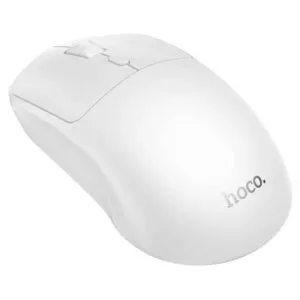
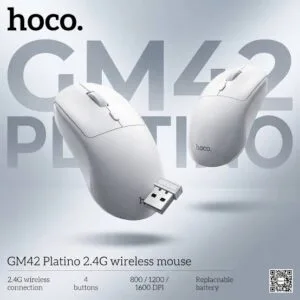
Hoco GM42 Platino 2.4G Wireless Mouse
Original price was: ৳ 740.৳ 590Current price is: ৳ 590.-23%
49 in stock

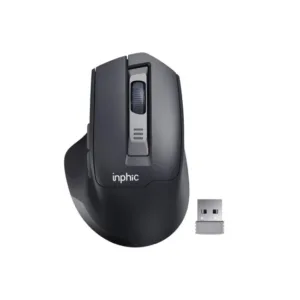
Inphic M9 Rechargeable 2.4G Wireless Mouse
Original price was: ৳ 1,380.৳ 1,060Current price is: ৳ 1,060.-20%
166 in stock

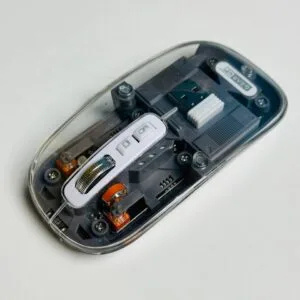
GearUP WM30 Transparent Crystal 2.4G + Bluetooth Magnetic Wireless Mouse- Gray Color
Original price was: ৳ 1,040.৳ 830Current price is: ৳ 830.-23%
52 in stock
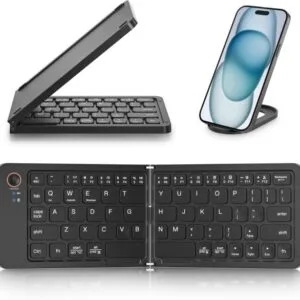
GearUP B023 Rechargeable Ultra Slim Folding Pocket Bluetooth Keyboard
Original price was: ৳ 1,460.৳ 1,120Current price is: ৳ 1,120.-20%
48 in stock


AULA AK105 USB Wired Black Keyboard — Full-Size 104-Key Membrane Office Keyboard
Original price was: ৳ 940.৳ 750Current price is: ৳ 750.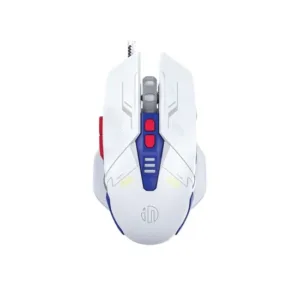 Inphic W9P Silent Wired Gaming...
Original price was: ৳ 1,770.৳ 1,360Current price is: ৳ 1,360.
50 in stock
Reviews
There are no reviews yet.