No products in the cart.

-23%
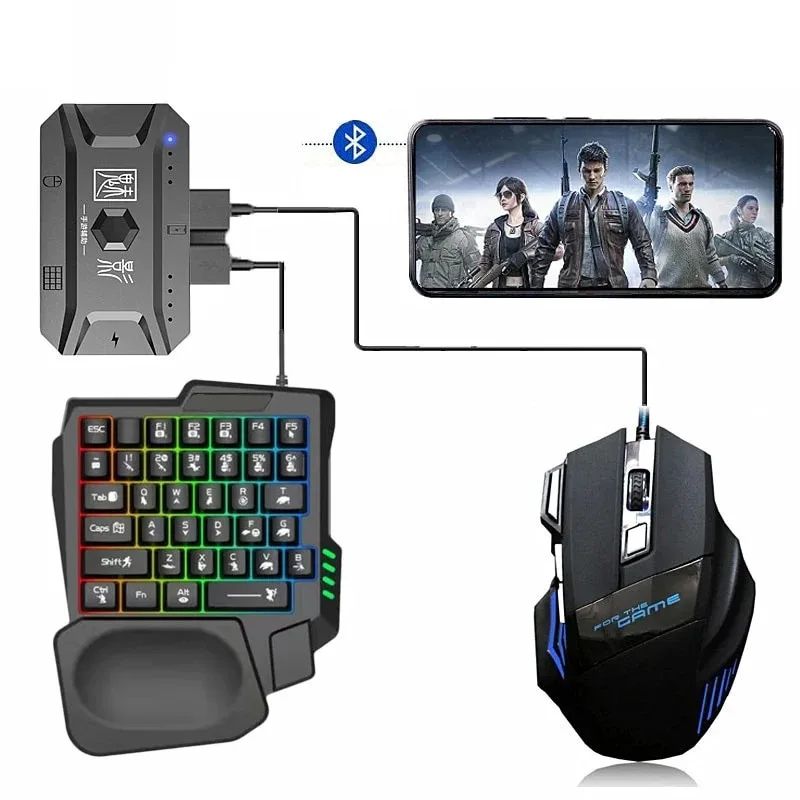
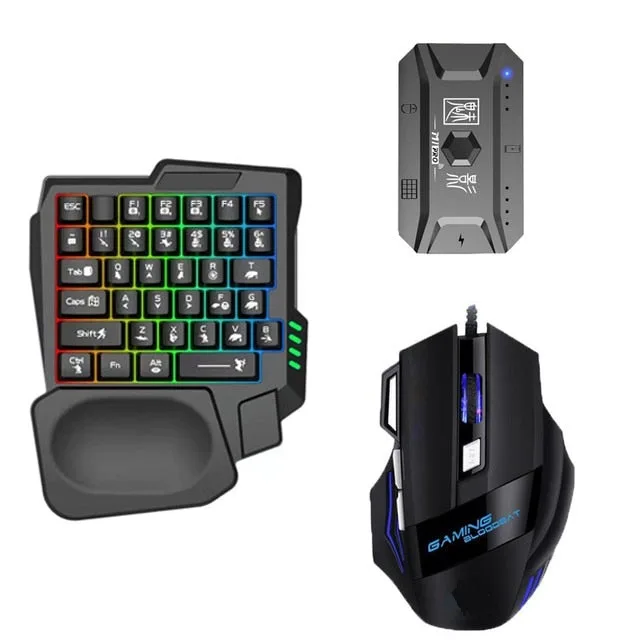
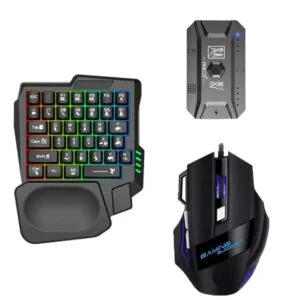
The GearUP K190 is a mobile gaming RGB keyboard and mouse combo, listed for playing games on smartphones and tablets. It suits players who want physical keys and a mouse instead of touchscreen controls, and who are ready to check their device’s operating system first. Both products are listed as connecting by Bluetooth.
- Overview
- Key features
- Specifications
- How to use / set up
- Compatibility and what is in the box
- Who should buy it in Bangladesh
- Alternatives in our store
- Warranty and support
- Delivery, returns and ordering
- Frequently asked questions
GearUP K190 overview for mobile gamers
The GearUP K190 is listed as a mobile gaming keyboard and mouse combo for smartphones and tablets. According to the listing, the set lets you play games that are normally played with fingers on a glass screen, using a keyboard and a mouse instead. The listing’s tagline, ‘Play like the pros with this awesome combo’, is the maker’s own claim, and this page does not confirm it.
Many buyers in Dhaka and other cities play mainly on a phone or tablet, so a dedicated keyboard and mouse set is a practical question to ask. The GearUP K190 is one option for that question, but it is not a replacement for a desktop setup if your games need one. The listing gives no performance figures, so this page does not compare speed, response or accuracy with any other product. For background on what a keyboard is, see the overview of computer keyboards.
Buyers often ask whether a set like this is a toy or a serious tool. The listing does not answer that question in performance terms, so the sensible approach is to match the set to the games you already play and the device you already own.
The listing gives the applicable object as For game and the type as Gaming (Mobile Platform). Many people in Bangladesh use a phone as their main screen for games, so before you buy the GearUP K190, decide three things: which games you play, which device you will connect, and how you will keep the set charged. Those answers will tell you more than any tagline, and the sections below set out what the listing says and what it leaves open.
Key features
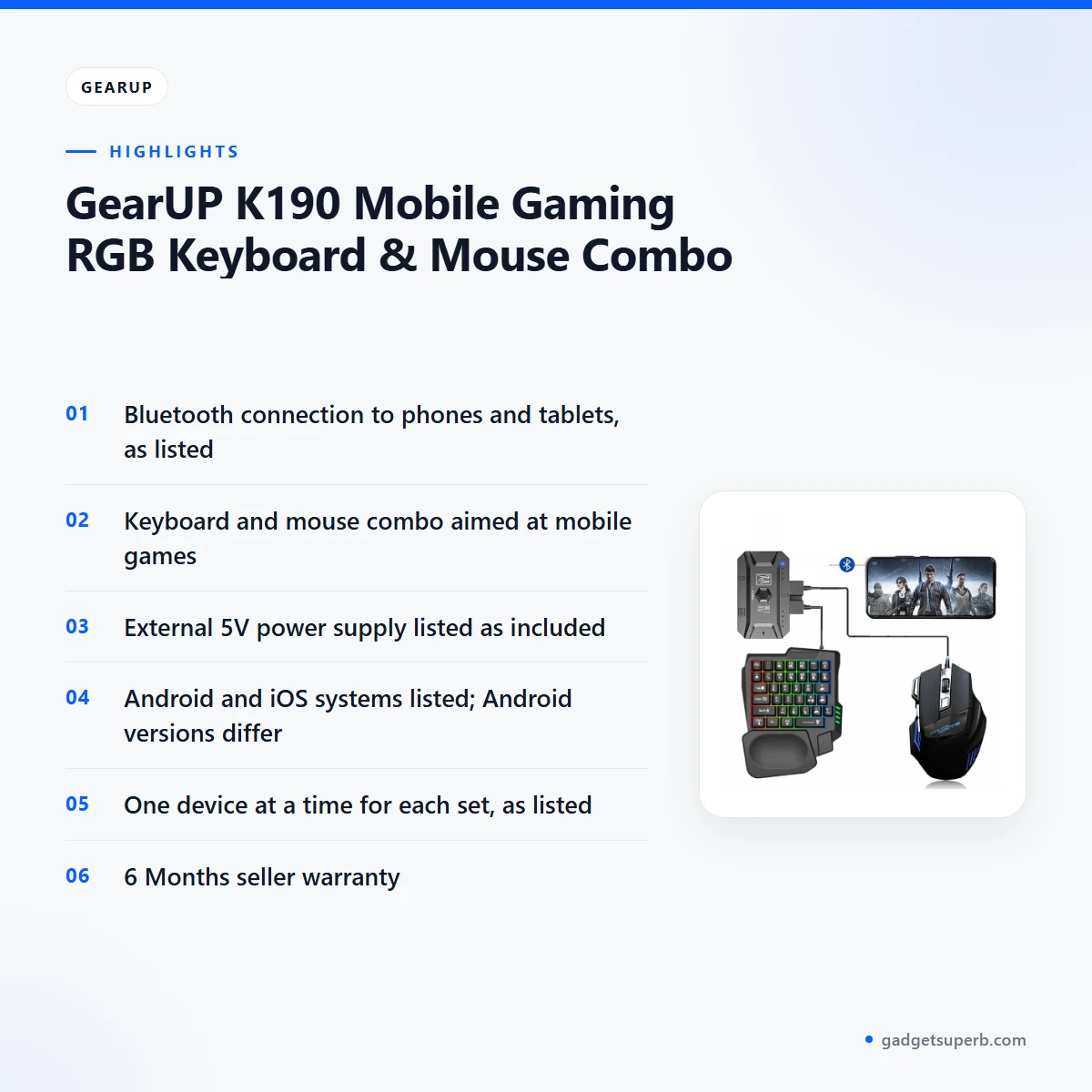
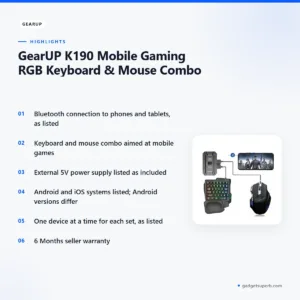
Bluetooth connection to phones and tablets
According to the listing, both the GearUP K190 keyboard and mouse connect by Bluetooth, and the interface is listed as Bluetooth and USB. Each product can only be used with one device at a time, so one set cannot serve two phones or tablets at once. This matters if you share a device with a sibling or switch between a phone and a tablet on the same day. Pair the set with the device you play on most. When you want to move the set to another device, follow the maker’s instructions for reconnecting, and check the new pairing before a match.
A keyboard and mouse made for mobile games
The listing describes the GearUP K190 as a combination of a gaming mouse and keyboard for smartphones or tablets, and it says mobile games can be played with a mouse and keyboard. That is the core use case. The product type is listed as Gaming (Mobile Platform), so the set is aimed at games rather than general typing. If your games depend on quick key presses, the position of the keys matters more than any single feature. Place the set where your hands rest comfortably, and start with a slower game before you move to fast-paced titles.
RGB lighting, as named in the product title
The GearUP K190 name includes RGB Keyboard and Mouse Combo, and the listing uses RGB wording in its heading and description. The listing does not describe the lighting modes, the colours or how they are controlled, so this page does not describe them either. Lighting is a visual choice, so decide on it after you have read the full listing. If you want to know what lighting options the set offers, ask our team rather than assuming them.
External 5V power supply
The listing says the converter needs to be charged by a 5V power supply, and it says an external 5V power supply is included with each set. Charge the GearUP K190 fully before first use, and use the supply that the listing describes for your set. Keep the cable and supply in a known place so you can charge the set when it is needed. In Bangladesh, load-shedding can cut mains power for periods, so plan to charge the set when power is available, especially before a longer session.
Android and iOS support as listed
For the GearUP K190, the listing names Android 5.0+ and iOS systems as supported on smartphones and tablet PCs. Its heading says the combo suits both Android and iOS devices, and a line in the text says you can play on both platforms without any converter or adapter. In another place the listing says the set is compatible with Android 4+. These Android versions do not match, so the listing does not give one clear minimum version. Read the both-platform statement as the maker’s claim, and use the compatibility section below to check your own device.
Specifications
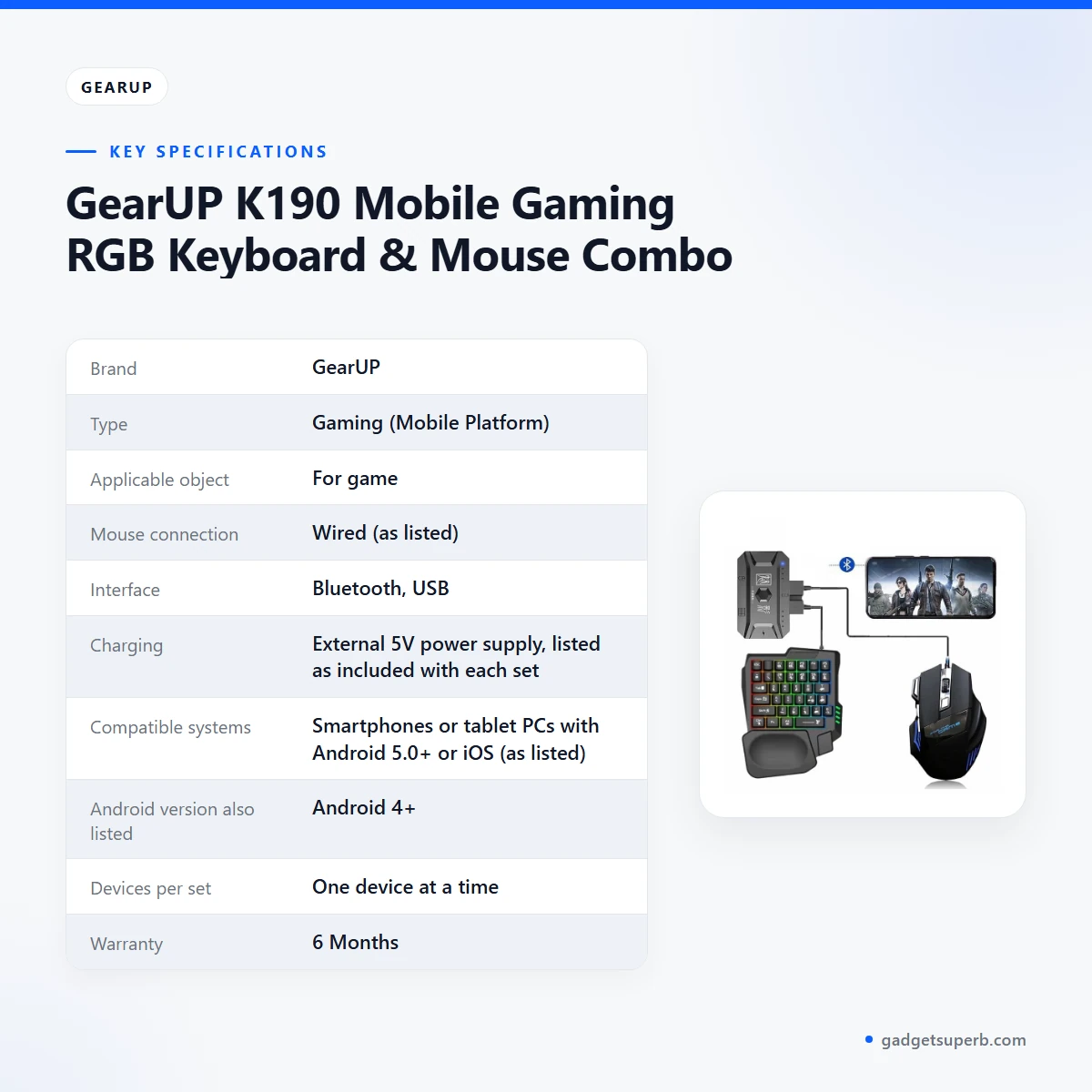
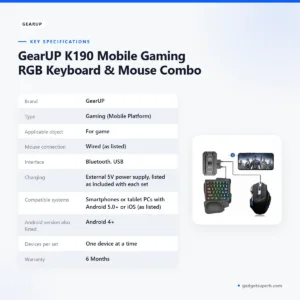
The table below lists the GearUP K190 specifications as the product listing gives them. We kept the listing’s wording where it is unclear, so some values differ in style from one another.
| Label | Value |
|---|---|
| Brand | GearUP |
| Type | Gaming (Mobile Platform) |
| Applicable object | For game |
| Mouse connection | Wired (as listed) |
| Interface | Bluetooth, USB |
| Charging | External 5V power supply, listed as included with each set |
| Compatible systems | Smartphones or tablet PCs with Android 5.0+ or iOS (as listed) |
| Android version also listed | Android 4+ |
| Devices per set | One device at a time |
| Warranty | 6 Months |
These are listed specifications from the product listing.
How to use / set up
Setting up the GearUP K190 comes down to three stages: charge it, connect it, and try it in a game you already know. The steps below are generic, so follow the maker’s instructions for the exact sequence on your device.
Charge fully before first use. The listing says the converter needs a 5V power supply, so use the supply included with your set, and keep it connected until the charge is complete. Do not rush this stage, and keep the charging area clear so the cable cannot be pulled while the set charges.
Connect over Bluetooth. Both products are listed as connected by Bluetooth, and each set works with one device at a time. Choose one phone or tablet for the GearUP K190, and turn off Bluetooth on other devices that might pick up the connection before you switch.
The listing gives two Google Play links, one for each product. We do not describe what the linked apps do beyond the listing’s own wording, so follow the links only if you want them.
Try the GearUP K190 before a serious match. Open a game you already know, check that the keys and mouse respond, and confirm the Bluetooth link is active before you start. If the link drops, reconnect the set and try again. Start with a short session rather than a ranked match, so that any problem shows up while the stakes are low.
Choose a flat, stable surface for the first few sessions. A bed or a soft cushion can make the mouse feel unsteady, so a table is usually the better place to start, especially while you learn the layout of the keys.
If you live where power cuts happen, charge the GearUP K190 whenever mains power is available instead of waiting until the set runs low. Store it in a dry place away from direct sunlight, since humidity is common in Bangladesh and damp shelves are a poor home for any electronic accessory.
Clean the keys and mouse with a dry cloth after use, and remove loose dust with a soft brush if you have one. Keep drinks away from the keyboard, and keep the converter and its supply away from liquids.
Between sessions, return the set to its usual place rather than leaving it on a bed or sofa, where crumbs and dust can work their way between the keys. If you carry the set on a commute, pack the cable and supply together so the charging step is not forgotten.
Simple habits make a GearUP K190 setup easier to manage. Charge on a regular day each week, check the Bluetooth pairing before a match, and keep the cable tidy. Write down which phone or tablet the set is paired with, so you can tell quickly if you need to reconnect.
Compatibility and what is in the box
For the GearUP K190, the listing describes compatibility as smartphones and tablet PCs with an Android 5.0+ system or an iOS system. It also says both products connect by Bluetooth and that mobile games can be played with the keyboard and mouse. The listing does not name specific phone or tablet models, so check your device’s operating system version before you rely on the set.
Two details in the listing do not agree, so this page sets them out rather than choosing one. The description gives Android 4+ in one place and Android 5.0+ in another. The specification table lists the mouse connection as wired, while the description says both products connect by Bluetooth. If either detail matters for your device, ask us before you order the GearUP K190.
On what is in the box, this page does not list the contents. The listing includes packaging details, but please check the full listing or ask our team if you need to know exactly what comes with your set.
Compatibility also depends on whether the games you choose support keyboard and mouse input on your device. The listing does not name supported games, so this page does not promise that any particular title will work with the GearUP K190.
Have your phone or tablet model and its operating system version ready when you call 09638054751 or message us. That way the answer you get is about your own device, not a general reply.
Who should buy it in Bangladesh
The GearUP K190 suits some buyers better than others. The scenarios below are realistic examples drawn from the listing, not guarantees of what any game or device will do.
Android phone gamers. If you mainly play on an Android phone and want physical keys and a mouse rather than touch controls, the set matches the listing’s main use. Check your phone’s Android version against the listing’s figures first.
Commuters and people who wait. If you play during a commute or while you wait, the set may suit your routine. Test the Bluetooth connection at home first, so you know it works before you rely on it outdoors.
Families who share one phone or tablet. Students and families who share one device should note that each set works with one device at a time. A shared household may need to agree who uses it, or look at a different accessory for the rest of the family.
Players who switch devices. If you move between an old phone and a new one, remember that the set works with one device at a time, so plan the pairing when you upgrade.
Typing and office users. Buyers who want a keyboard for typing, coding or office work may want a different product. The listing presents the GearUP K190 as a mobile gaming combo, so it is not a substitute for a general office keyboard.
Desktop mouse shoppers. If you want a mouse for a desktop setup, note that the listing presents the set for mobile games and does not describe desktop use. The alternatives section below lists other mice in our range.
Gift buyers. If you are buying the GearUP K190 as a gift for a young person who games on a phone, check the device’s operating system against the listing and decide which phone will be paired. The set is listed for one device at a time, so it suits one player rather than a group.
Households with frequent power cuts. Plan to charge the set when power is available, and keep the 5V supply where you can find it. A set that is charged on the days you expect to play is more likely to be ready when you need it.
Windows PC users. If you plan to use the GearUP K190 on a Windows PC, note that the listing does not mention Windows, so this page does not claim that use. Ask our team if this matters for your purchase.
Alternatives in our store
If the GearUP K190 is not the right fit, these options from our range may help you compare. Havit MS1034 RGB Backlit Programmable Gaming Mouse is another gaming mouse in our range, and Havit MS1027 Cool RGB LED Gaming Optical Mouse is a second gaming mouse option. A4TECH OP-720 Optical USB Wired Mouse is another mouse in our range, and Fantech P31 Keyboard, Mouse & Mousepad Combo is another keyboard, mouse and mousepad combo. You can browse the full set of options in the Keyboards & Mouse category.
Warranty and support
Warranty: 6 Months seller warranty.
Delivery, returns and ordering
For the GearUP K190, we deliver all over Bangladesh and you pay cash on delivery. Delivery usually takes 1–3 days inside Dhaka city and 2–5 days outside Dhaka, so order early if you need the set before a planned gaming session.
You can return the GearUP K190 within 7 days of delivery. The full terms are on our Delivery & Returns policy page, so read them before you place your order.
Questions before ordering: call 09638054751, message us on Facebook Messenger or email care@gadgetsuperb.com. Ask any question about the GearUP K190, and mention your area so we can explain the likely delivery timing for you.
When you place an order, check the delivery address and phone number, so the parcel can reach you. Keep your phone reachable on delivery day, so the courier can confirm the handover.
Frequently asked questions
What is the GearUP K190?
It is a mobile gaming RGB keyboard and mouse combo that the listing says connects by Bluetooth to smartphones or tablets. It is listed for games, with the type given as Gaming (Mobile Platform).
Does the GearUP K190 work with Android phones?
Yes, the listing says it works with Android phones and tablets. It gives two different minimum versions, Android 4+ and Android 5.0+, so check your own Android version first.
Does the GearUP K190 work with iPhone?
The listing names iOS systems among supported devices, but it does not confirm every iPhone model. Call 09638054751 for more detail before you order.
Can I use the GearUP K190 with two phones at once?
No. The listing says each product can only be used with one device at a time, so one set serves one phone or tablet.
Does the GearUP K190 need a special charger?
The listing says the converter needs a 5V power supply, and that an external 5V power supply is included with each set.
Is the GearUP K190 covered by a warranty?
Yes. The listed warranty is 6 Months seller warranty.
Can I return the GearUP K190 if it does not suit me?
Yes, you can return it within 7 days of delivery, following the terms on our Delivery and Returns page.
How long does GearUP K190 delivery take in Dhaka?
Delivery usually takes 1–3 days inside Dhaka city and 2–5 days outside Dhaka.
Do you accept cash on delivery for the GearUP K190?
Yes. We deliver all over Bangladesh and you pay cash on delivery.
What should I check before I order the GearUP K190?
Check your phone or tablet’s Android or iOS version, the mouse connection line and the charging details in the listing. Then call 09638054751, message us on Facebook Messenger or email care@gadgetsuperb.com.
How do I charge the GearUP K190?
Charge fully before first use, using the 5V power supply that the listing says is included with each set. Keep it connected until the charge is complete.
Related products
-23%
50 in stock


Inphic DR801 Tri-Mode Wireless Mouse
Original price was: ৳ 1,770.৳ 1,360Current price is: ৳ 1,360.-23%
49 in stock

Inphic A1 Wireless Rechargeable Bluetooth Mouse
Original price was: ৳ 1,620.৳ 1,240Current price is: ৳ 1,240.-20%
50 in stock


Inphic M8P 2.4G Silent Wireless Mouse
Original price was: ৳ 1,190.৳ 950Current price is: ৳ 950.-20%
49 in stock


Inphic M1P Ultra Slim 2.4G Wireless Mouse
Original price was: ৳ 1,040.৳ 830Current price is: ৳ 830.-20%
48 in stock
AULA AM205 Wireless USB Mouse — 2.4 GHz Compact Optical Mouse with Adjustable DPI (Black)
Original price was: ৳ 650.৳ 520Current price is: ৳ 520.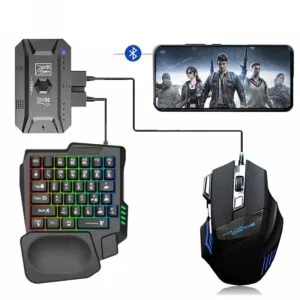 GearUP K190 Mobile Gaming RGB ...
Original price was: ৳ 2,310.৳ 1,770Current price is: ৳ 1,770.
60 in stock
Reviews
There are no reviews yet.