No products in the cart.

-23%
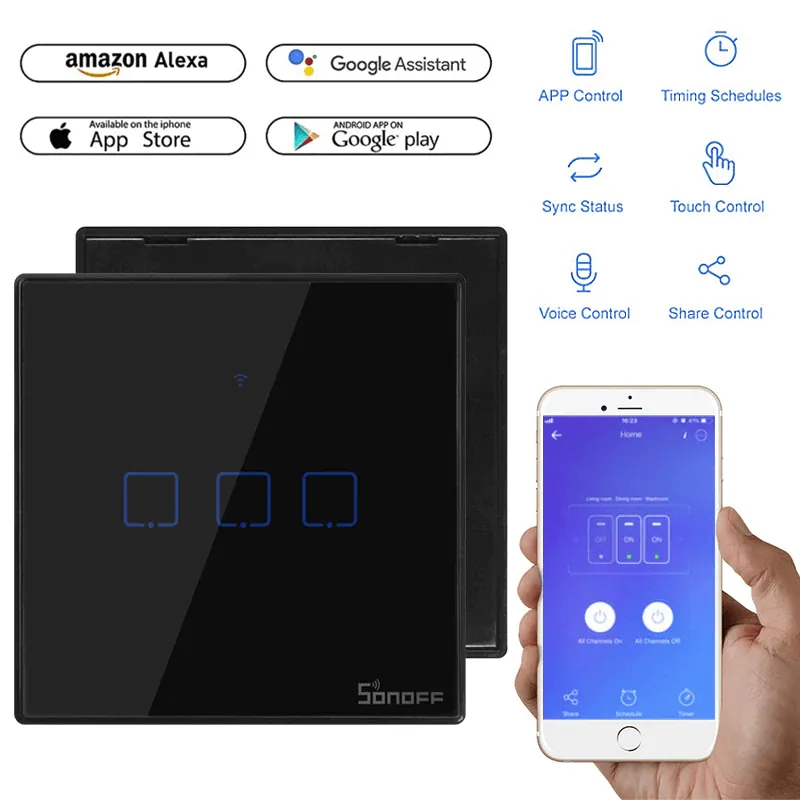

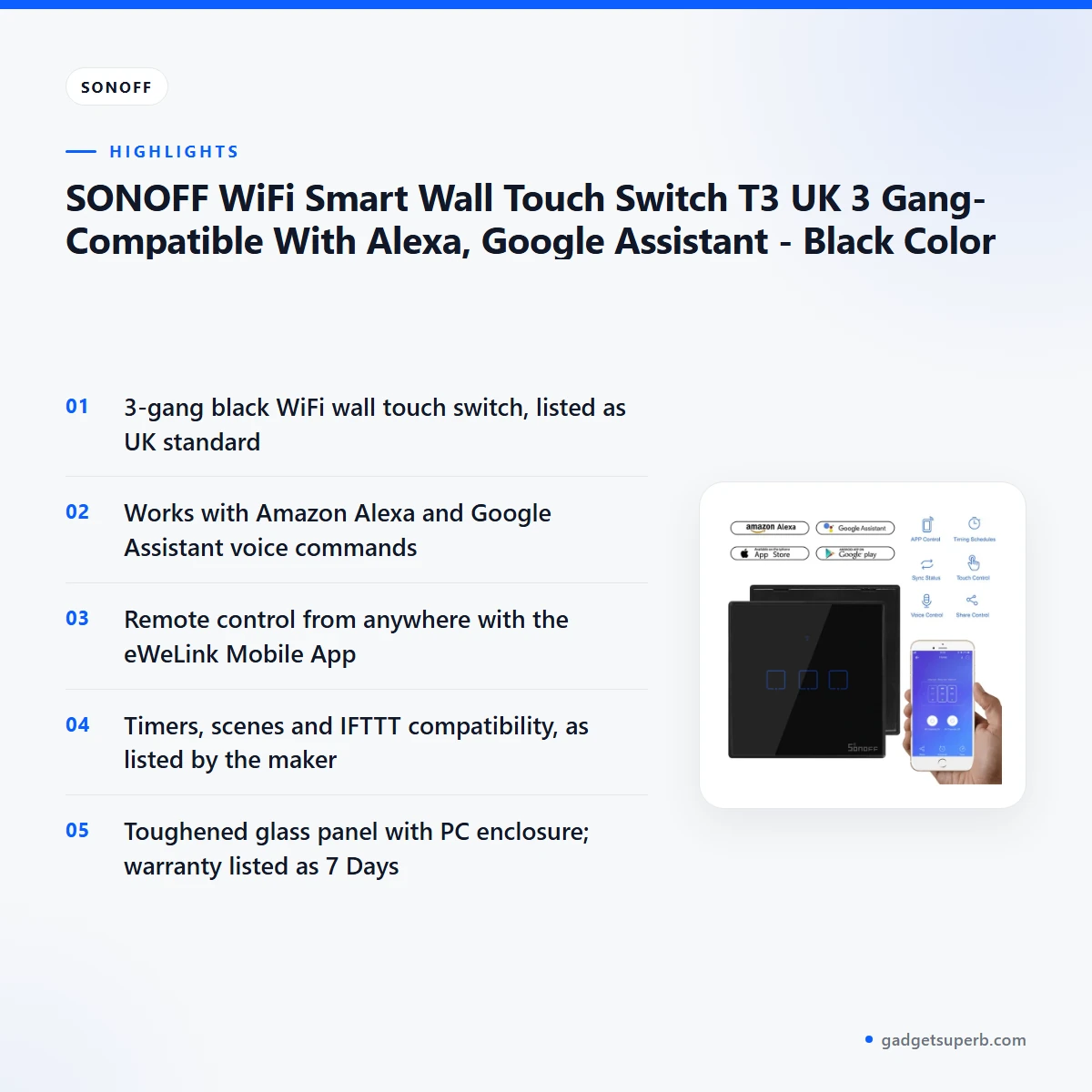


The SONOFF T3 is a black 3-gang WiFi smart wall touch switch that the maker lists as compatible with Amazon Alexa and Google Assistant. It is aimed at Bangladeshi households that want to switch lights and appliances from the wall, from a phone or by voice.
- Overview
- Key features
- Specifications
- How to use / set up
- Compatibility and what is in the box
- Who should buy it in Bangladesh
- Alternatives in our store
- Warranty and support
- Delivery, returns and ordering
- Frequently asked questions
SONOFF T3 overview for Bangladeshi homes
This is a 3-gang wall switch in black. The listing gives the gang count as 3gang, the colour as black and the standard as UK. The maker lists the panel as toughened glass with a PC enclosure.
For the SONOFF T3, the main point is remote and voice control. According to the listing, every switch can be controlled remotely using your phone, and devices connected with the switches can work independently. The listing also says the SONOFF T3 works with Amazon Alexa and Google Assistant, so you can turn appliances on or off with a voice command. The maker describes this as useful for people who need to handle a lot of housework at the same time.
Use this page to judge whether the SONOFF T3 fits your wiring, your smart home plans and your daily routine. Each product claim comes from the product listing or our store policy, and we say where the listing is silent. Where the listing gives no detail, we offer buying guidance rather than guessing at specifications. If a point matters to your decision, message us with your questions.
Key features
The maker describes this switch across several practical areas: touch control, voice control, phone and app control, timers and scenes, sharing, and an optional RF remote. Each part below repeats what the listing says and explains how it may help a household in Dhaka, Chattogram or Sylhet.
SONOFF T3 touch buttons and styling
According to the listing, the SONOFF T3 has sensitive touch buttons attached to simple and stylish switches, which the maker says gives a modern look on any wall surface. The listing adds that a slight tap is enough for easier control. In a busy home, where hands may be full with cooking, shopping bags or children, that light touch can make everyday switching easier. The panel is described as toughened glass with a PC body, and the listing says it is durable and easy to clean. The black finish is presented as a way to match any decor, so the switch can sit comfortably in most living rooms and bedrooms.
SONOFF T3 voice control with Alexa and Google Assistant
The listing states that the SONOFF T3 works with Amazon Alexa and Google Assistant, letting you turn your appliances on or off with a voice command. The maker presents this as well suited to people who must handle much housework at once. Imagine cooking a meal while the washing is on and a light needs changing in another room. With the switch linked to your assistant, you can make that change without stopping what your hands are doing. The listing does not name the speakers or displays that work with this switch, so check the maker’s instructions before you rely on a particular device.
Remote control of the SONOFF T3 with eWeLink
This switch can be controlled remotely using your phone, according to the listing. If you have the eWeLink Mobile App, the listing says you can control your devices from anywhere in the world. This is useful when you are at the office or away for a family event and want to confirm that an appliance is switched off. The listing gives a practical example: if you are not sure whether to turn off a heater when you leave home, take your phone out and open the eWeLink app to check the real-time device status. The listing does not describe every network condition, so keep the app signed in on your phone and follow the maker’s instructions for account set-up.
SONOFF T3 timers, scenes and automatic schedules
The listing says you can set a time for devices, and this switch will turn them on or off automatically. For a family routine, that could mean a living room light switching on at a set time each evening without anyone needing to remember. The listing also describes tailored smart scenes: you set an event to trigger one SONOFF T3 or a group of devices with a tap on your phone. It adds that LAN control is designed to make sure devices can work normally when the WiFi network is abnormal. Scenes suit households where several appliances change at the same time, such as a fan, a light and a charger in the evening.
Sharing control and IFTTT for the SONOFF T3
The listing describes a share control feature that gives you and your family a quick way to control devices together. It also says this switch is compatible with the IFTTT function, so it can communicate with a slew of devices and services to trigger them on or off. The listing notes that smart home setup can involve several steps, such as pairing, entering an account and password, and naming each device. Share control is presented as a way to reduce that repetition for everyone in the home. Check the maker’s instructions for the exact steps before you begin.
SONOFF T3 RF remote support, remote not included
The SONOFF T3 supports the Sonoff RF Remote control, according to the listing, but that remote is not included with this product. The listing says an RF remote lets you control devices without having to get up off the couch. This suits a household where some people prefer a handheld option over a phone. The listing does not describe the remote’s range or features. If remote control matters to your routine, message us to ask about it before you decide.
Specifications
The table below sets out the SONOFF T3 specifications exactly as the product listing gives them. Model, standard, gang count and colour are the first points to compare with your existing wall fitting.
| Label | Value |
|---|---|
| Brand | SONOFF |
| Model | T3 |
| Standard | UK |
| Gang | 3gang |
| Color | Black |
| Input | AC 100-240V 50/60Hz 2A Max |
| Output | AC 100-240V 50/60Hz, 2A/Gang, 6A/Total Max |
| Enclosure Material | Toughened Glass Panel + PC |
| Wireless Standard | IEEE 802.11 b/g/n 2.4G, 433MHz |
| Warranty | 7 Days |
These are listed specifications from the product listing for this switch.
How to use / set up
Setting up the SONOFF T3 is best done in stages. Read the maker’s instructions in full before you remove any existing switch, and switch off the power at the main switch before any wiring work. If you are not confident about electrical work, ask a qualified electrician to fit it.
Start with the fitting. The listing gives Standard: UK and Gang: 3gang for the SONOFF T3, so compare those details with the wall box and the plate you plan to replace. Measure the existing fitting, and confirm your model with us before you order if any detail does not match. The listing does not describe installation dimensions, so do not assume a fit.
Once the SONOFF T3 is fitted and powered, follow the maker’s instructions to connect it to your WiFi network through the eWeLink Mobile App. The listing states the wireless standard as IEEE 802.11 b/g/n 2.4G, 433MHz, so check that your home WiFi covers the 2.4G band listed and that your phone is on the same network during set-up.
After the SONOFF T3 is online, link it to Alexa or Google Assistant as the maker’s instructions describe. Keep device names simple, such as living room light, so that voice commands are easy to repeat. Set timers and scenes from the app once your routine is clear, and check that each gang responds the way you expect.
Day-to-day use is straightforward once set up. Clean the glass panel following the maker’s care guidance, and avoid harsh products on the surface. Switch off the power before you clean around the plate or any wiring. Keep the app signed in on the phones of the people who need control, and use share control for family members who should be able to switch devices.
Storage matters in a humid climate. Keep spare manuals and receipts in a dry drawer rather than on a damp shelf, and keep the packaging until you are sure of the fit. Dust the panel with a dry cloth between deeper cleans, and check the wall plate for loose fixings from time to time.
Power cuts are a common concern in parts of Bangladesh. The listing does not say how the switch behaves during a power cut or when power returns, so do not rely on it for that purpose. Check the maker’s instructions for that situation, and keep a manual way to operate essential appliances.
Compatibility and what is in the box
For the SONOFF T3, the listing confirms the following: it works with Amazon Alexa and Google Assistant; it is compatible with the IFTTT function; it is controlled through the eWeLink Mobile App; its wireless standard is IEEE 802.11 b/g/n 2.4G, 433MHz; and it supports the Sonoff RF Remote control.
The listing’s package line gives one WiFi wall switch unit. The listing states that the RF remote is not included, and it does not list any other items in the package.
Not confirmed by the listing: whether the SONOFF T3 works with every router, phone or voice speaker, how it behaves in every household installation, and whether any wall box in Bangladesh fits without modification. The listing gives no Bangladesh-specific installation guidance.
For the maker’s own product information, see the maker’s website. Check the SONOFF T3 details there against the listing on this page, which is the source we used for every product fact.
Who should buy it in Bangladesh
Busy family homes in Dhaka are a good match if several people share the same rooms and tasks. For a family flat, the SONOFF T3 is worth considering because voice control suits a household where one person is cooking, another is working and a third is looking after children. The listing describes voice control as useful when many tasks run at once. A flat with a shared living room and bedrooms can use share control so everyone can operate the same devices.
Working professionals who commute across Dhaka or travel for work may value the app status check. The listing describes checking real-time status from the eWeLink app, which is handy for appliances you do not want left running. The SONOFF T3 suits people who want that peace of mind, though it does not replace sound electrical safety practice.
Renters and homeowners both need to plan. Renters should ask the landlord before replacing a wall switch, and homeowners should check the wall box and wiring with a qualified electrician. The SONOFF T3 is a wall switch rather than a plug-in device, so the decision involves more than adding one accessory to a room.
Gift buyers may consider the SONOFF T3 for a relative who wants voice control at home, but check the wall box and the person’s comfort with a mobile app first. Choose a gang count that matches the room, and agree on room names with the household before anyone starts giving voice commands.
A home office with a laptop, a desk lamp and a ceiling fan may benefit from one switch point near the door. The SONOFF T3 has three gangs, so you can give each one a clear role, such as desk lamp, fan or corridor light, provided the existing wiring suits that layout.
Households with an older parent may find voice commands helpful. The SONOFF T3 may suit that setting, but the listing does not describe accessibility features, so talk through the routine with the person who will use it and do not assume it meets every need.
This switch is less suitable if you need a single-gang switch, because the listing gives the gang count as 3gang. It is also less suitable if your wall box does not match the UK standard listed for this model. Power cuts are not addressed by the listing, so plan other arrangements for essential appliances.
Alternatives in our store
If this switch is not the right fit for your wiring or your routine, the items below are worth a look. You can browse LDNIO Z4 Universal Plug 6A Max (ABS V0), a universal plug in our range, and Deli CT705ES 3 Pin 6 Port 3 Meter Power Strip With Surge Protection, a power strip in our range.
For a different electrical job, see TOMZN TOB7Z-63 2P DC Circuit Breaker – 10A, 20A, 32A Solar PV MCB, 12V–1000V Wide Range DC MCB for PV System, a DC circuit breaker in our electrical range. For a remote-control option, see Click Remote Control Switch for Fan & Light, a remote control switch in our range.
To compare the full set of smart switches and electrical items, browse the Smart Switches & Electrical category. Compare the SONOFF T3 with these options by the features you need, and message us if you are unsure which one fits your wiring.
Warranty and support
Warranty: 7 Days seller warranty.
Delivery, returns and ordering
Before you order the SONOFF T3, here is how delivery works. We deliver all over Bangladesh and you pay cash on delivery. Delivery usually takes 1–3 days inside Dhaka city and 2–5 days outside Dhaka.
You can return it within 7 days of delivery. Read the full terms on our Delivery & Returns policy page before you place your order, so you know what to expect after delivery.
Questions before ordering the SONOFF T3? Call 09638054751, message us on Facebook Messenger or email care@gadgetsuperb.com. Tell us your area and the model name so we can answer quickly.
When you place an order, give a phone number that will answer on the delivery day, because the courier needs to reach you. Keep the cash ready for payment on delivery, and plan any installation for after the usual delivery window.
Frequently asked questions
Is the SONOFF T3 compatible with Alexa and Google Assistant?
Yes. The listing says it works with Amazon Alexa and Google Assistant, so you can turn appliances on or off with a voice command.
Can I control the SONOFF T3 from my phone?
Yes. The listing says it can be controlled remotely with a phone, and with the eWeLink Mobile App you can control your devices from anywhere in the world.
Does the SONOFF T3 come with a remote?
No. The listing says the switch supports the Sonoff RF Remote control, but the remote is not included.
Is the SONOFF T3 a UK standard model?
The listing gives Standard: UK for this model, and the specifications table above repeats that detail.
How many gangs does the SONOFF T3 have?
The listing gives Gang: 3gang and Colour: Black for this model.
What warranty comes with the SONOFF T3?
Warranty: 7 Days seller warranty.
Can I set schedules on the SONOFF T3?
Yes. The listing says you can set a time for devices, and the switches will turn them on or off automatically.
Does it work with IFTTT?
Yes. The listing says the switch is compatible with the IFTTT function, so it can trigger a range of devices and services on or off.
Can I pay cash on delivery?
Yes. We deliver all over Bangladesh, and you pay cash on delivery.
How long does delivery take?
Delivery usually takes 1–3 days inside Dhaka city and 2–5 days outside Dhaka.
Can I use it with a non-UK wall box?
The listing gives Standard: UK for this model, so check the wall box against that standard. The listing does not say how other standards fit.
How long do I have to return it?
You can return it within 7 days of delivery. See our Delivery & Returns policy for the full terms.
Related products
-21%
116 in stock

B22 to E27 LED Lamp Holder with Wireless Remote & Timer
Original price was: ৳ 380.৳ 300Current price is: ৳ 300.-26%
166 in stock

TOMZN TOVA-63T WIFI Circuit Breaker 63A Energy Meter, Timer, Voltage, Current Leakage Protection – Smartlife, TUYA App Support (White Display)
Original price was: ৳ 2,870.৳ 2,120Current price is: ৳ 2,120.-23%
48 in stock
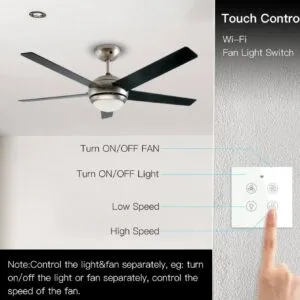
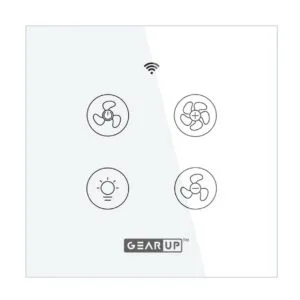
GearUP Wi-Fi Ceiling Fan Speed Controller & Light Switch — Smart TUYA / Smart Life App Control – (Without Remote)
Original price was: ৳ 2,070.৳ 1,590Current price is: ৳ 1,590.-26%
30 in stock
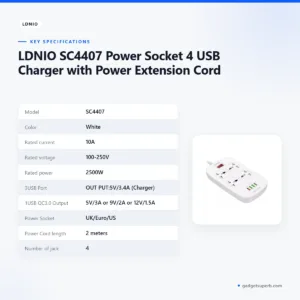
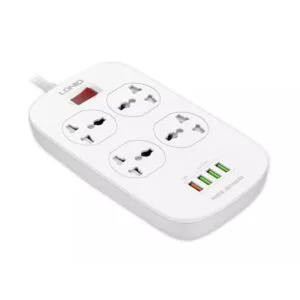
LDNIO SC4407 Power Socket 4 USB Charger with Power Extension Cord
Original price was: ৳ 2,790.৳ 2,060Current price is: ৳ 2,060.-20%
63 in stock
TOMZN RCBO TOB1L-63H 2P 63A 230V AC 50Hz/60Hz Residual Current Circuit breaker with over current and Leakage protection RCBO
Original price was: ৳ 850.৳ 680Current price is: ৳ 680.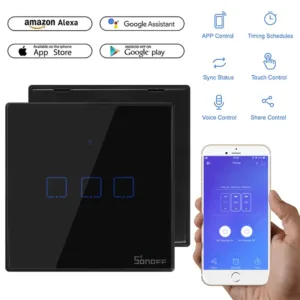 SONOFF WiFi Smart Wall Touch S...
Original price was: ৳ 2,100.৳ 1,610Current price is: ৳ 1,610.
189 in stock
Reviews
There are no reviews yet.