No products in the cart.

-27%

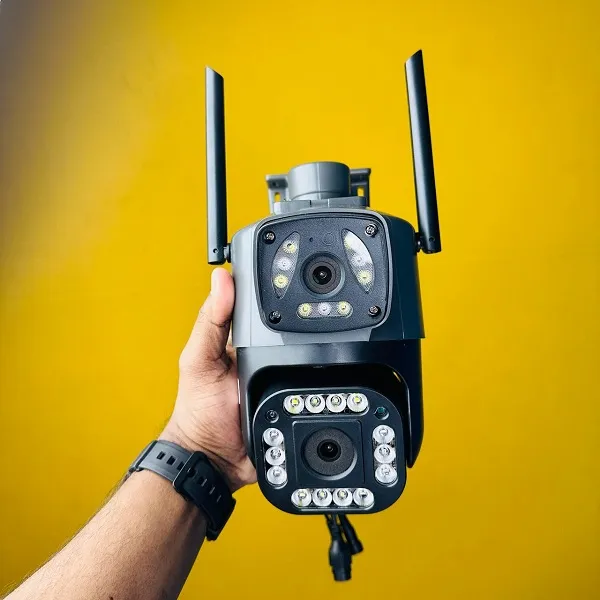



The V380 security camera is a WiFi dual lens smart IP camera from the brand V380, listed under Security Cameras in our store. It is aimed at Bangladeshi households, shop owners and small offices that want a pan-tilt-zoom camera on a 2.4GHz WiFi network, with a 64GB TF card listed. This guide explains the listed specifications, setup basics and buying choices.
- V380 security camera overview
- Key features
- Specifications
- How to use and set up
- Compatibility and what is in the box
- Who should buy it in Bangladesh
- Alternatives in our store
- Warranty and support
- Delivery, returns and ordering
- Frequently asked questions
V380 security camera overview
The V380 security camera sits in our Security Cameras range for buyers who want a network camera they can position and adjust. According to the listing, it is a WiFi dual lens smart IP camera with a pan-tilt-zoom design, and the maker lists the network as WiFi 2.4GHz. That makes it a sensible starting point for watching a room, a shop counter or a storeroom from one place.
Bangladeshi buyers usually ask three things before ordering a V380 security camera: whether it connects to a home WiFi network, how much storage it supports, and how it copes with power interruptions. The listing answers the first two with its WiFi 2.4GHz network and 64GB TF card entries. It says nothing about power interruptions, so this page does not guess. Load-shedding is common in many areas, so plan a steady power arrangement before you rely on any camera for security.
The listing names the product V380 WiFi Dual Lens Security Smart IP Camera, with the model entry V380 Wifi Dual Lens Camera. When you compare listings for this V380 security camera, check the model entry, because two products sold under similar names can carry different specifications. For general background on the category, read the IP camera overview on Wikipedia, which is an outside resource and not part of our listing.
Shoppers in Bangladesh often compare cameras by how they will be used rather than by a list of features. A camera in a flat’s hallway has different needs from one watching a shop counter, and the listing does not say which use it was designed for. Think first about the place, the people and the hours you want to cover, and only then compare the listed entries. This keeps the choice grounded in your own situation.
Key features
The listing gives a short set of features for this V380 security camera. Each feature below is quoted from the listing and described only in terms of everyday use. Where the listing is silent, we say so rather than fill the gap.
Dual lens design
The product name and model entry both describe this as a dual lens camera, so the V380 security camera is listed with two lenses rather than one. The listing does not explain the field of view of each lens, how the two views are shown or which lens is used in which mode, so this page does not describe them. For a V380 security camera that will watch a shop front, the layout matters, so contact our team with your room size and mounting point before you decide.
Pan-tilt-zoom movement
The listing describes this model as a Pan-Tilt-Zoom Camera. In plain terms, pan means side-to-side movement, tilt means up-and-down movement and zoom changes how close the image appears. The listing does not give angles, speeds, preset positions or zoom levels, so we do not quote them. Plan the mounting point around your daily routine, including where people walk, where daylight falls and where the power cable can reach. Good planning makes any V380 security camera easier to live with.
WiFi 2.4GHz connection
The listing gives the network as WiFi 2.4GHz, which means the camera is designed to join a 2.4GHz wireless network. Place the V380 security camera where your router’s 2.4GHz signal reaches comfortably, because a weak signal can make any wireless camera less reliable. Many Bangladeshi homes share one router among phones, laptops and smart devices, so a busy network can affect a camera on the same connection. The listing does not state a range, a bandwidth figure or a maximum number of connected devices.
Power: 12V/1.5A
The listing gives the power rating as 12V/1.5A. Use a power source that matches that rating, and keep the adaptor in a dry, ventilated spot rather than in a closed cabinet. Load-shedding is common in many parts of Bangladesh, so a steady supply and a surge-protected socket are worth considering for any V380 security camera you rely on. The listing does not describe a battery backup, so do not assume the camera will keep running during a power cut.
64GB TF card
The listing shows a TF Card: 64GB entry, which means the product is listed with 64GB TF card support. Storage decides how much footage you can keep on the card, so decide how many days of clips matter to you before you buy. The listing does not confirm whether a card is included, or whether other card sizes work with this model. Buy your card from a reputable seller and follow the maker’s instructions for preparing it. A well-chosen card makes the V380 security camera more useful for day-to-day monitoring.
Shutter and audio entries
The listing includes an IR Cut Shutter entry and a Dual Audio entry. It does not explain how either feature works in use, so this page will not describe image results or sound quality. If you plan to use the V380 security camera in a dim room, check the listing wording and your own lighting before you decide. Dual audio is listed, but the listing does not say whether it means two microphones, two speakers or a two-way function. Ask our team if that difference matters to your purchase.
Specifications of the V380 security camera
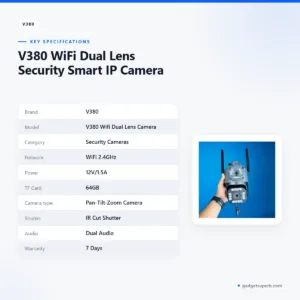
Below is the listed specification table for this V380 security camera, copied from the product listing. We have not added values the listing does not give.
| Brand | V380 |
| Model | V380 Wifi Dual Lens Camera |
| Category | Security Cameras |
| Network | WiFi 2.4GHz |
| Power | 12V/1.5A |
| TF Card | 64GB |
| Camera type | Pan-Tilt-Zoom Camera |
| Shutter | IR Cut Shutter |
| Audio | Dual Audio |
| Warranty | 7 Days |
These are listed specifications from the product listing for the V380 security camera, and they are the only specification values on this page.
How to use and set up
Setup should be simple if you follow a clear order. Start by reading the maker’s instructions for your model, then gather what you need before you start. The steps below are generic. Where they differ from the maker’s instructions, follow the maker.
- Read the maker’s instructions for your V380 security camera model and note any step that applies to your network.
- Connect the power supply rated 12V/1.5A to a stable socket and keep the adaptor in a dry, ventilated place.
- Check that your router offers a 2.4GHz WiFi network, since the listing gives WiFi 2.4GHz as the network.
- If you plan to store clips locally, insert a TF card of the listed 64GB size and prepare it as the maker instructs.
- Create a strong, unique password for the camera account and keep it somewhere safe.
- Mount the camera at a fixed height, then adjust the pan, tilt and zoom to frame the area you want to watch.
After setup, spend a few minutes checking the view from your usual viewing device, and adjust the mounting angle until the important area sits inside the frame. Do not rely on a single position if you need to cover two areas; a second V380 security camera may serve better. Keep the power cable away from foot traffic, and tidy it so that it does not catch on furniture.
Care is simple. Wipe the lens gently with a soft, dry cloth, keep dust off the housing, and avoid placing the camera where children or pets can knock it. Keep the power adaptor and cable away from water spills. Check the mounting bracket and cable every few months, and tighten anything that has loosened. These are general habits rather than instructions from the listing, so follow the maker’s instructions where they differ.
Compatibility and what is in the box
The listing does not provide a box contents list, so this page does not say what comes with the V380 security camera. The points below are the ones the listing confirms for compatibility. A WiFi 2.4GHz network is listed, so this V380 security camera is listed for that band. The listed power rating is 12V/1.5A, the listed storage entry is a 64GB TF card, and the listed camera type is pan-tilt-zoom.
When you check compatibility, think about your whole setup rather than the camera alone. Your router, the position of your nearest power socket and the spot you want to cover all affect how the camera works in practice. Note your router’s band settings, the socket and the viewing point before you order, so you can compare them with the listed details.
Not confirmed by the listing: compatibility with specific phone or computer platforms, router brands, card brands and card sizes above 64GB, and placement in wet or exposed locations. If any of these matters to your plan, ask us before buying the V380 security camera. We will not guess at answers the listing does not give.
Who should buy it in Bangladesh
A V380 security camera suits buyers who want an adjustable camera on a home WiFi network and who accept that the listing gives limited detail. The scenarios below are realistic fits for the listed features.
A family in a Dhaka flat may want a V380 security camera on the living room or the main door while they are at work or on a commute. The listed 2.4GHz WiFi connection suits a flat with a stable home router, and the pan-tilt-zoom design lets you reposition the view without rebuilding the setup. Long Dhaka commutes mean the household should agree in advance who checks the camera and when.
A small shop owner in a market may want to watch a counter or storeroom. The listed power rating and the load-shedding notes above apply here, so a stable power plan matters as much as the camera itself. One V380 security camera can cover one spot well, but the listing does not describe coverage for a whole shop, so plan carefully before buying more than one.
A landlord in Mirpur or Uttara may consider a V380 security camera for a shared corridor in a rented building. Check local rules and agree with other residents before you install any camera that records common areas. A camera that is easy to move can be useful, but it does not remove the need for clear agreement.
A home office worker in Chattogram or Sylhet may want a view of a front room or a parcel area while working from home. The 64GB TF card entry helps with planning storage, and the dual audio entry may be worth reviewing, though the listing does not say how it works. Choose the view you need before you order.
Buyers who want a fixed, simple camera with no adjustable movement may prefer another model in our range, since this one is listed with pan-tilt-zoom. Ask yourself how much you need to move the view, how stable your power will be and how much storage you want before you choose a V380 security camera.
Alternatives in our store
If the V380 security camera does not match your plans, you may want to look at these related products in our range. Consider Meari S2 Plus 4MP Outdoor Smart PTZ WiFi Camera, another security camera in our range. You can also compare V380 PRO E27 360 Degree 1080P Wireless Home Security IP Camera, another security camera in our range, with this V380 security camera on your own list.
For a further option, see Dual Lens V380 Pro PTZ Bulb IP Night Vision Camera, another security camera in our range. Finally, V380 E9 Dual Lens Bulb PTZ IP Camera is another security camera in our range. Browse all Security Cameras to compare the full range.
When comparing, list the things you need: a fixed or adjustable view, a power source you can rely on, a storage plan and a warranty period. Use that list to decide which product on this page fits, and ask us if the listing does not answer a question you have.
Warranty and support
Warranty: 7 Days seller warranty.
Delivery, returns and ordering
The store policy is as follows. We deliver all over Bangladesh and you pay cash on delivery. Delivery usually takes 1–3 days inside Dhaka city and 2–5 days outside Dhaka. You can return it within 7 days of delivery (see our Delivery & Returns policy). Questions before ordering: call 09638054751, message us on Facebook Messenger or email care@gadgetsuperb.com.
Plan your order around your timeline. If you need a camera for a specific date, allow the listed delivery time, since delivery usually takes 1–3 days inside Dhaka city and 2–5 days outside Dhaka. Keep your phone number and address accurate so the courier can reach you.
Read the full Delivery & Returns policy before you place your order.
Frequently asked questions
What is the V380 security camera?
The V380 security camera is listed as a WiFi dual lens smart IP camera with a pan-tilt-zoom design, from the brand V380. The listing gives the model as V380 Wifi Dual Lens Camera.
Does the V380 security camera use WiFi?
Yes, the listing gives the network as WiFi 2.4GHz, so your V380 security camera is listed for a 2.4GHz wireless network. Plan its position around your router’s signal.
What power rating does the V380 security camera need?
The listing gives the power rating as 12V/1.5A, so use a supply that matches it for your V380 security camera. Keep the adaptor in a dry, ventilated spot.
How much storage does the V380 security camera support?
The listing shows a 64GB TF card entry for the V380 security camera. It does not confirm whether a card is included or whether other sizes work with this model.
Is it the same as the V380 Pro?
The listing does not compare the two products, so this page cannot say which suits you better. Read each product page and compare its own listed details.
Can I use the V380 security camera without WiFi?
The listing names WiFi 2.4GHz as the network and does not describe a non-WiFi mode, so this page cannot confirm one for the V380 security camera.
Is the V380 security camera safe to use?
The listing does not describe safety certifications or testing, so this page makes no safety claims. Use a strong, unique password for any camera account, as you would for any internet-connected device.
Does the V380 security camera pan, tilt and zoom?
Yes, the listing describes it as a Pan-Tilt-Zoom Camera. The listing does not give angles, speeds or zoom levels for the V380 security camera.
What is the warranty on the V380 security camera?
Warranty: 7 Days seller warranty.
How long does delivery take for the V380 security camera?
Delivery usually takes 1–3 days inside Dhaka city and 2–5 days outside Dhaka. We deliver all over Bangladesh, and you pay cash on delivery.
Related products
-28%
30 in stock


Lenovo XW1-U 3MP Dual Lens Smart WiFi Camera
Original price was: ৳ 6,720.৳ 4,830Current price is: ৳ 4,830.-26%
31 in stock
H1 Dual lens V380 Pro Wireless IP Camera – HD Night Vision, Motion Detection & PTZ Control
Original price was: ৳ 3,990.৳ 2,950Current price is: ৳ 2,950.-26%
46 in stock


V380 Dual Lens Wifi IP camera
Original price was: ৳ 2,790.৳ 2,060Current price is: ৳ 2,060.-25%
451 in stock
Meari S1 Plus 3MP Indoor Pan/Tilt Portable WiFi Camera
Original price was: ৳ 3,660.৳ 2,710Current price is: ৳ 2,710.-23%
8 in stock
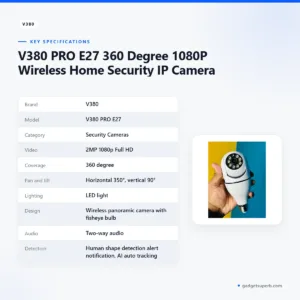
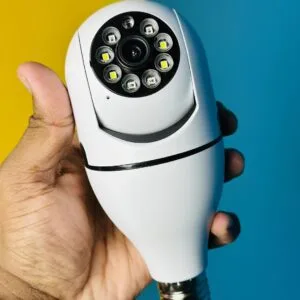
V380 PRO E27 360 Degree 1080P Wireless Home Security IP Camera
Original price was: ৳ 1,770.৳ 1,360Current price is: ৳ 1,360.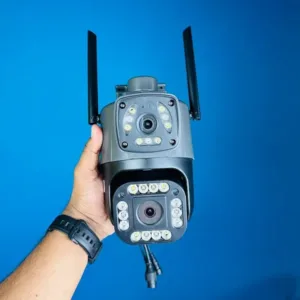 V380 WiFi Dual Lens Security S...
 Original price was: ৳ 4,690.৳ 3,420Current price is: ৳ 3,420.
50 in stock
Reviews
There are no reviews yet.