No products in the cart.

-23%
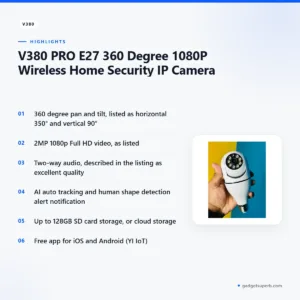
The V380 Pro security camera is a 360 degree 1080p wireless home security IP camera, according to the listing, and it suits households that want a rotating view of a room. It is aimed at Bangladeshi buyers who want to check on the home from a phone, speak through the unit and receive alerts. This guide covers the listed features, setup, delivery and buying advice.
- Overview
- Key features
- Specifications
- How to use and set up
- Compatibility and what is in the box
- Who should buy it in Bangladesh
- Alternatives in our store
- Warranty and support
- Delivery, returns and ordering
- Frequently asked questions
V380 Pro security camera overview
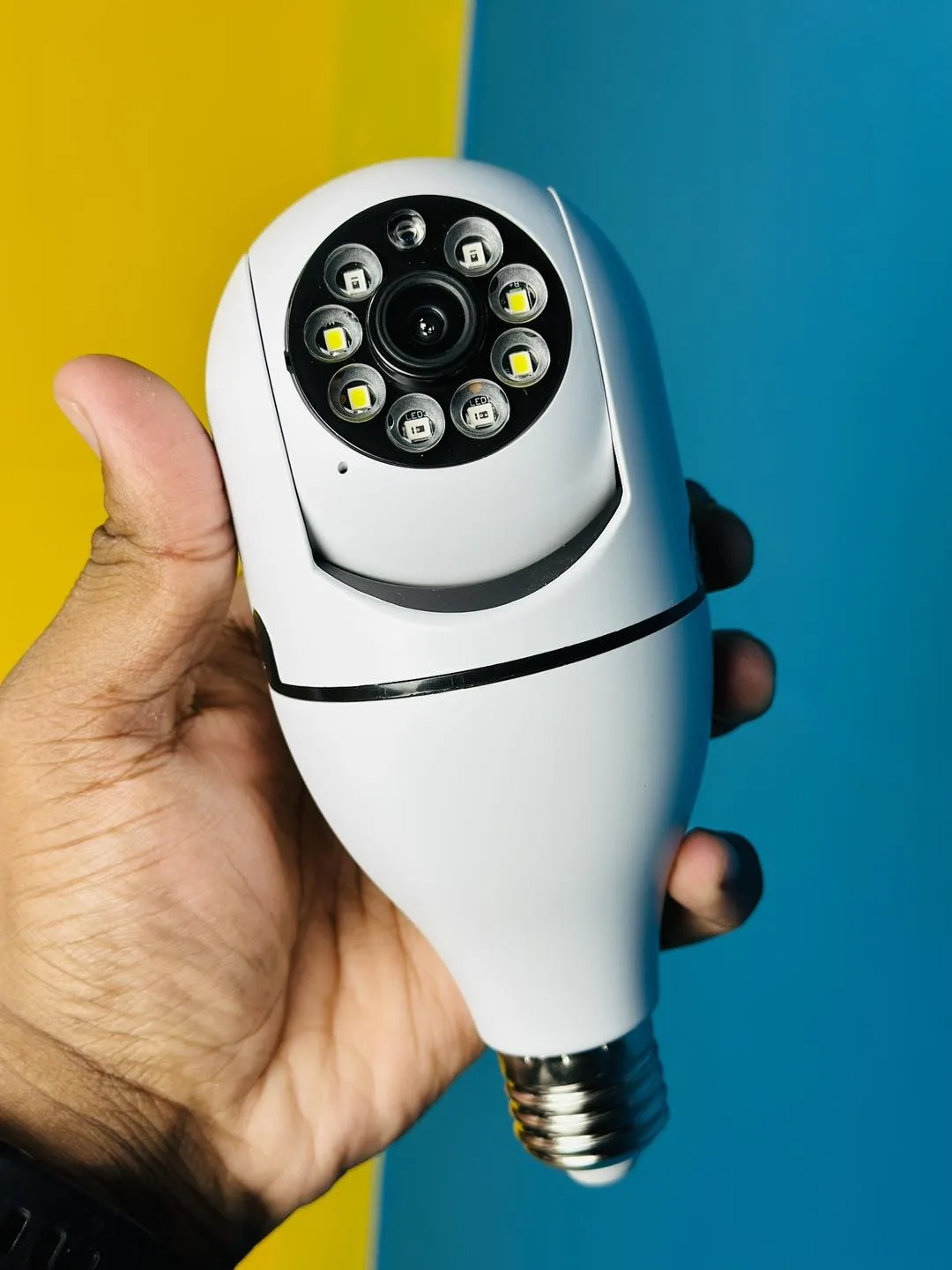
According to the listing, the V380 Pro security camera is a 360 degree 1080p wireless home security IP camera. The product name gives the model as V380 PRO E27, and the listing describes a wireless panoramic camera with a fisheye bulb design. It also lists an LED light, so the maker presents the unit as a light and a camera in one. For background on the technology, read an overview of how IP cameras work before you compare models.
The listing points to home security use. A household that wants one rotating camera with two-way audio and human shape detection alerts is the natural audience for the V380 Pro security camera. Parents who want to check on children at home, and families who want a view of the front room while they are out, fit that picture. Match the listed features against your own routine before you buy.
Bangladeshi buyers should also think about local conditions. Load-shedding, humidity and the Dhaka commute shape how a home camera is used day to day. If mains supply is unstable where you live, consider how the unit will behave after an outage and whether your router stays on. Keep the unit away from damp corners, and place it where your Wi-Fi signal is reliable.
Think about the choice in simple terms. If you want a camera that turns, speaks and sends alerts for people in one unit, the listed features match that need. If you only need a fixed view of a doorway, a simpler model may be enough, and the other cameras in our range are worth comparing. Write down the rooms you want to cover before you decide.
A simple checklist can help before you buy. Confirm that you have a stable Wi-Fi connection at the spot, decide whether you want a memory card or cloud storage, and think about who will receive alerts. Write these answers down, because they shape the rest of your setup and help you judge whether the listed features suit your home.
Key features
The listing sets out the main features of the V380 Pro security camera in the groups below.
360 degree pan and tilt coverage
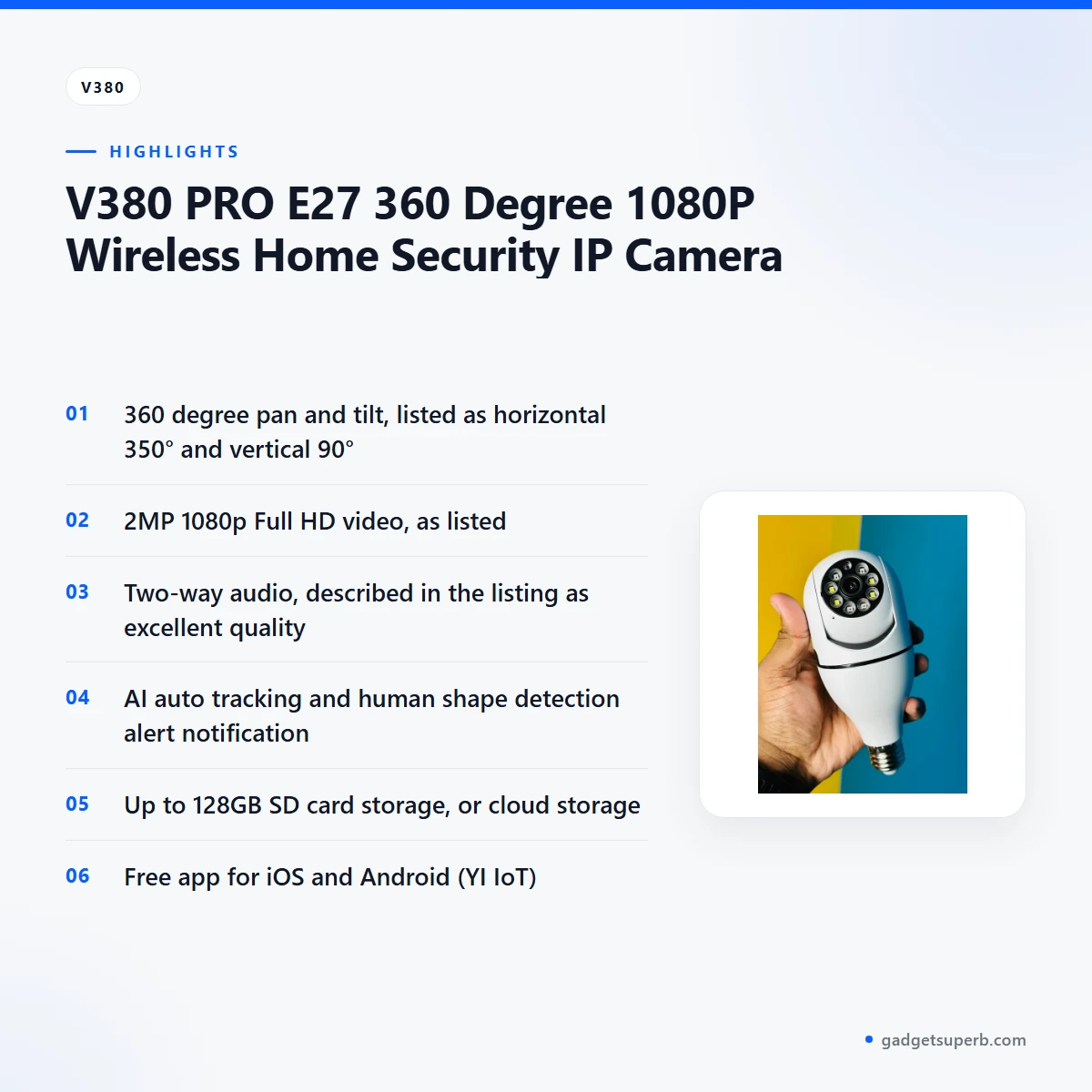
The listing describes the camera as Pan/Tilt Rotating, with a horizontal range listed as 350° and a vertical range listed as 90°. Those figures are given separately, so read each one as the maker states it. The angles matter most for placement, because a camera that turns widely can still miss a corner if it is fixed in the wrong place. Before you buy, measure the area you want the lens to reach and compare it with the listed movement. Once the V380 Pro security camera is online, check the live view in the app to confirm the framing suits your room.
1080p Full HD video
The listing gives the video as High Definition 2MP 1080p Full HD Video. That is the resolution the maker states, and it is the first figure to check on any listing. Picture quality in daily use also depends on lighting, the cleanliness of the lens and your network connection. A weak Wi-Fi signal can make the live view look poorer than the listed resolution suggests, so test the view at the exact spot where the unit will sit. Treat the resolution as a starting point and judge the picture of the V380 Pro security camera on your own screen.
Two-way audio
The listing describes two ways audio and says the audio quality is excellent. Two-way audio on the V380 Pro security camera means sound can travel in both directions, so you can hear the area around the camera and speak through it from your phone. This is useful when you want to check on a visitor at the door, or ask someone in the room to step away from a spot. The listing gives no microphone or speaker figures, so none are quoted here. Test the audio in both directions once the unit is online, and note how clear it sounds from your usual room.
AI auto tracking and human shape detection
The listing includes AI Auto Tracking Features and a human shape detection alert notification. According to the listing, the camera can track movement and send a notification when a human shape is detected. These are the maker’s claims, and the listing does not explain how detection works. For a home buyer, the practical question is whether you want alerts for people rather than for every movement. Set the notification options in the app to suit your routine, and review how often alerts arrive during the first week before you rely on them.
Storage with an SD card or cloud
The listing says the camera supports up to 128GB SD card storage for recording, or cloud storage. These are two different routes. A memory card keeps recordings on the card itself, while cloud storage keeps them online and depends on your internet connection. Choose the route that suits your household and check the storage options in the app. Whichever you pick, a steady connection matters, especially when your broadband slows at busy hours in the evening.
Free app, PC viewing and Time Hourglass
The listing describes a free app for iOS and Android, named YI IoT. It also says you can view from a PC or laptop via CMS software. The listing includes a Time Hourglass function, described as fun to share. Download the app from your phone’s app store, create an account and follow the maker’s instructions to add the V380 Pro security camera. Keep your login details private and use a strong password.
Specifications
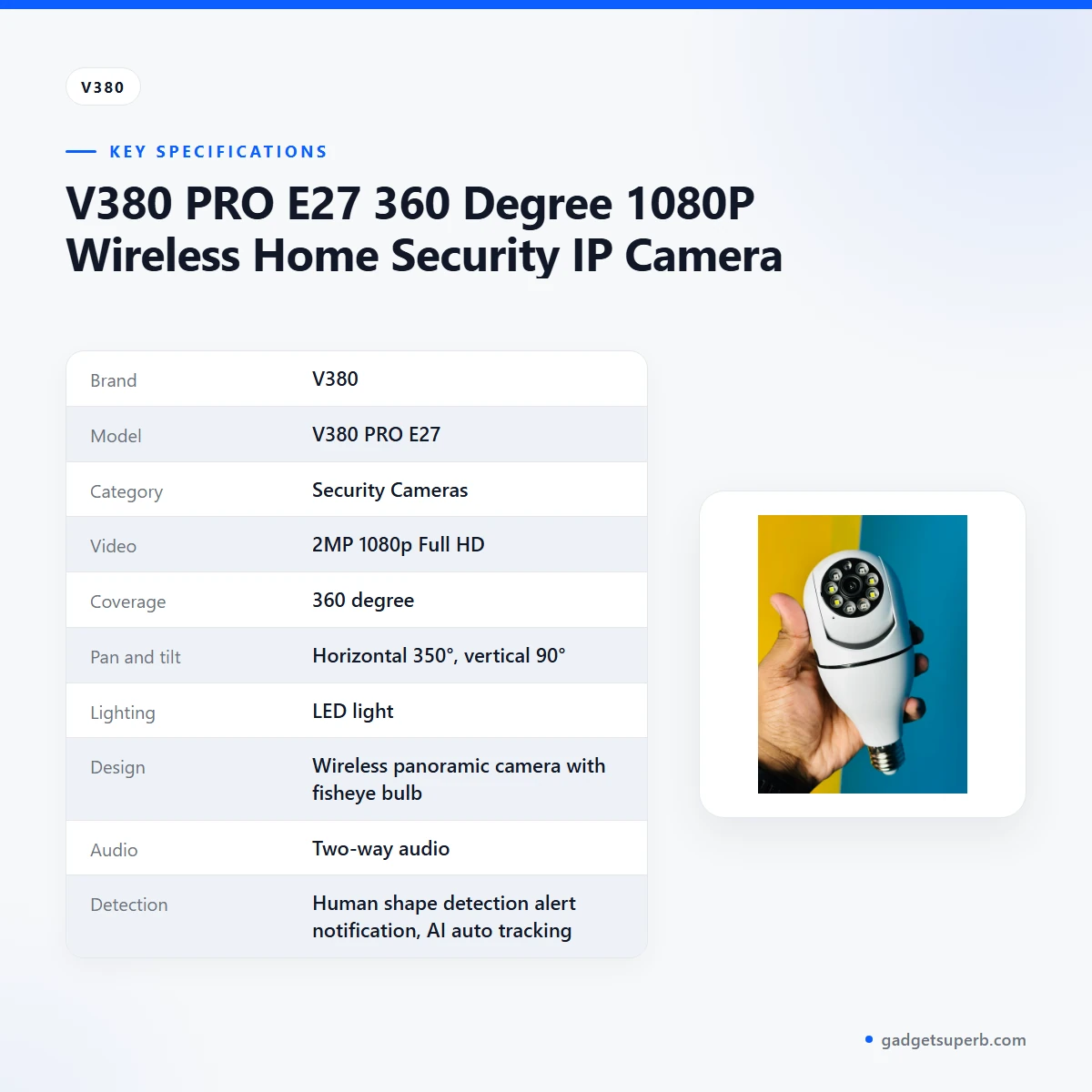
The table below sets out the specifications for the V380 Pro security camera as shown in the product listing.
| Specification | Listed value |
|---|---|
| Brand | V380 |
| Model | V380 PRO E27 |
| Category | Security Cameras |
| Video | 2MP 1080p Full HD |
| Coverage | 360 degree |
| Pan and tilt | Horizontal 350°, vertical 90° |
| Lighting | LED light |
| Design | Wireless panoramic camera with fisheye bulb |
| Audio | Two-way audio |
| Detection | Human shape detection alert notification, AI auto tracking |
| Storage | Up to 128GB SD card, or cloud storage |
| App | Free app for iOS and Android (YI IoT) |
| PC viewing | Via CMS software |
| Warranty | 7 Days replacement warranty |
These are listed specifications from the product listing.
How to use and set up
Setting up the V380 Pro security camera is a short job if you prepare first. Have your Wi-Fi network name and password ready, a charged phone, and a clear idea of the spot you want to cover. The listing does not include detailed steps, so follow the maker’s instructions at each stage.
Start with the fitting. The model name in the listing is V380 PRO E27, so confirm the fitting you need before you mount anything. Fit the unit, switch on the power and wait until it is ready, as the maker’s instructions describe. Do not force the unit into a fitting that feels loose or does not match.
Next, install the free app and create an account. Add the camera by following the prompts, and connect it to your Wi-Fi network as the maker’s instructions describe. If you plan to record to a memory card, insert it and follow the maker’s guidance on card setup. When the V380 Pro security camera is online, check the live view, the pan and tilt movement and the audio in both directions before you fix the unit in place.
Care and storage are simple. Wipe the lens gently with a soft, dry cloth and keep dust and fingerprints off it. Keep the unit away from damp corners, and store any spare unit in a dry place rather than a humid cupboard. Humidity is common in Dhaka for much of the year, so check the fitting now and then for signs of damp.
Local tips help too. Test the connection at the exact spot where the unit will sit, not only near the router. After any power cut, check that the V380 Pro security camera and the app are working before you rely on them. Keep your account details in a safe place and do not share your password in messages or social media posts.
Build a simple routine after setup. Open the app once a week, check that the live view and alerts still work, and clear old recordings you no longer need. Note which phone and which network you used, so you can reconnect quickly if your router is replaced or your broadband provider changes.
Compatibility and what is in the box
Confirmed in the listing: the model name V380 PRO E27, a free app for iOS and Android named YI IoT, viewing from a PC or laptop via CMS software, and SD card storage up to 128GB. These are the compatibility points the listing states for the V380 Pro security camera.
The listing does not list the accessories or the contents of the package, so do not assume what comes with the unit. Ask us before you order if you need to know the contents of the package, and keep your order message as a record of what you asked.
Compatibility with other phone systems, other apps or other camera brands is not confirmed by the listing. Check the maker’s instructions and contact us before buying if that matters to you.
If you plan to use cloud storage, check that your broadband or mobile data plan suits the upload load. The listing does not give bandwidth figures, so this is a practical check rather than a listed requirement.
Who should buy it in Bangladesh
A family flat in Dhaka is a strong scenario. If you want one camera to view the living room or a corridor, rotate the view from your phone and speak through the unit, the V380 Pro security camera is built around those listed features.
A parent working away from home during the day might use the V380 Pro security camera with its human shape detection alerts to keep an eye on children. Make sure the alert settings suit your routine, because the listing does not explain how detection behaves in different rooms.
A renter who cannot drill walls may find a bulb-style unit easier to live with, provided the fitting matches the lamp holder in the room. Ask your landlord before you change any fixture, and check the model name with us before you order the V380 Pro security camera.
A household with an elderly relative at home may value two-way audio for the V380 Pro security camera, so family members can speak to the person in the room from elsewhere. Agree in advance who checks alerts, and explain the app to everyone who will use it.
A busy household with shift workers might find alerts useful for checking on the home between shifts, as long as everyone agrees on the viewing rules.
A small shop owner should note that the listing describes home security use. Check the V380 Pro security camera against your own requirements before you rely on it for business premises, and ask us whether it suits your site.
Households outside Dhaka may find cloud storage slower where the connection is weaker. An SD card keeps recordings on the card itself, and delivery outside Dhaka usually takes 2–5 days, so plan ahead for the V380 Pro security camera.
A student sharing a flat may want a view of a shared room, but should agree on privacy rules with housemates first. Keep the lens pointed at shared spaces, and talk about who can view live footage before the unit goes up.
Buyers who need a camera for a large outdoor area or a fixed wall mount should look elsewhere. The listing does not state those uses for this model, so compare the V380 Pro security camera with other cameras in our range first.
Alternatives in our store
If the V380 Pro security camera does not fit your home, browse these options from our range. Meari S2 Plus 4MP Outdoor Smart PTZ WiFi Camera is another security camera in our range, and V380 WiFi Dual Lens Security Smart IP Camera is another security camera in the same category. Dual Lens V380 Pro PTZ Bulb IP Night Vision Camera is another security camera in our range, and V380 E9 Dual Lens Bulb PTZ IP Camera is another security camera in our category. For the full selection, see our Security Cameras category.
Warranty and support
Warranty: 7 Days seller warranty.
Delivery, returns and ordering
We deliver all over Bangladesh and you pay cash on delivery. Delivery usually takes 1–3 days inside Dhaka city and 2–5 days outside Dhaka, so order early if you need the V380 Pro security camera by a particular date.
You can return it within 7 days of delivery (see our Delivery & Returns policy). Full terms are on our policy page at Delivery & Returns, and the same page is the place to check before you order.
Questions before ordering: call 09638054751, message us on Facebook Messenger or email care@gadgetsuperb.com. Ask about the V380 Pro security camera model, fitting and storage before you place your order, so the right unit reaches your door.
When you place an order for the V380 Pro security camera, check the model name, your delivery address and a phone number that the courier can reach. Cash on delivery means you pay when the parcel arrives, so have the right payment ready and check the parcel at the door.
Keep a note of your order details until the camera is working in your home. If something is missing or does not match what you ordered, contact us by phone, Messenger or email straight away, using the details above.
Delivery times are the usual ones in our store policy, so allow a little extra time when the timing matters. If you are ordering as a gift, tell us the recipient’s name and address when you order, so the parcel reaches the right person.
Frequently asked questions
Is the V380 Pro security camera safe to use at home?
The listing does not make a safety or security certification claim, so none is stated here. Follow the maker’s instructions and use a strong, unique password for your account.
Can I use the V380 Pro security camera without Wi-Fi?
The listing describes the camera as wireless, but it does not confirm offline use, so ask us before ordering if you need it. Plan on a working Wi-Fi connection for the app.
What SD card size does the V380 Pro security camera support?
The listing says the camera supports up to 128GB SD card storage for recording, or cloud storage. Check the storage options in the app once the unit is set up.
Can I view the V380 Pro security camera on a PC or laptop?
Yes, the listing says you can view from a PC or laptop via CMS software. Ask us if you need more detail on how to set that up.
Which phones can run the app?
The listing says the free app is available for iOS and Android, named YI IoT. Check the app store on your own phone before you buy.
Why is my V380 Pro security camera not working?
Start with the power supply, your Wi-Fi connection and the app, then follow the maker’s instructions. The listing does not include troubleshooting steps, so contact us if the problem continues.
What warranty does the V380 Pro security camera have?
The listing gives a 7 Days Replacement Warranty. Ask us before ordering if you need to know more about how it applies to your order.
How long does delivery take?
Delivery usually takes 1–3 days inside Dhaka city and 2–5 days outside Dhaka. We deliver all over Bangladesh and you pay cash on delivery.
Can I return it?
Yes, you can return it within 7 days of delivery. See our Delivery and Returns policy for the full terms.
Does the V380 Pro security camera support cloud storage?
The listing says the camera supports cloud storage as well as SD card storage of up to 128GB. Choose the option that suits your internet connection and your household.
Where can I order the V380 Pro security camera in Bangladesh?
You can order it from Gadget Superb for delivery all over Bangladesh, with cash on delivery. Call 09638054751 or email care@gadgetsuperb.com if you have questions before ordering.
How does the V380 Pro security camera differ from other V380 models?
This page covers only the V380 PRO E27 listing and does not compare models. Read each product page linked in our alternatives section before you choose.
Related products
-28%
30 in stock


Lenovo XW1-U 3MP Dual Lens Smart WiFi Camera
Original price was: ৳ 6,720.৳ 4,830Current price is: ৳ 4,830.-26%
31 in stock
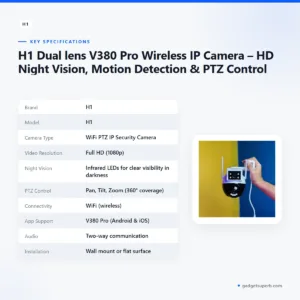
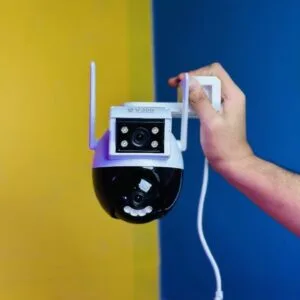
H1 Dual lens V380 Pro Wireless IP Camera – HD Night Vision, Motion Detection & PTZ Control
Original price was: ৳ 3,990.৳ 2,950Current price is: ৳ 2,950.-27%
45 in stock
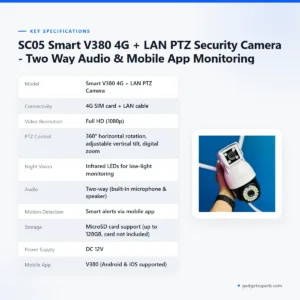

SC05 Smart V380 4G + LAN PTZ Security Camera – Two Way Audio & Mobile App Monitoring
Original price was: ৳ 4,530.৳ 3,300Current price is: ৳ 3,300.
-28%
47 in stock


Meari S2 Plus 4MP Outdoor Smart PTZ WiFi Camera
Original price was: ৳ 7,360.৳ 5,290Current price is: ৳ 5,290.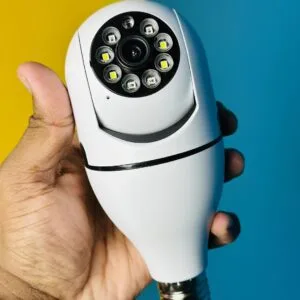 V380 PRO E27 360 Degree 1080P ...
 Original price was: ৳ 1,770.৳ 1,360Current price is: ৳ 1,360.
8 in stock
Reviews
There are no reviews yet.