No products in the cart.

-26%
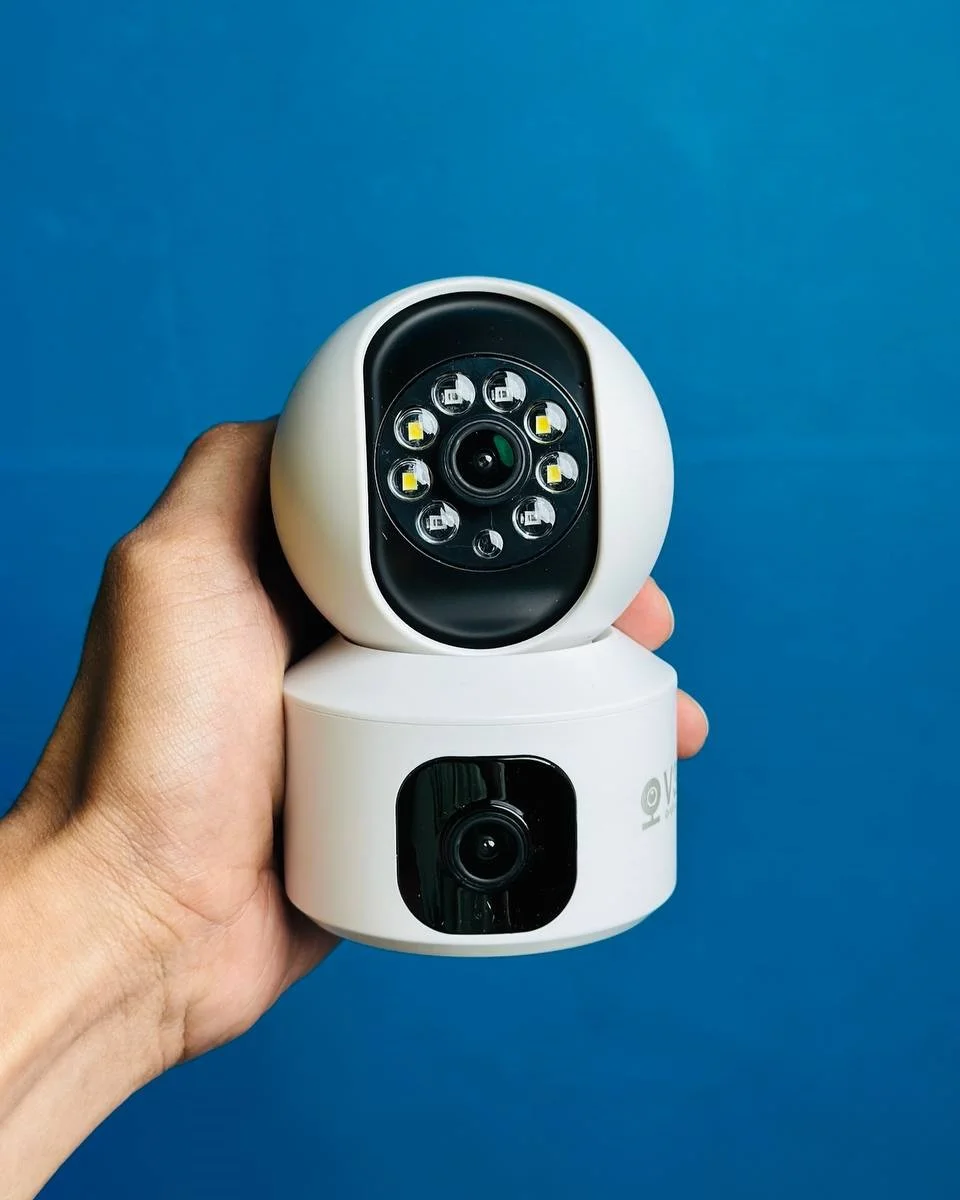
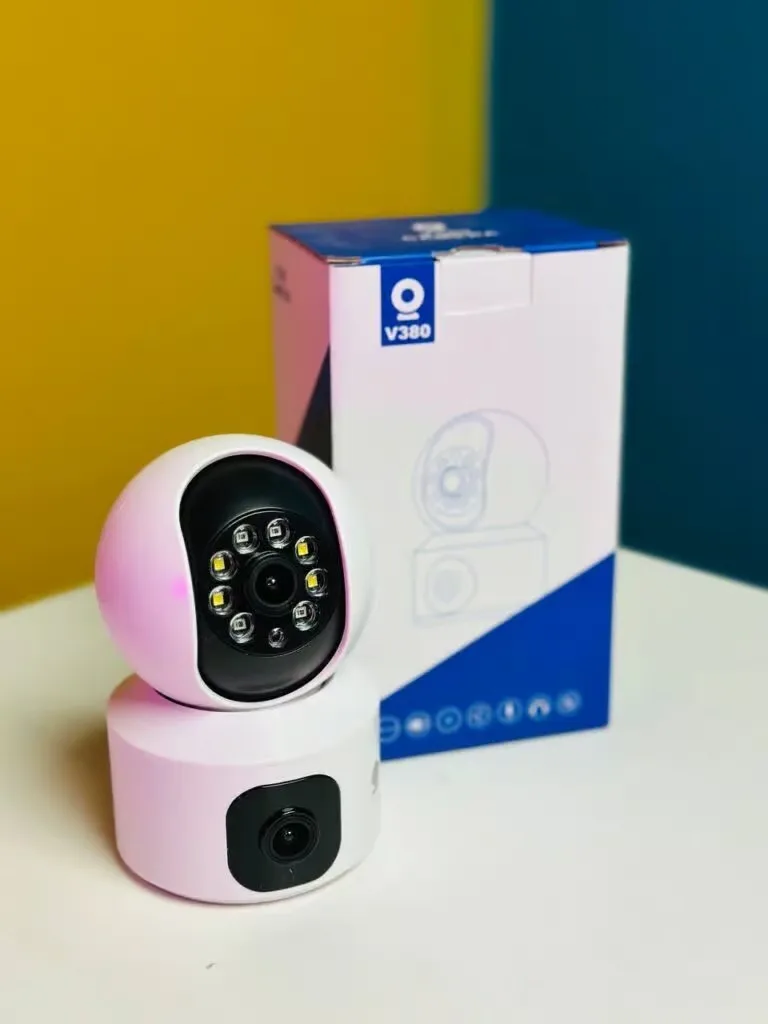


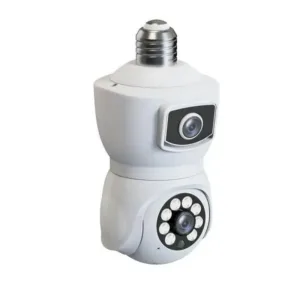
The V380 IP camera is listed as a Dual Lens Wifi IP camera from the brand V380, and it sits in our Security Cameras range for Bangladeshi homes and small businesses. This page sets out what the listing confirms, what it does not confirm and how to order from us with cash on delivery.
- About the V380 IP camera
- Key features
- Specifications
- How to use / set up
- Compatibility and what is in the box
- Who should buy it in Bangladesh
- Alternatives in our store
- Warranty and support
- Delivery, returns and ordering
- Frequently asked questions
About the V380 IP camera
For the V380 IP camera, the listing gives the product name V380 Dual Lens Wifi IP camera, the brand V380 and the model V380. It places the product in our Security Cameras category and lists a warranty of 7 Days. These are the facts we can state with confidence. Everything else on this page is either general buying guidance or is marked as not confirmed.
Many buyers who search for a V380 IP camera want a simple camera to watch a home entrance, a flat door, a shop counter or a store room. The listing supports the core idea of a Wifi IP camera, but it does not describe every feature a buyer might expect. For general background on the technology, read the Wikipedia article on IP cameras, which covers the category in more depth than a single product listing can.
A V380 IP camera can suit a buyer who wants a Wifi model from a named brand, a listed warranty and cash on delivery across Bangladesh. It is not the only option in our store, though. Power cuts are common in parts of Dhaka, so think about how the camera will stay connected during load-shedding. The listing does not describe power backup for this camera, so plan that part yourself and ask us if you need help choosing a suitable setup.
Key features
Dual lens, as listed
The product name uses the phrase Dual Lens. The listing does not explain the lens layout, how two lenses work together or what kind of view they produce, so this page does not describe them. The V380 IP camera is sold under the name Dual Lens Wifi IP camera, and that is the extent of what the listing confirms about its lenses. When you compare it with another camera in our store, read each listing carefully rather than assuming the lens set-up is the same. If a lens detail matters to your purchase, message us before you order and ask us to point you to the wording on the listing.
Wifi connection, as listed
The listing names Wifi as part of the product, so the camera is intended to connect through a wireless network. The listing does not state which Wi-Fi standard, frequency band or range the camera supports, so do not assume a specific distance from your router. Before you buy the V380 IP camera, check that your home or shop has a stable connection in the exact spot where the camera will sit. Write down your network name and keep your password somewhere safe, then follow the maker’s instructions to connect the camera to your network.
Product type of the V380 IP camera
The listing describes the product as an IP camera, and that is the product type it names. We state only what the listing says: the brand is V380, the model is V380, and the product is listed as a Dual Lens Wifi IP camera. The background article linked in the overview gives general information about the category rather than details of this model. Our page does not compare the product with other IP camera brands, because the listing gives us no basis for that comparison, and we do not want to imply a performance result that the listing never states.
Security Cameras category and home use
Our store places this product in the Security Cameras category, which matches the product type named in the listing. Buyers in Bangladesh may use cameras of this kind for a home entrance, a shop front, a store room or a parking area. A V380 IP camera for a store room, for example, may need a different position from one for a front door. Before you choose a position, look at the view you need, the distance from your router and the power point you will use. Confirm your model before you order, because similar names can refer to different products across our range. The related listings in the comparison section give a clearer picture of how the range is arranged.
Warranty and cash on delivery
The listing gives a warranty of 7 Days for the product. Our store policy also lets you pay cash on delivery across Bangladesh and return the item within 7 days of delivery. These are store facts that help you buy with less risk, but they do not change what the listing says about the camera itself. Keep your V380 IP camera order details ready, and read the delivery and returns page before you accept the parcel, so that you know what to do if something is not right with the order.
Specifications
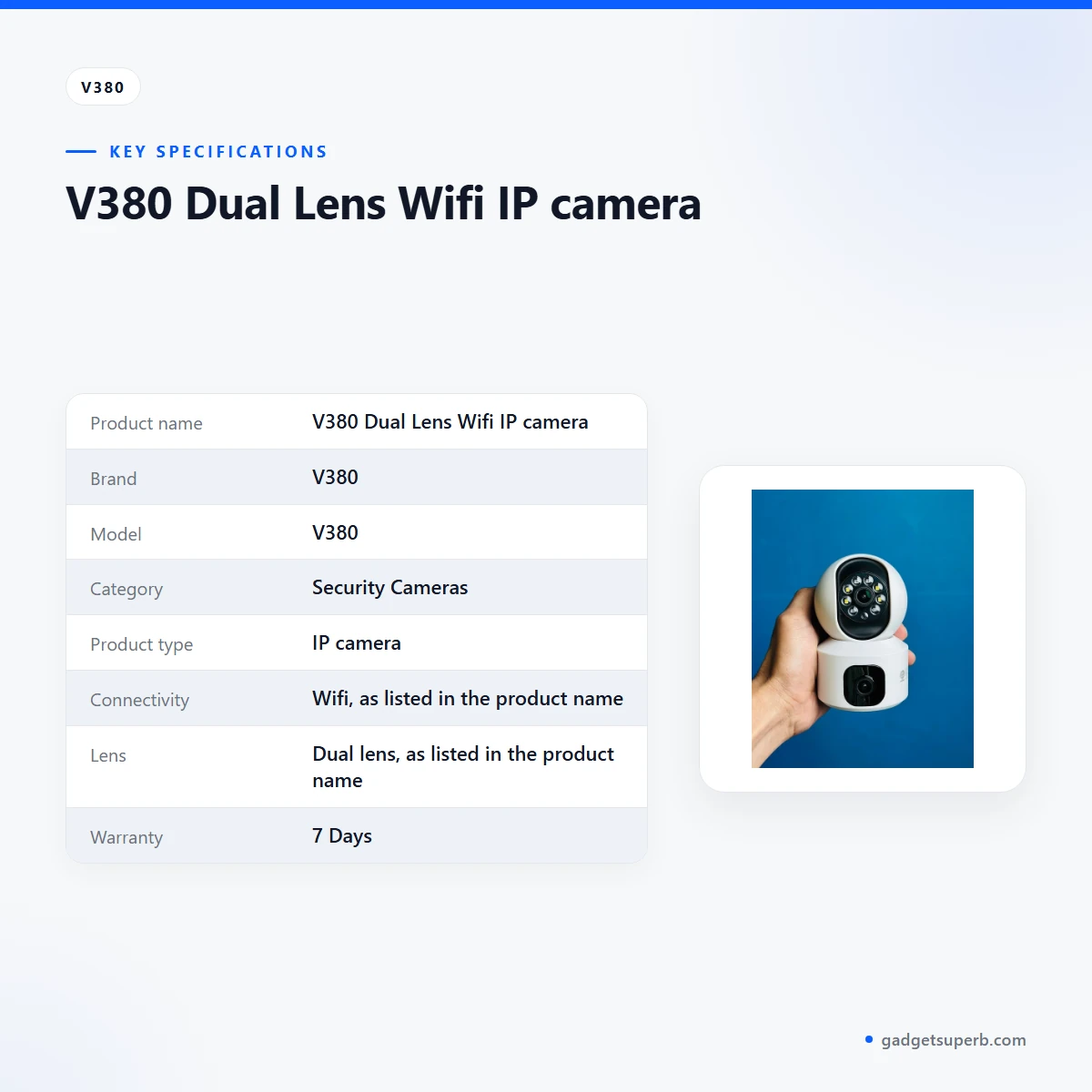
The specifications for the V380 IP camera are set out below as the product listing gives them.
| Label | Value |
|---|---|
| Product name | V380 Dual Lens Wifi IP camera |
| Brand | V380 |
| Model | V380 |
| Category | Security Cameras |
| Product type | IP camera |
| Connectivity | Wifi, as listed in the product name |
| Lens | Dual lens, as listed in the product name |
| Warranty | 7 Days |
These are listed specifications from the product listing, and the listing gives no further technical values for this model.
How to use / set up
Setting up the V380 IP camera is simpler when you prepare your network and read the maker’s instructions first. The listing does not give step-by-step set-up instructions, so the points below are general and do not replace the maker’s instructions.
- Read the product listing and the maker’s instructions in full before you start.
- Charge fully before first use, if the maker’s instructions say so.
- Check that your Wi-Fi network is working near the spot where the camera will sit.
- Connect the camera to your network by following the maker’s instructions, and keep your network password to hand.
- Place the camera where it can see the area you want to watch, and test the connection from a nearby room before you fix it in position.
Placement matters more than many buyers expect. Choose a spot where the lens can see the area you care about, and avoid positions where direct glare from a window or a lamp falls straight into the view. Keep the cable route short and tidy, and check that the power point is not shared with heavy appliances that might cause an unstable supply. The listing does not describe any of these conditions, so these are sensible checks rather than product claims.
Humidity is high across much of Bangladesh, especially in the monsoon months, so keep the camera and its cables away from damp walls and dripping water. This is general care advice only, and it says nothing about how the camera handles moisture, because the listing does not describe that.
Load-shedding can interrupt power and Wi-Fi together, so think about how you will restore the connection once power returns. The listing does not describe any power backup for this camera, so treat that as a question to settle before you order rather than an assumption. Once the V380 IP camera is running, check the connection from time to time, especially after a power cut.
Dust can build up on any camera lens over time. Wipe the lens gently with a soft, dry cloth while the camera is switched off, and avoid harsh cleaning products that may leave a film. Check the mounting and cables at the same time, so that a loose fitting does not go unnoticed.
When the V380 IP camera is not in use for a long period, store it in a dry room away from direct sun and heat. Keep cables loosely coiled without sharp bends, and check them for wear before you refit the camera after storage.
Keep a note of your camera model, your order date and the Wi-Fi name you used. Those details help us give accurate answers if you need help later, and they save time when you contact us about the warranty or a delivery question.
If you are unsure about any step, tell us your model name, your network type and where the camera will sit. We can then explain what the listing confirms and what it leaves open, and you can follow the maker’s instructions with a clear picture of your setup.
Compatibility and what is in the box
For the V380 IP camera, the listing confirms the brand V380, the model V380, the category Security Cameras, the Dual Lens Wifi IP camera name and a warranty of 7 Days. Those are the confirmed items for this product, and we have kept the rest of this page to what the listing supports.
The listing does not state the contents of the package, so this page does not describe them. It also does not list accessories, mounting parts, power supply details or compatibility with specific phones, tablets, computers or routers. Those points are not confirmed by the listing, so please ask us before you order the V380 IP camera.
Router compatibility is a common question for Wifi cameras in Bangladesh, where many homes and shops use different broadband and mobile connections. The listing does not confirm router compatibility for this model. If you send us your router model, we can tell you what the listing confirms and what we cannot confirm from it.
Phone and tablet compatibility is a separate question. The listing does not name any phone, tablet or computer, so we cannot confirm which devices work with this camera. If you tell us the device you plan to use, we will say what the listing covers and what it leaves open.
Who should buy it in Bangladesh
The V380 IP camera suits a buyer who wants a Wifi camera for one clear job, such as watching a main door or a shop counter, and who is comfortable checking the listing details before ordering. It is a practical starting point for that kind of buyer.
Consider a family in a Dhaka flat who wants to see the entrance from another room while they are at work. For this buyer, the most important checks are the Wi-Fi signal at the chosen spot and the power point near the camera. The listed 7 Days warranty and cash on delivery help reduce the risk of ordering a camera for home use without visiting a shop.
Consider a small shop owner outside Dhaka who wants a camera for the counter. Delivery usually takes 2–5 days outside Dhaka, so plan ahead and order before you need the camera running. Ask us about router and power details first, because the listing does not confirm them and a shop often has a different network from a home.
Consider a homeowner in a house outside Dhaka who wants to check a gate or a side entrance with the V380 IP camera. The main questions are whether the Wi-Fi signal reaches that spot and whether the position gives a clear view without direct glare. The listing does not describe weather conditions for this camera, so check the placement carefully and ask us if you are unsure.
Consider a renter who wants a camera for a store room or a parking spot, and who may need to move it later. The listing does not describe moving or relocating the V380 IP camera, so check your rental arrangement and the listing details before you buy.
Consider a family who wants to check on an elderly relative’s room from another floor. The most useful first step is a Wi-Fi check in that room, because the signal there decides whether the camera can connect at all. Keep the placement simple and ask us about the warranty and returns before you commit.
Consider a small office in Chattogram that wants a basic view of a reception desk. Outside Dhaka, delivery usually takes 2–5 days, so the V380 IP camera should be ordered with enough time for set-up before the office opens.
A first-time buyer of a camera like this may find the set-up steps unfamiliar. Read the listing, follow the maker’s instructions and message us early with your questions. Ordering early also gives you time to use the return window if the camera does not suit your space.
Buyers who want a confirmed set of features, or who need a different lens layout, should compare the related listings in our store first. The V380 IP camera is a good match only if its listed details fit your plan. If they do not, choose the listing that matches the job rather than the name you recognise.
Alternatives in our store
If the V380 IP camera does not match your plan, compare these related listings. Meari S2 Plus 4MP Outdoor Smart PTZ WiFi Camera is another security camera in our range. V380 WiFi Dual Lens Security Smart IP Camera is another listing from the same brand in our range.
V380 PRO E27 360 Degree 1080P Wireless Home Security IP Camera is another IP camera in our range, and Dual Lens V380 Pro PTZ Bulb IP Night Vision Camera is a further V380 listing in our range. Each link opens its own product page. You can also browse the full Security Cameras category for more options.
Warranty and support
Warranty: 7 Days seller warranty.
Delivery, returns and ordering
We deliver all over Bangladesh and you pay cash on delivery.
Delivery usually takes 1–3 days inside Dhaka city and 2–5 days outside Dhaka.
You can return it within 7 days of delivery (see our Delivery & Returns policy).
Questions before ordering: call 09638054751, message us on Facebook Messenger or email care@gadgetsuperb.com.
For the V380 IP camera, read the full delivery and returns page before you order, then message us with any question about your model, your Wi-Fi network or your delivery area.
When you place an order, check that the product name on the order matches the item you want. Confirm the delivery address, including the area name, so that the parcel reaches you without delay. Delivery usually takes 2–5 days outside Dhaka, so allow time before you need the camera.
Cash on delivery means you pay when the parcel reaches you. Keep your order details ready when the delivery arrives, so you can match them to the parcel before you accept it.
If you are unsure whether the delivery address is complete, message us before the parcel is dispatched so we can help you correct it.
Returns follow the policy on our delivery and returns page. The 7 day window starts from delivery, so keep the parcel and order details safe until you are sure the V380 IP camera suits your space.
Frequently asked questions
What is the V380 IP camera?
The V380 IP camera is listed as a Dual Lens Wifi IP camera from the brand V380, and it sits in our Security Cameras category. The listing gives few other details, so read the product page before you order.
Who is the V380 IP camera for?
It suits buyers who want a Wifi camera for one clear job, such as watching a door or a counter. Check the listed details against your plan before you order the V380 IP camera.
Is the V380 IP camera safe to use?
The listing does not include safety or certification details, so we cannot confirm them here. Follow the maker’s instructions and keep your network password private.
How long is the V380 IP camera warranty?
The listing gives a warranty of 7 Days seller warranty. Ask us before ordering if you need more detail.
Can I pay cash on delivery for the V380 IP camera?
Yes. We deliver all over Bangladesh and you pay cash on delivery.
How long does delivery take for the V380 IP camera?
Delivery usually takes 1–3 days inside Dhaka city and 2–5 days outside Dhaka.
Can I return the V380 IP camera?
You can return it within 7 days of delivery. See our Delivery & Returns policy for the full terms.
Does the V380 IP camera work without Wi-Fi?
The listing names Wifi as part of the product and does not say that the camera works without a Wi-Fi network. Treat offline use as unconfirmed until the listing or the maker says otherwise.
Why is my V380 IP camera not working?
The listing gives no troubleshooting steps, so we cannot check a fault from this page. Check your Wi-Fi connection, follow the maker’s instructions and message us with your model name if the problem continues.
How do I contact you before I buy the V380 IP camera?
Call 09638054751, message us on Facebook Messenger or email care@gadgetsuperb.com with your questions about the V380 IP camera.
Related products
-25%
48 in stock

V380 Dual Lens PTZ 2+2mp Wifi Smart Camera
Original price was: ৳ 2,700.৳ 2,000Current price is: ৳ 2,000.-26%
31 in stock
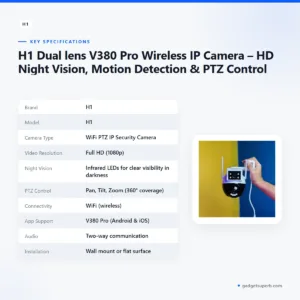
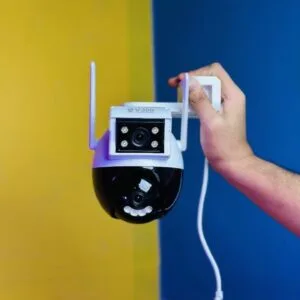
H1 Dual lens V380 Pro Wireless IP Camera – HD Night Vision, Motion Detection & PTZ Control
Original price was: ৳ 3,990.৳ 2,950Current price is: ৳ 2,950.-27%
45 in stock
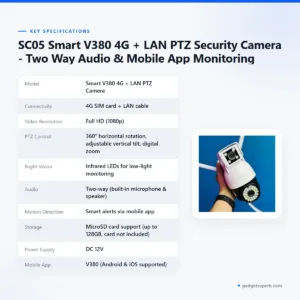

SC05 Smart V380 4G + LAN PTZ Security Camera – Two Way Audio & Mobile App Monitoring
Original price was: ৳ 4,530.৳ 3,300Current price is: ৳ 3,300.-28%
32 in stock


V380 PRO 3 Lens CCTV Outdoor Waterproof Night Vision PTZ Camera (4G+LAN)
Original price was: ৳ 6,550.৳ 4,710Current price is: ৳ 4,710.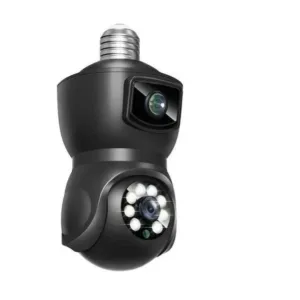
 V380 Dual Lens Wifi IP camera
Original price was: ৳ 2,790.৳ 2,060Current price is: ৳ 2,060.
46 in stock
Reviews
There are no reviews yet.