No products in the cart.

-27%


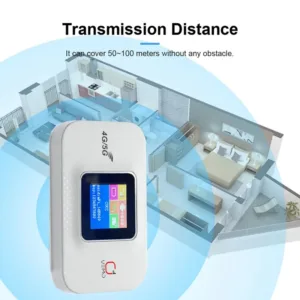

The Vemo E5783 Plus is a pocket-sized 4G/5G portable WiFi router for people who need a shared internet connection away from home or the office. The listing describes it as a mobile hotspot for remote workers, frequent travellers and students who want a private connection instead of an open public network. This guide covers what the listing says, how the router is set up, and what to check before you order.
- Vemo E5783 Plus overview
- Key features
- Specifications
- How to use / set up
- Compatibility and what is in the box
- Who should buy it in Bangladesh
- Alternatives in our store
- Warranty and support
- Delivery, returns and ordering
- Frequently asked questions
Vemo E5783 Plus overview
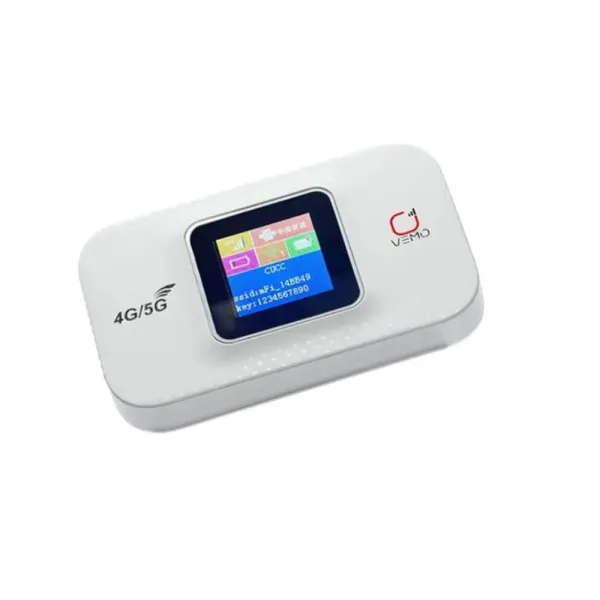
The Vemo E5783 Plus is described in the listing as the ultimate pocket-sized solution for high-speed internet on the go. It is aimed at digital nomads, frequent travellers and students, and the listing says it means you never have to rely on unsecure public Wi-Fi again. For a Bangladeshi household or student, a portable router of this kind is usually a second connection for trips, study groups or days when the usual connection is slow, rather than a replacement for home broadband.
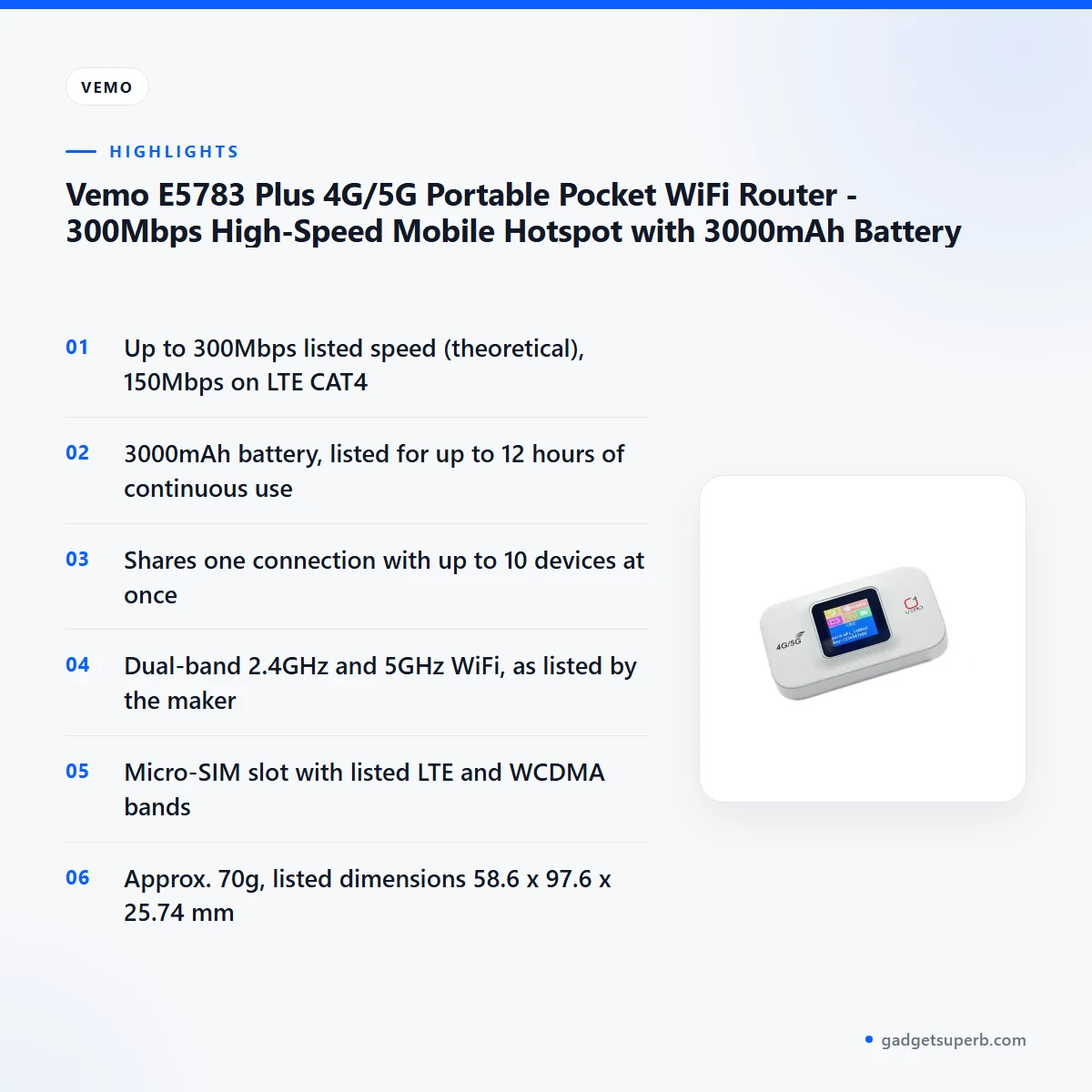
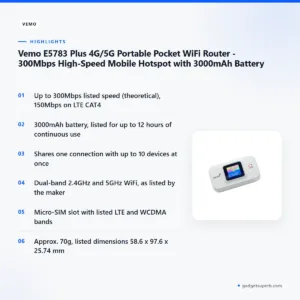
According to the listing, the Vemo E5783 Plus reaches speeds of up to 300Mbps, which the maker gives as a theoretical figure, and 150Mbps on LTE CAT4. The listing says it handles HD streaming, lag-free gaming and video conferencing with ease. Your real speed will depend on the mobile network around you, the data plan on your SIM and how many devices are connected at the same time, so read the listed figures as the maker’s claims rather than a guarantee for your location.
Size is the other main selling point. The listing describes a compact, credit-card-sized design with a 3000mAh battery and gives the dimensions as 58.6 x 97.6 x 25.74 mm and the weight as about 70g. The maker lists up to 12 hours of continuous use on a single charge. That makes the Vemo E5783 Plus easy to carry in a bag for a day out, although the Specifications section below has the full figures.
If the term is new to you, a wireless router is a device that shares one internet connection with several devices over WiFi; the background is set out in what a wireless router does (Wikipedia). The Vemo E5783 Plus is a mobile version of that idea. It takes a SIM card rather than a fixed broadband line, so the connection travels with you. Keep that difference in mind when you compare it with home broadband.
Key features
The listing groups the main points of the Vemo E5783 Plus into a feature list. Six of the listed features are covered below, in the maker’s terms, with a short note on what each one means in everyday use.
Super-Fast 300Mbps Speed
The listing describes the Vemo E5783 Plus as optimised for smooth browsing, downloading and high-quality video streaming. The headline figure is up to 300Mbps, which the listing marks as theoretical, while the LTE CAT4 figure given in the specifications is 150Mbps. Actual speed depends on your local network coverage, the plan on your SIM and how many devices share the connection. For video calls or large downloads, check the speed you actually get in the place you will use the router, rather than relying on the headline number alone.
Dual-Band WiFi (2.4GHz & 5GHz)
The listing says dual-band WiFi on 2.4GHz and 5GHz reduces interference and provides a more stable, versatile wireless connection. It does not explain how the router chooses between the two bands, and it does not say how many devices can use the 5GHz band at once. In dense apartment blocks in Dhaka, where many home networks compete for the same airwaves, a second band can be useful in principle, but the listing does not make that claim for this model. The specifications table also lists the WiFi protocol as IEEE 802.11b/g/n, which does not clearly match a 5GHz claim. If 5GHz matters for your setup, confirm this detail before you order.
Long-Lasting 3000mAh Battery
The listing gives the battery as 3000mAh lithium-ion and says the Vemo E5783 Plus provides up to 12 hours of continuous usage on a single charge. Those are the maker’s figures. Battery life in daily use will vary with signal strength, the number of connected devices and how much data you download, so treat 12 hours as a best-case figure rather than a promise. Charge the router fully before first use, and keep the USB charging cable with you on long trips, because the listing includes one in the packaging. For load-shedding, the battery figure is the number to check, but the listing does not say how the router behaves during a power cut.
Multi-User Sharing
The listing says you can connect and share the internet with up to 10 devices at once, including smartphones, laptops and tablets. For a family trip, a small study group or a team working from a rented room, that means one data plan can cover several people without each person needing a separate hotspot. The number of devices that feel fast together depends on your signal and your plan, so think about how many people will be online at the same time. The Vemo E5783 Plus is listed for simultaneous sharing, and the listing does not promise the same speed for every device.
Smart LCD Indicator
The listing describes a smart LCD indicator that lets you monitor signal strength, battery life and connection status at a glance. That matters on the move, when you cannot easily check a laptop or phone for network status before you start a call. The listing does not describe the screen layout in detail, so this page does not explain what individual symbols mean. On the Vemo E5783 Plus, use the indicator as a quick check of signal and battery, and refer to the maker’s instructions for anything more detailed. Combined with the battery figure above, it helps you plan a longer session.
Universal SIM Support
The listing describes plug-and-play functionality with a Micro-SIM card slot and says the router is compatible with global frequency bands. The specifications list LTE bands B1, B3, B5, B7, B8, B20, B28, B38, B40 and B41, and WCDMA bands B1, B5 and B8. Whether a particular SIM works on a particular network depends on your operator and plan, so check that your SIM is a Micro-SIM and that your operator supports these bands before you order. For travel, the listing says the Vemo E5783 Plus suits people who use a local SIM card abroad.
Specifications
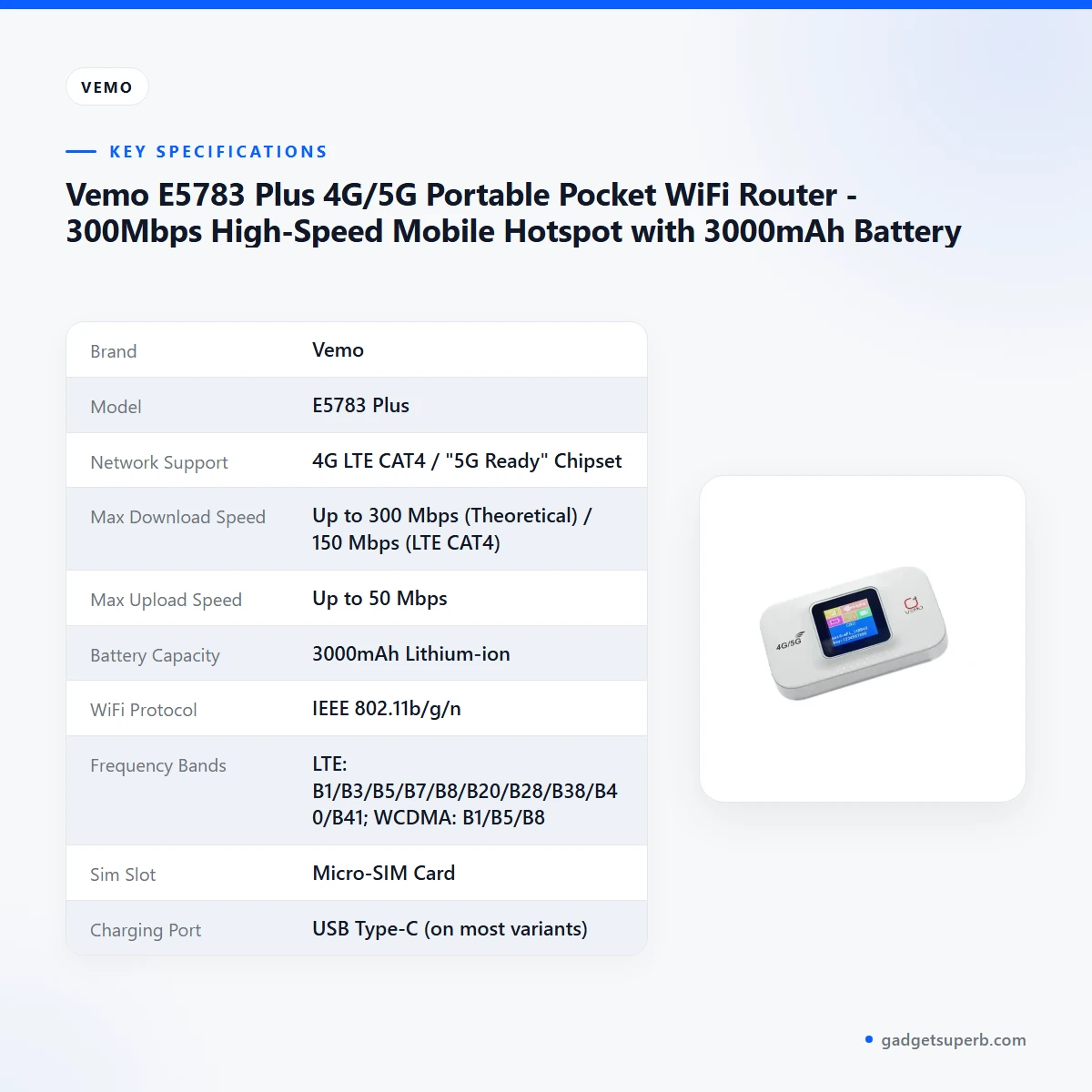
The Vemo E5783 Plus specifications below show the figures given in the product listing, with the maker’s wording kept where it matters for your decision.
| Label | Value |
|---|---|
| Brand | Vemo |
| Model | E5783 Plus |
| Network Support | 4G LTE CAT4 / "5G Ready" Chipset |
| Max Download Speed | Up to 300 Mbps (Theoretical) / 150 Mbps (LTE CAT4) |
| Max Upload Speed | Up to 50 Mbps |
| Battery Capacity | 3000mAh Lithium-ion |
| WiFi Protocol | IEEE 802.11b/g/n |
| Frequency Bands | LTE: B1/B3/B5/B7/B8/B20/B28/B38/B40/B41; WCDMA: B1/B5/B8 |
| Sim Slot | Micro-SIM Card |
| Charging Port | USB Type-C (on most variants) |
| Dimensions | 58.6 x 97.6 x 25.74 mm |
| Weight | ~70g |
These are the listed specifications from the Vemo E5783 Plus product listing, so check them against the maker’s documents if a figure matters to your purchase.
How to use / set up
Setting up the Vemo E5783 Plus is described in the listing as plug-and-play, so most of the work is inserting a SIM and connecting your device. The steps below follow the listing in general terms. Where the maker’s instructions are more specific, follow those.
- Charge the router fully before first use, using the USB charging cable included in the packaging, as listed.
- Open the back cover and insert a valid Micro-SIM card into the slot, as the listing describes.
- Press and hold the power button until the LCD screen lights up.
- On your phone or laptop, search for the WiFi SSID, then enter the password found inside the device or in the manual, as the listing describes.
- Use the LCD indicator to check signal strength and battery level while you browse.
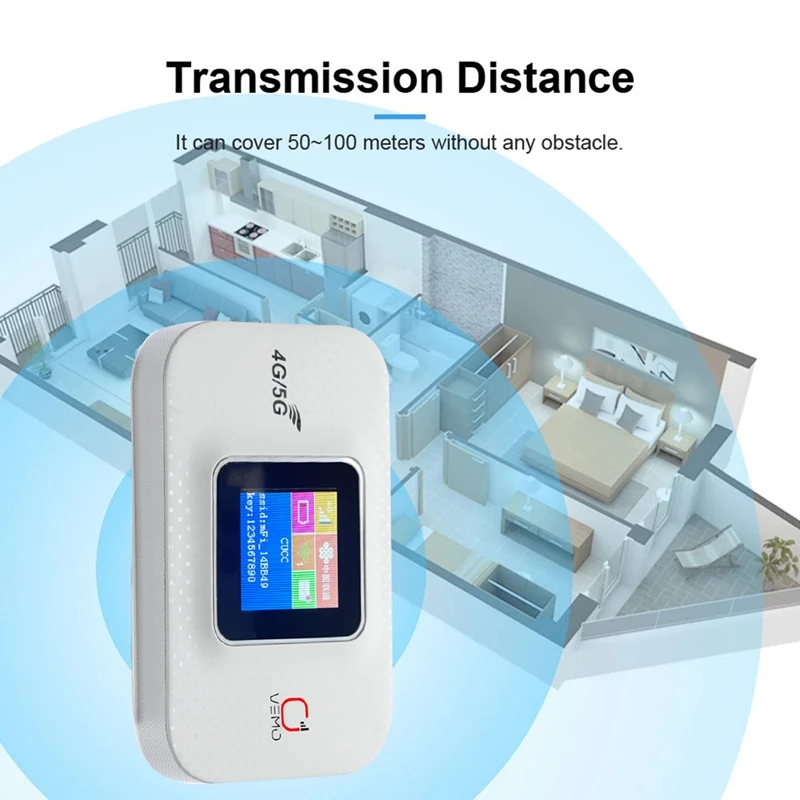
Placement matters for any wireless connection. The listing gives a wireless range of up to 30 meters, so place the router where you will use it and where the signal from your mobile network is strongest, rather than leaving it hidden in a bag. In Dhaka flats, a spot near a window or an open balcony may give a better signal than the middle of a room, but this depends on your building and network.
If the Vemo E5783 Plus does not connect, check that the SIM is seated correctly, the battery is charged and the password is entered exactly as shown, then follow the maker’s instructions. Restarting the router and your device is a sensible first step with any mobile hotspot.
Looking after the router is simple. Keep it out of direct sun, away from damp surfaces and out of a hot car, and wipe the outside with a dry cloth. Store it in a dry bag when you travel, especially during the humid monsoon months in Bangladesh.
Compatibility and what is in the box
The listing names three items in the packaging: one Vemo E5783 Plus portable WiFi router, one USB charging cable and one user manual. This page does not add any items beyond what the listing states, so check the contents when your parcel arrives.
SIM compatibility: the listing gives a Micro-SIM card slot. Whether your SIM works with the listed bands depends on your operator and plan. This is not confirmed by the listing, because the listing does not name any Bangladeshi operator, so check your plan before you rely on the router for the Vemo E5783 Plus.
Network support: the listing gives 4G LTE CAT4 with a "5G Ready" chipset. The listing does not give further detail on 5G, so do not assume 5G service on any network. This is not confirmed by the listing.
Charging: the listing says USB Type-C on most variants. Because the wording is "on most variants", the listing does not confirm which variant you will receive, so check the charging port on the unit that arrives.
Who should buy it in Bangladesh
The listing names three groups it is built for, and they map well to everyday life in Bangladesh. Remote workers need a dedicated, stable connection for Zoom calls and emails, and the Vemo E5783 Plus is listed as suitable for that kind of use when home WiFi is weak or unavailable.
If you work from a cafe in Gulshan or from a rural area with weak home WiFi, the listing says you can create a secure mobile office in cafes, parks or remote rural areas. Check your SIM’s data allowance first, because video calls use a good amount of data over a working day.
Travellers are the second group. The listing says the router is for people who want to stay connected abroad with a local SIM card, and that it supports a wide range of global frequency bands. A Bangladeshi traveller should check whether the local SIM and the router’s bands work together before leaving home, rather than assuming they will.
Students are the third group, with the listing describing the router as ideal for group study sessions or places with poor dormitory WiFi. In a hostel or a shared flat, one shared connection can cover a small group of phones and laptops, which may suit a study group better than several separate data plans.
Households that already pay for several data plans may also find the sharing feature useful. The listing describes sharing one data plan across multiple devices instead of paying for separate roaming or hotspots. The router is not a replacement for a fixed broadband line in every case, so decide based on how much data your household uses.
The router may be less suitable if you need a fixed line for a shared office, need confirmed 5G service, or plan to rely on it as your only connection without checking the details first. Load-shedding is a practical question for many buyers in Bangladesh. The listing gives battery capacity and up to 12 hours of continuous use, but it does not say how the router behaves during a power cut, so treat that as an open question rather than a feature.
Alternatives in our store
If the Vemo E5783 Plus is not the right fit, you may want to look at other options in our range. The Cudy WR1200 AC1200 Dual Band Smart Wi-Fi Router is another Wi-Fi router in our range, and the Ruijie RG-EW1300G 1300M Dual-Band Gigabit WiFi Router is another router of the same type in our range. If you want a different wireless router, the Tp-link TL-WR845N 300Mbps Wireless Router is another wireless router in our range. For a router accessory, see the Metal Router Stand – Black, which is a router accessory in our range. Browse the whole Routers & Pocket WiFi category to compare more options.
Warranty and support
Warranty: No warranty seller warranty.
Delivery, returns and ordering
When you order the Vemo E5783 Plus, we deliver all over Bangladesh and you pay cash on delivery.
Delivery usually takes 1–3 days inside Dhaka city and 2–5 days outside Dhaka. You can return it within 7 days of delivery (see our Delivery & Returns policy).
Questions before ordering: call 09638054751, message us on Facebook Messenger or email care@gadgetsuperb.com.
Full policy details are on our Delivery & Returns page.
Frequently asked questions
What is the Vemo E5783 Plus?
The Vemo E5783 Plus is listed as a portable 4G/5G pocket WiFi router with a theoretical speed of up to 300Mbps, a 3000mAh battery and sharing for up to 10 devices.
Does the Vemo E5783 Plus support 5G?
The listing gives the network support as 4G LTE CAT4 with a "5G Ready" chipset. It does not confirm 5G service on any network.
Which SIM card does the Vemo E5783 Plus use?
The listing gives a Micro-SIM card slot, so you need a Micro-SIM card for the Vemo E5783 Plus. Check the band support with your operator.
How many devices can connect to the Vemo E5783 Plus?
According to the listing, up to 10 devices can share the connection at once, including smartphones, laptops and tablets.
How long does the Vemo E5783 Plus battery last?
The listing says up to 12 hours of continuous use on a single charge from a 3000mAh lithium-ion battery. Real battery life depends on signal and data use.
What speed does the Vemo E5783 Plus reach?
The listing gives up to 300Mbps as a theoretical figure and 150Mbps on LTE CAT4, with upload speeds of up to 50Mbps. Actual speed depends on your network and plan.
Can I use the Vemo E5783 Plus abroad with a local SIM?
The listing says the Vemo E5783 Plus suits travellers who want to stay connected abroad using a local SIM card. Check band support with your operator before you travel.
Does the Vemo E5783 Plus come with a warranty?
No warranty is listed for the Vemo E5783 Plus. Contact us using the details in the delivery section below.
How do I order the Vemo E5783 Plus and how long does delivery take?
You pay cash on delivery, and delivery usually takes 1–3 days inside Dhaka city and 2–5 days outside Dhaka.
Related products
-27%
48 in stock

Vemo M6 Pro 300Mbps 4G LTE Pocket Router
Original price was: ৳ 5,420.৳ 3,950Current price is: ৳ 3,950.-27%
50 in stock
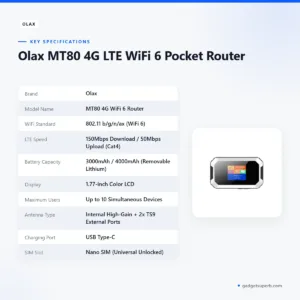

Olax MT80 4G LTE WiFi 6 Pocket Router
Original price was: ৳ 4,200.৳ 3,060Current price is: ৳ 3,060.
-27%
23 in stock

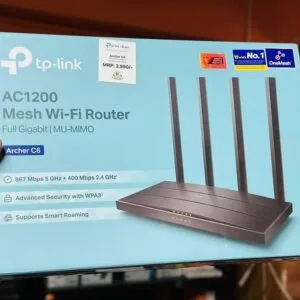
TP-Link Archer C6 Gigabit Dual-Band Wi-Fi Router
Original price was: ৳ 5,390.৳ 3,930Current price is: ৳ 3,930.-27%
30 in stock
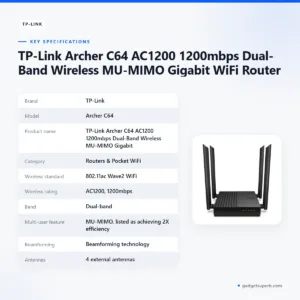

TP-Link Archer C64 AC1200 1200mbps Dual-Band Wireless MU-MIMO Gigabit WiFi Router
Original price was: ৳ 4,530.৳ 3,300Current price is: ৳ 3,300.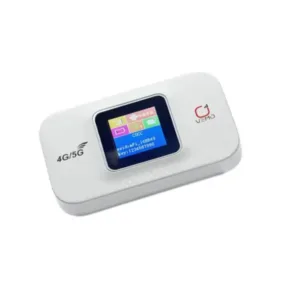 Vemo E5783 Plus 4G/5G Portable...
 Original price was: ৳ 4,420.৳ 3,220Current price is: ৳ 3,220.
133 in stock
Reviews
There are no reviews yet.