No products in the cart.

-27%
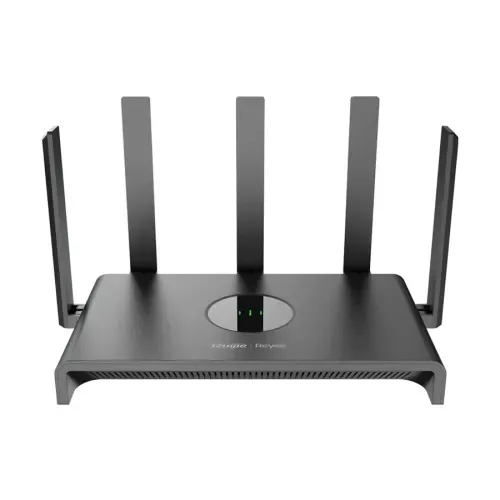
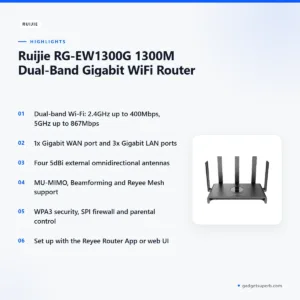
The Ruijie RG-EW1300G is a dual-band Wi-Fi router that the maker describes as an AC1300 model for modern homes and small offices in Bangladesh. It combines 2.4GHz and 5GHz wireless with full Gigabit wired ports, so families, remote workers and gamers can share one internet connection.
- Overview
- Key features
- Specifications
- How to set up the router
- Compatibility and what is in the box
- Who should buy it in Bangladesh
- Alternatives in our store
- Warranty and support
- Delivery, returns and ordering
- Frequently asked questions
Ruijie RG-EW1300G overview for Bangladeshi homes and offices
The Ruijie RG-EW1300G is listed as the Ruijie RG-EW1300G 1300M Dual-Band Gigabit WiFi Router, an AC1300 router with dual-band Wi-Fi and full Gigabit ports. According to the listing, the Ruijie RG-EW1300G is engineered for modern homes and small offices in Bangladesh. The maker lists uses that include high-definition streaming, online gaming, smart home automation and remote work.
For the Ruijie RG-EW1300G, the practical question is usually how many devices share one connection at the same time. A household in Dhaka might have a phone in the bedroom, a laptop on a desk, a smart television and a few cameras online together. The listing says MU-MIMO and Beamforming are included to handle multiple devices and focus signals toward them, which is the mixed-use scenario the maker has in mind. Count your own devices before you decide whether the Ruijie RG-EW1300G fits.
Power and climate matter for the Ruijie RG-EW1300G in Bangladesh too. Load-shedding can interrupt supply, and humid rooms are common in many homes. The listing gives a 12V DC, 1.5A power supply, an operating temperature of 0°C to 40°C (32°F to 104°F) and an operating humidity of 10% to 90% non-condensing. Keep the router in a ventilated spot away from direct heat, and check these figures against the room where you plan to place it. For a general explanation of how these devices work, read the general article on wireless routers.
Read the figures in this guide as the maker’s listing. Real results depend on your internet plan, the modem your provider supplies, the walls between rooms and the devices you use. Compare the listed figures with your own needs, then decide which points matter most for your household or office.
Key features
Dual-band Wi-Fi rated at AC1300
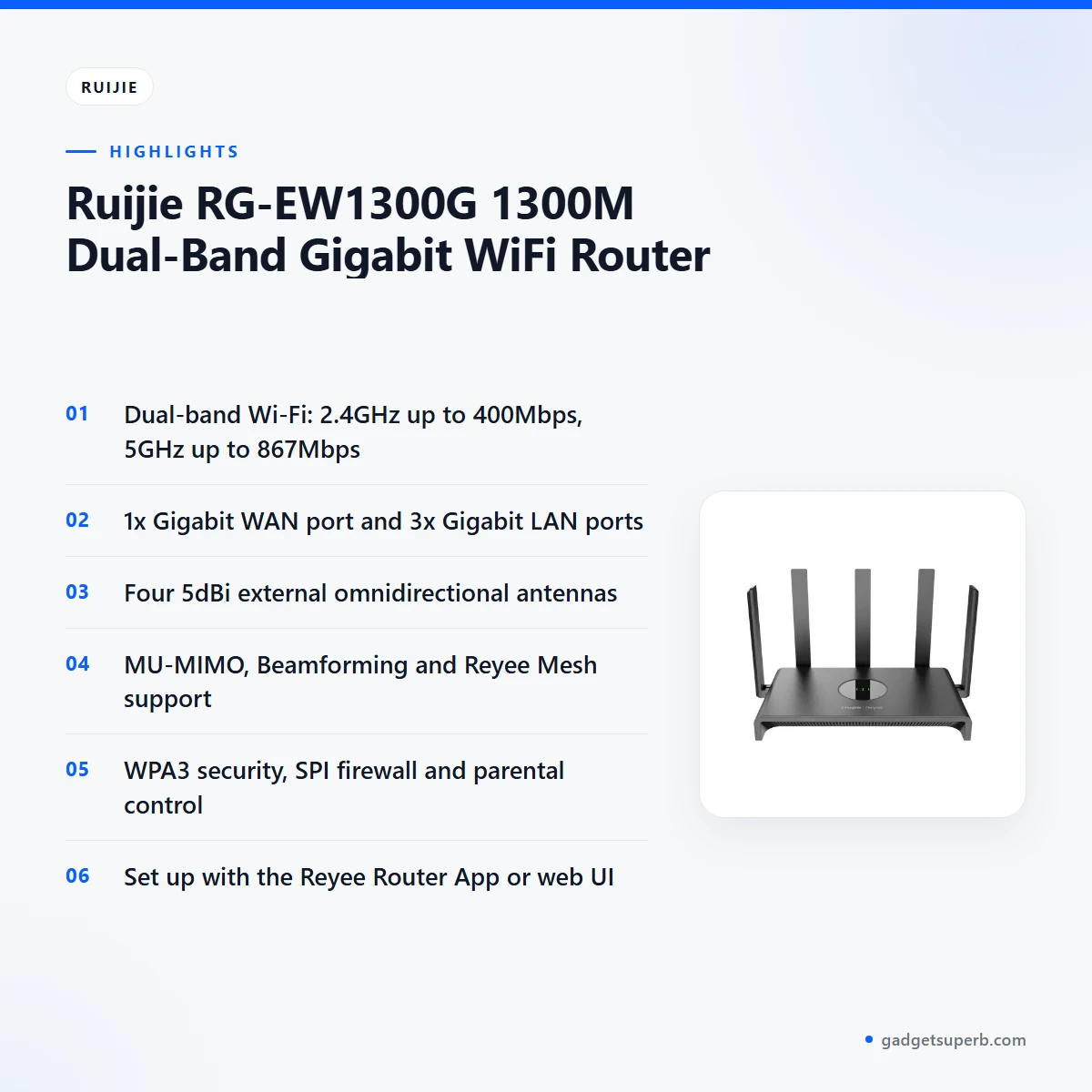
The Ruijie RG-EW1300G operates on 2.4GHz and 5GHz at the same time. The listing gives up to 400Mbps on 2.4GHz and up to 867Mbps on 5GHz, which it describes as a total wireless speed of up to 1267Mbps (AC1300). According to the listing, the 2.4GHz band suits everyday tasks such as browsing and email, while the 5GHz band is aimed at 4K streaming, online gaming and large file downloads. The maker says the 5GHz band also reduces latency and buffering for those activities. Your real-world speed will depend on your internet plan, your devices and where they sit in the home. Ask yourself which activities run most often at home, then decide how much wireless capacity you need each day.
Full Gigabit ports for wired devices
The Ruijie RG-EW1300G has one Gigabit WAN port for the connection from your internet provider’s modem. The listing says this ensures your incoming internet speed is fully utilised without bottlenecks. It also has three Gigabit LAN ports for wired devices such as desktop PCs, smart TVs, gaming consoles and network-attached storage. The listing says these connections suit critical applications that need stability and speed. Wired devices suit a desktop or console that stays in one place, while phones and tablets can stay on Wi-Fi. The listing calls the Ruijie RG-EW1300G a Gigabit WiFi router that users in Bangladesh will appreciate for high-speed wired needs.
Four 5dBi antennas for coverage
The listing describes four external 5dBi omnidirectional antennas on the Ruijie RG-EW1300G. According to the maker, they maximise Wi-Fi coverage and signal strength, and help signals penetrate walls and floors more effectively. The listing says this supports a stable connection across larger homes and multi-story apartments common in Bangladesh. It does not give a coverage area in metres, so treat the coverage wording as the maker’s statement. Placement can affect results in your own rooms, so try a few spots for the Ruijie RG-EW1300G before you settle on one.
Beamforming and MU-MIMO
According to the listing, Beamforming focuses Wi-Fi signals directly towards connected devices instead of broadcasting in a general direction. The maker says this improves range and performance for each device, including those further away. MU-MIMO, which stands for Multi-User, Multiple-Input, Multiple-Output, allows the router to communicate with several devices at the same time rather than one after another. The listing says this increases network efficiency and throughput in homes with many devices. The Ruijie RG-EW1300G lists both features, and the benefit you notice will depend on your devices and your layout.
Reyee Router App and web management
The Reyee Router App lets you set up the router, monitor network status, manage connected devices, set parental controls and create guest networks from a smartphone, according to the listing. The maker says the Ruijie RG-EW1300G can be set up through the app in minutes. For advanced users, the listing also mentions a comprehensive web-based user interface for detailed configuration and customisation. Both routes are named in the listing, so you can choose the one that suits your comfort with settings.
WPA3 security and Reyee Mesh expansion
The listing names WPA3 as the latest Wi-Fi security standard and says it provides enhanced encryption and protection against brute-force attacks. The Ruijie RG-EW1300G also lists parental control, a guest network and an SPI firewall among its security and control features. Reyee Mesh, according to the listing, lets you add other Ruijie Mesh-compatible routers and create a unified network with a single SSID, so devices can roam without manual switching. The maker says this suits larger homes or offices where one router may struggle to cover every area. If you plan a mesh setup, ask us which models you intend to add.
Specifications
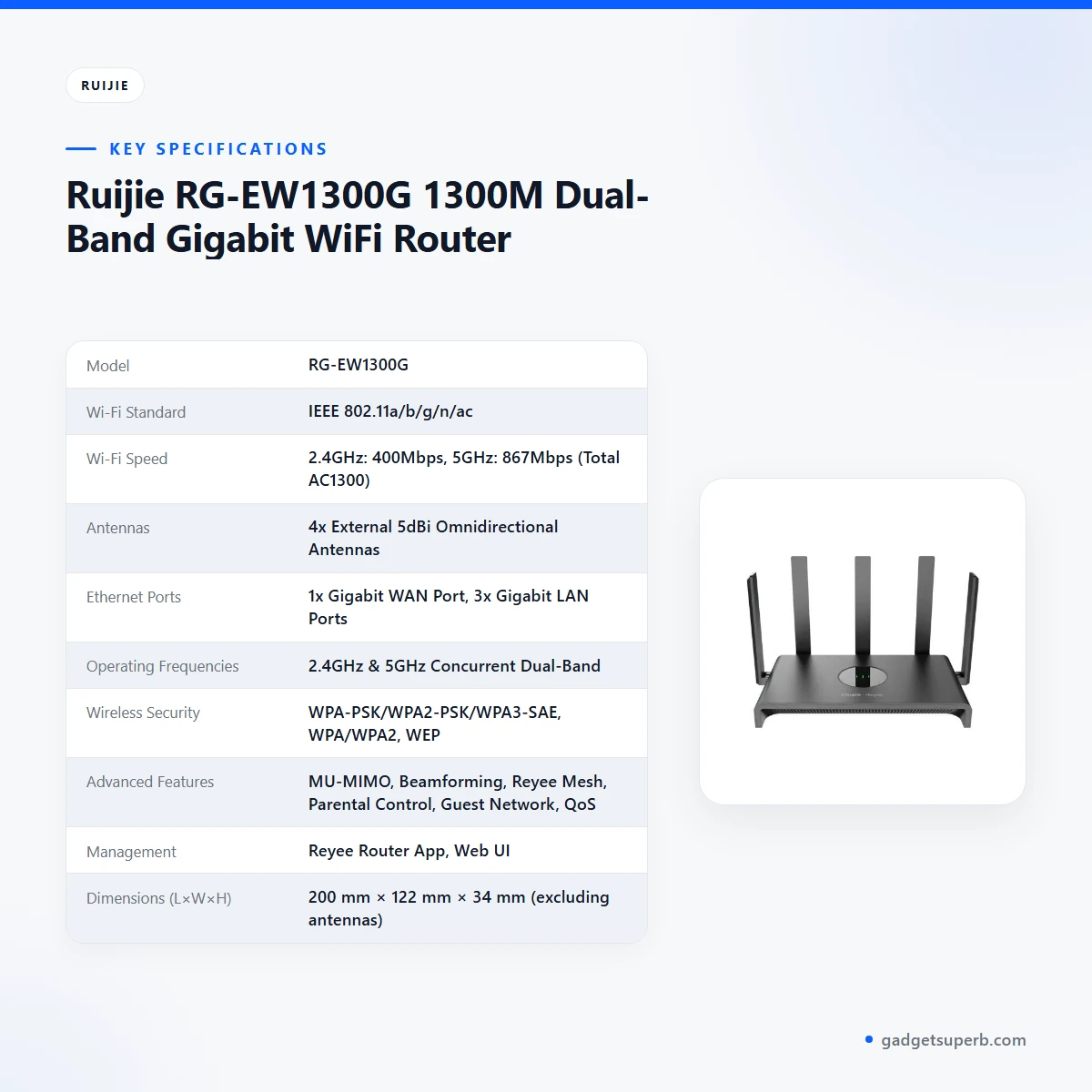
The table below lists the Ruijie RG-EW1300G specifications as the maker gives them.
| Model | RG-EW1300G |
|---|---|
| Wi-Fi Standard | IEEE 802.11a/b/g/n/ac |
| Wi-Fi Speed | 2.4GHz: 400Mbps, 5GHz: 867Mbps (Total AC1300) |
| Antennas | 4x External 5dBi Omnidirectional Antennas |
| Ethernet Ports | 1x Gigabit WAN Port, 3x Gigabit LAN Ports |
| Operating Frequencies | 2.4GHz & 5GHz Concurrent Dual-Band |
| Wireless Security | WPA-PSK/WPA2-PSK/WPA3-SAE, WPA/WPA2, WEP |
| Advanced Features | MU-MIMO, Beamforming, Reyee Mesh, Parental Control, Guest Network, QoS, IPv6 Support, SPI Firewall |
| Management | Reyee Router App, Web UI |
| Dimensions (L×W×H) | 200 mm × 122 mm × 34 mm (excluding antennas) |
| Weight | Approx. 350g (without power adapter) |
| Power Supply | 12V DC, 1.5A |
| Operating Temperature | 0°C to 40°C (32°F to 104°F) |
| Storage Temperature | -40°C to 70°C (-40°F to 158°F) |
These are the listed specifications from the product listing.
How to set up the Ruijie RG-EW1300G
Before you start, find a place near a power outlet and have an Ethernet cable ready for your internet provider’s modem. Set up the Ruijie RG-EW1300G close to the modem first, then move it to its final position once the connection works. The listing does not give placement rules, so use common sense about airflow and distance.
The listing describes the hardware steps as straightforward. Plug the power adapter into the router and a power outlet. Connect your internet provider’s modem to the WAN port of the Ruijie RG-EW1300G using an Ethernet cable. Follow the maker’s instructions for each step, and keep the modem powered on during setup.
For the app route, the listing recommends the Reyee Router app from Google Play Store or Apple App Store. Open the app, follow the on-screen instructions and connect to the default Wi-Fi network, which the listing says is usually printed on a sticker on the router. Then complete the internet setup wizard. Keep a note of the sticker details for later reference. Most buyers find the app the simpler starting point for the Ruijie RG-EW1300G.
For the browser route, connect a computer to one of the LAN ports or to the default Wi-Fi network. Open a web browser and go to 192.168.110.1, or the address specified on the router sticker, to reach the web-based setup wizard. Use the address exactly as the listing shows it. This route suits you if you prefer working from a laptop with the Ruijie RG-EW1300G.
Once setup is complete, use either the Reyee Router App or the web UI to change your Wi-Fi name (SSID), change the password and set up guest networks, parental controls and other advanced features for your Ruijie RG-EW1300G. If you plan to expand, the listing says the app provides a simple process to add additional Reyee Mesh-compatible devices. Write your new Wi-Fi password down and store it somewhere private.
If setup stalls, check that each cable is firmly seated, confirm that the modem is powered on, and make sure you are joining the default network named on the sticker. Then follow the maker’s instructions again from the start. If you are still stuck, contact us with the model name before you make any other change.
Care and storage are simple. Keep the router dry, free of dust and out of direct sunlight, which matters in humid months because the listed operating humidity is 10% to 90% non-condensing. Do not block its airflow or stack heavy items on top of it. Wipe the outside with a dry, soft cloth when it is switched off and disconnected.
The listed storage temperature is -40°C to 70°C (-40°F to 158°F), and storage humidity is 5% to 90% non-condensing. If you need to keep the Ruijie RG-EW1300G unused for a while, store it in a dry place within those limits rather than in a damp cupboard or somewhere exposed to heat. During load-shedding, check that the power arrangement you use for the router matches the listed 12V DC, 1.5A supply before you rely on it for work calls.
Compatibility and what is in the box
The listing confirms the Wi-Fi standard IEEE 802.11a/b/g/n/ac, concurrent 2.4GHz and 5GHz operation, one Gigabit WAN port and three Gigabit LAN ports. It also names the Reyee Router App for Google Play Store and Apple App Store, a web UI and IPv6 Support. For the Ruijie RG-EW1300G, the wired side uses an Ethernet cable between your modem and the WAN port, and the wireless side is listed with the standards above.
The listing does not describe what is in the box, so the contents are not confirmed here. Ask us if you need the exact contents. The Ruijie RG-EW1300G listing gives RG-EW1300G as the model, so confirm the model before you order, especially if you are comparing it with another Ruijie router. The listing gives 12V DC, 1.5A as the power supply, so check that your power setup matches before you connect.
Your internet provider and modem matter as much as the router. The listing connects the router’s WAN port to your provider’s modem with an Ethernet cable, so check with your provider that the modem and plan suit your home or office. If your provider supplies a modem with its own Wi-Fi, ask us how that arrangement will work, because the listing does not describe it.
If you already own a Ruijie mesh device, the listing says Reyee Mesh lets you add Ruijie Mesh-compatible routers to the same network. The listing does not publish a full compatibility list, so check the exact device you plan to add before you rely on it.
Who should buy it in Bangladesh
A household with several users and devices is the first group the listing describes. The maker says the Ruijie RG-EW1300G can support simultaneous 4K streaming, online gaming and video calls, which suits families sharing one connection. If several people are on video calls in the evening while others stream or game, a dual-band router with wired ports for a desktop may make the daily routine easier.
Small offices with a few staff are the second group. The listing describes reliable and fast Wi-Fi for employees, and it names desktop PCs and network-attached storage as examples for the wired LAN ports. A home office where one person works all day, perhaps with a shared storage drive, fits the same profile. Check your internet plan with your provider first.
Smart home owners are the third group. The listing mentions security cameras and smart lights as devices that need a stable and responsive network. A flat with several cameras and smart lights may benefit from wired connections for fixed devices and Wi-Fi for mobile ones. The Ruijie RG-EW1300G suits this use if you want one network to manage from your phone.
Content creators and remote workers are the fourth group. The listing says the Ruijie RG-EW1300G can handle large file transfers and bandwidth-intensive applications with ease and efficiency. If you upload footage from a desktop, a wired LAN port keeps that machine on a fixed connection while your laptop roams on Wi-Fi.
Gamers who play on a console or desktop are a fifth group. The listing names online gaming, 5GHz use and Gigabit wired connections as reasons to consider this router. Use these scenarios as a checklist rather than a promise of performance, because results depend on your internet plan and your setup.
Students and renters who want one network for a few devices can use the same checklist. The listing does not describe any rental or student arrangement, so judge the router on the features it lists rather than on any extra service.
When you decide, start with your internet plan, then count the devices you use at the same time. Note how many rooms need coverage and whether you want wired connections for a desktop, console or storage. Those answers help you judge whether the Ruijie RG-EW1300G, with its dual-band Wi-Fi, four external antennas and Gigabit ports, suits your home or office.
A basic household that only browses and checks email on one phone may not need every feature listed. In that case a simpler model in our range may be a better fit, and the alternatives below show other options.
Alternatives in our store
If the Ruijie RG-EW1300G does not fit your plan, these options from our range may be worth a look. The Cudy WR1200 AC1200 Dual Band Smart Wi-Fi Router is another router in our range, and the Tp-link TL-WR845N 300Mbps Wireless Router is a wireless router in our range. For a mobile option, the Vemo E5783 Plus 4G/5G Portable Pocket WiFi Router – 300Mbps High-Speed Mobile Hotspot with 3000mAh Battery is a pocket WiFi router in our range. If you need a stand, the Metal Router Stand – Black is an accessory in our range.
Choosing between a fixed router and a pocket WiFi device depends on where the connection will be used. A fixed router of this kind suits a home or office where wired devices sit in one place. A pocket device suits someone who moves between places and needs a connection on the go. Consider your daily routine, then pick the option that fits it.
To compare these options with the Ruijie RG-EW1300G, browse the full category of routers and pocket WiFi devices we stock: Routers & Pocket WiFi. Think about whether you need a fixed router for a home or office, a pocket connection for travel, or an accessory to place your router neatly. Choose the Ruijie RG-EW1300G if its dual-band Wi-Fi and wired ports match your plan.
Warranty and support
Warranty: 1 Year seller warranty.
Delivery, returns and ordering
We deliver all over Bangladesh and you pay cash on delivery. Delivery usually takes 1–3 days inside Dhaka city and 2–5 days outside Dhaka. Cash on delivery means you pay when your parcel arrives, so the delivery can be completed smoothly. The timing above is the usual range, and it can vary with your delivery area.
You can return it within 7 days of delivery (see our Delivery & Returns policy). For the full terms, read the Delivery & Returns policy. Keep the parcel details and your contact number handy in case you need to arrange a return.
Questions before ordering: call 09638054751, message us on Facebook Messenger or email care@gadgetsuperb.com. If anything about the Ruijie RG-EW1300G is unclear, send your questions first so the team can confirm the details for your area.
When you order, give us the model name, RG-EW1300G, a full delivery address and a contact number. Those details help us confirm the timing for your area and reduce delays at the door.
Frequently asked questions
Is the Ruijie RG-EW1300G a dual-band router?
Yes, the listing says the router operates on 2.4GHz and 5GHz at the same time, which it describes as concurrent dual-band. This is the basis for the AC1300 Wi-Fi rating in the listing.
What Wi-Fi speeds does it list?
The listing gives up to 400Mbps on 2.4GHz and up to 867Mbps on 5GHz, described as up to 1267Mbps in total (AC1300). Real-world speed depends on your internet plan and your devices.
How many Ethernet ports does it have?
It has one Gigabit WAN port for your modem and three Gigabit LAN ports for wired devices, according to the listing. Use the WAN port for the internet connection and the LAN ports for wired devices.
Does the Ruijie RG-EW1300G support WPA3?
Yes, the listing says the router supports WPA3, which it describes as the latest Wi-Fi security standard. The listing also names WPA2-PSK among its wireless security options.
Can I set it up with my phone?
Yes, the listing says you can set up and manage the network with the Reyee Router App from Google Play Store or Apple App Store. The app also covers parental controls and guest networks.
Can I manage it from a computer?
Yes, the listing mentions a web-based user interface, reached at 192.168.110.1 or the address on the router sticker. The listing does not give login details, so follow the on-screen setup prompts.
Can it work with mesh routers?
The listing says the Ruijie RG-EW1300G supports Reyee Mesh and can add other Ruijie Mesh-compatible routers under a single SSID. Confirm the compatible model with us first, because the listing gives no full compatibility list.
Is firmware for it listed?
The listing does not mention firmware or firmware versions, so we cannot confirm the latest version for this model. Ask us if you need this information.
What range does it cover?
The listing does not give a range in metres. It describes four 5dBi external antennas and says the router helps coverage across larger homes or multi-story apartments.
What warranty comes with it?
Warranty: 1 Year seller warranty. Ask us if you want the warranty explained before you buy.
How long does delivery take?
Delivery usually takes 1–3 days inside Dhaka city and 2–5 days outside Dhaka. You pay cash on delivery, and we deliver all over Bangladesh.
Can I return it?
Yes, you can return it within 7 days of delivery. See our delivery and returns policy for the full details.
Related products
-28%
100 in stock

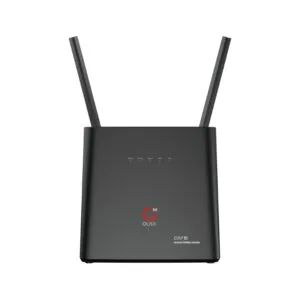
OLAX AX9 Pro 300Mbps 4G SIM Supported WiFi Router with 4000mAh in Built Battery
Original price was: ৳ 7,940.৳ 5,710Current price is: ৳ 5,710.-23%
60 in stock
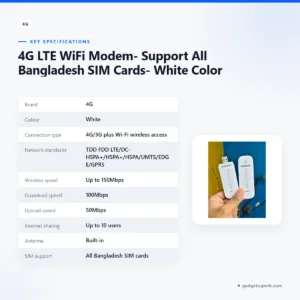

4G LTE WiFi Modem- Support All Bangladesh SIM Cards- White Color
Original price was: ৳ 1,370.৳ 1,050Current price is: ৳ 1,050.-27%
23 in stock

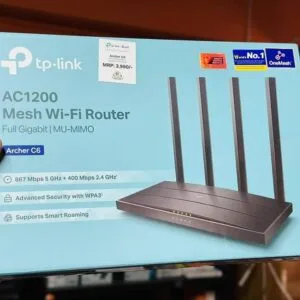
TP-Link Archer C6 Gigabit Dual-Band Wi-Fi Router
Original price was: ৳ 5,390.৳ 3,930Current price is: ৳ 3,930.-26%
30 in stock
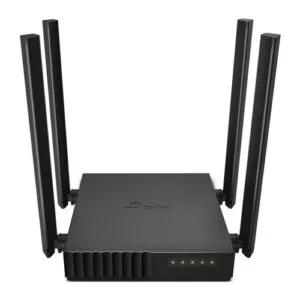
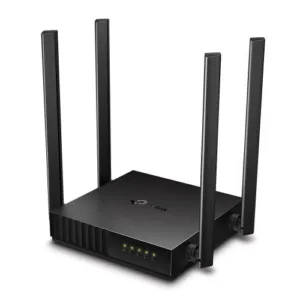
TP-Link Archer C54 AC1200 Dual Band Wi-Fi Router
Original price was: ৳ 3,500.৳ 2,590Current price is: ৳ 2,590.-23%
50 in stock
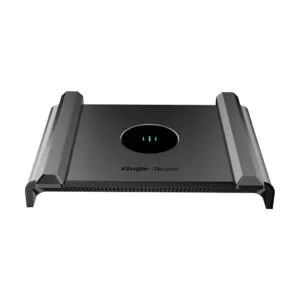
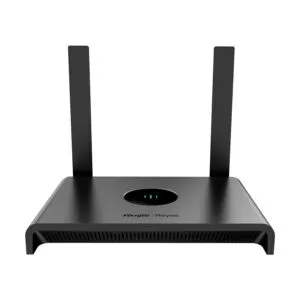
Ruijie RG-EW300N 300 Mbps Wi-Fi 4 Wireless Smart Router
Original price was: ৳ 2,470.৳ 1,900Current price is: ৳ 1,900.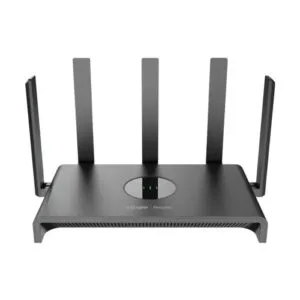 Ruijie RG-EW1300G 1300M Dual-B...
Original price was: ৳ 5,130.৳ 3,740Current price is: ৳ 3,740.
50 in stock
Reviews
There are no reviews yet.