No products in the cart.

-28%
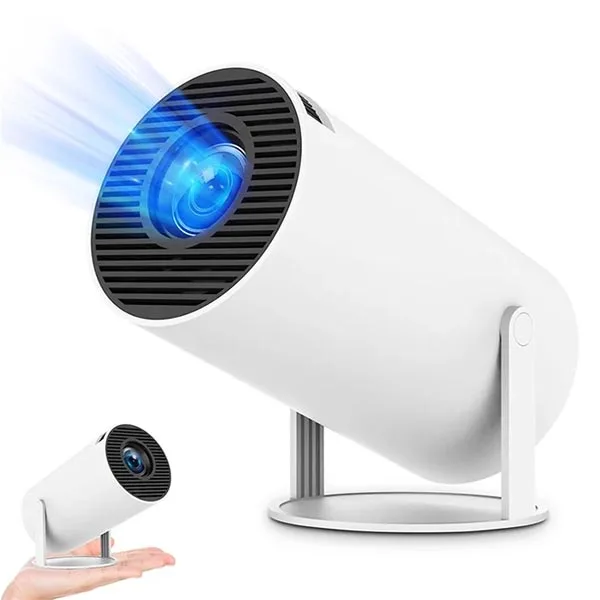
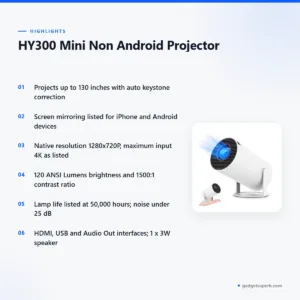
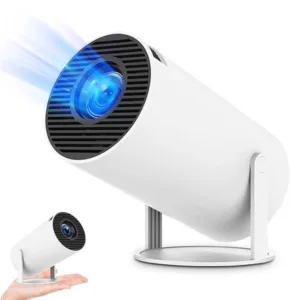
The hy300 projector is a compact mini projector that the maker lists as designed for modern lifestyles. According to the listing, it suits home theatre, classrooms, virtual meetings and outdoor movie nights, and it projects images up to 130 inches. It is listed on our store as the HY300 Mini Non Android Projector.
- Overview
- Key features
- Specifications
- How to use and set up
- Compatibility and what is in the box
- Who should buy it in Bangladesh
- Alternatives in our store
- Warranty and support
- Delivery, returns and ordering
- Frequently asked questions
Overview of the hy300 projector
The hy300 projector is a small projector for showing films, slides and video on a wall or plain screen. The model number is HY300, and the listing states No Android, so this is a different product from the Android projectors we also sell. Read that line carefully before you compare models, because the unit does not run an Android system itself.
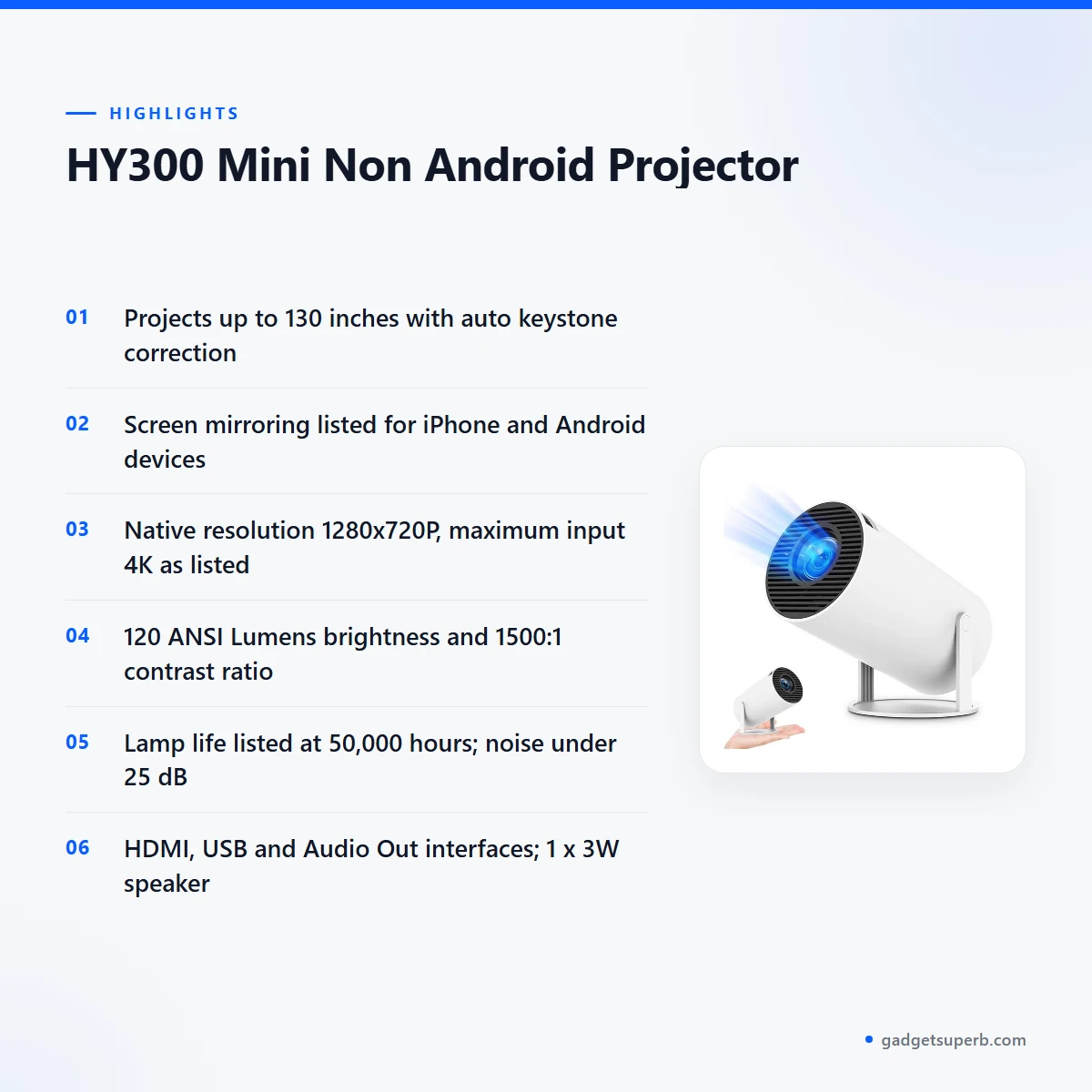
Screen mirroring is the feature most buyers ask about first. The listing says the hy300 projector supports screen mirroring for iPhone and Android devices, so content from a phone can appear on the projected image. The listing does not describe the mirroring steps, so follow the maker’s instructions and ask us before ordering if you need a specific setup.
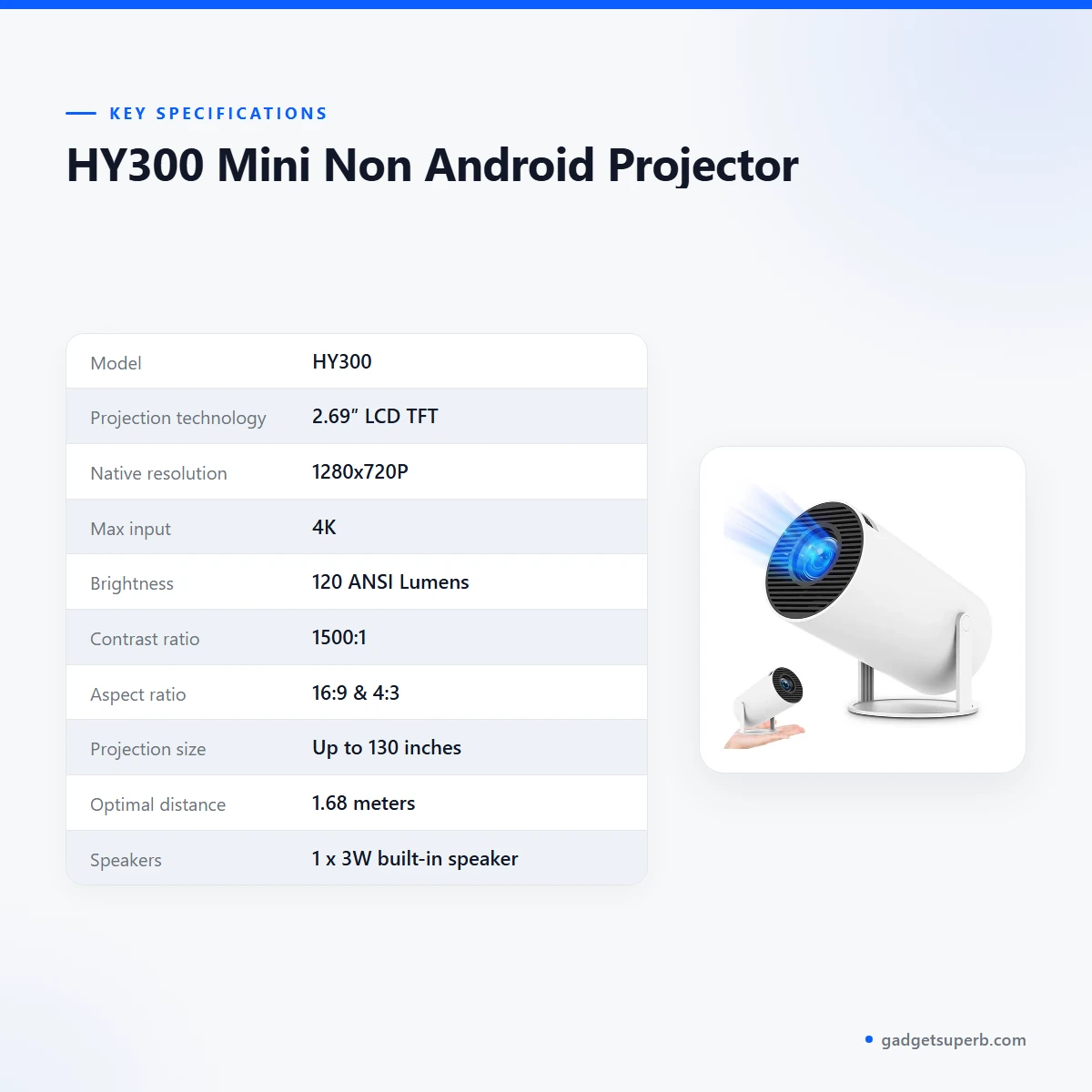
The maker lists 2.69″ LCD TFT projection technology, a native resolution of 1280x720P and a maximum input of 4K for the hy300 projector. Brightness is listed at 120 ANSI Lumens, with a contrast ratio of 1500:1 and aspect ratios of 16:9 and 4:3. For general background on how projectors work, see the Wikipedia overview of video projectors. Room light affects how any projected picture looks, so a room that can be darkened usually suits a projector best.
Choosing a projector comes down to a few practical questions. Ask where the unit will sit, how big the image needs to be, which sources you plan to connect, and whether you need an Android system built in. For the hy300 projector, the listing answers the first three with an optimal distance of 1.68 meters, a projection size of up to 130 inches, and HDMI, USB and audio out interfaces. The question about Android has a clear answer, because the listing states No Android.
Key features of the hy300 projector
Up to 130-inch projection
The listing says the hy300 projector projects up to 130 inches with vivid clarity. That claim comes from the maker, so judge it against the wall or screen you plan to use. A large image suits family films and group viewing, while a smaller image may suit a desk or a study corner. The listing gives an optimal distance of 1.68 meters, so measure the space between the unit and the wall before you choose a position. A plain, light-coloured wall or a projector screen is the usual choice for indoor viewing. If several people watch together, sit at a comfortable distance and check that the image fills the space you want without straining the view.
Auto keystone correction
The listing gives keystone correction for the hy300 projector as Auto Keystone and describes it as ensuring perfect alignment every time. It does not explain how the correction works or how far it adjusts, so follow the maker’s instructions for setup. The listing also gives a 360° image flip and a 180° projection angle. Many homes have furniture close to walls, so a projector that is not square to the screen is a common situation to plan for. If you move the unit to another room, check the picture again, because its position relative to the wall changes the shape of the image. Check the hy300 projector again after every move.
Screen mirroring for iPhone and Android devices
The listing states that the hy300 projector supports screen mirroring for iPhone and Android devices. Mirroring lets you show content from your phone on the projected image, which many buyers use for photos, videos and slides. The listing does not say which cables, settings or network conditions are needed, and it does not describe the setup steps. Read the maker’s instructions after delivery, keep your phone charged, and set up your phone before an event so the mirroring step is quick. Teachers and presenters can run a short check before a lesson or meeting, so the first minutes of a session are not spent on set-up.
HDMI, USB and audio out connections
The listing gives the interfaces as 1x USB, 1x HDMI and 1x Audio Out. An HDMI port is a common way to connect a laptop or another HDMI source, and the listing names it among the interfaces of the hy300 projector. The listing does not describe what the USB port is used for, so check the maker’s instructions before you rely on it. The built-in speaker is listed as 1 x 3W, and the noise level as less than 25 dB. The listing does not describe speaker volume in a large room, so plan your own sound setup if you need more. Measure your cable run before you start, so the HDMI cable does not pull on the unit or the laptop.
Listed lamp life and quiet operation
The listing gives a lamp life of 50,000 hours and a noise level of less than 25 dB. The maker presents the long lamp life of the hy300 projector as a benefit that reduces maintenance, and presents the quiet operation as a further benefit. The listing does not explain how the lamp life figure was measured, so read it as the maker’s figure. For a bedroom or study, the listed noise level is a useful starting point when you compare the hy300 projector with other units. Keep the unit away from direct heat, store it somewhere dry when it is not in use, and follow the maker’s care guidance.
Portable design and compact body
The listing describes the hy300 projector as having a portable and lightweight design for easy setup anywhere. It gives dimensions as Ø100.8 x 103.5mm and a 1.2m power cord as the adapter cord. A compact body suits a flat where furniture is already crowded, and it also means the unit can be moved more easily, which is useful for a tutor who works in several rooms. Keep the unit on a stable surface, and avoid placing it where children or pets can knock it.
Specifications of the hy300 projector
The table below sets out the main specifications of the hy300 projector as they appear on the product listing. Values are shown in the form the maker writes them, such as 110–220V. Check the model number HY300 against the page before you compare this unit with other projectors in the store.
| Label | Value |
|---|---|
| Model | HY300 |
| Projection technology | 2.69″ LCD TFT |
| Native resolution | 1280x720P |
| Max input | 4K |
| Brightness | 120 ANSI Lumens |
| Contrast ratio | 1500:1 |
| Aspect ratio | 16:9 & 4:3 |
| Projection size | Up to 130 inches |
| Optimal distance | 1.68 meters |
| Speakers | 1 x 3W built-in speaker |
| Interfaces | 1x USB, 1x HDMI, 1x Audio Out |
| Lamp life | 50,000 hours |
| Power supply | 110–220V |
| Noise level | Less than 25 dB |
These are listed specifications from the product listing for the hy300 projector.
How to use and set up the hy300 projector
Start by reading the maker’s instructions in full. The listing does not describe the setup order, so treat the points below as general guidance rather than a manual. Place the hy300 projector on a stable surface and measure the distance to your wall. The listed optimal distance is 1.68 meters, which is a useful figure to check your room against.
Check the power details before you plug in. The listing gives a power supply of 110–220V and a 1.2m power cord, so confirm that your socket and cord reach the projector without strain. Load-shedding is common in many parts of Bangladesh, and the listing does not mention a battery or backup supply. If you need uninterrupted viewing during a power cut, plan your own backup, because a sudden cut can interrupt a film or a meeting.
Next, connect your source. Use the HDMI port for a laptop or media device, or try screen mirroring from a phone if your phone supports it. Set the focus manually, as the listing gives focus as Manual, and adjust it while you watch the image on the wall. Once the picture is in place, check its shape using the auto keystone correction the listing describes.
Humidity is a practical concern for many homes in Bangladesh. Keep the hy300 projector dry, avoid storing it in damp corners, and wipe the outside with a dry cloth when needed. Set it up in the room where you plan to use it rather than moving it often, and follow the maker’s instructions after any move.
Storage matters between film nights. Keep the unit in a dry place with the lens protected from dust, and keep cords loosely coiled rather than tight around the body. Avoid direct sunlight near a window, and keep it away from heaters, cooking areas and any source of water.
Before a first family film night with the hy300 projector, run through the whole setup once in the room you plan to use. Check the distance, the power cord, the source connection and the picture shape, so the real session starts without delay. Keep a note of the steps that worked, so the next setup takes less time.
Cleaning should be gentle. Let the unit cool before you wipe it, and use only a dry or lightly dampened cloth on the outside. Do not spray liquid near the vents. If the unit feels hot or behaves oddly, stop using it and follow the maker’s instructions or contact us.
Compatibility and what is in the box
Confirmed by the listing: screen mirroring for iPhone and Android devices, the 1x USB, 1x HDMI and 1x Audio Out interfaces, a power supply of 110–220V, and a 1.2m power cord listed as the adapter cord. The listing also names the model as HY300 and states No Android.
The listing does not set out the contents of the package, so this page does not list what is in the box. Do not assume an accessory is included unless your order details say so. Whether the hy300 projector works with particular laptops, with phone models beyond the iPhone and Android wording, or with specific streaming services is not stated in the listing.
Buyers often ask whether a projector needs a separate speaker. The listing gives a built-in 1 x 3W speaker and does not describe the sound beyond that figure. If you plan a larger audience, you may want your own audio setup connected through the Audio Out interface. Check the maker’s notes before you connect anything.
Confirm your model before you order, because the HY300 name is easy to confuse with other projectors that have similar names. Compare the model on your order with the model on the product page.
Who should buy the hy300 projector in Bangladesh
The hy300 projector suits buyers who want a large image in a small space and are comfortable with a simple setup. A family in a Dhaka flat who wants film nights on a living room wall is a typical example, especially with a dark room and a plain wall. The listed 130-inch size and 16:9 aspect ratio match that use.
Teachers, tutors and home-study students may find the classroom use listed by the maker relevant. A tutor who moves between rooms may value a compact unit, and the listing describes the design as portable and lightweight. Check the room distance first, because the listed optimal distance is 1.68 meters.
Remote workers who run virtual meetings from a spare room can consider a shared-screen setup, provided their internet and laptop connection already work well. The listing names virtual meetings as a use but does not describe how the connection is made. Test the setup with the people you will meet before an important call.
Outdoor movie nights are also listed as a use, so a rooftop or garden gathering is an option. Plan for humidity, dew and access to a power socket, and choose a dry, flat spot. Keep the unit covered or indoors when it is not in use.
Buyers in flats should think about where the viewer will sit. Sofas, cupboards and windows can all change what you see on the wall, so test the setup at the time of day you plan to watch. Daylight through a window can wash out a projected image, so the same film may look different in the afternoon.
A buyer who needs an Android system on the projector itself should look at the Android models listed below, because the hy300 projector is listed as No Android.
A parent who wants one projector for homework displays and family viewing may find the compact design useful, as long as the room and power supply suit the unit.
Alternatives in our store
If the hy300 projector does not match your plans, compare it with these options from our range. Each link opens its own product page, where you can read the listed specifications. HY320 Android Projector is another projector in our range. TP360 Smart Android Projector is also a projector in our range. HY320 Mini Android Projector is another projector in our range, and Hoco DT4 Smart Full Autofocus Projector is a further projector in our range. To browse every option, visit the projectors category.
When you compare the hy300 projector, check the listed specifications side by side: resolution, brightness, aspect ratio, connections and whether the model is Android. Those points help you decide which page to read in detail.
Use the category page to browse the projectors we list, then open the product pages that fit your room and your plans.
Warranty and support
Warranty: 7 Days seller warranty.
Delivery, returns and ordering
We deliver all over Bangladesh and you pay cash on delivery. Delivery usually takes 1–3 days inside Dhaka city and 2–5 days outside Dhaka.
You can return it within 7 days of delivery (see our Delivery & Returns policy). Questions before ordering: call 09638054751, message us on Facebook Messenger or email care@gadgetsuperb.com.
For the full terms, read our Delivery & Returns policy page. Because payment is cash on delivery, have payment ready when the order arrives.
If you live outside Dhaka, allow for the 2–5 day window when you plan an event, so the unit arrives before the date. Inside Dhaka city, the 1–3 day window gives you more room to plan a film night or a class.
Before you order, write down the room size, the wall you plan to use and the sources you will connect. Send these details with your questions about the hy300 projector by phone, Facebook Messenger or email, so your setup questions can be answered before you pay.
When the order reaches you, check the model name on your order slip against HY300 on the product page.
Frequently asked questions
Is the hy300 projector an Android projector?
No. The listing states No Android, so check the Android models in our store if you need one.
How large an image does the projector project?
According to the listing, it projects up to 130 inches. The size you get in practice depends on the distance and the wall you use.
Can I mirror my phone to the hy300 projector?
The listing says it supports screen mirroring for iPhone and Android devices. Follow the maker’s instructions for the setup steps.
What resolution does the projector support?
The listing gives a native resolution of 1280x720P and a maximum input of 4K.
Does the hy300 projector correct the picture shape automatically?
The listing says it has Auto Keystone correction. It does not describe how far the correction adjusts.
What distance does the projector need from the wall?
The listing gives an optimal distance of 1.68 meters. Measure your room before you choose a position.
What power supply does the hy300 projector use?
The listing gives a power supply of 110–220V and a 1.2m power cord. Check your socket before you plug in.
Is the focus adjusted by hand?
Yes. The listing gives focus as Manual, so adjust it while you watch the image on the wall.
Do you deliver the hy300 projector outside Dhaka?
We deliver all over Bangladesh, and you pay cash on delivery. Delivery usually takes 2–5 days outside Dhaka.
How long does delivery of the hy300 projector take?
Delivery usually takes 1–3 days inside Dhaka city and 2–5 days outside Dhaka.
Can I return the hy300 projector?
You can return it within 7 days of delivery. See our Delivery & Returns policy for the full terms.
Who can I contact before ordering?
Call 09638054751, message us on Facebook Messenger or email care@gadgetsuperb.com with your question about the hy300 projector.
Related products
-28%
50 in stock

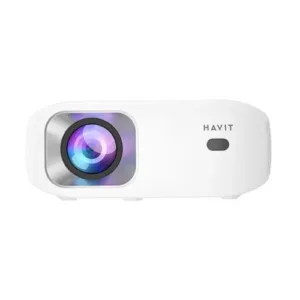
Havit PJ212 270 ANSI FHD Portable Projector
Original price was: ৳ 27,320.৳ 19,650Current price is: ৳ 19,650.-28%
50 in stock

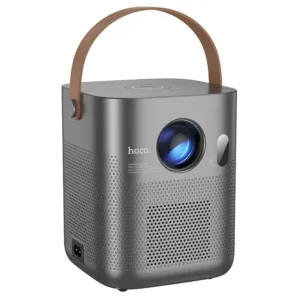
Hoco DT4 Smart Full Autofocus Projector
Original price was: ৳ 21,930.৳ 15,770Current price is: ৳ 15,770.-28%
100 in stock
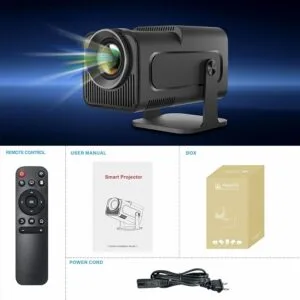
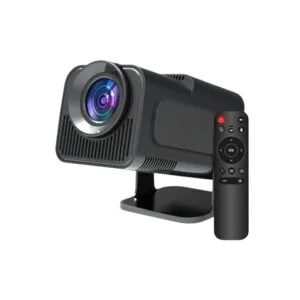
HY320 Mini Android Projector
Original price was: ৳ 8,030.৳ 5,770Current price is: ৳ 5,770.-28%
64 in stock
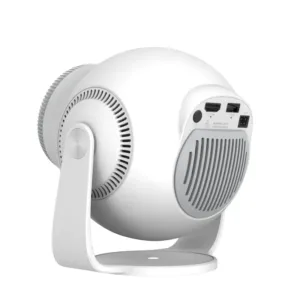
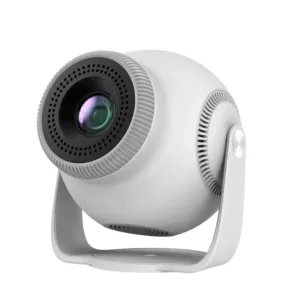
TP360 Smart Android Projector
Original price was: ৳ 13,910.৳ 10,000Current price is: ৳ 10,000.-28%
118 in stock
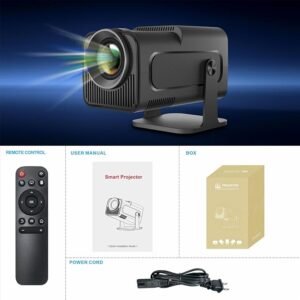

 HY300 Mini Non Android Project...
Original price was: ৳ 6,550.৳ 4,710Current price is: ৳ 4,710.
40 in stock
Reviews
There are no reviews yet.